
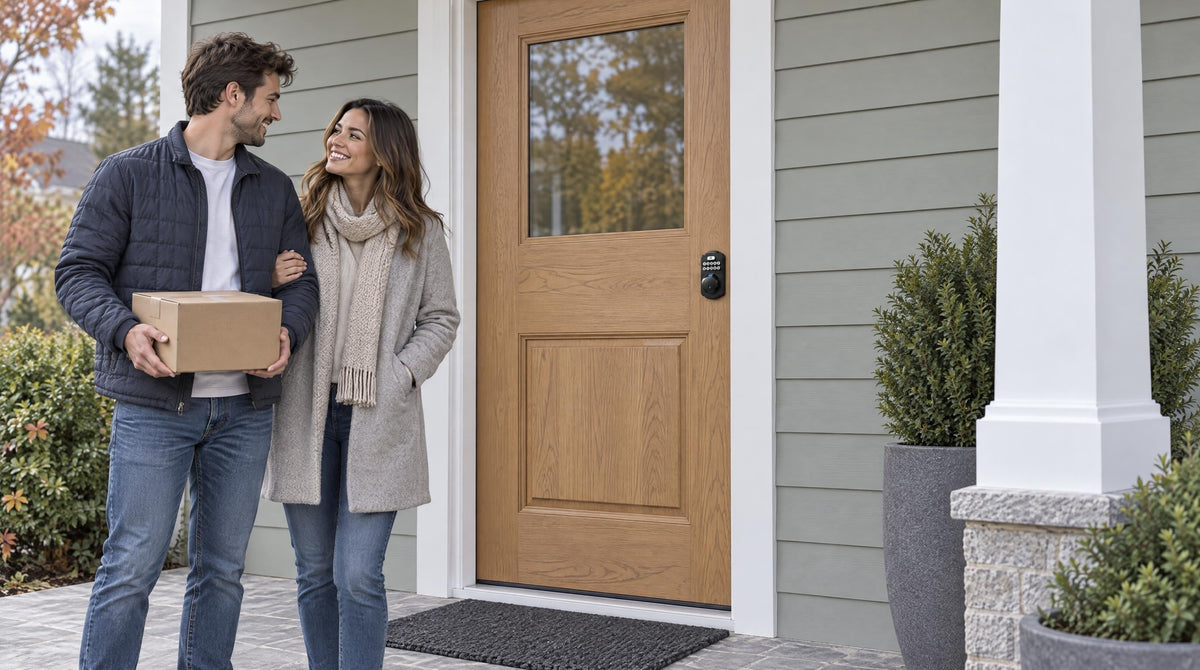
Every November, smart locks Black Friday deal lists flood the search results, and most of them are long lists of discounted models. That is exactly the wrong place to start. A discount doesn't tell you whether your front door actually needs an upgrade, or which kind of lock would solve the problems your household deals with every day. By the time the sale goes live, the best-prepared shoppers already know both answers — and they spend a few minutes buying instead of a weekend comparing.
This guide is the preparation step. It walks through five everyday signs that a front door is ready for an upgrade, matches each one to the type of lock that resolves it, and gives you a short, deal-agnostic checklist to run before you add anything to a cart. Whether you're upgrading a family home you've lived in for a decade or setting up a house you just closed on, the goal is the same: walk into Black Friday with a clear list, not a vague feeling that something on your door could be better.
Is Your Front Door Ready for an Upgrade?
Five everyday signs it's time, the lock type that solves each one, and what to check before the sale starts.
▶ Veise Upgrade Facts at a Glance
▶ 5 Signs Your Front Door Is Ready
▶ Check Before You Buy
Key Takeaway
Decide which sign describes your household first, then shop the matching lock type. A great price on the wrong category is still the wrong lock. Every Veise lock installs in about 15 minutes, keeps a physical key as backup, and never charges a subscription.
Why Black Friday Is the Right Time to Plan a Front Door Upgrade
Black Friday is a good time to buy a smart lock for one simple reason: it's the one week of the year when most households are already thinking about home upgrades, and a front door lock is one of the few upgrades you use every single day. It is also one of the few that installs in an afternoon. A Veise lock goes on a standard wood door in about 15 minutes with a screwdriver — no wiring, no locksmith, no special tools — so the "upgrade" is genuinely done the same day the box arrives.
The catch is that sale season rewards people who already know what they want. Deal lists are organized by brand and discount, not by household, and a bargain on a lock that can't do the one thing you needed (say, letting a dog walker in while you're at work) isn't a bargain. So before you look at a single price, work through the five signs below; each one points to a specific type of lock.
Sign 1: You're Still Carrying Keys for Every Trip
If every school run, dog walk, and trip to the mailbox starts with a pat-down for keys, your front door is ready for an upgrade. The fix is not getting rid of the key — every Veise lock keeps a physical key cylinder as a backup — it's taking the key off daily duty. With a Keypad Deadbolt or Keypad Latch lock, you type a 4-to-10-digit PIN code and walk in; with a fingerprint model, you touch the reader and it recognizes you in under 0.3 seconds. The key lives in a drawer for the rare day you need it.
For most households this is the entry-level upgrade, and it doesn't require an app, Wi-Fi, or a gateway. A Keypad Deadbolt gives you code entry plus the physical key on every model, and the KS02 series adds a fingerprint reader on every SKU. Fingerprints are processed and stored on the lock's own AI chip, so nothing about your fingerprint leaves the device. This is what Veise means by Effortless Home Entry™: the door recognizes you, and the daily fumble simply stops.
Two built-in features make code entry work in real life: anti-peep code entry lets you pad your real PIN with extra random digits before or after it, so an onlooker can't read the code, and after 10 wrong attempts every Veise lock automatically pauses for 3 minutes.
Sign 2: Your Family Shares Keys (or Hides One Outside)
A spare key under the planter, one copy handed between a teenager and a grandparent, a key a former babysitter may still have — these are all the same problem: you don't actually know who can open your door.
Every Veise lock, including the standalone Keypad Deadbolt and Keypad Latch lines, supports a separate code for each person, with plenty of user codes for a household of any size. Each family member gets their own PIN, and a code can be deleted the moment it's no longer needed without changing anything for anyone else. Fingerprint models add something a shared key never could: a fingerprint can only be enrolled by the person themselves, at the lock, so it can't be passed along the way a spare key or a written-down code can.
Families with school-age kids usually want one step more. If the question isn't just "can they get in?" but "did they get in, and when?", choose a connected lock — a Wi-Fi Smart Lock or a Smart Lock w/ Gateway 1/2. Both let a parent review the entry history in the app and receive a notification when a child's code or fingerprint is used, which is why Veise recommends a connected lock rather than a Keypad Deadbolt or Keypad Latch lock for households with kids. Our guide to helping latchkey kids come home safely covers the setup in detail.
Sign 3: You Need to Let Someone In When You're Not Home
If you've ever driven home to let in a plumber, a cleaner, or an early-arriving relative, you've found the clearest sign of all. Remote access — unlocking from your phone, or issuing a code from across town — requires a smart lock, either Wi-Fi or gateway-paired; a Keypad Deadbolt or Keypad Latch lock works only at the door.
Veise offers two ways to get there, and the difference matters when you're shopping. A Wi-Fi Smart Lock connects directly to your home's 2.4 GHz network, so remote control, entry history, and Alexa or Google Assistant voice control work with no extra hardware. A Smart Lock w/ G1 or Smart Lock w/ G2 reaches the Internet through a small gateway, sold separately, that plugs in within range of the lock and connects to your home network; with the gateway in place you get the same remote app control, and voice control through the gateway as well. If you're unsure which architecture suits your home, this explainer on smart lock gateways walks through it.
For temporary visitors, the code types do the work. A One-Time code, which auto-deletes after a single use, is available on every Veise lock. Scheduled codes go further on Smart Lock w/ G1 and Wi-Fi smart locks: a Recurring code that works only during set hours each week suits a regular cleaner, and a Duration code that expires after a defined period suits a house guest. Both expire on their own, so there's nothing to remember to delete. Smart Lock w/ G2 supports a different set of code types. For owners hosting short-term rental guests, this is the feature that ends key handoffs; see how to set up guest access on a smart lock for the step-by-step.
Sign 4: Your Current Lock Keeps Surprising You
A key that sticks in cold weather, a deadbolt you have to lift the door to throw, the drive-back to check whether you locked up, or an older electronic lock whose batteries died with no warning — if your lock regularly makes you think about it, it's asking to be replaced. A good upgrade is a lock that stops producing surprises.
Start with the biggest one. Auto lock re-engages the lock automatically after a countdown you choose: 10 to 99 seconds on Keypad Deadbolt and Keypad Latch locks, 10 to 180 seconds on Smart Lock w/ Gateway 1/2 and Wi-Fi smart locks. It runs on the timer whether the door is open or closed, so shut the door before the interval ends — and "did I lock the door?" stops being a highway question.
Batteries are the surprise people worry about most, and this is worth being direct about: every Veise lock is battery-powered, running on AA/LR6 alkaline cells (not included, so pick up a fresh set with the lock). What changes with a Veise lock is the warning. Before the batteries run out, the lock gives advance notice — a voice or beep prompt at the keypad plus an indicator light — and connected locks — Smart Lock w/ Gateway 1/2 and Wi-Fi smart locks — also push a notification to the app. If you ignore all of that, the physical key still opens the door. And every model in the VE017 series (Smart Lock w/ G1) and the VE027 series (Touchscreen Wi-Fi Smart Lock) includes a USB-C emergency power port, so a phone power bank connected to the port supplies enough power from outside to authenticate and get in; you then replace the batteries as usual. Veise Wi-Fi smart locks also use 8 AA batteries rather than the more common 4 AA setup, which gives the Wi-Fi radio a stronger, more stable connection and a deeper power reserve.
The mechanical surprises go too: because a Veise lock is a full replacement rather than an add-on over your existing hardware, a worn cylinder or misaligned bolt leaves with the old lock. Our guide on when and how to replace a front door lock covers the wear signs in more depth.
Sign 5: You're Moving Into a New Home
A new home is the one situation where the upgrade decision is close to automatic. There is no registry of who holds a copy of the previous owner's key — contractors, neighbors, house sitters, a real-estate lockbox — and you have no way to know how many copies exist. Changing the locks on closing day, ideally before the moving truck arrives, is the calm, practical way to start from zero.
You have two honest options. Rekeying keeps the existing hardware and swaps the pins so old keys stop working; it's the cheaper interim step and perfectly reasonable if the current locks are in good shape. A full replacement costs a little more but is the only route to keypad, fingerprint, or app entry — and if the old hardware is coming off anyway, the 15 minutes to fit a Veise lock is the best-timed upgrade you'll make in the new house. Because Veise locks are full replacements, the buyer needs to own the property or have authority over the door hardware — which, as a new homeowner, you do.
Inventory every exterior door, not just the front: the back door, the side door, the basement entry, and especially the door between the garage and the house, which is the one most people forget. New-construction buyers should assume the same advice applies to them — builder-grade hardware and construction master keys mean that "new" doesn't mean "nobody else has a key." For the full sequence, see why changing your locks should be the first step in a new home and the first-week new-homeowner checklist.
Your Black Friday Smart Lock Checklist
Once you know which sign describes your home, run these six checks before you buy — they're the difference between a lock that goes on the door Saturday morning and one that goes back in the box.
- Measure the door. Veise locks fit standard wood doors between 1-3/8" and 2" thick with a cross bore of 2-1/8" and a backset of 2-3/8" or 2-3/4" (the latch adjusts to either). They are not compatible with fiberglass, metal, storm, or sliding doors. If you're not sure what you have, this pre-purchase fit guide shows how to check.
- List the entry methods you'll actually use. Code and physical key are on every Veise lock. Fingerprint is on the KS02 series of Keypad Deadbolts, every Smart Lock w/ G1, many Smart Lock w/ G2 models, and every Wi-Fi smart lock — but not on Keypad Latch locks. Key fob comes with every Smart Lock w/ Gateway 1/2 and every VE027 series Wi-Fi lock, and isn't offered on the VE012W series or on the Keypad Deadbolt and Keypad Latch lines. Apple Watch unlock is unique to Smart Lock w/ G2.
- Ask about ongoing costs. Some connected locks on the market gate remote features behind a monthly plan. Veise charges no subscription — Veise smart locks include app control and core features out of the box, with no monthly fees.
- Check your network. Veise smart locks support 2.4 GHz Wi-Fi only, not 5 GHz. Most home routers broadcast both; confirm 2.4 GHz is enabled before the lock arrives. For Smart Lock w/ Gateway 1/2, plan where the gateway will plug in — within range of the lock and connected to your home network, not necessarily next to the router.
- Confirm the install is really DIY. Every Veise lock ships with a step-by-step manual and an installation video, and the job takes about 15 minutes with a screwdriver. It's a full replacement of your existing deadbolt, not an overlay, so the worn hardware comes off the door.
- Know who to call. US-based Veise support is available by phone Monday through Saturday and by email, with replies within 24 hours on business days — including help during installation if you want a second pair of eyes.
Find the Lock That Fits Your Life
Veise organizes its lineup into four lock categories, and each of the five signs above maps cleanly onto one of them. Use the table as your shopping list, then read the short notes below it for the differences inside each category.
| Your sign | Best-fit category | What to look for |
|---|---|---|
| Still carrying keys | Keypad Deadbolt | KS02 series for fingerprint; RZ and KS01 series for code-only; deadbolt-only or handleset with knob, lever, or vertical handle |
| Family shares keys | Any category for personal codes; Wi-Fi Smart Lock or Smart Lock w/ Gateway 1/2 for entry history | App notifications and entry log for kids-home-first households |
| Remote access | Wi-Fi Smart Lock or Smart Lock w/ G1 / Smart Lock w/ G2 | Wi-Fi models need no gateway; gateway models need the gateway (sold separately) |
| Lock surprises | Any category (auto lock and low-battery prompts are universal) | VE017 or VE027 series for USB-C emergency power |
| New home | Wi-Fi Smart Lock or Smart Lock w/ Gateway 1/2 for the front door; Keypad Latch for side and garage doors | Cover every exterior door, including garage-to-home |
Keypad Deadbolt
The simplest upgrade and the one that resolves Sign 1 on its own: code entry plus a physical key on every model, with fingerprint on every KS02 series SKU and code-only entry on the RZ and KS01 series. Choose a deadbolt alone or a handleset with a knob, lever, or vertical handle. It's also the one Veise line offered in Oil Rubbed Bronze as well as Matte Black and Satin Nickel.
Keypad Latch
An integrated handle-and-lock unit with code entry and a physical key — the KS03 with a top knob, the KS04 with a top lever. It's a complete code-based lock on its own and a common fit for side, garage-to-home, and office doors; many homeowners also pair one with a separate deadbolt on an entry door. Like the Keypad Deadbolt, it has no app; unlike the KS02 series, it has no fingerprint reader.
Smart Lock w/ Gateway 1/2
One category, two lines, both reaching the app and voice control through the gateway (sold separately). Smart Lock w/ G1 is built on a single product series, the VE017, and every model ships with fingerprint, a USB-C emergency power port, key fob, and on-device voice prompts in English, Spanish, and French — the most complete all-in-one connected pick. Smart Lock w/ G2 is the choice when Apple Watch unlock or web portal control matters to you, or when you want a connected lock without a fingerprint reader; it's the only line with non-fingerprint options.
Wi-Fi Smart Lock
The most direct route to Sign 3: Wi-Fi is built into the lock, so remote control, entry history, and Alexa or Google voice control need no gateway. The Touchscreen Wi-Fi Smart Lock (VE027 series) adds a touchscreen, a USB-C emergency power port, key fob support, and on-device voice prompts in English, Spanish, and French; the Push-Button Wi-Fi Smart Lock (VE012W series) has a traditional press-button keypad and none of those four extras. Both share fingerprint, app control, and the 8 AA battery design.
Don't forget the interior doors
For bedrooms, bathrooms, and a home office, a connected lock is overkill; the fit is Veise's Mechanical Locks lineup — keyed entry knobs and levers, privacy knobs and levers that lock from inside with an emergency release outside, deadbolts, and the Keyed Entry Handleset — in the same Matte Black and Satin Nickel finishes, so the whole house matches when you're done.
Why Families Choose Veise
Many smart lock brands on a Black Friday deal list are resellers putting their name on hardware built elsewhere. Veise is vertically integrated: as the consumer brand of Kaadas Group, it designs, engineers, manufactures, sells, and supports its own locks. Behind that sit 38 years of lock industry expertise, 711 patents — the world's largest smart lock patent portfolio — 10M+ smart locks sold across 41+ countries, and recognition by Frost & Sullivan as the global No.1 high-end smart lock brand by sales. In North America, Veise is the #1 Amazon Smart Lock Brand.
For a family, that scale buys consistency: ANSI/BHMA Grade 3 certification (the residential standard), a physical key on every model, no subscription on any model, a 15-minute install, and US-based support you can actually reach — all within a $30–$180 lineup, so the front door upgrade doesn't have to wait for a renovation budget. Easy from Day One.
Black Friday will bring plenty of smart lock offers, and the best way to use them is to arrive knowing what you're solving. Match the sign to the category, run the six-point checklist, and the purchase itself becomes the easy part. Every Veise lock installs on a standard wood door in about 15 minutes, keeps a physical key as backup, and never asks for a monthly fee — so the upgrade you plan this week is the one you'll be glad you made every day after.
Frequently Asked Questions
Is Black Friday a good time to buy a smart lock?
Yes, provided you decide what you need before the sale starts. Smart locks are a common Black Friday category, but deal lists are sorted by discount rather than by household, so the risk is buying a lock that's cheap but can't do the one thing you wanted — remote access, for example, requires a Wi-Fi or gateway-paired smart lock, not a Keypad Deadbolt or Keypad Latch lock. Work out which of the five signs describes your home, confirm your door is a standard wood door between 1-3/8" and 2" thick, and then shop the matching category.
Will a Veise smart lock fit my front door?
Veise locks fit standard wood doors between 1-3/8" and 2" thick, with a cross bore of 2-1/8" and a backset of 2-3/8" or 2-3/4". They are not compatible with fiberglass, metal, storm, or sliding doors. Because every Veise lock is a full replacement of your existing deadbolt, the buyer needs to own the property or have authority to change the door hardware.
Do Veise smart locks require a subscription?
No. There is no subscription on any Veise lock. Veise smart locks — Smart Lock w/ Gateway 1/2 and Wi-Fi Smart Lock — include app control, remote access (through the paired gateway, sold separately, on Smart Lock w/ Gateway 1/2), entry history, and code management with no monthly fees. Keypad Deadbolt and Keypad Latch locks have no app at all and likewise cost nothing to run beyond batteries.
What happens when the batteries die?
You get advance notice first: a voice or beep prompt at the keypad plus an indicator light on every Veise lock, and a push notification in the app on Smart Lock w/ Gateway 1/2 and Wi-Fi smart locks. If the batteries do run flat, the physical key opens the door on every model. Every VE017 series (Smart Lock w/ G1) and VE027 series (Touchscreen Wi-Fi Smart Lock) lock also has a USB-C emergency power port, so a power bank can supply enough power to authenticate and get in; you then replace the AA/LR6 alkaline batteries (not included with the lock) as normal.
Can each family member have their own code?
Yes, on every Veise lock, including the standalone Keypad Deadbolt and Keypad Latch lines. Each person gets a personal PIN of 4 to 10 digits, and codes can be added or deleted individually at the lock — or also in the app on connected models. On fingerprint models, each person enrolls their own fingerprint at the lock by scanning it eight times. To see when a child's code was used, choose a Wi-Fi Smart Lock or a Smart Lock w/ Gateway 1/2, which record entry history in the app.
Do I need Wi-Fi for a smart lock to work?
Not for everyday entry. Keypad code and physical key work on every Veise lock with no network at all, and Keypad Deadbolt and Keypad Latch locks never connect to anything. On Smart Lock w/ Gateway 1/2 and Wi-Fi smart locks, only long-distance remote features — remote locking and off-site alerts — need a live Internet connection; if Wi-Fi is down but you're within short-range wireless distance of the lock, app control continues to work locally. Veise smart locks connect over 2.4 GHz Wi-Fi only.
Ready to Upgrade Your Front Door This Black Friday?
Browse the full Veise lineup — Keypad Deadbolt, Keypad Latch, Smart Lock w/ Gateway 1/2, and Wi-Fi Smart Lock — or ask our team which category fits your door and your household before the sale starts.
Shop All Veise LocksNot sure which lock fits your door? Contact the Veise team.

Leave a comment
This site is protected by hCaptcha and the hCaptcha Privacy Policy and Terms of Service apply.