
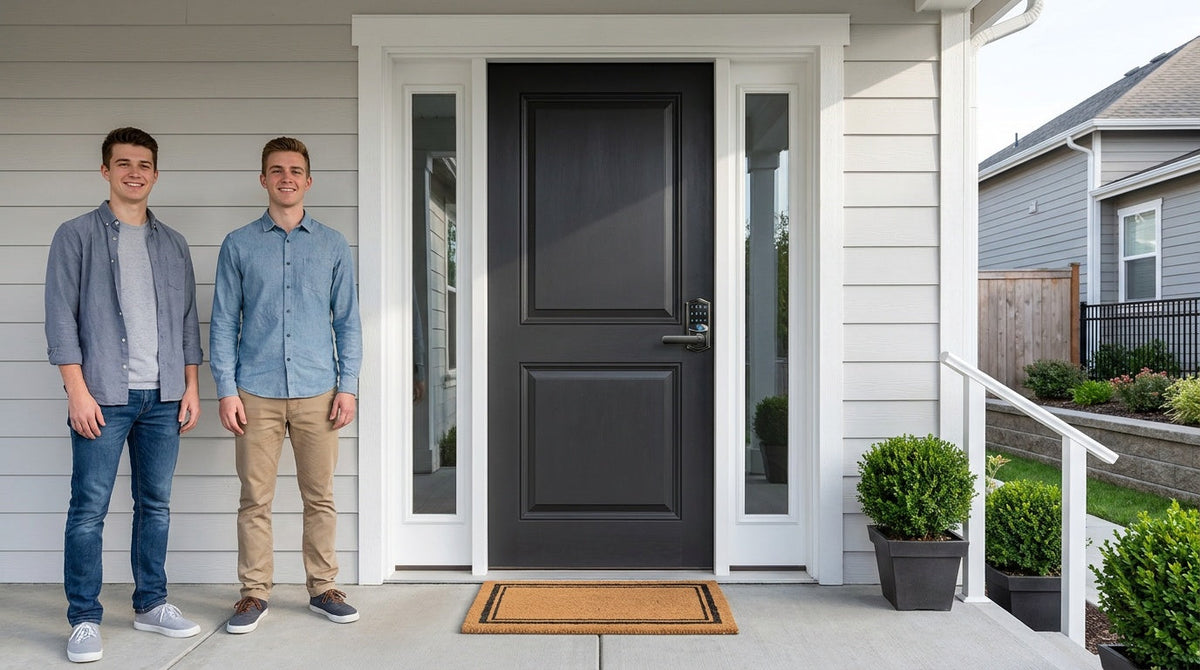
Closing day feels like the finish line — but for your home's security, it's actually the starting gun. The moment you receive the keys at closing, you become responsible for a property whose lock history you know almost nothing about. Previous owners, their family members, real estate agents, contractors who serviced the home, and even neighbors may still have copies of those keys. That's not a worst-case scenario; it's simply the reality of any home sale.
The good news is that securing your new home doesn't have to be complicated, expensive, or time-consuming. A focused first-week plan — covering which entry points to address, which locks to replace, and how to set up new access codes — gives you complete control before you've even finished unpacking. This checklist walks you through exactly that, day by day, with practical recommendations for every door type and every household.
Why the First Week Is Your Most Important Security Window
Every new homeowner inherits an unknown key history. Keys were cut for previous occupants, family members, housekeepers, lawn services, and contractors who worked on the home during and before the sale. Real estate lockboxes used during showings may have been accessed by dozens of agents. Even if the previous owner handed back every key they knew about, there's no practical way to recover every copy that was ever made. You have no way of knowing how many copies exist or where they are — and that uncertainty is the core reason the first week matters so much.
The goal isn't to assume the worst about the people who lived there before you. It's simply to start your homeownership with a clean access slate. Changing or replacing your locks is less about distrust and more about a factual reset: after you act, you'll know with certainty who can get in. That feeling of control is one of the fastest ways to make a new house feel like your home.
Day 1: Take Control of Every Entry Point
Before you move a single box in, walk the full perimeter of the property with a notepad and make a list of every way someone could enter. Most homeowners focus on the front door and forget the rest. A thorough inventory typically includes:
- Front door — your primary security priority
- Back door and side entrances — often overlooked, but just as accessible
- Garage-to-house interior door — treat this as an exterior entrance; an open garage door makes it a direct path inside
- Detached garage or storage building doors
- Side gates and yard access points
- Basement or cellar entry doors
For each entry point, note whether there's an existing deadbolt, a latch-only lock, or no lock at all. Also note whether the door is wood — this matters when you go to choose replacement hardware, since most smart locks, including Veise's full lineup, are compatible with standard wood doors in the 1‑3/8" to 2" thickness range.
While you're doing this walk-through, gather every key, remote, and access credential you received at closing. This includes physical keys for every door, garage remotes, any existing keypad codes written in paperwork, gate openers, and information about smart home devices the previous owner may have set up. Collect everything in one place before you start making changes — it's much easier to reset from a complete list than to discover a forgotten entry point a week later.
Days 2–3: Replace or Upgrade Your Locks
You have two options for addressing your existing locks: rekeying or replacing. Rekeying means a locksmith adjusts the internal pins in your current cylinders so the old keys no longer work — it's often more cost-effective when the existing hardware is in good condition. Replacing means swapping the full lock hardware, which gives you the chance to upgrade security and functionality at the same time.
For most new homeowners, replacement is the smarter long-term move. Rekeying keeps hardware that may be years old, worn, or builder-grade quality. Replacement lets you choose locks with modern features — keypad entry, fingerprint access, auto lock, and optional remote monitoring — so you're not just resetting the old key history, you're genuinely improving your home's security and convenience in one step. Veise locks are designed for straightforward DIY installation: most installs take about 15 minutes with a screwdriver, with no wiring and no need to call a professional.
When replacing locks, prioritize exterior entry doors first, then move to the garage-to-house door, and finally address any interior doors where access control matters to you. Don't skip the garage interior door. An attached garage is not outdoor space — if the overhead door is left open or a remote is stolen, the door between the garage and your living area becomes the only barrier between an intruder and your home.
Choosing the Right Lock for Each Door
Not every door in your home needs the same type of lock. Matching the lock category to the door's function and your household's needs is the most important purchasing decision you'll make. Here's a practical breakdown of the four main categories and where each fits.
Keypad Deadbolt — Front Door, Back Door, and Main Exterior Entries
A keypad deadbolt lock is the most versatile starting point for most new homeowners. Every model supports keypad code entry and includes a physical key backup, so you're never locked out even if the batteries run low. Every SKU in the KS02 series includes a fingerprint reader that recognizes a fingerprint in under 0.3 seconds — ideal for quick hands-free entry when you're carrying groceries or coming in at night. The non-fingerprint RZ and KS01 series offer both standalone deadbolt and handle-set bundle configurations (lever, knob or handleset), letting you replace just the deadbolt or swap the entire entry hardware in one step.
This category works completely standalone — no Wi-Fi, no hub, no app required. All codes are set directly on the keypad, and auto lock is configurable between 10 and 99 seconds on this category, so the door locks itself behind you even when you forget. If your priority is simplicity and rock-solid reliability without any connectivity to manage, a keypad deadbolt is all you need for your front door.
Keypad Latch Lock — Interior Doors, Side Entries, and Garage Access Doors
A keypad latch lock uses a spring latch mechanism instead of a deadbolt, making it a lighter-duty option well suited for interior doors, office doors, side entrances, or garage access doors. It can also work on entry doors when paired with a separate deadbolt — the latch handles day-to-day code-based access while the deadbolt handles primary security. Veise currently offers two keypad latch SKUs: the KS03 with an integrated top knob and the KS04 with an integrated top lever. Both unlock via keypad code or physical key, with no app or connectivity dependencies.
Smart Lock w/ Gateway — For Families Who Want Remote Access
If you have kids coming home from school, want to let in a contractor while you're at work, or simply want to check whether the door is locked from your phone, remote access requires a smart lock — gateway-paired or Wi-Fi. Smart Locks w/ G1 and Smart Locks w/ G2 pair with a compact gateway device that bridges the lock to your home Wi-Fi, enabling remote app control from anywhere with an active Internet connection. Even when Wi-Fi is down, app control continues to work locally as long as you're within short-range wireless distance of the lock.
All models in both gateway lines support keypad code, remote app control, key fob, and physical key as backups, with many models also including fingerprint. Smart Lock w/ G1 is built on a single product series — the VE017 — and is the stronger all-around pick for most families: every SKU includes fingerprint as standard, multilingual voice prompts in English, Spanish, and French, and a USB-C emergency power port for those worried about a dead-battery lockout. Smart Lock w/ G2 offers both fingerprint and non-fingerprint options, plus Apple Watch unlock — a useful feature if your household is deep in the Apple ecosystem. For families with children, a gateway-paired smart lock is a particularly good fit, since parents can remotely review entry history and monitor lock activity via the app.
Wi-Fi Smart Lock — Maximum Connectivity, No Gateway Required
A Wi-Fi smart lock connects directly to your home network without needing a separate gateway device, offering remote app control, keypad code entry, fingerprint access, and voice control via Alexa or Google Assistant right out of the box. Veise's Wi-Fi lineup comes in two series: the Touchscreen Wi-Fi Smart Lock (VE027 Series), which features a touchscreen interface, a USB-C emergency power port, key fob support, and on-device voice prompts in English, Spanish, and French; and the Push-Button Wi-Fi Smart Lock (VE012W Series), which uses a traditional press-button keypad and carries none of those four extras. Both share the same Wi-Fi connectivity, fingerprint capability, app control, and an 8 AA battery design that provides stronger signal and a more stable connection than the standard 4 AA setup found in most competing locks.
The Wi-Fi smart lock is the best fit for new homeowners who want the full connected experience without adding a separate hub to their setup. It's also an excellent choice for managing a short-term rental or a property where you regularly need to create and revoke guest codes remotely.
A Note on Door Compatibility
All Veise locks are designed for standard wood doors with a thickness between 1‑3/8" and 2". They are not compatible with fiberglass, metal, storm, or sliding doors. Before purchasing, confirm your door material and measure the thickness — this takes 30 seconds and prevents the frustration of discovering an incompatibility after unboxing.
Days 4–7: Set Up Access Codes and Smart Features
Once your new locks are installed, the next step is setting up your personal access codes and any smart features you want active from the start. This phase takes less than an hour for a typical household and gives you exactly the access structure you want from day one.
Start with your primary keypad codes. Create a unique code for each regular household member rather than sharing a single family code. This makes it easy to identify who entered and when, and it means you can deactivate one person's code without disrupting everyone else's access. Most Veise locks store multiple user codes, so there's no need to conserve slots. Two protections are built in on every model and need no setup: the lock pauses for 3 minutes after 10 wrong attempts, and anti-peep entry lets you pad your real code with extra random digits — the door still opens as long as the correct sequence appears somewhere in what you typed, so a neighbour or delivery driver can't read it off the keypad.
If your lock includes fingerprint access, enroll each household member individually. Veise's enrollment process captures each finger eight times to build a reliable template across different angles and pressures, which improves recognition accuracy over time. The fingerprint is processed and stored locally on the lock itself — no cloud account, no Internet required, and no biometric data leaving the device. If you have young children whose fingerprints may change as they grow, a keypad code is the more consistent option for them, with fingerprint added later.
For gateway-paired or Wi-Fi smart locks, take 15 minutes to connect the lock to the app and review the settings. Configure auto lock to a timing that suits your household (10 to 180 seconds on connected locks; 10 to 99 on Keypad Deadbolt and Keypad Latch), set up entry notifications so you know when the door is used, and confirm that voice assistant integration is working if you want it. If the previous owner had smart home devices connected to the same network, change your Wi-Fi password first — this automatically disconnects any old credentials before you pair your new lock.
Don't Forget Digital Access
Physical locks are only one part of your move-in security reset. If the home came with any existing smart devices — thermostats, doorbells, cameras, alarm systems, or smart locks — those devices may still be connected to the previous owner's accounts. A device can remain linked to a former owner even after the physical keys are changed, giving them visibility or control over your home without a physical key.
For every inherited smart device, do a full factory reset, create your own administrator account, and remove any prior users before connecting the device to your network. Change garage door remote codes and delete all existing remote pairings, then reprogram only the remotes you have in hand. Enable two-factor authentication on every app or platform where it's available. These steps take an afternoon but close a category of vulnerability that new homeowners often miss entirely.
Ongoing Habits to Keep Your Home Secure
The first-week setup creates a strong foundation, but a few simple ongoing habits keep that foundation solid over time. Keep a written record of who has access to your home — which codes belong to which people, which physical keys have been distributed, and when contractors or guests were given temporary access. After a contractor visit or a house guest's stay, deactivate their code immediately rather than leaving it active indefinitely.
Check that exterior doors lock smoothly and that deadbolts engage fully each time you leave. A door that sticks or a deadbolt that doesn't throw completely is both a security weakness and an early warning sign of alignment issues that only get worse. Test smoke and carbon monoxide detectors during the first week and schedule regular monthly checks afterward. And if you installed a smart lock, take a few minutes to review the entry log weekly for the first month — it quickly becomes obvious what your household's normal patterns look like, which makes anything unusual easy to spot.
Veise's full lineup — from straightforward keypad deadbolts to fully connected Wi-Fi smart locks — is built on 38 years of lock industry expertise and 711 patents, the world's largest smart lock patent portfolio. Because Veise is vertically integrated with its own manufacturing facilities, every lock is engineered and produced under one roof — a meaningful difference from brands that resell OEM hardware. The result is a lineup that covers every door in your home, from the front entry to the garage interior door, with locks priced in the affordable $30–$180 range and designed to install in about 15 minutes with a screwdriver and no professional help required. Easy from Day One.
Your First Week Sets the Standard
The first week in a new home is genuinely the most important window for getting your security right. The decisions you make in those seven days — which entry points you address, which locks you replace, which codes you set, and which digital credentials you reset — determine who has access to your home for years to come. A methodical approach doesn't have to be stressful. Work through the checklist in order, match the lock type to the door, and take the time to set up access properly from the start. Once it's done, it's done — and you can focus on everything else that makes a house feel like home.
Frequently Asked Questions
Should I rekey or replace the locks in my new home?
Rekeying is cost-effective if your existing hardware is in good condition and you only want to invalidate old keys. Replacing locks is generally the better long-term choice for new homeowners because it lets you upgrade to modern features like keypad entry, fingerprint access, and auto lock while simultaneously starting with a clean key history. Veise replacement locks are priced in the $30–$180 range and install in about 15 minutes with a screwdriver.
Which doors should I change first?
Prioritize exterior entry doors — front door, back door, and any side entrances. Next, address the door between your attached garage and living space; treat it as an exterior door because an open garage gives direct access to it. Finally, add access control to any interior doors where privacy or restricted access matters to your household.
Do I need a smart lock or is a keypad deadbolt enough?
A keypad deadbolt is enough for most exterior doors if you don't need remote access. If you want to check whether the door is locked from your phone, receive entry notifications, or let someone in while you're away, you'll need a smart lock — either a gateway-paired model or a Wi-Fi smart lock. Remote access requires a smart lock; a standard electronic lock cannot be paired with a gateway to add connectivity later.
Are Veise smart locks compatible with my door?
Veise locks are compatible with standard wood doors between 1‑3/8" and 2" thick. They are not compatible with fiberglass, metal, storm, or sliding doors. Measure your door thickness and confirm the material before purchasing.
Is fingerprint data stored in the cloud?
No. On Veise locks with fingerprint access, all fingerprint data is processed and stored locally on the lock itself. No biometric data is sent to a cloud server, and no Internet connection is required for fingerprint enrollment or recognition.
What happens if the Wi-Fi goes down — will my smart lock still work?
Yes, with an important nuance. For Wi-Fi smart locks and gateway-paired smart locks, long-distance remote features like off-site locking and real-time alerts require an active Internet connection. However, even when Wi-Fi is down, app control continues to work locally as long as you're within short-range wireless distance of the lock. Keypad codes and physical key backup work regardless of connectivity status.
How do I handle smart home devices that were already installed in the home?
Factory reset every inherited smart device — cameras, doorbells, thermostats, alarm systems, and smart locks — before connecting it to your network. Create your own administrator account, remove any previous users, and enable two-factor authentication wherever available. Also change your Wi-Fi network password early in the process so that any devices the previous owner had connected are automatically disconnected before you set up your own.
Ready to Secure Your New Home?
Whether you're replacing a single front-door deadbolt or upgrading every entry point in your new home, Veise has a lock for every door and every budget. Browse the full lineup — from simple keypad deadbolts and keypad latch locks to fully connected Wi-Fi smart locks and Smart Locks w/ G1 — all designed to install in about 15 minutes with no professional help. Explore the complete Veise product lineup or contact us if you need help choosing the right lock for your door.

Leave a comment
This site is protected by hCaptcha and the hCaptcha Privacy Policy and Terms of Service apply.