
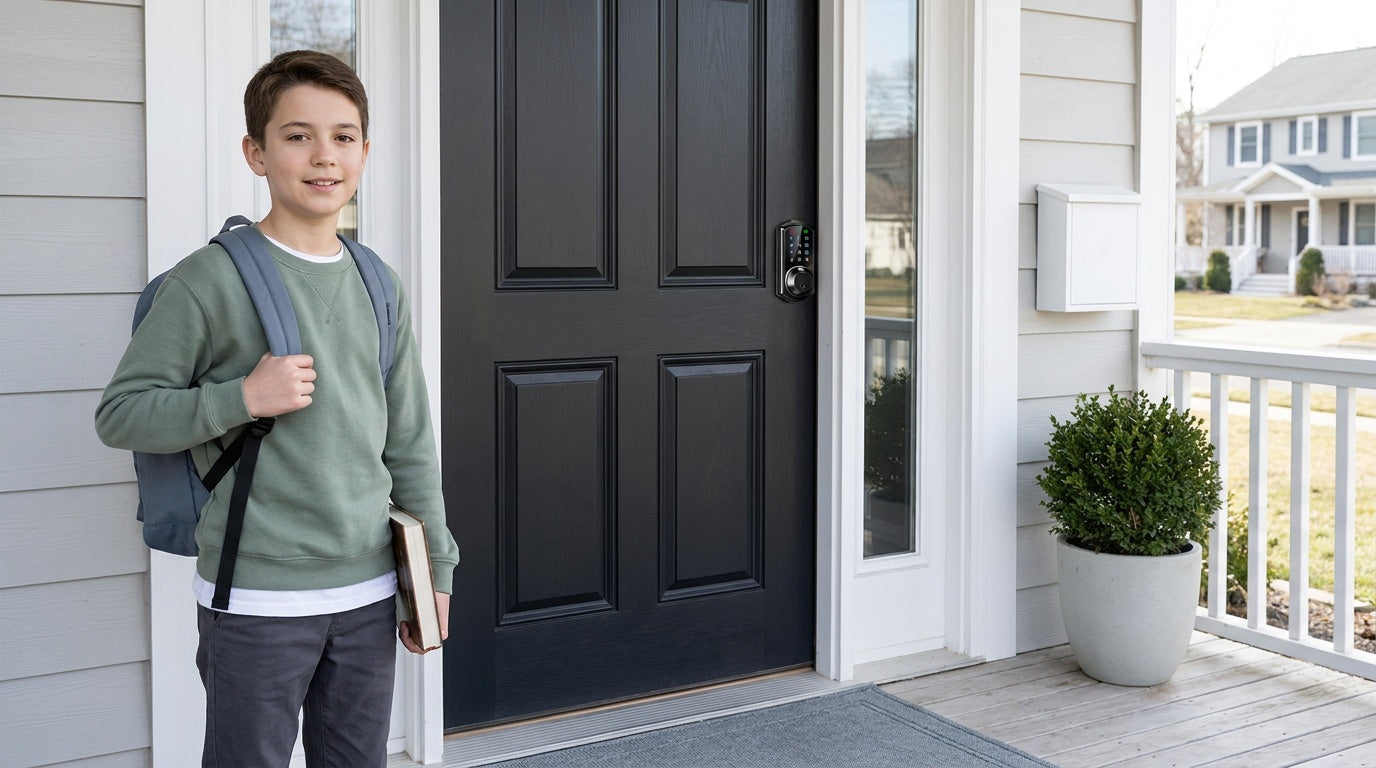
There is a specific kind of quiet worry that settles in around 3 p.m. on a school day when you are still at your desk and your child is walking through the front door alone. You picture the moment: backpack dropped, shoes kicked off, the house empty and still. Did they lock the door behind them? Did they get inside okay? Is anyone watching who shouldn't be?
That worry has a name. It belongs to the parents of latchkey kids — children who come home from school to an unsupervised house while their parents finish the workday. The term dates back decades, but the situation is anything but old-fashioned. An estimated one in three children return home on school days to a house with no adult present, and the numbers have climbed as dual-income households and single-parent families have become the norm rather than the exception.
The good news is that the tools available to today's parents are genuinely better than anything previous generations had. This guide walks through everything from assessing whether your child is ready to be home alone, to building house rules that stick, to choosing the right door hardware so you always know your child is safely inside. We will pay particular attention to the front door — because that moment of entry is where most of the real risk lives — and show you how the right smart lock can replace anxiety with a quiet confidence that your home is secure.
What Is a Latchkey Kid Today?
The original latchkey kid carried a physical key on a string around their neck, letting themselves in through a door that a parent had locked on the way out. That image stuck because it captured something honest: the mix of premature self-reliance and genuine risk that came with being home alone as a child. Today, the scenario looks different on the surface — there are smartphones, connected doorbells, and app-controlled locks — but the core challenge for parents is the same. How do you create a safe environment for a child in a house where you are not physically present?
Estimates suggest that between five and twelve million children between the ages of five and thirteen spend some period of time home alone on any given day. Financial pressure is the most common driver. Many parents simply cannot reconcile the cost of after-school care with what they earn, and flexible work schedules are not always an option. The result is a generation of kids who carry a different kind of key — a PIN code, a fingerprint, an entry fob — and parents who need better ways to keep watch from a distance.
Is Your Child Ready to Be Home Alone?
Age is the most obvious starting point, but it is not the only one that matters. Most pediatric safety organizations, including the National SAFEKIDS Campaign, recommend that no child under 12 be left home alone. The American Academy of Pediatrics points to ages 10 to 12 as a general floor, and state laws — where they exist — range from age 6 in Kansas to age 14 in Illinois. Most states leave the decision to parents entirely, which means maturity and temperament carry as much weight as the calendar.
Before you make the call, think through some practical questions. Can your child follow instructions without reminders? Do they know what to do if a stranger knocks? Can they reach you — and a backup adult — without panicking? Are they comfortable being alone for two or three hours without becoming anxious or making risky decisions out of boredom? If the answers are mostly yes, a gradual introduction works well: start with a 30-minute window while you run a nearby errand, then extend the time as confidence builds on both sides. The goal is earned independence, not a sudden leap.
A few maturity markers worth checking before the first solo afternoon:
- Can recall and correctly dial your phone number, a backup adult's number, and 911
- Understands the difference between a true emergency and a manageable inconvenience
- Will lock the door and stay inside without being reminded
- Can make a basic snack safely without using the stove
- Will not tell strangers — at the door or online — that they are home alone
- Knows where the first-aid kit is and can use it for a minor cut or scrape
The Front Door Problem: Why a Physical Key Is Not Enough
The most vulnerable moment in any latchkey kid's afternoon is the ten seconds between stepping off the school bus and getting inside the house. A child fumbling for a key is visible, exposed, and delayed. A key hidden under a mat or in a fake rock is a security fiction that experienced opportunists recognize immediately. And a lost key — something children do with remarkable consistency — means a locksmith call, a lock replacement, or a child sitting on the front steps waiting for a parent who cannot leave work.
These are not hypothetical inconveniences. They are the everyday friction points that make latchkey parenting harder than it needs to be. The physical key was designed for adults who keep track of their belongings. It was never a great fit for a ten-year-old with a backpack full of homework and a lot on their mind. Replacing that friction point with something more reliable is one of the highest-impact things a parent can do, and it does not require a whole home renovation — just a better lock on the front door.
Choosing the Right Lock for a Latchkey Household
Not every keyless lock is the right fit for a family with kids coming home unsupervised. The priority for a latchkey household is a lock that is simple enough for a child to operate without stress, secure enough to deter entry from the outside, and visible enough to a parent — through real-time alerts or an entry log — that you know the moment your child walks in. Veise builds its lock lineup around exactly these priorities, backed by 38 years of lock industry expertise from its parent company, Kaadas Group, and 711 patents — the world's largest smart lock patent portfolio. Easy from Day One.
Veise locks are designed for wood doors (standard thickness 1-3/8" to 2"), require full lock replacement, and install in about 15 minutes with just a screwdriver — no wiring, no professional help. They are priced in the $30–$180 range, making them an affordable upgrade with a meaningful safety payoff. Here is how to think about which category fits your family's situation.
Keypad Deadbolt: Simple, Reliable, No Key Required
For families where remote monitoring is not the top priority — perhaps a parent works from home part of the day, or a trusted neighbor can check in — a Keypad Deadbolt is the most straightforward upgrade. Your child enters a PIN code to get inside and the lock re-engages on its own behind them. The auto lock interval on Keypad Deadbolt and Keypad Latch locks is configurable between 10 and 99 seconds, and it runs on that timer rather than a door sensor — so make sure the door is closed before the interval expires. It means you never have to rely on a distracted kid remembering to lock up. There is no key for your child to carry or lose, no hidden spare under the mat, and no locksmith call when the inevitable happens.
Veise Keypad Deadbolts come in two main configurations: models with fingerprint recognition (the KS02 series) and models without (the RZ and KS01 series). The fingerprint models are a particularly good fit for younger children who might blank on a PIN code under stress — a sub-0.3-second fingerprint scan is faster and more intuitive than typing numbers. Enrollment captures the finger eight times to build a reliable template across different angles and pressure levels, and fingerprint data is processed and stored on the lock itself, never sent to the cloud. A physical key backup is included on all models, giving you an additional fallback for genuine emergencies. Browse the Keypad Deadbolt and Keypad Latch collections to compare.
Two built-in features matter more than usual when the person entering the code is a child standing at a front door in plain view. Anti-peep code entry lets your child pad the real PIN with extra random digits before or after it — the lock opens as long as the correct sequence appears somewhere in what was entered, so a neighbour, a passing car, or a kid from the bus stop can't read the family code off the keypad. And lockout protection is automatic on every Veise lock: after 10 wrong attempts the lock pauses for three minutes, so someone guessing at the keypad gets nowhere. Neither needs to be switched on or configured.
Smart Lock w/ Gateway 1/2: Remote Monitoring for Working Parents
If knowing the exact moment your child walks through the door matters to you — and for most parents of latchkey kids, it absolutely does — a connected smart lock is worth the step up. A standard keypad-only lock cannot be paired with a gateway or app; remote access requires a smart lock, either gateway-paired or Wi-Fi. The Smart Lock w/ G1 and Smart Lock w/ G2 lines both give you real-time entry alerts via a mobile app, remote lock or unlock capability, and an entry history log so you can review exactly who came and went.
The Smart Lock w/ G1 is the more fully featured of the two lines — and the stronger all-around recommendation for family use. The entire G1 line is built on a single product series, the VE017, which ships with fingerprint recognition, multilingual voice prompts (English, Spanish, and French), and a USB-C emergency power port as standard features on every model. That multilingual voice support is a concrete advantage for households where English is not the only language spoken. Every Smart Lock w/ G1 also includes both a key fob and a physical key as backup entry methods, and the line pairs with a Veise-developed first-party app. The gateway itself is a separate device, sold separately on nearly all SKUs, and it needs to sit within wireless range of the lock while also reaching your home network. When Wi-Fi is down, app control continues to work locally as long as you are within short-range wireless distance of the lock — only long-distance remote features require live Internet.
The Smart Lock w/ G2 offers more SKU variety — both fingerprint and non-fingerprint options, in standalone or handleset bundle form factors — and adds Apple Watch unlock, which is useful if a parent wants to check and unlock the door directly from their wrist. Smart Lock w/ G2 supports English voice prompts. Both Smart Lock w/ G1 and Smart Lock w/ G2 include keypad code, key fob, and physical key as standard backup methods alongside app control, and both handle app control and voice assistants through the paired gateway.
Wi-Fi Smart Lock: Full Remote Control from Anywhere
For the most seamless remote monitoring experience — checking entry history from a meeting, unlocking the door for a child who forgot their code, or getting an instant alert the moment the door opens — a Wi-Fi Smart Lock is the top pick. These locks connect directly to your home's Wi-Fi network without a separate gateway device, support voice control through Alexa and Google Assistant, and include fingerprint entry, keypad code, and physical key backup on all models. The Effortless Home Entry™ experience starts at the front door: your child walks up, enters a code or touches the fingerprint reader, and is inside — no key to dig out of a backpack.
Veise offers two Wi-Fi series for families to choose from. The Touchscreen Wi-Fi Smart Lock (VE027 Series) features a touchscreen interface and includes a USB-C emergency power port on every SKU in the series — useful if batteries run low while a child is home alone. It is also the series that supports key fob and on-device voice prompts in English, Spanish, and French, which helps in multilingual households. The Push-Button Wi-Fi Smart Lock (VE012W Series) uses a traditional press-button keypad and is a reliable, no-fuss choice if your family prefers tactile buttons; it does not have the USB-C port, key fob support, or on-device voice prompts. Both series use 8 AA/LR6 alkaline batteries instead of the more common 4 AA setup, delivering stronger signal, more stable connections, and a longer-lasting power reserve — important when consistent performance matters for family safety. For families with latchkey kids, either Wi-Fi model lets parents remotely review entry history and monitor lock activity from anywhere with an Internet connection.
Recognized by Frost & Sullivan as the global No.1 high-end smart lock brand by sales, Veise is also vertically integrated — meaning every lock is engineered and manufactured in-house, not assembled from third-party components. That matters for consistency and reliability when the lock is the thing standing between your child and the outside world.
House Rules Every Latchkey Kid Needs
A secure door is necessary but not sufficient. What happens after your child gets inside depends almost entirely on the rules you set before the first solo afternoon. Rules give children a structure to fall back on when something unexpected happens — and something unexpected always eventually happens. The goal is not to anticipate every scenario but to build a handful of habits that cover the most important situations.
Write these down together with your child, post them somewhere visible, and practice them. Rules that are explained — not just announced — are rules that stick.
- Lock the door immediately upon entering. Not in a minute, not after taking off the backpack. The moment they are inside, the door locks. If the lock has an auto lock feature, confirm it is enabled as a backup, not as a replacement for this habit.
- Never open the door for strangers. A person claiming to be a delivery driver, a utility worker, or even a friend of a parent should not be let in. Teach your child to speak through the closed, locked door if needed.
- Do not tell anyone you are home alone. Not on social media, not to a voice at the door, not to someone calling on the phone asking if your parents are there.
- Check in by phone or text when you arrive. A simple "I'm home" message sets a baseline. If you don't hear it by a set time, you know to follow up.
- No guests without permission. Friends coming over when an adult is not present changes the dynamic significantly and complicates accountability.
- Know the off-limits list. Stove use, firearms storage areas, medication cabinets, alcohol — anything that presents a genuine hazard should be locked, stored securely, or both.
Build a Communication Plan Before Day One
The communication plan is as important as any piece of technology you install. Your child needs to know exactly who to call in which order, what constitutes a true emergency requiring a 911 call, and how to reach you when your phone goes to voicemail. Write out a short contact list — your number, a second number for you at work, the number of a nearby trusted adult who is typically home during the afternoon, and 911. Post it on the refrigerator and make sure your child can recite it from memory.
Establish a daily check-in routine. Agree on a specific time — usually within 10 minutes of the typical arrival time — when your child will send a text or make a quick call. If that check-in doesn't happen, you know to try reaching them. This small ritual does something important beyond the safety function: it tells your child that someone is paying attention, which reduces the anxiety that comes with being alone and reinforces the sense that they are trusted rather than abandoned.
Also talk through what "not an emergency" looks like. A sibling being annoying, a homework question, a minor headache — your child needs confidence that they can handle small problems independently. Reserve the emergency escalation for situations involving physical danger, an unexpected person at the door, or something in the house that seems wrong (a smell, an unusual sound, a door that was open when it should have been closed).
Additional Safety Layers Worth Considering
A reliable front door lock is the foundation, but a few additional layers can meaningfully close the gaps. Think of these as concentric rings of protection, each reinforcing the others.
A video doorbell gives your child a way to see and speak with whoever is at the door without opening it — a practical companion to the rule about never opening the door to a stranger. On a connected Veise lock, the entry log covers the other half of the question: it confirms that your child arrived at the expected time, without you needing to call.
A communication device suited to your child's age is essential. For younger children not yet ready for a smartphone, GPS-enabled smartwatches allow voice and text contact with parents and a trusted contact list. For older kids, a phone — even a basic one with limited features — ensures they always have a line to the outside world. Make sure it is charged before they leave for school each morning.
A trusted neighbor is worth more than almost any piece of technology. Identify one or two adults nearby who your child knows by name, who are typically home during afternoon hours, and who can be called on if something goes wrong before you can physically get there. Let your child meet them in person. A familiar face becomes a genuine resource in a crisis; a name on a list does not.
Emergency preparedness basics round out the picture. Your child should know how to call 911, what your home address is (including any apartment number), where the first-aid kit lives, and what to do if the smoke alarm goes off. Practice a fire escape plan at least once. These are skills that cost nothing to teach and matter enormously if they are ever needed.
The Upside: What Latchkey Experiences Can Teach Kids
It is worth saying clearly: done thoughtfully, having children spend time at home independently is not a harm. Many adults who grew up as latchkey kids describe the experience as formative — a time when they learned to manage their own time, solve small problems without adult intervention, cook a simple meal, and sit with their own thoughts without needing constant stimulation. Those are not trivial skills. Self-reliance, problem-solving, and tolerance for solitude are genuinely useful capacities that are harder to develop in a childhood surrounded by constant supervision.
The difference between a damaging experience and a character-building one comes down to preparation and infrastructure. A child who is left alone without any framework, without a reliable way to reach parents, and without a secure physical environment is genuinely at risk. A child who is left alone with clear rules, a working communication plan, and a front door they can trust is building something real. The technology exists today to provide that infrastructure affordably and reliably. The preparation is up to you.
Frequently Asked Questions
What age is appropriate for a child to stay home alone?
Most pediatric safety organizations recommend age 12 as a general minimum, though state laws vary widely — from age 6 in Kansas to age 14 in Illinois. The more important factor is maturity: can your child follow instructions, manage basic problems, and reach you in an emergency? Start with short periods and extend time gradually as both you and your child build confidence.
What is the biggest security risk for latchkey kids at the front door?
Physical keys are the most common vulnerability. Keys can be lost, stolen, copied, or hidden in predictable spots. Switching to a keypad or smart lock means your child no longer has to carry one for daily entry, and auto lock re-secures the door on a timer even if they forget.
What type of Veise lock is best for a latchkey family?
For families who want real-time entry alerts and remote access, a Wi-Fi Smart Lock or a Smart Lock w/ Gateway 1/2 (Smart Lock w/ G1 or Smart Lock w/ G2) is the strongest choice — both allow parents to see when the door was opened and by whom. For families who primarily want keyless entry without remote monitoring, a Keypad Deadbolt from the KS02 series adds fingerprint recognition, giving a child a fast, reliable way in without carrying a key. Every Veise lock includes auto lock and a physical key cylinder as backup.
Can a child use a fingerprint smart lock reliably?
Yes. Veise fingerprint locks recognize a print in under 0.3 seconds and the enrollment process captures the finger eight times to build a reliable template across different angles and hand positions. This makes fingerprint entry more consistent for children, whose grip and approach angle may vary more than an adult's. A keypad PIN and physical key are always included as backup methods.
Do Veise smart locks work if the Wi-Fi goes down?
Yes. The keypad code and the physical key work regardless of Internet status on every Veise lock, as do the fingerprint scanner (where applicable) and the key fob (on Smart Lock w/ Gateway 1/2 and the VE027 Wi-Fi series). On both Smart Lock w/ Gateway 1/2 and Wi-Fi smart locks, app control also continues to work locally when Wi-Fi is down, as long as you are within short-range wireless distance of the lock. Only long-distance remote features — like locking from across town — require an active Internet connection.
How hard is it to install a Veise smart lock?
Most Veise locks install in about 15 minutes with a screwdriver. No wiring and no professional installation are required, and every product ships with a step-by-step user manual and an installation video to follow along with. Veise requires full lock replacement on wood doors (standard thickness 1-3/8" to 2"), so the homeowner or someone with authority to modify door hardware should handle the install. The process is designed to be straightforward for anyone comfortable with basic home improvement tasks.
What house rules should latchkey kids always follow?
The non-negotiables are: lock the door the moment you are inside, never open the door to a stranger, check in by phone or text when you arrive, and do not tell anyone you are home alone. Add a short off-limits list (stove, medications, any areas with firearms or hazardous materials) and a clear emergency contact hierarchy. Practice these rules before the first solo afternoon, not during it.
Raising a latchkey kid is less about accepting risk and more about reducing it systematically. Every parent who has ever watched the clock tick toward 3 p.m. from a conference room knows that the worry doesn't vanish — but it can shrink considerably when the right pieces are in place. Clear rules, a reliable communication plan, a trusted neighbor, and a front door your child can navigate without a key and you can monitor from anywhere: that combination turns a source of anxiety into something manageable.
The front door is where it starts. Explore Veise's full lineup of Keypad Deadbolt Locks, Keypad Latch Locks, Smart Locks w/ G1, Smart Locks w/ G2, and Wi-Fi Smart Locks to find the right fit for your family. Built on 38 years of lock industry expertise, 711 patents — the world's largest smart lock patent portfolio — and 10M+ smart locks sold across 41+ countries, Veise brings the same engineering discipline that professionals trust into a family-friendly, easy-to-install package. Easy from Day One.
Have Questions About the Right Lock for Your Family?
Our team is happy to help you find the right Veise lock for your home and your child's needs — whether you're upgrading a single entry door or outfitting an entire property.
Contact Us

Leave a comment
This site is protected by hCaptcha and the hCaptcha Privacy Policy and Terms of Service apply.