

You just closed on your new home. The keys are in your hand. It's one of the best feelings in the world — and one of the busiest weeks of your life. Between coordinating movers, forwarding mail, and figuring out which box the coffee maker is in, home security can easily slip down the priority list.
Here's the thing: those keys were used before you. By the previous owner, sure — but also possibly by their real estate agent, their contractor, their pet sitter, and any number of family members or friends who were handed a spare over the years. There is no registry, no list, and no way to track how many copies exist. The only way to take complete control of who can enter your new home is to change the locks before anything else.
This guide covers everything you need to know: why lock replacement is non-negotiable, how to decide between replacing and rekeying, which doors need attention, what type of lock belongs on each one, and how modern smart locks can give a new homeowner far more control than a traditional key ever could.
Why Changing Your Locks Is the First Thing You Should Do
Changing the locks on a new home isn't a nice-to-have — it's the single most effective security step you can take during the move-in process. When you receive the keys at closing, you receive only the keys that the previous owner chose to hand over. That's an important distinction. You have no way of knowing what was kept, what was duplicated, or who was trusted with a copy over the years of prior ownership. The locks on the door are not yours until you replace them.
Beyond unauthorized entry, there's a practical insurance angle worth knowing. Some home insurance policies require evidence of reasonable security precautions in the event of a break-in claim. Walking in through an unlocked door — or worse, with an old key — may complicate a claim. Changing your locks on day one removes any ambiguity about whether the home was properly secured under your ownership.
The good news: this is one of the most straightforward items on your new-homeowner checklist. A full lock replacement is a DIY-friendly afternoon project, and modern lock options have made it faster and more affordable than ever before.
More People Have Your Key Than You Think
Think about how a key accumulates copies over the lifetime of a home. The previous owner gave one to a neighbor for emergencies. Another went to their house cleaner who came every two weeks for three years. A contractor held one for a month during a renovation, then maybe returned it, maybe didn't. Their adult child had a spare. The real estate agent had a lockbox on the door for weeks during the listing. Any one of those people could have made a copy — and a standard house key can be duplicated in minutes at any hardware store.
There is no master list of copies. No tracking system. No way to call them all back. The only clean solution is to replace the lock itself, so that any key made from the original cylinder becomes permanently obsolete. This is true even if the previous owner is a completely trustworthy person — the point isn't distrust, it's control. Your home, your access.
Don't Assume New Construction Is Safe Either
Many buyers moving into a brand-new build assume the lock situation doesn't apply to them. After all, no one has ever lived there. But a new-construction home has typically been accessed by framers, electricians, plumbers, painters, HVAC technicians, inspectors, and the builder's own staff — sometimes over the course of a year or more. During construction, workers are usually issued a master key or a construction key system to coordinate access across multiple homes in the same development.
Once construction wraps, those construction keys are ideally deactivated. But that process isn't foolproof. A key could have been copied, lost, or simply not returned. Some builders also use builder-grade locks as a cost-saving measure — functional hardware, but not the quality level most homeowners would choose for long-term security. Moving into a new build is the perfect opportunity to swap those builder-grade locks for something that reflects your own standards, not the contractor's budget.
When Should You Change Your Locks?
The ideal time is on closing day, before the moving truck arrives. If you can coordinate it so that new locks are in place before any of your belongings cross the threshold, you eliminate any window of exposure entirely. If that timeline isn't practical, aim to complete the change before the end of your first week in the home. Avoid a longer delay — the moving process itself can signal to neighbors and passersby that a new family is settling in, and your belongings may be visible inside before you've had a chance to fully secure the property.
Also worth noting: don't stop at the front door. Every exterior entry point needs attention at the same time. That includes back doors, side doors, and the door connecting your garage to the interior of the home. If the garage has a keypad, reset that code as well — it's just as much an entry point as any keyed door.
Replace vs. Rekey: Which Is Right for You?
When securing a new home, you have two options: replace the entire lock, or rekey the existing one. Both approaches render old keys useless — but they work differently, and the right choice depends on your situation.
Rekeying involves changing the internal pins and springs inside the existing lock cylinder so that only a new key will work. The lock hardware stays in place; only the internal configuration changes. It's faster and less expensive than a full replacement, which makes it appealing when the existing locks are in good condition and you're happy with their quality. A locksmith can typically rekey multiple locks in a single visit, and DIY rekeying kits are available at most hardware stores.
Full replacement means removing the existing lock entirely and installing a new one. This is the better choice when the current locks are old, worn, or low quality — which is common in both older resale homes and new builds with builder-grade hardware. It's also the only path if you want to upgrade to a significantly different type of lock, such as a keypad deadbolt or a smart lock. Because replacement gives you completely new hardware, it also addresses any physical wear or damage the old lock may have accumulated.
For most new homeowners who want to both secure the home and upgrade their experience at the same time, full replacement is the more practical long-term choice. Rekeying is a solid interim step if cost or time is a constraint right now — but it keeps you locked into whatever hardware was already there.
What Doors Need New Locks? Take a Full Inventory
Before you purchase anything, walk the full perimeter of your home with a notepad and count every entry point that can be locked. It's easy to focus on the front door and forget that burglars rarely choose the most obvious entrance. Here's a checklist to work through:
- Front door — your primary exterior entry, typically calls for a deadbolt
- Back door — often overlooked, equally vulnerable
- Side doors — any door that connects to a side yard or alley
- Garage-to-home interior door — this is the door most often forgotten, and one of the most frequently used entry points for break-ins
- Basement door — if your home has one, it needs attention
- Detached garage or outbuilding — these may use padlocks, which can also be replaced or rekeyed
Once you've counted, you have a clear scope for the project. Every one of those entry points should be addressed in the same session so nothing is left as a gap. And if the home has a security alarm system with a code, reset that too — you have no idea who the previous owners shared it with.
Choosing the Right Lock for Each Door
Not every door in your home needs the same type of lock. Matching the lock type to the door's function — exterior security versus interior privacy, for example — makes your home both more secure and more convenient to live in. Here's how to think through each category.
Keypad Deadbolts for Exterior Doors
Exterior doors on wood-frame homes typically call for a deadbolt as their primary locking mechanism. A keypad deadbolt replaces the traditional keyed deadbolt with a code-entry model — immediately eliminating the key-duplication problem entirely. You set your own code. You can change it any time. No locksmith needed, no key to track.
Veise's keypad deadbolts span two main configurations: models without fingerprint (the RZ and KS01 series, available as standalone deadbolts or handle-set bundles) and models with built-in fingerprint scanning (the KS02 series, including keypad-only, lever bundles, knob bundles, and vertical handle bundles). The fingerprint models scan in under 0.3 seconds and store multiple unique fingerprints directly on the lock — no cloud account, no subscription, no data leaving the device. All models include a physical key backup, and auto lock can be configured anywhere from 10 to 99 seconds on Keypad Deadbolt and Keypad Latch locks. Priced between $30 and $180, they're designed to install in about 15 minutes with a screwdriver, no wiring, no professional help needed.
Keypad Latch Locks for Interior and Secondary Doors
For interior doors, office spaces, side entrances that see heavy daily traffic, or garage access points that don't require deadbolt-level security, a keypad latch lock is often a practical fit. The latch format is an integrated unit — the handle and lock body are built together — making it a clean, modern replacement for a traditional knob-and-latch setup.
Veise currently offers two keypad latch SKUs: the KS03 (integrated top knob) and the KS04 (integrated top lever). Both support keypad code entry and physical key backup. They're a straightforward, code-based option for doors where the daily priority is quick, key-free access rather than heavy-duty deadbolt security.
Mechanical Locks for Interior Rooms
Not every door in a home needs a code. Bedrooms, bathrooms, and interior rooms commonly use simple mechanical locks for privacy rather than security. Veise's mechanical locks cover that need across six subcategories: privacy door knobs and privacy door levers, which lock securely from the inside with a turn knob and release from the outside with a coin or screwdriver in an emergency — no key required, and no risk of a child locking themselves in; keyed entry door knobs and keyed entry door levers for interior doors that need a bit more access control; a standalone Deadbolt Lock; and the Keyed Entry Handleset, a bundle that pairs a deadbolt with either a keyed lever or a keyed knob. Replacing interior hardware at the same time as exterior locks gives the whole home a consistent, updated look.
Smart Locks for Families Who Want Remote Access
If your household includes kids coming home from school, a short-term rental you manage from afar, or family members who need flexible access, a smart lock is worth serious consideration. Remote access requires a smart lock — specifically a gateway-paired or Wi-Fi model. A standard keypad lock, no matter how good, cannot connect to an app or send you alerts.
Veise offers two connected smart lock categories for wood doors (1-3/8" to 2" standard thickness):
- Smart Lock w/ G1 and Smart Lock w/ G2 — These connect to your home network through a paired gateway device, which is sold separately. Smart Lock w/ G1 is built on a single product series — the VE017 — and the entire line ships with fingerprint, a USB-C emergency power port, and multilingual voice prompts in English, Spanish, and French as standard. Smart Lock w/ G2 offers broader SKU variety, including non-fingerprint and handleset bundle options, and adds Apple Watch unlock as a unique feature. Both lines support keypad code, key fob, physical key backup, and remote app control via the paired gateway; fingerprint is standard across every Smart Lock w/ G1 SKU and included on many Smart Lock w/ G2 SKUs. For multilingual or non-English-speaking households, Smart Lock w/ G1's three-language voice support is the more direct fit — Smart Lock w/ G2 offers English voice prompts. Voice control via Alexa or Google Assistant works when the paired gateway is in place.
- Wi-Fi Smart Lock — Built-in Wi-Fi connects directly to your home network, no separate gateway needed. Veise offers two series: the Touchscreen Wi-Fi Smart Lock (VE027 series) and the Push-Button Wi-Fi Smart Lock (VE012W series). Both support remote app control, keypad code, fingerprint, physical key backup, and direct voice control via Alexa or Google Assistant through built-in Wi-Fi. They differ in four concrete ways: interface (touchscreen vs. press-button), USB-C emergency power (VE027 series only), key fob support (VE027 series only), and on-device voice prompts in English, Spanish, and French (VE027 series only). Both also use an 8 AA battery design instead of the standard 4 AA setup, delivering a stronger signal, more stable connection, and longer-lasting power reserve. On both Smart Lock w/ Gateway 1/2 and Wi-Fi smart locks, app control continues to work locally even when Wi-Fi is temporarily down, as long as you're within short-range wireless distance — and keypad code and physical key entry work regardless of connectivity.
All Veise smart locks are ANSI/BHMA Grade 3 certified — the residential standard. Grades 1 and 2 target high-traffic commercial settings, not a higher quality tier for home use. There are no subscription fees, and fingerprint data is processed and stored on the lock's AI chip rather than in the cloud. Veise locks also build in access protections worth knowing about when you're securing an unfamiliar home: the lock automatically pauses for three minutes after 10 wrong code attempts, anti-peep entry lets you pad your real PIN with extra random digits so an onlooker can't read it, and Away Mode on select Veise models (the VE017 series — Smart Lock w/ G1) disables code and fingerprint entry during an extended absence, allowing only app, master code, or physical key. Setup takes about 15 minutes with a screwdriver. Note: Veise locks are designed for wood doors and are not compatible with fiberglass, metal, storm, or sliding doors.
How to Install a New Lock Yourself
Replacing a lock on a standard wood door is genuinely one of the more beginner-friendly home improvement tasks you'll do as a new homeowner. You don't need professional help, and you don't need specialized tools. Every Veise lock ships with a step-by-step user manual and an installation video — follow those step by step alongside the summary below, since the small details (alignment, torque blade direction, cable routing) vary by model and are where most install problems start. Here's the basic process:
- Take inventory first — Walk every exterior door and count the locks before buying anything. Note whether each door has an existing deadbolt, a latch, or both, so you purchase the right replacement hardware.
- Purchase your new locks — Choose lock sets sized to fit your door's existing bore holes (the standard diameter is 2-1/8"). Buying matching sets from the same brand at the same time often allows you to key them alike, reducing the number of keys you need to manage.
- Remove the old lock — With the door open, locate the screws on the interior side of the lock. Remove them and pull the lock assembly apart from both sides of the door. Then remove the latch plate from the door edge.
- Install the new latch and strike plate — Fit the new latch into the door edge with the latch kept retracted, and adjust it to your door's backset following the included manual. Install the strike plate that shipped with the lock, secured into the door frame — don't substitute an aftermarket plate, which can cause the latch to extend unevenly.
- Fit the exterior and interior assemblies — Insert the exterior assembly through the bore hole, keeping it parallel to the door edge, then attach the interior assembly on the other side. Align the components and tighten the mounting screws.
- Test before closing up — With the door open, test the lock mechanism several times to make sure the bolt or latch moves smoothly. Then test it with the door closed. A lock that binds slightly may need minor strike plate adjustment.
- Test it, then set your own codes — Every Veise lock ships with a default master code, so you can lock and unlock right away to confirm the install worked. You can change the master code and add personal codes whenever needed. Make sure every household member knows the code, and keep the physical key backup somewhere accessible.
For most standard residential locks, the whole process runs about 15 minutes per door — sometimes less. Veise locks are specifically designed for this kind of DIY install: no wiring, no special tools, just a screwdriver and the included hardware.
Why New Homeowners Are Upgrading to Smart Locks
Moving into a new home is a natural reset point. You're replacing or updating dozens of things — paint, fixtures, appliances — and the locks are no different. Many new homeowners take the opportunity not just to replace like-for-like, but to upgrade to a lock that actually fits the way their household works today.
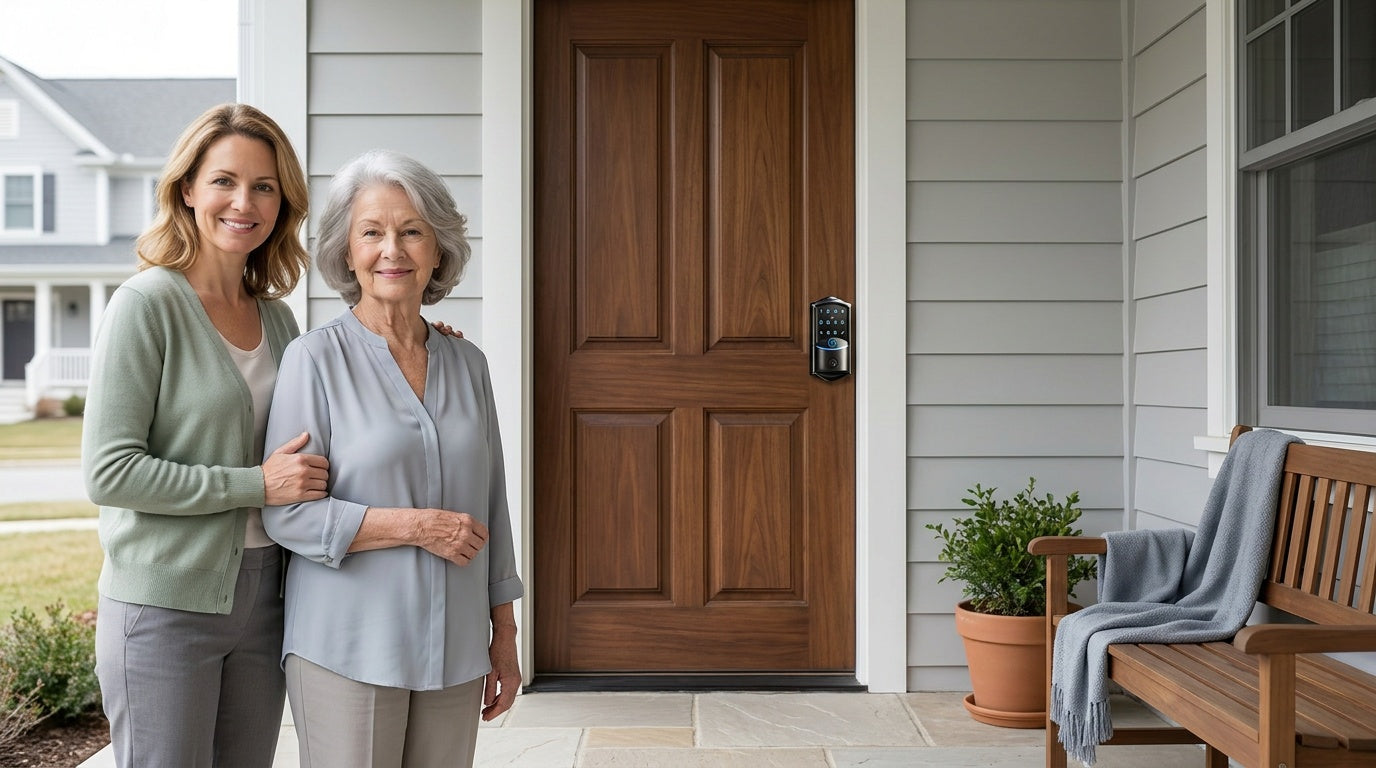
Consider a few scenarios where a smart lock makes a real difference. Parents of school-age kids can get an app notification the moment their child unlocks the front door after school — no missed calls, no wondering. Homeowners who manage a short-term rental property can assign time-limited access codes to guests without ever handing over a physical key, then revoke access remotely the moment a stay ends. Families with elderly members can set up simple fingerprint or keypad entry so there's no fumbling with keys, and a designated family member can still monitor who's coming and going from their phone. Anyone who has ever locked themselves out of their house will appreciate an auto lock combined with remote app control as a safety net.
Veise's smart lock lineup — priced between $30 and $180 with no ongoing subscription fees — is designed specifically for these everyday family scenarios. The brand has been manufacturing its own hardware since 1988 and launched in North America in 2022, reaching the #1 smart lock brand position on Amazon North America in both 2024 and 2025. Because Veise is vertically integrated (they design, engineer, and manufacture their own products rather than reselling OEM hardware), you get consistent quality control from the factory through to the US-based support team. Easy from Day One.
Browse the full Veise product lineup to find the right fit for every door in your new home.
How to Keep Your New Locks Working Reliably
A quality lock installed correctly will last for years with minimal attention. A few simple habits will keep everything functioning the way it should:
- Wipe down the exterior regularly — A damp cloth removes dirt and grime from the lock face, keypad, and fingerprint sensor. Avoid abrasive cleaners that can scratch finishes. A clean sensor also reads fingerprints more reliably.
- Keep fresh AA/LR6 alkaline batteries on hand — Veise locks run on AA/LR6 alkaline cells and don't ship with batteries in the box, so pick up a set before install and keep spares. A voice or beep prompt at the lock warns you before the batteries run out, and connected locks also push a notification through the app. Slide the interior battery cover off to swap them — and don't mix old and new batteries, or batteries from different brands.
- Keep the app and firmware up to date — On connected locks, applying updates as they're released keeps connectivity and app features running smoothly.
- Review and update access codes periodically — This is one of the biggest advantages of a keypad or smart lock over a traditional key. If a code has been shared and you want to revoke access, just change it. No locksmith required.
Changing the locks on your new home is the one security step that can't wait. Every other move-in task can be pushed a day or two — this one shouldn't be. You don't know who has a key, and there's no way to find out. But you can make every existing key completely useless within the first afternoon of ownership, and walk into your first night in your new home knowing that you — and only you — control the access.
Whether you go with a straightforward keypad deadbolt for fast code-based entry, a Wi-Fi smart lock for full remote monitoring, or a Smart Lock w/ G1 for an all-in-one connected solution — the goal is the same: turn your new house into a home that's genuinely yours from day one. Easy from Day One.
Frequently Asked Questions
Should I change the locks when I move into a new home?
Yes — immediately, ideally on the day you receive your keys. You have no way of knowing how many copies of the existing keys are in circulation. Previous owners, their family members, contractors, real estate agents, and service providers may all have had copies made. Changing the locks is the only way to guarantee that only you have access to your new home.
Is rekeying the same as replacing a lock?
No. Rekeying changes the internal pins inside an existing lock so that only a new key will work — the hardware stays in place. Replacing a lock removes the entire assembly and installs new hardware. Rekeying is faster and less expensive, but it doesn't address worn, damaged, or low-quality hardware. If you want to upgrade to a keypad or smart lock, full replacement is required.
Do I need to change locks on a brand-new construction home?
Yes. During construction, your home was accessed by multiple contractors and workers who typically used a master key or construction key system. Those keys are supposed to be deactivated once construction is complete, but the process isn't foolproof. Some builders also install builder-grade locks that may not meet the quality standard you'd want for long-term home security. Replacing the locks on move-in day is still the recommended step, even for a new build.
How long does it take to change a lock yourself?
For most standard residential doors, replacing a lock takes about 15 minutes per door when you have the right hardware. You only need a screwdriver — no wiring, no professional help required. Veise locks are specifically designed for this kind of DIY installation on wood doors with standard 1-3/8" to 2" thickness.
What doors should I change the locks on when moving in?
Every exterior entry point. That includes the front door, back door, side doors, the door connecting your garage to the home's interior, and any basement exterior door. Don't overlook the garage-to-home door — it's one of the most commonly used entry points for break-ins and one of the most frequently forgotten during a lock change.
What's the difference between a Keypad Deadbolt or Keypad Latch and a smart lock?
Veise's Keypad Deadbolt and Keypad Latch locks let you enter your home using a numeric code (with a physical key backup) without any app or Internet connection required. A smart lock — either gateway-paired or Wi-Fi — adds remote access, activity monitoring, and app control via your phone. If you want to check whether your door is locked from across town or get an alert when your kids arrive home, you need a smart lock. The Keypad Deadbolt and Keypad Latch categories cannot connect to a gateway or app regardless of the setup.
Are smart locks safe for home security?
Yes. A quality smart lock meets the same physical security standards as a traditional deadbolt, with the added benefit of digital access control. Veise smart locks are ANSI/BHMA Grade 3 certified — the residential standard — and process and store fingerprint data on the lock's own AI chip rather than in the cloud, so your biometric data doesn't leave the device. The lock also keeps working without an active Internet connection — keypad code, fingerprint, and physical key entry all function locally.
Can I install a Veise lock on any door?
Veise locks are designed for wood doors with a standard thickness of 1-3/8" to 2". They are not compatible with fiberglass, metal, storm, or sliding doors. If you're unsure whether your door qualifies, contact Veise's US-based support team before purchasing.
Have Questions About the Right Lock for Your New Home?
Veise's US-based support team is here to help you find the right fit for every door — before the moving truck shows up or after you've already settled in.
Contact Us

Leave a comment
This site is protected by hCaptcha and the hCaptcha Privacy Policy and Terms of Service apply.