
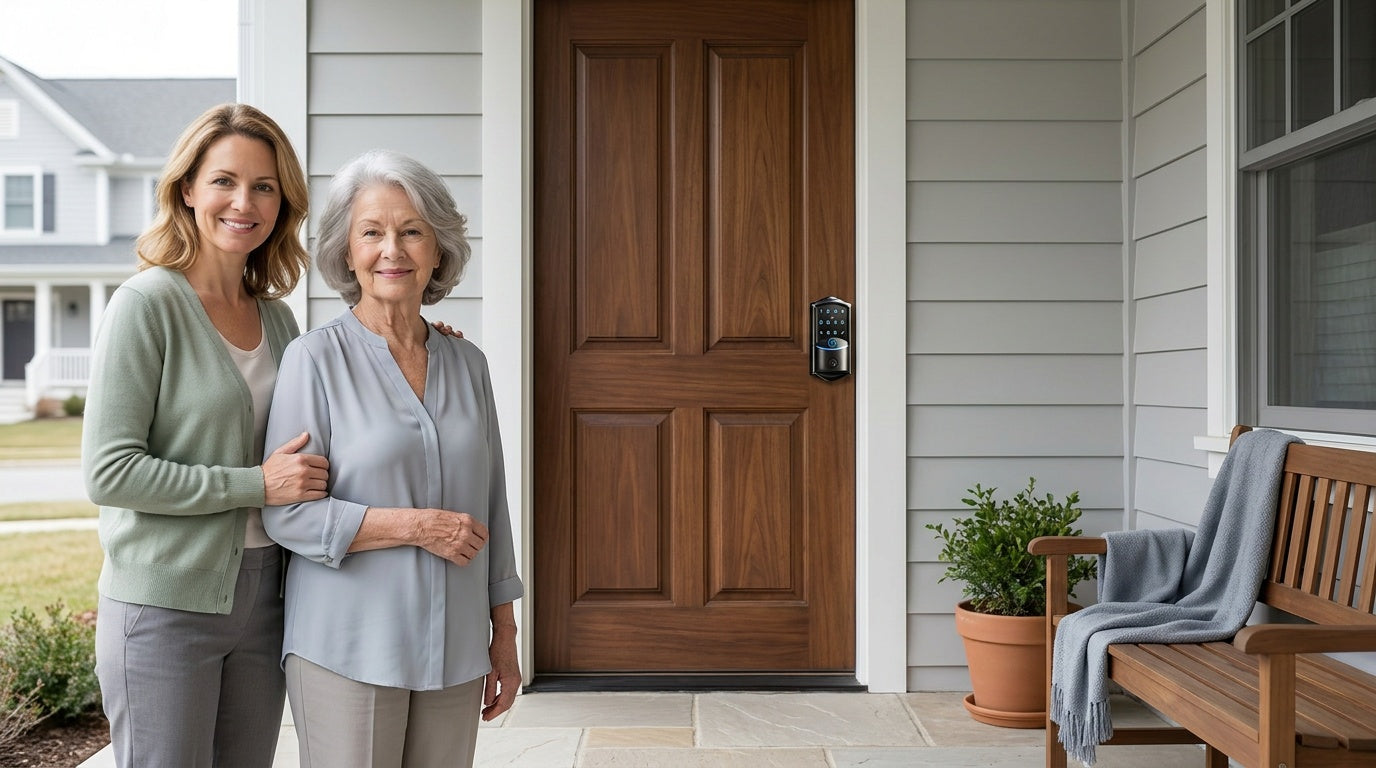
At some point, most adult children reach the same quiet realization: Mom or Dad is still fiercely independent, but the worry creeps in. Did she get home safely after her walk? Did someone forget to lock up last night? What happens if a home health aide needs to get in and nobody is there to let them in? These aren't dramatic fears — they're the everyday, low-grade concerns that come with watching a parent age in place.
The good news is that modern smart locks were practically built for this situation. The number of Americans ages 65 and older is projected to nearly double from 52 million in 2018 to 95 million by 2060. And for many older adults, "aging in place" — the ability to live safely, independently, and comfortably in one's own home — has become a significant preference, with studies showing around 75% of older adults expressing a strong desire to do just that. Smart locks sit right at the intersection of those two realities: they give seniors the independence they want, while giving adult children the visibility and control they need to feel genuinely at ease.
This guide walks through exactly how smart locks help adult children support aging parents — and shows you which Veise lock is the right fit for your family's specific situation. Whether your parent is tech-savvy or prefers to keep things simple, there's a straightforward solution that works for them and puts your mind at rest.
Why Smart Locks Matter for Aging in Place
Traditional door locks create problems that get worse as people age. Physical keys are easy to lose, hard to grip with arthritic fingers, and nearly impossible to manage when multiple caregivers need access. Traditional locks rely on keys, key rings, and key cards — and eliminating the hassle of carrying and keeping track of keys is something that can be genuinely difficult for vulnerable individuals. Beyond the physical challenge, there's the coordination challenge: how do you safely give a spare key to a home health aide, a neighbor, or a family member without worrying about where that key ends up?
Smart locks solve these problems at the door level, before they escalate into something more serious. When adult children can't be physically present because of distance or life demands, smart home technology provides the safety and security they're looking for to protect their senior parents — and among the first devices to consider is a smart lock for the home's doors. The smart lock functions as more than just a lock; it becomes a communication point between a parent's home and the family members watching over it from afar.
Older adults are increasingly embracing smart home technology to age in place, and three-fourths of global respondents to the EY Global Consumer Health Survey 2025 said they are open to smart home technology to help them age safely and independently in their own homes. The shift is real. Families aren't debating whether to adopt this technology — they're deciding which product actually works for their situation without requiring a tech-support call every week.
The 6 Ways Smart Locks Support Aging Parents
1. No More Lost Keys: Keyless Entry for Seniors
Losing keys is frustrating for anyone. For a senior living alone, it can mean standing locked out in the cold, calling a locksmith, or — worse — leaving the door unlocked out of habit because the key is simply too much to manage. Keyless entry removes that problem entirely. With a Veise keypad deadbolt or keypad latch lock, your parent enters a personal code they've memorized — no fumbling, no searching through a bag, no dropping keys in the dark. A physical key backup is included on every model for genuine emergencies, but day-to-day entry is entirely code-based.
For seniors who find remembering a code challenging, fingerprint entry (available on select Veise keypad deadbolt models) is even simpler — it asks nothing of memory at all. Veise's AI-chip fingerprint sensor recognizes a registered fingertip in under 0.3 seconds, which means the door is open almost as fast as a traditional key would have been. Enrollment captures the finger eight times to build a reliable template, so it works consistently even across different angles and pressure levels — a real benefit for seniors whose grip may vary from day to day. The whole process takes roughly half a minute, and the green light flashes to confirm once the eighth scan is captured.
2. Remote Access and Activity Monitoring from Anywhere
This is the benefit adult children talk about most, and for good reason. Smart locks allow adult children to monitor their parents' activity because the lock itself acts as a kind of "sensor," providing information about what is going on inside a home — who has been granted access and when. If Mom normally unlocks the door to get the morning paper at 8 a.m. and one day there's no activity until noon, that deviation is meaningful. You don't need to call and check in every hour — the lock's entry log tells you whether things seem normal.
If a lock has not been opened for a day or two, caregivers need to recognize this as a red flag — it is a sign that a well-being check could be in order. Also, if the smart lock is unlocked during the nighttime when the senior is likely asleep, or at a time when the resident is known to be away, a caregiver can remotely lock the device as a precaution. That kind of passive monitoring doesn't require your parent to do anything differently — they just live their normal life, and the lock records what happens.
Remote access requires a smart lock — either a gateway-paired or Wi-Fi model, not a keypad deadbolt or keypad latch lock. Veise offers two paths here. The Smart Lock w/ G1 and Smart Lock w/ G2 pair with a dedicated gateway (sold separately) to bring remote app control to your parent's door. The Wi-Fi Smart Lock connects directly to your home's Wi-Fi network with no extra hardware required beyond the lock itself. Either way, you can check the lock's status, review entry history, and lock or unlock the door remotely from wherever you are — across town or across the country.
3. Caregiver Access Without Spare Keys
Managing physical keys across multiple caregivers — home health aides, housekeepers, nurses, and family members — is a security risk that grows over time. Smart locks simplify caregiver management and make it safer. With keyless entry, keys never have to be provided to caretakers, and when caretakers change, codes can change — so there's never a worry about where stray keys have gone. This is one of the most practical, underappreciated benefits of smart locks in an elder-care context.
Every Veise lock supports a unique code for each caregiver, plus One-Time codes that are deleted automatically after a single use — handy for a one-off delivery or a first visit from a new aide. For recurring care schedules, a connected lock adds scheduled codes: on Smart Lock w/ G1 and Wi-Fi smart locks, the four PIN code types are Permanent, Recurring (active during set hours on a weekly schedule), Duration (active for a defined period), and One-Time. Smart Lock w/ G2 supports a different set of code types. You choose the type at the moment you create the code, so a home aide's Recurring code simply stops working outside their scheduled hours — and Recurring, Duration, and One-Time codes expire on their own, with nothing for you to remember to delete afterward. Permanent codes can be removed at any time without rekeying the lock or collecting a physical key. There's no awkward conversation, no wondering whether a copy was made. On connected locks, the access history also logs who entered and when, so you always have a record of who came and went while you weren't there.
Adjustable access settings give caregivers the flexibility to tailor entry permissions to each senior's needs. Time-based access ensures caregivers can only enter during designated periods, which boosts security, and the ability to generate temporary or one-time codes helps prevent unauthorized use while allowing convenient access when needed. For adult children coordinating a rotating schedule of care providers, this feature alone is worth the upgrade from a traditional lock.
4. Fingerprint Recognition: The Easiest Entry for Aging Hands
For seniors dealing with arthritis, reduced grip strength, or early-stage memory challenges, fingerprint entry is arguably the most accessible unlock method available. While multiple unlocking methods are common, fingerprint recognition is often ideal for seniors — it's quick, requires no memory of codes, and can be more accessible for those with dexterity issues. There's nothing to remember, nothing to carry, and nothing to press with precision. You simply rest your finger on the sensor.
Veise locks with fingerprint capability use a local AI chip that processes and stores fingerprint data directly on the lock itself — not in the cloud, not tied to an internet account. That means recognition stays fast and reliable regardless of Internet conditions, and your parent's biometric data never leaves the device. The lock stores multiple unique fingerprints, enough to enroll the senior plus several family members or regular caregivers. Enrollment happens at the lock itself — it can't be done through the app, and it can't be delegated to someone else, which is its own quiet advantage: unlike a code, a fingerprint can't be passed along to anyone. Fingerprint availability across the lineup: select Veise keypad deadbolt models (KS02 series), all Smart Lock w/ G1 models, many Smart Lock w/ G2 models, and all Wi-Fi Smart Lock models. Keypad Latch Locks do not offer fingerprint on any current SKU.
5. Auto Lock: Peace of Mind for Forgetful Moments
One of the most common worries among adult children is that a parent will simply forget to lock the door — after a doctor's appointment, a trip to check the mail, or just before bed. Auto lock takes that worry off the table: the lock re-engages on its own after a set interval, providing consistent security without anyone having to think about it — and for seniors with mobility or memory challenges, that dependability offers real peace of mind. It removes the need to remember, which matters more and more as memory becomes less reliable.
Every Veise lock includes auto lock as a standard feature. The interval is configurable from 10 to 99 seconds on Keypad Deadbolt and Keypad Latch locks, and from 10 to 180 seconds on connected locks (Smart Lock w/ Gateway 1/2 and Wi-Fi smart locks), so your parent can set it to whatever feels right for their routine. A family member who moves slowly might prefer a longer window; someone who is quick but forgetful might prefer 30 seconds. Veise auto lock is timer-based — it fires when the configured interval elapses, regardless of door state, so it's worth choosing an interval that comfortably fits how long your parent takes to come and go, and making a habit of closing the door behind them. Combined with the remote lock capability on Smart Lock w/ Gateway 1/2 and Wi-Fi smart locks, you can also manually lock the door from your phone any time you have reason to think it may have been left open.
6. Voice Control for Limited Mobility
For seniors with more significant mobility limitations, the ability to lock or unlock the door using just their voice can be genuinely life-changing. Veise's Wi-Fi Smart Lock models connect directly to Alexa and Google Assistant via built-in Wi-Fi, so your parent can say "Alexa, lock the front door" without getting up from their chair. Smart Lock w/ G1 and Smart Lock w/ G2 can also work with voice assistants, provided the paired gateway (sold separately) is in place — the gateway bridges the lock to the voice assistant network. Keep in mind that Alexa and Google Assistant features are controlled by Amazon and Google, not Veise: exact behavior, available commands, and menu options can vary with your device model, firmware version, app settings, and the level of service supported in your region.
Mobility disabilities affect approximately 21% of adults 65 years of age and older, and assistive technology — including voice-activated home systems — has proven critically important for this population. Voice control for a door lock might sound like a convenience feature, but for someone with limited mobility or post-surgery recovery, it removes a genuine daily barrier. It's one of those features that seems optional until you actually need it.
Which Veise Lock Fits Your Parents' Situation?
Veise is a vertically integrated smart lock company — they design, engineer, and manufacture their own products rather than reselling OEM hardware. With roots in the lock industry since 1988 and the #1 smart lock brand on Amazon North America in both 2024 and 2025, Veise builds locks that install in 15 minutes with just a screwdriver, work with wood doors in standard thicknesses from 1-3/8" to 2", and carry no subscription fees. All locks are ANSI/BHMA Grade 3 certified, the standard for residential door hardware. Priced between $30 and $180, there's a practical option for most family budgets. Easy from Day One.
Here's how to match the right Veise lock to your parent's specific situation:
If your parent lives alone and just needs reliable keyless entry without smart features: A Veise Keypad Deadbolt is a strong starting point for an exterior door. They enter a code; a physical key is always available as a backup. Every SKU in the KS02 series adds fingerprint recognition for seniors who prefer not to remember a code. Installation takes about 15 minutes with a screwdriver — no wiring, no professional help needed, and every Veise lock ships with a step-by-step user manual and an installation video to follow along with.
If you want to monitor entry activity remotely and manage caregiver codes from your phone: This requires a smart lock. The Smart Lock w/ G1 is Veise's most all-inclusive connected pick. The entire G1 line is built on the VE017 series, and every SKU includes fingerprint recognition, USB-C emergency power (a practical backup when the batteries are depleted). and multilingual voice prompts in English, Spanish, and French — useful for households where English isn't the primary language. It pairs with a Veise-developed app for remote access and entry monitoring, working through the paired gateway (sold separately). All Smart Lock w/ G1 models also include key fob and physical key as additional backup methods, and the line offers Away Mode for extended absences — it disables PIN code and fingerprint entry, allowing only app, master code, or physical key.
If your parent's home already has Wi-Fi and you want the simplest remote setup: The Wi-Fi Smart Lock connects directly to the home's existing Wi-Fi — no gateway required. Veise offers two Wi-Fi series: the Touchscreen Wi-Fi Smart Lock (VE027 Series), which features a touchscreen interface and a USB-C emergency power port, and the Push-Button Wi-Fi Smart Lock (VE012W Series), which uses a traditional press-button keypad. The two series differ in four concrete ways: interface (touchscreen vs. press-button), USB-C emergency power (VE027 series only), key fob support (VE027 series on all models; not supported on VE012W series), and on-device multilingual voice prompts in English, Spanish, and French (VE027 series only). Both series include fingerprint recognition, remote app control, Alexa and Google Assistant voice control via built-in Wi-Fi, and an 8 AA/LR6 alkaline battery design that provides a stronger signal and more stable connection than the standard 4 AA setup found on most competing locks. Even when Wi-Fi is down, app control continues to work locally as long as you're within short-range wireless distance of the lock — so your parent isn't left without access during an outage.
If the Smart Lock w/ G2 interests you: The Smart Lock w/ G2 offers both fingerprint and non-fingerprint SKUs, various handle-set form factors, and unique features like Apple Watch unlock and web portal control — useful if your family is already deep in the Apple ecosystem. Smart Lock w/ G2 currently supports English voice prompts only, and it also pairs with a gateway (sold separately).
For interior doors — bedrooms, offices, or rooms that need light privacy control — Veise's mechanical locks, privacy door knobs, and privacy door levers round out the lineup. Browse the full Veise product lineup to find the right fit for every door in the home.
What to Consider Before Buying
A few practical points are worth checking before you order. Veise locks are designed for wood doors with standard thickness between 1-3/8" and 2" — they are not compatible with fiberglass, metal, storm, or sliding doors. Because Veise locks are full replacements (not overlays), the buyer needs to be the property owner or have authority to modify the door hardware. If your parent owns their home, this is typically a non-issue. Measure the door thickness and check the door material before purchasing.
Think also about what level of tech involvement your parent is comfortable with. A Wi-Fi Smart Lock, or a gateway-paired Smart Lock w/ G1 or Smart Lock w/ G2, gives you the most visibility as an adult child — real-time alerts, entry logs, and remote lock control. But if your parent is resistant to anything that looks complicated, a keypad deadbolt with a single memorable code is still a meaningful upgrade from a traditional key lock. You can always start simple and upgrade later; the installation process is the same 15-minute DIY job either way.
Finally, consider which backup methods matter most for your parent's situation. Every Veise lock includes a physical key backup. Smart Lock w/ G1 and Smart Lock w/ G2 also include a key fob. On the Wi-Fi side, the VE027 series supports key fob on all models, while the VE012W series does not support key fob at all. For seniors who worry about being locked out during a power outage, the VE017 series (Smart Lock w/ G1) and VE027 series (Touchscreen Wi-Fi Smart Lock) include a USB-C emergency power port that lets you power the lock temporarily using a portable charger — so a dead battery never means a locked door.
A smart lock won't solve every worry that comes with watching a parent age in place. But it addresses a specific, daily cluster of concerns — access, security, visibility, and coordination — in a way that's practical, affordable, and low-maintenance. The right lock gives your parent one less thing to think about and gives you one reliable window into whether things are going smoothly at home.
Veise builds locks that real families actually use: no subscriptions, no complicated setup, fingerprint data processed and stored on the lock's own AI chip, and US-based support if you ever need it. Whether you're starting with a simple keypad deadbolt or stepping up to a fully connected Wi-Fi Smart Lock with remote monitoring, the investment is modest and the peace of mind is real.
Frequently Asked Questions
Can adult children monitor smart lock activity remotely?
Yes — but only with a smart lock, not a keypad-only model. Veise's gateway-paired Smart Lock w/ G1, Smart Lock w/ G2, and Wi-Fi Smart Locks all support remote app access, entry history logs, and real-time activity monitoring. Keypad deadbolts and keypad latch locks provide local keyless entry only and do not connect to an app or gateway.
What happens if the smart lock loses Wi-Fi or Internet connection?
For Veise Wi-Fi Smart Locks and Smart Lock w/ Gateway 1/2, core entry methods — keypad code, fingerprint, and physical key — continue to work normally with no Internet connection. Remote features like off-site alerts and long-distance app control require active Internet. However, even when Wi-Fi is down, app control continues to work locally as long as you're within short-range wireless distance of the lock.
Are smart locks easy enough for elderly parents to use?
Generally, yes — and they're often easier than traditional keys. Keypad entry eliminates the need to find, insert, and turn a physical key. Fingerprint entry — available on select Veise keypad deadbolts (the KS02 series), all Smart Lock w/ G1 models, many Smart Lock w/ G2 models, and all Wi-Fi Smart Lock models — asks nothing of memory and works in under 0.3 seconds. Codes and fingerprints both work in the dark, with no keyhole to find. Most seniors adjust quickly because the day-to-day experience is simpler, not harder, than what they were doing before.
Can you give a home health aide their own access code?
Yes. All Veise locks support multiple user codes, and One-Time codes — which delete themselves after a single use — work on every Veise lock, including Keypad Deadbolt and Keypad Latch models with no app. Scheduled codes require a connected lock: on Smart Lock w/ G1 / G2 and Wi-Fi smart locks you can create a Recurring code (active during set hours on a weekly schedule) or a Duration code (active for a defined period), chosen at the moment the code is created. Scheduled and One-Time codes expire on their own, so there's nothing to remember to delete; Permanent codes can be removed at any time without rekeying the lock or retrieving a physical key. Smart locks (gateway-paired or Wi-Fi) also log each entry so you can verify that scheduled caregivers arrived as expected.
What if the battery dies and my parent is locked out?
Every Veise lock includes a physical key as a backup. Additionally, the VE017 series (Smart Lock w/ G1) and VE027 series (Touchscreen Wi-Fi Smart Lock) include a USB-C emergency power port — you can temporarily power the lock using a standard portable charger to enter a code and get inside, even with a dead battery.
Do Veise smart locks work with Alexa and Google Assistant?
Wi-Fi Smart Locks connect directly to Alexa and Google Assistant via built-in Wi-Fi — no additional hardware required. Smart Lock w/ G1 and Smart Lock w/ G2 can also work with voice assistants, provided the paired gateway (sold separately) is connected and in place. Voice control is not supported on Veise Keypad Deadbolts or Keypad Latch Locks. Alexa and Google Assistant behavior is controlled by Amazon and Google, so available commands and menu options can vary by device model, firmware version, app settings, and regional service support.
Do Veise locks work on any door?
Veise locks are designed for wood doors with a standard thickness between 1-3/8" and 2". They are not compatible with fiberglass, metal, storm, or sliding doors. Because Veise locks are full replacements — not overlays — installation requires the property owner or someone with authority to modify the door hardware.
Ready to Find the Right Lock for Your Parent's Home?
Our US-based support team is happy to help you match the right Veise lock to your family's situation — whether you have questions about installation, compatibility, or which features matter most for aging-in-place households.


Leave a comment
This site is protected by hCaptcha and the hCaptcha Privacy Policy and Terms of Service apply.