
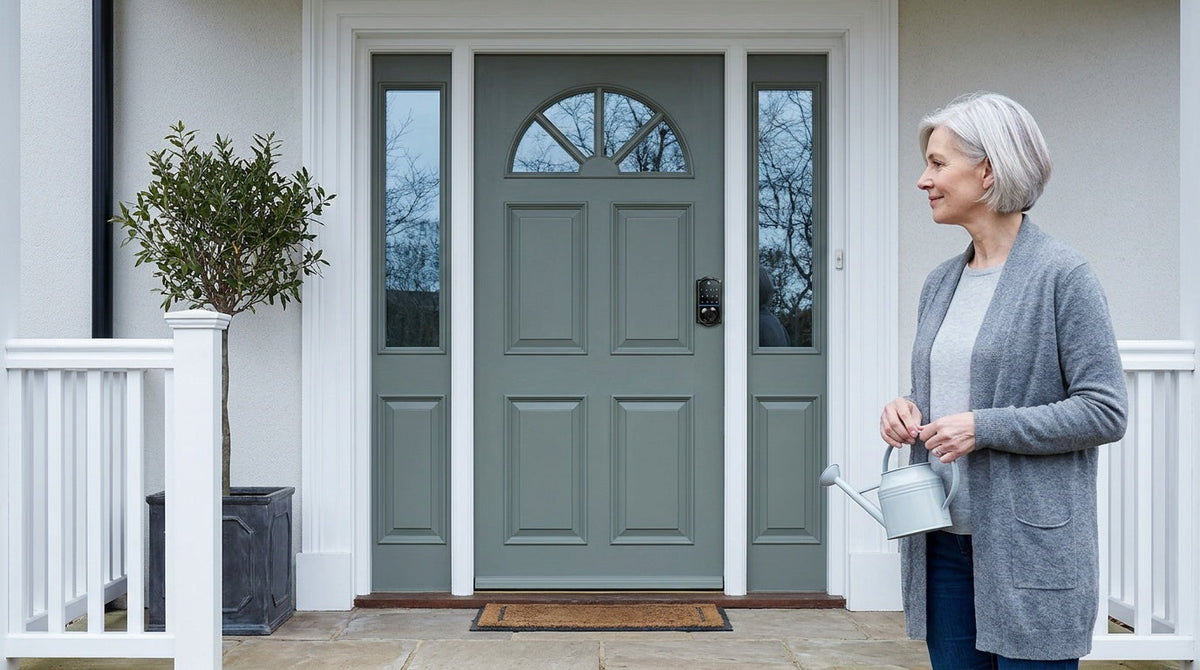
You're at work when the plumber calls to say he's arrived early. Your teenager forgot their key — again. Your neighbor is stopping by to water the plants while you're on vacation. Every one of these moments puts you face-to-face with the same uncomfortable question: how do you safely share access to your home with the people who need it, without leaving a key under the doormat for anyone else to find?
Physical spare keys have been the default answer for generations, but the way we share home access is changing — and for good reason. Whether you're a homeowner managing a busy household, a parent coordinating after-school pickups, or a property owner overseeing a short-term rental, there are now better, safer ways to give people the access they need without compromising your security. This guide walks through every realistic option, with honest trade-offs for each, so you can choose the approach that actually fits your life.
Why Spare Keys Are a Security Risk
Most people know, on some level, that hiding a key outside is not ideal. Yet the habit persists because the alternative — coordinating physical key handoffs — feels like more effort. The problem is that the classic hiding spots are far from secret. Under the doormat, inside a fake rock, beneath a flower pot, above the door frame: these locations are so widely used that they are essentially public knowledge to anyone motivated to look. Research cited by security professionals consistently shows that a significant portion of residential break-ins involve no forced entry at all, meaning the intruder found a way in that the homeowner left open.
Beyond the obvious hiding-spot risk, physical spare keys create a trail of access you can't easily track or revoke. A key copied by a contractor years ago, an unreturned spare from a previous house sitter, or a key passed along to someone whose circumstances have since changed — all of these represent open doors you may not even know exist. Changing your locks every time a key goes unaccounted for is expensive and disruptive. The goal, then, isn't just to hide keys better. It's to rethink how access works in the first place.
Who Actually Needs Access to Your Home?
Before choosing a solution, it helps to get specific about the access scenarios you're actually managing. For most households, these fall into a few categories:
- Household members — a spouse, children, or other family members who need reliable everyday entry
- Trusted regulars — a dog walker, cleaning service, or caregiver who visits on a set schedule
- One-time or occasional visitors — a repair technician, a friend checking on the house, a house sitter during vacation
- Emergency backup — a neighbor or family member who can step in if you're locked out or need help fast
- Property guests — for homeowners managing a short-term rental or vacation cabin, guests who check in and out on a rotating basis
Each scenario has different security requirements. A household member needs consistent, friction-free access. A dog walker needs access during a specific window each week, but not at midnight. A vacation rental guest needs access for exactly the duration of their booking — no longer. Matching your access method to the actual scenario is the key to getting the balance right between convenience and security.
Option 1: A Trusted Person with a Physical Key
Leaving a spare key with a trusted neighbor, close friend, or nearby family member remains a completely reasonable approach for emergency-backup purposes. It removes the key from your property entirely, keeps it off the ground in a place only you and the key holder know about, and gives you a human safety net for genuine lockout situations. For low-frequency, emergency-only access, this is still a solid, zero-cost option.
The limitations show up when circumstances change. People move. Relationships shift. A key given to a neighbor two years ago may be sitting forgotten in a kitchen drawer — or it may have been copied, lent out, or simply lost. If you use this method, treat it like any other security credential: revisit it periodically, and request the key back if the relationship or situation changes. For anything beyond emergency backup — recurring access for a service provider, for example — a physical key handed to a third party quickly becomes harder to control.
Option 2: A Key Lockbox
A combination key lockbox — typically a small, wall-mounted metal box secured by a code — is a step up from hiding a key under a rock. The key stays on your property but inside a locked container, accessible only to someone who knows the code. Real estate agents have used this approach for decades, and it works reasonably well for scenarios where you need to give temporary access to someone who can't receive a physical handoff in advance, such as a repair technician arriving at a set time.
That said, a lockbox still relies on a physical key inside it, and it introduces its own vulnerabilities. The code can be shared beyond the person you intended. A low-quality box can be pried open or removed from its mounting. If you need to revoke access, you have to change the code and communicate the new one to everyone who legitimately needs it. A lockbox is more secure than a fake rock, but it is still a physical key stored outside your home — which means it carries most of the same fundamental limitations. For short-term or low-stakes scenarios, it's workable. For ongoing access management, it quickly becomes cumbersome.
Option 3: A Keypad Lock — No Key Sharing Needed
A keypad lock changes the access model entirely. Instead of sharing a physical object that can be lost, copied, or found, you share a code — and a code can be changed in seconds without touching the hardware. Every household member gets their own unique code, which means you always know who entered and when. When a service window ends or a relationship changes, you delete that code. No locksmith needed, no hardware swap, no awkward key retrieval conversation.
This is exactly the kind of practical upgrade that fits naturally into a busy family home. Kids who are old enough to manage a code can let themselves in after school without needing a key to carry and potentially lose. A cleaning service gets a code that works during their scheduled visit and can be deleted the moment you decide to use a different provider. The physical key backup — included on Veise keypad locks — remains available for true emergencies, but day-to-day access flows entirely through the keypad.
Veise offers two distinct keypad categories worth knowing about:
- Keypad Deadbolt Locks — Typically a fit for exterior doors, providing solid deadbolt security alongside keypad entry. Select Veise models — the KS02 series, where every SKU includes it — add fingerprint recognition, which gives another layer of quick, personal entry without any code to remember. All models include a physical key as a backup.
- Keypad Latch Locks — Commonly used for interior, side, or garage access doors where a deadbolt isn't the primary security layer. The two current models (KS03 with a top knob, KS04 with a top lever) feature an integrated design for a clean, compact look. These use keypad code and physical key only — no app, no fingerprint.
Both categories install in about 15 minutes with a screwdriver, require no wiring, and work on standard wood doors (1-3/8" to 2" thick) without any professional help. There is no subscription required to use the core keypad functionality. One useful detail for visitor access: one-time codes — codes that delete themselves after a single use — are supported on every Veise lock, including these app-free keypad categories, so a one-off delivery or repair visit doesn't mean handing over a code that keeps working afterwards. Veise locks are ANSI/BHMA Grade 3 certified — the established standard for residential door hardware — and are backed by Kaadas Group's 38 years of lock industry expertise and a patent portfolio of 711 patents, the world's largest in the smart lock category. That engineering depth is built into every lock in the lineup, including the most affordable keypad models.
Option 4: A Smart Lock with Remote Access
A keypad lock solves most everyday access-sharing problems. But there are situations where you need to do more than assign a code — you need to see who came in, unlock the door from across town, or know the moment a guest arrives. That's where a smart lock becomes the right tool. Remote access requires a smart lock specifically, either a gateway-paired model or a Wi-Fi model. A standard keypad lock, even a high-quality one, cannot be paired with a gateway or connected to an app — those capabilities are built into the smart lock hardware itself.
For parents managing a household with school-age children, a connected smart lock means you can check the entry log from work and confirm that everyone got home safely, without relying on a teenager to remember to text. For homeowners running a short-term rental, it means you can issue a unique access code for each guest's exact booking window — active at check-in, expired at checkout — and monitor arrivals in real time from anywhere. For property managers overseeing a vacation cabin, you can grant a cleaner time-specific access between guest stays and revoke it instantly when the job is done, all without being on-site.
Veise's connected lock lineup breaks into two categories, each suited to slightly different needs:
Smart Lock w/ Gateway 1/2 (G1 or G2)
These locks pair with a separate gateway device that bridges the lock to your home network, enabling remote app control, entry notifications, and voice assistant compatibility. Smart Lock w/ G1 is built on a single product series — the VE017 — and every model in that line ships with fingerprint recognition, multilingual voice prompts (English, Spanish, and French), and a USB-C emergency power port, which is a practical failsafe if batteries run low. Smart Lock w/ G1 also uses a first-party app developed by Veise, which translates to tighter integration and a more consistent experience. For families where not everyone speaks the same primary language, its multilingual voice prompts are a concrete, practical advantage. Both Smart Lock w/ G1 and Smart Lock w/ G2 include a key fob and a physical key as additional backup entry methods.
Smart Lock w/ G2 offers more variety in form factors — standalone deadbolt, lever bundle, and other handle-set combinations — with options both with and without fingerprint recognition. Smart Lock w/ G2 supports Apple Watch unlock and web portal control, making it a strong fit for tech-forward households where those specific features matter. Its voice prompts are currently English only. Both Smart Lock w/ G1 and Smart Lock w/ G2 provide keypad code, key fob, physical key, and remote app control as standard unlock methods. Worth noting: even when your Internet connection is down, app control continues to work locally as long as you are within short-range wireless distance of the lock — only long-distance remote features require a live Internet connection. You can explore both options at Smart Locks w/ G1 and Smart Locks w/ G2.
Wi-Fi Smart Lock
Wi-Fi smart locks connect directly to your home network without needing a separate gateway device. They support remote app control, keypad code entry, fingerprint recognition, and voice commands via Alexa or Google Assistant — all built in. Veise offers two Wi-Fi series, differing in four concrete ways. The Touchscreen Wi-Fi Smart Lock (VE027 Series) features a touchscreen keypad and includes a USB-C emergency power port on every SKU — a practical option for households concerned about lockout scenarios during battery outages — plus key fob support and on-device voice prompts in English, Spanish, and French. The Push-Button Wi-Fi Smart Lock (VE012W Series) uses a traditional press-button keypad — straightforward, intuitive, and familiar for anyone who has used a standard keypad lock before — and does not offer USB-C, key fob, or on-device voice prompts. Both series use 8 AA/LR6 alkaline batteries instead of the more common four-cell design, delivering stronger signal and a more stable connection over time.
For families with kids who come and go independently, the Wi-Fi smart lock's entry history feature — reviewable any time through the app — gives parents genuine peace of mind without hovering. You can see exactly when the front door was used and by which access method, all from your phone. Browse the full Wi-Fi lineup at Wi-Fi Smart Lock.
Choosing the Right Veise Lock for Your Access Needs
With a clear picture of each option, the decision becomes a matter of matching the lock to the actual access scenarios you face. Use the guide below as a starting point:
- Everyday household access, no remote monitoring needed: A Keypad Deadbolt Lock handles this well. Assign each family member their own code, keep the physical key as a backup, and eliminate the spare-key problem entirely. Models with fingerprint recognition add a fast, hands-free entry option for household members enrolled on the lock.
- Interior, side, or garage door access: A Keypad Latch Lock is a clean, practical fit for these doors. Choose the KS03 (top knob) or KS04 (top lever) based on handle preference.
- Service providers, dog walkers, or cleaners on a schedule: A smart lock gives you time-limited code assignment and entry logging. Smart Lock w/ G1 (VE017 series) is the most full-featured all-in-one choice. Smart Lock w/ G2 is worth considering if you want Apple Watch unlock capability or need a non-fingerprint model.
- Short-term rental or vacation property: A Wi-Fi Smart Lock is ideal — guests receive a unique code for their exact booking window, and you can monitor arrivals and departures remotely without being on-site. The touchscreen VE027 series adds USB-C emergency power on every model, helpful in high-turnover properties where battery management can be unpredictable.
- Multilingual household: Smart Lock w/ G1 supports English, Spanish, and French voice prompts as standard — a genuine practical advantage for households where family members speak different primary languages.
All Veise locks are designed for wood doors with standard thicknesses between 1-3/8" and 2", and installation is a straightforward replacement of your existing hardware — no wiring, no professional required, just a screwdriver and about 15 minutes. Veise requires full lock replacement (unlike add-on overlay locks), so this works best for homeowners or property managers with authority to modify door hardware. The product range runs from roughly $30 to $180, keeping smart home entry firmly in affordable, mid-range territory. You can browse the complete lineup at All Products. Easy from Day One.
The Bottom Line
Spare keys have always been about convenience — making it easy for the right people to get in without friction. The problem was never the goal, only the method. Hiding a physical key on your property trades long-term security for short-term ease. Today's alternatives, from simple keypad codes to fully connected smart locks with remote access and entry logging, give you that same convenience without leaving a vulnerability sitting under a flower pot.
Start by identifying which access scenarios you actually need to manage, then match the solution to the scenario. A keypad lock solves most everyday access problems simply and affordably. A connected smart lock adds the remote visibility and time-limited control that service providers, property guests, and on-the-go parents genuinely need. Veise's full range — built on Kaadas Group's 38 years of lock industry expertise, 10M+ smart locks sold across 41+ countries, and recognized by Frost & Sullivan as the global No.1 high-end smart lock brand by sales — makes it straightforward to find the right fit without overspending or overcomplicating your setup.
Frequently Asked Questions
Is it safe to hide a spare key outside my home?
In most cases, no. Common hiding spots such as under doormats, inside fake rocks, beneath flower pots, and above door frames are among the first places an intruder checks. Research consistently shows that a meaningful share of residential break-ins involve no forced entry — meaning easy access was available. The safer approach is to eliminate the hidden key entirely and replace it with a keypad code, a connected smart lock, or a key left with a trusted person off-site.
What is the safest way to give someone temporary access to my home?
A smart lock with a time-limited access code is the most controllable option. You can assign a code that is active only during a specific window — a dog walker's afternoon visit, a short-term rental guest's booking dates — and delete or let it expire automatically when that window closes. No key to retrieve, no code to share beyond the intended person, and a full entry log so you know exactly when the door was used.
Do I need a smart lock to share access without a physical key?
Not necessarily. A standard keypad deadbolt lets you assign unique codes to different people — family members, service providers, house sitters — without any app or Internet connection required. You just need to manage codes manually on the lock itself. If you want remote access, entry alerts, or the ability to grant access from a distance, then you need a connected smart lock (gateway-paired or Wi-Fi), because a standard electronic lock cannot be paired with a gateway after the fact.
How quickly can I revoke someone's access with a keypad or smart lock?
With a keypad lock, you can delete a user code directly on the lock in a matter of seconds. With a connected smart lock, you can remove an access code through the app immediately — even if you are not at home. Either way, there is no lock change, no locksmith call, and no hardware swap involved, unlike a situation where a physical spare key has gone unaccounted for.
Can a Veise smart lock still be used if my Wi-Fi goes down?
Yes. Keypad code entry, fingerprint recognition (on applicable models), physical key backup, and key fob entry (on Smart Lock w/ Gateway 1/2 and the VE027 Wi-Fi series) all work independently of any Internet connection. For Smart Lock w/ Gateway 1/2 and Wi-Fi smart locks, app control also continues to work locally even when Wi-Fi is down, as long as you are within short-range wireless distance of the lock. Only long-distance remote features — such as unlocking the door from across town or receiving off-site entry alerts — require a live Internet connection.
Are Veise smart locks hard to install?
No. Veise locks are designed as complete replacements for your existing door hardware. The installation process typically takes about 15 minutes using just a screwdriver — no wiring, no professional installation required. They are compatible with standard wood doors between 1-3/8" and 2" thick. Because the lock replaces the existing hardware entirely, installation is best suited for homeowners or property managers who have authority to modify their door hardware.
What is the difference between a gateway-paired smart lock and a Wi-Fi smart lock?
A gateway-paired smart lock (Smart Lock w/ G1 or G2) requires a separate gateway device, plugged in within range of the lock, that connects the lock to your home network — so the lock itself doesn't run a Wi-Fi radio. A Wi-Fi smart lock has the wireless connection built directly into the lock body — no separate gateway needed. Both types support remote app control, keypad codes, and entry history. The Wi-Fi models also support Alexa and Google Assistant voice commands directly without additional hardware.
How much does a Veise smart lock cost?
Veise locks range from approximately $30 to $180 depending on the model and category, positioning them as an affordable to mid-range option within the smart lock market. Basic keypad deadbolts sit at the lower end of that range, while fully connected Wi-Fi smart locks with touchscreens and fingerprint recognition sit toward the higher end. There is no monthly subscription required for core lock functionality.
Not Sure Which Lock Fits Your Home?
Our team is happy to help you find the right Veise lock for your specific door, access scenario, and budget — no pressure, just practical advice.
Contact Us

Leave a comment
This site is protected by hCaptcha and the hCaptcha Privacy Policy and Terms of Service apply.