
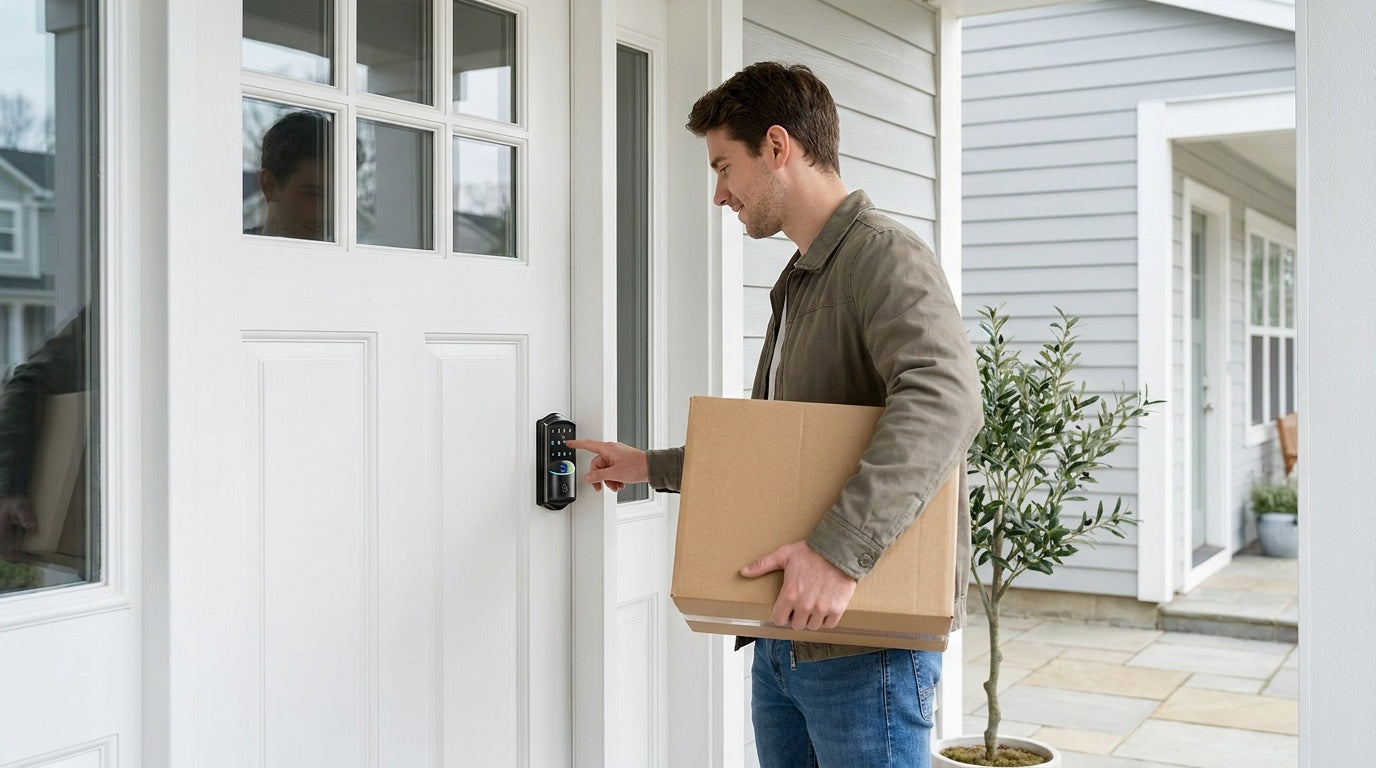
Replacing the lock on an apartment door sounds simple enough until you start researching and realize there are keypad locks, Wi-Fi locks, gateway-paired locks, fingerprint locks, and a dozen opinions on which one is "best." The reality is that no single lock is best for everyone — the right choice depends on your door type, how many people need access, whether you need remote control, and whether you own the property or manage it. This guide walks through every factor that actually matters, so you can make a confident decision rather than guessing at checkout. Whether you're a homeowner swapping out an old deadbolt, a landlord upgrading a rental unit, or a host managing a short-term property, you'll find a clear, practical path through the options.
Who Can Actually Install a Smart Lock on an Apartment Door?
This is the first question worth answering — and most buying guides skip it. A full smart lock replacement means removing the existing deadbolt or latch hardware and installing a new lock body in its place. That requires authority over the door hardware. If you own the unit, or you're a landlord or property manager, you're in the clear. If you're a tenant in someone else's unit, you'll need written permission from the building owner before replacing any lock hardware, since most lease agreements treat that as a modification to the property.
Some brands offer retrofit locks that layer onto the inside of an existing deadbolt without changing the exterior hardware. Veise locks work differently: they are full replacements. That means the installation is clean, permanent, and gives you a brand-new lock on both sides of the door. It also means the buyer should be the property owner or someone who has been given authority to modify the door. If you're managing a rental property, upgrading a vacation cabin, or setting up a short-term rental, Veise's approach gives you a more secure, purpose-built installation rather than an overlay on an aging deadbolt.
Door Compatibility: The First Thing to Check
Before browsing lock models, check what your door is made of and how thick it is. Veise smart locks are designed for standard wood doors with a thickness between 1-3/8" and 2". They are not compatible with fiberglass doors, metal doors, storm doors, or sliding doors. Metal doors in particular can interfere with wireless signals and typically require different mounting hardware than what ships with a residential smart lock.
Apartment and condo doors are almost always wood-core, so compatibility is rarely an issue in that setting — but it's worth confirming before you order. Standard US door prep (the hole pattern left by a previous deadbolt) fits Veise locks without any drilling or special tools. If your door already has the standard bore holes, installation is genuinely straightforward.
Understanding the Four Lock Types
Smart lock shopping gets confusing fast because the category is broad. Veise's lineup covers four distinct product types, and understanding the difference between them is the single most useful thing you can do before buying.
Keypad Deadbolt
The most popular choice for exterior doors. A keypad deadbolt replaces your existing deadbolt with a lock that opens via a keypad code, with a physical key as a backup on every model. The KS02 series also includes a fingerprint reader that recognizes a print in under 0.3 seconds. There's no app, no hub, no Wi-Fi — which means no connectivity to manage and no router dependency. Codes are set directly on the keypad, and access is entirely local. This is the right pick when reliability and simplicity matter more than remote control.
Keypad Latch Lock
A keypad latch lock uses a spring latch mechanism rather than a deadbolt, with an integrated handle built into the lock body. The two current Veise SKUs (KS03 with a top knob, KS04 with a top lever) unlock with a keypad code or physical key. There's no fingerprint, no app, and no key fob on this category. Latch locks are commonly used on interior doors, side entrances, office doors, and garage doors — and they can also work well on apartment entry doors when paired with a separate primary deadbolt, where the latch handles daily code-based access and the deadbolt handles primary security.
Smart Lock w/ Gateway (G1 or G2)
This category covers locks that pair with a small gateway device (sold separately) that plugs into your home's Wi-Fi router. The gateway bridges the lock to the Internet, enabling full remote app control from anywhere. Every model in this category includes keypad code, key fob, and physical key as standard methods — and many models also feature fingerprint. Voice assistant support is included via the paired gateway.
Within this category, there are two generations. Smart Locks w/ G1 is built on a single product series — the VE017 — and every lock in that line ships with multilingual voice prompts (English, Spanish, and French), a USB-C emergency power port, and fingerprint as standard features. This makes it an especially practical pick for multilingual households or any home where multiple entry methods and lockout protection are priorities. Smart Locks w/ G2 offers more SKU variety — including non-fingerprint options and handle-set bundle configurations — and adds Apple Watch unlock and web portal access, though it currently supports English voice prompts only. When recommending a single "best connected" pick, Smart Lock w/ G1 wins on reliability and all-in-one features; Smart Lock w/ G2 is the better choice when Apple Watch unlock or a non-fingerprint option matters.
Wi-Fi Smart Lock
A Wi-Fi smart lock has Internet connectivity built directly into the lock body — no gateway device required. It connects to your home Wi-Fi and can be controlled remotely via the app from anywhere with an active Internet connection. Veise offers two series: the VE027 (touchscreen interface, includes USB-C emergency power port) and the VE012W (traditional push-button keypad, no USB-C). Both series support fingerprint, keypad code, app control, and Alexa or Google Assistant voice commands via built-in Wi-Fi. Both also use an 8 AA battery configuration instead of the more common 4 AA setup, which delivers a stronger signal and a more stable connection with a larger power reserve. Three-language on-device voice prompts (English, Spanish, and French) and key fob support are included on the VE027 series; the VE012W series has neither.
Unlock Methods: Match the Lock to How You Live
One of the easiest mistakes to make when buying a smart lock is choosing one with an unlock method that doesn't fit daily habits. Different Veise lock categories support different combinations, so it's worth mapping your household's needs before picking a model.
- Keypad code: Available across all four Veise lock categories. Ideal for households where multiple people need access without sharing a physical key. Codes can typically be set for individual users, making it easy to add or remove access without rekeying.
- Fingerprint: Available on select Keypad Deadbolt models (KS02 series), all Smart Lock w/ G1 models, many Smart Lock w/ G2 models, and all Wi-Fi Smart Locks. Veise locks recognize a stored fingerprint in under 0.3 seconds. The fingerprint template is processed and stored on-device — no cloud, no account, no data leaving the lock — which is a meaningful privacy advantage. Each finger is captured eight times during enrollment to build a reliable template across angles and pressure variations. Multiple unique fingerprints can be stored per device.
- Physical key: Included on every Veise lock across all four categories. Never rely on a lock that doesn't include a physical key backup — it's the last line of defense if batteries die or a code is forgotten.
- Key fob: Available on Smart Lock w/ G1 and G2 models (all models in both lines include a fob), and on the VE027 Wi-Fi series (all models; not the VE012W series). Not available on Keypad Deadbolt or Keypad Latch Lock models.
- Remote app control: Available on Smart Lock w/ G1, Smart Lock w/ G2, and Wi-Fi Smart Lock categories. Remote access requires a smart lock — gateway-paired or Wi-Fi — not a keypad-only lock with an added gateway. A standalone keypad deadbolt or keypad latch lock cannot be paired with a gateway after the fact.
- Voice control (Alexa / Google Assistant): Wi-Fi Smart Locks support voice commands directly via their built-in Wi-Fi. Smart Lock w/ G1 and G2 support voice commands through the paired gateway — the gateway must be in place and connected for voice control to work. Keypad Deadbolts and Keypad Latch Locks do not support voice control.
Connectivity: Keypad-Only vs. Gateway-Paired vs. Wi-Fi
The connectivity question is where most buyers get stuck, so it's worth being direct. Keypad-only locks (Keypad Deadbolt and Keypad Latch Lock) have no wireless connectivity at all. They work the same whether your router is on or off, your phone is charged or dead, and whether you're standing at the door or a thousand miles away. For property owners who want reliable keyless entry without any technology dependencies, that's a genuine feature, not a limitation.
Smart Locks w/ Gateway (G1 or G2) use the paired gateway as the bridge to the Internet. The gateway plugs into your router; the lock communicates with the gateway over short-range wireless. Remote locking, push notifications, and off-site app control all require live Internet flowing through the gateway. However, if Wi-Fi is down but you're within short-range wireless distance of the lock, app control continues to work locally. Keypad code, key fob, fingerprint, and physical key all remain functional regardless of Internet status.
Wi-Fi Smart Locks have the gateway built in. The lock connects to your router directly, which simplifies the setup and eliminates a separate device to manage. Remote access, activity logs, and app notifications work the same way as gateway-paired locks — with the added note that even when Wi-Fi is down, app control continues to work locally as long as you're within short-range wireless distance. Veise does not support Zigbee or Z-Wave protocols on any model.
Matching the Right Lock to Your Situation
New Homeowner Replacing an Old Lock
If you've just moved in and want to upgrade the existing deadbolt to something more modern without overcomplicating your home setup, a keypad deadbolt is typically the most practical first step. It removes the need for physical keys for daily use while keeping the setup simple. If you want fingerprint entry, the KS02 series adds that capability. No app, no hub, no subscriptions — just a reliable lock that works every time.
Parents Who Want to Monitor When Kids Arrive Home
A keypad code alone won't tell you when your kids actually got home. For this use case, you need a smart lock with app connectivity — either a Wi-Fi Smart Lock or a gateway-paired Smart Lock w/ G1 or G2. Both types log entry events with a timestamp and push a notification to your phone when the door is unlocked. The app history gives you a clear record without needing to call or text. A Wi-Fi Smart Lock or Smart Lock w/ Gateway are both strong picks here, depending on whether you prefer built-in Wi-Fi or gateway-enabled remote access.
Families with Elderly Members
For a grandparent or elderly family member who finds keys difficult to manage, a keypad code or fingerprint entry removes the fumbling entirely. A keypad deadbolt with a large, backlit keypad is straightforward to use. If lockout protection is a priority, the VE017 series (Smart Lock w/ G1) and the VE027 series (Wi-Fi Smart Lock) both include a USB-C emergency power port, so a depleted battery doesn't mean a lockout — a USB-C power bank at the door provides enough temporary power to enter a code.
Short-Term Rental or Vacation Property
Managing guest access remotely is one of the most practical reasons to choose a connected smart lock. A Wi-Fi Smart Lock or Smart Lock w/ G1/G2 lets you create unique access codes for each guest, set those codes to expire automatically, and check the entry log from your phone whether you're across town or across the country. No key handoff, no lockbox, no follow-up needed. The Wi-Fi Smart Lock is especially convenient for this scenario because it requires no separate gateway device — one less thing to set up at the property.
Interior Doors, Side Entrances, and Office Doors
Not every door in a home or property needs a deadbolt. A keypad latch lock is a common fit for interior doors, office doors, garage entry doors, or side entrances where a latch mechanism is sufficient and a simple keypad code is all the access control needed. Veise also offers a full range of mechanical locks — including keyed entry door knobs, privacy door knobs, keyed entry door levers, privacy door levers, and deadbolt locks — for rooms where keyless entry isn't needed.
Installation: What to Expect
Veise locks are designed for DIY installation in about 15 minutes with a screwdriver — no wiring, no professional help needed. If your door already has standard bore holes from a previous deadbolt or latch, the new lock drops into place using the existing prep. The install process involves removing the old hardware, fitting the new exterior and interior assemblies, and connecting the two through the door with the provided hardware. Step-by-step instructions are included, and Veise offers US-based phone and email support if anything needs clarification.
A few things to verify before installation: confirm your door is a standard wood door between 1-3/8" and 2" thick, and check that the existing bore hole aligns with your chosen model's spec. Most standard US apartment and residential doors fall within this range, so it's rarely an issue — but worth a quick measure before ordering.
Security Certification and Build Quality
Veise smart locks carry ANSI/BHMA Grade 3 certification, which is the established residential security standard in the United States. ANSI/BHMA grades are sometimes misread as a quality ladder where Grade 1 is "best" — but the grading system reflects the intended application, not a ranking of better vs. worse. Grade 1 and Grade 2 products are designed and tested for high-traffic commercial environments like office buildings, hospitals, and schools. Grade 3 is the standard for residential doors, which cycle far less frequently and face different load conditions than commercial doors.
Beyond certification, Veise is a vertically integrated manufacturer — the company designs, engineers, and builds its own locks rather than reselling OEM products. With roots in the lock industry going back to 1988 and a North American launch in 2022, Veise ranked as the #1 smart lock brand on Amazon North America in both 2024 and 2025. That track record matters because it means design decisions, quality control, and product support are owned end-to-end rather than distributed across multiple vendors.
Battery Life and Emergency Access
All Veise smart locks are battery-powered with no wiring required. The Wi-Fi Smart Lock series uses 8 AA batteries rather than the more common 4 AA configuration. This larger battery complement supports a stronger wireless signal, more stable connectivity, and a larger power reserve to handle the continuous demands of built-in Wi-Fi. Every Veise lock sends low-battery alerts through the app (on connected models) before the battery reaches a critical level, giving you time to replace batteries well before a lockout becomes a concern.
Every Veise lock includes a physical key backup — the last line of defense in any scenario. For added protection on select models, the VE017 series (Smart Lock w/ G1) and the VE027 series (Wi-Fi Smart Lock) include a USB-C emergency power port. If the battery is fully depleted on one of these models, holding a USB-C power bank to the port provides enough temporary power to enter a code and get inside, then replace the batteries at your convenience.
No Subscription Fees: Why It Matters
A growing number of smart home devices gate their most useful features — remote access, activity logs, guest code management — behind monthly subscription plans. Veise takes a different approach: every feature on every Veise lock works fully out of the box with no ongoing fees. Remote app access on Wi-Fi and gateway-paired models, entry history, multiple user codes, auto lock scheduling, and fingerprint storage are all included for the life of the product. There are no tier paywalls and no features that expire.
Veise locks also store fingerprint data locally on the lock itself, not in the cloud. That means fingerprint recognition works even without an Internet connection, your biometric data never leaves the device, and there's no account deletion or server shutdown that could affect access. For a property owner who values reliability above all, local data storage is a meaningful advantage over cloud-dependent alternatives. Priced between $30 and $180 across the full lineup, Veise positions itself as an affordable, mid-range option that doesn't ask you to keep paying after the purchase. Explore the full Veise product lineup to find the model that matches your door and your household.
The Bottom Line
Buying a smart lock for an apartment door comes down to a few honest questions: Do you own the property or have permission to replace the hardware? Is your door a standard wood door? Do you need remote access, or is local keypad entry enough? And how many people need access, and in what ways? Once you can answer those questions, the right lock category becomes obvious — and from there, it's a matter of picking the model that fits your budget and preferred unlock methods.
Veise locks are designed for exactly these real-life scenarios — from the homeowner who wants a simple keypad upgrade to the property manager who needs to monitor guest access from a phone. With a full lineup spanning keypad deadbolts, latch locks, gateway-paired smart locks, and Wi-Fi smart locks, there's a model designed for the way your household actually operates. No subscriptions. Local fingerprint storage. 15 minutes to install. Easy from Day One.
Frequently Asked Questions
Can I install a Veise smart lock on my apartment door?
Veise locks are full replacements for existing door hardware, so they require ownership of or authority over the door. If you own the unit or are a landlord or property manager, you can install a Veise lock on any compatible standard wood door. Tenants in a rental unit should get written permission from their landlord before replacing any lock hardware.
What door types are Veise smart locks compatible with?
Veise smart locks are compatible with standard wood doors with a thickness of 1-3/8" to 2". They are not compatible with metal doors, fiberglass doors, storm doors, or sliding doors.
Do I need a hub or gateway to use a Veise smart lock?
It depends on the model. Keypad Deadbolt and Keypad Latch Lock models require no hub and have no wireless connectivity. Smart Lock w/ G1 and G2 models require a paired gateway (plugged into your home router) for remote app access. Wi-Fi Smart Lock models have built-in Wi-Fi and need no separate gateway device.
What happens if the battery dies on a Veise smart lock?
Every Veise lock includes a physical key backup that works regardless of battery level. Connected models send low-battery alerts through the app well before the battery reaches zero. On select models in the VE017 series (Smart Lock w/ G1) and VE027 series (Wi-Fi Smart Lock), a USB-C emergency power port lets you temporarily power the lock with a USB-C power bank to enter your code, then replace the batteries at your convenience.
Is there a monthly fee to use Veise smart lock features?
No. All Veise smart lock features — including remote app access, activity history, guest code management, and fingerprint storage — are fully included with no subscription fees, no monthly plans, and no feature paywalls.
Can I use voice commands with a Veise smart lock?
Voice control with Alexa or Google Assistant is available on Wi-Fi Smart Locks (which connect directly via built-in Wi-Fi) and on Smart Lock w/ G1 and G2 models (which require the paired gateway to be connected for voice commands to work). Keypad Deadbolt and Keypad Latch Lock models do not support voice control.
What security certification do Veise locks carry?
Veise smart locks are ANSI/BHMA Grade 3 certified, which is the established standard for residential door locks in the United States. Grade 3 reflects a residential use case — it is not a lesser tier than Grades 1 or 2, which are designed for high-traffic commercial applications.
How long does it take to install a Veise smart lock?
Most Veise smart locks install in about 15 minutes with a screwdriver and no professional assistance needed. No wiring is required. If your door already has standard bore holes from a previous lock, the process is straightforward: remove the old hardware, fit the new assembly, and follow the included instructions.
Not Sure Which Veise Lock Is Right for Your Door?
Our US-based support team can help you match the right model to your door type, household setup, and budget — no pressure, just honest guidance.
Contact Us

Leave a comment
This site is protected by hCaptcha and the hCaptcha Privacy Policy and Terms of Service apply.