
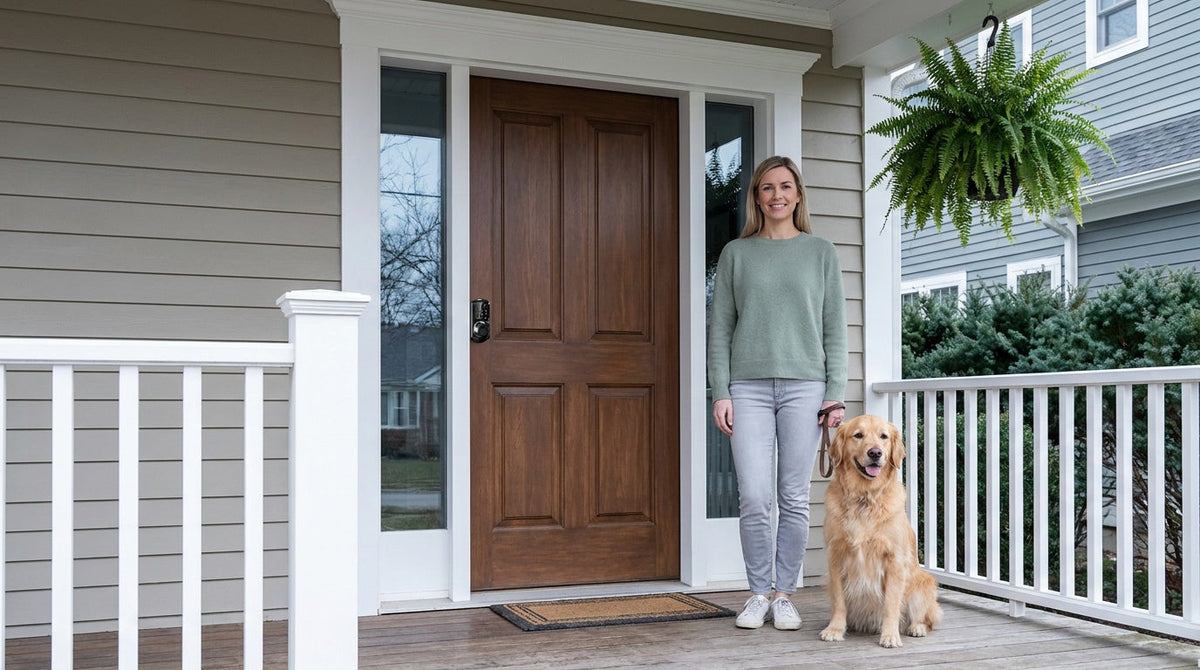
A door swings shut behind you. A bag with your keys in it is still on the kitchen counter. It happens to careful people, organized people, and people who were sure they had a system — because the moments that cause it are completely ordinary ones.
The good news is that this is a solved problem, and the solution isn't willpower. A modern smart lock gives you four independent ways in — your fingerprint, a code you know, the app on your phone, and a physical key — plus, on select series, a USB-C port that powers the lock from a phone battery pack if the cells ever run flat. Any one of them gets you through the door, so no single forgotten item leaves you standing outside. This guide walks through all four, how they work together, and which Veise lock gives you which.
Why Lockouts Happen — and Why "Be More Careful" Isn't the Fix
Most lockouts don't happen because someone is careless. They happen because life is busy. You're carrying groceries in both arms. The kids are arguing in the backseat. You stepped outside for "just a second" and the wind pulled the door shut. The conditions that produce lockouts are ordinary, everyday moments — which is exactly why the same person tends to get locked out more than once.
That's worth sitting with, because it changes what a real solution looks like. Advice like "give your keys a permanent home" genuinely helps, and it's worth doing. But it's still a single point of failure: one habit, one object, one bad morning. What actually removes the risk is hardware with more than one way to let you in — so that forgetting any single thing is a shrug rather than an afternoon.
That's what the four backup methods below are. They're not a ranked list of fallbacks to try in order; they all work, all the time, on the same lock. Here's what each one covers.
Backup 1: Your Fingerprint
The most reliable credential is the one you can't leave on the counter. On Veise locks with a fingerprint reader, entry takes a single touch and scans in under 0.3 seconds — quick enough that it feels like the door simply opened for you, even with a bag in each hand.
Enrollment happens at the lock and captures your finger eight times, building a template that reads reliably across different angles and pressures. The scanner beeps once after each successful scan, and the green light flashes once all eight are captured. Fingerprints are processed and stored on the lock's own AI chip — not in the cloud, not tied to an Internet account, and never leaving the device.
One property worth knowing: a fingerprint can only be enrolled by the person themselves, at the lock. It can't be delegated the way a code or a key can, which makes it the tightest form of access control in the lineup — useful when you want to know exactly who can open a door.
Where you get it: every SKU in the KS02 keypad deadbolt series, every Smart Lock w/ G1, many Smart Lock w/ G2 models, and every Wi-Fi smart lock.
Backup 2: A Keypad Code
The keypad code is the workhorse, and its strength is how little it depends on. Veise codes run 4 to 10 digits and are stored on the lock itself, so entry works with no phone in your pocket, no app installed, no router at home, and no Internet connection anywhere. A dead phone battery is irrelevant to it.
Because codes are cheap to create and easy to remove, this is also where household access management lives. Give each family member their own code alongside a shared one; on a connected lock the entry log then shows which code opened the door. One-time codes — which delete themselves after a single use — work on every Veise lock, including the app-free Keypad Deadbolt and Keypad Latch categories, so a one-off delivery or repair visit doesn't leave a code working afterwards.
Two built-in details make the keypad more robust than it looks. Anti-peep entry lets you pad your real code with extra random digits before or after it — the lock opens as long as the correct sequence appears somewhere in what you typed, so an onlooker can't read your code off your hand. And lockout protection pauses the lock for 3 minutes after 10 wrong attempts, automatically, on every model.
Where you get it: every Veise lock in every category.
Backup 3: The App
The app is the backup that works when you aren't there. If a child arrives home without their code, a contractor turns up early, or a relative is standing at the door while you're across town, you can simply unlock it from your phone.
This one requires a smart lock specifically — a Smart Lock w/ Gateway 1/2 or a Wi-Fi smart lock. A keypad-only lock cannot be paired with a gateway or connected to an app after the fact; the connectivity is built into the hardware. On Smart Lock w/ Gateway 1/2, remote control runs through the paired gateway, a separate device sold separately that plugs in within range of the lock and connects to your home network. Wi-Fi smart locks connect to the network directly, with no gateway needed.
It's worth being precise about what happens when connectivity drops, because this is where the app's role is often overstated. Keypad code, fingerprint, and the physical key all keep working regardless — they never touch the network. For the app itself, even when Wi-Fi is down, control continues to work locally as long as you're within short-range wireless distance of the lock. Only long-distance features — unlocking from across town, off-site alerts — need an active Internet connection.
Where you get it: Smart Lock w/ Gateway 1/2 (via the paired gateway) and Wi-Fi smart locks.
Backup 4: The Physical Key — Plus USB-C Emergency Power
Every Veise lock ships with a physical key cylinder, and the key slot is visible on the lock rather than tucked behind a cap. This isn't an afterthought or a feature reserved for certain models — it's universal across keypad deadbolts, keypad latch locks, Smart Lock w/ Gateway 1/2, and Wi-Fi smart locks. Going keyless describes your daily routine, not the hardware: the keypad or fingerprint reader is added alongside the cylinder, never in place of it. Keep the key in a drawer, or with a trusted neighbour, and it's there for the rare case you want it.
The related question people ask is what happens when the batteries die. In practice they don't die without warning — Veise locks run on AA/LR6 alkaline cells and signal a low battery well in advance with a voice or beep prompt at the lock plus an indicator light, and on connected models a push notification through the app as well. (Worth noting when you install: Veise locks don't ship with batteries, so pick up a fresh set of alkaline AA cells beforehand.)
If it ever does run flat, every VE017 series model (Smart Lock w/ G1) and every VE027 series model (Touchscreen Wi-Fi Smart Lock) includes a USB-C emergency power port. Any phone battery pack powers the lock long enough to enter your code and get inside. It's standard on both of those series — not an optional extra within them.
Where you get it: the physical key on every Veise lock; USB-C emergency power on the VE017 and VE027 series.
Choosing the Right Veise Lock for Your Door
Which of the four backups you get depends on the lock, so it is worth matching the category to the door. That's the premise behind every lock Veise builds: practical hardware, grounded in Kaadas Group's 38 years of lock industry expertise and 711 patents — the world's largest smart lock patent portfolio — that makes getting in and out of your home simpler for the whole family. With 10M+ smart locks sold across 41+ countries, Veise has been recognized by Frost & Sullivan as the global No.1 high-end smart lock brand by sales. That track record isn't incidental — it's the result of owning the entire manufacturing process, from engineering to production, in Veise's own factory.
The right lock depends on your door, your household, and how much you want to stay connected. Here's how Veise's main categories address the lockout problem at its root.
Keypad Deadbolt: the everyday upgrade for exterior doors
A keypad deadbolt replaces the traditional lock on a wood exterior door with one that opens via a personal keypad code — no key required for daily use. Every model includes a physical key backup, so you're never completely without a fallback. The KS02 series adds fingerprint recognition on every SKU (scanning in under 0.3 seconds) for even faster, hands-free entry when your arms are full. This is a strong choice for homeowners who want the simplicity of keyless entry without a smartphone requirement. Installation takes about 15 minutes with a screwdriver, and the keypad deadbolt lineup sits at the accessible end of Veise's $30–$180 range.
Keypad Latch Lock: a clean code-based option for interior and secondary doors
For interior doors, office entries, garage side doors, or secondary entry points that see frequent use, a keypad latch lock is a practical fit. The integrated design — handle and lock in one unit — keeps the profile neat and the operation simple: enter your code, the latch retracts, and you're in. Both current SKUs (KS03 with an integrated knob, KS04 with an integrated lever) follow the same straightforward principle. No app, no connectivity setup — just reliable code-based entry, with the physical key kept as backup.
Smart Lock w/ Gateway 1/2 (G1 or G2): remote access for families and property owners
For families where parents need visibility into who came home and when, or property owners managing a short-term rental or vacation cabin, a connected smart lock adds a meaningful layer of oversight. Smart Locks w/ G1 represent Veise's most complete connected offering: every model in the line includes fingerprint recognition, multilingual voice prompts (English, Spanish, and French), and a USB-C emergency power port as standard — all on a Veise-developed app for a reliable, first-party experience. Entry methods include keypad code, fingerprint, key fob, physical key, and remote app control via the paired gateway.
Smart Locks w/ G2 bring additional features for tech-forward households, including Apple Watch unlock and web portal control — making them a strong pick for households deep in the Apple ecosystem. Smart Lock w/ G2 also offers both fingerprint and non-fingerprint options across standalone and handle-set bundle form factors. Its voice prompts are currently English only, so for multilingual or non-English-speaking households, Smart Lock w/ G1's three-language voice support is the more direct fit. Remote access on either line requires the paired gateway and an active Internet connection for off-site control; if Wi-Fi goes down but you're within short-range wireless distance of the lock, app control continues to work locally.
Wi-Fi Smart Lock: built-in connectivity, no gateway needed
The Wi-Fi Smart Lock line connects directly to your home network — no separate gateway purchase required. Both the Touchscreen Wi-Fi Smart Lock (VE027 Series) and the Push-Button Wi-Fi Smart Lock (VE012W Series) support fingerprint recognition, keypad code entry, app control, and voice commands via Alexa or Google Assistant. The two series differ in four concrete ways: the VE027 Series has the touchscreen interface, a USB-C emergency power port on every SKU, key fob support, and on-device voice prompts in English, Spanish, and French — none of which the VE012W Series offers. One practical design detail shared by both: Veise Wi-Fi smart locks use 8 AA/LR6 alkaline batteries instead of the more common 4 AA setup, delivering stronger signal stability and a more substantial power reserve. As with the gateway-paired line, a physical key backup is included on all models. If your Internet goes down but you're within short-range wireless distance of the lock, the app continues to work locally.
All Veise locks are ANSI/BHMA Grade 3 certified — the recognized standard for residential hardware — and are compatible with wood doors in standard thicknesses of 1-3/8" to 2". Because Veise locks are full replacements (not overlays), installation is a one-time job best suited for homeowners or property managers with authority to modify door hardware. The Effortless Home Entry™ process takes about 15 minutes with a screwdriver and no wiring, and no professional help is needed.
If you're not sure where to start, the full Veise product lineup lets you compare every category side by side. Easy from Day One.
If You're Locked Out Right Now
If you landed here from the wrong side of a locked door, the upgrade is tomorrow's project. Here's the short version for today.
Start by checking the obvious: pockets, bag, and the car, then walk the perimeter and try the back door, side door, and garage — one of these resolves the situation more often than you'd expect. Next, call whoever might have a spare: a partner, family member, or neighbour. Even if they're twenty minutes away, waiting is usually faster and cheaper than anything else. If anyone inside the home may genuinely be at risk — a young child, an elderly relative, someone with a medical condition — treat it as urgent and call 911; for a routine lockout with nobody at risk, it isn't the right call.
If none of that works, a locksmith is the reliable answer, and a good one can usually open a residential lock without damaging it. Ask for the total estimated cost before anyone comes out — service call, labour, parts, and after-hours fees included — and be wary of a very low flat rate quoted over the phone, since that number has a habit of climbing on arrival. A legitimate locksmith will confirm you live at the property before starting work, so have a driver's licence or a piece of addressed mail ready, and ask for an itemised receipt at the end.
One thing worth not doing: improvised entry. Paperclips and credit cards are aimed at simple interior privacy latches, not the pin-tumbler deadbolt on an exterior door, and the usual outcome is a jammed cylinder or a snapped tool inside the lock — a damaged lock on top of a lockout. Climbing to an upper window carries a far worse risk than any locksmith bill.
Final Thoughts
A lockout is rarely a one-time event. It's usually a sign that everything depends on a single object you have to remember every time you leave. Fingerprint, keypad code, app, and physical key each solve that from a different angle — and because they work independently, forgetting any one of them stops mattering. Add USB-C emergency power on the VE017 and VE027 series and even a flat battery has an answer.
Habits help, and they're worth keeping. But the reason this problem is solvable isn't that you'll get better at remembering — it's that the door no longer needs you to.
Frequently Asked Questions
What happens if the batteries die while I'm out?
They rarely go without warning — Veise locks signal a low battery well in advance with a voice or beep prompt at the lock plus an indicator light, and on Smart Lock w/ Gateway 1/2 and Wi-Fi smart locks, a push notification through the app as well. If a lock does run flat, every VE017 series and VE027 series model includes a USB-C emergency power port, so any phone battery pack powers it long enough to enter your code. On other models, the physical key cylinder is the fallback. Veise locks run on AA/LR6 alkaline batteries and don't ship with them, so keep a fresh set at home.
Do Veise smart locks still work without Wi-Fi or Internet?
Yes. Keypad code entry, fingerprint on models that include it, and the physical key all work independently of any Internet connection — they never touch the network. For Smart Lock w/ Gateway 1/2 and Wi-Fi smart locks, even when Wi-Fi is down, app control continues to work locally as long as you're within short-range wireless distance of the lock. Only long-distance remote features — unlocking from across town, off-site alerts — require an active Internet connection.
If I forget my code, am I locked out?
No. Every Veise lock ships with a physical key cylinder as a backup, and on models with a fingerprint reader your fingerprint works regardless of whether you remember the code. Note that after 10 wrong attempts the lock pauses for 3 minutes automatically — that's built-in lockout protection, not a fault.
Can I unlock the door for someone if I'm not home?
Yes, with a smart lock — either a Smart Lock w/ Gateway 1/2 or a Wi-Fi smart lock. A standard electronic lock has no app and cannot be paired with a gateway after the fact, so remote unlocking requires the connected hardware. As an alternative that works on every Veise lock including the app-free keypad categories, you can issue a one-time code that deletes itself after a single use.
Do I need a locksmith to install one?
No. Veise locks replace your existing door hardware and install in about 15 minutes with a screwdriver — no wiring, no locksmith, no special tools. Every product ships with a step-by-step user manual and an installation video. They fit standard wood doors between 1-3/8" and 2" thick. Because the lock replaces the existing hardware entirely, you should be the property owner or have the owner's authorization before proceeding.
Not Sure Which Lock Is Right for Your Home?
The Veise team is here to help you find the right fit — whether you need a simple keypad upgrade or a fully connected smart lock for your whole property. Built on 38 years of lock industry expertise and backed by a factory-direct manufacturing model, Veise makes the right choice easy to find and even easier to install.
Contact Us

Leave a comment
This site is protected by hCaptcha and the hCaptcha Privacy Policy and Terms of Service apply.