
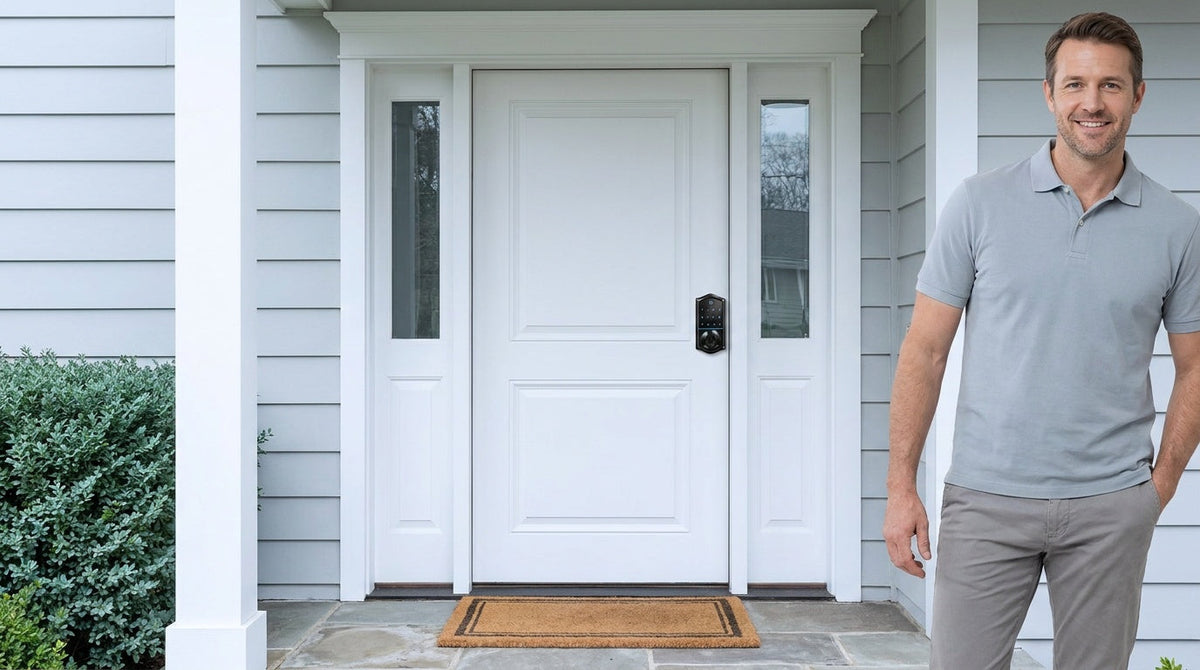
Picture this: you manage a vacation cabin, and a plumber needs access while you're three states away. Or you have three kids, a dog walker, and a housecleaner who all need to get through the front door — but you can't hand out spare keys indefinitely. Shared access is one of the most practical challenges of modern home life, and how you solve it has real security consequences.
Two popular solutions compete for that job: the key lockbox (a small combination box mounted near your door that stores a physical key) and keyless entry locks (electronic locks that add codes, fingerprints, or app control alongside the key cylinder, so no key is needed for daily entry). Both claim to solve the same problem, but they operate in fundamentally different ways — and carry very different risk profiles. This guide breaks down exactly how each works, where each falls short, and how to choose the right fit for your home or rental property.
How Key Lockboxes Work (and Where They Fall Short)
A key lockbox is a small metal container — typically mounted on a door handle, wall bracket, or fence post — that stores a physical key behind a combination lock. You share the combination with whoever needs access, they retrieve the key, unlock the door, and (ideally) return the key when they're done. It's inexpensive, requires no power, and needs no app or Wi-Fi. For occasional, low-stakes access needs, those are genuine advantages.
But the security model has real structural weaknesses, especially for shared access scenarios involving multiple people over time.
The Physical Vulnerability Problem
A lockbox is only as strong as its housing and its mounting point. Most consumer-grade combination lockboxes are made from zinc alloy or basic steel — materials that can be compromised with a cordless drill, bolt cutters, or a pry bar in minutes. The box is also permanently visible next to your door, advertising its presence to anyone who walks by. More sophisticated attackers don't even need tools: on dial-type combination boxes, repeated use leaves wear patterns on the numbers, a technique sometimes called code harvesting, where fingerprint smudges or worn dials reveal which digits are part of the combination.
The Access Management Problem
Here's the deeper issue for shared access: a lockbox can only hold one combination at a time. You can't give the dog walker a different code than the housecleaner. You can't set the plumber's access to expire at 5 PM. You can't tell whether anyone actually used the key or who retrieved it at what time. And if you want to change the combination after a guest checks out of your rental, you have to physically go to the property and reset it yourself — there is no remote option. For anyone managing access across more than one or two people, that friction adds up quickly.
The other issue is the key itself. Once someone has retrieved the key from the box and left your property, you have no way of knowing whether they made a copy before returning it. Physical keys can be duplicated at most hardware stores in under a minute with no authorization required. That creates a silent, invisible vulnerability that most lockbox users never think about until after something goes wrong.
Where Lockboxes Still Make Sense
To be fair, key lockboxes aren't useless. For a one-off emergency — a trusted neighbor holding a spare key, a contractor who needs access exactly once — a quality wall-mount lockbox from a reputable brand does its job without requiring batteries, internet, or a smartphone. They're also the right call when you need to hand off access to someone who genuinely cannot use a smartphone app, or in environments where connectivity is unreliable. The key is treating a lockbox as a limited, occasional-use tool rather than a primary shared access solution.
How Keyless Entry Works
Keyless entry moves access control to the door itself. Instead of a box holding a key next to your lock, the lock is the access control system. Depending on the model, people enter using a keypad code, a fingerprint scan, a key fob, or an app — and the door opens directly, with no intermediate key to manage.
It's worth distinguishing the two main categories of keyless entry, because they serve different needs:
- Keypad locks (including keypad deadbolt locks and keypad latch locks) offer code-based entry plus a physical key backup. They don't require a Wi-Fi connection or smartphone, making them reliable and simple. They're a great fit for households that want to ditch the spare key without adding app complexity.
- Smart locks (Wi-Fi or gateway-paired) go further by adding remote access, activity logs, temporary codes with expiration times, and app control from anywhere. Remote access requires a smart lock — either a gateway-paired or Wi-Fi model — not a standard electronic lock paired with a separate gateway.
The physical security of a keyless entry deadbolt is comparable to a traditional deadbolt because the underlying bolt mechanism is the same. What changes is how that bolt is triggered — electronically rather than mechanically. High-quality keyless deadbolts incorporate hardened steel components that resist drilling and prying just as well as their traditional counterparts, and because daily entry happens by code or fingerprint, the key cylinder simply isn't part of the routine — far fewer keys end up in circulation to be lost or copied.
The Digital Risk Picture (and How to Manage It)
Smart locks do introduce digital considerations that lockboxes don't face. Weak PINs, outdated firmware, and codes that don't expire are the most common real-world vulnerabilities — not sophisticated remote hacking. Reputable Wi-Fi locks use encryption between the lock and the app that is comparable to the standard used in online banking, and the more practical risk surface is your account login, not the lock's hardware. Treating your smart home account with the same care you give your bank login — a strong, unique password and two-factor authentication — closes down the most realistic attack vectors. Regular firmware updates handle the rest.
Head-to-Head: Security, Convenience, and Control
Here's how the two approaches compare across the dimensions that matter most for shared access:
Physical Security
A quality keyless entry deadbolt — rated to ANSI/BHMA Grade 3 for residential use — delivers solid resistance to forced entry. The bolt extends into the door frame just like a traditional deadbolt, and Veise adds built-in code protection on top of that: entry pauses for 3 minutes after 10 wrong attempts, and anti-peep entry lets you pad the real PIN with extra digits so an onlooker can't read it. A key lockbox, by contrast, is an additional attack surface mounted outside your door: two locks to defeat instead of one, and the lockbox hardware is typically far less robust than a deadbolt. If someone compromises the lockbox, they have your key and can then work on the main lock at their leisure.
Access Control and Auditability
This is where keyless entry — especially smart locks — holds a decisive advantage. A smart lock lets you create unique codes for each person, set codes to expire automatically, and review a log of every entry event. You know exactly who came in and when, without being physically present. A lockbox offers none of that: one combination, no log, no expiration, and no way to tell whether the key was copied. For a family with multiple regular visitors, or a property owner managing turnover between guests, that difference is significant.
Convenience and Remote Management
Lockboxes require you or a local representative to physically reset the combination whenever access needs to change. Smart locks let you update or revoke access from anywhere with an internet connection. If a cleaning crew finishes early and you want to lock up before the next guest arrives, you can do it from your phone. If you realize you forgot to lock the door after leaving for a trip, a Wi-Fi smart lock lets you lock it remotely. A lockbox cannot do any of this.
Cost and Setup
A basic mechanical lockbox costs $20–$60 and mounts in minutes. Veise's keyless entry lineup runs $30–$180 and typically installs in about 15 minutes with a screwdriver — no wiring, no professional help needed. The upfront cost difference is modest, and there's no ongoing subscription required with most residential keyless entry locks. Over the life of the product, keyless entry tends to deliver considerably more value per dollar, especially once you factor in the time saved managing access manually.
Reliability and Power Dependence
Lockboxes have no power requirement, which is a genuine advantage in situations where electronics might fail. Veise keyless locks run on AA/LR6 alkaline batteries, not household wiring, and are designed to last a long time on a fresh set. Every Veise lock includes a physical key cylinder as backup, so you're never locked out even if the battery dies. On the VE017 and VE027 series, a Type-C emergency power port is standard, providing another layer of backup. The practical reliability gap between the two options is much smaller than it appears in theory.
Which Option Fits Your Situation?
Security decisions aren't one-size-fits-all. Here's a practical breakdown based on common scenarios:
Family Home with Kids, a Babysitter, and Regular Service Providers
This is one of the strongest use cases for a smart lock. You want your kids to be able to get in after school without a physical key to lose, the babysitter to have access only on her scheduled days, and your ability to check who came and went. A keypad deadbolt handles the basic code entry, but a Wi-Fi smart lock or a Smart Lock w/ Gateway 1/2 adds the remote visibility and per-person code management that makes a busy household actually manageable. Parents with kids who forget codes will especially appreciate models with fingerprint access — a <0.3-second scan gets the door open before frustration sets in.
Short-Term Rental or Vacation Property
A lockbox was the standard solution for short-term rentals for years, but it creates real operational problems at scale. Changing the combination between guests requires physical access to the property. There's no way to know whether a departing guest kept a copy of the key. And a lockbox that's been weather-worn and visibly mounted next to your front door is an obvious target. A Wi-Fi smart lock or a gateway-paired smart lock eliminates all of these issues: generate a unique code for each guest, set it to expire at checkout time, and confirm from your phone that the door locked after they left. Remote access requires a smart lock — this is one scenario where a standard electronic lock won't give you everything you need.
Emergency Backup Access for a Trusted Contact
This is the scenario where a lockbox still makes sense — storing a spare key for a trusted neighbor who needs access in a genuine emergency. Even here, a better solution is a keypad lock that gives the neighbor a dedicated code with no physical key involved. But if the goal is purely a backup for an existing keyed lock, a well-mounted, high-quality lockbox in a discreet location does the job adequately.
Older Adults Concerned About Lockouts
For elderly family members who worry about being locked out, a keyless entry lock with multiple entry methods is genuinely more reassuring than a lockbox. Multiple ways to enter means no single point of failure — a forgotten code can always be backed up by a fingerprint or physical key. On the VE017 and VE027 series, a USB-C emergency power port means even a dead battery can be resolved in seconds. That's a more dignified and reliable emergency plan than hunting for a lockbox combination on a slip of paper.
Choosing the Right Keyless Entry Lock with Veise
Built on Kaadas Group's 38 years of lock industry expertise and 711 patents — the world's largest smart lock patent portfolio — Veise approaches keyless entry from the ground up as an engineering problem, not a software feature. That means locks that install in 15 minutes with a screwdriver, work without a subscription, and include multiple entry methods so your family always has a way in. Easy from Day One.
Here's how to match the right Veise product to your shared access needs:
For Simple, Reliable Code-Based Access
The Keypad Deadbolt line handles the everyday job of replacing a traditional deadbolt with keypad-based entry, plus a physical key backup on every model and fingerprint access on select Veise models — every SKU in the KS02 series. It's compatible with wood doors from 1-3/8" to 2" thick and replaces your existing lock entirely — full-replacement hardware means no overlay gadget, just solid deadbolt construction rated to the ANSI/BHMA Grade 3 residential standard. If you want code access for a side door, garage entry, or interior office door, the Keypad Latch Lock (KS03 knob or KS04 lever) is a clean, all-in-one fit.
For Remote Visibility and Family Monitoring
Families who want to know when the kids got home, or property owners managing a rental from afar, need a smart lock with remote capability. The Smart Lock w/ G1 is the strongest all-in-one pick: Smart Locks w/ G1 is built on a single product series — the VE017 — and every model ships with fingerprint, multilingual voice prompts in English, Spanish, and French, USB-C emergency power backup, and a first-party Veise-developed app. The Smart Lock w/ G2 supports Apple Watch unlock and web portal control for users who want those specific features, and offers both fingerprint and non-fingerprint SKUs for more flexibility.
For the broadest remote access — including Alexa and Google Assistant voice control built directly into the lock — the Wi-Fi Smart Lock line requires no separate gateway. The Touchscreen Wi-Fi Smart Lock (VE027 Series) pairs a touchscreen interface with USB-C emergency power, key fob support, and on-device voice prompts in English, Spanish, and French; the Push-Button Wi-Fi Smart Lock (VE012W Series) delivers the same Wi-Fi connectivity, fingerprint, and app control through a traditional press-button keypad, without the USB-C port, key fob, or voice prompts. Both run on 8 AA batteries instead of the more common 4 AA setup, giving you stronger signal stability and a larger power reserve. Alexa and Google Assistant work directly via the lock's built-in Wi-Fi — no extra hub required — making these the most capable remote access option in the Veise lineup.
Veise's 10M+ smart locks sold across 41+ countries and recognition by Frost & Sullivan as the global No.1 high-end smart lock brand by sales aren't marketing footnotes — they're the result of 400+ global R&D professionals engineering locks that real families rely on every day. Browse the full Veise product lineup to find the right fit for your door.
The Bottom Line
Key lockboxes solve a narrow problem adequately: giving one trusted person access to a physical key, occasionally, without requiring you to be present. For anything beyond that — multiple people, changing schedules, remote management, or any situation where you want to know who came in and when — a keyless entry lock is the more secure, more practical, and increasingly more affordable solution.
The real question isn't whether keyless entry is safe. A well-made keyless deadbolt is at least as secure as a traditional lock at the door, and far more capable at managing shared access than any lockbox ever could be. The question is which type of keyless entry fits your life. A keypad lock handles the basics cleanly and without complexity. A smart lock adds the remote visibility and control that turns a door lock into a genuine access management tool.
For most families and property owners, that upgrade is worth far more than its price tag — especially when it installs in 15 minutes with a screwdriver and never requires a subscription to use.
Frequently Asked Questions
Is a key lockbox safer than hiding a spare key under the mat?
Yes — a quality wall-mounted lockbox is significantly more secure than a hidden spare key. A hidden key is easily found by anyone who knows to look. A lockbox at least requires knowing the combination. That said, both solutions are weaker than a keyless entry lock, which removes any reason to leave a spare key outside at all.
Can keyless entry locks be hacked?
The realistic risk isn't remote hacking — it's weak setup. Reputable Wi-Fi smart locks use strong encryption, and pure remote attacks on residential locks are rare. The most common vulnerabilities are simple ones: weak or reused PINs, codes shared with too many people, and outdated firmware. Using a strong unique code, updating firmware regularly, and securing your app account with a strong password address the vast majority of real-world risk.
What happens if a keyless entry lock's battery dies?
All Veise keyless locks include a physical key backup, so a dead battery is never a lockout situation. The VE017 and VE027 series include a Type-C emergency power port as standard, letting you connect a portable charger to power the lock and enter your code, even without the physical key on hand. Before that point, a voice or beep prompt at the lock warns you the batteries are low — and on connected locks, a push notification through the app as well.
Do I need a subscription to use a Veise smart lock?
No. Veise smart locks do not require a monthly or annual subscription. You pay for the lock once and use it fully — including app control, remote locking, and entry history — without any ongoing fees.
Can I give different people different access codes with a keyless lock?
Yes. Veise keypad and smart locks support multiple unique access codes, so you can assign a separate code to each person who needs regular entry — kids, a housekeeper, a contractor, or a rental guest. On smart lock models, individual codes can be set with expiration times and monitored through the app's entry log. This is one of the clearest practical advantages over a lockbox, which can only hold a single combination at a time.
Are Veise locks compatible with all door types?
Veise locks are designed for wood doors with a standard thickness of 1-3/8" to 2". They are not compatible with fiberglass, metal, storm, or sliding doors. Because Veise requires a full lock replacement rather than an overlay, installation is straightforward for any standard wood exterior door — and most homeowners complete the swap in about 15 minutes with a screwdriver.
Do I need Wi-Fi for a Veise smart lock to work?
Not for basic entry. Keypad codes, fingerprint scans, key fobs, and physical key backups all work without any internet connection. Long-distance remote features — like locking the door from another city or receiving off-site alerts — do require an active Internet connection. Even when Wi-Fi is down, app control continues to work locally as long as you're within short-range wireless distance of the lock.
Ready to Upgrade Your Home's Access?
Have questions about which Veise lock fits your door, your household, or your rental property? Our team is here to help you find the right solution — no pressure, no jargon, just practical guidance.
Contact Us

Leave a comment
This site is protected by hCaptcha and the hCaptcha Privacy Policy and Terms of Service apply.