
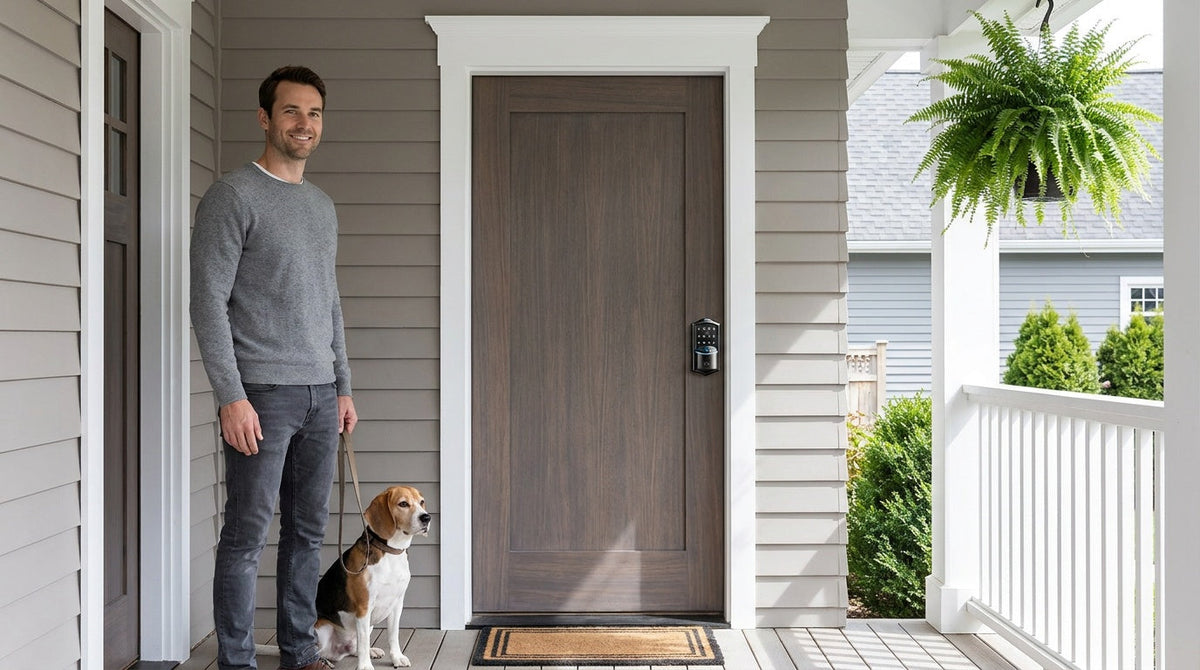
You've booked the trip, packed the bags, and arranged for someone you trust to check on the house. Then comes the familiar question: How do I get them in? The instinct is to cut a spare key. It feels straightforward — until you think it through. A physical key can be lost, copied without your knowledge, or left sitting in a coat pocket long after your sitter's job is done. There's no way to turn it off remotely if plans change, and no record of when it was used.
The good news is that modern smart locks and keypad locks make sharing home access clean, controlled, and completely keyless. Whether you're leaving for a long weekend or a two-week trip, you can give your house sitter exactly the entry window they need — and take it back the moment you return, all without ever touching a key. This guide walks through your options, helps you match the right lock type to your situation, and covers what to set up before you leave so you can travel with confidence.
The Problem With Handing Over a Spare Key
Most homeowners have done it at some point — handed a key to a neighbor, a pet sitter, or a trusted friend heading over to water plants. The arrangement feels sensible in the moment. But a physical key creates a form of access you can't control once it leaves your hand. You can't limit it to certain hours. You can't see when it was used. You can't deactivate it from two time zones away if something feels off.
The risks go beyond the theoretical. A key can be duplicated without your knowledge before it's returned. It can be lost at a dog park or left in a jacket that gets donated. Even in the most trustworthy hands, a physical key represents permanent, unmonitored access to your home — and that's worth reconsidering when smart, keyless alternatives are now affordable and straightforward to install.
The smarter approach separates access from ownership. Your house sitter gets what they need to do their job — entry during the right hours — without holding something permanent they can pass along, copy, or misplace.
Your Options: Three Ways to Share Entry Without a Physical Key
Before narrowing down a lock, it helps to understand what kind of access you actually need for your house-sitting arrangement. Most situations fall into one of three categories:
Option 1: A Shared Keypad Code
The simplest upgrade. A keypad deadbolt lock replaces your existing lock with one that opens via a numeric code, so no key is needed for daily entry. You assign your house sitter their own code before you leave, they use it for the duration of their stay, and you delete or change it when you return. This works well for arrangements where you know exactly who needs access and your primary concern is just not handing out a physical key.
A keypad code is also the easiest option for house sitters who aren't particularly tech-savvy — they just punch in a number, the door unlocks, and that's it. No app required on their end. No pairing process. If your sitter is a family friend or a neighbor who checks in once a day, a keypad deadbolt may be all you need.
Option 2: Remote App Control With a Smart Lock
If you want to do more than just hand over a code — if you want to lock or unlock the door remotely, receive notifications when your sitter arrives, or check the entry log from across the country — you need a smart lock with remote access capability. Remote access requires a smart lock (gateway-paired or Wi-Fi), not a standard keypad lock. With a connected smart lock in place, you can grant access, adjust schedules, and monitor activity from wherever you are, as long as your lock is online.
This option is especially useful when your house sitter's schedule isn't fixed, when multiple people need access (a neighbor picking up mail, a friend feeding the cat, a family member doing a mid-trip check), or when you simply want the reassurance of knowing exactly when your sitter came and went.
Option 3: Fingerprint Access for Frequent, Trusted Sitters
For house sitters you use regularly — a trusted neighbor, a family member who watches the place every time you travel — fingerprint enrollment is worth considering. Many Veise smart locks and select keypad models support fingerprint scanning with recognition in under 0.3 seconds. The fingerprint is processed and stored on the lock itself, with no cloud account or internet dependency required for it to work. Your sitter simply touches the sensor and walks in, with nothing to remember or carry. When the arrangement ends, you remove their fingerprint from the lock's stored profiles.
Choosing the Right Veise Lock for House-Sitter Access
Built on Kaadas Group's 38 years of lock industry expertise and backed by 711 patents — the world's largest smart lock patent portfolio — Veise designs locks that are engineered to last and simple enough that you don't need to be a tech person to use them. The lineup spans four categories, and the right pick depends on how much remote visibility you want during your trip.
Keypad Deadbolt: Best for Simple, Code-Only Access
Veise's Keypad Deadbolt locks cover the front door with a sturdy, ANSI/BHMA Grade 3 certified deadbolt and add a numeric keypad alongside the key cylinder, so no key is needed for daily entry. All models support keypad code entry plus a physical key backup, and every SKU in the KS02 series adds fingerprint recognition. These locks don't connect to an app and don't require Wi-Fi — which means no subscription, no hub, and nothing to configure beyond the code itself. If your house-sitting arrangement is straightforward and you just want to stop handing out a spare key, this is the most direct solution. Installation takes about 15 minutes with a screwdriver and no wiring.
Smart Lock w/ G1: Best for Remote Monitoring and Multilingual Households
The Smart Lock w/ G1 is Veise's most feature-complete connected lock for home use. The entire G1 line is one series — the VE017 — and every SKU in it comes standard with fingerprint recognition, multilingual voice prompts (English, Spanish, and French), and a USB-C emergency power port for those moments when the battery runs low at an inconvenient time. Paired with a Gateway 1 (sold separately, and plugged in within range of the lock), it connects to your home network so you can lock and unlock remotely, receive entry notifications, and review the access log from your phone. Smart Lock w/ G1 uses the Veise-developed first-party app, which keeps the experience clean and reliable.
This is a strong choice when you want real-time awareness of your home while you're traveling. You'll know the moment your sitter arrives, whether they remembered to lock up on their way out, and how the door has been used throughout your trip — all without needing to text and check in manually.
Smart Lock w/ G2: Best When Apple Watch Unlock Matters
The Smart Lock w/ G2 shares the core connected features of Smart Lock w/ G1 — keypad code, key fob, remote app control, and physical key backup — while adding Apple Watch unlock and web portal control as unique capabilities. G2 models are available in both fingerprint and non-fingerprint configurations, in standalone deadbolt or handle-set bundle form factors, giving you more variety if your door setup has specific requirements. Smart Lock w/ G2 ships with English voice prompts, so if your household or your sitter speaks Spanish or French, Smart Lock w/ G1 is the more direct fit.
Wi-Fi Smart Lock: Best for Families Who Want Always-On Remote Access
Veise's Wi-Fi Smart Lock connects directly to your home router with no separate gateway required, making remote app control, Alexa and Google Assistant voice commands, and entry notifications available the moment the lock is set up. Two series are offered: the Touchscreen Wi-Fi Smart Lock (VE027 Series) with a touchscreen interface, USB-C emergency power, and key fob support, and the Push-Button Wi-Fi Smart Lock (VE012W Series) with a traditional press-button keypad. Both share the same connectivity features, both use 8 AA batteries for stronger signal and a more stable power reserve than the standard 4 AA design, and both include fingerprint recognition and auto lock. The VE027 Series also provides voice prompts in English, Spanish, and French.
For families with kids who need to monitor entry history remotely — parents checking whether the sitter arrived on time, or confirming the door was locked before bed — the Wi-Fi Smart Lock is the most convenient option because it requires no gateway setup and works directly through your existing router. Even when Wi-Fi is down, app control continues to work locally as long as you're within short-range wireless distance of the lock. Only long-distance remote features require a live Internet connection.
The Veise lineup is priced in the $30–$180 range, positioning them as an affordable upgrade relative to what's at stake when a physical key is floating around in someone else's pocket. They're designed for wood doors (standard thickness 1-3/8" to 2") and involve full lock replacement — which means the entry hardware is entirely yours, not overlaid on an existing mechanism. If you're managing a short-term rental or vacation property, you have the added benefit of swapping codes between stays in seconds.
Setting Up House-Sitter Access: A Practical Walkthrough
Once the lock is installed, granting access to your house sitter takes only a few minutes. Here's how to do it cleanly so that access is scoped to exactly what's needed:
- Create a dedicated access code — not your household code. Assign your sitter their own unique code rather than sharing the one your family uses. This keeps your primary code private and makes it easy to identify which entries in the log belong to your sitter. When the sit is over, you delete their code, not yours.
- Set a schedule if your lock supports it. On smart lock models with app-based scheduling, you can configure the sitter's code to be active only during the hours or dates they'll need it. A code that expires automatically the day you return is one less thing to remember when you're tired from traveling.
- Enable entry notifications. On gateway-paired and Wi-Fi smart locks, turn on push notifications for the sitter's code. You'll get a confirmation every time they arrive and every time they lock up on the way out — no need to text and ask.
- Brief your sitter on the lock. If they haven't used a smart lock before, a two-minute walkthrough before you leave removes any friction. Show them how to enter the code, how the auto lock works (configurable between 10 and 99 seconds on keypad deadbolt & keypad latch locks and 10 and 180 seconds on connected models), and where the physical key backup is stored in case of an unexpected battery issue.
- Check the battery before you leave. A low battery on departure day is an avoidable headache. The lock warns you with a voice or beep prompt when the batteries run low — and with an app notification on connected locks — so top them up before you go, and travel knowing the hardware is ready.
Staying Informed While You're Away
One of the genuine advantages of a smart lock in a house-sitting arrangement isn't just the entry access — it's the visibility it gives you without needing to check in constantly. When a notification arrives on your phone confirming your sitter unlocked the door at 9 AM, you can go back to enjoying your trip. When the auto lock activates and the app shows the door secured, you don't need to wonder.
The access log on gateway-paired and Wi-Fi smart locks keeps a timestamped record of every entry and exit associated with each code. If you have multiple people checking in during a longer absence — a neighbor collecting packages, a family member doing a mid-trip walkthrough — each person has their own code, and the log shows exactly who came and when. This is a meaningful improvement over the single shared spare key that most households still rely on, where there's no visibility into whether it was used, by whom, or how many times.
If you're managing a short-term rental property or vacation cabin rather than your primary residence, this kind of remote oversight becomes even more important. You can confirm each handoff, revoke access immediately if plans change, and maintain a complete record of who entered the property — all from your phone, wherever you are.
Before You Leave: A Quick Checklist
A little preparation before departure goes a long way. Run through this list the day before you leave:
- Create a dedicated code for your house sitter and confirm they've tested it successfully
- Set an expiration date or schedule on the sitter's code (if supported by your lock model)
- Enable entry notifications for the sitter's code so you're alerted on arrivals and departures
- Check the battery level and replace if it's below 50%
- Review the auto lock setting and confirm the interval is appropriate for your situation
- Share the lock basics with your sitter — code entry, auto lock behavior, and physical key backup location
- If using a gateway-paired smart lock, confirm the gateway is online and the lock is showing connected in the app
- Confirm you have the app set up on your phone before leaving your home Wi-Fi network
This kind of preparation takes under 30 minutes and means you leave knowing your home is covered — not hoping it is.
Sharing home access with a house sitter doesn't have to mean cutting a key and hoping for the best. A keypad code gives your sitter everything they need without leaving a permanent, uncontrollable piece of access floating in the world. A connected smart lock adds the real-time visibility that turns a trip into a genuinely relaxing one — knowing who came, when they left, and that the door is locked right now, from wherever you happen to be.
Veise makes this straightforward. Locks priced from $30 to $180, a 15-minute install with a screwdriver, no subscription required, and an engineering foundation built on 38 years of lock expertise and the world's largest smart lock patent portfolio. Easy from Day One — and enjoy the trip knowing your front door is handled.
Browse the full Veise lineup at iveise.com/collections/all-products and find the right lock for your home and your house-sitting setup.
Frequently Asked Questions
Can a house sitter use a smart lock without a smartphone?
Yes. All Veise smart locks support keypad code entry, which requires nothing from the sitter beyond knowing the code. They enter the number, the door unlocks, and that's it — no app, no pairing, no account. The smart features (remote monitoring, notifications, app control) are all on the homeowner's side.
What happens if the lock battery dies while I'm away?
Veise locks include a physical key backup on all models, so your sitter is never locked out due to a dead battery. The VE017 series (Smart Lock w/ G1) and VE027 series (Wi-Fi Smart Lock) include a USB-C emergency power port as standard, letting you power the lock temporarily from a phone charger to enter a code and replace the batteries. Checking the battery level before departure is the simplest way to avoid this scenario entirely.
How do I remove my house sitter's access when I return?
For keypad locks, you delete or change the code directly on the lock using the programming sequence. For smart locks, you can delete the code at the keypad or, more conveniently, from the app in a few taps — it's immediate and requires no physical access to the lock itself. The sitter's code stops working instantly.
Can I give multiple people different codes at the same time?
Yes. Veise smart locks support multiple unique access codes, so a neighbor collecting mail, a pet sitter, and a family member doing a mid-trip check can all have separate codes. Each code appears separately in the activity log, so you always know which person entered and when — rather than seeing a single shared code used at various times with no way to know who used it.
Do I need Wi-Fi for a smart lock to work?
The lock itself — keypad, auto lock, and physical key backup — works entirely offline with no Internet required. Remote features like app-based unlocking from a distance, entry notifications sent to your phone while traveling, and off-site access log review do require an active Internet connection. On gateway-paired and Wi-Fi smart locks, even when Wi-Fi is down, app control continues to work locally as long as you're within short-range wireless distance of the lock.
Are Veise locks compatible with all door types?
Veise locks are designed for wood doors with a standard thickness of 1-3/8" to 2". They are not compatible with fiberglass, metal, storm, or sliding doors. If you're unsure about your door type, check before purchasing.
Is a keypad lock enough, or do I need a smart lock for house sitting?
It depends on how much visibility you want while away. A keypad deadbolt handles the core need perfectly — your sitter gets a code, no physical key changes hands, and you change the code when you return. A smart lock adds remote monitoring, entry notifications, and app-based access management. If you want to confirm your sitter arrived on schedule or check whether the door was locked each night without sending a text, a smart lock (gateway-paired or Wi-Fi) is the more reassuring option.
Ready to Replace That Spare Key?
Whether you need a simple keypad code or full remote monitoring for your next trip, Veise has a lock built for it — at a price that makes the upgrade easy to justify. Have questions about which model fits your door and your situation? We're happy to help.

Leave a comment
This site is protected by hCaptcha and the hCaptcha Privacy Policy and Terms of Service apply.