
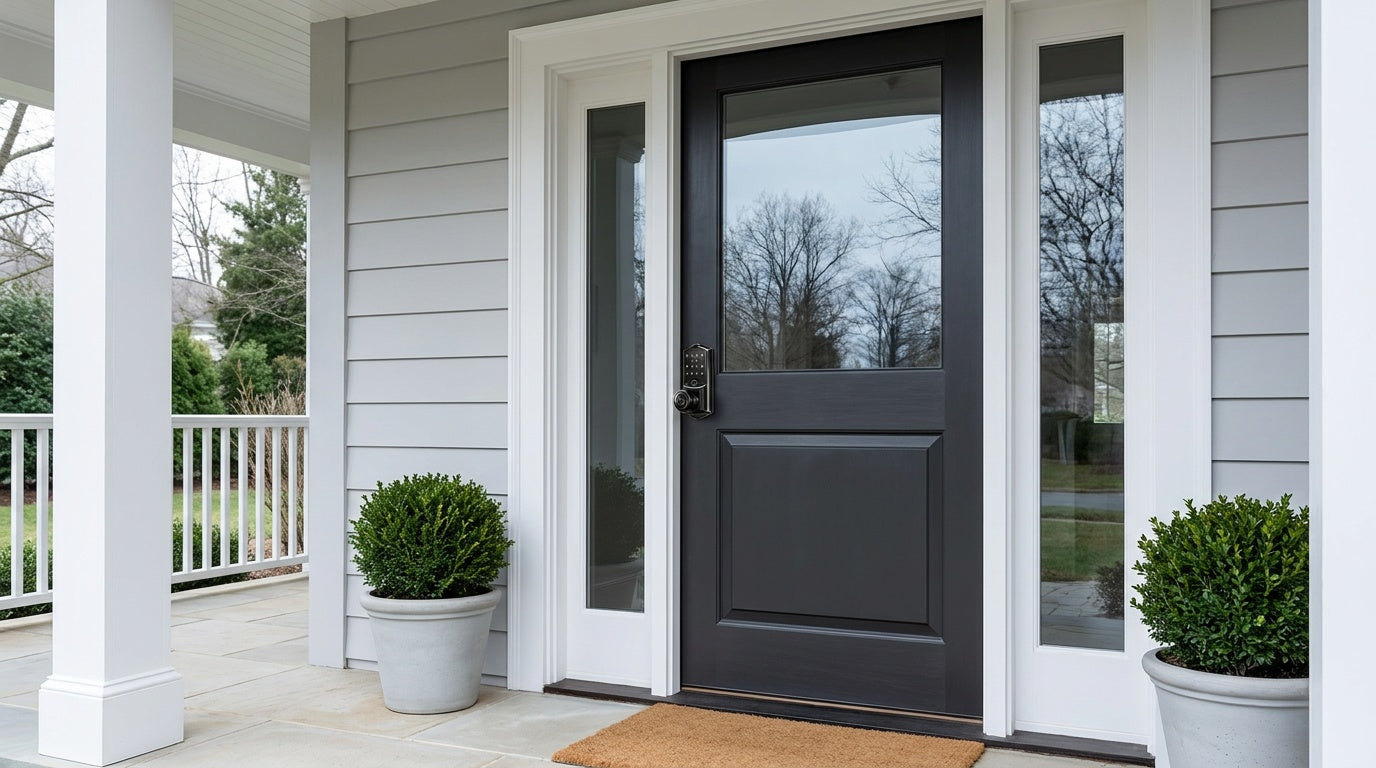
It happens to the best of us. You step outside for a moment, hear the door click shut, and instantly realize the keys are still on the kitchen counter. Or you arrive home after a long day only to find the spare key is no longer where you left it. Getting locked out is frustrating, stressful, and — depending on the weather or time of night — can feel genuinely urgent.
The good news is that you have real options, and none of them involve improvising tools on your own front door. This guide covers the checks worth running first, the handful of doors that genuinely open without damage, when a locksmith is the right call — and then the part most people never think about until it's too late: the emergency access a modern smart lock has built in, so a forgotten key, a dead phone, or even a flat battery never leaves you standing outside.
First Steps Before You Try Anything
Before reaching for any tool at all, take 60 seconds to work through a quick mental checklist. These simple checks resolve the situation faster than any improvised tool and cost you nothing.
- Check every entrance. Walk the full perimeter of your home. Back doors, side doors, and ground-floor windows are surprisingly often left unlocked even when the front door is not.
- Call someone with a spare key. A family member, trusted neighbor, or anyone you've ever handed a copy to is your fastest and cheapest solution. If you manage a short-term rental or vacation property, your property manager may also hold a copy.
- Assess the urgency. If extreme weather, a young child, or a pet is involved, call 911 first. Emergency services will assist when someone's safety is at risk. For a routine lockout, there is no need to panic — take a breath and work through your options calmly.
- Consider a locksmith right away. If it's late at night, you feel unsafe outside, or DIY attempts could damage the lock, skip ahead and call a licensed locksmith. Many operate 24/7 and typically arrive within an hour.
The most costly mistakes happen when people act before thinking. A broken window or a damaged deadbolt can cost far more to repair than a straightforward locksmith call, so the checklist above is always worth running through first — and if your lock is a Veise smart lock, jump ahead to the emergency access section, because you almost certainly already have another way in.
Know Your Lock Type First — It Changes Everything
Not all locked doors respond to the same technique. Using the wrong method can damage the lock, the door frame, or both — and leave you in a worse position than when you started. Before attempting anything, identify what type of lock you're dealing with, because the approach changes significantly depending on the answer.
- Spring latch lock: The angled bolt that retracts automatically when you close the door. Common on interior doors and some entry doors paired with a separate deadbolt. This is the only lock type that responds well to card-shimming methods.
- Privacy/bathroom lock: Interior doors with a push-button or twist-knob mechanism on the inside. These are intentionally easy to open from the outside with a simple tool — that's by design, for safety reasons.
- Deadbolt lock: A rectangular bolt that extends fully into the door frame. Typically found on exterior entry doors. Deadbolts do not respond to credit cards or coat hangers, and improper attempts can damage the strike plate or door frame.
- Pin-tumbler knob or lever: The cylindrical lock built into a door knob or lever handle, operated by key. Common on both interior and exterior doors. There is no safe DIY route into one of these — improvised attempts scratch the cylinder more often than they open it, so this is a locksmith call.
Once you know what you're dealing with, you can choose the right method — or quickly decide to skip DIY entirely and call a pro.
Non-Damaging Ways In
Here is the honest picture, because it saves people a lot of wasted effort and a lot of damaged hardware: only two door types genuinely open without risk, and neither of them is your front door.
Privacy locks (bathroom and bedroom doors)
This one isn't a workaround at all — it's a designed safety feature. Privacy knobs and levers are built to be released from the outside precisely so nobody, especially a child, can get shut in. Look at the centre of the outside knob or lever for a small hole or narrow slot, insert a thin tool or a coin depending on the style, and press or turn gently. The release engages and the door opens. It takes under thirty seconds, causes no damage, and if a child or pet is shut in a bathroom this is your first and only move.
Spring latches with no deadbolt engaged
An angled spring latch — the bolt that retracts by itself as the door closes — can sometimes be eased back with a flexible card on an interior door with a loose enough fit. It's the technique everyone has seen in a film. Two caveats matter more than the technique itself: it does nothing to a deadbolt, and if a deadbolt is engaged alongside the latch, the door still won't open. Use an old loyalty card rather than a real credit card, and stop if it doesn't give easily.
Why improvised tools aren't on this list
Bobby pin picking, hinge pin removal, and coat hanger tricks circulate widely, and they're worth understanding as a category so you can recognise the advice for what it is. Picking a pin-tumbler cylinder is a genuine skill that takes practice; attempted cold, the usual result is a scratched cylinder, a bent pin, or a snapped piece of metal inside the keyway — which turns a lockout into a lockout plus a lock replacement, and makes the locksmith's job harder and more expensive when you call anyway. Hinge pins only apply where hinges sit on your side, which exterior doors are specifically built to avoid. None of these are the fast route they look like.
If your door is a deadbolt or a keyed knob and nobody has a spare, the next section is the answer.
When to Stop DIY and Call a Professional Locksmith
Knowing when to call a locksmith is just as important as knowing the techniques above. A licensed professional uses purpose-built, non-destructive entry tools and can open most residential locks without any damage to the door or the lock itself. Trying to force a lock beyond your skill level almost always makes the professional's job harder — and more expensive.
Call a locksmith without hesitation in any of these situations:
- You're locked out of an exterior door with a deadbolt engaged. DIY methods don't work on deadbolts without significant skill and specialized tools.
- A key has broken off inside the lock cylinder. This requires extraction tools that no household item can substitute for.
- The lock itself is damaged or malfunctioning. Jammed bolts, worn cylinders, and misaligned strikes all need a professional assessment.
- It's late at night or you feel unsafe outside. Many locksmiths operate around the clock and typically arrive within 30 to 45 minutes.
- You've tried a DIY method and it hasn't worked quickly. Continued attempts risk scratching the cylinder or damaging the frame, which escalates the repair cost.
- You've recently moved in and want the locks rekeyed anyway. It's worth combining the lockout call with a rekey so previous residents no longer have access.
The cost of a locksmith call is almost always less than the cost of repairing a broken window, replacing a damaged lock cylinder, or fixing a door frame you've accidentally wrenched out of alignment. Choose the controlled option.
Emergency Access Built Into a Veise Smart Lock
Everything above is a workaround for a door that only has one way to open it. The more useful question is what a lock looks like when getting in is designed for rather than improvised — because that is what removes the situation entirely rather than helping you survive it.
A Veise smart lock gives you several independent routes in, and they cover different failure modes on purpose:
- Your fingerprint. On models with a reader, entry takes a single touch and scans in under 0.3 seconds. There is nothing to carry, so there is nothing to leave on the counter. Fingerprints are processed and stored on the lock's own AI chip — no cloud, no account, no data leaving the device — and because a fingerprint can only be enrolled by the person themselves at the lock, it can't be handed to anyone else.
- A keypad code. Codes run 4 to 10 digits and live on the lock itself, so they work with no phone, no app, no router, and no Internet connection. A dead phone battery is irrelevant to it. Anti-peep entry lets you pad the real code with extra digits so an onlooker can't read it, and lockout protection pauses the lock for 3 minutes after 10 wrong attempts automatically.
- The app. On Smart Lock w/ Gateway 1/2 and Wi-Fi smart locks, you can unlock the door remotely — useful when a child arrives home without their code, or a family member is at the door while you're across town. Even when Wi-Fi is down, app control continues to work locally as long as you're within short-range wireless distance; only long-distance features need an active Internet connection.
- The physical key. Every Veise lock ships with a physical key cylinder, and the key slot is visible rather than concealed. Going keyless describes your daily routine — the keypad or fingerprint reader is added alongside the cylinder, never in place of it — so the traditional key is still there as a final fallback, in a drawer or with a trusted neighbour.
The remaining worry people raise is batteries, and it's worth answering directly. Veise locks run on AA/LR6 alkaline cells and warn you well before they run out: a voice or beep prompt at the lock plus an indicator light, and on connected models a push notification through the app as well. If a lock does run flat, every VE017 series model (Smart Lock w/ G1) and every VE027 series model (Touchscreen Wi-Fi Smart Lock) includes a USB-C emergency power port — any phone battery pack powers the lock long enough to enter your code and get inside. That's standard on both series, not an optional extra within them. Worth noting at install time: Veise locks don't ship with batteries, so pick up a fresh set of alkaline AA cells beforehand.
One more practical option that doesn't require you to be there at all: a One-Time code deletes itself after a single use and is supported on every Veise lock, including the app-free Keypad Deadbolt and Keypad Latch categories. If someone needs to let themselves in once, that's the clean way to do it — no key handed over, no code left working afterwards.
How to Prevent Lockouts for Good
The best way to handle a lockout is to make sure it never happens in the first place. A few simple habits and one smart hardware decision can effectively eliminate the problem entirely.
- Keep a spare key with a trusted person. A neighbor, nearby family member, or close friend with a copy of your key is your fastest backup. Make sure the person is genuinely reachable at odd hours before you rely on this plan.
- Use a key safe. A small combination-lock key box mounted outside your home stores a spare key securely. Choose a strong code and mount it in a discreet location — not the obvious spots like next to the doorbell.
- Build the key-check habit. Before closing any door behind you, make the key-check a physical gesture — touch your pocket, your bag, or the hook where keys live. It sounds trivial, but a consistent habit is the simplest prevention of all.
- Save a locksmith's number now. Having a trusted local locksmith's number in your phone before you need it means one less stressful Google search when you're standing outside in the rain.
Choosing the Right Veise Lock for Your Door
Which of those backup routes you get depends on the category, so it is worth matching the lock to the door and the household.
Veise smart locks are built on Kaadas Group's 38 years of lock industry expertise and 711 patents — the world's largest smart lock patent portfolio — with over 10 million smart locks sold across 41 countries. The lineup spans several categories, each designed for a different household need, and all are engineered for a straightforward 15-minute installation with a screwdriver on standard wood doors.
Here's a quick look at which Veise lock type fits which situation:
- Keypad Deadbolt — Exterior entry doors. Unlock with a keypad code plus a physical key backup, with the KS02 series adding fingerprint recognition on every SKU. Great for households that want reliable keyless entry without needing app control. Auto lock, configurable between 10 and 99 seconds on Keypad Deadbolt and Keypad Latch locks, re-engages the lock even when hands are full.
- Keypad Latch Lock — Interior, side, and utility doors. A compact, integrated unit that operates with a keypad code and a physical key backup. Available in two handle styles — knob (KS03) or lever (KS04) — making it easy to match existing hardware.
- Smart Lock w/ G1 — Connected entry with first-party app. The entire G1 line is built on a single product series: every model ships with fingerprint, multilingual voice prompts (English, Spanish, and French), a USB-C emergency power port as standard, and remote app control through the paired gateway (a separate device, sold separately, plugged in within range of the lock). The gateway bridges the lock to voice assistants, so Alexa and Google Assistant commands work once the gateway is in place. This is Veise's most fully featured connected lock line and the top recommendation for families who want an all-in-one setup. Key fob and physical key are included as backups on every Smart Lock w/ G1 model.
- Smart Lock w/ G2 — Connected entry with expanded options. Smart Lock w/ G2 offers more SKU variety, including both fingerprint and non-fingerprint models in standalone or handle-set bundles, and supports Apple Watch unlock and web portal control. Its voice prompts are English only, so for multilingual households Smart Lock w/ G1 is the more direct fit. Key fob and physical key are included as backups on every Smart Lock w/ G2 model. A good pick when Apple Watch compatibility or budget-friendly connected options are priorities.
- Wi-Fi Smart Lock — Remote access without a gateway. Built-in Wi-Fi means remote app control, Alexa/Google voice commands, and entry history monitoring without needing any additional hardware. Available in two series that differ in four concrete ways: the Touchscreen Wi-Fi Smart Lock (VE027 Series) has the touchscreen interface, a USB-C emergency power port on every SKU, key fob support, and on-device voice prompts in English, Spanish, and French; the Push-Button Wi-Fi Smart Lock (VE012W Series) offers none of those four. Both run on 8 AA/LR6 alkaline batteries for stronger signal and a longer-lasting power reserve than the standard 4-cell designs, and both include fingerprint and physical key backup. Remote access requires an active Internet connection; even when Wi-Fi is down, app control continues to work locally as long as you're within short-range wireless distance of the lock. For families with kids, the Wi-Fi Smart Lock is a strong choice — parents can remotely review entry history and monitor lock activity from anywhere.
All Veise smart locks are ANSI/BHMA Grade 3 certified — the recognized residential standard — and are compatible with standard wood doors (1‑3/8" to 2" thickness). Because they are full lock replacements rather than overlays, installation requires ownership or authority to modify the door hardware. The good news: with just a screwdriver and about 15 minutes, the job is done. No wiring, no contractor, no subscription fee.
Veise Effortless Home Improvement™ Experience is exactly what it sounds like: a smarter home that doesn't ask you to become a technician to get there. Easy from Day One.
Wrapping Up
Getting locked out of your own home is stressful, but it's manageable when you know the right steps to take. Start with the simple checks — alternate entrances, a spare key, a quick call to someone nearby. Only privacy locks and un-deadbolted spring latches open without risk of damage; for anything else, a licensed locksmith is the safer and often cheaper call than a forced lock or a broken window.
Better still, consider making this the last lockout you ever have to deal with. A keypad deadbolt or smart lock from Veise means daily entry no longer depends on the one key you happen to be carrying — with the physical key kept as a backup rather than the only way in. Browse the full Veise product lineup to find the right fit for your door and your family's daily routine.
Frequently Asked Questions
Is it legal to unlock a door without a key?
Yes — on your own property or any door you have permission to access. Using these techniques on a door you don't have authorization to open is illegal and can result in serious consequences. Always confirm you have the right to access the door before attempting any method in this guide.
Will a credit card work on a deadbolt?
No. The credit card method only works on spring latch locks — the angled bolt that retracts when you close the door. A deadbolt extends straight into the door frame and has no angled surface for a card to push back. Attempting the card method on a deadbolt will not work and may damage your card or the door frame finish.
Can I damage my lock by trying DIY methods?
Yes, particularly if you apply too much force or use the wrong technique for the lock type. Scratched pin cylinders, bent latch bolts, and damaged strike plates are common results of prolonged DIY attempts. If a technique isn't working within a few minutes, stop and call a locksmith — the repair cost will be lower than if you continue.
How much does a locksmith cost for a house lockout?
Costs vary by location, time of day, and lock type, but a standard residential lockout service typically runs between $75 and $150. Emergency or after-hours calls are generally higher. Compare that to the cost of a broken window (plus temporary security risks), and a locksmith call is almost always the better value.
What's the easiest way to never get locked out again?
Install a keypad or smart lock, so daily entry runs on a code or fingerprint and the physical key becomes a backup rather than the only way in. Veise offers keypad deadbolts, keypad latch locks, and smart locks with app control — all installable in about 15 minutes with a screwdriver, with no wiring and no subscription fee. Prices range from $30 to $180, making it an affordable long-term solution compared to repeat locksmith calls.
Do smart locks work if the Wi-Fi goes down?
Yes, with an important distinction by lock type. Keypad deadbolts and keypad latch locks have no app dependency at all — they work entirely offline via keypad code and physical key backup. Wi-Fi smart locks and gateway-paired smart locks retain local app control even when Wi-Fi is down, as long as you're within short-range wireless distance of the lock; it's only the long-distance remote features (off-site access and alerts) that require an active Internet connection. Every Veise smart lock also includes a physical key backup as a final fallback.
Ready to Upgrade Your Entry?
Explore Veise's full range of keypad and smart locks — from simple keypad deadbolts to fully connected Wi-Fi models — all designed for a 15-minute DIY install on wood doors. No wiring, no subscription, no more lockouts.

Leave a comment
This site is protected by hCaptcha and the hCaptcha Privacy Policy and Terms of Service apply.