
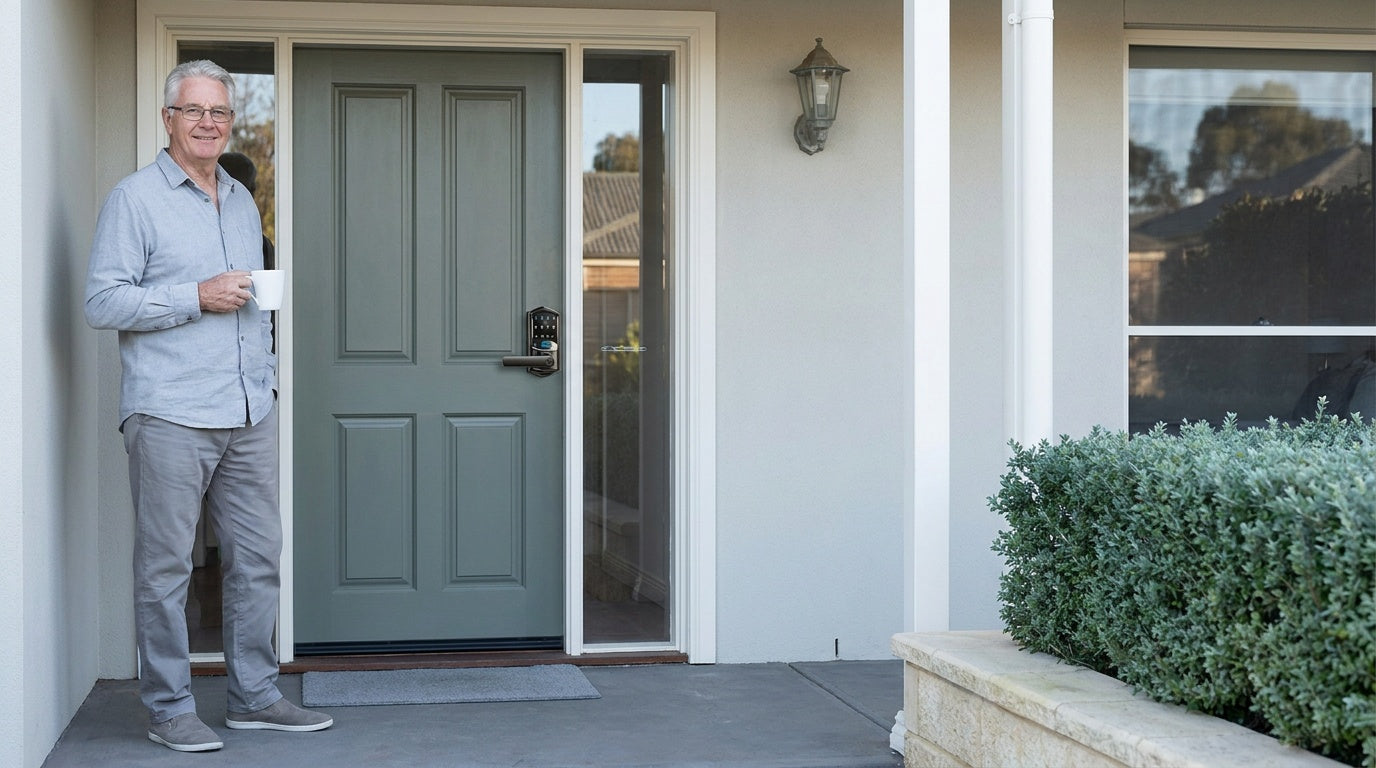
There is a moment most families recognize — a parent who misplaced their keys again, a grandparent who struggles to get the deadbolt turned on a cold morning, an adult child wondering whether Mom remembered to lock up before bed. These small worries add up. And for the 61.2 million Americans aged 65 and older who overwhelmingly want to stay in their own homes, the right home security setup is not just a comfort — it is a foundation for that independence.
Aging in place is the goal for most seniors. A 2025 survey found that 84% of adults aged 50 and older see it as an important priority, and 93% of adults 65 and older currently live in their own home or apartment. But wanting to stay home and being safe at home are two different things. Security threats for seniors range from the physical — difficult locks, poor lighting, slippery entry areas — to the criminal, and most break-ins are opportunistic, which is exactly the kind a well-secured, easy-to-operate front door discourages.
This guide walks through the most practical, high-impact home security upgrades for seniors aging in place. The focus is on what actually makes a difference: smarter entry hardware, easier door operation, caregiver access management, and a few foundational safety habits. Whether you are planning upgrades for a parent, a spouse, or your own home — here is where to start.
Why Home Security Matters More as We Age
Home security means something different at 70 than it does at 35. For younger adults, security is largely about deterring intruders. For seniors, it expands to include fall prevention, reliable access, emergency response, and family peace of mind — all while preserving the dignity and independence that make aging in place worth it. A security upgrade that is confusing to operate, physically demanding, or technology-heavy can actually reduce safety rather than improve it.
The physical realities of aging matter here. Arthritis affects more than 58 million Americans, making it one of the most common reasons seniors struggle with traditional round doorknobs and small key mechanisms. Reduced grip strength, declining vision, and slower reaction times all intersect at the front door — the single most-used security point in any home. At the same time, seniors living alone may be less able to respond quickly if something goes wrong. A good home security strategy meets people where they are, with hardware and habits that work with aging rather than demanding constant effort from the person using them.
The Entry Point Problem: Keys, Locks, and Independence
Most home security conversations jump straight to cameras and alarms — but the front door lock is where security and daily life intersect most often. A senior who loses their keys, cannot turn a stiff deadbolt, or cannot hear the door close properly behind them is dealing with a daily security gap that no camera system addresses. Keyless entry is often described as a convenience feature, but for many seniors it is genuinely an accessibility upgrade.
Keyless entry eliminates the need to fumble with keys — a real benefit for anyone living with arthritis, Parkinson's disease, reduced grip strength, or early cognitive changes. A simple keypad code or a fingerprint scan replaces the fine motor coordination that traditional key-turning demands. And because there is no physical key to lose, one of the most common lockout scenarios simply goes away. For families managing a parent's home from a distance, the ability to create and remove access codes remotely means a caregiver can be granted or revoked access without anyone needing to be home to hand over a key.
Choosing the Right Lock for a Senior's Home
Not every senior household has the same needs. A 70-year-old who is active and independent has different priorities than an 85-year-old with mobility limitations whose adult children live across the country. Veise's lock lineup covers four main categories, each suited to a different combination of needs. All Veise locks are ANSI/BHMA Grade 3 certified — the residential standard for home use — and are designed for wood doors with standard thickness of 1-3/8" to 2". Every model installs in about 15 minutes with a screwdriver and requires no wiring or professional help.
Keypad Deadbolt: The Simple Upgrade
The Keypad Deadbolt is the most straightforward step up from a traditional lock. It replaces the existing deadbolt with a unit that opens via a keypad code, with a physical key kept as a backup. The KS02 series adds a fingerprint reader on every SKU — a particularly valuable feature for seniors who find memorizing codes difficult, since the lock recognizes a familiar fingerprint in under 0.3 seconds. No keys to carry, no code to remember unless needed.
The non-fingerprint line (RZ and KS01 series) offers standalone deadbolt options as well as handle-set bundles that pair a lever or knob with the deadbolt in a single kit. For seniors who want the simplest possible upgrade — keypad code plus a physical key backup — a keypad deadbolt delivers exactly that without introducing app dependencies or connectivity requirements. It is an entirely self-contained solution that works the same way every day regardless of Wi-Fi status. Keypad deadbolts sit at the accessible end of Veise's $30–$180 lineup, making them one of the more affordable entry-point upgrades available.
Keypad Latch Lock: Interior and Side Doors
Interior doors — bedroom doors, home office entries, side entrances — often get overlooked in a security upgrade, but they matter for seniors who want to control access within their home or secure a side door that caregivers commonly use. The Keypad Latch Lock is an integrated unit with the handle built directly into the lock body. The two current models differ only by handle type: the KS03 has an integrated top knob and the KS04 has an integrated top lever. Both open with a keypad code or a physical key backup — no app, no fingerprint on these models — keeping the operation as simple as it gets.
The latch lock is a commonly good fit for interior doors, side entries, and garage-to-home passages. It can also work well on an entry door that already has a separate deadbolt handling primary security — the latch lock manages daily code-based access while the deadbolt remains engaged for stronger overnight protection. For seniors who simply want a keyless option on a secondary door without adding connectivity or technology they do not need, the Keypad Latch Lock covers that role cleanly.
Smart Lock w/ Gateway 1/2: Connected Peace of Mind
When a family wants the ability to check in remotely — to confirm that a parent got home safely, to let in a home health aide, or to lock the door after a phone call reveals it was left open — a connected smart lock changes everything. The Smart Lock w/ G1 and Smart Lock w/ G2 both pair with a gateway device (sold separately) to enable remote app control, in addition to the standard keypad code, key fob, and physical key backup that all models include. Every Smart Lock w/ G1 includes fingerprint as standard; many Smart Lock w/ G2 models include it as well.
Smart Locks w/ G1 is built on a single product series — the VE017 — and every unit in that line ships with three features as standard: multilingual voice prompts in English, Spanish, and French (a practical advantage in multilingual or non-English-speaking households); a USB-C emergency power port for battery-dead lockout situations; and fingerprint recognition across all SKUs. Smart Lock w/ G1 pairs with a Veise-developed app, giving it tight, reliable integration. Smart Lock w/ G2 offers more variety — fingerprint and non-fingerprint options, standalone deadbolts, and handleset bundles — and adds Apple Watch unlock and web portal control, with English voice prompts. For families who want the most all-in-one connected experience, Smart Lock w/ G1 delivers it; Smart Lock w/ G2 is the better fit when Apple Watch unlock or web portal control matters, or when a non-fingerprint option is preferred.
Remote access requires a smart lock paired with a gateway or a Wi-Fi model — an electronic lock cannot be paired with a gateway. If the Internet goes down, the keypad code and the physical key keep working on every Veise lock, exactly as they always do. On both Smart Lock w/ Gateway 1/2 and Wi-Fi smart locks, app control also continues to work locally when Wi-Fi is down as long as a family member is within short-range wireless distance. Only long-distance remote features like off-site locking and alerts require an active Internet connection.
Wi-Fi Smart Lock: Full Remote Control for Families
For families managing a senior's home from another city — or for seniors themselves who want the most seamless smart home integration — the Wi-Fi Smart Lock connects directly to home Wi-Fi without needing a separate gateway. Both series (the touchscreen VE027 and the push-button VE012W) support fingerprint recognition, keypad code, remote app control, and voice commands via Alexa and Google Assistant through the lock's built-in Wi-Fi. Every model includes a physical key backup. Key fob support splits by series: the VE027 series supports it on all models, while the VE012W series does not support key fob at all.
The Touchscreen Wi-Fi Smart Lock (VE027 Series) features a touchscreen interface and a USB-C emergency power port — a valuable safety net for seniors worried about being locked out during a dead-battery situation. The Push-Button Wi-Fi Smart Lock (VE012W Series) uses a traditional press-button keypad for those who prefer the tactile feedback of physical buttons. Both series use 8 AA/LR6 alkaline batteries (rather than the standard 4 AA setup found on most competing locks), which delivers a stronger signal, more stable connection, and a larger power reserve. Auto lock on connected Veise models is configurable between 10 and 180 seconds — set it once and the door handles itself.
For families with children or adult children acting as remote caregivers, a Wi-Fi smart lock or a gateway-paired smart lock is the recommended choice. The app lets family members review entry history, monitor lock activity, and manage access codes remotely — removing the guesswork from a daily check-in call.
Lever Handles: A Small Change with a Big Impact
Traditional round doorknobs require a gripping and twisting motion that can be painful or impossible for seniors with arthritis, reduced grip strength, or hand tremors. Lever handles operate with a simple push-down motion — no gripping, no rotating, just gentle downward pressure. This seemingly small design difference translates to a meaningful reduction in daily discomfort and frustration throughout the home.
Veise offers lever-based options across multiple lock categories. Keyed Entry Door Levers, Privacy Door Levers, and the Keyed Entry Handleset (a bundled deadbolt paired with a keyed lever or keyed knob) bring ergonomic lever operation to different door types throughout the home. For interior doors where security is less of a concern but ease of use matters every day, swapping round knobs for lever handles is one of the highest-value, lowest-cost upgrades a senior household can make — and it takes about 15 minutes per door with just a screwdriver.
Lighting and Visibility at Entry Points
A well-secured door that is difficult to see in the dark is not fully secure. Poor lighting at entry points creates two problems simultaneously: it makes it harder for seniors to operate locks and see who is at the door, and it makes a home more attractive to opportunistic intruders. Addressing entry-point lighting is a practical complement to any lock upgrade.
A few targeted improvements make a significant difference:
- Motion-sensor lights at the front door, back door, and garage entry switch on automatically, so seniors never need to fumble for a light switch before unlocking the door at night.
- Keyless entry itself helps after dark — a keypad code or a fingerprint works in the dark, with no keyhole to find and no key to line up by feel.
- Video doorbells allow seniors to see and speak with visitors without opening the door, addressing the very real concern of door-to-door scammers who disproportionately target older adults.
- Solar-powered path lights along walkways leading to entry doors are a low-maintenance addition that improves safety on every trip in and out.
Good entry-point lighting works in combination with a solid lock — not as a substitute for it. Together, they address both the deterrence and the daily usability goals that matter for seniors aging in place.
Managing Caregiver and Family Access Safely
One of the most practical challenges in senior home security is managing who has access — and ensuring that the right people can always get in, while unauthorized visitors cannot. Traditional key-based systems handle this poorly. Copying a physical key means losing control of it permanently; getting it back requires a physical exchange. A keyless system changes the entire dynamic.
With a Veise keypad lock, each caregiver, family member, or trusted visitor gets their own unique access code. If a home health aide leaves, that code is deleted from the lock — no locksmith visit required. For property owners managing a home for a senior family member, One-Time codes — available on every Veise lock, including electronic lock categories — cover single service visits and delete themselves after use, so nobody has to remember to clean them up. For households using a connected smart lock (gateway-paired or Wi-Fi), the family member acting as a remote caregiver can grant or revoke access codes from anywhere with an Internet connection, review the entry log to confirm arrivals and departures, and lock the door remotely if there is any concern it was left unlocked.
This kind of coordinated access management gives seniors the independence of living alone while giving families the visibility to stay genuinely informed — not just hoping for the best. It is one of the most underappreciated benefits of moving from a keyed lock to a keyless or smart lock system.
Veise locks also carry a few built-in protections that matter in this context. Lockout protection is automatic on every model: after 10 wrong attempts the lock pauses for three minutes, so repeated guessing at the keypad goes nowhere. Anti-peep code entry lets the person at the door pad their real PIN with extra random digits before or after it — the lock opens as long as the correct sequence appears somewhere in what was entered, so a delivery driver or passerby watching the keypad cannot read the real code. And on the VE017 series (Smart Lock w/ G1), Away Mode is a useful setting for extended absences such as a hospital stay or a long visit with family: it disables code and fingerprint entry, allows only app, master code, or physical key access, and flags abnormal unlock attempts.
Auto Lock: The Feature That Handles the Details
One of the most consistent home security challenges for seniors — and for anyone, honestly — is simply remembering to lock the door. A distraction on the way to the kitchen, a phone call that started mid-exit, a habit of leaving the door unlocked during the day: these small oversights compound into real risk. Auto lock addresses this at the hardware level rather than relying on memory.
Every Veise lock includes auto lock as a standard feature. It is timer-based: the lock re-engages once the interval you set has elapsed, configurable between 10 and 99 seconds on Keypad Deadbolt and Keypad Latch locks and between 10 and 180 seconds on connected models. Because it runs on the timer rather than a door sensor, the countdown starts regardless of whether the door is open or closed — so the door should be shut before the interval expires. Set it once during setup and the lock handles itself from that point forward. For seniors, this removes an entire category of security worry — the door re-secures itself whether it was consciously locked or not. For family caregivers monitoring remotely, it means one less thing to check on. It is the kind of quiet, reliable feature that reflects exactly what good home security for seniors should be: something that works in the background without demanding attention or effort every day.
Beyond the Door: A Quick Home Safety Checklist
Door security is the foundation, but a complete aging-in-place safety plan covers a few other areas. These are the upgrades most worth prioritizing alongside a lock update:
- Grab bars in bathrooms near toilets, showers, and bathtubs — one of the highest-impact fall prevention upgrades and inexpensive to install professionally.
- Non-slip mats in wet areas including bathrooms and kitchen sink areas, with rubberized undersides that stay in place.
- Smoke and carbon monoxide detectors on every floor, tested regularly, with interconnected alarms that trigger simultaneously throughout the home.
- Secured loose rugs and carpets — area rugs are among the most common tripping hazards for seniors and can be addressed with double-sided carpet tape or removal.
- Accessible emergency information — key contacts, medication list, and health history posted near the phone or on the refrigerator where first responders can find it quickly.
- Well-maintained staircases with handrails on both sides and non-slip treads on each step.
None of these require major renovation. Most can be completed in an afternoon. The goal is a home that supports independent living without demanding daily vigilance — and that is genuinely achievable with the right combination of hardware, habits, and planning.
Frequently Asked Questions
What is the best type of lock for a senior with arthritis?
A keypad deadbolt or a smart lock with fingerprint recognition is typically the best choice. Both eliminate the fine motor coordination required to insert and turn a physical key. Lever-handle configurations are also significantly easier to operate than round doorknobs, since they require a simple push-down motion rather than gripping and rotating. For seniors with significant hand limitations, a fingerprint-enabled model — the scan itself takes under 0.3 seconds — requires almost no manual effort at all.
Can adult children manage a parent's smart lock remotely?
Yes — but this requires a smart lock, specifically a gateway-paired model (Smart Lock w/ G1 or Smart Lock w/ G2) or a Wi-Fi smart lock. These categories allow remote app control, access code management, and entry log review from any location with an Internet connection. An electronic lock operates independently and does not support remote management. The distinction matters when choosing which lock to install.
Are Veise smart locks difficult to install?
No. Veise smart locks replace an existing deadbolt using only a screwdriver, with no wiring and no professional installation required. The process typically takes about 15 minutes. Every Veise product ships with a step-by-step user manual and an installation video, so there is visual guidance for each step. Veise locks are designed for wood doors with a standard thickness of 1-3/8" to 2". This full replacement approach (rather than an overlay that sits on top of an existing lock) results in a cleaner, more secure installation. The homeowner or property owner handles the swap directly.
What happens if the battery dies on a smart lock?
All Veise locks include a physical key backup as a failsafe. A USB-C emergency power port is standard on the VE017 series (Smart Lock w/ G1) and the VE027 series (Touchscreen Wi-Fi Smart Lock) — every SKU in both series has it — which allows a portable power bank to temporarily power the lock for entry when the batteries are fully depleted. These models are a particularly good option for seniors or families who are concerned about battery-related lockouts.
Does a senior need to be tech-savvy to use a keypad or smart lock?
Not at all. Keypad locks operate exactly like entering a PIN at an ATM — tap a code and the door opens. No app, no smartphone, no account setup is required for daily use. Smart lock models add app-based features for family caregivers, but the senior living in the home can simply use the keypad or fingerprint scanner without ever touching a phone. The technology layer is an option for families, not a requirement for the person using the lock every day.
What is auto lock and should seniors use it?
Auto lock is a feature that automatically re-engages the lock once a set interval has elapsed — configurable between 10 and 99 seconds on Keypad Deadbolt and Keypad Latch locks, and between 10 and 180 seconds on connected models. Veise auto lock runs on that timer rather than a door sensor, so the countdown starts regardless of door position — close the door before the interval expires. For seniors, it is strongly recommended because it removes the need to remember to lock the door on every exit or entry. Once configured during initial setup, it works silently in the background every time the door is used.
Aging in place is not just a preference — for most seniors, it is the goal that defines how they want to spend the next chapter of their life. Achieving it safely is a combination of smart choices: the right locks, better lighting, ergonomic hardware, and access management that keeps families connected without stripping away independence. None of the upgrades covered here require major construction, significant technical skill, or ongoing subscription fees.
Built on Kaadas Group's 38 years of lock industry expertise and 711 patents — the world's largest smart lock patent portfolio — Veise brings engineering depth and human-centered design to every lock it makes. With 10M+ smart locks sold across 41+ countries and recognition by Frost & Sullivan as the global No.1 high-end smart lock brand by sales, Veise's track record speaks for itself. The Effortless Home Improvement™ Experience starts at the front door and extends through every entry point in the home — and it is designed to be exactly as simple as the name suggests. Easy from Day One.
Ready to Find the Right Lock?
Whether you are upgrading a parent's home, securing your own entry points, or managing access for a caregiver — Veise has a lock built for the way your family actually lives. Browse the full lineup or reach out with questions.
- Keypad Deadbolt Locks — Simple, keyless entry with physical key backup
- Keypad Latch Locks — Code access for interior, side, and garage-to-home doors
- Smart Locks w/ G1 — Multilingual, fingerprint, USB-C, first-party app
- Smart Locks w/ G2 — Apple Watch unlock, web portal, more SKU variety
- Wi-Fi Smart Locks — Built-in Wi-Fi, voice control, remote family access
- Mechanical Locks — Lever and knob hardware for easier everyday door operation
- View All Products

Leave a comment
This site is protected by hCaptcha and the hCaptcha Privacy Policy and Terms of Service apply.