
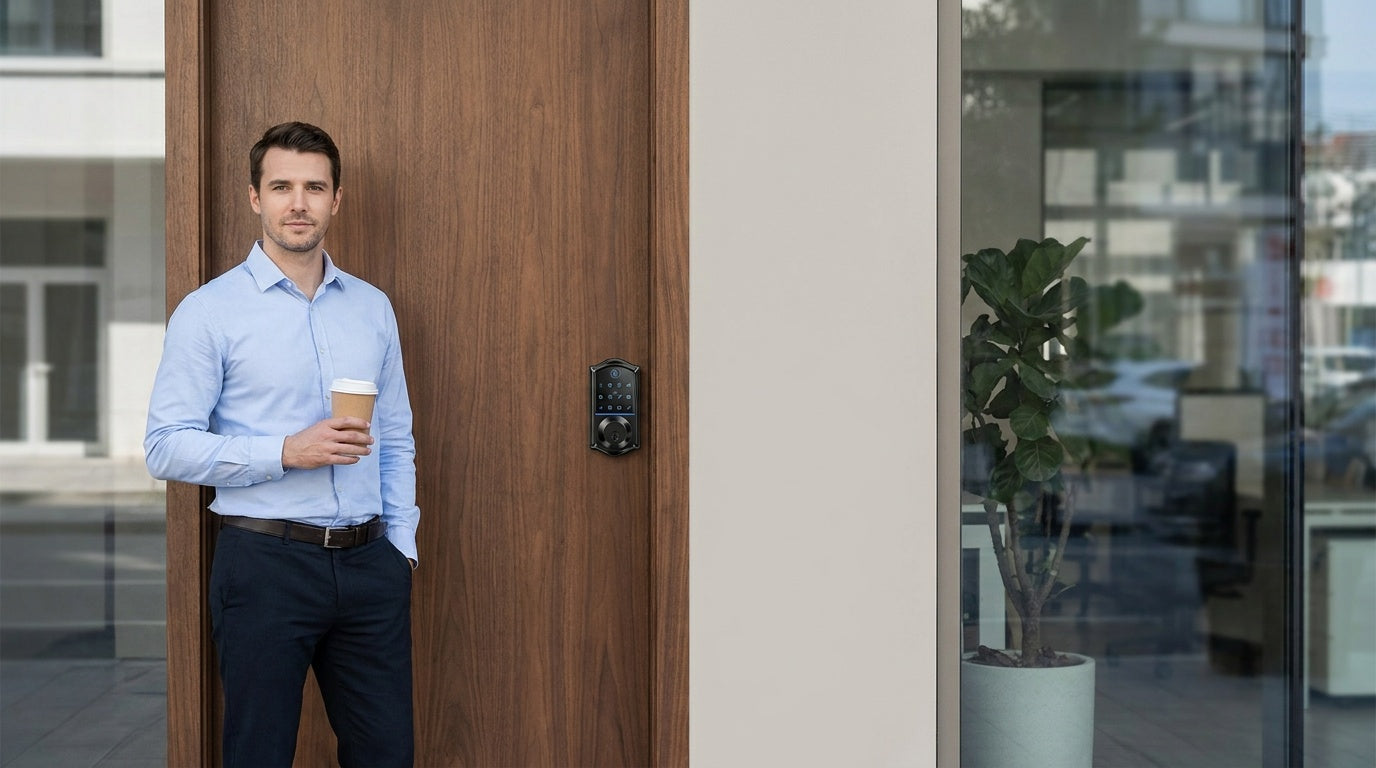
You run a small business. The last thing you should be doing is chasing down a copy of the front-door key every time someone new joins the team — or paying a locksmith because a former employee never returned theirs. Managing physical keys in a busy office is one of those low-level headaches that quietly costs you time, money, and peace of mind. The good news: modern smart locks for offices solve all of that, without the expensive access-control systems that larger enterprises rely on.
This guide covers the best smart locks for small business offices — from straightforward keypad deadbolts that eliminate key chaos on a budget, to Wi-Fi smart locks that let you check who walked in while you were out at a meeting. Every pick comes from Veise, the #1 smart lock brand on Amazon North America in both 2024 and 2025, with a lineup priced between $30 and $180 and no subscription fees. If you own the space or have authority to modify the door hardware, you can have a new lock installed in about 15 minutes with nothing more than a screwdriver.
Why Traditional Keys Fail Small Businesses
Picture a small marketing studio with five employees and a revolving door of freelancers. The owner keeps a key hook by the back desk. Over the past two years, three keys have gone missing, one was duplicated without permission, and the team spent an entire Friday morning locked out while waiting for a locksmith. None of that made the business more productive — it just made it more stressful.
Physical keys have two fundamental problems for small offices. First, they're impossible to track. Once a key leaves your hand, you have no idea where it goes, who duplicates it, or when it comes back. Second, rekeying is expensive and disruptive. Every time an employee leaves, a vendor relationship ends, or a freelancer wraps up a project, you either trust that your keys came back or you pay to rekey the lock. A smart lock eliminates both problems: you assign a code or credential, and when access should end, you remove it in seconds — no hardware change required.
Smart locks also give small business owners something traditional locks never could: a record of who entered and when. That kind of accountability is useful whether you're managing a team remotely, running a short-term rental property, or simply want to confirm that your opening crew arrived on time. The best office smart locks combine that visibility with flexibility — multiple ways to enter, easy credential management, and installation simple enough that you don't need to call a professional.
What to Look for in a Small Business Smart Lock
Not every smart lock marketed for homes is a good fit for an office — and not every "commercial" lock is necessary for a small business with a wood-frame door and a handful of staff. Before choosing, think through the following:
- Multiple unlock methods: A team of five will have five different preferences. Some people want a keypad code; others want to use a fingerprint so their hands are free when they're carrying equipment. Look for a lock that supports several credential types so nobody is inconvenienced.
- Remote access capability: If you ever need to let someone in while you're offsite — a delivery, a repair technician, a new hire's first day — you need a smart lock (gateway-paired or Wi-Fi), not just a keypad lock. A keypad-only lock cannot be paired with a gateway to add remote control after the fact.
- Auto lock: An office door that gets left unlocked at closing time is a real security risk. Look for configurable auto lock so the lock re-engages automatically after a set interval.
- No subscription fees: Many smart lock ecosystems require a monthly cloud subscription to unlock advanced features. For a small business already paying for a dozen SaaS tools, that adds up. Prioritize locks with no ongoing fees.
- Easy installation: If upgrading the lock requires a contractor visit, the cost and scheduling friction often delays the upgrade indefinitely. A lock you can install yourself in 15 minutes is one you'll actually install.
- On-device fingerprint storage: On fingerprint-enabled models, fingerprint data is processed and stored on the lock's own chip rather than in the cloud, and keypad and key entry keep working even when the Internet goes down.
- Door compatibility: Confirm the lock fits your door. Veise locks are designed for standard wood doors with a thickness of 1‑3/8" to 2". They are not compatible with fiberglass, metal, storm, or sliding doors.
With those criteria in mind, here is how Veise's four main lock categories map to real small-business office needs.
Best Veise Smart Locks for Office Access Control
Veise designs, engineers, and manufactures its own locks from its own factory — a company that has been in the lock industry since 1988. That matters because it means quality control stays in-house, and when something needs fixing, Veise's US-based support team can actually answer the phone. The full lineup spans four categories, each suited to a different layer of office security.
1. Keypad Deadbolt: Simple, Reliable Front Door Control
For a small office where the main goal is replacing physical keys at the front door, a Keypad Deadbolt is often the right starting point. Every model supports keypad code entry and includes a physical key backup — so even if a battery dies unexpectedly, nobody is stuck outside. The fingerprint-enabled KS02 series adds on-device fingerprint recognition that reads in under 0.3 seconds, with fingerprint data processed and stored on the lock itself (no cloud account required, no data leaving the device).
Veise Keypad Deadbolts are ANSI/BHMA Grade 3 certified, which is the standard for residential and light-duty applications — the right fit for a small office on a wood-frame door, rather than the heavy-duty Grade 1 certification designed for high-traffic commercial facilities like hospital lobbies or university corridors. Auto lock is configurable between 10 and 99 seconds, so the lock re-secures itself automatically once the countdown you set elapses. These locks do not support key fobs or remote app access. If your priority is a code-based keyless entry at one door without a recurring monthly fee, this is the most affordable path in the Veise lineup.
Best for: Small studio offices, private therapy practices, boutique retail back rooms, or any single-door situation where keyless entry and a backup key are all you need.
2. Keypad Latch Lock: Interior Doors and Private Offices
Not every door in an office calls for a deadbolt. Conference rooms, supply closets, private offices, and break rooms typically use a latch-style lock — and a Keypad Latch Lock replaces the old keyed latch with a code-based version that no one needs a physical key to operate day-to-day. Veise currently offers two SKUs in this category: the KS03 (integrated top knob) and the KS04 (integrated top lever). Both are handle-and-lock-in-one units — there's no separate handle you need to source separately.
The Keypad Latch Lock supports keypad code entry and a physical key backup only — there is no fingerprint option, no app control, and no key fob support at this time. That makes it genuinely simple: enter a code, turn the handle, you're in. It's a strong fit for any interior door where you want to restrict casual access without installing a heavy-duty deadbolt. Choose the KS03 if your office already has a knob aesthetic; choose the KS04 if you prefer a lever handle, which is also the more accessible option for team members who carry items with both hands.
Best for: Interior office doors, server or equipment closets, private conference rooms, or any secondary door where you want code-based access without the complexity of a full smart lock.
3. Smart Lock w/ Gateway 1/2: Remote Access Without the Monthly Bill
When you need to control who gets in from across town — not just from across the office — a Smart Lock w/ Gateway 1/2 is where the Veise lineup steps into full access-control territory. These locks pair with a small gateway device that bridges the lock to your office's existing Internet connection, enabling remote locking and unlocking, real-time entry alerts, and app-based credential management. Importantly, this is a full lock replacement (not an overlay), and remote access requires a live Internet connection for long-distance control. Even when Wi-Fi is down, app control continues to work locally as long as you're within short-range wireless distance of the lock.
Veise offers two gateway generations. Smart Locks w/ G1 is built on a single product series — the VE017. Every lock in the VE017 Series ships with multilingual voice prompts (English, Spanish, and French), a USB-C emergency power port, and fingerprint recognition as standard. It also pairs with a Veise-developed first-party app, which means tighter integration and more reliable long-term support. Explore Smart Locks w/ G1. For offices with multilingual staff, that English/Spanish/French voice guidance is a concrete usability advantage worth factoring into your pick.
Smart Locks w/ G2 brings additional variety: both fingerprint and non-fingerprint options are available, in standalone deadbolt or handle-set bundle form factors. G2 series also adds Apple Watch unlock and web portal control — useful if your office manager prefers desktop-based oversight. Voice prompts on G2 line are English only. Both Smart Lock w/ G1 and Smart Lock w/ G2 support keypad code, key fob, physical key, and remote app control via the paired gateway as standard unlock methods. No monthly subscription is required for either gateway generation.
Best for: A property manager running a co-working space, an office owner who travels frequently and needs to grant after-hours access remotely, or any small business where multiple people need different levels of access managed from a single app.
4. Wi-Fi Smart Lock: Full Remote Control Built In
The Wi-Fi Smart Lock is Veise's most connected option for office use — and the one that requires the least additional hardware, since the Wi-Fi radio is built directly into the lock. Connect it to your office's 2.4 GHz network, download the app, and you have full remote access, entry logs, and voice control without a separate gateway device. Wi-Fi Smart Locks support Alexa and Google Assistant directly via their built-in Wi-Fi. Remote features like off-site alerts and remote locking require an active Internet connection; if Wi-Fi is down but you're within short-range wireless distance, app control still works locally.
Veise offers two Wi-Fi Smart Lock series. The Touchscreen Wi-Fi Smart Lock (VE027 Series) features a touchscreen interface and includes a USB-C emergency power port — a genuine safeguard for offices where a dead battery could mean a locked-out opening shift. The Push-Button Wi-Fi Smart Lock (VE012W Series) uses a traditional press-button keypad and skips the USB-C port. It also does not add key fob support or on-device multilingual voice prompts — those three features are exclusive to the VE027 series. Both series share Wi-Fi connectivity, fingerprint, keypad code, and app control. Both series use an 8 AA battery configuration instead of the more common 4 AA setup, delivering a stronger signal and more stable connection over time. Neither series requires a subscription fee.
Best for: A business owner managing a small team remotely, a studio or salon that wants Alexa voice control at the front door, or any office scenario where you want the simplest possible setup — one lock, one Wi-Fi network, full app control.
Matching the Right Lock to Your Office Scenario
Different office setups have different needs. Here's a quick-reference guide to help you choose:
| Office Scenario | Best Lock Type | Key Reason |
|---|---|---|
| Single-door studio, 1–3 people | Keypad Deadbolt | Affordable, keyless, no subscription |
| Interior rooms (conference, server closet) | Keypad Latch Lock | Code-based latch, clean look, easy install |
| Remote management, multilingual team | Smart Lock w/ G1 | EN/ES/FR voice, first-party app, fingerprint standard |
| Remote management, Apple Watch user | Smart Lock w/ G2 | Apple Watch unlock, web portal, flexible SKUs |
| Full remote control, voice assistant, Alexa | Wi-Fi Smart Lock | Built-in Wi-Fi, no gateway needed, Alexa/Google direct |
| Short-term rental or managed property | Wi-Fi Smart Lock or Smart Lock w/ G1 | Remote credential management, app entry logs |
One note on layering: many small business owners start with a Keypad Deadbolt on the main entry and add a Keypad Latch Lock on interior doors as a second phase. That combination covers most code-based access needs without requiring any app setup or gateway. If remote oversight becomes important as the business grows, upgrading the main entry to a Wi-Fi Smart Lock is a natural next step — and since Veise requires a full lock replacement (rather than an overlay on existing hardware), the swap is as clean as the original install.
Why Veise Is Built Differently
Most smart lock brands don't make their own locks. They source hardware from third-party manufacturers, apply their branding, and build software on top. Veise is different: the company designs, engineers, and manufactures its own products from its own factory — a business that has been in the lock industry since 1988. That vertical integration means tighter quality control at every stage, from the metal in the bolt to the firmware on the keypad. It's also why Veise can keep prices between $30 and $180 without cutting corners on build quality.
For small business owners, two other Veise differentiators matter more than any spec sheet. The first is the absence of subscription fees. Entry logs, app control, auto lock scheduling, and remote access (on smart lock models) all come built in — you pay once for the hardware, and that's it. The second is installation simplicity. Every Veise lock installs in about 15 minutes with a screwdriver, no wiring, no professional help required. For a business owner who already juggles a full calendar, that's a meaningful difference. And if something ever goes wrong, Veise's US-based phone and email support team is available to help — not a generic overseas chat bot.
The full Veise lineup is available at iveise.com. Easy from Day One.
Finding the right smart lock for a small business office doesn't have to mean choosing between affordability and capability. Whether you need a basic keypad deadbolt to eliminate key chaos at one door, a latch lock for interior rooms, or a fully connected Wi-Fi lock that lets you manage access from anywhere, Veise offers a well-built option in each category — all without monthly fees, complex installation, or a locked-in cloud platform. Every lock installs in about 15 minutes with a screwdriver, and US-based support is a phone call away if you ever need it.
The right access control setup for your office is the one you'll actually use. Start with the lock type that matches your most pressing need today, and scale from there as your business grows.
FAQ
Can I use a Veise smart lock on my office door?
Yes, as long as your office door is a standard wood door with a thickness between 1‑3/8" and 2". Veise locks are not compatible with fiberglass, metal, storm, or sliding doors. Because Veise requires a full lock replacement (not an overlay), you need to be the property owner or have authority to modify the door hardware before installing.
Do Veise smart locks require a monthly subscription?
No. Veise charges no subscription fees. All core features — keypad codes, fingerprint access, auto lock, entry logs, and remote app control on gateway-paired and Wi-Fi models — are included with the hardware purchase. There are no cloud plans or premium tiers to unlock.
What is the difference between a standard keypad lock and a smart lock for office use?
A standard keypad lock (such as a Keypad Deadbolt or Keypad Latch Lock) lets you enter a code to unlock the door — no physical key required. It works completely offline and does not require any app or gateway. A smart lock (Smart Lock w/ Gateway or Wi-Fi Smart Lock) adds remote access: you can lock or unlock the door from anywhere via a mobile app, receive entry alerts, and manage credentials remotely. Remote access requires a smart lock — gateway-paired or Wi-Fi — not a keypad deadbolt or keypad latch lock paired with a gateway.
How do I manage access when an employee leaves?
With a keypad lock, simply delete their PIN code from the lock's memory and assign a new one — no rekeying or hardware change required. With a smart lock (gateway-paired or Wi-Fi), you can revoke access remotely through the app immediately, even when you're not on-site.
Does the Wi-Fi Smart Lock work with Alexa or Google Assistant?
Yes. Veise Wi-Fi Smart Locks (both the VE027 and VE012W series) support Alexa and Google Assistant directly via their built-in Wi-Fi — no separate hub or gateway is required. Smart Locks w/ Gateway 1/2 also support voice assistants, but require the paired gateway to be in place to bridge the connection.
What happens if the battery dies on a Veise lock?
All Veise keypad and smart locks include a physical key backup for emergency entry. On the VE017 series (Smart Lock w/ G1) and VE027 series (Touchscreen Wi-Fi Smart Lock), a USB-C emergency power port lets you temporarily power the lock with an external battery pack so you can enter a code to get inside — no locksmith needed.
Ready to Upgrade Your Office Access Control?
Browse the full Veise lineup — from keypad deadbolts to Wi-Fi smart locks — and find the right fit for your office door. No subscription fees. No contractor required. Just better security, starting today.

Leave a comment
This site is protected by hCaptcha and the hCaptcha Privacy Policy and Terms of Service apply.