
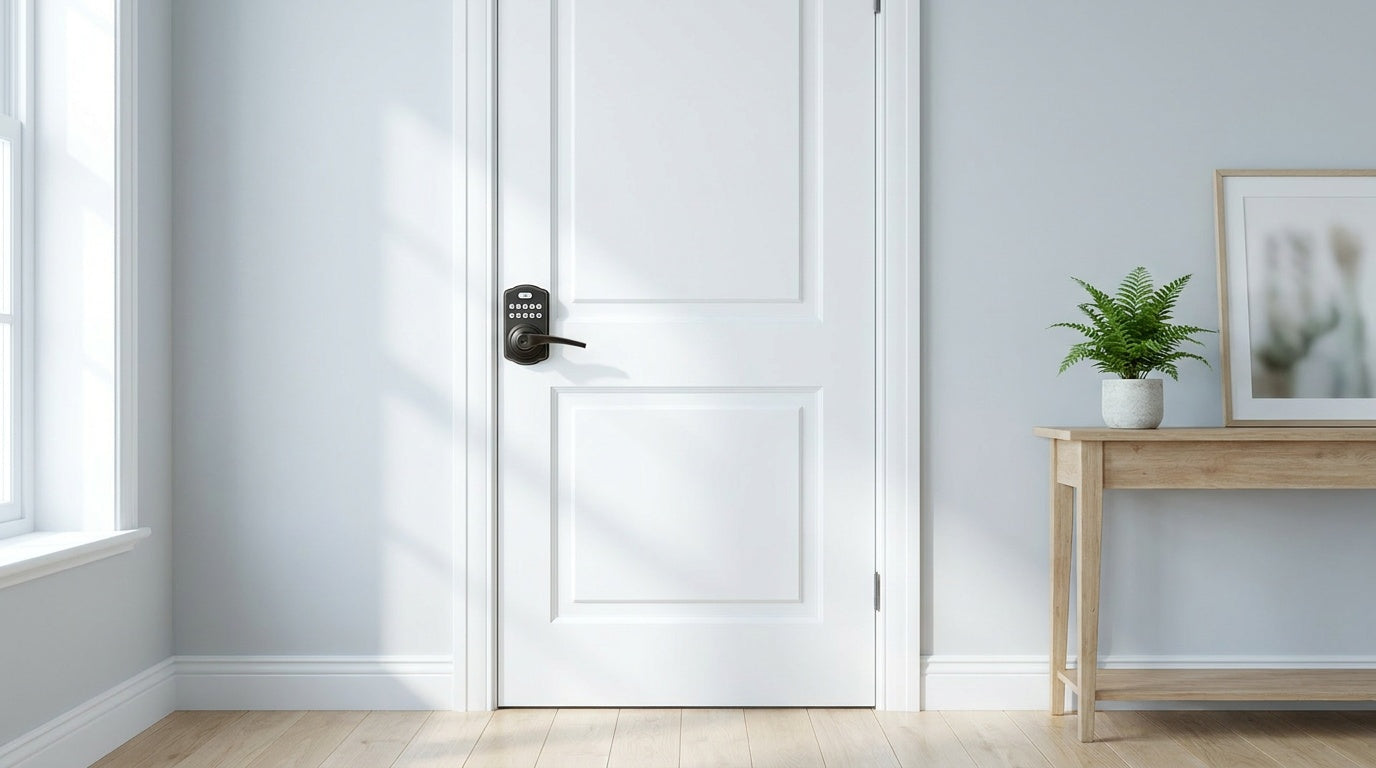
Keys get lost. Codes don't. That simple shift is why more homeowners are putting keypad locks on interior doors — not just the front door. Whether it's a master bedroom that doubles as a home office, a shared rental space, or a room where valuable items are stored, keypad locks bring everyday convenience and genuine peace of mind without fumbling for a key every time you close the door behind you.
But interior doors aren't the same as front doors, and the right keypad lock for a bedroom, office, or rental suite is different from what you'd install on your main entry. Lock type matters. Unlock method matters. And whether you need remote monitoring or just simple privacy makes a real difference in what you should buy.
This guide walks you through how to match a keypad lock to your specific interior door — from a quick explanation of the lock types available to practical picks for every common scenario. All recommendations are from Veise, the #1 smart lock brand on Amazon North America in 2024 and 2025, with a full lineup priced between $30 and $180. Easy from Day One.
Why Interior Doors Need Their Own Kind of Lock
Most people think of door locks in the context of keeping intruders out. But interior door locks serve a different purpose: they manage privacy, access control, and household organization inside a space you already trust. A bedroom keypad lock lets a teenager have genuine privacy without anyone borrowing a key. A home office lock means sensitive client files are protected even when a cleaner is in the house. A shared rental property lock lets an owner assign a unique code to each guest and change it remotely between stays.
Interior doors also sit in a different security environment than the front door. They're typically wood, lighter-gauge, and not exposed to weather or forced-entry attempts from the outside. That means you don't necessarily need the same hardware weight — but you do need the right type of lock mechanism for how the door is used. Getting that match right is what separates a frustrating purchase from one that just works every day.
It's worth knowing that the simplest interior doors often don't need a keypad at all. Think of interior-door security as a progressive ladder: a basic privacy latch or a mechanical lock for everyday privacy, a standard keypad lock when you want keyless code access, and a connected smart lock only when remote monitoring genuinely matters. For a bedroom or bathroom where privacy is all you're after, a mechanical privacy knob or lever is usually the natural fit — it locks from the inside with a simple turn (no key or code to manage) and unlocks from outside with a coin or small tool in an emergency. This guide focuses on the keypad rung of that ladder, for anyone who wants keyless code entry; if a mechanical privacy lock covers your need, it's the most economical, fuss-free option.
Keypad Lock Types Explained: Which One Fits an Interior Door?
Veise's lineup covers four keypad-entry lock categories. Each category works differently, supports different unlock methods, and suits a different set of scenarios. Understanding the difference before you browse saves a lot of second-guessing.
Keypad Latch Lock
A keypad latch lock is an integrated unit where the handle and the keypad are built into a single body. The door catches on a spring latch, and a configurable auto lock timer re-secures the lock so it can't be reopened without a code. No deadbolt, no manual throw. Just enter your code to open, and the lock re-engages on its own after the interval you set.
This is often a great fit for interior doors — home offices, laundry rooms, bedrooms, side entries — where you want code-based access control without a heavy-duty bolt mechanism. Veise currently offers two latch lock models: the KS03 (integrated top knob) and the KS04 (integrated top lever). Both support keypad code and physical key only — no fingerprint reader, no app connectivity. They're intentionally simple, and for many interior doors, simple is exactly what you need. Unlock methods are keypad code plus a physical key backup.
Keypad Deadbolt
A keypad deadbolt replaces your existing deadbolt with a code-entry version. The exterior face has a numeric keypad; entering the correct code extends or retracts the solid metal bolt. All models include a physical key backup. The KS02 series adds a fingerprint reader that recognizes a registered fingerprint in under 0.3 seconds, so you don't need to type a code at all. Non-fingerprint options are available in the RZ series and KS01 series, including standalone deadbolts and handle-set bundles in knob, lever, or vertical handle configurations.
Keypad deadbolts are typically chosen for exterior front and back doors, but there are valid interior use cases too — a bedroom that holds high-value items, a home studio where noise isolation matters, or any interior door where someone is replacing an existing deadbolt. They're standalone and offline: no app, no Wi-Fi, no subscription. ANSI/BHMA Grade 3 certified, which is the residential standard for everyday home use.
Smart Lock w/ Gateway 1/2
A Smart Lock w/ Gateway 1/2 connects to a small hub device that plugs into your home router, enabling remote app control from anywhere with an active Internet connection. The lock itself communicates wirelessly with the gateway; the gateway bridges it to your phone. This is where a simple keypad lock becomes a monitoring tool. You can see who unlocked the door, when, and how — right from your phone.
Both the Smart Locks w/ G1 and Smart Locks w/ G2 share a common set of unlock methods: keypad code, remote app via the paired gateway, key fob, and physical key. Many models in both lines also include fingerprint recognition. The two lines differ in meaningful ways: Smart Lock w/ G1 is built on a single product series (the VE017) — every SKU includes multilingual voice prompts in English, Spanish, and French, a USB-C emergency power port (on the VE017 series), and fingerprint as standard, all paired with a Veise-developed first-party app. Smart Lock w/ G2 offers wider SKU variety including non-fingerprint options, Apple Watch unlock, and web portal control — unique features suited to buyers already in the Apple ecosystem or those who prefer browser-based management.
Important note: even when Wi-Fi is down, app control continues to work locally as long as you're within short-range wireless distance of the lock. Only long-distance remote features — like unlocking from another city or receiving off-site entry alerts — require a live Internet connection. Also worth noting: when the G1 gateway is in place, voice commands via Alexa or Google Assistant are supported through the gateway bridge. The gateway does the heavy lifting; the lock itself doesn't need a Wi-Fi chip.
Wi-Fi Smart Lock
A Wi-Fi Smart Lock has built-in Wi-Fi — no gateway hub required. It connects directly to your home network and gives you full remote app control plus voice commands through Alexa or Google Assistant from anywhere with an active Internet connection. Veise offers two Wi-Fi smart lock series: the Touchscreen Wi-Fi Smart Lock (VE027 Series) and the Push-Button Wi-Fi Smart Lock (VE012W Series).
Both series include fingerprint recognition, keypad code entry, physical key backup, and the same 8 AA/LR6 alkaline battery design — more cells than the typical 4 AA setup, which delivers stronger signal and a more stable connection. The two series differ in four concrete ways: the VE027 series has a touchscreen interface, a USB-C emergency power port on the lock body, key fob support, and on-device voice prompts in English, Spanish, and French; the VE012W series uses a traditional press-button keypad and does not have USB-C, key fob, or on-device voice prompts. Neither series requires a subscription fee; all features work out of the box. Fingerprint data is processed and stored on the lock's on-device chip rather than in the cloud.
Best Keypad Lock by Interior Door Use Case
Once you know the lock types, the right pick becomes much clearer when you frame it around how the door is actually used. Here are the most common interior door scenarios and the Veise category that fits each one best.
Bedroom Door
For most bedrooms, the goal is privacy with easy access — not high-security bolt resistance. A keypad latch lock (KS03 or KS04) is often a natural fit here: the integrated design keeps the door profile clean, the auto lock feature re-secures the lock automatically on a set timer, and the code-only entry keeps the room private without anyone needing to carry a key.
If the bedroom holds valuables or the homeowner is replacing an existing deadbolt, a keypad deadbolt with fingerprint (KS02 series) is a strong upgrade. Fingerprint enrollment captures eight separate scans to build a reliable recognition template, and the <0.3-second recognition speed makes entry faster than typing a code — especially first thing in the morning. The auto lock interval is configurable between 10 and 99 seconds, so the door relocks at whatever cadence makes sense for your household.
Home Office Door
Home offices increasingly hold sensitive files, work equipment, and client data. A keypad latch lock works well on office doors that don't already have a deadbolt — the integrated handle-plus-lock unit replaces the existing knob or lever cleanly, and the code-only entry ensures only people who know the PIN can get in. If multiple household members need access at different times (a spouse who also works from home, for instance), each person can have their own unique code that can be added or deleted at the keypad itself.
For a home office where remote visibility matters — knowing whether a door was opened while you were traveling, or receiving an alert when a family member enters — step up to a Wi-Fi Smart Lock or a Smart Lock w/ G1. Remote access requires a smart lock (gateway-paired or Wi-Fi); a keypad deadbolt or keypad latch lock cannot be paired with a gateway to add those capabilities later. If you think you'll want remote monitoring, choose the smart lock category from the start.
Kids' Room
Keypad locks on kids' room doors serve a different purpose than on adult bedrooms — they're typically used by parents who want visibility, not children who want to lock others out. For this use case, a Wi-Fi Smart Lock or a Smart Lock w/ G1 or G2 is the right call, because they're the only categories that include entry history and remote app monitoring. You can see exactly when the door was opened, who opened it (based on which code or fingerprint was used), and receive real-time notifications on your phone.
The Smart Lock w/ G1 (VE017 series) is a particularly strong choice for multilingual households — every SKU in the line includes voice prompts in English, Spanish, and French, making it approachable for households where English isn't the primary language. For families where a child's bedroom door safety is the concern, the physical key backup included on all smart locks means you always have an emergency override method available.
Short-Term Rental or Vacation Property
For property owners managing a vacation cabin, guest suite, or short-term rental, the ability to change access codes between guests without physically visiting the property is a major quality-of-life upgrade. A Wi-Fi Smart Lock (VE027 or VE012W series) handles this well: you can add or revoke guest codes from the app regardless of where you are, view an entry log for each stay, and set up auto lock so the door re-secures itself automatically on a timer.
Note that Veise locks are full hardware replacements — not overlays on existing locks — so installation is a one-time decision made by the property owner. Once installed on a wood door (1-3/8" to 2" thick), managing the lock is entirely remote. No subscription fees, no cloud dependency, and no need to mail keys to guests. The Touchscreen Wi-Fi Smart Lock (VE027 Series) is a natural fit here: the touchscreen interface is intuitive for first-time guests, the USB-C emergency power port on the VE027 means a guest is never locked out by a dead battery, and the built-in Wi-Fi means no separate gateway hub is needed at the property.
Households with Elderly Members
For elderly family members, the biggest daily challenge with locks is often physical — stiff keys, arthritic hands, or difficulty remembering which key goes to which door. A keypad removes the key entirely. A fingerprint reader removes even the code. The lever-style handle options available across Veise's latch lock and deadbolt lines are more ergonomic than knobs for anyone with limited hand strength.
For elderly members who might be worried about a dead battery causing a lockout, the VE017 series (Smart Lock w/ G1) and VE027 series (Touchscreen Wi-Fi Smart Lock) include a USB-C emergency power port — holding a power bank against the port provides enough charge to unlock the door even with a fully drained battery. These models offer the most complete safety net for users who may not be comfortable troubleshooting a lockout on their own.
Interior Door Keypad Lock Buying Checklist
Before you order, run through these quick checkpoints to make sure the lock is right for your specific door and household:
- Door material: Veise locks are compatible with wood doors only. Not compatible with fiberglass, metal, storm, or sliding doors.
- Door thickness: Standard fit is 1-3/8" to 2". Measure your door thickness before ordering.
- Bore hole: Standard 2-1/8" diameter — no extra drilling needed for most residential doors.
- Lock type vs. use case: Latch lock for simple interior privacy; keypad deadbolt when replacing an existing bolt; smart lock when remote monitoring or entry history matters.
- Remote access: Remote access requires a smart lock — gateway-paired or Wi-Fi. A keypad deadbolt or keypad latch lock cannot be upgraded to remote access later by adding a gateway.
- Budget: Keypad latch locks and entry-level deadbolts start around $30–$60. Smart locks with remote access and fingerprint run $100–$180. No subscription fees on any Veise product.
- Handle style: Knob vs. lever — levers are more ergonomic and often preferred for households with elderly members or young children.
- Fingerprint need: Fingerprint is available on select keypad deadbolt models (KS02 series), all Smart Lock w/ G1 models, most Smart Lock w/ G2 models, and all Wi-Fi Smart Lock models. No fingerprint on keypad latch locks.
Installation: Easier Than You Think
Every Veise lock is designed for DIY installation. Most homeowners complete the swap in about 15 minutes with a screwdriver — no wiring, no special tools, no locksmith visit required. Because Veise is vertically integrated (designing, engineering, and manufacturing its own products rather than reselling OEM hardware), every component is built to work together from the start. Fit is consistent, instructions are clear, and US-based phone and email support is available if anything comes up during setup. Every Veise lock also ships with a step-by-step user manual and an installation video, so visual guidance is always on hand.
A few things to confirm before you start: your door's backset distance (typically 2-3/8" for most residential interior doors), the bore hole diameter (standard 2-1/8"), and door thickness. For interior wood doors within the 1-3/8" to 2" range, no additional drilling is required. The full Veise product lineup includes handle-set bundles if you want a matching knob or lever on the interior side — everything ships together, so there's no need to source hardware separately.
The Right Keypad Lock Makes Every Interior Door More Useful
Keypad locks aren't just for front doors anymore. Whether you're adding real privacy to a bedroom, securing a home office, managing access at a rental property, or simplifying entry for an elderly family member, the right lock makes a door work harder for you every single day. The key is matching the lock type to how the door is actually used — not just buying the most feature-rich option available.
For most interior doors, a keypad latch lock or a keypad deadbolt covers the vast majority of needs at an affordable price. When remote monitoring or guest code management matters, a Wi-Fi Smart Lock or Smart Lock w/ G1 takes it further — without subscription fees and without a complicated setup. Veise's full lineup runs from $30 to $180, so you only spend what your door actually needs. Easy from Day One.
Frequently Asked Questions
Can I put a keypad lock on a bedroom door?
Yes. Keypad latch locks and keypad deadbolts are both suitable for bedroom doors, depending on whether the door already has a deadbolt or just a knob/lever. A keypad latch lock (KS03 or KS04) is often the simplest swap for a standard interior bedroom door — it replaces the existing knob or lever and handles both the latch and the code entry in one unit.
What is the difference between a keypad latch lock and a keypad deadbolt for interior doors?
A keypad latch lock uses a spring latch and is an integrated handle-plus-lock unit — it re-locks automatically on a configurable timer and is a common pick for interior doors, offices, and side entries. A keypad deadbolt replaces only the deadbolt position, using a solid metal bolt for stronger forced-entry resistance — it's typically chosen for exterior doors but can also be used on any interior door that already has a separate deadbolt. Both support keypad code and physical key backup; select keypad deadbolt models also include fingerprint recognition.
Do I need a smart lock for a bedroom, or will a basic keypad lock work?
For straightforward privacy — keeping a room locked without carrying a key — a mechanical privacy knob or lever is often all you need, and a keypad latch lock or keypad deadbolt is the next step up if you want keyless code access. You only need a smart lock (gateway-paired or Wi-Fi) if you want remote access, real-time entry notifications, or the ability to see an entry history log. For kids' rooms or rental properties where monitoring matters, a smart lock is worth the upgrade.
What doors are Veise keypad locks compatible with?
Veise locks are designed for wood doors with a standard thickness between 1-3/8" and 2". They are not compatible with fiberglass, metal, storm, or sliding doors. Always measure your door thickness and check the bore hole diameter (standard 2-1/8") before ordering.
Is there a monthly fee for Veise smart lock features?
No. All Veise lock features — including app control, entry history, and voice assistant integration — are included with the hardware purchase. There are no subscription fees, ever. Fingerprint data is stored on the lock's on-device chip rather than in the cloud, and no paid account is required to use the lock's features.
Can a keypad lock be opened if the battery dies?
Every Veise lock includes a physical key backup that works regardless of battery level. Additionally, the VE017 series (Smart Lock w/ G1) and VE027 series (Touchscreen Wi-Fi Smart Lock) include a USB-C emergency power port on the lock body — holding a power bank against the port provides enough charge to operate the lock even with a completely dead battery. This feature is specific to those two series; other models rely on the physical key as the emergency backup.
How long does it take to install a Veise keypad lock?
Most installations are completed in about 15 minutes with a screwdriver. No wiring, no drilling (for standard door prep), and no professional help required. The locks are designed for DIY installation on standard residential doors, and US-based support is available by phone or email if you need assistance during setup.
Can I manage multiple door codes for different family members or guests?
Yes. All Veise keypad locks support multiple unique access codes — each person or guest can have their own code that can be added or deleted independently. Smart lock models (gateway-paired and Wi-Fi) let you manage codes through the app from anywhere, including setting time-limited guest codes that expire automatically. Keypad deadbolt or keypad latch locks are managed directly at the lock's keypad.
Not Sure Which Lock Fits Your Door?
The Veise support team is based in the US and ready to help you find the right fit — by door type, use case, or budget. Reach out before you order and get a straight answer.
Contact Veise Support

Leave a comment
This site is protected by hCaptcha and the hCaptcha Privacy Policy and Terms of Service apply.