
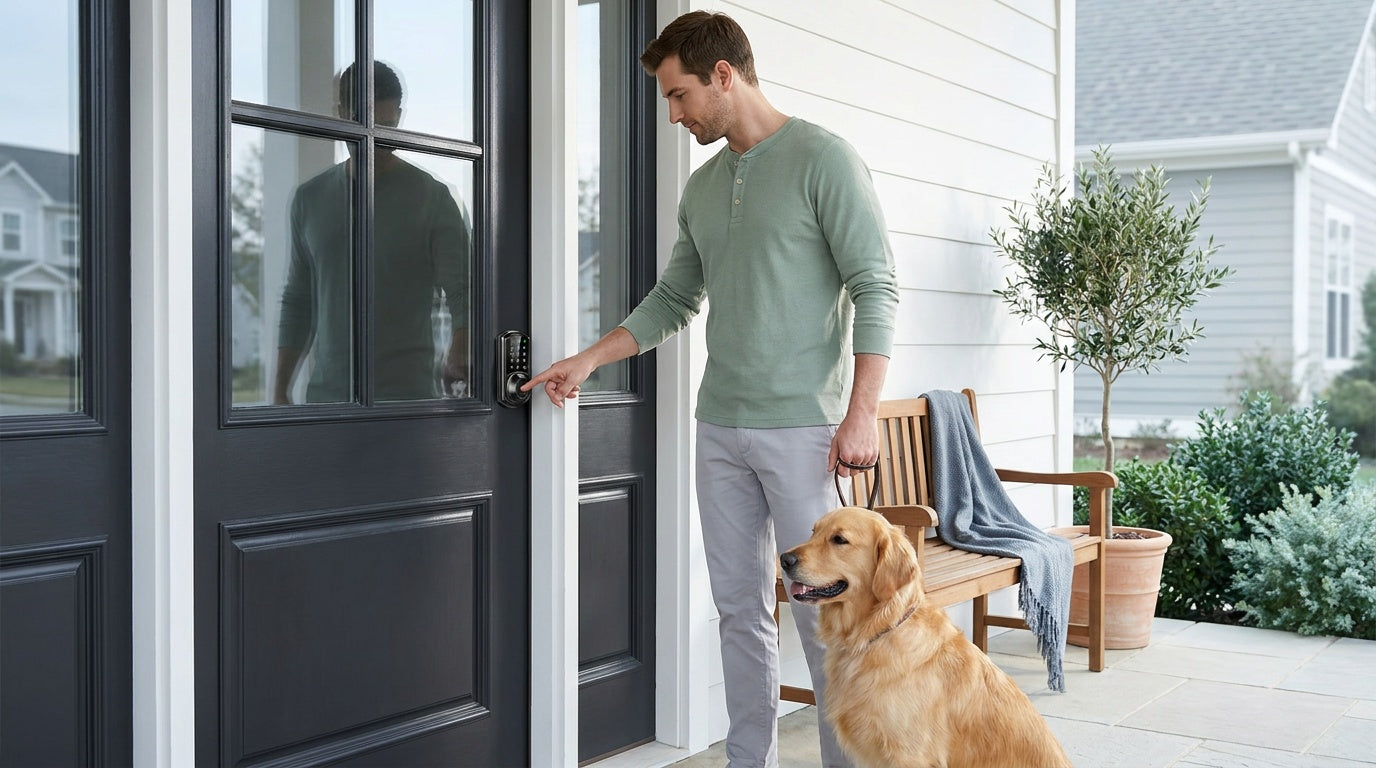
You're carrying groceries, a bag on each arm, and your keys are buried somewhere at the bottom of a pocket you can't reach. Or it's late, it's dark, and you're fumbling to find the right key on a ring of six that all look the same. Sound familiar? For most households, the physical key is one of those small daily annoyances that adds up over time — until you go without one.
Keyless entry for your home solves this in a straightforward way: you unlock your door with a code, a fingerprint, or your phone instead of a metal key. No key to lose, no locksmith to call, no spare key hidden under the doormat. This guide covers everything you need to know — how keyless entry works, which lock type fits your situation, the real benefits and the genuine trade-offs, and how to install one yourself in about 15 minutes.
What Is Keyless Entry?
Keyless entry is exactly what the name says: a way to get into your home without using a traditional metal key. Instead of a lock that reads the grooves on a key blade, a keyless lock reads something else — a PIN code you type, a fingerprint it scans, a signal from your phone, or a command from your voice. The lock still has the same job (securing your door), but the way it grants access has changed entirely.
For homes, keyless entry almost always means replacing the existing deadbolt or door hardware with a new smart lock or keypad lock. Unlike some overlay-style locks that sit on top of your existing hardware, a full-replacement lock swaps out the entire mechanism. This matters because it makes the install clean, the hardware robust, and the security genuine rather than cosmetic. Because full replacement involves modifying the door hardware itself, this type of upgrade is best suited for homeowners or property managers who have authority to make changes to the door.
One important compatibility note before anything else: keyless entry locks for residential use are designed for standard wood doors with a thickness between 1-3/8" and 2". If your door is fiberglass, metal, a storm door, or a sliding door, these locks are not compatible.
How Keyless Entry Works
At its core, a keyless lock has a small processor inside that reads an input (a code, a biometric scan, or a wireless signal) and compares it against stored, authorized credentials. If there's a match, a small motor drives the bolt open. If there isn't, the door stays locked. The whole sequence happens in under a second for most modern locks.
Power comes from batteries — typically AA batteries installed in the interior unit. Most keypad locks run on 4 AA/LR6 alkaline batteries. Some higher-capacity smart locks, like those in the Veise Wi-Fi Smart Lock line, use 8 AA batteries, which supports a stronger, more stable wireless signal and a longer power reserve compared to the standard 4-cell setup. A voice or beep prompt at the lock warns you well before the batteries run out — and on connected models, a push notification through the app does too — while select Veise models (VE017 and VE027 series) include a Type-C emergency power port so you can tap in with a USB-C cable if batteries run out unexpectedly.
Smart locks add a communication layer on top of this basic mechanism. A gateway-paired smart lock uses a small hub plugged into your router to relay commands between your phone and the lock over the Internet. A Wi-Fi smart lock has the radio built directly into the lock body and connects to your home network without any hub. Both approaches let you lock and unlock remotely, receive entry alerts, and manage access codes from anywhere. When Wi-Fi is down but you're within short-range wireless distance of the lock, app control still works locally — only long-distance remote features like off-site notifications require a live Internet connection.
Common Unlock Methods Explained
Not every keyless lock supports the same set of unlock methods. The options available depend on which category of lock you choose. Here's a plain-language breakdown of the main methods you'll encounter:
- Keypad code: Enter a PIN on the lock's built-in keypad. Most models let you create multiple codes for different family members or guests. An anti-peep feature lets you add random digits before or after your real code so that someone watching can't guess it from the button wear pattern.
- Fingerprint scan: Place your finger on the sensor and the lock reads your print in under 0.3 seconds. Fingerprints are stored and processed directly on the lock's built-in chip — no cloud account, no Internet needed, nothing leaving the device. Enrollment captures your finger eight times to build a reliable template across different angles and pressure points.
- Physical key backup: Present on every Veise lock as a failsafe. Useful when batteries are critically low and an emergency power port isn't available, or when handing temporary access to someone who isn't comfortable with digital methods.
- Key fob: A small wireless tag that unlocks the door when brought near the sensor. Available on Smart Lock w/ Gateway 1/2 models and the VE027 Wi-Fi series (all models); not supported on the VE012W series.
- Remote app control: Lock or unlock from anywhere via a mobile app. Requires either a gateway-paired smart lock (lock + hub connected to your router) or a Wi-Fi smart lock (built-in Wi-Fi). A standard keypad lock cannot be upgraded to remote access by adding a gateway — remote access requires a smart lock from the start.
- Voice control (Alexa / Google Assistant): Wi-Fi Smart Locks support voice commands directly through their built-in Wi-Fi connection. Smart Lock w/ Gateway 1/2 models support voice control when the paired gateway is in place and connected. Voice control is not available on the Keypad Deadbolt or Keypad Latch categories.
Which Keyless Lock Type Fits Your Home?
One of the biggest mistakes people make when shopping for keyless entry is treating all smart locks as the same product. They're not. Veise's lineup covers four distinct lock categories, and choosing the right one makes the difference between a lock that fits your life and one that has features you'll never use — or is missing one you genuinely need.
Keypad Deadbolt — Best for Front Doors Needing Reliable Code Access
A Keypad Deadbolt replaces your existing front-door deadbolt with a code-entry lock. All models support a keypad code plus a physical key backup. Select models also include a fingerprint sensor (the KS02 series) for sub-second touchless entry, and these are available in both deadbolt-only and handle-set bundle configurations. The non-fingerprint line (RZ and KS01 series) covers both standalone deadbolts and handle-set bundles for a clean, matched look. Auto lock is standard across the entire lineup, configurable between 10 and 99 seconds on these keypad locks. Key fob is not supported in this category. If your main goal is reliable, code-based front-door security without a subscription fee or app dependency, a keypad deadbolt is a straightforward, affordable starting point in the $30–$180 range.
Keypad Latch Lock — Practical for Interior, Side, and Secondary Doors
A Keypad Latch Lock is an integrated unit where the handle and lock body are combined into a single piece. Currently two SKUs are available: the KS03 (integrated top knob) and the KS04 (integrated top lever). Both support a keypad code and a physical key backup — that's it. No fingerprint, no app, no key fob. This simplicity is actually the point. For an interior office door, a side entry, a garage entry, or any situation where you want code-based access without the complexity of a smart lock, the keypad latch is clean and practical. The KS03 vs KS04 choice comes down entirely to handle preference: knob or lever.
Smart Lock w/ Gateway 1/2 — Best for Remote Access Without Built-In Wi-Fi
This category pairs the lock with a small gateway hub that bridges it to your home network. Both Smart Lock w/ G1 and Smart Lock w/ G2 share the core unlock methods: keypad code, key fob, physical key, and remote app control via the paired gateway. Every G1 model includes fingerprint as standard, while G2 offers both fingerprint and non-fingerprint options. The differences between the two lines are concrete and worth understanding before you buy.
Smart Locks w/ G1 is built around a single product series. The entire G1 line ships with multilingual voice prompts (English, Spanish, and French), a USB-C emergency power port, fingerprint as standard on every unit, and pairs with a Veise-developed app. If your household includes non-English speakers, or if you want the peace of mind of a USB-C backup port as a universal feature rather than an optional extra, G1 is the cleaner all-in-one pick. Browse the Smart Locks w/ G1 collection to see available configurations.
Smart Locks w/ G2 offers more SKU variety — fingerprint and non-fingerprint options, standalone deadbolts, and handle-set bundles in lever, vertical, and knob form factors. G2's standout unique features are Apple Watch unlock and web portal control, neither of which exist on any other Veise line. Voice prompts on G2 are English only. If Apple Watch unlock or a non-fingerprint connected option matters to you, G2 is the right path. Explore the Smart Locks w/ G2 collection for the full range.
Wi-Fi Smart Lock — Best for Full Remote Access Without a Separate Hub
A Wi-Fi Smart Lock has the wireless radio built directly into the lock body, so there's no gateway to plug in and no hub to position near the door. Remote app control, Alexa and Google Assistant voice commands, entry history, and real-time alerts all work through the lock's own Wi-Fi connection. Physical key backup is on every model; key fob comes on the VE027 series (all models) but not the VE012W series; fingerprint and auto lock are standard. The 8 AA battery design delivers a stronger signal and longer power reserve than the standard 4-cell setups common in the industry.
Two series are available. The Touchscreen Wi-Fi Smart Lock (VE027 Series) uses a touchscreen keypad interface, includes a USB-C emergency power port, supports key fob across all models, and plays on-device voice prompts in English, Spanish, and French. The Push-Button Wi-Fi Smart Lock (VE012W Series) uses a traditional press-button keypad and differs in four concrete ways: press-button (not touchscreen) interface, no USB-C emergency power port, no key fob support, and no on-device voice prompts. Both series otherwise share Wi-Fi connectivity, fingerprint, keypad code, app control, and Alexa/Google voice commands. For families with kids, parents tracking arrival times, or short-term rental hosts managing guest access remotely, a Wi-Fi smart lock is typically the most capable and most convenient option in the lineup.
Real-Life Scenarios: Who Benefits Most from Keyless Entry
Keyless entry isn't just a tech upgrade — it solves real problems that real households deal with every day. Here are the situations where going key-free makes the most practical difference:
- Parents of school-age kids: A Wi-Fi smart lock or gateway-paired smart lock lets you see exactly when your child got home, right from your phone. No more "did they make it?" texts or worrying about a lost house key.
- New homeowners: Re-keying an old lock costs time and money. Replacing it with a keypad deadbolt or smart lock means you control access from day one — no mystery of how many copies of the old key are floating around.
- Families with elderly members: Remembering to carry a key is easy to forget, and a fumbled key at the door can be genuinely frustrating. A fingerprint lock or simple keypad removes that friction entirely.
- Short-term rental hosts and property managers: Create a unique guest code before check-in and delete it after checkout, all from your phone. No lockboxes, no key handoffs, no locksmith calls when a guest doesn't return the key.
- Households managing multiple people: Assign individual codes to each family member, a regular cleaner, or a dog walker. The access log shows who entered and when, without any conversation required.
Key Benefits of Going Key-Free
No physical key to lose. This one sounds obvious, but the downstream effects are real: no locksmith calls, no spare-key-under-the-mat security risk, no rekeying costs when a key goes missing. Digital credentials (codes, fingerprints, app access) can be changed or revoked in seconds.
Flexible, layered access for everyone in the household. A single lock can hold multiple unique codes, multiple enrolled fingerprints, and remote app permissions for different people simultaneously. Temporary codes for guests or contractors can be set to expire automatically. That kind of access control is simply not possible with a traditional key.
Auto lock means the door secures itself. Every Veise lock includes auto lock — configurable between 10 and 99 seconds on Keypad Deadbolt and Keypad Latch locks, and up to 180 seconds on connected models. You don't need to remember whether you locked up on the way out — the lock handles it. For smart locks, a quick app check confirms the status from anywhere.
No subscription fees. Fingerprints are stored on the lock itself, not in the cloud. You're not paying a monthly fee for features that should work regardless of whether a company's server is running. This is a meaningful difference from some competitors that charge for full app functionality.
DIY install in about 15 minutes. A screwdriver is all the tool you need. No wiring, no drilling, no professional installer required. Veise locks are designed for standard residential installation that any homeowner can complete without experience.
Drawbacks to Consider Before You Switch
Battery management is a real responsibility. Unlike a traditional lock that works indefinitely, a keyless lock needs fresh batteries. Most locks send low-battery alerts well in advance, and select Veise models (VE017 and VE027 series) include a USB-C emergency power port as a backup. Still, it's a new maintenance habit to build.
Forgotten codes can cause lockouts. If you rely on a memorized PIN and forget it, and your backup key isn't handy, you're locked out. The fix is straightforward (most models have a reset process), but it's a genuine inconvenience. Keeping your physical key backup accessible — even if you rarely use it — is a sensible precaution.
Remote features require a live Internet connection for off-site use. Remote locking, off-site notifications, and off-site entry log review all require your lock to have an active Internet connection. If your router goes down, those long-distance features pause. However, if Wi-Fi is down but you're within short-range wireless distance of the lock, app control continues to work locally.
Full replacement means you need property authority. Because Veise locks require replacing the entire door hardware (not overlaying on existing hardware), this install is for property owners and property managers — not renters who don't have permission to modify door hardware.
How to Install a Keyless Entry Lock: Step-by-Step
Most Veise keyless locks install in about 15 minutes using only a screwdriver. No wiring, no special tools, no professional help needed. Every Veise lock ships with a step-by-step user manual and an installation video — follow them for the exact sequence on your model. Here's the general process for a deadbolt or smart lock replacement on a standard wood door (1-3/8" to 2" thick):
- Remove the existing hardware. Use a screwdriver to take off the old deadbolt from both the interior and exterior sides of the door. Set the old parts aside and confirm the door backset distance (the measurement from the door's edge to the center of the hole — most residential doors are 2-3/8" or 2-3/4").
- Adjust the latch to match your backset. Set the latch to the measurement that matches your door, following the included manual — it adjusts for different backsets. Getting this right ensures the latch lines up cleanly with the strike plate on the frame.
- Install the latch into the door edge. Insert it into the edge hole with the latch retracted, and do not insert the mechanical key during installation. Secure it with the provided screws, and confirm it sits flush and straight before continuing.
- Install the included strike plate. Fit the strike plate that ships with the lock into the door frame, secured into the frame, so the latch lines up cleanly when the door closes.
- Install the exterior assembly. Position the exterior assembly on the outside of the door, parallel to the door edge, and route the connecting cable to the interior side according to the installation manual, ensuring it is not pinched.
- Install the interior assembly. Fit the mounting plate, plug the cable into the connector port, and make sure the torque blade seats properly through the latch. Secure the interior assembly parallel to the door edge using the appropriate screws as specified in the installation manual.
- Install batteries and set up your access. Insert fresh AA/LR6 alkaline batteries — don't mix old and new, or batteries from different brands — and slide the cover back on. The lock ships with a default master code, so you can lock and unlock right away to confirm the install; the included guide then walks you through changing the master code and adding personal PINs. For smart lock models, connect the lock to its paired gateway or to your home Wi-Fi network, then set up users and permissions through the app.
- Test everything before calling it done. Open the door and test the lock and unlock cycle several times with the keypad, fingerprint (if applicable), and physical key. Check that the bolt extends and retracts smoothly with the door in both open and closed positions.
If you run into any questions during setup, Veise offers US-based phone and email support, and the product ships from a local warehouse for quick replacement if any part is missing from the box.
FAQs About Keyless Entry for Your Home
Is keyless entry actually secure?
Yes, when you choose a well-built lock from a reputable manufacturer. Veise keyless locks meet ANSI/BHMA Grade 3 certification, which is the standard for residential door hardware. Grade 3 covers normal home use; Grades 1 and 2 target high-traffic commercial environments like office buildings and hospitals. Fingerprint data is processed and stored locally on the lock's chip — it's never uploaded to a cloud server or third-party account. The physical lock body itself is manufactured to the same structural standards as a traditional deadbolt.
What happens if the battery dies?
All Veise keyless locks include a physical key backup, so a dead battery doesn't mean a locked-out household. Select models (VE017 and VE027 series) also include a Type-C emergency power port — used only for depleted battery situations. Hold a USB-C power bank against the port, enter your code, and the lock activates for entry. For any model, the low-battery alert gives you plenty of advance warning through a voice or beep prompt at the lock — plus an app notification on connected models — well before power is critically low.
Do I need Wi-Fi for a keyless lock to work?
No. Keypad deadbolts and keypad latch locks operate entirely offline — no Wi-Fi, no app, no Internet required. They simply need working batteries. Smart locks (gateway-paired or Wi-Fi models) do use an Internet connection to enable remote features like off-site locking, entry alerts, and access log review from anywhere. But even for smart locks, the keypad, fingerprint, and physical key all work locally without any Internet connection. If Wi-Fi is down but you're within short-range wireless distance of the lock, app control continues to function locally as well.
Can I give access to guests without being home?
Yes, but you'll need a smart lock to do it remotely. A Wi-Fi smart lock or a gateway-paired smart lock lets you create and share new access codes from anywhere through the app. You can also set time-limited access for a stay or service window. A keypad deadbolt and keypad latch lock can store multiple codes, but you’ll need to program them in person at the lock — there’s no remote code management without a smart lock.
How long does installation take?
For most Veise locks, about 15 minutes. You'll need a screwdriver and about a foot of patience. No wiring, no drilling into existing holes, and no professional installer required. The lock replaces your existing deadbolt hardware using the same door prep that's already there on virtually every standard residential door.
Are there subscription fees for smart lock features?
Not with Veise. App control, entry history, access code management, and remote lock/unlock are all included with the lock — no monthly fee, no premium tier required. Fingerprint data is stored locally on the device, so there's no cloud subscription required to keep those features running.
What doors are compatible with Veise keyless locks?
Veise locks are compatible with standard wood doors with a thickness between 1-3/8" and 2". They are not compatible with fiberglass doors, metal doors, storm doors, or sliding doors. If your door is wood and within the standard thickness range, installation is straightforward and no door modification is needed beyond removing the existing hardware.
Going key-free is less of a tech decision and more of a lifestyle one. The question isn't really whether keyless entry is better than a traditional lock — for most homes, it clearly is. The real question is which type of keyless lock matches what your household actually needs: simple and reliable code access, fingerprint convenience, remote monitoring, or full smart home integration. Veise's lineup covers the full range at $30–$180, installs in 15 minutes with a screwdriver, and requires no subscription fees to keep working the way it's supposed to. Browse the full Veise product range to find the right fit for your door — or start with the category that matches your situation above.
Not sure which keyless lock is right for your home?
Our US-based support team is ready to help you find the perfect fit — no hold music, no chatbots.
Contact Veise Support

Leave a comment
This site is protected by hCaptcha and the hCaptcha Privacy Policy and Terms of Service apply.