
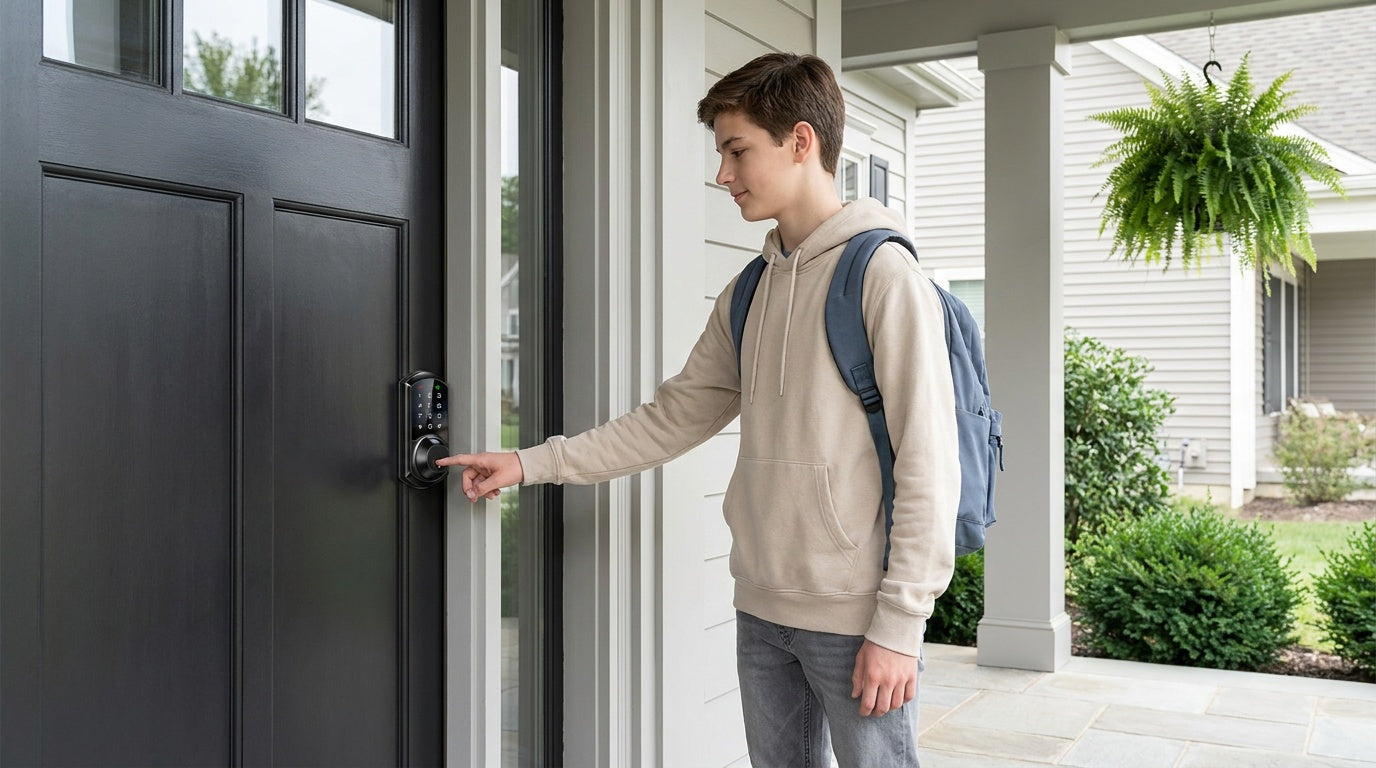
Picture a typical weekday at your front door. Your teenager gets home from school at 3 p.m. A dog walker arrives at noon. A cleaning crew comes every other Tuesday. Your elderly parent visits on weekends. And you're at work for all of it. With a traditional key, managing that kind of access means making copies, hiding spares, and hoping everyone returns what they were given. With a smart lock, each person gets their own credential — a code, a fingerprint scan, or a scheduled access window — and you stay in control the whole time.
But multi-user access isn't a single feature. It works differently depending on which type of smart lock you have, and not every lock supports the same set of options. This guide walks through how keypad codes, fingerprint enrollment, and permission settings work in practice — and how to set up your household so that the right people get in at the right times, without sharing a single physical key.
Why Multi-User Access Matters More Than You Think
Most households don't have just one person who needs to enter through the front door. Families, property owners managing short-term rentals, and homeowners who regularly rely on service providers all face the same underlying challenge: how do you give trusted people access without giving up control? Physical keys solve the "access" part, but they do nothing for the "control" part. You can't tell a key to stop working on Friday night. You can't know which key was used at 2 p.m. You can't revoke a key that was copied without replacing the whole lock.
Smart locks change that equation. Each person can have a unique credential tied to their name. You can see exactly who unlocked the door and when. You can set a code to work only on certain days or within specific hours. And if someone's access needs to end — a guest checks out, a contractor finishes the job — you remove their credential in seconds from your phone. No locksmith, no new keys, no awkward conversation about returning a spare.
Which Lock Types Support Multi-User Management
The access management features available to you depend heavily on which category of lock you install. Not every lock supports every feature, and understanding these differences before you buy saves a lot of frustration later.
Keypad Deadbolt: Supports multiple unique keypad codes and a physical key backup. Select models also include fingerprint access. This category handles permanent and temporary codes well, but it operates offline by design — there's no app, no remote management, and no activity log you can check from your phone. It's a solid choice when you need straightforward multi-code access without connectivity. Browse Veise Keypad Deadbolt Locks to see the full lineup, including models with and without fingerprint.
Keypad Latch Lock: Currently offered in two SKUs — one with an integrated knob handle (KS03) and one with an integrated lever handle (KS04). Both support keypad codes and a physical key backup only. There's no fingerprint, no app, and no key fob option on this category. These locks work well on interior doors, side entries, or as a secondary lock on an entry door that already has a dedicated deadbolt handling primary security. See the Veise Keypad Latch Lock collection for current options.
Smart Lock w/ Gateway 1/2: This is where multi-user management becomes significantly more powerful. Gateway-paired locks support keypad codes, a key fob, a physical key, and remote app control — and many models also include fingerprint access. Because the lock connects to your home's Internet through a paired gateway, you can add or remove credentials, set schedules, and review entry history from anywhere with an active Internet connection. The G1 line (Smart Locks w/ G1) and G2 line (Smart Locks w/ G2) both support this remote management, making them well suited for families and property owners who need ongoing visibility into who's coming and going.
Wi-Fi Smart Lock: Connects directly to your home's Wi-Fi router without needing a separate gateway. It supports fingerprint, keypad codes, remote app control, voice commands via Alexa or Google Assistant (through the lock's built-in Wi-Fi), and a physical key backup. The VE027 series includes a key fob; the VE012W series does not. The result is the most feature-complete multi-user experience in the Veise lineup — remote access, activity logs, scheduled permissions, and biometric entry all in one device. See Veise's Wi-Fi Smart Lock collection for current models.
Managing Keypad Codes: One Code Per Person, Not One for Everyone
The most common mistake households make is setting a single shared code for everyone. It feels simpler at first, but it immediately removes any ability to track individual access, and revoking that code means everyone loses entry at the same time. The right approach is one unique code per person — and one additional code for any temporary visitor or service provider who needs time-limited access.
On a keypad deadbolt or latch lock, codes are programmed at the keypad using the master code — authenticate with your master code, then follow the add-code steps in the included user manual for your model. On smart locks connected to a gateway or Wi-Fi, you can also manage codes from the app — which is faster and lets you name each code so you remember who it belongs to.
A few practical rules for code management:
- Name every code in the app (or keep a written record for offline locks) so you know at a glance who holds which code.
- Avoid obvious patterns like sequential numbers, repeating digits, or anything tied to your address or birthday.
- Use longer codes when the lock supports them — more digits means a harder guess.
- Remove codes as soon as they're no longer needed. A code that no longer serves a purpose is an unnecessary vulnerability.
- Rely on built-in lockout protection — on Veise locks, the lock pauses for three minutes after 10 wrong attempts, slowing down anyone trying to guess their way in.
For households with kids, a dedicated code per child is also a practical way to confirm they've arrived home safely — on smart locks with remote management, their code entry triggers a notification to your phone. That kind of passive reassurance is one of the most useful things a smart lock does for a parent.
Fingerprint Access for Multiple Users: How Enrollment Works
Fingerprint access is the fastest and most personal unlock method available on compatible Veise locks. Because a fingerprint is unique to each person, it's inherently individual — there's no code to share, no fob to loan out, and no risk of someone entering a credential that belongs to someone else. On Veise locks, the fingerprint is scanned in under 0.3 seconds, and the entire template is processed and stored on the lock itself. No data leaves the device, no cloud account is involved, and recognition continues to work whether or not your Internet connection is up.
Enrollment is done at the lock itself — the scanner has to read the actual finger, so a fingerprint can't be added through the app. During setup, the lock asks the user to scan the same finger multiple times — on Veise locks, eight times — to build a reliable template that accounts for slight variations in angle and pressure. That thoroughness during enrollment is what makes day-to-day recognition fast and consistent. Rushing through enrollment with too few scans is the most common reason fingerprint recognition feels unreliable after the fact.
A few enrollment tips that make a real difference for households:
- Each person enrolls their own finger in person at the lock — a fingerprint can't be added on someone else's behalf, which is part of what makes it more controllable than a code you could hand off. Natural hand placement during enrollment also leads to natural recognition during daily use.
- Enroll the finger you actually use to open doors — typically the index finger of your dominant hand.
- For older family members or anyone with fainter fingerprint ridges, take extra care during each scan and re-enroll if early recognition results feel inconsistent.
- If recognition slows down after several months, a fresh re-enrollment usually restores accuracy. Fingerprint ridges can shift slightly with skin changes, minor cuts, or seasonal dryness.
- Veise locks store multiple unique fingerprints per device — more than enough for any household size, with capacity that accommodates everyone from daily residents to frequent regular visitors.
Fingerprint access is available on select Keypad Deadbolt models, on all Smart Lock w/ G1 models, on many Smart Lock w/ G2 models, and on all Wi-Fi Smart Lock models. If fingerprint access for multiple household members is a priority, look for models that explicitly list it as a feature before purchasing.
Permission Types: Permanent, Scheduled, and Temporary Access
Not everyone who needs access to your home needs it forever, at all hours, every day of the week. Smart locks with app-based management let you match the level of access to the actual need — which is both more convenient and more secure than treating every user the same.
Permanent access is the right choice for people who live in the home or need regular unrestricted entry. Each household member typically gets a permanent code or enrolled fingerprint that doesn't expire. For these users, the goal is convenience and reliability — they should never be locked out because of an expired credential.
Scheduled access sets a window of days and hours during which a code works, outside of which it's automatically inactive. This is ideal for recurring service providers. A cleaning crew that comes every Tuesday and Thursday from 10 a.m. to 1 p.m. gets a code that works exactly within those windows — and doesn't work at 9 p.m. on a Saturday. You didn't have to revoke it manually; the schedule did it for you.
Temporary or one-time access creates a code that expires automatically after a set date or after a single use. Short-term rental guests are the classic use case: the code works for the duration of the stay and stops working at checkout without any action required on your end. This approach removes the need to coordinate key handoffs and eliminates the risk of a guest using an old code after their stay ends.
Scheduled codes (recurring days and hours) require a smart lock with app-based management — either a gateway-paired lock or a Wi-Fi smart lock. One-time codes, by contrast, are supported on every Veise lock, including standalone Keypad Deadbolt and Keypad Latch models; what a standalone keypad lock can't do is run a recurring or duration-based schedule automatically. If scheduled access is important for your situation, that distinction matters when choosing your lock.
Remote Management: Monitoring and Updating Access from Anywhere
Remote management is one of the biggest practical advantages a connected smart lock has over a basic keypad lock. It means you can add a new code for a guest while you're at the office, check the entry log to confirm your kids arrived home, or instantly remove a code for a contractor who's finished the job — all without being anywhere near the front door.
On Veise's Wi-Fi Smart Locks, remote access works through the lock's built-in Wi-Fi connection. As long as your home's Internet is active and the lock is powered, you can manage everything from the app. On Smart Locks w/ Gateway 1/2, the paired gateway serves as the bridge between the lock and your Internet connection — the gateway needs to be installed and online for remote features to work.
One practical note worth understanding: even when your home's Wi-Fi goes down, both gateway-paired and Wi-Fi smart locks can still be controlled via the app as long as you're within short-range wireless distance of the lock. The long-distance remote features — viewing logs from another city, sending a new code from work — do require an active Internet connection. Local operation at the keypad or through fingerprint always works regardless of connectivity.
The activity log is often underused by homeowners who set up smart locks primarily for keyless convenience. But for households managing multiple users, the log is genuinely valuable. You can see which credential was used for each entry, at what time, and on which date. That's how a parent confirms their teenager came home after school. It's also how a property owner catches an unexplained entry at an odd hour.
Real-Life Scenarios: Who Gets What Kind of Access
It helps to think through multi-user access in terms of real situations rather than abstract categories. Here's how the permission types map to common household roles:
- Household members (parents, adult children, partners): Permanent code plus enrolled fingerprint (on compatible locks). These users should never experience a lockout — they live there. Fingerprint handles the daily routine; a backup code covers wet or injured hands.
- School-age kids: A unique permanent code works well. On a smart lock with remote management, that code entry sends a notification — a simple and reliable way for parents to know everyone arrived home safely without setting up a complex monitoring system. For this use case, a Wi-Fi smart lock or a gateway-paired smart lock is the better choice over a Keypad Deadbolt or Keypad Latch lock, precisely because of the activity notification feature.
- Recurring service providers (cleaners, dog walkers, tutors): A scheduled code tied to their regular hours. They can enter during their window; the code doesn't work outside of it. No chasing them down for a returned key when the arrangement ends.
- Short-term rental guests: A temporary code set to match the reservation dates. Create it before check-in and send it to the guest. It stops working automatically at checkout. Property owners managing a rental don't need to be on-site for any of this.
- One-time visitors (repair technician, delivery requiring entry, neighbor checking in): A single-use or short-duration temporary code. It becomes invalid after use. No lingering credentials sitting in the system.
- Elderly family members who prefer simplicity: A permanent code on a keypad, or enrolled fingerprint if they're comfortable with biometrics. Physical key backup ensures they always have a fallback. For family members concerned about lockouts, the VE017 series (Smart Lock w/ G1) and the VE027 Wi-Fi series include a USB-C emergency power port, so the lock remains operable even if the batteries are completely drained.
Best Practices for Keeping Multi-User Access Secure
Having multiple credentials active on a lock is only secure if those credentials are managed actively. The most common security failure with smart locks isn't a hardware breach — it's old codes left in the system long after they were needed. A regular review of active credentials takes a few minutes and dramatically reduces the number of people who technically have access to your home at any given time.
A few habits that make multi-user management genuinely secure over time:
- Review active codes and fingerprints every few months. Remove anything tied to someone who no longer needs access.
- Change permanent household codes if a phone with app access is lost or stolen, or if a code may have been observed by someone you don't want to have it.
- Keep the lock's firmware up to date. Connected locks receive updates that address security improvements — the same way you'd update a phone's operating system.
- Use the master code only for setup and management — don't share it or use it as your own daily entry code.
- Take advantage of auto lock. Veise locks let you configure auto lock to engage after a set delay — 10 to 99 seconds on Keypad Deadbolt and Keypad Latch locks (up to 180 seconds on connected models) — so the door doesn't stay unlocked if someone forgets to secure it on the way in.
Veise Lock Options for Multi-User Households
Veise designs and manufactures its own locks — not an OEM reseller, but a vertically integrated company with roots in the lock industry since 1988 and the #1 smart lock brand ranking on Amazon North America in both 2024 and 2025. That means consistent quality across the lineup and real accountability when support is needed. All Veise smart locks install in about 15 minutes with a screwdriver, require no subscription fees, and store fingerprint data locally on the device. Prices range from $30 to $180 depending on the model and feature set.
For households that primarily need multiple keypad codes and want simplicity without connectivity, the Keypad Deadbolt line covers the full range — from straightforward code-only models to models that add fingerprint access or full handle-set bundles. All are ANSI/BHMA Grade 3 certified, which is the standard for residential door security. Veise locks are designed for wood doors with a standard thickness of 1-3/8" to 2" and require full lock replacement (you become the owner of a brand-new lock, not an overlay on an old one).
For households that want remote management, activity logs, and the ability to set scheduled or temporary codes from an app, the smart lock categories are the better fit. The Smart Lock w/ G1 line is built on a single product series — the VE017 — and every model in the line ships with fingerprint access, multilingual voice prompts (English, Spanish, and French), and a USB-C emergency power port as standard features. It uses a Veise-developed app, making it the most cohesive connected experience. The Smart Lock w/ G2 line offers more SKU variety — including non-fingerprint options and handle-set bundles in lever, vertical, and knob styles — and adds Apple Watch unlock and web portal control for households that want those specific capabilities. G2 voice prompts are currently English only.
For the most complete multi-user experience with direct Wi-Fi connectivity and no gateway required, Veise's Wi-Fi Smart Lock line offers two series. The Touchscreen Wi-Fi Smart Lock (VE027 Series) features a touchscreen interface and includes a USB-C emergency power port, key fob support, and three-language on-device voice prompts (English, Spanish, French). The Push-Button Wi-Fi Smart Lock (VE012W Series) uses a traditional press-button keypad and does not include those three extras. Both series share fingerprint access, app control, Alexa and Google Assistant voice commands via built-in Wi-Fi, and an 8 AA/LR6 alkaline battery design that delivers stronger signal and a more stable connection compared to the standard 4 AA setup found on most competitors. Both are strong picks for parents who want to monitor when kids arrive home, property owners managing short-term rentals, or any household where multiple people need flexible, trackable access.
For interior doors, shared spaces, or secondary entry points, the Keypad Latch Lock handles multi-code access in a compact, integrated design. The Mechanical Lock collection covers interior doors where a keypad isn't needed. And if you're outfitting a full property, the full Veise product lineup covers everything from deadbolts to door levers in a consistent style and quality tier.
The Bottom Line
Managing multiple users on a smart lock isn't complicated once you understand what each credential type is for and which lock categories actually support the features you need. Unique codes per person, thoughtful fingerprint enrollment, and the right mix of permanent, scheduled, and temporary access give you full control over who enters your home — and full visibility into when they do. The key is matching the lock to the actual situation: a basic keypad lock handles multi-code households well; a connected smart lock adds the remote management and scheduling that more complex households require.
Veise's lineup covers both ends of that range, with no subscription fees, no cloud dependency for fingerprint data, and genuine support from a US-based team. Whether you're a parent tracking afternoon arrivals, a landlord managing a vacation cabin, or a homeowner who simply wants a cleaner way to handle the front door — there's a Veise lock built for exactly that situation.
Frequently Asked Questions
Can multiple people use the same smart lock at the same time?
Yes. Smart locks are specifically designed to support multiple users. Each person gets their own unique credential — a keypad code, an enrolled fingerprint, or app-based access — and those credentials work independently of each other. There's no conflict when different users enter at different times.
How many users can a Veise smart lock support?
The number of keypad codes — and, on models with a fingerprint reader, the number of fingerprints — varies by model. Not every Veise lock includes fingerprint, but where it's available, Veise locks store multiple unique fingerprints per device. Most models support multiple keypad codes well beyond what a typical household needs. If a specific model's capacity matters to your situation, the product page or Veise support team can confirm the exact number for that SKU.
Do I need a smart lock to manage multiple users remotely, or will any keypad lock work?
Remote management requires a smart lock — either a gateway-paired lock or a Wi-Fi smart lock. Keypad deadbolt and keypad latch locks store multiple codes locally and work well for offline households, but they don't connect to an app, so you can't add, remove, or schedule codes from your phone. Remote access is only available on connected models.
What happens to a temporary code after it expires?
It stops working automatically. No action is required on your end. On smart locks with app management, expired codes remain visible in the system so you have a record, but they no longer grant access. You can delete them from the list at any time to keep things tidy.
Can I see which person used which code to unlock the door?
Yes, on smart locks with app-based management (gateway-paired or Wi-Fi models). Each entry event is logged with the credential used and the timestamp. If you've named each code in the app, the log shows the person's name alongside the entry time. This is how parents confirm kids arrived home, and how property owners verify guest activity.
How do I enroll a fingerprint for another household member?
Have the person physically present at the lock during enrollment. The lock will prompt the finger to be placed on the sensor multiple times — on Veise locks, eight times — to build a complete and reliable template. Have them place their finger naturally, the way they'd normally approach the door. Because a fingerprint can only be enrolled by the person themselves — it can't be delegated the way a shared code can — enrollment is always done in person, which also gives you tighter control over exactly who has fingerprint access.
Does Veise work with Alexa or Google Assistant for multi-user households?
Yes, but with an important distinction. Wi-Fi Smart Locks support Alexa and Google Assistant directly via their built-in Wi-Fi connection. Smart Locks w/ Gateway 1/2 support voice commands through the paired gateway — the gateway needs to be installed and online for voice control to work. Voice control is not available on standalone keypad locks or latch locks, which have no connectivity.
Are Veise smart locks compatible with all door types?
Veise locks are designed for wood doors with a standard thickness of 1-3/8" to 2". They are not compatible with fiberglass, metal, storm, or sliding doors. Because Veise locks are full replacement locks (not overlays), installation requires replacing the existing hardware — which means you should be the property owner or have authority to modify the door hardware before purchasing.
Need Help Choosing the Right Lock for Your Household?
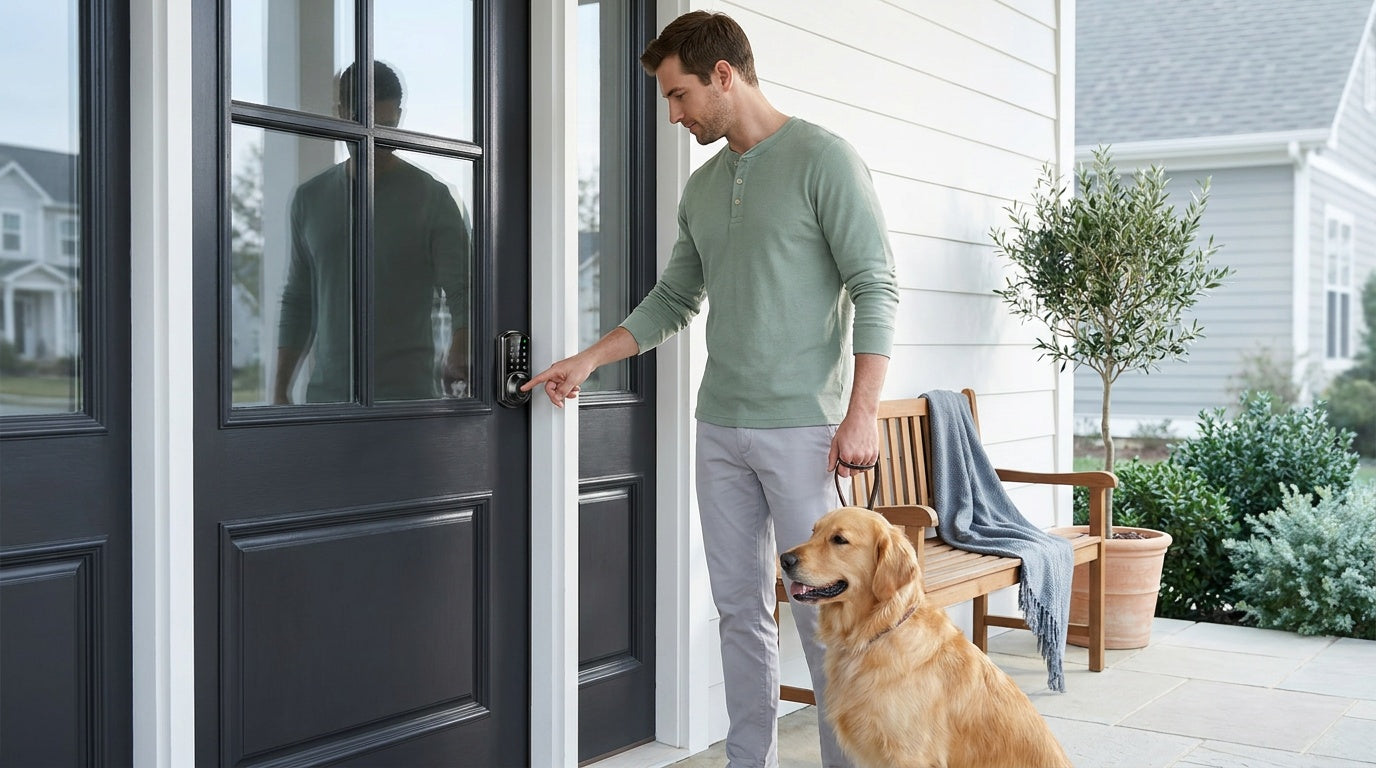
The Veise team is available by phone and email to help you match the right lock to your door, your household size, and your access management needs. No bots, no runaround — just straightforward help from people who know the product.

Leave a comment
This site is protected by hCaptcha and the hCaptcha Privacy Policy and Terms of Service apply.