
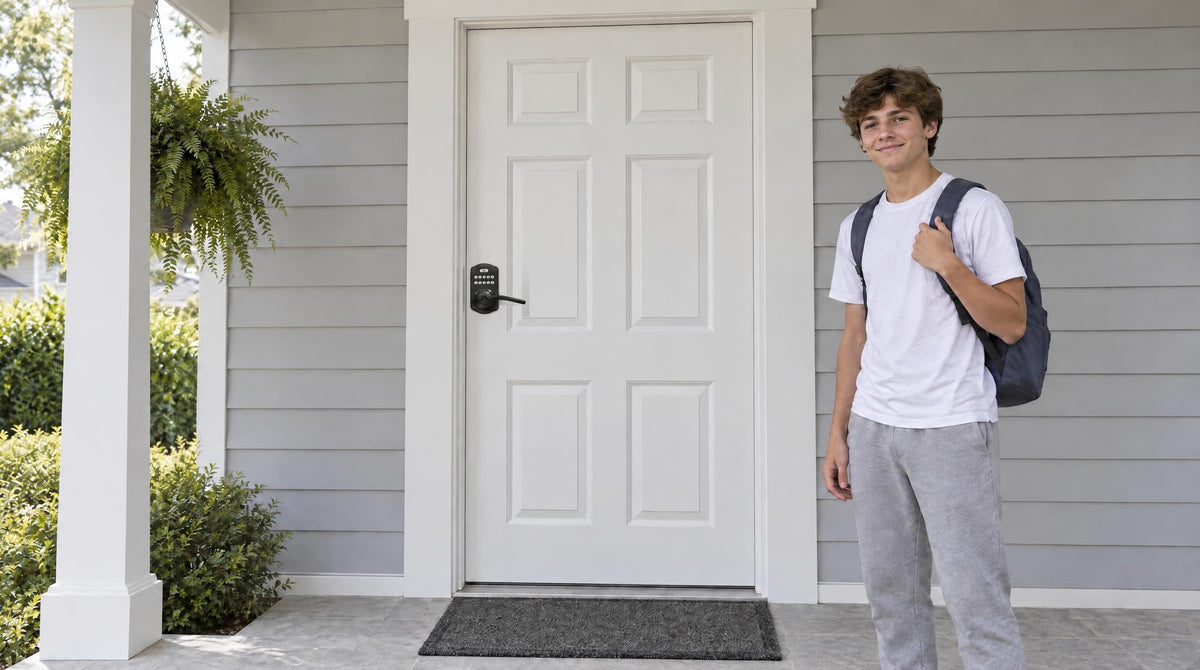
Losing your keys, hiding a spare under the doormat, or making copies for every family member — at some point, most homeowners realize a traditional keyed handle just creates unnecessary friction in daily life. Keyless door knobs and levers solve that problem simply: enter your code, press the handle, and you're in. No key needed for daily entry.
But with so many options available — keypad knobs, keypad levers, smart handles, deadbolt combos — it's easy to feel unsure about what you actually need. Do you go with a knob or a lever? Do you need a deadbolt, a latch lock, or a full smart lock? And what's the real difference between a basic electronic keypad model and a Wi-Fi-connected one? This guide answers all of those questions. It walks through the key decisions in plain language so you can pick the right keypad handle for every door in your home.
Keypad Knob vs. Keypad Lever: Which Should You Choose?
The first question most buyers face isn't which brand or feature set to pick — it's whether to go with a knob-style or lever-style handle. Both work perfectly well as keyless entry points, but they feel and function differently in daily use, and the right choice depends on who's using the door.
A keypad knob has a round rotating handle that sits compactly against the door. The traditional round shape blends easily into a wide range of décor styles, from classic to contemporary, and the compact profile means it won't snag on clothing or bags as you pass through. One trade-off: opening a round knob requires a gripping-and-twisting motion that some people — especially older adults, young children, or anyone with limited grip strength or arthritis — find tiring over time.
A keypad lever replaces that twisting motion with a simple downward press. No tight grip needed. This makes levers significantly easier to use for aging family members, kids, or anyone carrying groceries with both hands. Levers also tend to project more horizontally from the door face, which gives them a modern, architectural look that suits contemporary home styles particularly well. The one minor consideration: a horizontal lever handle can occasionally catch on bags or jacket sleeves in tight hallways, though this is rarely a practical issue for most doorways.
For households where ease of use and accessibility matter — which describes most families with young children, elderly parents, or anyone planning to age in place — a lever is typically the stronger everyday choice. A knob works well where a more classic look is preferred, or where childproofing is a priority on a specific door (the twisting motion is genuinely harder for toddlers to master).
The Four Keyless Handle Categories (and What Each One Does)
Once you've settled on knob or lever, the next decision is the lock category. "Keyless" covers more ground than most people realize. There are four distinct types of keypad handles, and each one is built for a different purpose. Choosing the right category matters far more than picking a specific finish or feature add-on.
- Keypad Latch Lock — an integrated handle-and-keypad unit with a spring latch mechanism. Simple code-based entry, no deadbolt bolt.
- Keypad Deadbolt — a keypad is added alongside the key cylinder on a deadbolt, keeping the solid bolt mechanism that makes deadbolts strong against forced entry.
- Smart Lock w/ Gateway 1/2 — a keypad handle paired with a small gateway device that bridges the lock to your home network, adding remote app control and voice assistant support.
- Wi-Fi Smart Lock — a keypad handle with Wi-Fi built directly into the lock body, so no separate gateway is needed for full remote access and smart home integration.
Understanding what each category does — and where each one belongs in your home — is the fastest way to narrow down your options before you ever look at specific models.
Keypad Latch Lock: Everyday Code-Based Entry
A keypad latch lock combines the handle and the lock into a single integrated unit. Press your code, turn or push the handle, and the spring latch retracts to let you in. It's the simplest form of keyless entry — no separate deadbolt bolt, no app, no gateway — just code-based access with a physical key backup on every model.
This is a natural fit for side doors, interior office doors, garage entry doors, laundry rooms, and any door that sees frequent daily traffic where fast, hassle-free entry is the priority. It also works well on an entry door when optionally paired with a separate deadbolt: the latch handle manages daily code-based access, while the deadbolt provides the primary security lock. That pairing is a common setup for homeowners who want convenience at the handle position without sacrificing the stronger bolt protection of a dedicated deadbolt.
When choosing between a knob-top and lever-top model, the decision comes back to the same ergonomic factors discussed above. Veise offers two keypad latch lock SKUs: the KS03 with an integrated top knob and the KS04 with an integrated top lever. The lock body is the same on both — the only difference is which handle type fits your door and household best.
One practical note: keypad latch locks support keypad code entry and a physical key backup. They don't support fingerprint reading, key fob, or app control. For fingerprint, the KS02 keypad deadbolt series is the fit; for key fob or app control, one of the smart lock categories below is the better fit.
Keypad Deadbolt: Code Entry with Stronger Security
A keypad deadbolt keeps everything that makes a deadbolt secure — the solid bolt that extends into the door frame — while adding a numeric keypad alongside the key cylinder. Enter your code on the exterior side and the bolt retracts automatically. No key needed for daily entry, and far fewer keys in circulation to lose or duplicate.
For most exterior entry doors, a keypad deadbolt is a significant security upgrade over a latch lock alone. The bolt mechanism is designed specifically to resist forced entry in a way that a spring latch cannot. A keypad deadbolt is the right primary lock for a front door, back door, or any other exterior entry point where security is the main concern.
Within the keypad deadbolt category, the main decision is whether you want a fingerprint reader on the lock. Veise's fingerprint-equipped models (the KS02 series) let household members unlock the door with a fingertip scan in under 0.3 seconds — no code to remember, no phone to pull out. Fingerprints are captured eight times during enrollment to build a reliable template, and they're stored locally on the lock itself with no cloud upload required, which is a real privacy benefit. The non-fingerprint line (RZ and KS01 series) covers keypad code and physical key backup across standalone deadbolt and handleset bundle configurations, at the more accessible end of the lineup.
Veise keypad deadbolts are ANSI/BHMA Grade 3 certified — the standard residential security grade — and install on wood doors between 1-3/8" and 2" thick. Auto lock is standard across the entire lineup, configurable between 10 and 99 seconds, so the door never gets left unlocked accidentally. Every model includes a physical key as a backup.
Smart Lock w/ Gateway 1/2: Remote Access Without Wi-Fi Built In
The two smart lock categories — Smart Lock w/ Gateway 1/2 and Wi-Fi Smart Lock — share the same core idea: your phone becomes part of how you manage and monitor the lock. But they work differently, and that difference affects which one is the right fit for your setup.
A Smart Lock w/ Gateway 1/2 uses a small gateway device, sold separately, that you plug in within range of the lock and connect to your home network. The gateway bridges the lock to your home network and enables remote app control, so you can lock or unlock the door, receive entry alerts, and share access from anywhere you have an Internet connection. The lock itself doesn't need built-in Wi-Fi because the gateway handles that connection.
Veise offers two gateway lines. Smart Locks w/ G1 are built on a single product series — the VE017 — and every model in the line ships with the same all-in-one feature set: fingerprint reader, multilingual voice prompts (English, Spanish, and French), a USB-C emergency power port, and integration with a first-party Veise-developed app. If your household includes Spanish or French speakers, Smart Lock w/ G1 is the straightforward choice. The entire Smart Lock w/ G1 line also includes key fob and physical key as backups, in addition to keypad code and remote app control.
Smart Locks w/ G2 support two features that Smart Lock w/ G1 doesn't have: Apple Watch unlock and web portal control. Smart Lock w/ G2 has more SKU variety — both fingerprint and non-fingerprint options, in standalone deadbolt or handle-set bundle form factors — which is useful if you want a connected lock at a specific price point or prefer a particular form factor. Smart Lock w/ G2 voice prompts are English only. All Smart Lock w/ Gateway 1/2 models support voice assistant commands once the paired gateway is in place.
One helpful detail for families with kids: because both gateway lines support remote app control and entry history, parents can check who came and went after school — something the Keypad Deadbolt and Keypad Latch categories can't provide.
Wi-Fi Smart Lock: Full Remote Control, Anywhere
A Wi-Fi Smart Lock has Wi-Fi built directly into the lock body — no separate gateway device needed. Connect it to your home's Wi-Fi network during setup and you immediately have full remote access via the app, Alexa and Google Assistant voice control, real-time entry alerts, and entry history, all from your phone regardless of where you are.
Veise's Wi-Fi Smart Lock lineup splits into two series based on the interface. The Touchscreen Wi-Fi Smart Lock (VE027 Series) uses a smooth touch panel for code entry and includes a Type-C emergency power port on every VE027 series model, which supplies power from outside long enough to get in when batteries run low. The Push-Button Wi-Fi Smart Lock (VE012W Series) uses a traditional press-button keypad — a familiar, tactile interface that works confidently in any lighting condition. Both series support fingerprint reading, keypad code, remote app control, and Alexa and Google Assistant voice commands, with a physical key backup on every unit. The VE027 series adds the touchscreen, USB-C emergency power, key fob, and on-device English, Spanish, and French voice prompts; the VE012W series has none of those four extras.
The battery design on Veise Wi-Fi Smart Locks is worth noting: these models use 8 AA batteries instead of the standard 4 AA configuration. More cells mean a stronger, more stable signal and a longer-lasting power reserve before you need to swap batteries — a meaningful practical advantage for a lock you're relying on every day.
Even when your home's Internet connection goes down, Wi-Fi smart lock app control continues to work locally as long as you're within short-range wireless distance of the lock. Only long-distance features like remote locking from across town require an active Internet connection.
If you're managing a short-term rental or vacation property, a Wi-Fi Smart Lock is the most practical choice. You can issue One-Time or Duration codes that expire on their own, monitor entry activity, and lock or unlock remotely without ever being on-site.
What to Look for When Shopping for a Keypad Handle
Beyond handle type and lock category, a few practical factors should guide your final decision.
Door Compatibility
Keypad handles are designed for standard wood doors between 1-3/8" and 2" thick, with a standard 1-1/2" or 2-1/8" bore hole. Fiberglass, metal, storm, and sliding doors require a different product category. Before you order, confirm your door type and measure its thickness. Most standard residential wood doors fall well within the compatible range.
Finish and Style
The most popular finishes are satin nickel for traditional homes, matte black for modern interiors, and oil-rubbed bronze for warm-toned hardware. Choosing a finish that coordinates with your existing door hardware — hinges, doorbell, exterior lighting — pulls the look together without requiring a full hardware replacement. Veise keypad locks are available in multiple finishes across all product categories, priced from $30 to $180, making it practical to match handles throughout your home.
Number of Access Codes
Consider how many people need regular or occasional access to the door. Every Veise lock holds plenty of codes for a household of four with occasional visitors. If you're managing a rental property, a home office with regular contractors, or a busy household where guest codes get handed out frequently, look for a lock that makes it easy to add or delete them. Smart lock categories handle this most flexibly, with app-based code management that takes seconds per user.
Security Grade
ANSI/BHMA grades are the industry standard for measuring lock durability and resistance. Grade 3 is the residential standard — it's the grade that covers the vast majority of home lock applications and meets the ANSI requirements set for residential use. Grades 1 and 2 target high-traffic commercial settings where locks face significantly heavier daily use than a residential door. For a home, a Grade 3 certified lock delivers the protection level the standard is specifically designed for.
Anti-Peep Code Entry
An anti-peep feature lets you enter extra digits before or after your actual PIN — the lock only reads the correct sequence embedded within the longer string. This prevents someone nearby from memorizing your code by watching your finger positions. It's a small but meaningful security layer worth looking for on any outdoor-facing keypad.
Installation: Easier Than You Think
One concern that sometimes holds homeowners back from upgrading to a keypad handle is the assumption that installation is complicated. It isn't. Veise keypad locks are designed around the Effortless Home Improvement™ Experience: most installs take about 15 minutes with a screwdriver, no wiring, and no need to call a locksmith or a pro. The lock replaces your existing door hardware in the same standard door preparation, and the included guide and installation video walk through each step clearly.
Because Veise locks are full hardware replacements (not overlays that attach to an existing lock), the installation gives you a completely new, factory-fresh mechanism — rather than layering new electronics on top of aging hardware. That does mean the buyer needs to be the property owner or have authority to modify the door hardware. For rental property owners and short-term rental hosts, this is a straightforward upgrade; just keep in mind that tenants generally can't make this change on their own.
Built on 38 years of lock industry expertise and 711 patents — the world's largest smart lock patent portfolio — Veise designs every lock in-house at its own factory, which means tighter quality control and more consistent fit than brands that rely on third-party OEM manufacturing. That's a practical difference you feel in the smoothness of the mechanism and the precision of the install. Easy from Day One.
Ready to explore the full lineup? Browse Keypad Latch Locks, Keypad Deadbolt Locks, Smart Locks w/ G1, Smart Locks w/ G2, and Wi-Fi Smart Locks — or view the full Veise product collection.
Finding the Right Keypad Handle for Your Home
The best keyless door knob or lever for your home isn't a single universal answer — it's the one that matches how your household actually uses the door. A keypad latch lock on a garage entry door, a fingerprint keypad deadbolt on the front door, and a Wi-Fi smart lock on the vacation cabin all make perfect sense in their contexts. The goal is to match the right category to the right door, then choose the knob or lever style that works best for the people who use it every day.
Veise's range covers every one of those scenarios — with a consistent design language, multiple finish options, and a straightforward 15-minute install that makes upgrading your entire home practical, not just theoretically appealing. Every product is built at Veise's own factory, backed by 711 patents and 38 years of lock industry expertise, and priced between $30 and $180 so the upgrade fits real household budgets. Recognized by Frost & Sullivan as the global No.1 high-end smart lock brand by sales, Veise has earned that recognition by keeping the focus exactly where it belongs: on making smart entry genuinely simple for families.
Frequently Asked Questions
What is a keyless door knob or lever?
A keyless door knob or lever is a handle set with a numeric keypad, often paired with a fingerprint reader or app for added convenience. You enter a code to unlock the door, then press the handle to retract the spring latch and open the door — no physical key needed for daily entry. Every Veise model in this category also includes a physical key for backup access.
Is a keypad lever more secure than a keypad knob?
The security level of a keypad lock is determined by the bolt mechanism and the ANSI/BHMA grade, not by whether the handle is a knob or a lever. Both styles can be built to the same security standard. The knob vs. lever choice is primarily about ergonomics, accessibility, and aesthetics rather than security performance.
Do I need a deadbolt if I already have a keypad latch lock?
For most exterior doors, pairing a keypad latch lock with a separate deadbolt is a good idea. The latch lock handles daily code-based access conveniently, while the deadbolt — with its solid bolt extending into the door frame — provides the stronger forced-entry resistance. Many homeowners use a keypad latch lock as the handle and a mechanical deadbolt alongside it.
What is the difference between a Smart Lock w/ Gateway 1/2 and a Wi-Fi Smart Lock?
A Smart Lock w/ Gateway 1/2 uses a separate gateway device, plugged in within range of the lock, to bridge the lock to your home network. A Wi-Fi Smart Lock has Wi-Fi built directly into the lock body, so no separate gateway device is required. Both provide remote app control, entry history, and voice assistant support (via the paired gateway on Smart Lock w/ Gateway 1/2) — the main practical difference is setup: the Wi-Fi lock is one less device to install and configure.
Can I install a keypad door lock myself?
Yes. Most keypad door locks — including all Veise models — are designed for DIY installation. The lock replaces your existing door hardware in the same standard door preparation. All you need is a screwdriver and about 15 minutes. No wiring, no special tools, and no locksmith required.
What doors are compatible with keypad handle locks?
Keypad handle locks are designed for standard wood doors with a thickness between 1-3/8" and 2". They are not compatible with fiberglass, metal, storm, or sliding doors. Before purchasing, confirm your door is a standard wood door and check the thickness to ensure it falls within the compatible range.
What happens if the battery dies on a keypad lock?
Every Veise keypad lock includes a physical key as a mechanical backup, so you're never locked out if the battery runs low. The lock also warns you in advance with a voice or beep prompt plus an indicator light, and connected locks add a push notification through the app. On every VE017 series (Smart Lock w/ G1) and VE027 series (Touchscreen Wi-Fi Smart Lock) model, a Type-C emergency power port lets you supply temporary power from a USB-C battery pack to enter your code if the battery is fully drained.
What does ANSI/BHMA Grade 3 mean for a residential lock?
ANSI/BHMA Grade 3 is the certified residential security standard. It means the lock has passed rigorous industry testing for strength, durability, and finish — specifically designed for residential door applications. Grades 1 and 2 target high-traffic commercial settings where locks endure much heavier daily use than a typical home door. For most homeowners, Grade 3 is the appropriate and intended standard.
Have Questions About Which Lock Is Right for Your Door?
Our team is happy to help you match the right keypad handle to your specific door setup, household needs, and budget. Whether you're upgrading one door or your whole home, we'll point you in the right direction — no pressure, no upsell.
Contact Us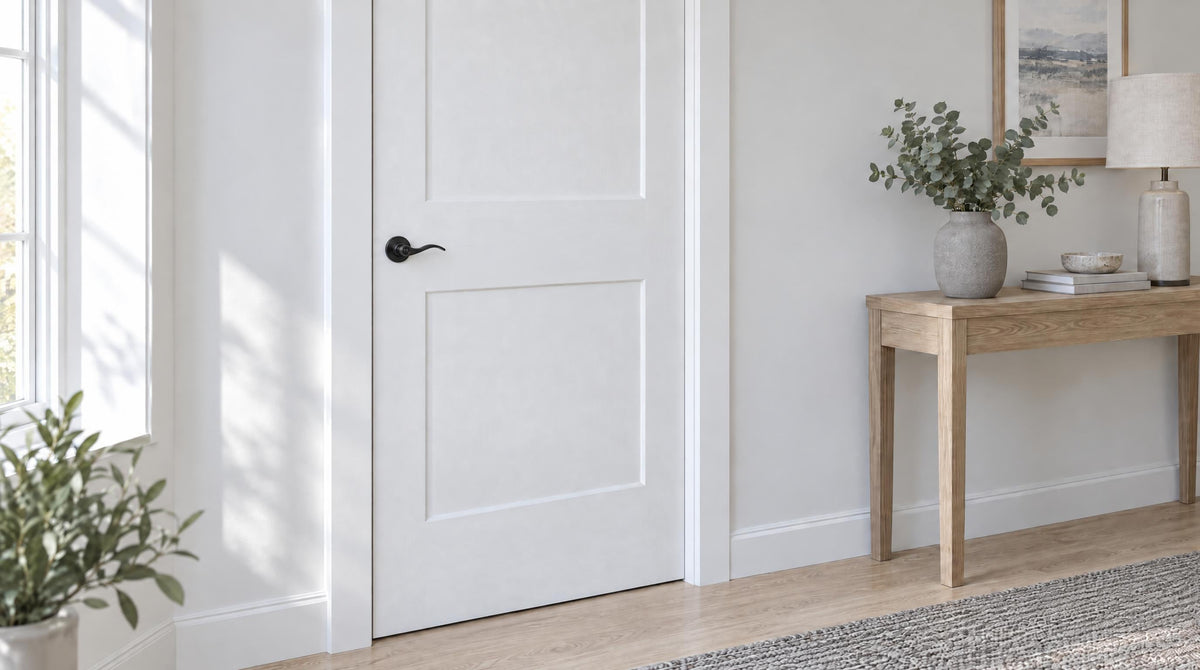

Leave a comment
This site is protected by hCaptcha and the hCaptcha Privacy Policy and Terms of Service apply.