
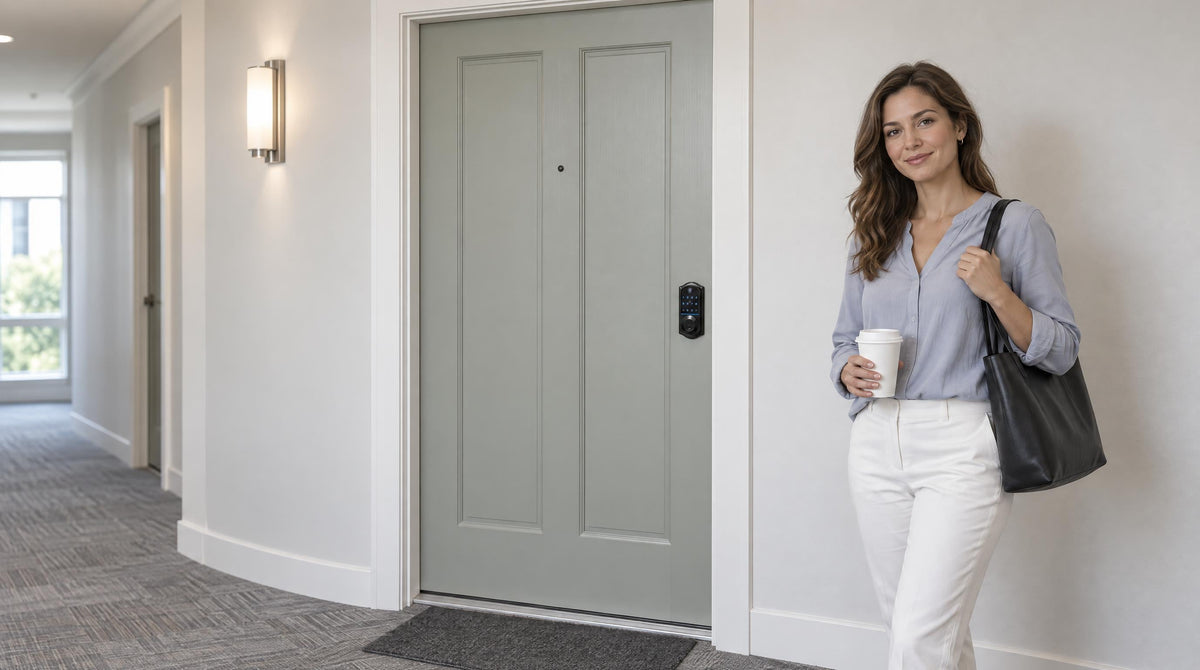
Lost keys, re-keying fees, and the awkward key handoff to a new tenant — these are friction points that every landlord, property manager, and short-term rental host knows well. Keyless entry locks solve all three in a single hardware swap. But "keyless" covers a wide range of products, from a simple battery-powered keypad to a fully connected Wi-Fi smart lock that sends you real-time entry alerts from across the country.
This guide walks through the four main types of keyless entry locks, explains exactly what each one does (and doesn't do), and matches each type to the rental scenarios where it genuinely earns its place. Whether you're outfitting a long-term rental, managing a short-term vacation property, or upgrading the hardware on a multi-unit apartment building you own, the right lock is the one that fits your access management needs — not simply the one with the longest feature list.
Why Keyless Entry Makes Sense for Apartments and Rentals
Traditional key-based locks put property owners in a reactive position. Every tenant turnover means a re-keying appointment or a full lock replacement. Duplicate keys circulate among guests, contractors, and previous tenants in ways that are difficult to track. And when a key goes missing at 11 PM, someone — usually the landlord — is fielding an urgent call.
Keyless entry locks change that dynamic. When a tenant moves out, you change the code in about 30 seconds from the keypad. There are no physical keys to collect, no locksmith to schedule, and no wondering whether an unreturned key is still floating around. For short-term rental hosts, that same flexibility means issuing a unique access code to each guest stay and having it expire when checkout arrives. No lockboxes, no key handoffs, no awkward coordination.
The operational case is clear, but security holds up too. A keyless deadbolt with a well-chosen code is at least as resistant to unauthorized entry as a conventional lock, and auto lock — which re-engages the lock automatically after a configurable interval — handles the scenario that trips up even careful tenants: the door that gets left unlocked by accident. For property managers and owners, that peace of mind is worth the modest upfront investment on its own.
One important note before shopping: keyless locks that are full door lock replacements — including the entire Veise lineup — require the installer to be the property owner or have authority to modify the door hardware. If you are the landlord or property manager, you are the right buyer.
What to Look for Before You Buy
Not every keyless lock is built for the same situation. Before comparing specific products, a few foundational criteria will narrow the field significantly and keep you from buying more lock than you need — or less.
- Door compatibility: Most residential keyless deadbolts fit wood doors with a thickness between 1-3/8" and 2". Veise locks, for example, are compatible with wood doors only and will not fit fiberglass, metal, storm, or sliding doors. Measure your door thickness before ordering.
- Access management needs: How many people need entry? Do codes need to change frequently? Do you need to grant or revoke access remotely, or is in-person code management sufficient? The answers determine whether a simple keypad lock or a connected smart lock is the right call.
- Connectivity requirements: Remote access (issuing codes, checking entry logs, locking from a distance) requires a smart lock — either a Smart Lock w/ Gateway 1/2 or a Wi-Fi Smart Lock. An electronic keypad works entirely offline and cannot be paired with a gateway after the fact to add remote features.
- Budget: Keyless locks range from straightforward keypad models to fully connected Wi-Fi locks. Veise's lineup spans $30–$180, covering every scenario from a basic interior door to a fully monitored rental property entry point.
- Emergency backup: Every Veise model includes a physical key backup. Every VE017 and VE027 series model also includes a USB-C emergency power port, so you can use a portable battery to operate the lock even if the internal batteries are depleted — a useful feature for rental properties where a lockout affects a paying guest rather than just the homeowner.
With those criteria in hand, the lock category comparison below will map directly to your situation.
The Four Types of Keyless Entry Locks — And When to Use Each
Veise organizes its lineup into four distinct categories, each designed for a different level of access management complexity. Understanding the differences upfront saves time and prevents the frustration of buying a connected lock when a simple keypad would have done the job — or vice versa.
1. Keypad Deadbolt Lock
A keypad deadbolt is the most straightforward upgrade from a traditional lock. You enter a PIN code on the keypad, the bolt retracts, and you are inside. No phone, no Internet connection, no subscription required. All Veise keypad deadbolt models include a physical key as a backup, and the KS02 series adds fingerprint recognition that scans in under 0.3 seconds for fast, code-free entry. Fingerprints are processed and stored on the lock itself — nothing goes to the cloud.
For rental property owners, the keypad deadbolt's greatest strengths are its simplicity and reliability. There is no app to set up, no gateway to configure, and no Wi-Fi dependency to troubleshoot. Code changes happen directly at the keypad in under a minute. Because the lock works entirely offline, it functions identically whether your property has fast fiber internet or a rural connection that goes down in bad weather.
Best for: Long-term rentals with relatively stable tenants, budget-conscious landlords, properties in areas with unreliable internet, or any situation where simple code-based access management is all that's needed. The KS02 series (with fingerprint) suits households that also want hands-free entry; the RZ and KS01 series (without fingerprint) offer a clean, minimal option at the most accessible price point.
2. Keypad Latch Lock
A keypad latch lock combines a handle and a spring-latch mechanism into a single integrated unit. Unlike a deadbolt, the spring latch automatically extends into the strike plate when the door closes, keeping the door closed without requiring you to turn or push the latch manually. The Veise lineup currently offers two SKUs in this category: the KS03 with an integrated top knob and the KS04 with an integrated top lever. Both support keypad code entry and include a physical key backup — no fingerprint, no app, no key fob.
Latch locks are commonly a good fit for interior apartment doors, side entries, garage access doors, or in-unit utility room doors where you want code-based access control without the bulk of a deadbolt. They're also a practical choice on any door that already has a separate deadbolt handling primary security — the latch lock manages daily code-based entry while the deadbolt handles the heavy lifting on security. The integrated handle design means there's one fewer piece of hardware on the door, which keeps the look clean.
Best for: Interior doors, secondary entries, or any door in a rental property where a full deadbolt isn't the right fit but code-based access control still adds value over a traditional keyed knob.
3. Smart Lock w/ Gateway 1/2
The Smart Lock w/ G1 and Smart Lock w/ G2 lines add remote connectivity to the keypad lock experience. The lock itself pairs with a small gateway device (sold separately, plugged in within range of the lock) that bridges the lock to your home network, enabling remote app control, entry log monitoring, and the ability to issue or revoke access codes from anywhere with an active Internet connection. All models in both lines include multiple ways to enter: keypad code, key fob, physical key backup, and remote app control — with fingerprint also included across many models.
Smart Lock w/ G1 and Smart Lock w/ G2 serve the same core function but differ in ways that matter depending on your rental setup. The entire Smart Lock w/ G1 line is built on a single product series (the VE017), and every model ships with multilingual voice prompts in English, Spanish, and French — a practical detail for properties with non-English-speaking tenants or guests. Smart Lock w/ G1 also includes a USB-C emergency power port on every SKU and works with a Veise-developed first-party app. Smart Lock w/ G2 offers more SKU variety (with and without fingerprint, in standalone and handleset bundle form factors) and adds Apple Watch unlock, which is unique to that line. Smart Lock w/ G2 voice prompts are English only.
When recommending one line as the strongest all-in-one connected pick, Smart Lock w/ G1 edges ahead: first-party app integration, multilingual voice, USB-C emergency power, and fingerprint on every SKU make it the most complete single-series option. Choose Smart Lock w/ G2 specifically when Apple Watch unlock or a non-fingerprint connected option matters to your situation.
Important: Remote access requires a smart lock (Smart Lock w/ Gateway 1/2 or Wi-Fi). A keypad deadbolt or keypad latch lock cannot be connected to a gateway after purchase. If remote access is part of your plan, start with the right category from the beginning. Also note that even when Wi-Fi is temporarily unavailable, app control continues to work locally as long as you are within short-range wireless distance of the lock.
Best for: Short-term rental hosts who need to issue and revoke guest codes remotely, landlords managing properties they don't live near, and property managers overseeing multiple units who want entry logs without being on-site. Smart Lock w/ G1 is the top pick for properties with multilingual guests or residents.
4. Wi-Fi Smart Lock
The Wi-Fi Smart Lock delivers remote access without a separate gateway device. The lock connects directly to your home's Wi-Fi network, making setup simpler in properties where running a gateway isn't practical. Both series in the Veise Wi-Fi lineup support remote app control, keypad code entry, fingerprint recognition, and voice control via Alexa and Google Assistant (via the lock's built-in Wi-Fi). All models include a physical key backup; key fob is supported on the VE027 series (all models) and not on the VE012W series.
Veise offers two series in this category. The Touchscreen Wi-Fi Smart Lock (VE027 Series) features a smooth touchscreen interface and includes a USB-C emergency power port on every unit — making it particularly suitable for rental properties where you'd rather not deal with a locked-out guest situation because batteries ran low. The Push-Button Wi-Fi Smart Lock (VE012W Series) uses a traditional press-button keypad design with no USB-C port, no key fob, and no on-device voice prompts (the VE027 series has EN/ES/FR prompts); the two series otherwise share the same Wi-Fi connectivity and app features. Both series run on 8 AA/LR6 alkaline batteries instead of the more common 4 AA setup, which delivers a stronger signal, more stable connection, and a more generous power reserve between battery changes.
For parents who also own or manage a rental property, the Wi-Fi smart lock doubles effectively: remote entry history monitoring lets a landlord confirm a cleaning crew arrived and departed on schedule the same way a parent can confirm the kids got home from school. No subscription is required for any of these features on Veise Wi-Fi models.
Best for: Vacation rentals, Airbnb-style short-term properties, landlords who want the simplest connected setup without a gateway, and any property where real-time entry monitoring and remote code management are the primary goals. The VE027 Touchscreen series is the pick when USB-C emergency power backup is a priority.
Matching the Right Lock to Your Rental Situation
Choosing the right lock becomes straightforward once you match the product category to your actual management situation. Here's how the four Veise categories map to the most common rental scenarios:
| Your Situation | Recommended Lock Type | Why It Fits |
|---|---|---|
| Long-term rental, stable tenants, no remote access needed | Keypad Deadbolt | Simple, reliable, no Internet dependency; change codes at the keypad between tenancies |
| Interior apartment doors, side entries, secondary access points | Keypad Latch Lock | Compact, auto-closing, code-based; cleaner look for non-primary doors |
| Short-term rental with multilingual guests, need remote code management | Smart Lock w/ G1 | Multilingual voice (EN/ES/FR), remote app control, USB-C backup, fingerprint on every SKU |
| Rental with Apple Watch users or need for web portal management | Smart Lock w/ G2 | Unique Apple Watch unlock; web portal access; more SKU options including non-fingerprint |
| Vacation rental or Airbnb, want gateway-free remote access | Wi-Fi Smart Lock | Direct Wi-Fi connection, no gateway needed; real-time entry alerts; Alexa/Google voice control |
Two practical rules for rental properties with rotating guests or tenants: first, if you anticipate needing remote access at any point, start with a connected lock (Smart Lock w/ Gateway 1/2 or Wi-Fi) rather than a Keypad Deadbolt or Keypad Latch — you cannot add remote capability to an electronic keypad later. Second, for any property where a lockout affects a paying guest, consider the VE017 series (Smart Lock w/ G1) or VE027 series (Touchscreen Wi-Fi Smart Lock) series, both of which include USB-C emergency power backup on every unit.
Installation: What to Expect
One of the most common hesitations about switching to a keyless lock is the assumption that it requires a contractor or a trip to the hardware store for specialty tools. With Veise, the full installation takes about 15 minutes with a screwdriver — no wiring, no locksmith, and no special tools. The lock mounts directly into your door's existing prep work, and the included guide and installation video walk you through syncing the keypad, enrolling fingerprints (on applicable models), and connecting to a gateway or Wi-Fi network for smart lock models.
Because Veise locks are full replacements rather than overlay devices that sit on top of your existing hardware, the old lock comes out entirely. This is worth knowing before purchase: it means the installation requires that you own the property or have the authority to replace door hardware. Landlords and property managers are squarely in that category. The Effortless Home Improvement™ Experience that Veise designs around means the process is genuinely accessible to anyone comfortable following instructions — no licensed contractor, no special training, and no return visit to adjust anything.
Compatible door specs to confirm before ordering: wood door, thickness between 1-3/8" and 2". Fiberglass, metal, storm, and sliding doors are not compatible with the Veise lineup.
The Right Lock for the Right Property
Keyless entry locks have moved well past the "nice to have" category for rental properties. They simplify tenant turnovers, eliminate the key-management headache, and — when you choose a connected model — give property owners real-time visibility into who is coming and going without requiring anyone to be on-site. The key is matching the lock type to the property type: a keypad deadbolt is often more than enough for a long-term rental with stable occupancy, while a short-term vacation property earns its return from a fully connected Wi-Fi smart lock that handles check-in and check-out access automatically.
Veise brings 38 years of lock industry expertise and 711 patents — the world's largest smart lock patent portfolio — to a lineup built for exactly these situations. Every model in the range is designed for straightforward DIY installation, runs without monthly subscription fees, and includes a physical key backup so no guest or tenant is ever truly locked out. Easy from Day One.
Browse the full range by lock type:
Frequently Asked Questions
Can a landlord install a keyless entry lock on a rental property?
Yes. A landlord, property manager, or property owner has full authority to replace door hardware on a property they own or manage. Keyless locks that are full replacements — including the Veise lineup — require the installer to own the property or have explicit authority to modify door hardware.
Do keyless locks work without Wi-Fi or Internet?
Keypad deadbolts and keypad latch locks work entirely offline — no Wi-Fi, no app, no network required, ever. Smart Lock w/ Gateway 1/2 and Wi-Fi smart locks use your network for remote features like issuing codes from a distance and checking entry logs, but the core unlock methods (keypad code, fingerprint where available, physical key backup) always work locally without any Internet connection. Even if your router goes down, you can still enter the property through the lock.
How do you change the code between tenants on a keyless lock?
On a keypad deadbolt or latch lock, code changes are made directly at the keypad — a process that takes under a minute and requires no tools or apps. On a connected smart lock (Smart Lock w/ Gateway 1/2 or Wi-Fi), you can change or delete access codes remotely through the app, which is especially useful for short-term rentals and properties you manage from a distance.
What happens if the battery dies on a keyless lock?
All Veise keyless locks include a physical key backup as a standard feature, so a dead battery never means a complete lockout. Every VE017 series (Smart Lock w/ G1) and VE027 series (Touchscreen Wi-Fi Smart Lock) model also includes a USB-C emergency power port — connect a portable battery to operate the lock long enough to get inside and replace the batteries.
Which keyless lock is best for a short-term rental or Airbnb property?
A connected smart lock is almost always the right call for short-term rentals: it lets you issue a unique access code to each guest, set that code to expire at checkout, and monitor entry activity remotely without being on-site. The Veise Wi-Fi Smart Lock connects directly to your property's Wi-Fi without a separate gateway, making it a clean fit for vacation rental setups. The Smart Lock w/ G1 is the better pick when your guests speak multiple languages or when USB-C emergency power backup on every unit is a priority.
Are keyless locks more secure than traditional keyed locks?
A well-configured keyless deadbolt is at least as secure as a conventional lock against forced entry. The practical security advantage is in access management: you can change a code instantly between tenancies without a locksmith, and there are far fewer physical keys to lose, duplicate, or fail to collect at move-out. Features like auto lock help ensure the door isn't left unlocked by accident, which is one of the most common sources of unauthorized entry in rental properties.
What door types are compatible with Veise keyless locks?
Veise locks are compatible with wood doors only, with a thickness between 1-3/8" and 2". They are not compatible with fiberglass, metal, storm, or sliding doors. Confirm your door material and thickness before ordering to ensure a proper fit.
Not Sure Which Lock Fits Your Property?
Our team is happy to help you match the right Veise keyless lock to your rental setup — whether it's a single-family rental, a multi-unit property, or a short-term vacation home.
Or browse the full Veise lineup to compare all models side by side.

Leave a comment
This site is protected by hCaptcha and the hCaptcha Privacy Policy and Terms of Service apply.