
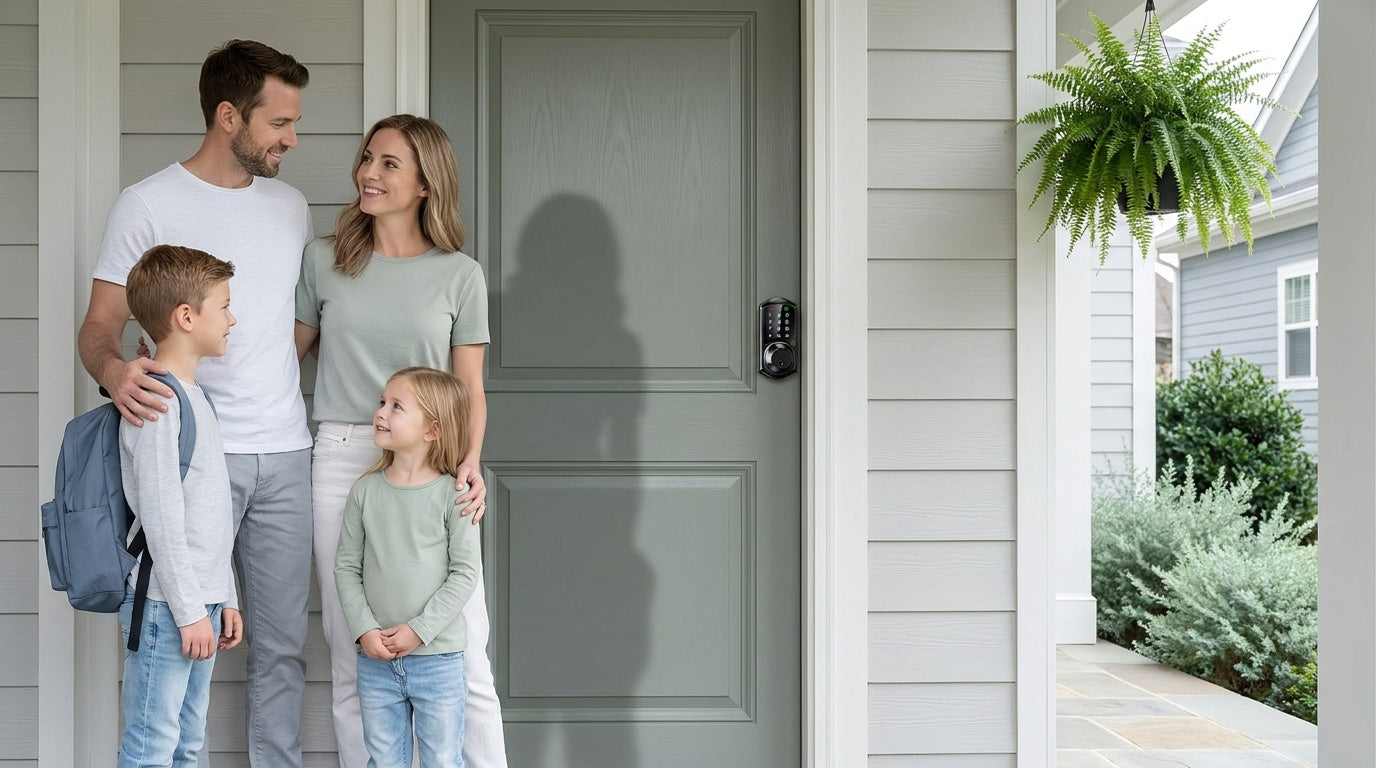
Walk through the door hardware aisle — online or in store — and the number of lock options can feel overwhelming in seconds. Keypad deadbolts, smart locks, gateway hubs, Wi-Fi locks, mechanical knobs and levers: each one solves a slightly different problem, and picking the wrong category means either paying for features you'll never use or buying something that falls short when it counts.
This guide covers the complete Veise door lock lineup from top to bottom. Whether you're a new homeowner replacing an old deadbolt for the first time, a short-term rental host who needs to manage guest access remotely, or a family that just wants a reliable lock without a monthly subscription, you'll find a clear breakdown of every category, what it does, who it's for, and what makes Veise's approach different from the competition.
Veise is the #1 smart lock brand on Amazon North America in both 2024 and 2025, with roots in lock manufacturing going back to 1988. Their full lineup spans five product categories priced between $30 and $180 — all designed for DIY installation, all backed by US-based support, and none requiring a subscription fee. Easy from Day One.
Who Is Veise?
Most lock brands you'll find on Amazon are OEM resellers — they source hardware from third-party factories, slap a label on it, and ship. Veise operates differently. The company is vertically integrated: it designs, engineers, manufactures, and supports its own products from a single operation with roots in the lock industry since 1988. That ownership over the full supply chain is why Veise can price between $30 and $180 without sacrificing the ANSI/BHMA Grade 3 certification that every lock in its lineup carries.
Veise launched in North America in 2022 and ranked #1 in the Amazon smart lock category in both 2024 and 2025. The product range now covers the full spectrum of residential door security — from a $30 mechanical knob-and-deadbolt set to a $180 Wi-Fi fingerprint smart lock with Alexa integration — all sold without subscription fees, all compatible with wood doors between 1-3/8" and 2" thick, and all installable with a screwdriver in about 15 minutes.
The Five Product Categories at a Glance
Veise organizes its lineup into five practical categories. Each one is designed for a different door situation and a different level of access control. Before diving into the details, here's the quick summary:
- Keypad Deadbolt Locks — Code entry (and fingerprint on select models), physical key backup, fully offline. Best for exterior entry doors.
- Keypad Latch Locks — Code + physical key, integrated handle and lock in one unit, no app. Commonly a fit for interior, side, or utility doors.
- Smart Locks w/ G1 / Smart Locks w/ G2 — Remote app control via a paired gateway, voice assistant support, and key fob access, with fingerprint recognition available on most models. Best when remote access is the priority.
- Wi-Fi Smart Locks — Built-in Wi-Fi, full remote app control, Alexa/Google voice commands, no separate hub needed.
- Mechanical Locks — Traditional key-operated knobs, levers, and deadbolts. Reliable, affordable, no electronics.
All five categories are designed for wood doors only. They are not compatible with fiberglass, metal, storm, or sliding doors. Because every Veise lock is a full hardware replacement (not an overlay like some competing brands), installation requires authority to modify the door hardware — making these products the right fit for homeowners, property managers, and short-term rental hosts rather than renters.
Keypad Deadbolt Locks
A keypad deadbolt is the most direct upgrade from a traditional keyed deadbolt. You enter a code on a backlit touchscreen keypad, the bolt retracts, and you're inside. No phone, no Internet, no app account — just a code. Every model includes a physical key slot as a reliable backup, and the KS02 series adds a fingerprint reader for touchless entry in under 0.3 seconds.
The keypad deadbolt lineup splits cleanly into two groups. The KS02 series (with fingerprint) is the fuller-featured option: it includes the AI-powered fingerprint sensor, stores multiple unique fingerprints on the device with no cloud upload, and is available as a deadbolt-only unit (KS02A) or as a complete handle-set bundle with matching levers, knobs or a vertical handle (KS02B, KS02C, KS02D). The non-fingerprint line (RZ-A, RZ-C, KS01B, KS01C) covers standalone deadbolts and handle-set bundles with lever or knob handles, offering clean keypad-only access at a lower price point.
Across both groups, every keypad deadbolt supports auto lock — configurable between 10 and 99 seconds — as well as anti-peep code entry (pad the real code with extra random digits so an onlooker can't read it; the lock still opens as long as the correct sequence appears somewhere in what's entered), a vacation mode that disables all codes except the master, and silent mode for late-night entries. These locks operate entirely offline, making them straightforward and maintenance-light: no Wi-Fi to troubleshoot, no app updates to manage. If remote monitoring or push notifications matter to your household, a smart lock is the better fit; but for straightforward keyless entry at a front door, this category covers it simply and affordably.
Best for: New homeowners replacing an inherited key lock, families who want a personal door code for each household member, anyone who wants keyless convenience without app dependency.
Keypad Latch Locks
A keypad latch lock uses a spring latch rather than a deadbolt, and the handle is built directly into the lock body — there's no separate handle hardware to buy. Entry is by keypad code or physical key. Current Veise models in this category do not include fingerprint recognition, app control, or a key fob, and that simplicity is intentional. These locks are designed for doors where you want quick, code-based access without a heavy bolt mechanism or any network setup.
The lineup currently includes two SKUs: the KS03, which features an integrated top knob, and the KS04, which has an integrated top lever. The only practical difference between them is the handle type — knob vs. lever — so the choice comes down to comfort and door style. Both share the same backlit keypad, auto lock, and physical key backup. Like keypad deadbolts, these locks work fully offline and require no subscription.
Keypad latch locks commonly appear on interior doors, side doors, garage entries, and office or warehouse doors where a full deadbolt isn't needed. They also work on entry doors when paired with a separate deadbolt, with the latch lock handling everyday code-based access and the deadbolt providing the primary security layer at night or when leaving for longer periods.
Best for: Interior office or home office doors, side and garage entries, utility rooms, or any door where quick code access matters more than bolt strength.
Smart Locks w/ Gateway 1/2
This category is where remote access enters the picture. Smart Locks w/ Gateway 1/2 pair with a small, separately purchased hub that bridges the lock to your home's Wi-Fi router. Once paired, you can lock and unlock the door from anywhere, check entry history, create or delete access codes remotely, and use Alexa or Google Assistant voice commands. All models in this category share the same core unlock methods: keypad code, key fob, physical key, and remote app control via the paired gateway. Many models also include fingerprint.
There are two gateway generations, and they differ in meaningful ways:
Smart Lock w/ G1 — The All-In-One Choice
Smart Locks w/ G1 is built on a single product series — the VE017. Because the entire G1 line is one series, every model ships with the same consistent feature set: fingerprint as a standard unlock method (scan time under 0.3 seconds, multiple unique fingerprints stored on-device), multilingual voice prompts in English, Spanish, and French, and a USB-C emergency power port on every SKU. That USB-C port is particularly useful for households with elderly members who may not notice a low-battery alert until it becomes a problem — connect a power bank to the port and unlock with a code or fingerprint, no locksmith needed.
The G1 line also pairs with a Veise-developed app, giving you tighter first-party integration with the lock ecosystem. G1 SKUs range from the deadbolt-only VE017 (pairs with your existing handle hardware) to complete handle-set bundles that include matching lever or knob handles in the same finish. Even when Wi-Fi is down, app control continues to work locally as long as you're within short-range wireless distance of the lock — long-distance remote features require an active Internet connection, but the lock itself never goes offline.
Voice control works through the paired G1 gateway. The gateway bridges the lock to Alexa or Google Assistant; without the gateway in place, voice commands are not available, but all other unlock methods continue to work normally.
Browse Smart Locks w/ G1
Smart Lock w/ G2 — Apple Watch Unlock and Web Portal Access
Smart Locks w/ G2 represent the newer hardware generation and add two features unique to this line: Apple Watch unlock and web portal control. For households where someone uses an Apple Watch as their primary wrist device, the ability to unlock the door directly from the watch is a real quality-of-life improvement. Web portal access is useful for property managers overseeing multiple rental doors from a desktop browser rather than a phone.
G2 line supports English voice prompts only (compared to G1 line's three-language support), so it may be less suitable for multilingual households. On the upside, G2 line offers more SKU variety — both fingerprint and non-fingerprint options are available, and form factors range from standalone deadbolt-only units to complete handle-set bundles with lever, vertical handle, or knob hardware. The non-fingerprint, standalone SKUs also represent the lowest entry price in the connected smart lock category, making G2 line worth considering for budget-conscious buyers who want remote access without paying for fingerprint hardware they don't need.
Browse Smart Locks w/ G2
Important reminder for both lines: Remote access requires a smart lock — either gateway-paired or Wi-Fi. A keypad deadbolt or keypad latch lock cannot be paired with a gateway after purchase. If remote access is a priority, it must be selected at the time of purchase.
Wi-Fi Smart Locks
The Wi-Fi Smart Lock category eliminates the gateway entirely. These locks connect directly to your home's 2.4GHz Wi-Fi router, so remote access, app control, and Alexa/Google voice commands all work without buying or setting up any additional hardware. Fingerprint unlock is included on all current models, along with keypad code entry and physical key backup; key fob is supported on the VE027 series (all models) but not on the VE012W series. Auto lock is configurable between 10 and 180 seconds, and the VE027 series adds on-device three-language voice prompts (English, Spanish, and French).
Veise's Wi-Fi smart locks use 8 AA batteries rather than the more common 4 AA setup. The larger battery reserve delivers stronger signal stability and a longer power reserve between changes. Even when Wi-Fi is down, app control continues to work locally as long as you're within short-range wireless distance of the lock — the keypad, fingerprint reader, and physical key always function regardless of network status.
The lineup is split into exactly two series:
- Touchscreen Wi-Fi Smart Lock (VE027 Series) — Touchscreen keypad interface, USB-C emergency power port. The USB-C port is the key differentiator: if batteries drain completely before you can replace them, plug in a power bank and use your code or fingerprint to get inside. Available as a standalone deadbolt unit, and in handle-set bundle configurations.
- Push-Button Wi-Fi Smart Lock (VE012W Series) — Traditional press-button keypad instead of a touchscreen. Shares the same Wi-Fi connectivity, fingerprint, Alexa/Google voice control, and 8 AA battery design as the VE027 series, but differs in four concrete ways: press-button (not touchscreen) interface, no USB-C emergency power port, no key fob support, and no on-device multilingual voice prompts. A strong option for buyers who prefer the feel of physical buttons or want a lower price point within the Wi-Fi category.
Both series support real-time push notifications, full entry history logs in the app, and remote code management. For parents who want to know exactly when their kids arrived home, or for short-term rental hosts who need to create and delete guest codes between stays without being on-site, the Wi-Fi smart lock category covers both scenarios cleanly and without subscription fees.
Best for: Parents monitoring school arrivals remotely, short-term rental hosts managing multi-guest access, smart home users who want direct Alexa/Google integration without a hub, households upgrading their front door all at once.
Mechanical Locks
Not every door needs a keypad or an app. Veise's mechanical lock category covers the full range of traditional key-operated hardware: keyed entry door knobs, privacy door knobs, keyed entry door levers, privacy door levers, and deadbolt lock sets. These are the locks that go on bedroom doors, bathroom doors, back doors, and any other door in the home that doesn't need electronic entry — just reliable, durable hardware in a finish that matches the rest of the home.
The category breaks into four sub-collections:
- Keyed Entry Door Knobs — Lock from outside with a key, release from inside with a turn. Standard for exterior-facing secondary doors.
- Privacy Door Knobs — Lock from the inside with a push or twist; emergency unlock from outside with a small tool or coin. The standard choice for bathrooms and bedrooms.
- Keyed Entry Door Levers — Same function as keyed entry knobs, lever form factor. More accessible for elderly users and young children.
- Privacy Door Levers — Inside-only locking, lever form factor. A common fit for master bedrooms and bathrooms where a lever handle is preferred.
Veise also offers a Deadbolt Lock collection and a Keyed Entry Handleset collection — bundled deadbolt-plus-keyed-handle sets available in both deadbolt + keyed lever and deadbolt + keyed knob configurations — for coordinated front-door hardware. All mechanical locks carry the same ANSI/BHMA Grade 3 residential certification as the electronic lineup and are built from stainless steel and zinc alloy. Priced at the affordable end of the $30–$180 lineup, they're a practical option for outfitting an entire home with matching hardware across every door.
Best for: Interior bedroom and bathroom doors, secondary exterior doors where a traditional key lock is preferred, homeowners who want to match their electronic front door lock finish across the whole house.
Features Every Veise Lock Shares
Across all five categories, a consistent set of standards applies to every Veise product:
- ANSI/BHMA Grade 3 certification — The recognized residential standard for bolt strength, cycle count, and finish durability. Grades 1 and 2 target high-traffic commercial environments like hotels and office buildings; Grade 3 is the correct benchmark for a home door.
- DIY installation in about 15 minutes — A screwdriver is all you need. No wiring, no professional help, no drilling new holes on standard US doors.
- No subscription fees — Every feature the lock ships with on day one works the same five years from now. There are no cloud plans, no app tiers, and no locked features behind a paywall.
- Local fingerprint storage — Fingerprints are processed and stored on the lock's AI chip, not uploaded to the cloud — no internet account, no biometric data leaving the device.
- Physical key backup — Every single Veise lock includes a physical key as a backup entry method, regardless of how many electronic unlock options it supports.
- US-based support — Phone support is available Monday through Friday and on Saturdays from a US-based team, with 24/7 email support alongside it. A local warehouse means inventory is stocked domestically.
- Wood door compatibility — All products are designed for wood doors with a standard thickness of 1-3/8" to 2". They are not compatible with fiberglass, metal, storm, or sliding doors.
- 2-year warranty — Every lock ships with a 2-year full-unit warranty and lifetime maintenance for mechanical components.
Which Lock Is Right for You?
The right Veise lock depends less on features and more on the specific door and use case it needs to cover. Here's a quick scenario guide:
- New homeowner replacing an inherited lock — A keypad deadbolt is a fast, affordable way to reset who has access. Set new codes, retire the old keys, done.
- Parent wanting to monitor when kids arrive home — A Wi-Fi smart lock or a Smart Lock w/ G1 sends real-time entry notifications and logs every arrival. A keypad deadbolt or keypad latch lock can't offer this visibility.
- Short-term rental host managing guest access — Either a Wi-Fi smart lock or a gateway-paired smart lock lets you create and revoke codes remotely between stays without ever needing to be on-site.
- Household with elderly family members — Fingerprint entry (under 0.3 seconds) removes the need to remember codes or handle keys. For added peace of mind against battery lockout, the VE017 series (Smart Lock w/ G1) and VE027 series (Touchscreen Wi-Fi Smart Lock) include a USB-C emergency power port.
- Multilingual household or non-English-speaking family member — Smart Lock w/ G1 and the Touchscreen Wi-Fi Smart Lock (VE027 series) feature English, Spanish, and French on-device voice prompts. The Push-Button Wi-Fi Smart Lock (VE012W series) has no on-device voice prompts, and Smart Lock w/ G2 supports English only.
- Smart home user with Alexa or Google Assistant — Wi-Fi smart locks connect directly to both voice assistants via built-in Wi-Fi. Smart Locks w/ G1 or G2 also support voice control, but commands run through the paired gateway — the gateway must be connected for voice to work.
- Apple Watch user who wants wrist-tap unlocking — Apple Watch unlock is exclusive to the Smart Lock w/ G2 line.
- Interior doors, offices, or utility rooms — A keypad latch lock or a mechanical lock is often the right fit, depending on whether keyless code entry is needed.
You can browse the complete Veise lineup — all 80+ products across every category — at iveise.com/collections/all-products. The range is broad enough that most homeowners find exactly what they need, and the price points make it easy to commit without second-guessing.
Veise's product range is designed around one practical idea: every door in your home has a different job, and your lock should match it. A front door typically calls for a deadbolt-class lock — keypad, fingerprint, or smart depending on how much remote visibility you need. Interior doors often suit a latch lock or a mechanical lever. Utility and side doors can go either way. And if remote access, entry history, or voice control matters to you, the Smart Lock w/ Gateway 1/2 and Wi-Fi smart lock categories deliver that without ongoing fees or subscriptions.
What ties the range together is the same foundation across every product: ANSI/BHMA Grade 3 certification, a 15-minute screwdriver install, no subscriptions, on-device fingerprint storage, and US-based support available by phone and email. Whether you're outfitting one door or a whole property, the combination of price range ($30–$180), category breadth, and vertically integrated manufacturing makes Veise a dependable starting point for any home security project. Easy from Day One.
Frequently Asked Questions
What types of door locks does Veise make?
Veise makes five categories of door locks: keypad deadbolt locks, keypad latch locks, smart locks that work with a G1 or G2 gateway, Wi-Fi smart locks with built-in connectivity, and mechanical locks (knobs, levers, and deadbolts). The full range covers everything from a simple keyed entry knob to a fingerprint Wi-Fi smart lock with Alexa integration.
Are Veise locks compatible with any door type?
Veise locks are designed for wood doors with a standard thickness of 1-3/8" to 2". They are not compatible with fiberglass, metal, storm, or sliding doors. Most US residential exterior doors meet this specification, but it's worth confirming your door material and thickness before purchasing.
Do any Veise locks require a subscription or monthly fee?
No. Every Veise lock — across all five product categories — works without a subscription or monthly fee. All features available at purchase remain available for the lifetime of the lock. Fingerprints are stored on the lock itself, and features like remote access and entry logs work through the app without a paid plan.
What is the difference between a Smart Lock w/ G1 and a Wi-Fi Smart Lock?
A Smart Lock w/ G1 (or G2) uses a separate gateway hub to connect to your home Wi-Fi and enable remote access. The lock itself communicates locally; the gateway bridges that connection to the Internet. A Wi-Fi Smart Lock has Wi-Fi built directly into the lock body — no gateway required. Both support remote app control and voice assistants, but the Wi-Fi lock is simpler to set up while the gateway-paired lock typically offers a longer battery life between changes.
Can a Veise keypad lock be upgraded to have remote access later?
No. Remote access requires a smart lock — either a gateway-paired model or a Wi-Fi smart lock. A keypad deadbolt or keypad latch lock is an offline, self-contained device and cannot be paired with a gateway after purchase. If remote access is something you anticipate needing, it needs to be selected at the time of purchase.
What security certification do Veise locks carry?
All Veise locks carry ANSI/BHMA Grade 3 certification, which is the recognized residential standard for door hardware. This certification tests bolt strength, cycle count, and finish durability for home use. Grades 1 and 2 are designed for high-traffic commercial environments like hotels and office buildings — Grade 3 is the right benchmark for a residential door.
How hard is it to install a Veise lock?
Veise locks are designed for DIY installation in about 15 minutes using a screwdriver. No wiring, no drilling new holes, and no professional help required for standard US doors. Every lock ships with a printed manual and a video installation guide to walk you through the process.
What happens if the battery dies on a smart lock?
All Veise locks include a physical key backup that works regardless of battery level. Additionally, on the VE017 series (Smart Lock w/ G1) and the VE027 series (Touchscreen Wi-Fi Smart Lock), a USB-C emergency power port lets you temporarily power the lock with an external battery pack and unlock using a code or fingerprint — without needing the key at all. All locks also provide a low-battery warning well in advance through an audible alert or app notification.
Need Help Choosing the Right Lock?
Not sure which category or model fits your door and your household? Veise's US-based support team is available by phone Monday through Saturday and by email 24/7. No bots, no ticket queues — just a real person who can help you pick the right lock and walk you through installation.
Contact Us

Leave a comment
This site is protected by hCaptcha and the hCaptcha Privacy Policy and Terms of Service apply.