
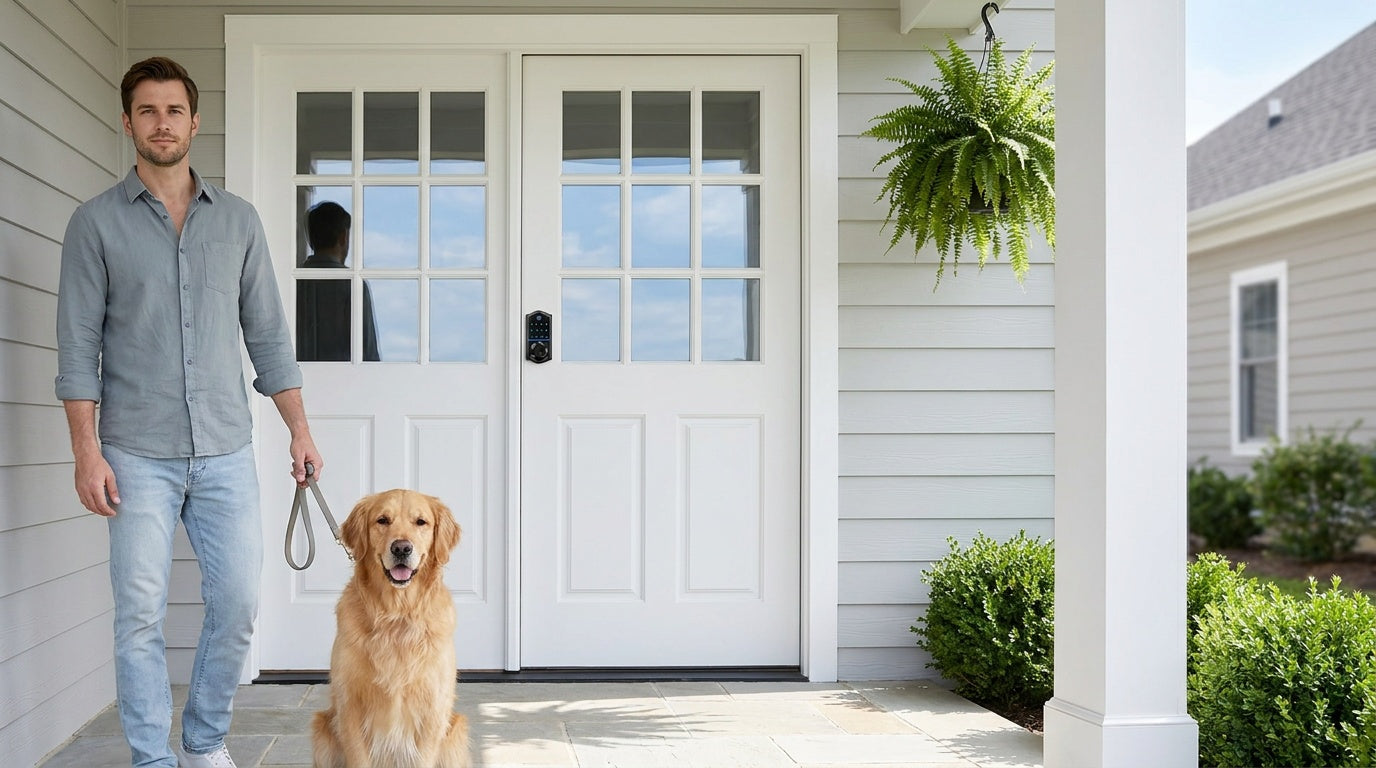
Your front door is the first line of defense for your home — and a bare metal key is no longer your only option. Smart locks have gone from a luxury upgrade to a straightforward home improvement that millions of homeowners are making right now. The global smart lock market has grown to over $3 billion in 2025 and is projected to keep expanding steadily, driven by one simple reality: keyless entry, remote access, and flexible guest management solve real everyday problems that traditional locks never could.
But the moment you start shopping, the options multiply fast. Keypad deadbolts, Wi-Fi locks, fingerprint scanners, gateway hubs, ANSI grades, backsets — it's a lot to take in before you've even picked a finish. This guide cuts through the noise. Whether you're a new homeowner replacing a worn deadbolt, a parent who wants to know when the kids get home, or a property owner managing access to a short-term rental, you'll find a clear, practical breakdown of every decision point here — so you walk away knowing exactly which lock fits your door, your household, and your budget.
What Is a Smart Lock?
A smart lock is an electronic door lock that replaces or upgrades your existing deadbolt or latch and lets you lock and unlock your door without relying solely on a physical key. Depending on the model, you can get in with a keypad code, a fingerprint scan, a key fob tap, a mobile app, or a voice command to Alexa or Google Assistant — and in most cases, several of these at once. A physical key backup is standard on quality locks, giving you a familiar failsafe if anything unexpected happens.
What separates a smart lock from a basic electronic lock is connectivity. Keypad deadbolt or keypad latch locks work entirely offline, handling entry through codes and a key backup with no app or Internet required. Connected models — whether gateway-paired or Wi-Fi — add remote access, real-time activity logs, and smart home integration on top of that local functionality. The right level of connectivity depends on how you actually use your front door, not on which spec sheet looks most impressive.
The Four Types of Smart Locks (and Which Doors They Fit)
Smart locks broadly fall into four categories based on their form factor and connectivity. Understanding these categories first makes every other decision much simpler — including which features are even available to you.
1. Keypad Deadbolt Locks
A keypad deadbolt lock fully replaces your existing deadbolt with an electronic unit that accepts a PIN code and a physical key backup. It requires no app, no hub, and no Wi-Fi — just a fresh set of batteries and a code you set yourself. This simplicity is precisely its appeal: there's nothing to configure remotely, nothing to connect, and nothing to update. You press your code, the bolt retracts, and you're in. Select Veise models (the KS02 series) also include a fingerprint reader that reads in under 0.3 seconds for touchless entry. Exterior front doors typically call for a deadbolt form factor, and this category is often the first upgrade new homeowners make after moving in — especially when they want to retire a set of inherited keys without adding any technical complexity.
2. Keypad Latch Locks
A keypad latch lock is an integrated unit with the handle built directly into the lock body, offering keypad code entry and a physical key backup in a compact footprint. Unlike a deadbolt, there is no separate bolt that extends into the door frame — the spring latch handles closing and the code handles access control. This form factor is commonly a fit for interior doors, side entries, office doors, garage doors, and utility spaces where a heavy-throw deadbolt isn't the priority but eliminating physical keys still is. A keypad latch lock provides full code-based daily access on its own; many homeowners also pair one with a separate deadbolt on an entry door as an optional added-security upgrade. The two current options differ by the integrated top handle: a knob style or a lever style, depending on your preference and door ergonomics.
3. Smart Locks w/ Gateway 1/2 (G1 and G2)
A Smart Lock w/ G1 or Smart Lock w/ G2 adds remote access and app control to a deadbolt-form-factor lock by pairing it with a small gateway that bridges the lock to your home's Wi-Fi network. The gateway is sold separately — it does not ship in the box with the lock. The lock itself doesn't have Wi-Fi built in — the gateway does that work, which is why battery life on these locks tends to be stronger than on locks with Wi-Fi built directly into the bolt. Every model in both lines includes keypad code, key fob, physical key, and remote app control via the paired gateway as standard unlock methods. Fingerprint is standard on every Smart Lock w/ G1 SKU and is included on many Smart Lock w/ G2 models. If Wi-Fi goes down but you're within short-range wireless distance, app control continues to work locally — only long-distance remote features like off-site locking or away-from-home alerts require a live Internet connection.
The two gateway lines have meaningful differences worth knowing before you choose. Smart Lock w/ G1 is built on a single product series with multilingual voice prompts (English, Spanish, and French), a USB-C emergency power port on the lock body, and fingerprint as a standard feature on every SKU. It also uses a Veise-developed first-party app, which means tighter integration and more direct support. Smart Lock w/ G2 supports Apple Watch unlock and web portal control — features unique to Smart Lock w/ G2 — and offers more SKU variety including non-fingerprint and handle-set bundle options. Smart Lock w/ G2 voice prompts are currently English only. If your household includes Spanish or French speakers, Smart Lock w/ G1 ships with English/Spanish/French voice prompts across the entire line (the VE027 Touchscreen Wi-Fi Smart Lock offers the same three languages), and the USB-C emergency power port is standard on every unit — a strong all-in-one pick. If Apple Watch unlock is on your wish list, Smart Lock w/ G2 is the one to explore.
4. Wi-Fi Smart Locks
A Wi-Fi smart lock has Wi-Fi connectivity built directly into the lock body, so there's no gateway or hub to set up separately — you connect it to your home's 2.4 GHz network during initial setup and you're done (Veise smart locks support 2.4 GHz Wi-Fi only, not 5 GHz). Remote app control, real-time activity logs, Alexa and Google Assistant voice commands, and fingerprint entry all work through that single device. The trade-off is that built-in Wi-Fi draws more power than a lock that offloads its connectivity to a separate hub, which is why these models use 8 AA batteries rather than the more common 4 AA setup — delivering a stronger signal, more stable connections, and a longer-lasting power reserve. Even when Wi-Fi is down, app control continues to work locally as long as you're within short-range wireless distance of the lock. Two series are available: the Touchscreen Wi-Fi Smart Lock (VE027 Series), which features a glass touchscreen interface and a USB-C emergency power port, and the Push-Button Wi-Fi Smart Lock (VE012W Series), which uses a traditional press-button keypad. Both series share Wi-Fi connectivity, fingerprint on every model, keypad code, app control, Alexa and Google Assistant voice control, and the 8 AA battery design. They differ in four concrete ways: interface (touchscreen vs. press-button), USB-C emergency power (VE027 series only), key fob support (VE027 series only), and on-device multilingual voice prompts in English, Spanish, and French (VE027 series only — the VE012W series has no on-device voice prompts).
Unlock Methods: Which Ones Do You Actually Need?
One of the most common misconceptions in smart lock shopping is treating all unlock methods as interchangeable across all lock types. In reality, which methods are available depends entirely on which category of lock you're buying. Here's a clear breakdown:
- Keypad Deadbolt: Keypad code and physical key backup on all models. Fingerprint is available on select Veise models (the KS02 series). Key fob is not supported.
- Keypad Latch Lock: Keypad code and physical key only — no fingerprint on any current SKU. Like the Keypad Deadbolt category, it is a standalone offline lock with no app control and no key fob.
- Smart Lock w/ Gateway 1/2 (G1 or G2): Keypad code, key fob, physical key, and remote app control via the paired gateway (sold separately). Voice assistant support with the gateway connected. Fingerprint is standard on every Smart Lock w/ G1 and included on many Smart Lock w/ G2 models.
- Wi-Fi Smart Lock: Remote app, keypad code, voice control (Alexa/Google), fingerprint, and physical key backup on all models. Key fob is supported on the VE027 series (all models) and is not supported on the VE012W series.
When deciding which unlock methods matter to you, think about the people using the lock rather than the features list. Fingerprint at under 0.3 seconds is the fastest entry method available and requires nothing in your hands or pockets — it's particularly well-suited for households with young children, elderly family members, or anyone who regularly arrives home carrying things. A key fob is a good option for family members who prefer physical backup without managing codes. Keypad codes are reliable for guests, housekeepers, and service providers who need temporary access without getting a copy of a key. And physical key backup is standard across the lineup as a failsafe, even if you rarely use it.
Connectivity Options: Keypad Deadbolt & Keypad Latch vs. Smart Lock w/ Gateway 1/2 vs. Wi-Fi Smart Lock
Connectivity is the single most consequential choice in smart lock shopping because it determines what you can and can't do from a distance. Here's what each level actually delivers in practice:
Keypad Deadbolt and Keypad Latch locks (no connectivity) work entirely offline. You set codes at the lock, you enter them at the lock, and you use your physical key if needed. There's no remote access, no activity log you can check from your phone, and no way to let someone in while you're away. For a side door or interior space where you just want to eliminate shared keys, this is often more than enough — and the batteries last significantly longer without any wireless radio running.
A Smart Lock w/ Gateway 1/2 adds a gateway — sold separately — between the lock and your home's Wi-Fi. The lock talks to the gateway over a short-range wireless connection, and the gateway talks to the Internet. The lock itself doesn't run a Wi-Fi radio; the gateway handles the network connection. You get full remote access — lock or unlock from anywhere, receive real-time entry alerts, create and delete guest codes remotely, and view an activity log. Remote access requires a smart lock — gateway-paired or Wi-Fi; a Keypad Deadbolt or Keypad Latch cannot be paired with a gateway to gain remote features.
A Wi-Fi Smart Lock skips the gateway entirely, connecting the lock directly to your home router. Setup is simpler — one device instead of two — and the feature set is identical to gateway-paired in terms of remote access and app control. The 8 AA battery design in Veise Wi-Fi smart locks compensates for the higher power draw of built-in Wi-Fi, keeping the lock running reliably without frequent battery changes. If you want the most streamlined connected setup and don't want to manage a separate hub, this is the most direct path.
8 Key Factors to Consider Before You Buy
1. Door Compatibility
Before anything else, confirm your door can actually accept the lock you're considering. Veise smart locks are designed for wood doors with a standard thickness between 1-3/8" and 2". They are not compatible with fiberglass, metal, storm, or sliding doors. Beyond material, check your backset — the distance from the door edge to the center of the existing lock hole, which is most commonly 2-3/8" or 2-3/4" on residential doors. Most Veise locks also fit the standard 2-1/8" bore hole used by nearly all residential doors, so drilling is typically not required. Measure before you order, and if you're unsure, the Veise US support team can help you confirm compatibility before purchase.
2. Who Is Installing It
Unlike retrofit-style locks that clip over an existing deadbolt from the inside, Veise locks are full replacements — you're removing the old lock hardware entirely and installing a new one in its place. This means you need to be the property owner or have clear authority to modify the door hardware. If you manage a short-term rental, a vacation property, or a rental home you own, this is completely standard. The installation itself typically takes about 15 minutes with a screwdriver and requires no wiring or professional help.
3. How Much Connectivity You Actually Want
Ask yourself honestly: do you need to lock or unlock your door from work? Do you want a notification when your kids arrive home? Do you manage access for guests remotely? If the answer to all three is no, a Keypad Deadbolt or Keypad Latch may serve you better than a connected model — simpler setup, longer battery life, and one fewer thing to manage. If any of those use cases describes your household, a Smart Lock w/ Gateway 1/2 or a Wi-Fi smart lock is worth the small additional investment.
4. Security Certification (ANSI/BHMA Grade)
ANSI/BHMA grades are a standardized measure of a lock's mechanical durability and resistance to physical stress. Grade 3 is the certified residential standard — it's the grade locks are tested and certified against for single-family homes and typical residential use. A Grade 3 deadbolt must endure 100,000 lock cycles and pass hammer strike tests; that's a meaningful engineering threshold, not an afterthought. Grades 1 and 2 target high-traffic commercial and institutional settings — schools, office buildings, warehouses — where doors cycle hundreds of times per day under conditions that go well beyond typical home use. For a residential front door, Grade 3 is the appropriate and standard certification. Veise locks are ANSI/BHMA Grade 3 certified.
5. Auto Lock
Auto lock is one of the most consistently valued smart lock features among homeowners — it's the single habit you don't have to form, because the lock forms it for you. Veise locks support a configurable auto lock interval: 10 to 99 seconds on Keypad Deadbolt and Keypad Latch locks, and 10 to 180 seconds on connected locks (Smart Lock w/ Gateway 1/2 and Wi-Fi Smart Lock). Set it to 30 seconds and the lock re-engages on its own once the interval elapses, regardless of whether anyone remembered to lock it. Auto lock fires strictly on that timer rather than on door position, so make sure the door is closed before the interval runs out. This matters especially for households with kids, for side entrances that see heavier casual traffic, and for anyone who has ever driven halfway to work and wondered whether they locked up.
6. Access Management
Think about how many people need regular or occasional access to your home. A smart lock that supports multiple unique codes means each household member, regular service provider, or frequent guest gets their own PIN — no shared codes, no key copies, no hiding a spare under the mat. One-time codes — which delete themselves after a single use — are supported on every Veise lock, including the offline Keypad Deadbolt and Keypad Latch categories. Connected smart locks (Smart Lock w/ Gateway 1/2 and Wi-Fi smart locks) go further, letting you create scheduled codes that stay active only during set hours or for a fixed window, manage access remotely, and review a timestamped log of every entry. For property owners managing a short-term rental or vacation home, this feature alone changes how you operate — check-in codes can be set for the exact window of a guest's stay and automatically expire at checkout, with no key handoffs required.
7. Battery Life and Emergency Power
Battery life varies by lock type and how the connectivity radio is used. Veise locks run on AA/LR6 alkaline batteries (not included in the box) and warn you well before they run out — a voice or beep prompt at the lock, plus a push notification through the app on connected models. On the VE017 series (Smart Lock w/ G1) and the VE027 series (Touchscreen Wi-Fi Smart Lock), where it is standard on every unit, a USB-C emergency power port on the lock exterior lets you temporarily power the lock from a portable charger to unlock it and replace the batteries, even if you've run them completely flat. If emergency backup is a priority for your household, routing toward one of those two series makes sense.
8. Brand and Manufacturing Transparency
The smart lock market includes many brands that source from third-party manufacturers and rebadge the product — meaning the company you're buying from didn't design or build the lock, and may have limited ability to address quality issues or push firmware updates. Veise is vertically integrated: designing, engineering, manufacturing, and supporting its own products since 1988, with no OEM middleman in the chain. That manufacturing depth is what makes the $30–$180 price range possible without sacrificing quality, and it's what backs the US-based phone and email support team when you need help. The brand ranked #1 in smart locks on Amazon North America in both 2024 and 2025 — not by advertising spend, but by the volume of customers who bought, installed, and stayed satisfied enough to leave a review.
Best Smart Lock by Situation
For New Homeowners Replacing Old Locks
A keypad deadbolt is the clean starting point. You retire the old hardware along with every key that was ever cut from it, set a code that only your household knows, and add a fingerprint reader if you want touchless entry. No app setup, no hub, no subscription — just a lock that works the first morning you wake up in your new home. If you know you'll want remote access later, stepping up to a Smart Lock w/ Gateway 1/2 or a Wi-Fi smart lock from the start is worth considering.
For Families with Children
A Wi-Fi smart lock or a Smart Lock w/ G1 or Smart Lock w/ G2 is the right choice here — not a Keypad Deadbolt or Keypad Latch. The reason is the activity log: you want to see a timestamped notification when your child's fingerprint unlocks the front door at 3:22 PM, from wherever you are. Kids losing keys is no longer a problem when they have their own fingerprint or code. Auto lock at 30 seconds means no one leaves the door unsecured after running in to grab a snack. The combination of remote monitoring and touchless entry makes the connected smart lock the clear fit for households with school-age children.
For Elderly Family Members
Fingerprint entry at under 0.3 seconds removes the physical fine motor challenge of inserting a key, especially in cold weather or low light. Look for a Smart Lock w/ Gateway 1/2 or a Wi-Fi smart lock with both fingerprint and keypad code so there are multiple easy options available. On the VE017 series (Smart Lock w/ G1) and VE027 series (Touchscreen Wi-Fi Smart Lock) series, the USB-C emergency port provides additional peace-of-mind — if the batteries do run low unexpectedly, a quick charge from a portable power bank is enough to get the door open. On-device voice prompts in English, Spanish, and French — standard across Smart Lock w/ G1 and on the VE027 series — are also helpful for households where English is not the primary language.
For Airbnb Hosts and Rental Property Owners
A Smart Lock w/ Gateway 1/2 or a Wi-Fi smart lock transforms how you manage a rental property. Create a code for each guest tied to their exact check-in and check-out window — it deactivates on its own when the window ends, with nothing to remember to delete — and review the entry log to confirm checkout happened without a phone call. No key handoffs, no lockboxes, no worrying about who made copies. The Smart Lock w/ G2 line adds web portal control, which is useful for property managers handling multiple units who prefer a desktop interface over a mobile app.
For Interior and Secondary Doors
Interior doors, side entries, office spaces, and garage doors that don't require a deadbolt are a natural fit for a keypad latch lock. The integrated handle-and-keypad form factor keeps things compact, and code-only access (with a key backup) is exactly what you need for a door that sees regular daily traffic without needing the security footprint of a full deadbolt. Mechanical locks are also worth considering for interior doors where electronic access isn't needed at all.
Installation: What to Expect
Most people are surprised by how straightforward smart lock installation actually is. With Veise locks, the process typically takes about 15 minutes with a screwdriver — no wiring, no drilling in most cases, and no need to schedule a professional. Because Veise locks are full replacements rather than overlays, you're removing the existing deadbolt or latch hardware and installing the new lock in the same holes. The included hardware is designed to fit the standard 2-1/8" bore hole found on nearly all residential doors, so modification is rarely required.
Every Veise lock ships with a step-by-step user manual and an installation video, and it is worth following them step by step — the small details are where most post-install support tickets come from. At a high level, the sequence runs latch first, then the exterior assembly, then the interior assembly: fit the latch (keeping it retracted, with no key in the cylinder) and the included strike plate, mount the exterior assembly, connect the interior assembly, then insert fresh AA/LR6 alkaline batteries — Veise locks do not ship with batteries, so pick up a set before you start, and don't mix old and new cells or cells from different brands. Every Veise lock arrives with a default master code, so you can lock and unlock right away to confirm the installation. You can then change the master code and add personal PINs whenever needed. For Wi-Fi smart locks, have your 2.4 GHz network name and password ready — Veise smart locks support 2.4 GHz Wi-Fi only, not 5 GHz.
Smart Lock Price Guide
Smart lock pricing generally tracks with connectivity level and feature set. Here's what to expect across the market and where Veise fits:
- $30–$80 (Keypad and latch basics): Offline locks with code and key entry. No app, no remote access. Ideal for interior doors, secondary entrances, or anyone who simply wants keyless convenience without connectivity. Veise's keypad deadbolt and keypad latch options sit in this range.
- $80–$150 (Keypad deadbolt with fingerprint): Adds a biometric fingerprint reader to the offline deadbolt. Still no app or hub required. Fast, convenient, and well-suited for front doors where simplicity is the goal.
- $100–$180 (Connected smart locks): Smart Lock w/ Gateway 1/2 (gateway sold separately) and Wi-Fi smart locks with remote access, activity logs, voice assistant support, and app-based guest management. This is the Veise sweet spot for homeowners who want the full smart lock experience. No subscription fees, and fingerprint data is processed and stored on the lock's own AI chip.
Across the full Veise lineup, prices run from $30 to $180. That range is made possible by vertical integration — because Veise designs, engineers, and manufactures its own products rather than sourcing them from a third-party OEM, there's no middleman markup inflating the cost. You're paying for the lock, not for a brand licensing a generic product. Browse the full Veise product lineup to compare models across all four categories.
Frequently Asked Questions
What happens if the smart lock battery dies?
All Veise smart locks provide low-battery warnings in advance — a voice or beep prompt at the lock and, on connected models, a push notification through the app — so you're unlikely to be caught off guard. Every lock also includes a physical key backup as a standard failsafe. On the VE017 series (Smart Lock w/ G1) and the VE027 series (Touchscreen Wi-Fi Smart Lock), a USB-C emergency power port on the lock exterior lets you power the lock temporarily from a portable charger to unlock it and replace the batteries inside.
Do smart locks work without Wi-Fi?
Yes, with some nuance depending on the lock type. Keypad deadbolts and keypad latch locks are fully offline and are unaffected by Internet or Wi-Fi status. For gateway-paired and Wi-Fi smart locks, local features — keypad code, fingerprint, key fob, physical key — continue working without any Internet connection. Even when Wi-Fi is down, app control continues to work locally as long as you're within short-range wireless distance of the lock. Only long-distance remote features like off-site locking and away-from-home activity alerts require a live Internet connection.
Can I install a smart lock myself?
Yes. Veise locks are designed for DIY installation — about 15 minutes with a screwdriver, no wiring, no professional required. Because they are full replacements (not overlays), you do need to be the property owner or have clear authority to modify the door hardware. Every Veise lock ships with a step-by-step user manual and an installation video, so if you're comfortable using basic hand tools and following the included guide, installation is straightforward for most standard wood doors.
Are smart locks compatible with all door types?
Not all doors are compatible with all smart locks. Veise locks are designed for wood doors with a standard thickness of 1-3/8" to 2" and are not compatible with fiberglass, metal, storm, or sliding doors. The standard backset on most residential doors is 2-3/8" or 2-3/4", and most Veise locks fit the standard 2-1/8" bore hole without modification. If you're unsure about your door, measure the thickness and backset before purchasing — or contact Veise US support for guidance.
Do smart locks require a subscription?
Veise smart locks do not require any subscription fee. All features — remote access, activity logs, fingerprint storage, guest code management — are included with the lock itself. Fingerprint data is processed and stored locally on the lock's onboard chip, not in the cloud, so there's no ongoing account dependency for core security functions.
What is the difference between Smart Lock w/ G1 and Smart Lock w/ G2?
Both lines support the same core unlock methods (keypad code, key fob, physical key, and remote app via the paired gateway, which is sold separately). Fingerprint is standard on every Smart Lock w/ G1 unit and available on many Smart Lock w/ G2 SKUs. The differences are in the details: Smart Lock w/ G1 is a single series (VE017) with multilingual voice prompts (English, Spanish, French), a USB-C emergency power port, and fingerprint as standard on every unit. Smart Lock w/ G2 is the line to choose if you want Apple Watch unlock or web portal control, and it offers more SKU variety including non-fingerprint options. Smart Lock w/ G2 voice prompts are currently English only.
How secure are smart locks?
Quality smart locks use AES encryption to protect wireless communication, and the physical bolt mechanism on a certified residential lock meets ANSI/BHMA Grade 3 standards — the recognized residential certification. The most common real-world vulnerabilities in any lock system are not technical exploits but behavioral ones: weak or shared PIN codes, failure to delete access after a guest's stay, and not keeping firmware updated on connected models. Veise locks also build in lockout protection — after 10 wrong attempts the lock pauses for 3 minutes — and anti-peep code entry, which lets you pad your real PIN with extra random digits so an onlooker can't read it. A smart lock with a strong unique PIN and auto lock enabled is significantly more secure in daily practice than a traditional key-based system where extra copies get made over time.
Can smart locks work with Alexa or Google Assistant?
Yes, with the appropriate lock type. Wi-Fi smart locks work with Alexa and Google Assistant directly through their built-in Wi-Fi — no hub required. Smart Lock w/ G1 and Smart Lock w/ G2 also work with Alexa and Google Assistant, but require the paired gateway to be connected and powered. The Keypad Deadbolt and Keypad Latch categories do not support voice assistant integration. Alexa and Google Assistant features are controlled by Amazon and Google rather than Veise, so exact behavior and menu options can vary by device model, firmware version, app settings, and regional service support.
The right smart lock doesn't need to be the most feature-rich model on the market — it needs to be the one that fits your door, matches how your household actually operates, and holds up reliably over years of daily use. Start with the door itself (wood, standard thickness, exterior or interior), then decide how much connectivity you want, and layer in the specific features from there. For most homeowners, the answer is simpler than the marketing makes it seem.
Veise builds every lock in its own factory — no OEM sourcing, no third-party middlemen — and has been doing so since 1988. The result is a full lineup from $30 to $180 that covers every door and every use case without asking you to choose between affordable and capable. No subscription fees, 15-minute DIY installation, and US-based support when you need a real person. Easy from Day One.
Not Sure Which Lock Is Right for Your Door?
The Veise US support team is available by phone and email to help you match the right lock to your specific door, household, and budget — no bots, no runaround. Reach out before you buy and get it right the first time.
Contact Us

Leave a comment
This site is protected by hCaptcha and the hCaptcha Privacy Policy and Terms of Service apply.