
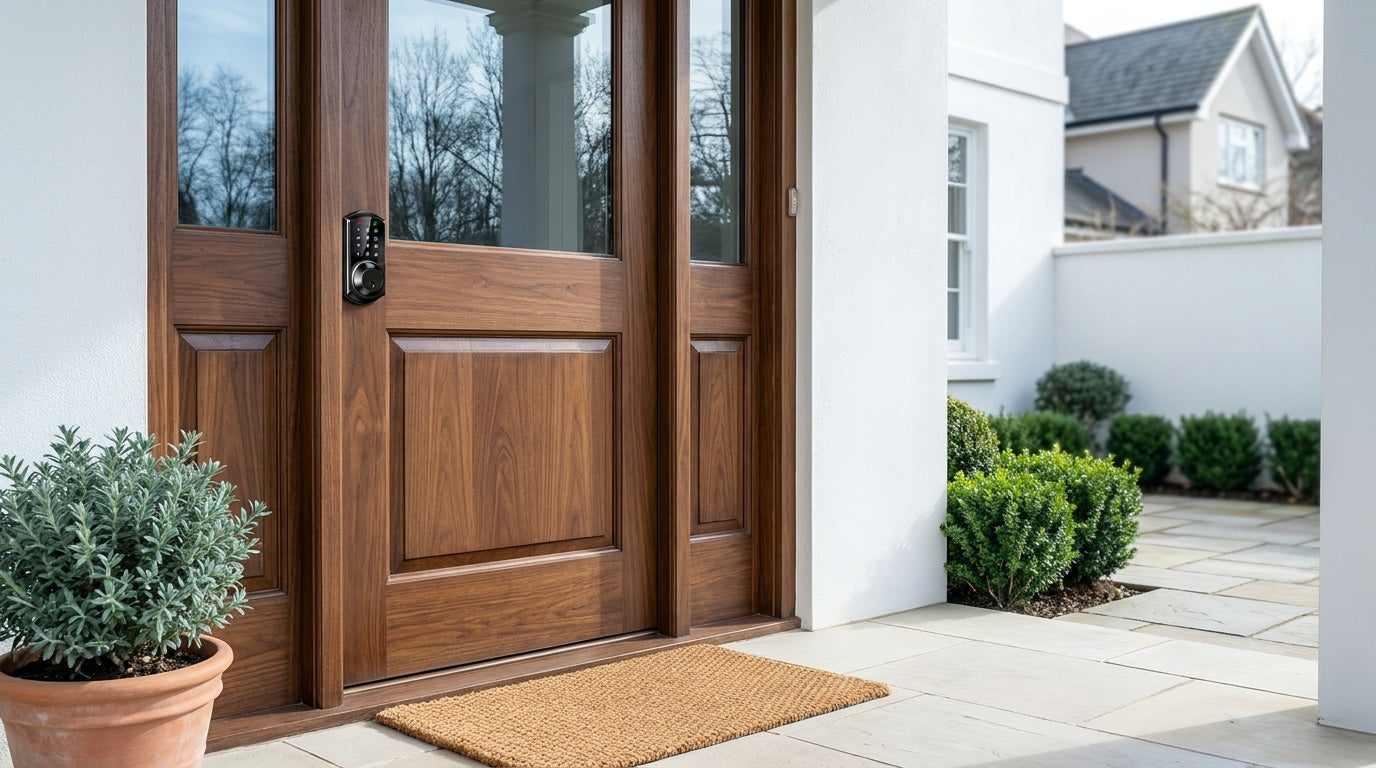
You're standing at your front door, hands full of grocery bags, fumbling through a pocket full of stuff for the one key that opens the deadbolt. It's a small frustration that happens every single day for millions of homeowners — and it's completely avoidable. Smart locks have moved well past being a novelty gadget. In 2026, they're a practical, affordable upgrade that fits how real households actually live: kids coming home from school, guests arriving at a short-term rental, elderly parents who shouldn't have to wrestle with a key, and homeowners who just want to know their door is locked without walking back to check.
This guide breaks down the best smart locks available right now, organized by type so you can quickly identify which one fits your situation. We'll cover what's genuinely new this year, which features are actually worth paying for, and how to avoid spending money on connectivity or specs you'll never use. Whether you're a first-time buyer or upgrading from an older model, you'll walk away knowing exactly what to look for — and why.
Why Upgrade to a Smart Lock in 2026?
The case for a smart lock has never been cleaner. Prices have come down substantially, installation has become a genuine 15-minute DIY project, and the days of being locked into monthly subscription fees just to see who opened your door are largely over. The best smart locks today let you set keypad codes, use your fingerprint, control the lock remotely from your phone, and integrate with Alexa or Google Assistant — all without paying for a cloud plan or calling a locksmith to install it.
Beyond convenience, smart locks address real security gaps that traditional deadbolts miss entirely. With a standard deadbolt, you have no idea whether a door was left unlocked while you were at work. You can't give a contractor temporary access without cutting a key you'll then need to retrieve. You can't verify that your kids actually got home safely. A smart lock — the right smart lock for your situation — solves all of those problems and does it without dramatically changing what your front door looks like or how it works for everyday family use.
What's New in Smart Locks This Year
The smart lock market in 2026 has consolidated around a few meaningful improvements that matter to everyday homeowners. Fingerprint technology has gotten faster and cheaper — biometric entry that once required a premium-tier product is now available at mid-range and even entry-level price points, with fingerprint data stored on the lock itself rather than sent to a cloud server. That's both a privacy win and a reliability improvement, since the lock doesn't depend on an Internet connection to recognize your finger.
Battery life has improved across the board. Brands building Wi-Fi smart locks have addressed the historically short battery drain that came with always-on Wi-Fi radios — more power reserve means less time worrying about a lockout from a dead battery. Subscription fatigue has also reshaped the category: buyers pushed back hard after years of cameras and smart home devices paywalling basic features, and most reputable lock brands have responded by making activity logs, remote access, and code management free for the lifetime of the product. No monthly fees is now the expectation, not the exception.
Auto lock has also become a universal standard rather than a premium feature. The ability to configure a lock to automatically re-engage after a set interval is now built into every category, from simple keypad deadbolts to full Wi-Fi models. On Veise locks the interval is configurable between 10 and 99 seconds on Keypad Deadbolt and Keypad Latch locks, and between 10 and 180 seconds on connected locks (Smart Lock w/ Gateway 1/2 and Wi-Fi Smart Lock).
The Four Types of Smart Locks (And What Each One Does)
Not all smart locks are the same product with different price tags. Each lock type solves a different problem, and picking the wrong one means either overcomplicating a simple situation or buying something that falls short when you actually need it. Here's how the four main categories break down — and what each one is genuinely good at.
1. Keypad Deadbolt
The keypad deadbolt is the entry point for most homeowners making their first upgrade from a traditional lock. Every model supports a keypad code entry with a physical key as a reliable backup — so you're never fully locked out even if the battery runs low. The primary split in this category is between models with fingerprint (the KS02 series) and models without (the RZ and KS01 series). On fingerprint models, a touch of your registered finger unlocks the door in under 0.3 seconds — faster than pulling out a key, and far more practical when your hands are full.
Keypad deadbolts work completely offline. No app, no Wi-Fi, no hub required — which also means nothing to go offline, no router to configure, and no subscription to maintain. All access codes and fingerprint data are stored on the lock itself. These locks are a natural fit for exterior doors where you want reliable keyless entry without managing a connected system. Handleset bundles (lever, knob, or vertical handle configurations) let you replace your full entry hardware in one install session if you want a completely fresh look.
- Unlock methods: Keypad code + physical key on all models; fingerprint on select models (KS02 series)
- Connectivity: Fully offline — no Wi-Fi, no app required
- Best for: New homeowners replacing old locks, households that want keyless entry without app setup
- Note: Does not support key fob
2. Keypad Latch Lock
The keypad latch lock is an integrated unit where the handle and the locking mechanism are built into the same body — there's no separate deadbolt to pair with. Currently available in two models, the difference comes down to handle style: the KS03 has an integrated top knob and the KS04 has an integrated top lever. Both use keypad code as the primary unlock method with a physical key as backup. There's no fingerprint, no app, and no remote access — and for many situations, that's exactly what makes them the right choice.
These locks are commonly a fit for interior doors, side entries, garage doors, office doors, or anywhere you want the convenience of code-based entry in a compact, all-in-one package. They're also a practical option on entry doors that already have a separate deadbolt providing the primary security layer, where the latch handle manages everyday code-based access. Simple, affordable, and zero complexity to set up.
- Unlock methods: Keypad code + physical key only
- Connectivity: Fully offline
- Best for: Interior doors, side entries, offices, or as a companion to a separate deadbolt
- Note: No fingerprint, no app, no key fob on current models
3. Smart Lock w/ Gateway 1/2
When you need remote access — meaning you want to lock or unlock your door from across town, see who came and went, or manage access for a short-term rental without being on-site — you need a connected smart lock. The Smart Locks w/ G1 and Smart Locks w/ G2 achieve this through a paired gateway that bridges the lock to your home's Wi-Fi and the Internet. The gateway is sold separately — it does not ship in the box with the lock. Both Smart Lock w/ G1 and Smart Lock w/ G2 share the same core unlock methods: keypad code, remote app control via the paired gateway, key fob, and physical key. Fingerprint is standard on every Smart Lock w/ G1 SKU, and available on many Smart Lock w/ G2 SKUs.
Smart Lock w/ G1 is built on a single product series — the VE017 — so the entire line shares one feature set: multilingual voice prompts (English, Spanish, and French), a USB-C emergency power port on every SKU, and fingerprint as standard. If your household includes Spanish- or French-speaking members, or you're managing a property where guests may speak different languages, that built-in multilingual voice support makes Smart Lock w/ G1 the more direct fit. Smart Lock w/ G1 also pairs with a Veise-developed app, which gives it a tighter, more consistent integration.
Smart Lock w/ G2 offers more SKU variety — both fingerprint and non-fingerprint options, in standalone or handleset bundle configurations — and adds two features unique to the line: Apple Watch unlock and web portal control. If Apple Watch access matters to someone in your household, Smart Lock w/ G2 is the only line that supports it; it ships with English voice prompts. Voice control (Alexa and Google Assistant) on Smart Lock w/ Gateway 1/2 works through the paired gateway — the gateway bridges the lock to your voice assistant ecosystem.
One practical note worth knowing: even when your home's Internet goes down, both Smart Lock w/ Gateway 1/2 and Wi-Fi smart locks can still be controlled via app as long as you're within short-range wireless distance of the lock. Long-distance remote features require a live Internet connection, but local keypad, fingerprint, key fob, and physical key entry always work regardless.
- Unlock methods: Keypad code, key fob, physical key on all models; remote app via the paired gateway; fingerprint on all Smart Lock w/ G1 and many Smart Lock w/ G2; Apple Watch unlock on Smart Lock w/ G2 only
- Voice control: Alexa and Google Assistant (via paired gateway, sold separately)
- Smart Lock w/ G1 highlights: English/Spanish/French voice prompts, USB-C emergency power on every SKU, Veise-developed app, fingerprint standard across all SKUs
- Smart Lock w/ G2 highlights: Apple Watch unlock, web portal control, non-fingerprint SKU options available
- Best for: Remote access, rental property management, families who want to monitor entry activity from anywhere
4. Wi-Fi Smart Lock
The Wi-Fi Smart Lock connects directly to your home's router — no separate gateway hardware to manage. It's the most self-contained remote access option: plug in your Wi-Fi credentials during setup, and the lock is immediately accessible from anywhere via the app, with full Alexa and Google Assistant voice control built in through the lock's own Wi-Fi connection. All Wi-Fi smart locks include fingerprint, keypad code, app control, auto lock, and physical key backup as standard.
Veise's Wi-Fi smart lock lineup comes in two series. The Touchscreen Wi-Fi Smart Lock (VE027 Series) features a touchscreen interface and includes a USB-C emergency power port — a practical safety net on a door where a dead battery could mean a lockout. The VE027 series also supports key fob entry on every model and plays on-device voice prompts in English, Spanish, and French. The Push-Button Wi-Fi Smart Lock (VE012W Series) uses a traditional press-button keypad and shares the same Wi-Fi connectivity, fingerprint, app control, and Alexa/Google voice control as the VE027 series. The two series differ in four concrete ways: interface (touchscreen vs. press-button), USB-C emergency power (VE027 series only), key fob support (VE027 series only), and on-device multilingual voice prompts (VE027 series only — the VE012W series has no on-device voice prompts). Both series use 8 AA/LR6 alkaline batteries instead of the more common 4 AA setup, delivering stronger signal stability and a more substantial power reserve. Batteries are not included in the box, so pick up a fresh set before you install.
Just as with Smart Lock w/ Gateway 1/2, if your Internet goes down but you're within short-range wireless distance, app control continues to work locally. All local entry methods — keypad code, fingerprint, physical key, and key fob on the VE027 series — remain fully functional regardless of Internet status.
- Unlock methods: Remote app, keypad code, fingerprint, physical key on all models; key fob on VE027 series (all models), not supported on VE012W series
- Voice control: Alexa and Google Assistant (direct, via built-in Wi-Fi — no gateway needed)
- VE027 series (Touchscreen): Touchscreen interface, USB-C emergency power port, key fob support, on-device voice prompts in English/Spanish/French
- VE012W series (Push-Button): Press-button keypad; no USB-C, no key fob, no on-device voice prompts
- Best for: Homeowners who want the simplest connected setup, smart home integration, or Alexa/Google control without extra hardware
- Note: Apple Watch unlock is NOT supported on Wi-Fi smart locks — that feature is exclusive to Smart Lock w/ G2
Who Needs What: Matching the Right Lock to Your Life
The right smart lock depends far more on your daily routine than on any spec sheet. Here's how the four categories map to the most common real-life situations:
New homeowner replacing an old deadbolt. A keypad deadbolt is typically the simplest and most practical first upgrade. It eliminates inherited keys from previous owners, lets you set your own codes immediately, and can add fingerprint entry on select Veise models (the KS02 series). No app to configure, no subscription to sign up for, and installation takes about 15 minutes with a screwdriver.
Parents with school-age kids. A Wi-Fi smart lock or a Smart Lock w/ Gateway 1/2 gives you real-time entry notifications the moment your child arrives home. A keypad code the kids memorize means no key to lose or leave at school, and you see exactly when the door opened — from your phone, wherever you are. A Keypad Deadbolt or Keypad Latch lock works for entry, but won't send you those remote alerts. For parents who want that visibility, the connected options are the right pick.
Managing a short-term rental or vacation property. Remote access is non-negotiable here. A Wi-Fi smart lock or a Smart Lock w/ Gateway 1/2 lets you issue temporary codes, verify a checkout, and change credentials between guests — all from your phone, without being on-site. No physical key exchange, no lockbox fumbling, and no subscription fees eating into your margins.
Households with elderly family members. Fingerprint entry is often the most accessible option — no code to remember, no key to find, and the door opens with a touch in under 0.3 seconds. For added peace of mind, every Touchscreen Wi-Fi Smart Lock (VE027 series) and every Smart Lock w/ G1 (VE017 series) includes a USB-C emergency power port so a dead battery doesn't mean a lockout. Frame the choice around the person using it daily, not just the person installing it.
Families with multiple people needing flexible access. Any lock with multiple unlock methods handles this well. Keypad deadbolts with fingerprint (KS02 series) give each household member their own registered fingerprint and a shared backup code. For households where some members prefer the app and others prefer a key fob or physical key, the Smart Lock w/ Gateway 1/2 and Wi-Fi Smart Lock lines cover every scenario in one device.
Key Features to Look for Before You Buy
With so many options on the market, it's worth knowing which features actually change your daily experience versus which ones are marketing checkboxes. Here's a practical list of what to evaluate:
- Multiple unlock methods. The best smart locks give you more than one reliable way in — keypad code, fingerprint, physical key backup, and optionally app or voice control. The specific combination available depends on the lock category, not every lock type supports all methods.
- No subscription fees. Access history, remote alerts, and code management should be free for the life of the product. If a lock requires a monthly plan to see who unlocked your own door, that's a cost that compounds over years.
- Auto lock. The ability to set the lock to re-engage after a configurable interval catches the moments you walk out without remembering to lock up. On Veise locks that interval runs 10 to 99 seconds on Keypad Deadbolt and Keypad Latch locks, and 10 to 180 seconds on connected locks. Auto lock fires when the interval elapses regardless of door state, so make sure the door is closed before it expires.
- Door compatibility. Most quality smart locks are designed for wood doors with standard thickness. Not every lock is compatible with fiberglass, metal, storm, or sliding doors — confirm before purchasing.
- DIY installation. A lock that installs in 15 minutes with a screwdriver, no wiring and no professional help, is a meaningful practical advantage over locks that require tools, drilling, or a technician visit. Every Veise lock ships with a step-by-step user manual and an installation video, so follow the included guide and video step by step rather than working from a summary.
- Local data storage. For fingerprint models, look for on-device processing and storage — your biometric data should never leave the lock or be uploaded to a cloud server.
- Physical key backup. Regardless of how sophisticated the smart features are, a physical key slot as a last-resort backup is a basic safety net worth having.
- Battery design and emergency power. More battery reserve means fewer urgent replacements. On connected locks, a USB-C emergency power port — standard on every Veise VE017 series (Smart Lock w/ G1) and VE027 series (Touchscreen Wi-Fi Smart Lock) unit — is a practical failsafe.
- Voice assistant compatibility. Wi-Fi smart locks support Alexa and Google Assistant directly. Smart Lock w/ Gateway 1/2 supports voice control when the paired gateway is in place. Voice control is not universal across all lock types — the Keypad Deadbolt and Keypad Latch categories do not connect to voice assistants.
- ANSI/BHMA Grade 3 certification. For residential use, Grade 3 is the recognized standard. Grades 1 and 2 are designed for high-traffic commercial settings — a Grade 3 lock meets the security requirements of a private home.
The Veise Advantage: Built From the Ground Up
Most smart lock brands you'll encounter are OEM resellers — they design a spec sheet, hand it to a factory, and put their name on the result. Veise is different. With roots in lock manufacturing since 1988, Veise designs, engineers, manufactures, and supports every product in its own facilities. That vertical integration matters in ways that aren't obvious until you compare the products side by side: tighter quality control, faster iteration when issues arise, and US-based phone and email support backed by a local warehouse — not a ticket queue routed through a third-party manufacturer's help desk.
Veise launched in North America in 2022 and ranked #1 smart lock brand on Amazon North America in both 2024 and 2025. The product lineup runs from $30 to $180 and covers the full spectrum of door security: keypad deadbolts, keypad latch locks, Smart Locks w/ G1, Smart Locks w/ G2, Wi-Fi Smart Locks, and mechanical locks for interior doors. Every smart lock is ANSI/BHMA Grade 3 certified, carries no subscription fees, and installs in about 15 minutes with a screwdriver on standard wood doors (1-3/8" to 2" thick).
Fingerprint data on all Veise models is processed and stored on the lock's own chip — it never leaves the device. No cloud account is required to use fingerprint entry, and no breach of a remote server can expose your biometric data. For connected locks, even when your home's Internet goes down, all local entry methods continue to work — and if you're within short-range wireless distance, app control continues to function locally as well. Remote features like off-site locking and alerts require a live Internet connection, but the lock itself is never left without a reliable way in.
Veise locks are designed for wood doors only. They are not compatible with fiberglass, metal, storm, or sliding doors. All Veise smart locks require a full lock replacement — unlike overlay-style devices that mount on top of existing hardware. Full replacement provides a cleaner install, a more cohesive appearance, and the confidence of brand-new hardware on both sides of the door. Because the lock hardware is being replaced entirely, the property owner or someone with authority to modify the door hardware should be the one installing it. You can browse the full Veise product lineup to find the right match for your door and your situation. Easy from Day One.
Frequently Asked Questions
What is the difference between a Wi-Fi Smart Lock and a Smart Lock w/ Gateway 1/2?
A Wi-Fi smart lock connects directly to your home router with no additional hardware — you get remote app access and voice assistant control out of the box. A Smart Lock w/ Gateway 1/2 uses a separate gateway device — sold separately, not included with the lock — that bridges the lock to your Wi-Fi and the Internet. Both types offer full remote access and app control. The practical differences come down to unique features: Smart Lock w/ G1 includes multilingual voice prompts (English, Spanish, French), a USB-C emergency power port, and fingerprint as standard on every SKU; Smart Lock w/ G2 adds Apple Watch unlock and web portal control; and the Wi-Fi Smart Lock line is the simplest one-piece setup with no extra hardware to manage.
Do smart locks work if the Wi-Fi goes down?
Yes. Keypad deadbolts and keypad latch locks are fully offline by design — Wi-Fi going down has no effect on them. For Smart Lock w/ Gateway 1/2 and Wi-Fi smart locks, all local entry methods (keypad code, fingerprint, key fob where supported, and physical key) continue to work normally regardless of Internet status. Even when Wi-Fi is down, app control continues to work locally as long as you're within short-range wireless distance of the lock. Only long-distance remote features — locking from across town, receiving off-site notifications — require an active Internet connection.
Are smart locks safer than traditional deadbolts?
In most cases, yes. Smart locks that replace the full lock hardware (rather than overlaying on top of an existing deadbolt) provide the same physical bolt strength as a traditional deadbolt, plus additional layers: everyday entry by code or fingerprint means fewer keys in circulation to copy or lose, access logs on connected models show every entry event, auto lock re-secures the door so it isn't left unlocked accidentally, and every Veise lock automatically pauses for 3 minutes after 10 wrong code attempts. The key is choosing a full-replacement lock with a quality deadbolt mechanism rather than an overlay-style device that leaves the original keyhole exposed.
How long does it take to install a smart lock?
Most homeowners complete a standard smart lock installation in about 15 minutes using just a screwdriver — no wiring, no professional help, and no drilling required if you're replacing a standard single-cylinder deadbolt. The lock fits into the existing door prep, and the strike plate included in the box is the one to install. At a high level the order is latch first — kept retracted — then the exterior assembly, then the interior assembly; follow the included manual and installation video step by step for the exact, model-specific sequence. Because every Veise lock ships with a default master code, you can lock and unlock right away to confirm the install; changing that master code and adding personal codes or fingerprints comes after, at your own pace. Note that batteries are not included, so have a fresh set of AA/LR6 alkaline cells on hand.
Do Veise smart locks require a subscription?
No. There are no monthly or annual subscription fees for any Veise product — ever. Access history, remote control, code management, and all app features are included at no recurring cost for the life of the lock. Fingerprint data is stored on the lock itself, so there's no cloud account required and no data plan attached to biometric features.
What doors are Veise locks compatible with?
Veise locks are designed for wood doors with standard thickness between 1-3/8" and 2". They are not compatible with fiberglass, metal, storm, or sliding doors. If you have a non-standard door thickness or a door material other than wood, check compatibility before purchasing.
What does ANSI/BHMA Grade 3 mean for a residential lock?
ANSI/BHMA Grade 3 is the recognized residential security standard. It means the lock meets the testing requirements for residential use — covering cycles, force resistance, and finish durability. Grades 1 and 2 are designed for high-traffic commercial settings like office buildings and schools, not for private homes. A Grade 3 certification on a residential lock is the appropriate benchmark, not a lower quality tier.
How does fingerprint enrollment work on a Veise lock?
During enrollment, each finger is scanned eight times to build a reliable template that accounts for different angles and pressure levels. Once enrolled, the lock recognizes your fingerprint in under 0.3 seconds. All fingerprint data is processed and stored on the lock's own chip — it never leaves the device, is never sent to a cloud server, and doesn't require an active Internet connection to function.
Smart locks in 2026 are not one product — they're a category with four distinct types, each built for a different situation. A keypad deadbolt solves the lost-key problem cleanly and affordably. A keypad latch lock handles interior and secondary doors without any complexity. A Smart Lock w/ Gateway 1/2 gives you full remote access and monitoring through a paired gateway (sold separately). A Wi-Fi smart lock delivers the same remote capabilities in a single, self-contained unit that connects directly to your router. The right choice comes down to one honest question: what does your household actually need from its front door?
What hasn't changed in 2026 is the foundation: a quality lock with real hardware, easy installation, no recurring fees, and support when something goes wrong. That's the standard Veise has built its reputation on — and the standard worth holding every smart lock purchase to.
Not Sure Which Veise Lock Is Right for Your Door?
Our US-based support team can help you match the right lock to your door type, household situation, and budget — no sales pressure, just straightforward answers.
Contact Us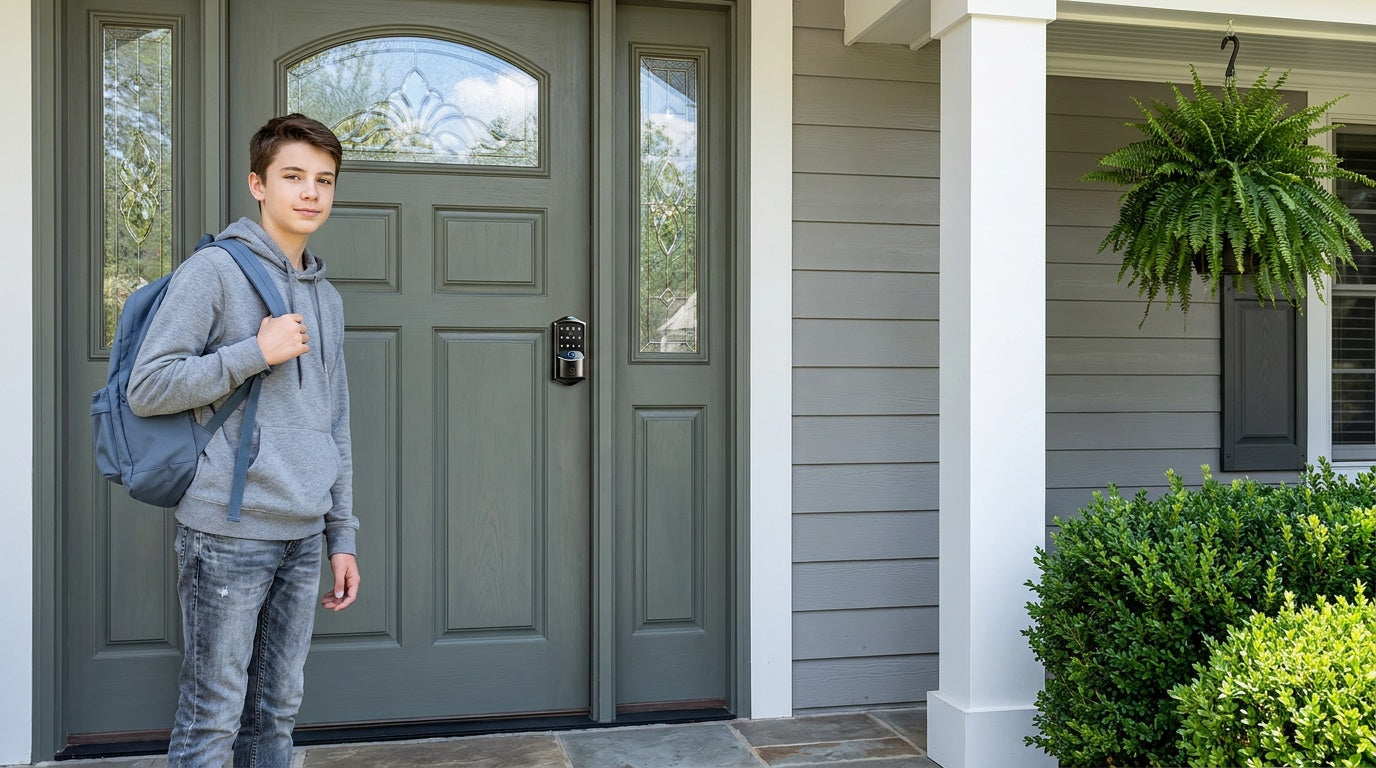

Leave a comment
This site is protected by hCaptcha and the hCaptcha Privacy Policy and Terms of Service apply.