
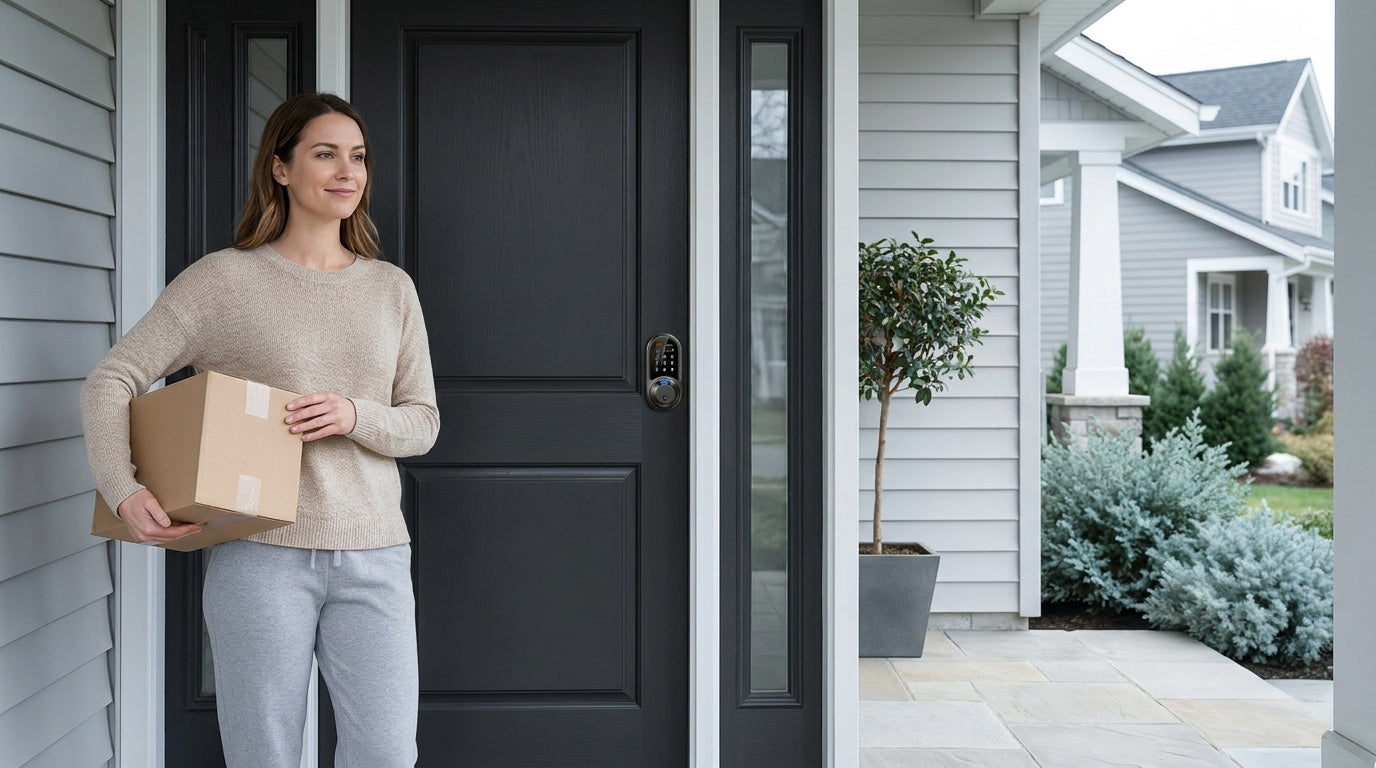
You search for "smart lock," and suddenly you're looking at hundreds of options — different brands, different price points, and different feature combinations. Some lock with your fingerprint. Some need a gateway. Some connect to Alexa. A few cost $40; others cost $300. It's a lot.
The good news: choosing the right smart lock is much simpler once you understand what the core differences actually mean for your day-to-day life. This guide walks you through exactly that. We'll cover what to check before you order, how the four main lock types compare, which unlock methods suit which households, and how to match a lock to your specific situation — whether you're a new homeowner replacing an old deadbolt, a parent who wants to know when the kids get home, or a landlord managing access to a short-term rental property.
By the end, you'll know precisely what to look for — and you'll be able to skip the noise and buy with confidence.
Why Upgrade to a Smart Lock?
A traditional lock does one thing: it keeps the door closed when you turn a key. A smart lock does much more. It lets you assign unique access codes to different people, check whether the door is locked from anywhere, receive a notification when someone enters, and set the lock to secure itself automatically after a set interval. These aren't just conveniences — they're meaningful improvements to how you manage your home.
Think about the everyday scenarios where a traditional lock falls short. A family member forgets their key. A dog-sitter needs access while you're at work. A contractor needs to get in for a few hours, and you're not home to let them in. A smart lock handles all of these without handing out physical keys that could be copied or lost. For property owners managing a short-term rental, the ability to create and expire access codes between guests is practically essential.
The practical case is strong, you'll find solid options starting around $30. The question isn't really whether to upgrade — it's which upgrade is right for your specific door, household, and lifestyle.
Step One: Check Your Door Before You Shop
Before you browse a single listing, take two minutes to verify your door. Most smart locks — including all Veise models — are designed for standard wood doors with a thickness between 1‑3/8" and 2". If your door is fiberglass, metal, a storm door, or a sliding door, Veise locks are not a fit — check the product specs carefully on any lock you are considering.
You'll also want to confirm that your door has the standard prep work already in place: a 2-1/8" bore hole for the lock body, and a standard backset (typically 2-3/8" or 2-3/4" from the edge of the door to the center of the bore hole). Most residential wood doors in North America already meet these dimensions, so this usually isn't a problem — but it's worth a quick measurement before checkout. Finally, note that smart lock full replacements (like Veise) require you to be the property owner or have authority to modify the door hardware, since both the interior and exterior hardware are swapped out entirely.
The Four Types of Smart Locks to Know
The smart lock market can feel overwhelming, but most options fall into one of four main types. Understanding these categories is the easiest way to quickly narrow down your choices.
1. Keypad Deadbolt Locks
A keypad deadbolt lock replaces your existing exterior deadbolt with a new unit that has a built-in keypad. You enter a code to unlock, and every model includes a physical key backup. Select models also add a fingerprint reader for fast, hands-free entry. There's no app, no Wi-Fi, and no gateway required — the lock works completely on its own. This simplicity is a genuine advantage for homeowners who want better security without setting up any technology infrastructure. Exterior front doors and back doors are a typical fit for this type.
Veise offers two primary lines within this category: the KS02 series (with fingerprint) and the RZ and KS01 series (without fingerprint). Both come as deadbolt-only units or as handleset bundles that pair a lever, knob, or vertical handle with the deadbolt in a matched finish. Auto lock is a standard feature across all models, configurable between 10 and 99 seconds.
2. Keypad Latch Locks
A keypad latch lock uses a spring latch instead of a deadbolt, making it a lighter-duty option that's well-suited for interior doors, office doors, side entrances, garage entry doors, or apartment units where a heavy deadbolt isn't the right fit. It can also work on entry doors when paired with a separate deadbolt — the latch handles daily code-based access, while the deadbolt provides the primary security layer. The integrated handle is built directly into the lock body; there's no separate handle to install.
Veise currently offers two SKUs in this category: the KS03 (with an integrated top knob) and the KS04 (with an integrated top lever). Both support keypad code entry and physical key backup — no app, no fingerprint, no key fob on this type. Simple, reliable, and affordable.
3. Smart Locks w/ Gateway 1/2
This category is where locks gain remote connectivity through a paired gateway device, which is sold separately. The gateway plugs into a power outlet and connects to your home Wi-Fi, bridging the lock to the Internet so you can control and monitor it from anywhere via a mobile app. All models in this category support keypad code entry, key fob, physical key backup, and remote app control. Many models also include a fingerprint reader. Voice assistant support (Alexa and Google Assistant) works through the paired gateway.
Veise offers two gateway lines. Smart Locks w/ G1 is built on a single product series — the VE017 — and every SKU ships with fingerprint access, multilingual voice prompts (English, Spanish, and French), and a USB-C emergency power port — all three are standard across the entire line. It pairs with a Veise-developed first-party app. Smart Locks w/ G2 offers more SKU variety — both fingerprint and non-fingerprint options, in standalone or handle-set configurations — and adds exclusive features like Apple Watch unlock and web portal control. Smart Lock w/ G2 supports English voice prompts only. If your household is multilingual or you want the most self-contained first-party app experience, Smart Lock w/ G1 is the stronger all-in-one pick.
4. Wi-Fi Smart Locks
A Wi-Fi smart lock has Internet connectivity built directly into the lock body — no separate gateway needed. You get remote app control, real-time entry alerts, voice assistant support (Alexa and Google via the built-in Wi-Fi), and fingerprint access, all in one device. This type is often the most convenient for homeowners who want full remote access without managing a separate hub. Even when Wi-Fi is down, app control continues to work locally as long as you're within short-range wireless distance of the lock.
Veise's Wi-Fi lineup comes in two series. The Touchscreen Wi-Fi Smart Lock (VE027 Series) features a touchscreen interface, and every VE027 model includes a USB-C emergency power port, key fob support, and on-device voice prompts in English, Spanish, and French. The Push-Button Wi-Fi Smart Lock (VE012W Series) uses a traditional press-button keypad and differs on those same four points — no touchscreen, no USB-C emergency power, no key fob, and no on-device voice prompts. Both series run on 8 AA/LR6 alkaline batteries (instead of the more common 4 AA setup), delivering a stronger, more stable wireless signal and a longer-lasting power reserve.
Unlock Methods: Match the Lock to How You Live
One of the most common points of confusion when shopping for smart locks is the advertised number of unlock methods. Before assuming more is always better, it helps to think about which methods you'd actually use regularly.
Here's how unlock methods map to each lock category:
- Keypad Deadbolt: Keypad code and physical key backup on every model. Select Veise models (the KS02 series) add fingerprint (scanning at under 0.3 seconds, with enrollment capturing your finger eight times to build a reliable template). Does not support key fob.
- Keypad Latch Lock: Keypad code and physical key only. No fingerprint, no app, no key fob. Great for situations where simplicity is the priority.
- Smart Lock w/ Gateway (G1 or G2): Keypad code, key fob, physical key backup, and remote app via the paired gateway. Voice assistant ready (requires the gateway to be in place). Many models also include fingerprint.
- Wi-Fi Smart Lock: Remote app, keypad code, voice control (Alexa/Google via built-in Wi-Fi), and fingerprint. Physical key backup on every model. Key fob on the VE027 series (all models); not supported on VE012W. series
A good rule of thumb: if remote access or entry-history monitoring matters to you, you need a smart lock (gateway-paired or Wi-Fi) — a Keypad Deadbolt or Keypad Latch lock cannot be paired with a gateway to add remote features later. Remote access requires a smart lock, full stop.
Connectivity: Keypad Deadbolt & Keypad Latch, Smart Lock w/ Gateway 1/2, or Wi-Fi Smart Lock?
Connectivity is often the deciding factor between lock types, and it's worth spending a moment on it before looking at use cases.
Keypad Deadbolt and Keypad Latch locks require no Wi-Fi, no app, and no hub. They function purely on their own. This makes them genuinely reliable — there's no connectivity dependency that could prevent entry. The trade-off is that you don't get remote access or entry logs.
Smart Lock w/ Gateway 1/2 connects to your home Wi-Fi through a gateway device that is sold separately. The gateway handles the connection to your network, so the lock itself isn't running a Wi-Fi radio.Keep in mind that long-distance remote features (locking from outside your home, receiving off-site alerts) require active Internet. Note that Veise's gateway-paired locks do not support Zigbee or Z-Wave — they use their own gateway protocol.
Wi-Fi smart locks give you the cleanest setup for remote access: no gateway to purchase or position, just the lock and your home Wi-Fi network. Both Veise Wi-Fi lock series (VE027 and VE012W series) connect directly through their built-in radio, and the 8 AA battery design helps sustain a stable connection over time. Voice control via Alexa and Google Assistant works natively through the lock's own Wi-Fi connection, without any additional hardware.
Which Lock Fits Your Life?
Features only matter in the context of how you actually live. Here's how the different lock types map to the most common homeowner scenarios.
New Homeowner Replacing an Old Deadbolt
If your goal is simply to eliminate the old lock hardware and get something modern and reliable, a keypad deadbolt is a practical starting point. You get code-based entry, a physical key backup, auto lock, and no subscriptions or apps to manage. Installation typically takes about 15 minutes with a screwdriver — no wiring, no professional help needed.
Parents Who Want to Monitor When Kids Arrive Home
For this use case, a Keypad Deadbolt or Keypad Latch lock isn't enough — you need entry-history monitoring and remote notifications. A Wi-Fi smart lock or a Smart Lock w/ G1 lets you check the app and see exactly when the door was opened. The kids tap in with their code or fingerprint; you get a notification on your phone wherever you are. It's a low-friction way to stay informed without being intrusive.
Airbnb Hosts and Short-Term Rental Property Managers
Managing guest access from a distance is one of the strongest use cases for a connected smart lock. A Wi-Fi smart lock or gateway-paired smart lock lets you create and change access codes between guests without physically visiting the property. You can set codes to expire at checkout time, review the entry log after each stay, and lock the door remotely if needed. No key handoffs, no lockboxes, no meeting guests at the door.
Households with Elderly Family Members
For family members who might struggle with small keys or complicated technology, a keypad deadbolt with fingerprint is often the most accessible solution. A fingerprint scan takes under 0.3 seconds — just rest the finger on the sensor and the door opens. No codes to remember, no app required. If the concern is also about battery failure and lockout, every model in the VE017 series (Smart Lock w/ G1) and VE027 series (Wi-Fi Smart Lock) includes a USB-C emergency power port — so even if the batteries are fully drained, a power bank held to the port lets them get in.
Interior Doors, Office Spaces, and Utility Areas
Interior doors, home offices, garage entry doors, and storage rooms often don't need a heavy deadbolt. A keypad latch lock is commonly a good fit here — lightweight, code-based entry with a physical key backup, and a compact integrated design that doesn't dominate the door. Mechanical locks are also a common option for interior doors where keypad entry isn't required at all.
Key Features to Look For
Once you've identified the right lock type, here are the specific features worth checking in any listing you're evaluating.
- ANSI/BHMA Grade Rating: Grade 3 is the certified residential standard — it's what the vast majority of homes need, and it's what Veise locks are tested and certified to. Grades 1 and 2 target high-traffic commercial environments, not a "better" quality tier for home use. Look for a documented grade, not just marketing language.
- Auto Lock: A lock that automatically secures itself after a configurable interval is one of the most practical security features available. On Veise locks, the auto lock interval is configurable between 10 and 99 seconds on Keypad Deadbolt and Keypad Latch locks, and between 10 and 180 seconds on connected models — set it once and forget about it.
- Physical Key Backup: Electronics fail. Batteries drain. A physical key slot is a non-negotiable safety net for most households. Every Veise lock includes a physical key backup.
- No Subscription Fees: Some smart lock brands require a monthly fee for cloud storage, activity logs, or remote access. Veise charges no subscription of any kind — entry logs, app control, and code management are all included.
- DIY Installation: Most quality smart locks are designed for DIY setup. Veise locks install in about 15 minutes with a screwdriver — no wiring, no drilling, no professional required.
- Manufacturer Credibility: A smart lock is only as good as the company behind it. An OEM reseller passing through someone else's hardware offers no guarantee of long-term firmware support or replacement parts. Veise designs, engineers, manufactures, and supports its own locks — a vertically integrated operation backed by over 35 years in the lock industry.
Why Veise Stands Out
Veise ranked #1 smart lock brand on Amazon North America in both 2024 and 2025 — not by being the flashiest option on the shelf, but by offering a complete, well-priced lineup that covers every door in the home without unnecessary complexity. Priced between $30 and $180, the full range spans keypad deadbolts, keypad latch locks, Smart Locks w/ G1, Smart Locks w/ G2, and Wi-Fi smart locks — alongside mechanical locks for interior doors and a full suite of keyed entry door knobs, keyed entry door levers, deadbolt locks, and accessories.
Unlike brands that source hardware from third-party manufacturers under their own label, Veise is vertically integrated — they design, engineer, manufacture, and support everything in-house. That means consistent quality control, real firmware updates, and US-based phone and email support backed by a local warehouse. There are no subscription fees and no fragile single-point-of-failure app ecosystem to worry about. Fingerprints are processed and stored locally on the lock’s AI chip — no Internet account needed, and the fingerprint data never leaves the device.
For anyone trying to cut through the noise, Veise's promise is simple: premium, simple, and affordable home security. Easy from Day One. Browse the full Veise product lineup to find the right lock for every door.
Frequently Asked Questions
What is the best type of smart lock for a front door?
For most front doors, a keypad deadbolt is the baseline smart upgrade — it adds code-based entry and auto lock without requiring any app or connectivity. If you also want remote access and entry monitoring (for example, to track when family members arrive home), a Wi-Fi smart lock or a Smart Lock w/ Gateway 1/2 is a stronger fit. Your specific need determines the right type, not the door location alone.
Do smart locks work without Wi-Fi?
Yes. Keypad deadbolts and keypad latch locks work entirely without Wi-Fi — they're standalone devices. Smart Lock w/ Gateway 1/2 and Wi-Fi smart locks also continue to function for local entry (keypad code, fingerprint, physical key, key fob) even when the Internet is down. Only long-distance remote features — locking from outside your home, receiving off-site alerts — require an active Internet connection.
Can a smart lock be installed without a professional?
Yes, in most cases. The majority of residential smart locks are designed for DIY installation. Veise locks, for example, install in about 15 minutes with a screwdriver — no wiring, no special tools, no electrician or locksmith needed. The main prerequisite is a standard wood door with the correct bore hole dimensions already in place.
Are smart locks safe if the battery runs out?
Most smart locks include a physical key slot as a backup entry method, which works regardless of battery level. Some models also feature an emergency power option. On the VE017 series (Smart Lock w/ G1) and the VE027 series (Wi-Fi Smart Lock), every model has a USB-C emergency power port that lets you connect a power bank to the outside of the lock and temporarily power it enough to enter with your code or fingerprint.
How many people can be registered on a single smart lock?
This varies by model, but Veise locks support multiple unique fingerprints per device — enough to cover a full household. Fingerprints are stored on the lock itself using local on-device processing, not in the cloud. In addition to fingerprints, you can assign multiple unique access codes to different people (family members, a dog walker, a cleaning service), and manage or delete them individually at any time.
What door types are Veise smart locks compatible with?
Veise locks are compatible with standard wood doors with a thickness between 1‑3/8" and 2". They are not compatible with fiberglass, metal, storm, or sliding doors. They also do not support Zigbee or Z-Wave protocols. If you're unsure whether your door qualifies, measure the thickness and check the bore hole size before ordering.
Is there a monthly fee to use a Veise smart lock?
No. Veise locks have no subscription fees. Entry logs, fingerprint storage, and app control (on smart lock models) are all included at no ongoing cost. Fingerprint data is processed and stored on the lock’s AI chip rather than in the cloud.
Not Sure Which Veise Lock Is Right for You?
Every home and every door is a little different. If you'd like a recommendation based on your specific setup — door type, household size, connectivity preference, or budget — Veise's US-based support team is ready to help.
Or browse the full Veise product lineup to explore all lock types and find the right fit for every door in your home.

Leave a comment
This site is protected by hCaptcha and the hCaptcha Privacy Policy and Terms of Service apply.