
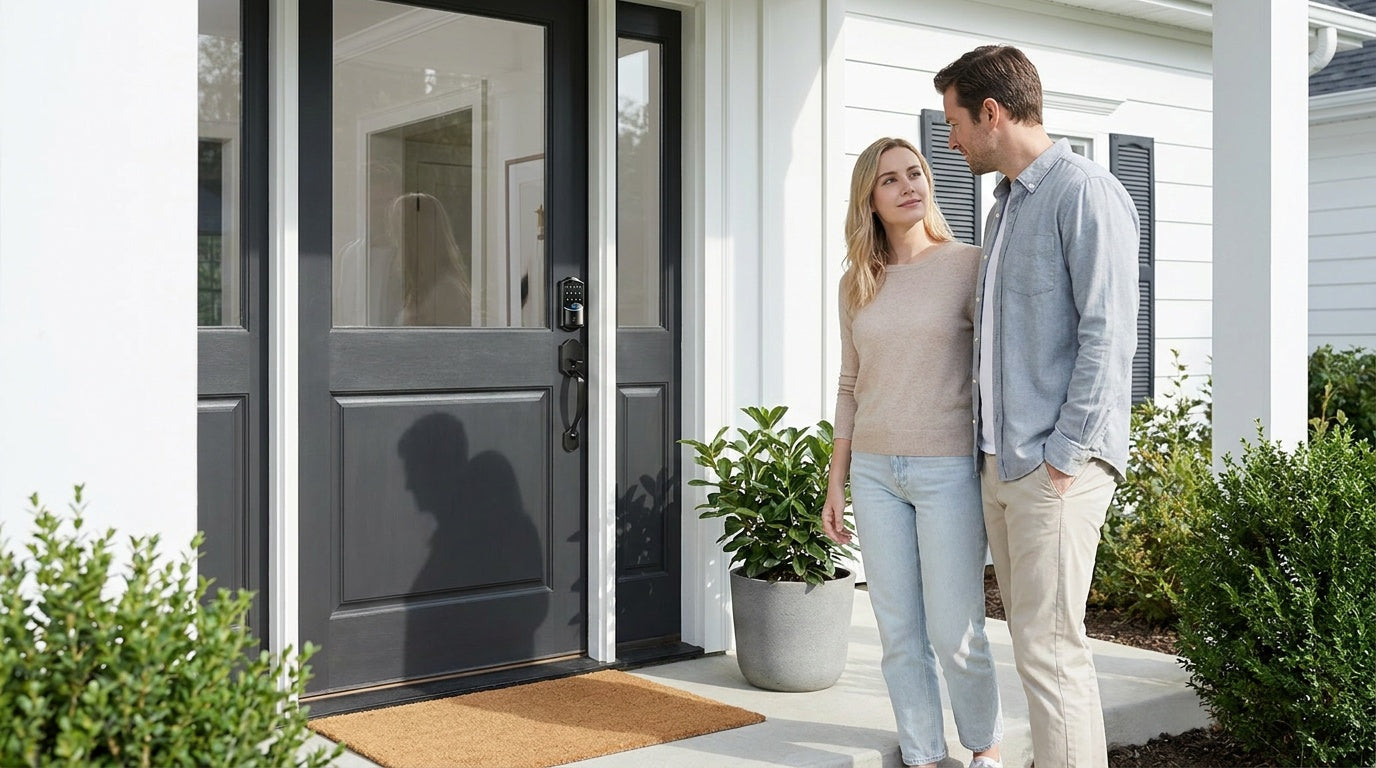
Your front door is the first line of defense for your home, and the lock on it deserves more thought than most people give it. Whether you are replacing a worn-out deadbolt, setting up keyless entry for your family, or managing access to a short-term rental from across town, the right front door smart lock can make daily life noticeably easier and more secure.
The problem is that "smart lock" has become an umbrella term covering everything from simple keypad deadbolts to fully connected locks with app control, voice commands, and remote monitoring. Not every lock in that category does the same thing, and picking the wrong type means paying for features you will never use — or missing the one feature you actually need.
This guide breaks it all down clearly. You will learn the main types of front door smart locks, what unlock methods each supports, what your door needs to be compatible, and how to match a lock to your real-life situation. Where it makes sense, we highlight options from Veise — a vertically integrated lock manufacturer with roots in the industry since 1988 and the #1 smart lock brand on Amazon North America in both 2024 and 2025.
Why Upgrade Your Front Door Lock?
A traditional keyed lock does one job: it locks and unlocks with a physical key. That works fine until you lose the key, need to let someone in while you are away, or want to know whether your teenager made it home safely after school. Smart locks solve these everyday friction points without requiring a home renovation or a professional installer.
Beyond convenience, keyless entry eliminates the risk of key duplication. Anyone who has ever handed a spare key to a contractor and wondered whether it was copied has felt that specific unease. Temporary access codes and remote locking give you control that a physical key simply cannot. For homeowners managing a rental property or a vacation cabin, the ability to issue and revoke access codes remotely is genuinely transformative.
The good news is that upgrading has never been more affordable or straightforward. Veise front door locks are priced between $30 and $180, install in about 15 minutes with a screwdriver, require no wiring, and carry no subscription fees. You do not need to hire anyone or rewire your door frame.
Types of Front Door Smart Locks Explained
Not all smart locks are built the same, and understanding the four main categories will save you from a purchase you regret. Each category sits at a different point on the spectrum from "simple and standalone" to "fully connected and remotely managed."
Keypad Deadbolt Locks
A keypad deadbolt lock is the most popular upgrade for a front door. It replaces your existing single-cylinder deadbolt with a unit that adds a keypad — and on select models, a fingerprint scanner — while keeping a physical key as a backup. There is no app, no Wi-Fi, and no gateway required. Everything works locally and independently. This makes keypad deadbolts the most reliable choice for homeowners who want keyless entry without any dependence on a phone or Internet connection. Veise offers both standalone deadbolt models and handle-set bundles that include a lever or knob, so you can match your existing door hardware in one purchase.
Keypad Latch Locks
A keypad latch lock uses a spring latch mechanism instead of a deadbolt bolt. The handle and lock are integrated into a single unit — there is no separate handle assembly. Veise currently offers two SKUs in this category: the KS03 with an integrated top knob and the KS04 with an integrated top lever. These locks support keypad code and physical key only, with no fingerprint or app. They are commonly paired with a separate deadbolt on entry doors (the latch handles everyday code-based entry while the deadbolt handles primary security), and they are also a natural fit for side doors, garage entry doors, and office or storage spaces.
Smart Lock w/ Gateway (G1 or G2)
A Smart Lock w/ G1 or Smart Lock w/ G2 adds full remote access to your front door by pairing the lock with a small gateway device (similar to a Wi-Fi bridge) that connects it to your home network. Once paired, you can lock and unlock from anywhere with an Internet connection, review entry history, and receive alerts — all through a mobile app. This category sits in the middle of the range: more connected than a standalone keypad lock, slightly more setup involved than a simple deadbolt swap, but without the higher hardware cost of a dedicated Wi-Fi lock. Both Smart Lock w/ G1 and Smart Lock w/ G2 include keypad code, key fob, and physical key as standard unlock options, with fingerprint available on most models.
Wi-Fi Smart Locks
A Wi-Fi smart lock has Wi-Fi built directly into the lock body, so no separate gateway device is needed. Connect it to your home Wi-Fi during setup, and it is immediately accessible via app, voice commands, and remote monitoring from day one. Veise offers two series: the Touchscreen Wi-Fi Smart Lock (VE027 Series) with a touchscreen interface and USB-C emergency power port, and the Push-Button Wi-Fi Smart Lock (VE012W Series) with a traditional press-button keypad. Both series support fingerprint, keypad code, app control, and voice commands via Alexa or Google Assistant, and both use an 8 AA battery design for stronger signal and a longer-lasting power reserve compared to the more common 4 AA setup.
Unlock Methods: What Each Lock Category Supports
One of the most common points of confusion in smart lock shopping is assuming every lock supports every entry method. It does not work that way. Here is an honest breakdown by category so you can match unlock methods to what your household actually needs.
- Keypad Deadbolt: Keypad code and physical key backup on all models. Fingerprint (<0.3s scan) on select models (KS02 series). Does not support key fob.
- Keypad Latch Lock: Keypad code and physical key only. No fingerprint, no app, no key fob.
- Smart Lock w/ G1 or G2: Keypad code, remote app via paired gateway, key fob, and physical key on all models. Fingerprint available on most models. Voice assistant support requires the gateway to be connected and active.
- Wi-Fi Smart Lock: Remote app, keypad code, voice control (Alexa/Google via built-in Wi-Fi), fingerprint, and physical key on all models. Key fob is supported on the VE027 series (all models) but is not supported on the VE012W series.
One important note on voice control: Wi-Fi smart locks support voice commands directly through their built-in Wi-Fi connection. Smart Locks w/ G1 or G2 also support voice control, but the gateway must be connected for that feature to work. Voice control is not a universal feature of every Veise lock — it applies only to the connected lock categories.
On offline behavior: if your Wi-Fi goes down, gateway-paired and Wi-Fi smart locks can still be controlled via the app as long as you are within short-range wireless distance of the lock. Long-distance remote features (off-site locking, remote alerts) do require an active Internet connection.
Door Compatibility and Installation Requirements
Before you buy any front door smart lock, confirm that your door meets the compatibility requirements. Skipping this step is the most common reason for a return or a difficult install.
Door material: Veise locks are designed for wood doors only. They are not compatible with fiberglass, metal, storm doors, or sliding doors. If your front door is steel-clad or fiberglass composite, Veise is not the right fit.
Door thickness: Standard compatibility is 1-3/8 inches to 2 inches. Most interior and exterior residential wood doors fall within this range, but it is worth measuring your door's thickness before purchasing, particularly for older homes with non-standard framing.
Full replacement required: Veise locks replace your existing lock hardware entirely — they are not overlay devices that mount on top of your existing deadbolt. This means you must be the property owner or have authority to modify the door hardware before installing. If you are a property manager or landlord, this is a straightforward swap. If you are managing a short-term rental, the 15-minute install with a screwdriver (no wiring, no professional help needed) makes changing locks between guest stays or long-term tenants entirely practical.
Smart home protocol note: Veise smart locks connect via Wi-Fi or a proprietary gateway. They do not support Zigbee or Z-Wave protocols. If your smart home hub requires one of those standards, a Veise lock will not integrate with it directly.
How to Choose the Right Front Door Smart Lock for Your Home
The right lock is almost always determined by two questions: do you need remote access, and how much do you want to interact with your phone on a daily basis?
If your main goal is simply going keyless — no more fumbling for keys, a code for family members, and a backup key for emergencies — a keypad deadbolt does that job cleanly and affordably. It requires no Wi-Fi, no app setup, and no gateway. It just works, every time, regardless of what your router is doing.
If you want to check whether the front door is locked from your phone, receive an alert when someone enters, or let in a houseguest while you are at work, you need a smart lock with connectivity. That means either a Smart Lock w/ G1, a Smart Lock w/ G2, or a Wi-Fi smart lock. A keypad-only lock cannot be paired with a gateway — remote access requires a smart lock designed for it from the outset.
For families with kids, a connected lock is especially useful. Wi-Fi smart locks and gateway-paired smart locks let parents review entry history and monitor lock activity through the app, so you know exactly when your child arrived home — without relying on a text message.
For multilingual households, Smart Lock w/ G1 supports voice prompts in English, Spanish, and French. Smart Lock w/ G2 currently supports English only. If your household primarily speaks Spanish or French, Smart Lock w/ G1 is the clear choice among connected options.
Top Veise Front Door Smart Lock Picks by Scenario
Rather than ranking locks in a vacuum, here are the strongest Veise options matched to the situations where they genuinely shine.
Best for Straightforward Keyless Entry: Keypad Deadbolt (KS02 Series)
For homeowners who want to ditch their keys without adding app complexity, the KS02 series keypad deadbolt delivers fingerprint entry (scanning in under 0.3 seconds), keypad code, and a physical key backup. Enrollment captures your fingerprint eight times to build a reliable template. Fingerprints are processed and stored on the lock itself — no cloud account, no data leaving the device, no Internet required. Auto lock is configurable between 10 and 99 seconds on these standalone keypad deadbolts. It is the most dependable daily-driver for a primary front door. Browse the full Keypad Deadbolt collection.
Best All-In-One Connected Lock: Smart Lock w/ G1 (VE017 Series)
Smart Locks w/ G1 is built on a single product series — the VE017 — and every lock in that line ships with fingerprint, multilingual voice prompts (English, Spanish, French), a USB-C emergency power port, and remote app control via the paired G1 gateway. It is the most complete out-of-the-box connected option in the Veise lineup. The app used is Veise-developed (first-party), which means tighter integration with the rest of the Veise ecosystem. Key fob and physical key are included as backups on all models. If you want one connected lock that covers every base without choosing between feature tiers, this is it. See the Smart Locks w/ G1 collection.
Best for Apple Watch Users and Web Portal Access: Smart Lock w/ G2
Smart Lock w/ G2 brings two features that Smart Lock w/ G1 does not offer: Apple Watch unlock and a web portal for browser-based lock management. For homeowners who heavily use Apple Watch or want to control their lock from a desktop browser, Smart Lock w/ G2 is the better fit. Both fingerprint and non-fingerprint SKUs are available, in standalone deadbolt or handleset bundle form factors. Note that Smart Lock w/ G2 supports English voice prompts only. See Smart Locks w/ G2.
Best for Remote Monitoring and Families: Touchscreen Wi-Fi Smart Lock (VE027 Series)
The VE027 series is the top pick for parents, Airbnb hosts, and anyone managing a rental property. No gateway is required — connect it directly to your home Wi-Fi and you have full remote access, entry history, and app control from day one. Alexa and Google Assistant voice commands work via the lock's built-in Wi-Fi. The touchscreen interface is clean and easy to use for household members of all ages. The USB-C emergency power port means a dead battery never locks anyone out. The 8 AA battery design delivers stronger signal and a longer power reserve than the standard 4 AA setup found in most competing locks. Browse the Wi-Fi Smart Lock collection.
Best Budget-Friendly Wi-Fi Option: Push-Button Wi-Fi Smart Lock (VE012W Series)
The VE012W series delivers identical Wi-Fi connectivity, fingerprint, app control, and Alexa/Google voice command support as the VE027 — with a traditional press-button keypad instead of a touchscreen, and without the USB-C emergency power port. The VE012W does not include on-device voice prompts (those are available on the VE017 and VE027 series). For buyers who prefer tactile buttons or want the full Wi-Fi feature set at a lower price point, this is the practical choice. Same 8 AA battery design, same remote access capability.
Browse the complete Veise product lineup to compare all models side by side.
Frequently Asked Questions
What is the difference between a keypad deadbolt and a smart lock?
A keypad deadbolt operates entirely offline using a code (and sometimes fingerprint) for entry — no Wi-Fi, no app, no gateway. A smart lock adds connectivity, allowing remote app control, entry alerts, and integration with voice assistants. If you need to manage your lock from a distance or monitor who comes and goes, you need a smart lock with gateway or Wi-Fi connectivity, not just a keypad.
Do Veise smart locks require a subscription?
No. Veise charges no monthly or annual subscription fees. All features — including app access, entry history, and auto lock — are included at no ongoing cost after the initial purchase.
What doors are Veise locks compatible with?
Veise locks are compatible with wood doors only, with a standard thickness of 1-3/8 inches to 2 inches. They are not compatible with fiberglass, metal, storm, or sliding doors. Veise locks also do not support Zigbee or Z-Wave smart home protocols.
Can I install a Veise lock myself?
Yes. Veise locks are designed for DIY installation and typically take about 15 minutes with a screwdriver. No wiring and no professional help are required. Because Veise locks are full replacements (not overlays), you need to be the property owner or have authority to modify the door hardware.
Will the lock still work if my Wi-Fi goes down?
Yes — with nuance. Keypad and fingerprint entry always work offline, regardless of Wi-Fi status. For gateway-paired and Wi-Fi smart locks, even when Wi-Fi is down, app control continues to work locally as long as you are within short-range wireless distance of the lock. Only long-distance remote features (off-site locking, remote alerts) require an active Internet connection.
Do Veise smart locks work with Alexa and Google Assistant?
Wi-Fi smart locks (VE027 and VE012W series) support Alexa and Google Assistant voice commands directly via their built-in Wi-Fi. Smart Locks w/ G1 or G2 also support voice control, but the gateway must be connected and active for those commands to work.
What is the ANSI/BHMA Grade 3 certification on Veise locks?
ANSI/BHMA Grade 3 is the established residential security standard for deadbolts and entry locks. Grades 1 and 2 target high-traffic commercial environments and are not a higher quality tier for home use — Grade 3 is precisely what residential front doors are designed to meet.
Can I share access with multiple family members or guests?
Yes. Veise locks support multiple access codes, and connected smart locks allow you to create and revoke temporary codes remotely via the app. This makes them practical for households with multiple members, housekeepers, dog walkers, or short-term rental guests — without ever handing over a physical key.
Choosing a front door smart lock comes down to understanding what you actually need on a daily basis. A standalone keypad deadbolt is a clean, reliable upgrade for most front doors. A gateway-paired or Wi-Fi smart lock adds the remote access and monitoring that families, landlords, and property managers genuinely rely on. The key is matching the lock's capabilities to your real situation rather than buying the most connected option by default.
Veise covers the full spectrum — from simple keypad entry to fully connected Wi-Fi monitoring — at accessible price points, with no subscription fees, no wiring, and a 15-minute install. Every lock is designed, engineered, and manufactured by Veise directly, not sourced from a third-party OEM. That vertical integration means tighter quality control and US-based support when you need it.
Have questions about which Veise front door lock is right for your home? Our US-based support team is available by phone and email to help you find the perfect fit.
Contact Us — we are happy to help.

Leave a comment
This site is protected by hCaptcha and the hCaptcha Privacy Policy and Terms of Service apply.