
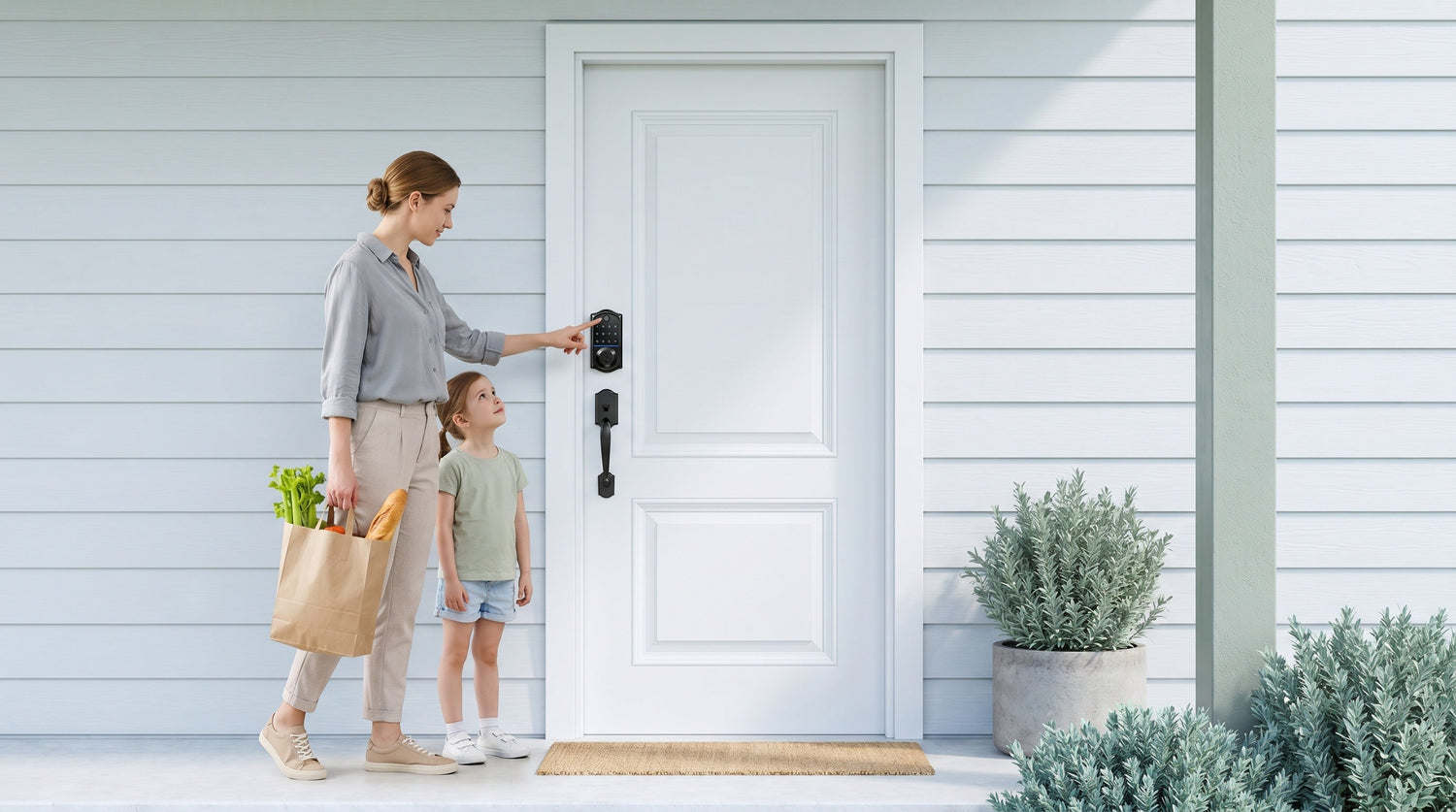
Fumbling for keys in the dark, letting the dog in with full hands, or wondering whether you remembered to lock up before leaving — these are the everyday frustrations that fingerprint door locks were built to solve. With a scan time under 0.3 seconds, a fingerprint lock lets you walk in without breaking your stride, and without handing out spare keys that can be copied or lost.
The challenge is choosing the right one. Some households just want a reliable code-plus-fingerprint deadbolt. Others need remote access so a parent can check whether the kids made it home from school. And some short-term rental hosts need full app control from across the country. The "best" fingerprint lock depends entirely on how you actually live in your home.
This guide walks through five distinct fingerprint lock picks from Veise — a vertically integrated smart lock brand that has ranked #1 on Amazon North America in both 2024 and 2025. Every lock on this list is designed for wood doors, installs in about 15 minutes with a screwdriver, requires no subscription fees, and stores fingerprint data locally on the device itself (no cloud account required). Priced between $30 and $180, there's a practical option for almost every household.
What to Look for in a Fingerprint Door Lock
Before diving into specific picks, it helps to know the four features that matter most when shopping for a fingerprint lock. First, scan reliability: a good fingerprint lock reads your finger cleanly the first time, every time, regardless of whether your hands are slightly damp or at an angle. Veise locks use an onboard AI chip that enrolls each fingerprint eight times to build a template that holds up across real-world conditions. Second, backup entry methods: even the best scanner can fail if the battery dies or your finger is injured. Every lock on this list includes both a physical key backup and a keypad code as standard — those two methods are guaranteed across the Veise lineup. Third, installation simplicity: if installation requires an electrician or a contractor, the convenience benefit of a smart lock shrinks fast. All five picks here install with a screwdriver in about 15 minutes and require no wiring. Fourth, the right level of connectivity: a standalone keypad deadbolt is perfect for someone who just wants hands-free entry without any app dependency, while a Wi-Fi smart lock is the right call for remote monitoring and app-based access management.
One more practical note: all Veise locks are designed for wood doors with a standard thickness of 1-3/8" to 2". They are not compatible with fiberglass, metal, storm, or sliding doors. Because Veise locks are full lock replacements (not an overlay on your existing hardware), installation requires the authority to modify the door — typically a homeowner, landlord, or property manager.
Pick #1: Keypad Deadbolt with Fingerprint (KS02 Series)
Best for: Homeowners who want fast fingerprint entry without any app or Internet dependency.
The Keypad Deadbolt with fingerprint (KS02 series) is Veise's most straightforward fingerprint lock. You get fingerprint entry, keypad code entry, and a physical key backup — all in a self-contained unit that works entirely offline. There's no gateway, no Wi-Fi setup, no app to configure, and no subscription fee ever. Fingerprints are processed and stored on the lock itself, so your biometric data never leaves the device.
The KS02 series comes in two sub-formats: the KS02A (deadbolt-only, pairs with your existing handle) and the KS02B / KS02C / KS02D handleset bundles (also written "handle-set"), which include a lever, knob, or vertical handle in the same package. Auto lock is configurable between 10 and 99 seconds on this standalone keypad deadbolt, so the door can secure itself behind you without any manual locking. This is the lock that makes sense for a family's front door when they want the speed of fingerprint access but don't need remote control from their phone.
- Unlock methods: fingerprint, keypad code, physical key backup
- No app, no Wi-Fi, no gateway required
- Local fingerprint storage — no cloud, no account
- Auto lock: configurable 10 to 99 seconds
- ANSI/BHMA Grade 3 certified (the residential standard)
- Installs in ~15 minutes with a screwdriver
Pick #2: Smart Lock w/ G1 — The All-in-One Connected Pick
Best for: Families who want fingerprint + remote access + multilingual voice prompts in a single package.
Smart Lock w/ G1 is built on a single product series — the VE017 — and it's Veise's most complete connected lock. Every VE017 comes standard with fingerprint recognition, USB-C emergency power (useful if the batteries die and you need to get in fast), and multilingual voice prompts in English, Spanish, and French. That last detail matters for multilingual households or for elderly family members who feel more comfortable hearing instructions in their first language.
When paired with the G1 gateway, the lock connects to a Veise-developed mobile app, enabling remote locking, real-time entry alerts, and full access management from anywhere with an active Internet connection. Parents managing after-school arrivals, or landlords checking in on a rental property, will appreciate the ability to see who came and went and when. The gateway also enables voice assistant control via Alexa or Google Assistant (the gateway bridges the lock to the voice assistant — voice commands require the gateway to be in place). Backup entry is covered by a key fob and a physical key on every model.
- Unlock methods: fingerprint, keypad code, remote app (via G1 gateway), key fob, physical key
- Multilingual voice prompts: English, Spanish, French
- USB-C emergency power port — standard on all VE017 SKUs
- Alexa and Google Assistant compatible (requires G1 gateway)
- First-party Veise-developed app integration
- Auto lock: configurable 10 to 180 seconds
Browse the full Smart Locks w/ G1 collection to see available finishes and handle configurations.
Pick #3: Smart Lock w/ G2 — Apple Watch Unlock & Web Portal
Best for: Tech-forward households who want Apple Watch unlock or web-based access management.
Smart Lock w/ G2 covers more SKU variety than Smart Lock w/ G1, offering both fingerprint and non-fingerprint options in either a standalone deadbolt or a handleset bundle (with lever, vertical handle, or knob). The two features that make Smart Lock w/ G2 genuinely unique are Apple Watch unlock and web portal control — neither of which is available on any other Veise line. If you want to unlock your front door with a tap on your wrist, Smart Lock w/ G2 is the only path to get there.
Like Smart Lock w/ G1, Smart Lock w/ G2 requires a paired gateway for remote app access and voice assistant control. The voice prompts on Smart Lock w/ G2 are English only, so if your household includes Spanish or French speakers, Smart Lock w/ G1 is the better fit. All Smart Lock w/ G2 models include key fob and physical key as standard backup methods, and the auto lock interval is the same configurable 10 to 180 seconds. For a homeowner who is deep in the Apple ecosystem and wants web portal access to manage a short-term rental property remotely, Smart Lock w/ G2 is the stronger pick over Smart Lock w/ G1.
- Unlock methods: keypad code, remote app (via G2 gateway), key fob, physical key; fingerprint on select models
- Apple Watch unlock — unique to G2
- Web portal control — unique to G2
- English voice prompts only
- Multiple form factors: standalone deadbolt or handleset bundles (lever, knob, or vertical handle)
- Alexa and Google Assistant compatible (requires G2 gateway)
See all options in the Smart Locks w/ G2 collection.
Pick #4: Touchscreen Wi-Fi Smart Lock (VE027 Series)
Best for: Homeowners who want full remote access without a separate gateway, plus a premium touchscreen interface.
The Touchscreen Wi-Fi Smart Lock (VE027 Series) connects directly to your home Wi-Fi — no gateway purchase required. The clean touchscreen panel handles fingerprint scans, keypad entry, and illuminated prompts all in one surface. Remote app access, real-time lock/unlock alerts, and entry history are all available from anywhere via the app as long as your home has an active Internet connection. Even when Wi-Fi is down, app control continues to work locally as long as you're within short-range wireless distance of the lock.
The VE027 series includes a USB-C emergency power port (the same feature found on the VE017/G1 line), which is a practical safety net for households with elderly members or anyone who worries about being locked out by a dead battery. Alexa and Google Assistant voice control works directly through the lock's built-in Wi-Fi — no gateway needed. The battery design uses 8 AA batteries instead of the more common 4 AA setup, delivering stronger signal, more stable connections, and a longer-lasting power reserve. Voice prompts are available in English, Spanish, and French.
- Unlock methods: fingerprint, touchscreen keypad code, remote app (built-in Wi-Fi), key fob on all VE027 models, physical key backup
- Touchscreen interface
- USB-C emergency power port
- Alexa and Google Assistant via built-in Wi-Fi (no gateway needed)
- 3-language voice prompts: English, Spanish, French
- 8 AA battery design for stronger signal and longer power reserve
- Auto lock: configurable 10 to 180 seconds
Pick #5: Push-Button Wi-Fi Smart Lock (VE012W Series)
Best for: Homeowners who want all the remote-access features of Wi-Fi at a more accessible price point, with a familiar keypad feel.
The Push-Button Wi-Fi Smart Lock (VE012W Series) delivers the same core Wi-Fi feature set as the VE027 — fingerprint entry, remote app control, real-time alerts, and Alexa and Google Assistant voice control — just with a traditional press-button keypad instead of a touchscreen, and without the USB-C emergency power port. The VE012W does not include on-device multilingual voice prompts (those are available on the VE017 and VE027 series). For households that find touchscreens slightly less intuitive (young kids entering a code, elderly family members who prefer tactile buttons), the physical keypad is often a more comfortable daily experience.
Like all Veise Wi-Fi smart locks, the VE012W series uses 8 AA batteries for a stronger signal and more stable connection than the standard 4 AA designs found in many competing locks. Fingerprint data is stored locally on the lock itself, and enrollment captures the finger eight times to build a reliable template. At Veise's $30–$180 price range, the VE012W sits as the accessible entry point into fully connected, remote-access smart lock ownership — no subscription fees, no cloud dependency, and no need to call a locksmith for installation.
- Unlock methods: fingerprint, push-button keypad code, remote app (built-in Wi-Fi), physical key backup (the VE012W series does not support key fob)
- Traditional press-button keypad interface
- Alexa and Google Assistant via built-in Wi-Fi (no gateway needed)
- 8 AA battery design
- Local fingerprint storage — no cloud, no subscription
- Auto lock: configurable 10 to 180 seconds
Quick Comparison: Which Lock Is Right for You?
Here's a straightforward way to narrow it down based on your situation:
- No app, just reliable fingerprint + code entry: Keypad Deadbolt with Fingerprint (KS02 Series)
- Remote access + multilingual voice + USB-C backup + fingerprint standard: Smart Lock w/ G1 (VE017 Series)
- Apple Watch unlock or web portal management: Smart Lock w/ G2
- Full Wi-Fi remote access + touchscreen + USB-C backup: Touchscreen Wi-Fi Smart Lock (VE027 Series)
- Full Wi-Fi remote access + familiar push-button keypad: Push-Button Wi-Fi Smart Lock (VE012W Series)
A few household scenarios worth calling out specifically. Parents with school-age kids will get the most from a Wi-Fi smart lock or a gateway-paired Smart Lock w/ G1 or w/ G2 — the app shows real-time entry history so you know when your child arrived home, even if you're still at the office. Short-term rental hosts and property managers benefit from remote app access (Smart Lock w/ G1, Smart Lock w/ G2, or either Wi-Fi model) so they can issue and revoke access codes between guests without ever visiting the property. Households with elderly members who are concerned about battery lockouts should look specifically at the VE017 series or VE027 series, both of which include the USB-C emergency power port on every unit.
Explore the full Veise lineup at All Products, or browse by category: Keypad Deadbolt Locks, Smart Locks w/ G1, Smart Locks w/ G2, and Wi-Fi Smart Locks.
Frequently Asked Questions
How fast does a Veise fingerprint lock recognize my finger?
Veise fingerprint locks use an onboard AI chip that completes the scan in under 0.3 seconds. The lock enrolls each finger eight times during setup to build a reliable template that holds up across different angles, pressure levels, and minor skin conditions like dry or slightly damp fingertips.
Do Veise fingerprint locks store my biometric data in the cloud?
No. All fingerprint data is processed and stored locally on the lock itself. Nothing leaves the device, and no cloud account or Internet connection is required for fingerprint recognition to work. This applies to every Veise fingerprint lock, including both the offline keypad deadbolts and the connected Wi-Fi and gateway-paired models.
What happens if the battery dies — am I locked out?
Every Veise lock includes a physical key as a backup entry method, so a dead battery never leaves you locked out. Additionally, the VE017 series (Smart Lock w/ G1) and the VE027 series (Touchscreen Wi-Fi Smart Lock) include a USB-C emergency power port — connect a power bank to temporarily power the lock and enter your code or use your fingerprint to get inside.
Do I need a subscription to use a Veise smart lock?
No subscription is required, ever. All features — fingerprint entry, keypad codes, remote app access, entry history, and voice assistant control — are included with the hardware purchase at no ongoing cost.
Can I use a Veise fingerprint lock on a metal or fiberglass door?
No. Veise locks are designed for wood doors with a standard thickness of 1-3/8" to 2". They are not compatible with fiberglass, metal, storm, or sliding doors. If you're unsure whether your door qualifies, check the door material and thickness before purchasing.
Which Veise fingerprint lock is best if I want to control access remotely?
Remote access requires a smart lock — either a gateway-paired model (Smart Lock w/ G1 or G2) or a Wi-Fi smart lock (VE027 or VE012W series). A standard keypad deadbolt, even with fingerprint, does not support remote app control. For the most complete remote-access package including fingerprint, multilingual voice, and USB-C backup, the Smart Lock w/ G1 is the top all-in-one recommendation.
How difficult is it to install a Veise fingerprint lock?
Most homeowners complete the installation in about 15 minutes using a screwdriver. No wiring, no drilling new holes, and no professional help required. Veise locks are a full lock replacement (not an overlay on existing hardware), so you'll be removing the old lock and fitting the new one in its place.
The best fingerprint door lock is the one that fits how you actually use your home — not the one with the longest spec sheet. If you want simple, offline fingerprint entry, the KS02 series keypad deadbolt delivers that cleanly and affordably. If you need remote access so you can monitor a rental property or track when your kids get home, any of the connected options — Smart Lock w/ G1, Smart Lock w/ G2, or either Wi-Fi smart lock — give you real-time visibility without a subscription fee. And if you're looking for the most complete all-in-one package, Smart Lock w/ G1 (VE017 series) combines fingerprint, multilingual voice, USB-C emergency power, and a Veise-developed app into a single, reliable unit.
All five locks on this list install in about 15 minutes, store fingerprint data locally on the device, and are backed by US-based phone and email support with a local warehouse. At $30 to $180, premium home security doesn't have to mean a premium price.
Have questions about which fingerprint lock is the right fit for your door or your household? The Veise team is ready to help. Contact Us and get personalized guidance from US-based support — no bots, no runaround.

Leave a comment
This site is protected by hCaptcha and the hCaptcha Privacy Policy and Terms of Service apply.