
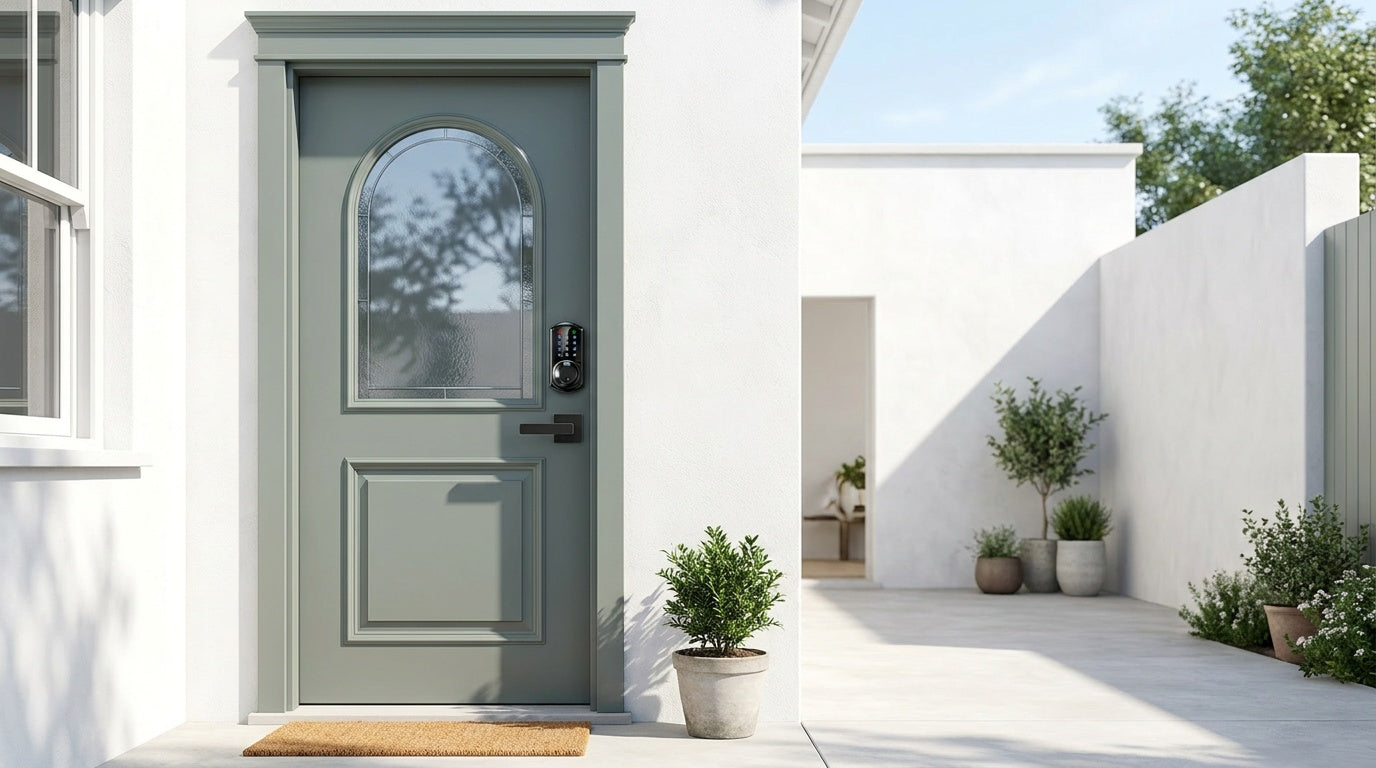
Shopping for a keypad door lock sounds straightforward until you realize how many different types, price points, and feature sets are out there. Should you go with a basic deadbolt that runs on a PIN? A smart lock that lets you check who came home while you're at work? A Wi-Fi model that works with Alexa? The options can feel overwhelming fast.
This guide cuts through the noise. We've broken down the main categories of keypad door locks, compared them by features, price, and ratings, and mapped each one to the real-life situations where it performs best — whether you're a new homeowner replacing an old lock, a parent tracking after-school arrivals, or a property owner managing guest access to a short-term rental. By the end, you'll know exactly which type of keypad lock fits your door, your budget, and your household.
What Is a Keypad Door Lock?
A keypad door lock replaces the traditional key-and-cylinder entry with a numeric code entered on a pad mounted to the lock body. At its simplest, you punch in your PIN and the lock disengages. At its most advanced, a keypad lock can also recognize fingerprints, connect to your home Wi-Fi, send mobile alerts, and respond to voice commands. The keypad is the unifying thread — entry is always code-based at minimum, with other methods layered on top depending on the model.
Most keypad locks still include a physical key slot as a backup, which matters more than people expect. Batteries die. Codes are occasionally forgotten. A physical key backup is a quiet but important safety net that the best models never skip. Beyond that, the differences between keypad lock types come down to connectivity, installation complexity, and which household scenarios each one was designed to solve.
Types of Keypad Door Locks
Keypad locks aren't one-size-fits-all. The four main categories serve different doors, different use cases, and different budgets. Understanding each one is the fastest way to narrow your search.
Keypad Deadbolt Locks
A keypad deadbolt lock is the most common choice for a front or back door. The deadbolt throws a solid metal bolt into the door frame when locked, making it significantly harder to force open compared to a spring latch. All keypad deadbolts accept a PIN code and include a physical key backup. Select models also add fingerprint recognition, letting household members enter with a quick touch rather than typing a code every time.
Keypad deadbolts don't connect to the Internet or a mobile app — they're standalone devices. That simplicity is actually a selling point for many buyers. There's no app to set up, no subscription to pay, and no Wi-Fi dependency. The lock does one job reliably: it secures your door and lets you in with a code. For households that want straightforward security without smart-home complexity, a keypad deadbolt is often the most practical starting point.
Keypad Latch Locks
A keypad latch lock uses a spring-loaded latch instead of a deadbolt, making it a common fit for interior doors, side entries, office doors, and garage entries — situations where code-based convenience matters more than maximum deadbolt security. Like keypad deadbolts, latch locks open with a PIN code and include a physical key backup. Current options don't include fingerprint, app control, or key fob support — they're intentionally simple.
One practical use case worth noting: a keypad latch lock on an entry door can work alongside a separate deadbolt. The latch handles everyday code-based access, while the deadbolt handles primary security overnight or when the home is unoccupied. It's a flexible setup that some homeowners prefer over a single combined lock.
Smart Locks with Gateway
A Smart Lock w/ G1 or Smart Lock w/ G2 adds remote access and mobile app control to the keypad lock experience. The lock itself pairs with a small gateway hub that you plug into a wall outlet indoors — the gateway bridges the lock to your home network and the Internet, enabling remote locking, unlocking, and entry history review from anywhere. Every model in this category supports keypad code, key fob, physical key, and remote app control. Many models also include fingerprint recognition.
The G1 and G2 lines share those core unlock methods but differ in meaningful ways. The G1 line — built on a single product series — includes fingerprint, multilingual voice prompts (English, Spanish, and French), and a USB-C emergency power port as standard across every model. It also pairs with a Veise-developed app, which means tighter integration and a more consistent experience. The G2 line offers more SKU variety (both fingerprint and non-fingerprint options, in standalone or handle-set form factors) and adds Apple Watch unlock and web portal control as unique features. G2 voice prompts are currently English only, which is worth factoring in for multilingual households. Both lines require the gateway hub to be plugged in for remote access to function. If Wi-Fi goes down but you're within short-range wireless distance, app control continues to work locally.
Wi-Fi Smart Locks
A Wi-Fi smart lock connects directly to your home Wi-Fi network — no gateway hub required. This makes setup simpler and remote access available without any additional hardware. Wi-Fi locks support keypad code, remote app control, fingerprint, and physical key backup across all models. Select models also include key fob support. Voice control via Alexa and Google Assistant works directly through the built-in Wi-Fi connection, with no bridge or gateway needed.
Veise offers two Wi-Fi smart lock series that differ by interface. The Touchscreen Wi-Fi Smart Lock (VE027 Series) features a touchscreen keypad, three-language voice prompts, and a USB-C emergency power port — a useful safeguard if batteries run low and you can't get to a store quickly. The Push-Button Wi-Fi Smart Lock (VE012W Series) uses a traditional press-button keypad and does not include voice prompts or a USB-C emergency power port. Both series otherwise share the same core smart features, including built-in Wi-Fi connectivity, fingerprint unlock, keypad code access, app control, Alexa and Google Assistant compatibility, and an 8 AA battery design for a stronger, more stable connection than the standard 4 AA setup. If Wi-Fi goes down but you are still within short-range wireless distance, app control continues to work locally — only long-distance remote features require an active Internet connection.
What to Look for When Comparing Keypad Locks
Not every feature matters equally for every household. Here are the factors that tend to separate a good keypad lock purchase from a frustrating one:
- Unlock methods: Think honestly about who uses your door and how. A fingerprint option speeds up entry for family members. A key fob is handy for hands-full moments. Remote app control is essential if you manage access from offsite or want to let someone in without sharing your code.
- Connectivity: If remote access matters — checking whether your kids got home, letting in a dog walker, or managing a short-term rental — you need a smart lock (gateway-paired or Wi-Fi), not a keypad-only model. A keypad-only lock cannot be paired with a gateway to add remote features later.
- Door compatibility: Most residential keypad locks are designed for wood doors with a standard thickness between 1-3/8" and 2". They're not compatible with fiberglass, metal, storm, or sliding doors. Always confirm before buying.
- Auto lock: A configurable auto lock timer adds passive security — the lock re-engages automatically after you enter, without relying on anyone to remember. The best models let you adjust the interval between 10 and 180 seconds to match your household's pace.
- Installation: Full lock replacement (not an overlay) gives you a cleaner, more integrated result. The best models install in about 15 minutes with a screwdriver and no wiring, making it a genuine DIY project rather than a call to a locksmith.
- Subscription fees: Some brands charge monthly fees for app features, entry history access, or remote control. Look for models that include these features with the hardware purchase, with no ongoing cost.
- Data storage: For households that care about privacy, local data storage (fingerprints and access logs stored on the lock itself, not in the cloud) is a meaningful distinction from cloud-dependent competitors.
Features, Prices, and Ratings at a Glance
The table below summarizes the four keypad lock categories side by side, so you can compare at a glance before diving into the details.
| Category | Connectivity | Key Unlock Methods | Price Range | Best For |
|---|---|---|---|---|
| Keypad Deadbolt | None (standalone) | Keypad code, physical key; fingerprint on select models | $30–$80 | Everyday entry, budget-conscious buyers |
| Keypad Latch Lock | None (standalone) | Keypad code, physical key | $30–$60 | Interior doors, side entries, paired with deadbolt |
| Smart Lock w/ Gateway (G1 or G2) | Remote via gateway hub | Keypad code, key fob, physical key, remote app; fingerprint on most models | $80–$150 | Remote access, rental properties, families monitoring arrivals |
| Wi-Fi Smart Lock | Direct Wi-Fi (no hub) | Keypad code, fingerprint, remote app, voice control; key fob on select models | $100–$180 | Smart home integration, Alexa/Google users, simpler setup |
Prices reflect the Veise lineup, which spans $30 to $180 across all categories. Most buyers land in the $50–$120 range depending on the features they prioritize.
Best Keypad Lock Picks by Use Case
Rather than ranking locks by spec sheets, the most useful comparison is by situation. Here's how different household scenarios map to the right lock category:
For New Homeowners Replacing an Existing Lock
A keypad deadbolt is typically the right starting point. It's a direct replacement for the lock you're pulling out, installs in about 15 minutes with a screwdriver, and immediately eliminates the need to manage physical keys for every household member. Models without fingerprint are the most affordable entry point; models with fingerprint add a faster, key-free experience for family members who come and go frequently.
For Parents Monitoring After-School Arrivals
If you want to know the moment your kids get home — without texting back and forth — a Wi-Fi smart lock or a Smart Lock w/ Gateway (G1 or G2) is the right category. Both send real-time entry alerts to your phone and maintain an access log you can review at any time. A keypad-only lock, by contrast, has no way to notify you remotely. For multilingual households, the Smart Lock w/ G1 is worth considering specifically — the entire G1 line includes English, Spanish, and French voice prompts, which can matter when different family members interact with the lock differently.
For Property Owners Managing Short-Term Rentals
Remote access is non-negotiable when you're managing guest check-ins from offsite. A Smart Lock w/ G2 or a Wi-Fi smart lock lets you assign temporary codes for each guest, lock or unlock remotely between stays, and review access history without being on-site. The Smart Lock w/ G2 adds Apple Watch unlock and web portal control, which some property managers find convenient when handling multiple units. Remote access requires a smart lock — gateway-paired or Wi-Fi — not a keypad-only model with a gateway added on.
For Households with Elderly Members
Simplicity is the priority here. A keypad deadbolt with fingerprint recognition removes the need to remember a code at all — a quick touch of the finger at the sensor opens the door in under 0.3 seconds. For households where a lockout would be a serious problem, the Touchscreen Wi-Fi Smart Lock (VE027 Series) and the Smart Lock w/ G1 both include a USB-C emergency power port, so a depleted battery never means a locked-out family member.
For Smart Home Users (Alexa / Google Assistant)
Wi-Fi smart locks integrate directly with Alexa and Google Assistant through the lock's built-in Wi-Fi — no additional bridge or hub required. Smart Locks w/ Gateway (G1 or G2) can also work with voice assistants, but the gateway must be plugged in and connected for voice commands to reach the lock. Either path works; the Wi-Fi route is slightly simpler for users who already have a strong home network and don't want extra hardware.
Why Veise Stands Out in the Keypad Lock Market
Most lock brands at this price point are OEM resellers — they source hardware from third-party manufacturers, rebrand it, and sell it. Veise takes a different approach. With roots in the lock industry since 1988 and a fully vertically integrated operation, Veise designs, engineers, and manufactures its own products. That means tighter quality control, faster product improvements, and direct accountability for every lock that ships. It's one of the reasons Veise ranked as the #1 smart lock brand on Amazon North America in both 2024 and 2025.
The practical benefits of that ownership show up in the details: all fingerprints are processed and stored on the lock itself using an on-device AI chip, with no cloud account or Internet connection required to register a print — a genuine privacy advantage. There are no subscription fees for any feature. ANSI/BHMA Grade 3 certification covers the residential standard that these locks are built for. Installation takes about 15 minutes with a screwdriver and requires no wiring or professional help. And US-based phone and email support, backed by a local warehouse, means help is available without waiting on international shipping timelines.
All Veise keypad locks are compatible with wood doors with a standard thickness between 1-3/8" and 2". They require full lock replacement rather than an overlay installation, so the buyer should be the property owner or have authority to modify the door hardware. Veise locks do not support fiberglass, metal, storm, or sliding doors.
The full Veise keypad lock lineup — from standalone deadbolts to fully connected Wi-Fi smart locks — is available at iveise.com, with prices ranging from $30 to $180.
Frequently Asked Questions
What is the difference between a keypad deadbolt and a keypad latch lock?
A keypad deadbolt uses a solid metal bolt that extends into the door frame, offering stronger forced-entry resistance — it's typically chosen for exterior entry doors. A keypad latch lock uses a spring-loaded latch that retracts automatically when the handle is turned, making it a common fit for interior doors, side entries, and office doors. Both categories open with a PIN code and include a physical key backup, and neither supports app control or key fob — they're standalone, offline locks. The functional difference comes down to fingerprint: select keypad deadbolt models (KS02 series) include a fingerprint reader, while no current keypad latch lock supports fingerprint.
Do keypad door locks require a subscription?
Not all of them. Veise keypad locks — including smart models with remote access and entry history — include all features with the hardware purchase and charge no monthly or annual subscription fees. Some competing brands do charge ongoing fees for app features or cloud storage, so it's worth checking before you buy.
Can I add remote access to a keypad-only lock?
No. Remote access requires a smart lock — gateway-paired or Wi-Fi. A keypad-only deadbolt or latch lock operates as a standalone device and cannot be upgraded to remote access by adding a gateway later. If remote monitoring or off-site control is important to you, choose a smart lock category from the start.
How long does it take to install a keypad door lock?
Most keypad locks replace an existing deadbolt or latch, and the process typically takes about 15 minutes with a screwdriver — no wiring, no drilling (in most cases), and no professional installation needed. Full lock replacement does require you to be the property owner or have authority to modify the door hardware.
Are keypad door locks safe if the power goes out?
Yes. Keypad locks run on batteries, not your home's electrical system, so a power outage has no effect on lock operation. If the batteries themselves run low, most models include a physical key backup. Select models — such as the VE027 series (Touchscreen Wi-Fi Smart Lock) and the VE017-based Smart Lock w/ G1 — also include a USB-C emergency power port that lets you connect a portable power bank to unlock the door even with dead batteries.
What doors are keypad locks compatible with?
Most residential keypad locks, including the full Veise lineup, are designed for wood doors with a standard thickness between 1-3/8" and 2". They are not compatible with fiberglass, metal, storm, or sliding doors. Always check door compatibility before purchasing, particularly for non-standard entry points.
What is auto lock on a keypad door lock?
Auto lock is a feature that automatically re-engages the lock after a set period following an unlock event, without requiring anyone to manually lock the door. On Veise locks, the auto lock interval is typically configurable between 10 and 180 seconds, so you can set a pace that suits your household. It's a standard feature across the Veise lineup, not a premium add-on.
Choosing the right keypad door lock comes down to understanding what your household actually needs — not just which lock has the longest feature list. A keypad deadbolt is the reliable, affordable workhorse for most entry doors. A keypad latch lock fills the gap for interior or secondary entries. A Smart Lock w/ Gateway (G1 or G2) opens up remote access and entry history for families and property owners who need visibility from offsite. And a Wi-Fi smart lock brings the full smart-home experience — voice control, instant alerts, and direct app management — without any extra hardware.
Whatever your situation, the right lock is one that fits your door, your budget, and the way your household actually moves through the day. Veise's full lineup covers all four categories at prices between $30 and $180, with no subscriptions, no cloud dependency, and a 15-minute installation process. Browse the complete range at iveise.com and find the lock that fits your home.
Have questions about which keypad lock is right for your door?
Our US-based support team is ready to help — by phone or email, with no runaround.
Contact Us

Leave a comment
This site is protected by hCaptcha and the hCaptcha Privacy Policy and Terms of Service apply.