
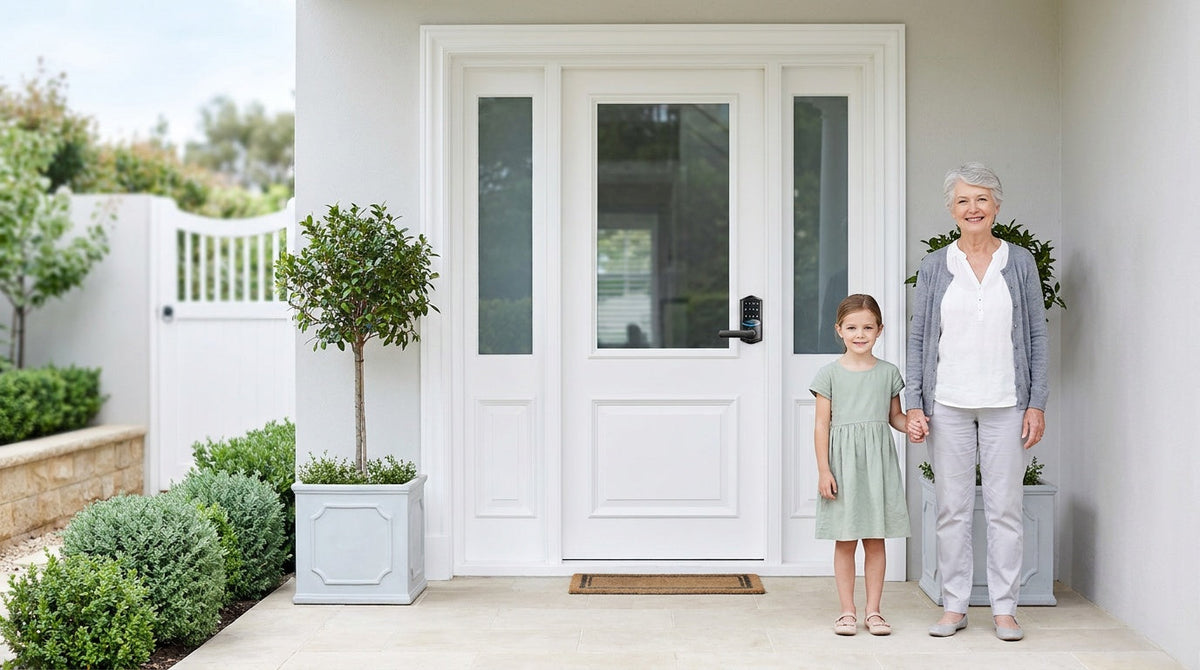
Stand at your front door and really look at the hardware. That knob, lever, or keypad is the first thing you — and everyone else — interacts with every single day. Yet most homeowners choose a lock based on whatever was already there or whatever looked nice at the hardware store. The result? A lock that may not match how your family actually lives, how secure your neighborhood is, or how much convenience you actually want.
Front door lock types span a wide spectrum: traditional keyed knobs and levers that keep things simple, standalone deadbolts that prioritize raw security, keypad deadbolts that take the key out of daily entry, and fully connected smart locks that let you monitor and manage your home from anywhere. Choosing the right style isn't about picking the fanciest option — it's about matching the lock to your door, your family's habits, and your real security needs.
This guide walks through every major front door lock type, explains where each one fits best, and helps you build a clear picture of what your entry door actually needs. Whether you're doing a quick upgrade or starting from scratch, you'll find the right answer here.
Mechanical Lock Styles: The Foundation of Every Entry Door
Mechanical locks rely entirely on physical keys — no batteries, no codes, no apps. They're the baseline hardware found on virtually every residential door, and they remain a practical, reliable choice when keyless access isn't a priority. Understanding the different form factors helps you make sense of how your entry door is (or should be) configured before you decide whether to upgrade.
Keyed Entry Door Knobs
A keyed entry door knob uses a round, rotating handle with a built-in key cylinder on the exterior side. It's the most familiar lock style in American homes and works well for secondary entry points — like a door from the garage into the house — or interior doors where you want keyed access alongside a separate deadbolt for the main security layer. A keyed knob locks the door on its own, but its bolt is a spring latch seated in the knob housing, so it offers less resistance to forced entry than a deadbolt. Pairing a keyed knob with a deadbolt above or below it is the standard approach for a front door configuration that's both convenient and secure.
Keyed Entry Door Levers
A keyed entry door lever replaces the twist-and-turn motion of a knob with a simple push-down handle. That ergonomic difference matters more than it might seem: levers are significantly easier to operate for young children, older family members, or anyone who has limited grip strength or carries their hands full with groceries or bags. Like keyed knobs, a keyed lever locks the door by itself and is commonly paired with a separate deadbolt, which adds the heavier-duty resistance to forced entry. Levers come in a wide range of finishes and profiles, so they're also a straightforward way to refresh the look of an entry door without a full hardware overhaul.
Standalone Deadbolt Lock
A standalone deadbolt is the security anchor of any entry door. It throws a solid metal bolt deep into the door frame, creating a physical barrier that resists forced entry far better than a spring latch alone. Deadbolts come in two industry forms: single cylinder (key outside, thumb turn inside) and double cylinder (key on both sides). Veise's lineup is single cylinder by design — every model keeps the interior thumb turn so anyone inside can get out fast, which also avoids the entrapment risk that makes double cylinder locks a fire-code concern in many jurisdictions. The standalone deadbolt installs above or below your existing handle hardware, making it an easy add-on when a door already has a knob or lever but needs a stronger locking point. For front doors on wood construction homes, a deadbolt is typically the non-negotiable foundation that every other lock type either replaces or builds on.
Keyed Entry Handleset (Handle + Deadbolt Combo)
A Keyed Entry Handleset bundles a keyed handle and a deadbolt into a coordinated, matched package, available as deadbolt + keyed lever or deadbolt + keyed knob. Instead of sourcing a handle and deadbolt separately and hoping the finishes line up, a handleset ships as one product with a unified look — a popular choice when you want the entry door to make a clean aesthetic impression. The keyed handle locks the door on its own and carries daily traffic, while the deadbolt adds the heavier-duty layer against forced entry. Handle-set combos are a practical upgrade for homeowners who want to replace aging or mismatched hardware in one step, without needing to shop for two separate pieces.
Electronic Lock Categories: Going Beyond the Key
Electronic locks keep the physical bolt strength of a traditional deadbolt while replacing the key cylinder with a code pad, fingerprint reader, or wireless connection. The result is a door that's as secure as ever but far more flexible to manage — far fewer keys in circulation, and no locksmith calls to rekey after a houseguest stays too long. Veise organizes its electronic lineup into four categories, each designed for a different level of connectivity and a different type of household.
Keypad Deadbolt Lock
A keypad deadbolt lock is the most direct upgrade from a traditional keyed deadbolt. The steel bolt, the door prep, and the installation process are essentially the same — the difference is that a numeric keypad is added alongside the key cylinder, and every model includes a physical key as a reliable backup. Enter your code and the bolt retracts; it's that simple. Veise keypad deadbolts come in two primary configurations: models without a fingerprint reader (RZ and KS01 series, available as standalone deadbolts or as handle-set bundles with a matching lever, knob or handleset) and models with a built-in fingerprint reader (KS02 series). On fingerprint-equipped models, recognition happens in under 0.3 seconds — fast enough that you won't break stride walking through the door.
Keypad deadbolts are entirely offline by design. There's no Wi-Fi to configure, no app to set up, and no subscription fees. Auto lock is configurable between 10 and 99 seconds on this category, so the door locks itself after you've come and gone. For households that want to ditch physical keys without adding smart-home complexity, a keypad deadbolt is typically the most practical starting point — it solves the key problem cleanly and reliably.
Keypad Latch Lock
A keypad latch lock combines an integrated handle and keypad in a single, self-contained unit. Instead of a deadbolt bolt, it uses a spring-loaded latch — the same mechanism found in standard door handles — controlled by a keypad code. This makes it a compact, all-in-one solution that works well on interior office doors, side entries, garage access doors, or any door where you want convenient code-based access without replacing the entire deadbolt setup. Veise currently offers two keypad latch models: the KS03 Series with an integrated top knob and the KS04 Series with an integrated top lever. Both support keypad code and physical key, keeping things straightforward. Because the latch lock handles daily entry at the handle position, it also pairs naturally with a separate deadbolt above or below it when used on a primary entry door — the latch handles code-based access, the deadbolt handles the main security bolt.
Smart Lock w/ Gateway (G1 or G2)
A Smart Lock w/ G1 or Smart Lock w/ G2 adds remote app control to the full keypad feature set. The lock pairs with a small gateway hub that bridges it to your home network, enabling you to lock or unlock from anywhere, receive entry notifications, and review an activity log — all through a mobile app. Every model in this category supports keypad code, key fob, and physical key as backup methods. Fingerprint is standard across Smart Lock w/ G1 and available on many Smart Lock w/ G2 models. Voice control is available through Alexa or Google Assistant when the gateway is in place, since the gateway is what bridges the lock to your voice assistant.
The G1 and G2 lines share all of those core features, but they differ in ways that matter depending on your household. Smart Lock w/ G1 is built on a single product series — the VE017 — and every unit ships with multilingual voice prompts (English, Spanish, and French), a USB-C emergency power port, and fingerprint as standard. It also pairs with a Veise-developed first-party app, which makes for a more reliable, consistent experience. Smart Lock w/ G2 introduces Apple Watch unlock and web portal control as unique additions, and it offers a wider SKU variety — including non-fingerprint options and standalone or handle-set bundle configurations — making it the right call when one of those specific features is the priority. If you have a multilingual household or want an all-in-one setup with no compromises, G1 line is typically the stronger default recommendation.
It's worth noting how these locks handle connectivity gaps: even when Wi-Fi is down, app control continues to work locally as long as you're within short-range wireless distance of the lock. Only long-distance remote features — locking from across town, off-site notifications — require a live Internet connection. For families with children, this category is a particularly good fit: parents can check activity logs and see exactly when kids arrive home, all from a phone.
Wi-Fi Smart Lock
A Wi-Fi smart lock delivers the same remote access, activity logs, and voice control as a gateway-paired smart lock — but it connects directly to your home router without needing a separate hub. There's no extra hardware to plug in or position; the lock handles its own connectivity. Alexa and Google Assistant work natively through the lock's built-in Wi-Fi, without any gateway dependency. Veise offers two Wi-Fi smart lock series: the Touchscreen Wi-Fi Smart Lock (VE027 Series) with a touchscreen interface, USB-C emergency power, key fob support, and on-device voice prompts in English, Spanish, and French, and the Push-Button Wi-Fi Smart Lock (VE012W Series) with a traditional press-button keypad and none of those four extras. Both series share fingerprint recognition, keypad code, app control, Alexa and Google Assistant compatibility, and an 8 AA battery design that delivers stronger signal and a longer-lasting power reserve than the standard 4 AA setup.
The Effortless Home Entry™ experience Veise designs around becomes especially clear with the Wi-Fi smart lock: you set it up in about 15 minutes with a screwdriver, no wiring, no professional help required, and it connects directly to your existing router. From that point forward, every family member has multiple ways to enter — fingerprint, code, app, or voice — and you have full visibility into who comes and goes, from anywhere. For homeowners managing a short-term rental, keeping tabs on a vacation home, or simply wanting the most connected option without adding a gateway hub, the Wi-Fi smart lock is the natural top-of-line choice.
Privacy and Interior Door Hardware
Not every door in your home needs deadbolt-level security. Bathrooms, bedrooms, and home offices typically need privacy — a way to signal "occupied" and prevent accidental interruptions — without the full keyed or coded entry setup of an exterior lock. Privacy door knobs and privacy door levers give keyless privacy: they lock securely from the inside with a turn knob — no key needed — and unlock from outside with a coin or screwdriver in an emergency, which prevents accidental lock-ins and supports child safety. They're appropriately scaled for interior use: simple, durable, and available in finishes that match your entry hardware for a cohesive look throughout the home. Choosing the right interior hardware alongside your entry door setup rounds out a complete, consistent home hardware plan.
How to Choose the Right Lock Style for Your Entry Door
With a clear picture of what each lock type does, the selection process becomes straightforward. Here are the most useful questions to ask before you decide:
- Do you want to stop using a key for daily entry? If yes, any electronic lock — keypad deadbolt, keypad latch, or smart lock — handles that cleanly. If key-based access is fine and simplicity is the priority, a Keyed Entry Handleset or standalone deadbolt is reliable and requires no battery management.
- Do you need remote access? Remote access — locking or unlocking from outside your home, receiving off-site entry alerts — requires a smart lock. That means either a gateway-paired smart lock (G1 or G2) or a Wi-Fi smart lock. A keypad deadbolt or keypad latch lock, no matter how feature-rich, cannot be connected to a gateway or app after purchase.
- Do you have kids arriving home alone? A Wi-Fi smart lock or gateway-paired smart lock lets parents check entry history and get real-time notifications when children arrive. A keypad deadbolt is a solid fallback for households where remote monitoring isn't needed.
- Does your household include non-English speakers? Smart Lock w/ G1 supports English, Spanish, and French voice prompts. The Touchscreen Wi-Fi Smart Lock (VE027 series) also supports all three languages; Smart Lock w/ G2 and the Push-Button VE012W series do not — worth confirming before choosing a line.
- What's the door location? Front and back exterior doors typically call for a deadbolt-based lock — either a mechanical deadbolt, a keypad deadbolt, or a smart lock that replaces the deadbolt. Side doors, interior office doors, and secondary entries are common fits for a keypad latch lock, either on its own or paired with a separate deadbolt.
- What's your door material? Veise locks are designed for wood doors with a thickness of 1-3/8" to 2". They are not compatible with fiberglass, metal, storm, or sliding doors — always confirm door material before purchasing.
- What's your budget? Veise's lineup spans $30 to $180, covering everything from entry-level mechanical hardware to fully connected Wi-Fi smart locks. Affordable doesn't mean compromised — even the lower end of the range delivers ANSI/BHMA Grade 3 certification, the recognized residential standard.
Because Veise locks require full lock replacement rather than an overlay on existing hardware, the installation does change out the lock body at the door. The upside: the whole job takes about 15 minutes with a screwdriver, no wiring and no professional help needed. And because Veise designs and manufactures all of its locks in-house — backed by Kaadas Group's 38 years of lock industry expertise and 711 patents, the world's largest smart lock patent portfolio — you're not buying a rebranded third-party product. Easy from Day One.
Browse the full Veise lineup, from simple mechanical hardware to fully connected Wi-Fi smart locks, and find the right fit for every door in your home.
The Right Lock for the Right Door
Front door lock types aren't one-size-fits-all, and the best choice isn't necessarily the most expensive or the most connected one. A standalone deadbolt paired with a keyed lever is still a strong, reliable setup for homeowners who prefer mechanical simplicity. A keypad deadbolt is the cleanest upgrade for anyone who wants to drop the key habit without adding an app. And a Wi-Fi smart lock or gateway-paired smart lock is the right call when real-time visibility and remote access matter to how your family lives.
What matters most is matching the lock to the actual door, the actual household, and the actual habits of the people using it every day. Start there, and the right choice usually becomes obvious.
Frequently Asked Questions
What is the most secure lock type for a front door?
A deadbolt — whether mechanical, keypad, or smart — is typically the most secure lock type for a front door. The solid metal bolt extends deep into the door frame, making forced entry significantly harder than a spring latch alone. For maximum security and convenience combined, a smart lock (gateway-paired or Wi-Fi) adds remote monitoring and activity logs on top of that same deadbolt-level bolt strength.
What is the difference between a knob lock and a lever lock?
Both are handle hardware types that manage the spring latch on a door. The main difference is ergonomic: a knob requires a grasping and rotating motion, while a lever requires only a push-down motion. Levers are generally easier to operate for children, elderly users, and anyone with limited hand strength. Both can lock the door on their own; on exterior doors they typically work alongside a separate deadbolt, which adds heavier-duty resistance to forced entry.
Can I add remote access to a keypad deadbolt?
No. Remote access — the ability to lock, unlock, and monitor your door from outside your home — requires a smart lock, either a gateway-paired model (Smart Lock w/ G1 or G2) or a Wi-Fi smart lock. A keypad deadbolt or keypad latch lock cannot be connected to a gateway or app after purchase. If remote access is a possibility you want later, it's better to start with a smart lock rather than plan to upgrade a keypad lock.
What is the difference between a keypad deadbolt and a keypad latch lock?
A keypad deadbolt uses a solid metal bolt that extends into the door frame — the same bolt mechanism as a traditional deadbolt — making it well-suited for primary exterior doors like a front or back entry. A keypad latch lock uses a spring-loaded latch and combines the handle and keypad into a single integrated unit, making it a compact fit for interior doors, side entries, and secondary access points. The two can be paired together: the latch lock handles code-based access at the handle, while a separate deadbolt above or below it handles the primary security bolt.
Do smart locks work without Wi-Fi?
Yes, with some context. Keypad codes, fingerprint, key fob, and physical key all work on smart locks regardless of Internet connectivity. For gateway-paired and Wi-Fi smart locks, even when Wi-Fi is down, app control continues to work locally as long as you're within short-range wireless distance of the lock. Only long-distance remote features — locking from across town or receiving off-site notifications — require a live Internet connection.
What door types are compatible with Veise locks?
Veise locks are compatible with wood doors measuring 1-3/8" to 2" thick. They are not compatible with fiberglass, metal, storm, or sliding doors. Always verify your door material and thickness before purchasing.
What does ANSI/BHMA Grade 3 mean for a residential lock?
ANSI/BHMA grading is the industry standard for lock durability and security. Grade 3 is the recognized residential standard, designed for the typical wear and security demands of a home entry door. Grades 1 and 2 target high-traffic commercial settings rather than representing a higher quality tier for residential use. Veise locks carry ANSI/BHMA Grade 3 certification, confirming they meet the standard built for residential entry doors.
Not Sure Which Lock Is Right for Your Door?
The Veise team is ready to help you match the right lock to your specific door, household, and security needs — no pressure, no upsell. Backed by 38 years of lock industry expertise and a US-based support team, we make finding the right fit simple.
Contact Us

Leave a comment
This site is protected by hCaptcha and the hCaptcha Privacy Policy and Terms of Service apply.