
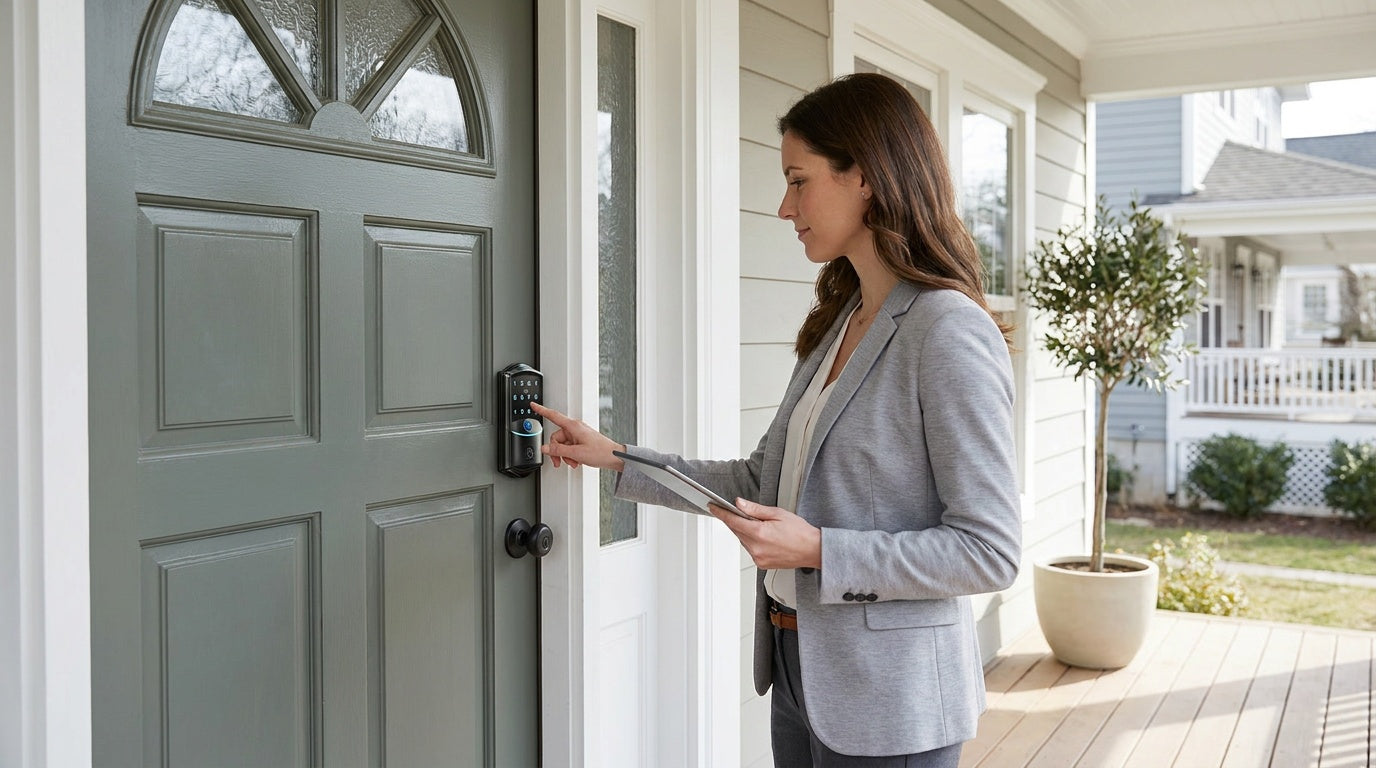
If you manage a rental property — whether it's a long-term lease, a short-term vacation cabin, or an Airbnb — you already know the frustration that comes with physical keys. A tenant moves out, and suddenly you're wondering how many copies of that key are floating around the neighborhood. A guest checks in late and you're coordinating from across town. A cleaner needs access between stays and you're back to hiding keys under doormats. Smart locks solve all of this, and they do it without requiring a locksmith, a subscription, or an IT degree.
This guide is written for property owners and hosts who want practical, honest advice on choosing and setting up a smart lock for a rental property. We'll walk through what features actually matter in a rental context, how to match the right lock type to your specific situation, and how to set everything up from installation to your first tenant code — all in plain language.
Why Rental Properties Need a Smart Lock
Traditional locks create a management headache that compounds with every tenant turnover. Rekeying a deadbolt costs money and time each time someone moves out. Key copies are untrackable. Physical handoffs require you or a representative to be physically present. For short-term rental hosts, these problems multiply with every booking — a missed key exchange can mean a bad review before a guest even walks through the door.
A smart lock changes the equation entirely. You can assign each tenant or guest a unique access code, delete it the moment a lease ends or a checkout occurs, and never touch a physical key. Combined with activity logs that record every entry, you gain visibility into who accessed your property and when — something a traditional lock simply can't provide. For landlords managing multiple units or hosts running back-to-back bookings, that level of control is not a luxury; it's a practical necessity.
There's also a real financial angle. Eliminating recurring rekeying costs, reducing lockout calls, and offering self check-in as a feature can all improve your bottom line. Properties that offer keyless, self-guided entry often attract more guests, particularly business travelers and late-night arrivals who don't want to coordinate check-in times.
What to Look for in a Rental Property Smart Lock
Not every smart lock is built with a landlord or host in mind. Consumer-focused smart locks often prioritize smartphone integrations and voice commands over the practical features that actually matter when multiple people cycle through a property. Before you buy, here's what deserves attention:
- Multiple unique access codes. You need to assign individual codes to tenants, cleaners, maintenance crews, and yourself — and delete each one independently when access is no longer needed. Shared codes are a security liability.
- Keypad entry without an app requirement. Guests and tenants shouldn't need to download anything to get inside. A physical keypad is the most universally accessible entry method, especially for guests who may be less tech-savvy or arriving internationally.
- Auto lock. A lock that automatically re-engages after a set interval is essential for rental properties where doors can be inadvertently left unlocked between stays. Look for a configurable auto lock interval — ideally one you can set to fit your specific turnover window.
- Physical key backup. Technology can always fail. Any lock you install on a rental should include a physical key override so you can always regain access in an emergency, even if batteries die or the keypad is damaged.
- No subscription fees. Many smart lock ecosystems charge monthly fees for activity logs, remote access, or app features. For a rental property on a tight margin, those costs add up. Look for locks that deliver full functionality without ongoing charges.
- Remote access (for smart locks). If you manage a property remotely, you'll want the ability to create or delete codes, check lock status, and receive alerts from anywhere. Remote access requires a smart lock — gateway-paired or Wi-Fi; a standalone Keypad Deadbolt or Keypad Latch can't be paired with a gateway to add it after the fact.
- Door compatibility. Confirm the lock is designed for your door type before purchasing. Most residential smart locks, including all Veise locks, are designed for standard wood doors with a thickness between 1-3/8" and 2". They are not compatible with fiberglass, metal, storm, or sliding doors.
One more thing worth checking: ANSI/BHMA certification. For residential rental properties, Grade 3 is the appropriate residential standard — Grades 1 and 2 are engineered for high-traffic commercial settings like office buildings and hotel corridors, which have fundamentally different cycle and load requirements than a home door. A Grade 3 certified lock is built to the right standard for where you're actually using it.
Choosing the Right Lock Type for Your Rental
Veise offers four lock categories, and the right pick depends on how you manage your property and how much remote visibility you need. Here's how each one maps to common rental scenarios.
Keypad Deadbolt — Best for Long-Term Rentals with On-Site Landlords
A keypad deadbolt is typically the right fit for exterior doors on long-term rental properties where the owner lives nearby and doesn't need remote app control. Every model supports keypad code entry and includes a physical key backup. Select Veise models also add fingerprint recognition — with a scan time under 0.3 seconds — for landlords or permanent tenants who prefer it. Fingerprint templates are captured eight times during enrollment to build a reliable read across different angles and pressure levels, and all fingerprint data is stored locally on the lock itself with no cloud dependency and no Internet account required.
The KS02 series adds a fingerprint reader to the keypad experience, and is available in both standalone deadbolt and handleset bundle configurations (knob, lever, or vertical handle). The RZ and KS01 series cover non-fingerprint needs in standalone or handleset form. Note that keypad deadbolts do not support key fob entry. Auto lock is configurable between 10 and 99 seconds on keypad deadbolts, giving you tight control over how quickly the door re-engages after a tenant enters.
Keypad Latch Lock — A Practical Pick for Interior or Secondary Doors
The keypad latch lock is a more compact, integrated option that commonly fits interior doors, side entrances, office doors, garage access points, or apartment doors where a full deadbolt isn't the primary security layer. It supports keypad code and physical key entry only — no fingerprint, no app, no key fob. The two current SKUs (KS03 with a top knob, KS04 with a top lever) differ only in handle style, so your choice comes down to the look and feel you want for the space.
For a rental property, a keypad latch lock works well on interior doors like storage rooms, utility closets, or a garage side door where you want code-based access without the cost or complexity of a full smart lock installation.
Smart Lock w/ Gateway 1/2 — Best for Hosts Who Need Remote Access
If you manage a short-term rental, a vacation cabin, or any property where you're not nearby, remote access changes everything. A Smart Lock w/ G1 or Smart Lock w/ G2 pairs with a small gateway device (plugged into a wall outlet near the door) to give you full remote control via a mobile app — add codes, delete codes, check the activity log, and receive entry alerts from anywhere with an Internet connection. Every model in both lines includes keypad code, key fob, and physical key as standard access methods, with fingerprint available on many models.
When choosing between the two lines, the differences are concrete. Smart Lock w/ G1 is built on a single product series — every unit comes standard with fingerprint, multilingual voice prompts (English, Spanish, and French), and a USB-C emergency power port. It uses a Veise-developed app for tighter, first-party integration, which makes Smart Lock w/ G1 the most reliable all-in-one pick for hosts who want everything included without choosing between configurations. Smart Lock w/ G2 offers more SKU variety — including non-fingerprint and budget-friendly options — and adds Apple Watch unlock and web portal control as unique features, with English voice prompts. If your household or guests include Spanish or French speakers, the trilingual voice support on Smart Lock w/ G1 is a meaningful advantage worth factoring into your decision.
It's worth noting how these locks behave if your Internet connection goes down. Even when Wi-Fi is out, app control continues to work locally as long as you're within short-range wireless distance of the lock. Only long-range remote features — off-site alerts, remote locking from another city — require a live Internet connection. Keypad, key fob, and physical key always work regardless of connectivity.
Wi-Fi Smart Lock — Best for Hosts Who Want Full Remote Control Without a Separate Gateway
The Wi-Fi Smart Lock has Internet connectivity built directly into the lock, so there's no gateway device to purchase or plug in. Both series — the Touchscreen Wi-Fi Smart Lock (VE027 Series) and the Push-Button Wi-Fi Smart Lock (VE012W Series) — share a core feature set: remote app control, fingerprint recognition, keypad code, voice commands via Alexa or Google Assistant (through the lock's built-in Wi-Fi), and physical key backup.
The two Wi-Fi series differ in four concrete ways. The VE027 uses a touchscreen keypad, includes a USB-C emergency power port — useful in high-turnover rentals where a dead battery could strand a guest — supports key fob entry, and plays on-device voice prompts in English, Spanish, and French. The VE012W uses a traditional press-button keypad and does not have the USB-C port, key fob support, or on-device voice prompts (it still supports Alexa and Google voice control through its built-in Wi-Fi). Both use an 8 AA battery design instead of the more common 4 AA setup, delivering a stronger signal and a more substantial power reserve for properties that see heavy daily use.
For parents managing a rental while also keeping tabs on their own household — or for hosts who want to check entry history from a phone the moment a cleaner finishes a turnover — the Wi-Fi Smart Lock's built-in connectivity is the simplest path to remote oversight.
Step-by-Step Setup Guide
One of the most common concerns from first-time smart lock buyers is installation complexity. With Veise, the process is straightforward: all models are full lock replacements (not overlays on existing hardware), designed for standard pre-drilled wood doors, and installable with a screwdriver in about 15 minutes — no wiring, no professional help needed. Because Veise requires full lock replacement rather than overlaying on an existing deadbolt, you need to be the property owner or have the authority to modify the door hardware before proceeding.
- Remove the existing lock. Use a screwdriver to remove the existing deadbolt or latch assembly. Most standard residential doors come pre-drilled to accept common lock hardware, so no new holes are typically required.
- Install the new lock hardware. Following the included instructions, fit the latch first, then the exterior assembly, then the interior assembly. All Veise locks include the necessary installation hardware, so no additional parts are required for a standard installation.
- Insert batteries and power on. Veise locks don't ship with batteries, so have fresh AA/LR6 alkaline cells ready (don't mix old and new cells or different brands). Insert them into the interior battery compartment and slide the cover back on — the lock powers on, ready for you to test.
- Change the default master code. Every Veise lock ships with a preset default master code (printed in the included user manual), so you can lock and unlock immediately to confirm the install. Follow the manual to change that default master code at your own pace — the master code gives you full access to add, delete, and manage user codes directly from the keypad.
- Add user codes for tenants, guests, or staff. Using the keypad menu or the mobile app (on gateway-paired and Wi-Fi models), create individual access codes for each person who needs entry. Assign a unique code to each person rather than sharing one code across multiple users — this is the single most important security practice for rental properties.
- For gateway-paired or Wi-Fi models: connect to the app. Plug in the gateway near the door (gateway-paired models) or connect the lock directly to your Wi-Fi network (Wi-Fi models). Follow the in-app pairing instructions to link the lock to your account. Once paired, you can manage all codes, review entry logs, and receive alerts remotely.
- Configure auto lock. Set your preferred auto lock interval through the keypad menu or app — 10 to 99 seconds on keypad deadbolts and keypad latch locks, and 10 to 180 seconds on connected models (Smart Lock w/ Gateway 1/2 and Wi-Fi).
- Test all entry methods. Before your first tenant or guest arrives, verify that each access code works, the physical key operates smoothly, and (where applicable) the app can lock and unlock remotely. A quick test takes two minutes and prevents a stressful first-night lockout call.
Every Veise lock ships with a step-by-step user manual and an installation video — follow the included installation guide and video step by step, since small details like alignment, screw selection, and torque-blade direction are the most common source of post-install issues.
Managing Access Between Tenants and Guests
The real operational value of a smart lock for rental properties shows up at turnover. When a long-term tenant moves out, you simply delete their code from the keypad menu or app — no rekeying, no locksmith, no cost. When the next tenant moves in, you create a fresh code. The whole process takes under a minute and can be done remotely on smart lock models, meaning you don't need to be at the property to complete the handover.
For short-term rental hosts, the workflow is similar but faster-paced. On a connected lock — Smart Lock w/ Gateway 1/2 or Wi-Fi — you can create a unique code for each booking and schedule it to stay active only during the guest's window, then let it expire on its own. The standalone Keypad Deadbolt and Keypad Latch don't support scheduled codes; there you'd issue a permanent code or a one-time code and simply delete it after checkout. Some hosts provide the code in a pre-arrival message a few hours before check-in. If you're managing multiple properties or back-to-back bookings, the activity log on gateway-paired and Wi-Fi models lets you confirm that the previous guest has checked out before the next one arrives — without making a phone call or driving to the property.
Maintenance and cleaning staff deserve their own codes, not guest codes. Assign each cleaner or contractor a named code, review the activity log after each visit to confirm timing, and deactivate the code if that person no longer works with you. This creates an auditable record of every access event — something that becomes valuable if a dispute or a security concern arises.
For properties where landlords want to allow occasional owner access alongside tenant occupancy, fingerprint enrollment is a clean solution. Enroll your own fingerprint (captured eight times for accuracy) so you can always enter quickly without fumbling for a code or key — while tenants use their own unique PIN codes and never have visibility into your access method.
Pro Tips for Rental Property Owners
- Never use a shared code across multiple tenants or stays. Individual codes are the foundation of smart lock security. When a code is shared, you lose the ability to track who specifically accessed the property, and deactivating it affects everyone using it.
- Keep a physical key in a secure location off-site. Even the best smart lock can have a dead battery at the worst moment. All Veise locks include physical key backup — store a copy in a secure location you can access if needed, not a lockbox visible from the front door.
- Set a low-battery reminder routine. Veise locks warn you with a voice or beep prompt before the batteries run out, and connected models (Smart Lock w/ Gateway 1/2 and Wi-Fi) also push a notification through the app. For remote properties, check battery status via the app monthly as a habit.
- Choose a Wi-Fi or gateway-paired lock for any property you don't live near. A Keypad Deadbolt or Keypad Latch is reliable for on-site landlords, but if you can't physically be at the property to manage access, you need remote connectivity. Remote access requires a smart lock — gateway-paired or Wi-Fi — a standalone keypad deadbolt or keypad latch lock can't be paired with a gateway to add it later.
- Use the auto lock feature consistently. Tenants and guests forget to lock up. Auto lock is your safety net. Configure it to re-engage within a sensible window after each entry and you'll never have to wonder whether the property is secured.
- Document your access code setup in a secure note. Keep a record of which code belongs to which tenant or guest, along with the date assigned. This makes it easy to audit access and quickly identify any codes that need to be deleted after a lease ends.
Frequently Asked Questions
Do Veise smart locks work without Wi-Fi?
Yes — with nuance by lock type. Keypad deadbolts and keypad latch locks have no app or connectivity features and work entirely independently of Wi-Fi. For gateway-paired and Wi-Fi smart locks, keypad codes, key fob, and physical key always work offline. Even when Wi-Fi is down, app control continues to work locally as long as you're within short-range wireless distance of the lock. Only long-distance remote features — like managing codes from another city — require an active Internet connection.
What happens to access codes when a tenant moves out?
You simply delete the tenant's code through the keypad menu or, on smart lock models, through the app. No rekeying is required, and the deletion is immediate. New codes can be created for the next tenant within seconds, either on-site or remotely.
Is fingerprint access practical for a rental property?
Fingerprint is most practical for the property owner, a long-term cleaner, or a property manager who accesses the unit regularly. For short-term rental guests, keypad codes are the better fit — guests can enter immediately without enrolling a fingerprint, and codes can be deleted after each stay. Veise fingerprint locks store multiple unique fingerprints locally on the device (no cloud, no Internet account), and recognition takes under 0.3 seconds.
Are Veise smart locks compatible with all door types?
Veise locks are compatible with standard wood doors with a thickness between 1-3/8" and 2". They are not compatible with fiberglass, metal, storm, or sliding doors. If you're unsure, measure your door thickness before purchasing and check the product specifications for the specific model you're considering.
Do Veise smart locks require a monthly subscription?
No. Veise locks include full functionality — activity logs, remote access, code management — with no subscription fees. Your fingerprint data stays on the device itself (processed and stored on the lock's AI chip, never uploaded), and none of the lock's features are locked behind a recurring payment.
What is the difference between the Smart Lock w/ G1 and Smart Lock w/ G2?
Both lines provide remote app access via a paired gateway, keypad code, key fob, and physical key backup. Smart Lock w/ G1 (the entire line is the VE017 series) comes standard with fingerprint, multilingual voice prompts in English, Spanish, and French, and a USB-C emergency power port — making it the most complete all-in-one pick. Smart Lock w/ G2 adds Apple Watch unlock and web portal control as unique features, and includes non-fingerprint SKU options for budget-conscious buyers, with English-only voice prompts.
Choosing and setting up a smart lock for a rental property doesn't have to be complicated. The core decision is simple: how much remote access do you need, and how many people need to cycle in and out? A keypad deadbolt handles on-site management reliably. A Smart Lock w/ G1 or Wi-Fi Smart Lock gives you full remote control from anywhere, no subscription required. Every Veise lock installs in about 15 minutes with a screwdriver, replaces your existing hardware completely, and keeps fingerprint data on the device itself — processed and stored on the lock, never uploaded to the cloud.
Whether you're managing a single vacation cabin or a portfolio of long-term rentals, the right smart lock makes access management faster, more secure, and far less stressful than a ring of labeled keys ever could.
Browse the full Veise lineup at iveise.com to find the right fit for your property.
Have questions about which Veise lock is right for your rental property?
Our US-based support team is ready to help you find the best fit — by phone or email, no bots.
Contact Us

Leave a comment
This site is protected by hCaptcha and the hCaptcha Privacy Policy and Terms of Service apply.