
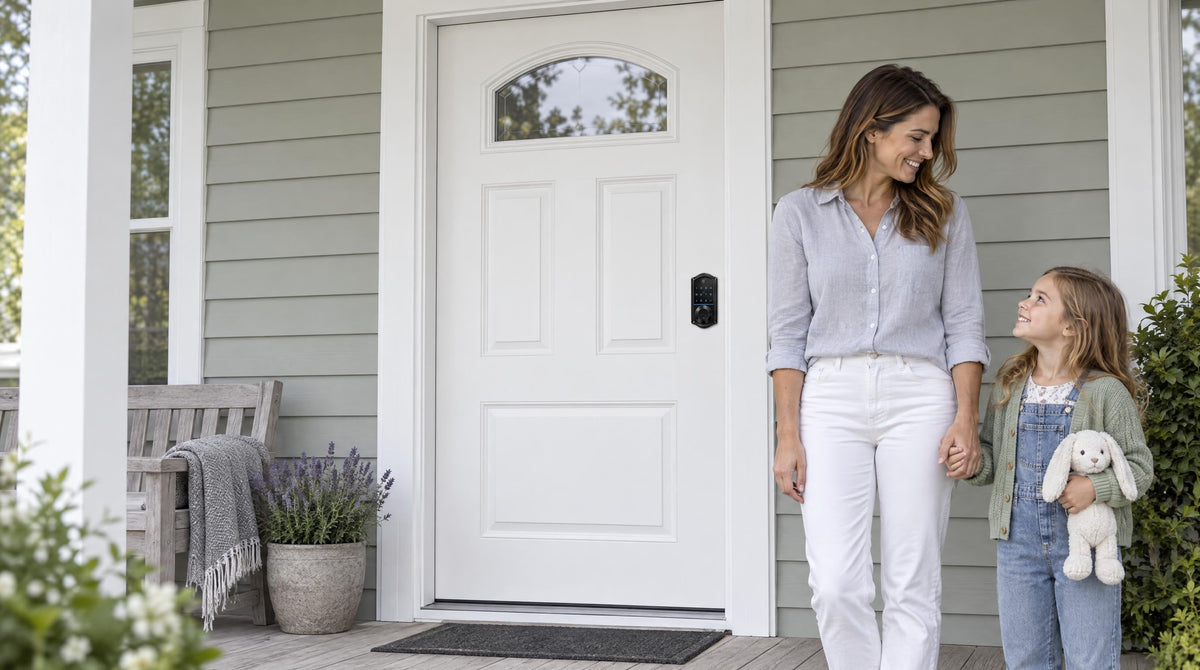
You've seen it in movies and probably tried it yourself at least once: tilt a chair under the door handle, wedge it snug against the floor, and call it a night. It's a satisfying hack — the kind that makes you feel resourceful. But if you're relying on a dining chair as a meaningful layer of home security, there's a better conversation to have. Real home security doesn't have to be complicated or expensive. It starts at the front door, and today's smart lock options make a genuine upgrade more accessible than most homeowners realize.
This guide walks you through why makeshift door-blocking falls short, what traditional and smart locks actually offer, and how to pick the right lock for your home — without buying anything you don't need.
The Chair Trick: Clever Workaround or False Comfort?
The "chair under the door" move has become a bit of a cultural shorthand for improvised security. It works on inward-opening doors with a lever-style handle, and under the right conditions it can slow someone down — which is something. But it has real limitations that are worth naming honestly. A determined intruder who kicks a door isn't stopped by a chair; the force goes through the door frame, not the handle. The chair can slip on smooth floors. And perhaps most importantly, it requires you to be inside and awake to set it up.
The deeper issue is that the chair trick is reactive. It assumes someone is already trying to get in. Effective home security, by contrast, is proactive — it discourages entry attempts before they happen, and it works whether you're home, asleep, or three states away on a work trip. That shift, from reactive improvisation to proactive protection, is exactly what a well-chosen door lock delivers.
What Break-In Patterns Actually Tell Us
Home burglary rates are declining in the U.S., which is genuinely good news. But the numbers still paint a useful picture of where most break-ins happen. The front door is the most common entry point for burglars — and a significant share of those entries involve weak locks, outdated hardware, or simply a door that wasn't locked at all. It turns out many intruders don't need to overcome sophisticated security; they just try the handle.
That last point matters a lot. Many break-ins involve no forced entry at all — just an unlocked or inadequately secured door. A smart lock with auto lock functionality addresses this directly. Rather than relying on every family member to remember to lock the door on the way out, the lock handles it automatically, closing the window of opportunity that most residential burglaries rely on.
Traditional Locks vs. Smart Locks: What's the Real Difference?
A traditional deadbolt or knob lock is a well-understood, proven piece of hardware. It doesn't need Wi-Fi, doesn't run on batteries, and won't prompt you to update its firmware. For low-traffic secondary doors or rental storage units, it can be the right call. The tradeoff is that it offers no visibility, no flexibility, and no way to manage access without handing out physical keys. If a key is lost or a household situation changes, you're back at the locksmith.
Smart locks don't replace the mechanical quality of a good lock — they add a layer of intelligence on top of it. You still get a solid bolt securing the door. What you gain is the ability to set custom codes for different people, see a log of who came and went, lock up remotely when you realize you forgot on the way to work, and never hand a spare key to someone you no longer want to have access. For families managing kids' school schedules, short-term rentals, or regular service providers, these features aren't luxuries — they become part of how the household actually functions.
The tradeoffs for smart locks are real too: they run on batteries, they require some setup, and they cost more upfront than a basic deadbolt. But a smart lock that installs in 15 minutes with a screwdriver and no wiring — and requires no subscription — changes the cost-benefit math considerably compared to what many people assume.
Your Lock Options, Explained Without the Jargon
Not every door needs the same lock, and not every household needs the same features. Veise — built on 38 years of lock industry expertise and backed by 711 patents, the world's largest smart lock patent portfolio — organizes its lineup into four practical categories. Each one suits different doors, households, and security priorities. Here's an honest breakdown.
Keypad Deadbolt Locks
A keypad deadbolt lock is the most popular upgrade from a traditional key deadbolt. You keep all the mechanical security of a deadbolt while gaining keyless entry via a PIN code, with a physical key backup always available. The KS02 series adds fingerprint recognition — with a scan speed under 0.3 seconds — making entry fast even with your hands full of groceries. Keypad deadbolts are a strong fit for front doors where you want everyday convenience without requiring a smartphone or app. They don't connect to Wi-Fi or a gateway, which means no subscription and no connectivity dependency; the tradeoff is no remote access or activity logs.
The main split in the keypad deadbolt lineup is between models with and without fingerprint. The fingerprint line (KS02 series) includes both standalone deadbolt options and handleset bundles with a lever, knob or vertical handle. The non-fingerprint line includes standalone deadbolts and handle-set bundles with a lever or knob. Auto lock — configurable between 10 and 99 seconds on keypad deadbolts (10 to 180 seconds on connected models) — is standard across the entire lineup, so the lock secures itself even when no one remembers to lock it.
Keypad Latch Locks
A keypad latch lock is an integrated unit — the handle and the lock body are one piece — and it's commonly used on interior doors, side doors, office doors, or any door where a deadbolt isn't the primary security layer. Veise currently offers two SKUs in this category: the KS03 with an integrated top knob, and the KS04 with an integrated top lever. Both support keypad code entry and a physical key backup. If you're choosing between the two, the decision simply comes down to whether you prefer a knob or lever handle — the security and functionality are identical.
Smart Locks w/ Gateway 1/2
This is where you gain remote access — the ability to lock, unlock, and monitor your door from anywhere via a mobile app. Remote access requires a smart lock paired with a gateway device (sold separately, plugged in within range of the lock), not a Keypad Deadbolt or Keypad Latch lock. The gateway connects the lock to your home network and enables long-distance app control, voice assistant compatibility, and real-time entry alerts.
Smart Locks w/ G1 are built on a single product series — the VE017. Every Smart Lock w/ G1 includes fingerprint recognition, multilingual voice prompts (English, Spanish, and French), and a USB-C emergency power port on the lock body — features that come standard on the entire line, not just certain models. Smart Lock w/ G1 pairs with a first-party Veise-developed app, which means tighter integration and more reliable support. For multilingual households or families who want the most complete feature set without having to compare sub-models, Smart Lock w/ G1 is the straightforward pick. Voice assistant control (Alexa/Google) is available when the paired gateway is connected to your home network.
Smart Locks w/ G2 offer more SKU variety: both fingerprint and non-fingerprint options, in standalone or handleset bundle configurations. Smart Lock w/ G2's standout features are Apple Watch unlock and web portal control — useful if you're already in the Apple ecosystem or prefer managing access from a browser. Smart Lock w/ G2 voice prompts are English-only. Both Smart Lock w/ G1 and Smart Lock w/ G2 include a key fob and a physical key as backup methods in addition to keypad code and app control. Even if Wi-Fi goes down, app control continues to work locally as long as you're within short-range wireless distance of the lock.
Wi-Fi Smart Locks
A Wi-Fi smart lock has Wi-Fi built directly into the lock itself, so there's no separate gateway required for remote access. Both series in this category — the Touchscreen Wi-Fi Smart Lock (VE027 Series) and the Push-Button Wi-Fi Smart Lock (VE012W Series) — support remote app control, fingerprint recognition, keypad code, physical key backup, and Alexa and Google Assistant voice commands. The VE027 touchscreen series also adds a USB-C emergency power port (for peace of mind if batteries run low at an inconvenient time), key fob support, and on-device English, Spanish, and French voice prompts — none of which are on the VE012W series.
One design detail worth noting: Veise's Wi-Fi smart locks use 8 AA/LR6 alkaline batteries instead of the more common 4 AA setup. More cells mean a stronger signal, more stable connection, and a longer-lasting power reserve between changes. If you have a family with kids and want to remotely review who came home from school and when, the Wi-Fi smart lock is the most streamlined option — no gateway to configure, just connect to your existing home Wi-Fi during setup.
For those who want traditional mechanical reliability without smart features, Veise also carries a range of mechanical locks, including keyed entry door knobs, privacy door knobs, keyed entry door levers, privacy door levers, deadbolt locks, and keyed entry handlesets (deadbolt plus keyed lever or keyed knob).
How to Choose the Right Lock for Your Home
The honest answer to "which lock should I get?" is: it depends on which door you're securing and what your household actually needs day to day. Here's a simple framework.
- Want keyless entry without an app or connectivity? A keypad deadbolt is your pick. Add fingerprint for faster entry if you tend to carry a lot.
- Interior, side, or office door that gets regular keypad use? A keypad latch lock keeps it simple — one integrated unit, code access, no over-engineering.
- Want remote access and activity logs without paying for a subscription? A Smart Lock w/ G1 or Smart Lock w/ G2 paired with a gateway gives you full remote control. Choose Smart Lock w/ G1 for the all-in-one feature set and first-party app; choose Smart Lock w/ G2 if Apple Watch unlock or web portal access matters to you.
- Want the simplest path to full remote access? A Wi-Fi smart lock connects directly to your home network — no gateway needed. Choose VE027 series for a touchscreen interface (and USB-C backup); choose VE012W series for a traditional push-button keypad.
- Managing a rental property or short-term rental? Remote access is practically essential. A Wi-Fi Smart Lock or Smart Lock w/ Gateway 1/2 means you can issue and revoke codes, check entry history, and lock up after a guest checkout — all from your phone.
- Multilingual household? Smart Lock w/ G1 and the Touchscreen Wi-Fi Smart Lock (VE027 series) support English, Spanish, and French voice prompts. Smart Lock w/ G2 is English-only, and the Push-Button VE012W series has no on-device voice prompts.
One more thing: all Veise locks are designed for wood doors with a standard thickness of 1-3/8" to 2". They are not compatible with fiberglass, metal, storm, or sliding doors. Because Veise locks are full replacements (not add-ons to existing hardware), installation requires that you own the door or have authority to modify the door hardware.
A 15-Minute Upgrade That Actually Sticks
One of the most common reasons homeowners put off a lock upgrade is the assumption that it involves a professional, a significant time commitment, or new wiring. With Veise, none of that is true. Every lock in the lineup is designed to install with a screwdriver in about 15 minutes — no wiring, no specialist tools, no contractor scheduling. The Effortless Home Improvement™ Experience isn't just a slogan; it's the actual design philosophy behind how the hardware is packaged and engineered.
Veise's parent company, Kaadas Group, is vertically integrated — meaning Veise designs and manufactures its own locks rather than outsourcing to third-party manufacturers. That matters because quality control, engineering consistency, and long-term reliability all trace back to the same factory. With 10M+ smart locks sold across 41+ countries and recognition from Frost & Sullivan as the global No.1 high-end smart lock brand by sales, the track record speaks for itself. Products are priced between $30 and $180, making this a genuinely affordable upgrade compared to what most people budget for home improvement projects.
The Bottom Line
The chair under the door was never really about security — it was about the feeling of having done something. Real home security starts with the right lock on the right door, and today there's a category, a price point, and a feature set that fits virtually every household. Whether you need a no-fuss keypad deadbolt for daily entry, a remote-access smart lock to manage a rental property, or something in between, the upgrade is closer to a Saturday afternoon project than a home renovation.
Easy from Day One. Browse the full Veise product lineup to find the right fit for your front door — and every door in between.
FAQ
Does the chair under the door trick actually work?
It can slow down entry through an inward-opening door with a lever handle under certain conditions, but it's not a reliable security measure. It doesn't work on all door types, it can slip on smooth floors, it only functions when you're physically inside to set it up, and it provides no protection against a forceful kick to the door frame. It's a temporary workaround, not a substitute for a proper lock.
What's the most common way burglars enter homes?
The front door is the most common entry point. A significant share of those involve unlocked doors or weak hardware — not sophisticated bypassing techniques. This is why auto lock (which secures the door automatically after a set interval) is one of the most practical smart lock features for everyday home security.
Do I need a smart lock, or will a keypad deadbolt do the job?
It depends on whether you need remote access. A keypad deadbolt gives you keyless entry with a strong mechanical bolt and no connectivity dependency — it's an excellent upgrade from a keyed-only lock. If you want to lock and unlock remotely, check entry history from your phone, or manage access for a rental or service providers, you need a smart lock — either a Smart Lock w/ Gateway 1/2 or a Wi-Fi Smart Lock. Remote access is not available on Keypad Deadbolt or Keypad Latch locks regardless of what gateway you add.
What happens to a smart lock if the Wi-Fi goes down?
For Wi-Fi smart locks and Smart Lock w/ Gateway 1/2, if Wi-Fi goes down, app control continues to work locally as long as you're within short-range wireless distance of the lock. Long-distance remote features (locking from across town, off-site alerts) do require an active Internet connection. All Veise smart locks also include a physical key backup, so you always have a way in regardless of connectivity or battery status.
How hard is it to install a Veise lock?
Most Veise locks install in about 15 minutes using a screwdriver — no wiring and no professional required. Because Veise locks are full replacements rather than overlays, you'll remove your existing lock hardware and install the new unit in its place. The process is straightforward for any standard wood door between 1-3/8" and 2" thick. Veise locks are not compatible with fiberglass, metal, storm, or sliding doors.
Are smart locks secure enough for a front door?
Yes — Veise smart locks are ANSI/BHMA Grade 3 certified, which is the standard for residential door hardware. The lock mechanism itself is a solid deadbolt; the smart layer adds access control and monitoring on top of proven mechanical security. The fingerprint data on Veise locks is processed and stored locally on the device itself — not in the cloud — which is both a privacy benefit and a reliability advantage. As long as you use a strong PIN code and keep the lock's firmware current, a smart lock is a sound security choice for any exterior wood door.
Ready to Make the Switch?
Whether you're upgrading one door or securing your whole home, the Veise team is here to help you find the right fit — no pressure, no jargon, just practical guidance.

Leave a comment
This site is protected by hCaptcha and the hCaptcha Privacy Policy and Terms of Service apply.