
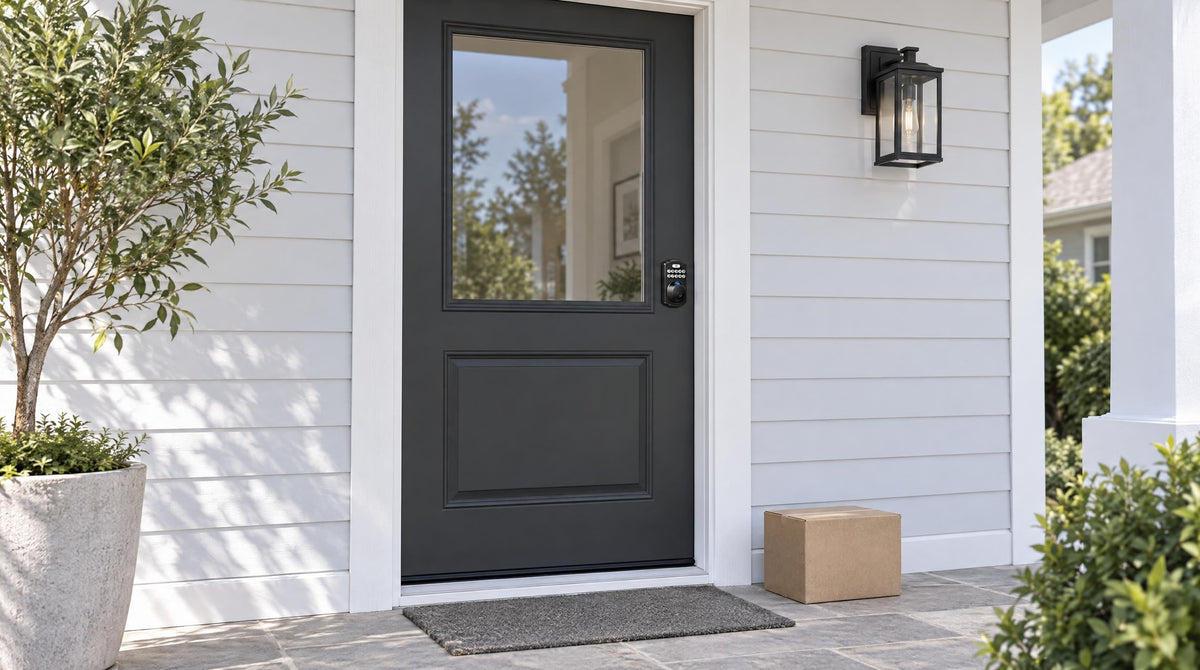
Most homeowners think about home security as a technology problem — better cameras, smarter alarms, stronger passwords on the Wi-Fi network. But when you look at how break-ins actually happen, the answer is much more physical. The front and back doors are the most common entry points, and most break-ins are opportunistic rather than sophisticated. They're a single hard kick to a frame that was never designed to absorb that kind of force.
Door reinforcement isn't about replacing your entire door. It's about understanding which parts of your current setup are genuinely strong, which parts are quietly vulnerable, and how a smart lock upgrade addresses both the physical and the behavioral gaps that put your home at risk. This guide covers the mechanics of door security from the ground up — the strike plate, the frame, the deadbolt, and the lock's own built-in protections — and explains exactly where a modern smart lock fits into that picture, whether you're doing a quick upgrade or thinking through a whole-home entry plan.
Why Most Doors Fail Before the Lock Does
Here's a counterintuitive truth: in most forced-entry break-ins, the lock itself doesn't fail. The frame around it does. When someone kicks a door, the force transfers to the strike plate — the small metal plate on the door jamb where the deadbolt seats. Most residential doors ship with a lightweight strike plate held in place by short screws that only reach the soft pine trim, not the structural framing stud behind it. Under enough force, that trim can splinter in seconds, and the bolt pops free regardless of how strong it is.
This matters because it shapes how you should think about door security upgrades. A stronger lock installed into a weak frame is still a weak entry point. True door reinforcement is a system — the lock, the strike plate, and the frame all working together. When those physical layers are solid, a smart lock upgrade on top of them delivers meaningful, layered protection rather than a false sense of security.
The Three Physical Weak Points in Any Door System
Understanding where residential doors are genuinely vulnerable helps you prioritize what to fix and in what order. There are three main failure points worth knowing about before you buy any new hardware.
1. The Strike Plate and Jamb
The strike plate is the single most overlooked component in residential door security. Standard builder-grade plates are often held by short screws that anchor only into the door trim, not the structural stud behind it. The fix isn't an aftermarket plate: use the strike plate that ships with your lock — a mismatched plate can cause the latch to extend unevenly — and make sure its screws are secured into the door frame stud behind the trim, so kick force is distributed into the house's framing rather than a strip of pine. Done properly, this is widely considered the highest-impact physical reinforcement you can make to an existing door without replacing it.
2. The Deadbolt Itself
A quality deadbolt throws a solid bolt into the door frame, and that engagement is what resists lateral force. For most residential wood doors, a deadbolt certified to ANSI/BHMA Grade 3 — the residential standard — is more than sufficient. Upgrading to a keypad deadbolt at this stage is a natural move: you keep a Grade 3 deadbolt, but you add keypad entry alongside the key cylinder, so no key is needed for daily entry and far fewer keys are in circulation — without touching anything else about your door's structure.
3. The Unlocked Door
The third weak point isn't hardware at all. Most break-ins are opportunistic, and a door that was simply left unlocked needs no force to open. No amount of frame reinforcement covers the morning someone rushed out without turning the key. This is the gap a smart lock's auto lock closes: the lock re-engages on a timer — configurable between 10 and 99 seconds on Keypad Deadbolt and Keypad Latch locks, and 10 to 180 seconds on connected models — whether or not anyone remembers to lock up.
A Solid Foundation: Frame, Strike Plate, and Built-In Lock Security
Before installing any new lock hardware — smart or mechanical — it's worth taking 20 minutes to audit your door's physical condition. Check that the door closes flush with the frame with no visible gaps. Pull firmly on the door handle while it's locked and look for any movement in the jamb area. If you see flex or hear cracking from the trim, that's a sign the frame screws need attention before anything else. A door that moves noticeably in the frame is one that hasn't been properly anchored, and no lock on earth fixes that.
Anchoring the strike plate is a straightforward job with a screwdriver. Use the strike plate and screws that ship with your lock, seat the plate flush, and make sure the screws are secured into the door frame stud rather than just the trim. That single change meaningfully increases the door's resistance to forced entry. If your door is a wood door in good condition — which is the right starting point for any smart lock installation — this foundation work is the last physical step before you move on to the lock upgrade itself.
The lock you choose then carries its own built-in protections. Every Veise lock automatically pauses for 3 minutes after 10 wrong code attempts, so guessing a PIN at the keypad simply doesn't work. Anti-peep code entry lets you pad your real code with extra random digits before or after it — the lock opens as long as the correct sequence appears somewhere in what you entered — so an onlooker can't read your PIN. And on the VE017 series (Smart Lock w/ G1), Away Mode disables PIN code and fingerprint entry during travel or extended absences, allows only app, master code, or physical key, and flags abnormal unlock attempts.
Where a Smart Lock Fits In: The Layer Physical Hardware Can't Cover
Physical reinforcement handles the forced-entry problem. But a significant portion of residential break-ins don't involve force at all. Research consistently shows that a large share of burglars simply walk through an unlocked or easily bypassed door. Beyond that, physical locks create their own behavioral vulnerabilities: keys get lost, copied, or forgotten; family members forget to lock up; and there's no way to know whether your door is actually secured when you're not home. These are the problems a smart lock solves — and they're problems a solid frame and a well-anchored strike plate can't address on their own.
A smart lock upgrade integrates with your existing door's reinforced structure. The bolt, the mortise, the door prep — all of that stays the same. What changes is the locking mechanism itself: you replace the whole lock — bolt, cylinder, and exterior and interior hardware — with a smart lock that adds keypad entry alongside the key cylinder, auto lock functionality, and (depending on the model) remote access and activity monitoring. Think of it as the intelligence layer on top of the physical foundation you've already built. The door is hard to kick in. The smart lock ensures it's also hard to accidentally leave unlocked, easy to manage across multiple users, and visible to you from wherever you are.
Built on Kaadas Group's 38 years of lock industry expertise and backed by 711 patents — the world's largest smart lock patent portfolio — Veise designs every lock from the factory floor up with this layered approach in mind. The result is hardware engineered to complement a properly reinforced door, not replace the physical groundwork that makes a door genuinely secure.
How a Keypad Deadbolt Replaces and Upgrades Your Existing Lock
For most exterior wood doors, a keypad deadbolt is the most direct upgrade path. It fits standard door prep (1-3/8" to 2" thick solid-core wood doors), requires no wiring, and installs with just a screwdriver in about 15 minutes. You're replacing the entire lock mechanism — not adding a device on top of an existing lock — which means you're getting a fresh, well-toleranced bolt and cylinder rather than layering electronics onto aging hardware. This full-replacement approach also means the lock is grade-rated as a complete system, meeting ANSI/BHMA Grade 3 residential standards.
Veise keypad deadbolts support multiple ways to enter depending on the model. All models include a keypad code entry and a physical key backup. The KS02 series adds fingerprint recognition — with a scan speed under 0.3 seconds — giving households a genuinely fast, code-free option that doesn't require fumbling for a phone or a key. The fingerprint data is processed and stored locally on the lock itself, with no cloud account required, which is a meaningful privacy and reliability benefit. Auto lock is standard across the Veise lineup — configurable between 10 and 99 seconds on keypad deadbolts — so the lock re-engages behind you even when your arms are full of groceries and locking up is the last thing on your mind.
The KS02 series locks also come in handleset bundles (lever, knob or vertical handle configurations via KS02B, KS02C and KS02D) for homeowners who want to replace both the lock and the exterior handle hardware in one installation. For those who only need the deadbolt portion, the KS02A provides keypad and fingerprint capability as a standalone deadbolt. The non-fingerprint line (RZ and KS01 series) covers both standalone deadbolts and handle-set bundles for households where simplicity is the priority. The keypad deadbolt line sits at the accessible end of Veise's $30–$180 lineup — affordable enough that upgrading both the front and back door doesn't require a serious budget conversation.
Smart Locks That Add Remote Visibility for Families
A keypad deadbolt solves the physical and credential management problems. But for families with kids, landlords managing a rental property, or anyone who wants to know whether the door is locked right now — from anywhere — a connected smart lock is the right next step. Remote access requires a smart lock, either a Smart Lock w/ Gateway 1/2 or a Wi-Fi Smart Lock. A Keypad Deadbolt or Keypad Latch lock cannot be paired with a gateway after the fact; connectivity needs to be built into the lock itself.
Smart Lock w/ Gateway 1/2
Veise's Smart Locks w/ G1 and Smart Locks w/ G2 pair with a separately purchased gateway, plugged in within range of the lock, that bridges the lock to your home network and mobile app. Once connected, you can check lock status, receive entry alerts, and lock or unlock remotely — useful for letting in a delivery, confirming a teenager made it home, or securing the door after a rushed morning departure. All Smart Lock w/ Gateway 1/2 models include keypad code, key fob, and physical key as standard backup options, with fingerprint on every Smart Lock w/ G1 and many Smart Lock w/ G2 models.
Smart Lock w/ G1 is built on a single product series — the VE017 — and the entire line ships with three features as standard: multilingual voice prompts in English, Spanish, and French; a USB-C emergency power port (useful if batteries run low during a lockout); and fingerprint recognition. The paired gateway connects to the Veise-developed app, making Smart Lock w/ G1 the most reliable all-in-one choice for most families, particularly multilingual households. Smart Lock w/ G2 supports Apple Watch unlock and web portal control, making it a strong fit for households already embedded in the Apple ecosystem or for property managers who prefer browser-based access. Smart Lock w/ G2 also offers more SKU variety, including non-fingerprint options for buyers who prefer a simpler setup.
Wi-Fi Smart Lock
For homeowners who want connectivity without a separate gateway device, Veise's Wi-Fi Smart Locks build the network connection directly into the lock. Both current series — the Touchscreen Wi-Fi Smart Lock (VE027 Series) and the Push-Button Wi-Fi Smart Lock (VE012W Series) — support remote app control, fingerprint entry, keypad code, and voice control via Alexa and Google Assistant, all without needing a gateway. The VE027 series also adds the touchscreen, a USB-C emergency power port, key fob support, and on-device English, Spanish, and French voice prompts — none of which are on the VE012W series. Both series use an 8 AA/LR6 alkaline battery design instead of the standard 4 AA configuration, delivering a stronger, more stable connection and a longer-lasting power reserve. Even when Internet connectivity drops, app control continues to work locally as long as you're within short-range wireless distance of the lock — so a temporary outage doesn't leave you without control at your own front door.
Choosing the Right Lock for Your Door and Lifestyle
The right lock isn't the most feature-rich one — it's the one that matches your door type, your daily routine, and the specific security gaps you're trying to close. Here's a practical framework for working through the decision.
- Solid-core wood exterior door, no connectivity needed: A keypad deadbolt is typically the right fit. It handles the credential management problem (far fewer keys to lose or copy), adds auto lock for peace of mind, and installs in a single afternoon. Fingerprint models in the KS02 series are worth considering if you have young kids or household members who prefer not to memorize codes.
- Families with kids or frequent travelers: A Wi-Fi Smart Lock or a Smart Lock w/ Gateway 1/2 gives you real-time entry visibility and the ability to lock or check the door from anywhere. The Wi-Fi Smart Lock line is the simpler setup (no extra gateway hardware), while the Smart Lock w/ G1 offers the additional benefit of USB-C backup and multilingual voice prompts as standard features.
- Short-term rentals or managed properties: A connected smart lock — Smart Lock w/ Gateway 1/2 or Wi-Fi — lets you issue and revoke access codes remotely between guests, monitor entry activity, and avoid the key handoff entirely. The Smart Lock w/ G2's web portal access is particularly practical for property managers working across multiple devices.
- Interior doors, side doors, or office/storage doors: A keypad latch lock is commonly a good fit where a full deadbolt isn't needed. The KS03 (integrated knob) and KS04 (integrated lever) differ only in handle style — choose based on your door hardware preference.
One important note on compatibility: Veise locks are designed for solid-core wood doors in the 1-3/8" to 2" thickness range. They are not compatible with fiberglass, metal, storm, or sliding doors. Because Veise requires full lock replacement rather than an overlay installation, the installer should be the property owner or have authority to modify the door hardware.
Easy from Day One. With 10M+ smart locks sold across 41+ countries and recognition from Frost & Sullivan as the global No.1 high-end smart lock brand by sales, Veise brings manufacturing depth and engineering rigor that most competitors simply can't match. Every lock is built in Veise's own factory — not assembled from third-party OEM components — which means tighter quality control, better hardware tolerances, and a product that performs the way it's supposed to, year after year.
The Bottom Line
Door security is a system, not a single product decision. The physical foundation — a well-anchored strike plate, a solid frame, a solid deadbolt — determines how well your door holds up against force. A smart lock upgrade builds on that foundation by eliminating the behavioral gaps: keys that get lost, doors left unlocked, and households with no way to verify their entry is actually secure. Together, they create a front door that's both hard to breach and genuinely easy to manage day to day.
Veise's lineup spans every step of that upgrade path, from straightforward keypad deadbolts to fully connected Wi-Fi smart locks, all designed with the Effortless Home Improvement™ Experience in mind — meaning real families can install them, manage them, and rely on them without turning a Saturday into a construction project. Explore the full Veise product lineup to find the right lock for your door, your household, and your peace of mind.
Frequently Asked Questions
Does installing a smart lock require replacing my entire door or frame?
No. A smart lock replaces only the lock mechanism — the deadbolt cylinder and exterior/interior hardware — not the door or frame itself. Your existing door prep (the holes and mortises already cut into the door) typically works with a standard smart lock as long as your door is a solid-core wood door between 1-3/8" and 2" thick. Anchoring the strike plate screws into the framing is a separate step you can do during the lock installation.
What is the most important physical upgrade I can make to an existing door?
Making sure the strike plate is anchored into the structural framing stud — not just the trim — is widely considered the highest-impact single improvement for an existing door. Standard builder-grade strike plates are often held by short screws that only seat into soft pine trim, which can splinter under a forceful kick even when the deadbolt itself is solid. Use the plate and screws that ship with your lock and secure them into the stud behind the trim, so force is distributed across the structure of the house.
Can I add remote access to a Keypad Deadbolt later?
No. Remote access requires a smart lock — either a Smart Lock w/ Gateway 1/2 or a Wi-Fi Smart Lock — with connectivity built into the lock hardware. A Keypad Deadbolt cannot be retrofitted for app control by adding a gateway afterward. If remote access is something you think you'll want in the future, it's worth choosing a connected smart lock from the start rather than planning to upgrade again later.
What happens to my smart lock if the Wi-Fi goes down?
Smart Lock w/ Gateway 1/2 and Wi-Fi smart locks can still be controlled via the app even when Internet connectivity drops, as long as you're within short-range wireless distance of the lock. Only long-distance remote features — locking from a different city, receiving off-site entry alerts — require active Internet. Keypad code entry, fingerprint (where available), key fob, and physical key all continue to work regardless of Internet status.
How long does it take to install a Veise smart lock?
Most Veise locks install in about 15 minutes with a screwdriver and no wiring required. The lock drops into your existing door prep, and the included manual and installation video walk through the process step by step. No professional installation is needed for a standard solid-core wood door within the compatible thickness range.
Are Veise smart locks graded for residential security standards?
Yes. Veise smart locks are ANSI/BHMA Grade 3 certified. Grade 3 is the standard residential certification — Grades 1 and 2 are designed for high-traffic commercial applications like office buildings and hotels, not for the home environment where Grade 3 hardware is the appropriate and commonly specified standard.
Do smart locks work with voice assistants like Alexa or Google Assistant?
It depends on the lock type. Veise Wi-Fi Smart Locks support voice commands directly through their built-in Wi-Fi connection, working with both Alexa and Google Assistant without any additional hardware. Smart Locks w/ Gateway 1 or Gateway 2 can also work with voice assistants, but they require the paired gateway to be in place to bridge the lock to the voice assistant. Not all Veise locks support voice control — keypad deadbolts and keypad latch locks do not.
Not Sure Which Lock Is Right for Your Door?
The Veise team is happy to help you match the right lock to your door type, household needs, and budget. Whether you're upgrading one entry door or planning a full home security refresh, we'll point you in the right direction.

Leave a comment
This site is protected by hCaptcha and the hCaptcha Privacy Policy and Terms of Service apply.