
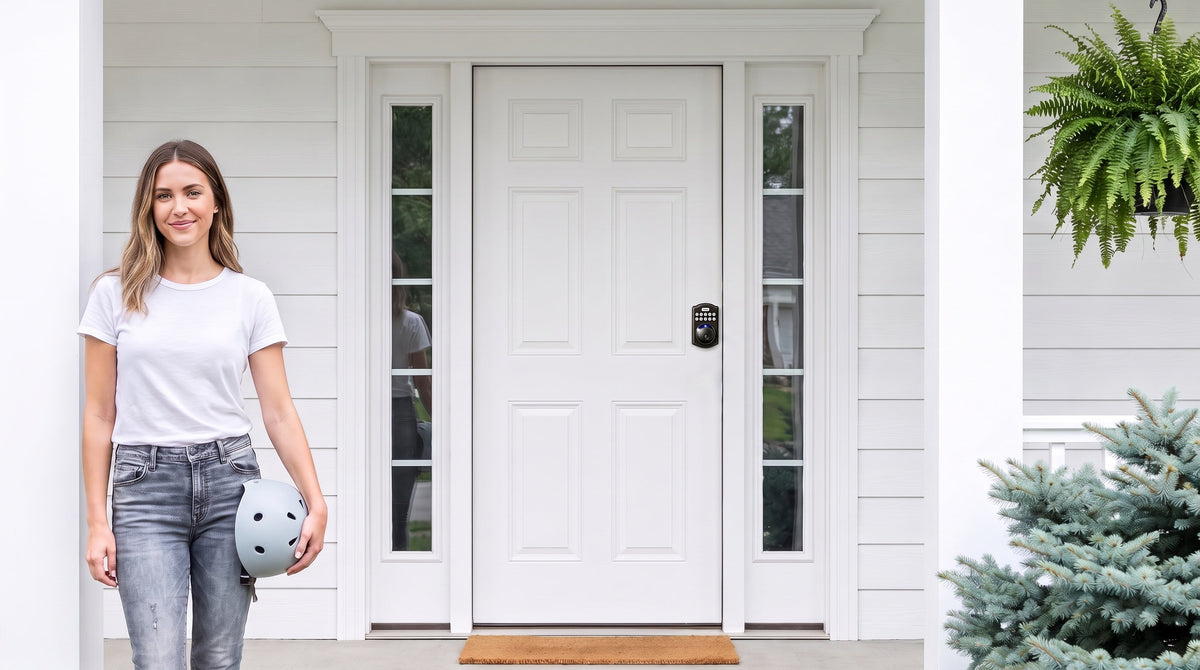
Losing your keys used to be a minor crisis. Today, it's mostly irrelevant — because electronic keypad door locks have made physical keys optional for millions of households. Enter a code, touch a fingerprint sensor, tap your phone, or let the door lock itself behind you. The technology has matured, the prices have come down, and installation rarely takes more than 15 minutes with a screwdriver.
But the sheer variety of options is where most buyers get stuck. A basic keypad deadbolt and a Wi-Fi smart lock are both called "keypad door locks," yet they work very differently and solve different problems. Buy the wrong category and you'll either overpay for features you never use, or find yourself missing a capability you genuinely needed. This guide cuts through the confusion. It covers all four major types of electronic keypad door locks, the five most important buying factors, a use-case matching guide, and a plain-language FAQ — everything you need to make a confident decision.
What Is an Electronic Keypad Door Lock?
An electronic keypad door lock replaces the traditional key cylinder — or supplements it — with a numeric or alphanumeric keypad that grants entry via a PIN code. Most modern models go further, adding fingerprint sensors, mobile app control, or voice assistant support depending on the category. These locks typically run on batteries rather than a hardwired power source. This allows the lock's local access features to remain available during a household power outage, as long as the batteries have sufficient power.
It's worth noting that "electronic keypad lock" is a broad term covering everything from a simple, fully offline PIN deadbolt to a fully connected Wi-Fi smart lock. Understanding that spectrum — and which part of it actually matches your home and routine — is the most important step in this buying process.
The Four Types of Keypad Door Locks — and How They Differ
Rather than comparing individual products side by side, the most useful framework is to start with lock categories. Each category is built around a different access philosophy, suits different doors, and comes in at a different price tier. Once you know which category fits your situation, picking a specific model becomes straightforward.
1. Keypad Deadbolt Lock
A keypad deadbolt lock is the most common choice for a front door or back door. The deadbolt throws a solid steel bolt into the door frame when locked, making it significantly more resistant to forced entry than a spring latch. All keypad deadbolts accept a PIN code and include a physical key as a backup — useful when batteries run low or as a failsafe for guests who don't know the code. Keypad deadbolts are fully offline devices: there is no app, no Wi-Fi, no gateway required, and no subscription of any kind.
Within the keypad deadbolt category, the primary split is between models without fingerprint and models with fingerprint. Non-fingerprint models are available as standalone deadbolts or as handle-set bundles paired with a lever or knob, covering the most common door configurations. Fingerprint models — the KS02 series from Veise — add a biometric sensor that reads in under 0.3 seconds, with fingerprint data stored entirely on the lock itself (no cloud dependency, no account required). The KS02 series is also sold as a handleset bundle — lever (KS02B), knob (KS02C) or vertical handle (KS02D) — for an integrated look.
Keypad deadbolts are the right starting point for households that want to stop reaching for a key every day, prefer simplicity over connectivity, and don't need remote access or activity logs. They are ANSI/BHMA Grade 3 certified — the recognized residential security standard — and typically land in the most affordable segment of the keypad lock market.
Unlock methods: keypad code + physical key backup on all models; fingerprint on the KS02 series (every KS02 SKU includes it).
2. Keypad Latch Lock
A keypad latch lock is an integrated unit — the handle and locking mechanism are built into a single body — making it particularly compact and fast to install. Because it uses a spring latch rather than a deadbolt bolt, it is a natural fit for interior doors, side entries, garage doors, office doors, and apartment hallways where a full deadbolt isn't needed. Some homeowners also use a latch lock on their entry door alongside a separate deadbolt: the latch handles daily code-based access while the deadbolt secures the door overnight or when the home is unoccupied.
Veise currently offers two keypad latch SKUs that differ by their integrated top handle: the KS03, which has a built-in top knob, and the KS04, which has a built-in top lever. Both support keypad code entry and a physical key backup — that's it. No fingerprint, no app. That simplicity is intentional: latch locks are the most affordable option in the lineup, and their straightforward feature set means fewer components to troubleshoot.
Unlock methods: keypad code + physical key only.
3. Smart Lock w/ Gateway 1/2
Gateway-paired smart locks bridge the gap between a fully offline keypad lock and a Wi-Fi smart lock. The lock itself communicates wirelessly with a small gateway that plugs in within range of the lock and connects to your home network, giving you remote app control, entry history, and activity alerts — without the lock needing its own Wi-Fi radio. This is important for households where thick walls, long hallways, or older routers make direct Wi-Fi connectivity at the door unreliable. The gateway creates a stable, dedicated connection between the lock and your home network.
Veise offers two gateway generations — Smart Locks w/ G1 and Smart Locks w/ G2 — and they differ in meaningful ways worth knowing before you buy.
Smart Lock w/ G1 is built on a single product series: the VE017. Every G1 model ships with fingerprint recognition, multilingual voice prompts (English, Spanish, and French), and a USB-C emergency power port as standard features. It pairs with a Veise-developed first-party app, giving you more reliable integration and consistent updates. Because every SKU in the G1 line includes all three of those features, you don't need to compare sub-models — the entire line delivers the same all-in-one experience. If your household is multilingual, or if you want a backup emergency power option on the lock itself (standard on the VE017 series), Smart Lock w/ G1 is the stronger choice.
Smart Lock w/ G2 offers more SKU variety — fingerprint and non-fingerprint options, in standalone or handle-set form factors — and is uniquely compatible with Apple Watch unlock and web portal control. Voice prompts are English only. When those Apple Watch or web portal features matter to your household, G2 line is the right pick. When they don't, G1 line's first-party app integration and all-inclusive feature set make it the more reliable all-in-one option.
All gateway-paired smart locks support multiple ways to enter: keypad code, key fob, physical key backup, and remote app control through the paired gateway. Voice assistant support (Alexa / Google Assistant) is available, but requires the gateway to be in place and connected — the gateway bridges the lock to your voice assistant. If Wi-Fi goes down but you're within short-range wireless distance of the lock, app control continues to work locally. Only long-distance remote features (off-site alerts, remote locking from another city) require an active Internet connection.
Unlock methods: keypad code + key fob + physical key backup + remote app control via gateway; fingerprint on Smart Lock w/ G1 (all models) and select Smart Lock w/ G2 models; Apple Watch unlock on G2 line only.
4. Wi-Fi Smart Lock
A Wi-Fi smart lock has a built-in Wi-Fi radio, so it connects directly to your home network without needing a separate gateway. This makes setup slightly simpler from a hardware standpoint — one device to install instead of two — and means you get full remote app control, real-time activity alerts, and voice assistant support (Alexa and Google Assistant) right out of the box. Wi-Fi smart locks are the most feature-complete option in the keypad lock lineup and typically sit at the higher end of the price range.
Veise offers two Wi-Fi smart lock series, and choosing between them is genuinely simple. The Touchscreen Wi-Fi Smart Lock (VE027 Series) has a touchscreen interface and includes a USB-C emergency power port — useful for households where someone worries about a lockout if batteries deplete without warning. The Push-Button Wi-Fi Smart Lock (VE012W Series) uses a traditional press-button keypad. Beyond the interface, the two series differ in three more concrete ways, all of which favour the VE027 series: it adds the USB-C emergency power port, key fob support, and on-device voice prompts in English, Spanish, and French, none of which the VE012W series has. They share built-in Wi-Fi, fingerprint recognition, keypad code, app control, Alexa and Google voice commands, and an 8 AA/LR6 alkaline battery design. That 8-battery configuration — compared to the 4 AA setup found in most competitors — delivers a stronger wireless signal, a more stable connection, and a longer-lasting power reserve without the need to recharge.
For families with children, the Wi-Fi smart lock is particularly practical. Parents can check the app to confirm kids arrived home safely, review the entry history log, and receive real-time notifications — all from their phone, wherever they are. Remote access through the app works over the Internet when you're away from home; if Wi-Fi goes down but you're within short-range wireless distance of the lock, app control continues to work locally.
Unlock methods: keypad code + fingerprint + remote app control + Alexa/Google voice commands + physical key backup; key fob on the VE027 series (all models), not supported on VE012W series.
Five Things to Check Before You Buy
Once you've identified the right lock category, run through this short checklist before placing your order. These are the practical details that cause the most post-purchase frustration — and all of them are easy to verify in five minutes.
- Door material and thickness. Veise keypad locks are compatible with wood doors between 1‑3/8" and 2" thick. They are not compatible with fiberglass, metal, storm, or sliding doors. Measure your door's thickness before ordering.
- Lock body type for your door. Exterior doors typically call for a deadbolt for primary security. Interior doors, side entries, and garage doors are often a fit for a latch lock — or a deadbolt, depending on the security level you want.
- Connectivity needs. If you want remote access, activity logs, or app-based entry, you need a smart lock — either a gateway-paired model or a Wi-Fi model. A keypad-only deadbolt or latch lock cannot be upgraded with a gateway after purchase.
- Household language. If your household includes Spanish- or French-speaking members who rely on voice prompts for guidance, the Smart Lock w/ G1 (VE017 series) and both Wi-Fi Smart Lock series support all three languages. Smart Lock w/ G2 is currently English only.
- Property authority. Because Veise locks are full lock replacements rather than overlays, you need to be the property owner or have authority to modify the door hardware before installing.
Which Lock Fits Your Situation?
Every household is different, so rather than ranking these from "best" to "worst," here's a straightforward match between common situations and the right lock category.
- You want to stop carrying keys and keep things simple. A keypad deadbolt delivers everything you need — PIN entry, physical key backup, auto lock — with no app, no connectivity, and no ongoing complexity. The KS02 series adds fingerprint if you want hands-free entry in under 0.3 seconds.
- You're managing a short-term rental or vacation property. A Wi-Fi smart lock or a gateway-paired smart lock makes it easy to issue temporary codes for guests, review entry history remotely, and handle check-in and check-out without being on-site. Remote access requires an active Internet connection from your end.
- You have kids coming home on their own after school. A Wi-Fi smart lock — or a Smart Lock w/ Gateway 1/2 paired with its gateway — lets you see exactly when the door was opened, from your phone, in real time. No more waiting for a text to confirm they got home safely.
- You need a code-entry lock for an interior door, office, or garage. A keypad latch lock (KS03 or KS04) is compact, affordable, and installs quickly without the hardware footprint of a full deadbolt setup.
- You want Apple Watch unlock and web portal control. That combination is unique to the Smart Lock w/ G2 line — no other Veise category supports it.
- You want one connected lock that covers everything — app, fingerprint, multilingual voice, and emergency USB-C power. Smart Lock w/ G1 (VE017 series) is the all-in-one pick. Every model in the G1 line includes all four of those features as standard.
Why Veise? Engineering Behind Every Lock
Veise is built on the lock industry expertise of Kaadas Group — 38 years of lock industry expertise, 711 patents (the world's largest smart lock patent portfolio), and a track record of 10M+ smart locks sold across 41+ countries. That foundation matters in a category where a lot of products look similar on a spec sheet but diverge quickly in real-world durability. Frost & Sullivan recognized Kaadas Group as the global No.1 high-end smart lock brand by sales — a credential that reflects engineering investment, not just marketing spend.
What that heritage means practically: Veise designs and manufactures its own locks in its own factory. That vertical integration — owning the supply chain from engineering through production — means tighter quality control and faster iteration on real-world feedback. When fingerprint recognition improves, when a firmware update addresses a connectivity edge case, when a new form factor comes to market, it comes from the same engineering team that built the hardware it runs on. There are no OEM middlemen in the chain.
For homeowners, the most tangible expression of that philosophy is the Effortless Home Improvement™ Experience: every Veise lock installs in 15 minutes with a screwdriver, requires no wiring, no professional help, and no subscription fees — ever. The price range runs $30 to $180 across the full lineup, covering everything from a straightforward keypad latch to a fully connected Wi-Fi smart lock. Easy from Day One.
Browse the full Veise lineup — from keypad deadbolts and keypad latch locks to Wi-Fi smart locks and Smart Locks w/ G1 — at iveise.com/collections/all-products.
The Right Lock Is the One That Fits Your Life
Electronic keypad door locks have made home entry genuinely easier — no more fumbling for keys, no more worrying about who has a copy, and no more getting up to let someone in when you're already comfortable on the couch. But the category spans a wide range, from simple offline keypad deadbolts to fully connected Wi-Fi smart locks, and the best choice depends on your door, your household, and how much connectivity you actually want.
The straightforward path: start with the lock category that matches your situation, verify door compatibility, and then compare models within that category. If you want the simplest possible keyless entry, a keypad deadbolt delivers it without any ongoing complexity. If you want full remote control, activity logs, and voice assistant support, a Wi-Fi smart lock or gateway-paired smart lock covers all of it. Everything in between — including keypad latch locks for interior and secondary doors — is covered in the Veise lineup, from $30 to $180, with 15-minute installation and no subscription fees required.
Frequently Asked Questions
Are electronic keypad door locks more secure than traditional keyed locks?
In most residential settings, yes — with an important nuance. Electronic keypad locks eliminate the risk of lost or copied keys, and many models include auto lock so the door secures itself even if someone forgets to lock it manually. They are also resistant to traditional lock-picking methods since there is no key cylinder to pick. That said, the physical lock body quality still matters: look for ANSI/BHMA Grade 3 certification (the residential standard) and solid metal construction. A well-built keypad deadbolt is at least as secure as a well-built traditional deadbolt, and more convenient in daily use.
Can I add a keypad lock to any door?
Not every door is compatible with every lock. Veise keypad locks, for example, fit wood doors between 1‑3/8" and 2" thick and are not compatible with fiberglass, metal, storm, or sliding doors. Before buying any electronic keypad lock, confirm the door material, thickness, and backset measurement. Most residential exterior wood doors fall within the standard range, but it's worth measuring before you order to avoid a mismatch.
What happens if the batteries die in a keypad lock?
Most quality keypad locks provide a low-battery warning — typically an audible beep, a flashing indicator, or an app alert — well before the batteries are fully depleted, giving you time to replace them without urgency. As a final backup, every Veise keypad lock includes a physical key so you're never locked out. On select Veise models (the VE017 and VE027 series), a USB-C emergency power port lets you temporarily power the lock from a phone charger or power bank to enter a code and change the batteries.
Do electronic keypad locks work without Wi-Fi or Internet?
Keypad deadbolt locks and keypad latch locks are entirely offline — they work with no Wi-Fi, no Internet, and no app at all. Gateway-paired and Wi-Fi smart locks can still be operated via keypad code, key fob, or physical key when the Internet is unavailable. Even app control continues to work locally on those smart lock categories if Wi-Fi goes down, as long as you're within short-range wireless distance of the lock. Only long-distance remote features (off-site alerts, remote locking from another city) require an active Internet connection.
How long does installation take?
For most homeowners, a standard installation takes about 15 minutes with a screwdriver. No wiring, no professional help, and no specialized tools are required. The process involves removing the existing lock, fitting the new lock body into the existing door prep holes, and following the step-by-step setup guide included with the lock. Door alignment is the one thing worth checking before you start: if your door doesn't close and latch smoothly with the existing hardware, address that first to avoid bolt-alignment issues with the new lock.
How do I choose between a keypad deadbolt and a keypad latch lock?
The primary deciding factor is the door and the security level you need. Exterior doors typically call for a deadbolt because the solid steel bolt provides stronger resistance to forced entry. Keypad latch locks are commonly chosen for interior doors, side entries, garage access points, and office doors where that level of resistance isn't the priority. Some homeowners install both — a latch lock for everyday code-based convenience paired with a deadbolt for primary overnight security — and that combination works well on entry doors too.
Not Sure Which Lock Is Right for Your Home?
The Veise team is happy to help you match the right lock to your door, your household, and your budget — no obligation, no pressure.
Contact Us


Leave a comment
This site is protected by hCaptcha and the hCaptcha Privacy Policy and Terms of Service apply.