
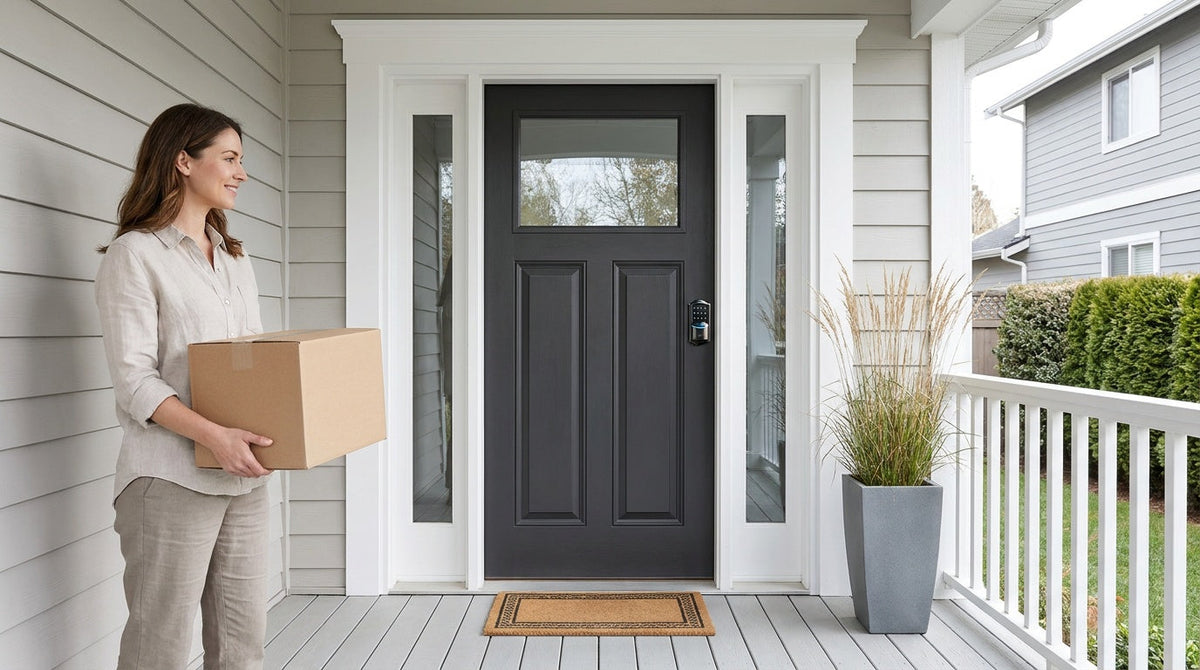
Most people shop for a keypad door lock the same way: they search a term, skim a product page, and pick something that looks reasonable. Then they get home, realize they bought a standalone lock when they actually needed remote access, or they bought a smart lock when all they wanted was a simple PIN entry. It happens constantly, and it's almost always avoidable.
A digital keypad door lock is one of the most practical home upgrades you can make — but only if you match the right lock to your actual door, household, and daily routine. There are four distinct categories, each built around a different use case and price point. Understanding the difference between them takes about five minutes, and it completely changes the quality of the decision you make.
This guide covers what each type does, which features actually matter for real households, how prices break down across the range, and how to match your situation to the right choice. Whether you're a new homeowner replacing a builder-grade lock, a parent who wants to know when the kids get home, or a property owner managing access to a short-term rental, you'll find a clear answer here.
What Is a Digital Keypad Door Lock?
A digital keypad door lock adds a numeric code entry pad, mounted directly to the lock body, alongside the traditional key cylinder. At its simplest, you punch in a PIN and the lock disengages. At its most capable, the same keypad can also read your fingerprint, connect to your home Wi-Fi network, send real-time alerts to your phone, and respond to voice commands from across the room. The keypad is the common thread — every model in this category provides code-based entry at minimum, with additional unlock methods layered on top depending on the category and model.
The practical appeal is straightforward. You stop managing physical keys for every family member. You stop wondering whether you locked the door on the way out. You can let a guest in remotely or check whether someone arrived home safely, all without standing at the door. Every Veise lock includes a physical key cylinder as a backup, which matters more than many buyers initially expect — batteries deplete, and a key fallback is a quiet but important safety net. Beyond that, the differences between keypad lock categories come down to connectivity, which unlock methods are supported, and which household problems each type was designed to solve.
The 4 Types of Keypad Door Locks
Keypad locks are not interchangeable. The four main categories each serve a different door type, lifestyle, and budget. Getting this decision right first saves a lot of time later.
1. Keypad Deadbolt Locks
A keypad deadbolt lock is the most common starting point for a front or back door. The lock throws a solid metal bolt into the door frame when engaged, making it significantly more resistant to forced entry than a spring latch. Every model accepts a PIN code and includes a physical key backup. Select Veise models — the KS02 series — also add fingerprint recognition, which lets household members place a finger on the sensor and walk through in under 0.3 seconds — no code to type, no fumbling.
Keypad deadbolts are fully standalone — no app, no Wi-Fi, no gateway required. That simplicity is a genuine selling point for many buyers. There's nothing to configure beyond setting a code, no subscription to maintain, and no connectivity dependency. For households that want reliable, everyday security without adding smart-home complexity, a keypad deadbolt is typically the most practical entry point. Keypad deadbolts sit at the accessible end of Veise's $30–$180 lineup, with the fingerprint-equipped KS02 series toward the upper end of that tier.
2. Keypad Latch Locks
A keypad latch lock uses a spring-loaded latch instead of a deadbolt bolt, making it a natural fit for interior doors, side entries, office doors, and garage entries — situations where code-based convenience is the priority rather than the maximum security of a full deadbolt throw. Like keypad deadbolts, latch locks open with a PIN code and include a physical key backup. Current options support keypad code and physical key only; they don't include fingerprint, app control, or key fob support — and that simplicity is intentional.
One practical configuration worth knowing: a keypad latch lock on an entry door can work alongside a separate deadbolt above or below it. The latch handles everyday code-based access for family members coming and going throughout the day, while the deadbolt provides the primary security layer overnight or when the home is unoccupied. Some homeowners and short-term rental hosts prefer this pairing over a single combined lock because it gives them fine-grained control over both convenience and security. Keypad latch locks sit at the most accessible end of Veise's $30–$180 lineup.
3. Smart Lock w/ Gateway 1/2
A Smart Lock w/ G1 or Smart Lock w/ G2 adds remote access and mobile app control to the keypad experience. The lock pairs with a small gateway hub that plugs into a wall outlet indoors. That gateway bridges the lock to your home network and the Internet, enabling you to lock or unlock remotely, assign access codes that expire on their own, and review a full entry history from anywhere. Every model in this category supports keypad code, key fob, physical key, and remote app control through the paired gateway. Fingerprint is standard across Smart Lock w/ G1 and available on many Smart Lock w/ G2 models.
The G1 and G2 lines share those core capabilities but differ in meaningful ways. Smart Locks w/ G1 is built around a single product series — the VE017. Every G1 model ships with fingerprint recognition, multilingual voice prompts in English, Spanish, and French, and a USB-C emergency power port as standard features across the entire line. It also pairs with a Veise-developed app, which means tighter integration and a more consistent experience. Smart Locks w/ G2 offer more variety: both fingerprint and non-fingerprint configurations, standalone and handle-set form factors, and two features unique to this line — Apple Watch unlock and web portal control. Smart Locks w/ G2 ship with English voice prompts, so for multilingual or non-English-speaking households, Smart Lock w/ G1 is the more direct fit. Both lines require the gateway hub to be active for long-distance remote access. When Wi-Fi is down but you're within short-range wireless distance, app control continues to work locally. This category sits in the mid-range of Veise's $30–$180 lineup.
4. Wi-Fi Smart Locks
A Wi-Fi smart lock connects directly to your home's wireless network without any gateway hub. This eliminates extra hardware, simplifies the setup process, and keeps remote access available as long as your Internet connection is live. All models include keypad code, fingerprint, remote app control, and physical key backup. Voice control via Alexa and Google Assistant works natively through the lock's built-in Wi-Fi — no bridge or additional device required.
Veise offers two Wi-Fi Smart Lock series that differ by interface. The Touchscreen Wi-Fi Smart Lock (VE027 Series) features a touchscreen keypad, three-language voice prompts, key fob support, and a USB-C emergency power port — a useful safeguard if the batteries run low before you can replace them. The Push-Button Wi-Fi Smart Lock (VE012W Series) uses a traditional press-button keypad and does not include on-device voice prompts, key fob support, or a USB-C emergency power port. The two series share built-in Wi-Fi, fingerprint unlock, app control, and Alexa and Google Assistant compatibility, and differ in four concrete ways: interface (touchscreen vs. press-button), USB-C emergency power, key fob, and on-device voice prompts — the last three on VE027 series only. Both use an 8 AA battery design — instead of the more common 4 AA setup — delivering stronger signal stability and a more substantial power reserve. If Wi-Fi is down but you're within short-range wireless distance, app control continues to work locally; only long-distance remote features require an active Internet connection. This category sits at the top of Veise's $30–$180 range.
Key Features to Compare Before You Buy
Not every feature on a spec sheet translates to meaningful value in daily life. These are the ones worth actually comparing:
- Unlock methods: Think honestly about who uses your door and how. Fingerprint recognition speeds up entry for family members who go in and out constantly. A key fob is useful when hands are full. Remote app control is essential if you need to manage access from offsite or want to let someone in without sharing your PIN. No single unlock method fits every household, which is why the best locks layer several options together.
- Connectivity: Remote access requires a smart lock — gateway-paired or Wi-Fi. A keypad-only deadbolt or latch lock is a standalone device and cannot be upgraded to remote access by adding a gateway later. If off-site visibility or control matters to you, decide on a smart lock category from the start.
- Auto lock: A configurable auto lock timer re-engages the lock automatically after a set interval — no one has to remember to lock up. Look for a model with an adjustable range. Veise locks allow the interval to be configured between 10 and 99 seconds on Keypad Deadbolt and Keypad Latch locks, and between 10 and 180 seconds on connected models.
- Battery design: Veise locks run on AA/LR6 alkaline batteries, not your home's electrical system, so a power outage has no effect on operation. Locks with a larger battery capacity hold a stronger signal and a more stable connection over time. A USB-C emergency power port — standard on the VE017 and VE027 series — provides an important backup if batteries run completely dry before you can replace them.
- Data privacy: For households that value privacy, on-device fingerprint storage is a meaningful distinction from cloud-dependent competitors. When fingerprints are processed and stored directly on the lock using an AI chip — with no Internet account or cloud storage required — your biometric data never leaves the device.
- Built-in code security: A keypad only helps if the code stays private. Veise keypad locks support anti-peep entry — pad the real PIN with extra random digits before or after it, and the lock still opens as long as the correct sequence appears somewhere in what you enter, so an onlooker can't read your code. Every Veise lock also pauses for 3 minutes after 10 wrong attempts, and one-time codes that delete themselves after a single use work on every model.
- Subscription fees: Some lock brands charge monthly or annual fees for app features, entry history access, or remote control. This adds up quickly. Look for models that include all features in the hardware purchase price with no ongoing cost.
- Door compatibility: Veise keypad locks are designed for wood doors with a standard thickness between 1-3/8" and 2". They are not compatible with fiberglass, metal, storm, or sliding doors. Always confirm before purchasing, particularly for non-standard entry points.
One more factor that often goes unmentioned: installation. A genuine full lock replacement — not an overlay that sits on top of an existing lock — delivers a cleaner, more integrated result and doesn't depend on the quality of the hardware it's covering. The best keypad locks install in about 15 minutes with a screwdriver and no wiring, making this a realistic DIY project rather than a call to a locksmith.
Keypad Door Lock Prices: What to Expect at Each Level
Digital keypad door locks span a wider price range than most buyers expect, but the range maps logically to capability. Here's how to think about it:
| Category | Connectivity | Position in the Lineup | Best For |
|---|---|---|---|
| Keypad Deadbolt | Standalone | Accessible end | Everyday entry, budget-conscious buyers |
| Keypad Latch Lock | Standalone | Most accessible end | Interior doors, side entries, paired setups |
| Smart Lock w/ Gateway 1/2 | Remote via hub | Mid-range | Families, rental properties, remote access |
| Wi-Fi Smart Lock | Direct Wi-Fi | Top of the range | Smart home users, Alexa/Google, hub-free setup |
The accessible end of the lineup covers keypad deadbolts & keypad latch locks that handle PIN entry and physical key backup reliably; adding fingerprint recognition moves a lock toward the upper end of that tier. The mid-range and above covers smart locks with app control, entry history, and remote access. Within that band, the decision between a gateway-paired model and a direct Wi-Fi model comes down to whether you already have a strong home network and whether you want to manage additional hub hardware. The full Veise lineup runs $30 to $180 with no subscription fees at any price point.
Top Choices by Use Case
The best keypad lock isn't the one with the longest feature list. It's the one that fits your door, your household, and the specific problems you're trying to solve. Here's how the four categories map to real-life scenarios:
For New Homeowners Replacing an Existing Lock
A keypad deadbolt is typically the right starting point. It replaces your existing deadbolt in about 15 minutes with a screwdriver, no wiring required, and means no one needs a key for daily entry. If fingerprint recognition sounds useful for family members who come and go frequently, the KS02 series adds a built-in fingerprint reader. If you just want clean, reliable PIN entry at an affordable price, the non-fingerprint RZ and KS01 lines sit at the accessible end of the $30–$180 lineup.
For Parents Monitoring After-School Arrivals
Knowing when your kids got home — without a text chain and without waiting by the door — requires a smart lock. A Wi-Fi smart lock or a Smart Lock w/ Gateway 1/2 sends real-time entry alerts to your phone and maintains an access log you can review at any time. A keypad deadbolt or keypad latch lock has no way to notify you remotely, no matter what. For multilingual households, Smart Locks w/ G1 is worth considering specifically: the entire line includes English, Spanish, and French voice prompts, which matters when different family members interact with the lock in different languages.
For Property Owners Managing Short-Term Rentals
Remote access is non-negotiable when you're managing guest check-ins from offsite. A Smart Lock w/ G2 or a Wi-Fi smart lock lets you assign per-guest codes that expire on their own, lock or unlock remotely between stays, and review access history without being on the property. Smart Locks w/ G2 supports Apple Watch unlock and web portal control — both unique to that line — which some property managers find convenient when handling multiple units from a desktop interface.
For Households with Elderly or Young Family Members
Simplicity and lockout prevention are the priorities here. A keypad deadbolt with fingerprint recognition removes the need to remember a code entirely — a finger placed on the sensor opens the door in under 0.3 seconds, which means no fumbling, no forgotten PIN, and no frustrating lockout. For households where a dead battery would be a serious problem, the Touchscreen Wi-Fi Smart Lock (VE027 Series) and Smart Locks w/ G1 (VE017 series) both include a USB-C emergency power port, so connecting a portable power bank can open the door even when the batteries are completely depleted.
For Smart Home and Voice Control Users
A Wi-Fi smart lock integrates directly with Alexa and Google Assistant through the lock's built-in Wi-Fi — no additional bridge or hub required. Smart Lock w/ Gateway 1/2 can also work with voice assistants, but the gateway needs to be active and connected for voice commands to reach the lock. Both paths work; the Wi-Fi route is generally simpler for users who already have a stable home network and don't want extra hardware on a wall outlet.
Why Veise Stands Out
Easy from Day One. Most lock brands at this price point are OEM resellers: they source hardware from third-party manufacturers, apply a label, and sell it. Veise operates differently. Built on Kaadas Group's 38 years of lock industry expertise and backed by 711 patents — the world's largest smart lock patent portfolio — Veise designs, engineers, and manufactures its own products in a vertically integrated operation. That means tighter quality control, faster product iteration, and direct accountability for every lock that ships. It's part of why Veise has sold 10M+ smart locks across 41+ countries and has been recognized by Frost & Sullivan as the global No.1 high-end smart lock brand by sales, while also earning the #1 Smart Lock Brand ranking on Amazon North America.
The practical advantages of that ownership model show up in the details. All fingerprints are processed and stored directly on the lock using an on-device AI chip — no cloud account, no Internet connection, and no data leaving the device. Every feature, including full app control, entry history, and remote access on smart models, is included in the hardware purchase price with no monthly or annual subscription fees. ANSI/BHMA Grade 3 certification covers the residential standard these locks are built for. Installation takes about 15 minutes with a screwdriver and no wiring. And US-based phone and email support, backed by a local warehouse, means help is reachable without international shipping timelines.
Veise keypad locks are compatible with wood doors with a standard thickness between 1-3/8" and 2". They require full lock replacement rather than an overlay, so the buyer should be the property owner or have authority to modify the door hardware. Veise locks do not support fiberglass, metal, storm, or sliding doors. The full lineup — from standalone deadbolts to fully connected Wi-Fi smart locks — is available at iveise.com, with prices ranging from $30 to $180.
With 400+ global R&D professionals including AI specialists, supported by four worldwide R&D centers, Veise continues to develop what the Effortless Home Improvement™ Experience was built on: technology that simplifies your home, starting at the front door.
Choosing the right digital keypad door lock comes down to a single question answered honestly: what does your household actually need from its entry? A keypad deadbolt delivers reliable, code-based security without any complexity — and at the accessible end of the $30–$180 lineup, it's the most approachable upgrade most homeowners can make. A keypad latch lock fills the gap for interior and secondary entry points. A Smart Lock w/ Gateway 1/2 opens up remote access and entry visibility for families and property owners who need off-site control. And a Wi-Fi smart lock brings full smart-home integration — voice control, instant alerts, and direct app management — without requiring any extra hardware.
Whatever your situation, the right lock fits your door, your budget, and the way your family actually moves through the day. Veise's full lineup covers all four categories at prices between $30 and $180, with no subscription fees, keypad and key entry that never depends on the Internet, and a 15-minute installation that doesn't require a locksmith. Browse the complete range at iveise.com/collections/all-products and find the lock that fits your home.
Frequently Asked Questions
What is a digital keypad door lock?
A digital keypad door lock adds a numeric PIN code pad, mounted to the lock body, alongside the traditional key cylinder. Depending on the category, additional unlock methods such as fingerprint recognition, key fob, remote app control, and voice commands may also be supported. Every Veise lock includes a physical key cylinder as a backup.
What is the difference between a keypad deadbolt and a keypad latch lock?
A keypad deadbolt uses a solid metal bolt that extends into the door frame, providing strong forced-entry resistance — it's the typical choice for exterior entry doors. A keypad latch lock uses a spring-loaded latch, making it a common fit for interior doors, side entries, and office doors. Both open with a PIN code and include a physical key backup. The key functional difference: select Veise keypad deadbolt models — the KS02 series — include a fingerprint reader, while current keypad latch lock models do not.
Do keypad door locks require a subscription?
Not all of them. Veise keypad locks — including smart models with remote access, fingerprint, and entry history — include all features with the hardware purchase and charge no monthly or annual subscription fees. Some competing brands do charge ongoing fees for app features or cloud storage, so it's worth checking the fine print before you commit.
Are keypad door locks safe during a power outage?
Yes. Keypad locks run on batteries, not your home's electrical system, so a power outage has no effect on lock operation. Every Veise lock includes a physical key cylinder as backup. The VE027 series (Touchscreen Wi-Fi Smart Lock) and the VE017 series (Smart Lock w/ G1) also include a USB-C emergency power port as standard, allowing you to connect a portable power bank and unlock the door even with completely depleted batteries.
What doors are keypad locks compatible with?
Veise keypad locks are designed for wood doors with a standard thickness between 1-3/8" and 2". They are not compatible with fiberglass, metal, storm, or sliding doors. Always confirm your door type and thickness before purchasing.
What is auto lock on a keypad door lock?
Auto lock is a feature that automatically re-engages the lock after a set interval following an unlock event, without anyone needing to manually lock the door. On Veise locks, the interval is configurable between 10 and 99 seconds on Keypad Deadbolt and Keypad Latch locks, and between 10 and 180 seconds on connected models, so you can set a timing that suits your household's pace. It's a standard feature across the Veise lineup, not a premium add-on.
How long does it take to install a keypad door lock?
Most keypad locks replace an existing deadbolt or latch in about 15 minutes with a screwdriver — no wiring, no locksmith, and no special tools needed. Because Veise locks are full lock replacements rather than overlays, the buyer should be the property owner or have authority to modify the door hardware.
What is the difference between a Wi-Fi smart lock and a Smart Lock w/ Gateway 1/2?
A Wi-Fi smart lock connects directly to your home network with no additional hardware — remote access is available through the lock itself. A Smart Lock w/ Gateway 1/2 connects to your network through a small gateway hub that plugs into a wall outlet. Both support remote app control, entry history, and multiple unlock methods. The Wi-Fi option is simpler to set up; on the gateway side, Smart Lock w/ G2 supports Apple Watch unlock and web portal control — neither is available on a Wi-Fi smart lock — and Smart Lock w/ G1 ships with English, Spanish, and French voice prompts across the entire line — as does the VE027 Touchscreen Wi-Fi series.
Have questions about which keypad lock is right for your door?
Our US-based support team is here to help — by phone or email, with no runaround.
Contact Us

Leave a comment
This site is protected by hCaptcha and the hCaptcha Privacy Policy and Terms of Service apply.