
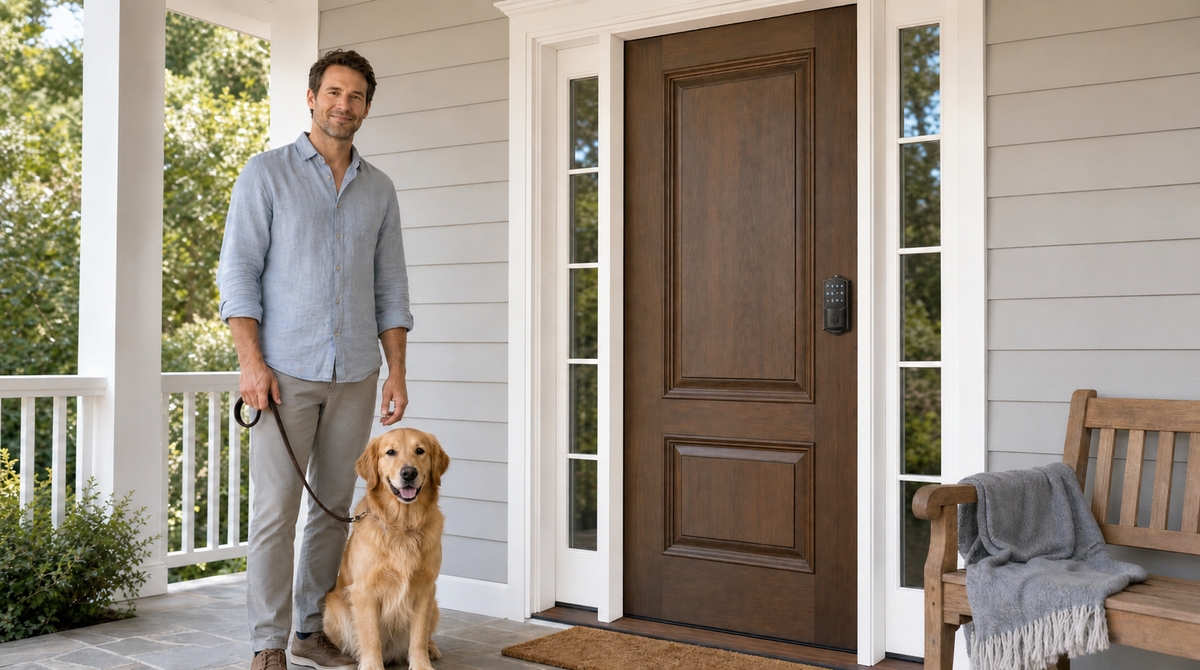
Reaching your front door with both hands full of groceries, no key in sight — sound familiar? That daily friction is exactly what touchscreen door locks are designed to eliminate. By adding a responsive glass panel alongside the exterior key cylinder, these locks let you tap in your code, scan your fingerprint, or simply open the door from your phone without ever digging through a bag or a jacket pocket.
But touchscreen door locks are not all the same, and the choice between a touchscreen model and other keyless options is more nuanced than it looks. This guide breaks down exactly how touchscreen door locks work, the honest pros and cons you need to know before buying, how they stack up against push-button keypad locks, and which top models are worth considering — including options from Veise, a brand built on 38 years of lock industry expertise. Whether you're upgrading your front door for the first time or replacing an older smart lock, this article will help you make a confident, informed choice.
What Is a Touchscreen Door Lock?
A touchscreen door lock is a keyless entry lock that uses a capacitive glass panel — similar to a smartphone screen — as its main input interface. Instead of pressing raised physical buttons, you tap digits on the flat glass surface to enter your access code. The electronics behind the panel detect your touch, process the code, and trigger the motorized deadbolt to unlock. Every Veise lock includes a physical key cylinder as an emergency backup, so you're never truly locked out even if the batteries die or the panel is damaged.
Touchscreen locks come in two broad tiers. The first tier is a standalone electronic lock: it accepts a PIN code (and sometimes a fingerprint), operates completely offline, and requires no app or Internet connection. The second and more feature-rich tier is the smart touchscreen lock, which adds Wi-Fi or gateway-based connectivity so you can control the lock remotely, review entry history, and integrate with voice assistants like Alexa or Google Assistant. Understanding which tier you're buying is one of the most important decisions you'll make in this category.
Touchscreen vs. Push-Button Keypad: What's the Difference?
Many shoppers use "touchscreen" and "keypad" interchangeably, but they refer to meaningfully different interfaces. A push-button keypad has raised, tactile buttons you can feel in the dark — press them and you get a satisfying physical click. A touchscreen replaces those buttons with a flat glass panel: no moving parts, no gaps between keys, and a sleeker visual profile. Both deliver the same core result (keyless PIN entry), but the experience and trade-offs differ in a few important ways.
Aesthetics and maintenance: Touchscreens have a clean, flat surface with no crevices where dirt and moisture can accumulate. A quick wipe keeps them looking sharp. Push-button keypads require more attention around the button gaps to keep them clean over time. On the flip side, a flat glass surface makes fingerprint smudges more visible — which is worth thinking about from a security angle (more on that in the cons section below).
Cold-weather performance: Physical buttons work reliably in freezing temperatures and can be pressed while wearing heavy gloves. Touchscreens can become less responsive in extreme cold or when your hands are wet, a relevant consideration if you live in a region with harsh winters. If outdoor exposure in very cold climates is a concern, a push-button keypad model is often the more dependable choice for that environment.
Speed and familiarity: Push-button keypads benefit from muscle memory — you can enter your code without looking, which is handy in the dark or with arms full. Touchscreens require a light, deliberate tap, and the illuminated display needs to activate first. For most users in moderate climates, this difference is negligible. For users who prioritize tactile reliability above all else, it's worth weighing.
Pros of Touchscreen Door Locks
Touchscreen door locks bring a compelling combination of convenience, security, and design that makes them one of the most popular upgrade choices for homeowners today. Here are the advantages that matter most in real-world use:
- No key needed for daily entry. The most immediate benefit is that you stop reaching for a key to get through your own front door. The physical key cylinder stays on the lock as a backup, but it can live in a drawer instead of circulating — which means far fewer copies in other people's hands and no spare hidden under the mat. Your access code (and your fingerprint, on models that support it) travels with you automatically.
- Clean, modern aesthetic. A flat glass panel integrates seamlessly into modern and transitional door designs. When the display is idle, most touchscreens go dark, keeping the exterior of your door looking minimal and intentional rather than cluttered with hardware.
- Easy to grant and revoke access. Need to give a dog walker a temporary code? Setting one up takes seconds. When that person no longer needs access, you delete the code — no rekeying, no key retrieval required. This kind of flexible access management is one of the biggest practical advantages over traditional locks.
- Anti-peep code entry. Every Veise lock supports an anti-peep (or virtual password) feature that lets you type random digits before or after your real code. The lock looks for the correct sequence within the longer string, so anyone watching nearby cannot determine your actual PIN from the key presses they observe.
- Built-in lockout protection. Every Veise lock pauses for three minutes after 10 wrong code attempts, which shuts down code-guessing without any setting to enable. Combined with anti-peep entry, it closes the two gaps a keypad realistically faces — someone watching you type, and someone working through combinations at the door.
- Auto lock for peace of mind. Every Veise lock includes a configurable auto lock timer that re-engages the lock after a set interval — 10 to 180 seconds on connected models. You never have to second-guess whether you remembered to lock up before leaving.
- Smart upgrade path. When paired with Wi-Fi or a gateway, touchscreen smart locks add remote locking, entry history, and voice control — giving you whole-home integration without replacing the lock again.
Cons of Touchscreen Door Locks
A balanced look at touchscreen door locks means acknowledging the real limitations alongside the benefits. None of these are dealbreakers for most households, but they are worth planning for:
- Battery dependency. Touchscreen locks run on batteries, and a dead battery means no entry through the keypad. Most quality models send low-battery alerts well in advance, and a physical key backup covers you in emergencies. On some models, an emergency power port lets you connect an external power source to unlock the door without opening it first — a useful safety net.
- Smudge visibility on the glass panel. A flat glass surface can retain fingerprint smudges that potentially reveal which digits you use most. The anti-peep code feature addresses this directly by obscuring the pattern of use, and some models use matte or smudge-resistant coatings. Still, it's a reality of the touchscreen format that push-button keypads avoid.
- Reduced sensitivity in extreme conditions. Very cold weather, heavy gloves, or wet hands can reduce touch sensitivity. If your home is in a climate with sustained freezing winters, factor this into your decision, particularly for the primary entry door.
- Higher upfront cost than traditional locks. A quality touchscreen lock costs more than a standard keyed deadbolt. However, across Veise's $30–$180 lineup the price difference is modest compared to the convenience and security gains — and there are no subscription fees to worry about.
- Smart features require a smart lock. A standard touchscreen keypad lock — without Wi-Fi or a gateway — cannot be unlocked remotely or connected to a home automation system. Remote access requires a smart lock specifically (either a gateway-paired model or a Wi-Fi model). Buying a keypad-only lock and expecting to add remote features later by purchasing a gateway separately is not how the technology works.
- Full replacement required (for most brands). Unlike overlay-style locks that mount on top of your existing deadbolt, most touchscreen smart locks (including all Veise models) are full deadbolt replacements. This means you need to be the property owner or have authorization to modify the door hardware before installing.
Who Should Choose a Touchscreen Door Lock?
Touchscreen door locks are a strong fit for a broad range of homeowners, but a few situations make them a particularly clear choice. If any of the following describes your household, a touchscreen model is likely the right direction:
Busy families with kids. Children notoriously lose keys. A code they memorize — or a fingerprint they register — eliminates the lost-key problem entirely. For parents who want to know when kids arrive home after school, a smart touchscreen lock (Wi-Fi or gateway-paired) adds app-based entry history and remote monitoring so you get a notification the moment they walk in the door.
Homeowners managing a rental property. A short-term rental or vacation cabin benefits enormously from the ability to create and revoke access codes between guests without ever touching the lock in person. Changing a code takes seconds from a phone or directly on the keypad, and there is no concern about guests copying a physical key.
Design-conscious homeowners. If your exterior hardware matters to you aesthetically, the flat glass profile of a touchscreen lock reads as premium and intentional. When the display is dormant, it blends into modern door designs in a way that physical keypad hardware often cannot match.
Those prioritizing convenience over tactile feedback. If you are comfortable with touchscreen interfaces from everyday smartphone use and prioritize a clean look over the button-press certainty of a physical keypad, a touchscreen lock will feel immediately intuitive. If you value pure tactile reliability in all conditions (especially cold, wet environments), a push-button keypad lock — like Veise's Keypad Deadbolt or Keypad Latch Lock lines — may be the better fit.
Top Touchscreen Door Lock Models from Veise
Veise — built on Kaadas Group's 38 years of lock industry expertise and 711 patents (the world's largest smart lock patent portfolio) — offers touchscreen models across two categories. Because Veise is vertically integrated with its own manufacturing, every lock is engineered and quality-checked in-house rather than outsourced to third-party OEM factories. The result is tighter tolerances, consistent build quality, and a price-to-feature ratio that reflects a direct-from-factory advantage. All Veise locks install in about 15 minutes with a screwdriver, require no wiring, and work on standard wood doors with a thickness of 1-3/8" to 2".
1. Touchscreen Wi-Fi Smart Lock (VE027 Series)
The VE027 Series is Veise's flagship touchscreen model and the most feature-complete option in the lineup. It connects directly to your home Wi-Fi network — no separate gateway hardware required — so remote access, entry history, app control, and voice commands (via Amazon Alexa and Google Assistant) all work out of the box. The touchscreen interface is paired with a fingerprint scanner that reads in under 0.3 seconds, and the lock supports multilingual voice prompts. Fingerprints are processed and stored on the lock itself with no cloud account required, which is both a privacy and reliability benefit.
The VE027 Series runs on 8 AA batteries instead of the standard 4 AA setup found in most competing locks, delivering a stronger signal and a more stable connection over time. Every VE027 also includes a USB-C emergency power port — a meaningful safety net for families worried about a complete lockout if the battery runs too low before anyone notices the alert. Auto lock is configurable between 10 and 180 seconds. Physical key backup is included on all models. This is the pick for families who want remote monitoring, want to check entry history from anywhere, and want the reassurance of a touchscreen interface that can also be operated hands-free via voice command. Explore the full Wi-Fi Smart Lock collection to see available finishes and configurations.
2. Smart Lock w/ G1 (VE017 Series)
For households that prefer gateway-based connectivity — or want the most reliable first-party app experience — the Smart Lock w/ G1 is built on a single product line, the VE017 Series, which ships with every feature included as standard: fingerprint scanner, multilingual voice prompts (English, Spanish, and French), a USB-C emergency power port, and remote app control via the gateway. The G1 gateway bridges the lock to your home network and voice assistants, so you get the same remote access and monitoring capabilities as a Wi-Fi lock but through a dedicated hardware link. Every VE017 series also includes a key fob and physical key as backup entry methods, giving households multiple ways to enter without depending on any single method. Browse Smart Locks w/ G1 to see the full range.
3. Smart Lock w/ G2 (VE0/RZ0 Series)
The Smart Lock w/ G2 line offers more SKU variety than G1 line, with options available both with and without fingerprint, and in standalone deadbolt or handle-set bundle configurations. The G2 line's standout feature is Apple Watch unlock — if you use Apple Watch as part of your daily routine, unlocking your door with a wrist tap is a genuinely useful addition. Web portal control is also unique to Smart Lock w/ G2, handy for property managers who want browser-based access management. Voice prompts on the G2 line are currently English only, so multilingual households may find Smart Lock w/ G1 a better fit. See all Smart Locks w/ G2 options to compare form factors and fingerprint availability.
Touchscreen Door Lock Buying Checklist
Before finalizing your purchase, run through these key questions to make sure the lock you choose actually fits your door and your household:
- Door material and thickness: Most touchscreen smart locks, including all Veise models, are designed for wood doors with a standard thickness of 1-3/8" to 2". They are not compatible with fiberglass, metal, storm, or sliding doors. Measure your door before ordering.
- Do you need remote access? Remote app control requires a smart lock — either a Wi-Fi model or a gateway-paired model. A standard keypad lock cannot be upgraded to remote access later by adding a gateway.
- How many people need access? Consider how many unique codes or fingerprints you need to store. For households that frequently host guests or manage service providers, a model with flexible code management is essential.
- Is the property owner authorizing installation? Full-replacement locks modify the door hardware permanently. Make sure you have the authority to make this change before purchasing.
- Do you need multilingual voice prompts? If your household includes non-English speakers, the Veise G1 line (English, Spanish, French) or the VE027 series (3-language support) is the right choice over the G2 line (English only).
- What is your climate like? For extreme cold or consistently wet entry points, consider a push-button keypad model for the most reliable all-weather performance, or choose a touchscreen model with a confirmed IP weather-resistance rating.
- Subscription fees: Confirm whether the lock or its app requires an ongoing subscription. Veise locks have no subscription requirement — the full feature set works with the standard app at no recurring cost.
The Bottom Line
Touchscreen door locks offer a meaningful upgrade over traditional keyed locks and even over many push-button keypad alternatives. The flat glass interface, anti-peep entry, auto lock, and flexible code management combine into a genuinely more convenient and more secure daily experience for most households. The trade-offs — battery dependency, reduced gloved-hand sensitivity, and slightly higher cost — are manageable with the right preparation and the right model choice.
The most important decision is not "touchscreen or not" but rather "how much connectivity do I actually need?" A standalone touchscreen keypad deadbolt is the right answer for homeowners who want simplicity and offline reliability. A touchscreen Wi-Fi smart lock or a gateway-paired smart lock adds remote access, entry history, and voice control for households that want whole-home integration. Veise covers both tiers with locks engineered from decades of expertise, sold at accessible prices with no subscription required — because technology should simplify life, not add to it. Easy from Day One.
Frequently Asked Questions
Are touchscreen door locks safe?
Yes. Because you enter with a code or a fingerprint, the key cylinder is rarely used and far fewer keys end up in circulation. Veise locks also build in two protections that work on every model: anti-peep code entry, which lets you pad your real PIN with extra digits so an onlooker can't read it off the panel, and lockout protection, which pauses the lock for three minutes after 10 wrong attempts. The key to maximizing security is using a longer PIN code (Veise supports 4 to 10 digits), enabling auto lock, and updating access codes when circumstances change.
What happens to a touchscreen door lock when the battery dies?
Most touchscreen door locks send low-battery alerts (via a light indicator or app notification) well before the battery is critically low. All Veise locks include a physical key backup so you can always enter in an emergency. Select Veise models in the VE017 and VE027 series also include a USB-C emergency power port — connect an external power bank to the port to temporarily power the lock and enter your code without ever opening the door.
Can a touchscreen door lock work without Wi-Fi?
A standard touchscreen keypad lock operates entirely offline — no Wi-Fi needed, ever. Smart touchscreen locks (Wi-Fi or gateway-paired models) use Wi-Fi for remote access and alerts, but still work locally via keypad code, fingerprint, and physical key even when Wi-Fi is down. If Wi-Fi is down but you are within short-range wireless distance, app control also continues to work locally. Only long-distance remote features (like checking entry history from another city) require an active Internet connection.
What is the difference between a touchscreen lock and a keypad lock?
A touchscreen lock uses a flat, capacitive glass panel as its input interface — similar to a smartphone screen. A push-button keypad lock uses raised physical buttons you can feel and press. Both accept PIN codes, but touchscreen models tend to have a cleaner appearance and are easier to wipe clean, while push-button keypads offer tactile reliability in cold or wet conditions. Functionality (codes, auto lock, fingerprint support) can be identical between the two interface styles.
Do touchscreen door locks work with Alexa or Google Assistant?
Voice control support depends on the lock type. Veise Wi-Fi Smart Locks support Alexa and Google Assistant directly via their built-in Wi-Fi — no additional hardware required. Veise Smart Locks w/ G1 or G2 support voice assistants too, but the paired gateway must be installed and connected to your network to bridge the lock to the voice assistant. Not all keypad locks support voice control, so confirm this feature before purchasing if it matters to you.
How long does it take to install a touchscreen door lock?
Most quality touchscreen door locks, including all Veise models, install in about 15 minutes using a screwdriver. No wiring is involved, no professional help is required, and no special tools are needed beyond what most homeowners already have. The lock fits standard wood doors with a thickness between 1-3/8" and 2".
Can I use a touchscreen door lock on a fiberglass or metal door?
Veise touchscreen door locks are designed for wood doors only. They are not compatible with fiberglass, metal, storm, or sliding doors. If your door is one of these materials, check the manufacturer's compatibility requirements carefully before purchasing any smart lock.
Is there a monthly fee for using a smart touchscreen lock?
Veise smart locks have no subscription requirement. Features including remote access, entry history, app control, and voice assistant integration all work with the standard mobile app at no recurring cost. When comparing locks, always confirm whether the full feature set requires an ongoing subscription — some brands gate their best features behind a monthly or annual plan.
Ready to Find the Right Lock for Your Door?
Browse the full Veise lineup — from touchscreen Wi-Fi smart locks to simple keypad deadbolts — and find the model that fits your door, your household, and your budget. No subscriptions. No complicated wiring. Just a 15-minute install and a home that works the way it should.
Shop All LocksContact Us

Leave a comment
This site is protected by hCaptcha and the hCaptcha Privacy Policy and Terms of Service apply.