
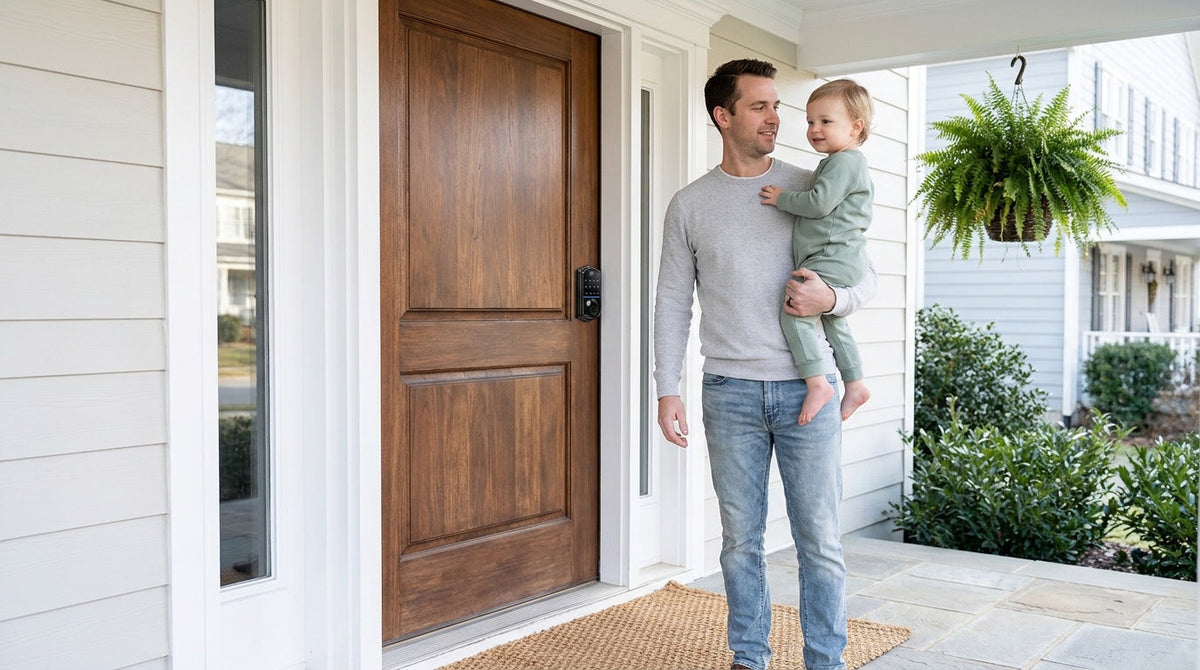
You've probably locked yourself out at least once. Maybe you've handed a spare key to a neighbor, only to wonder whether you should ask for it back. Or you've stood in the driveway wondering — did I remember to lock the front door? These small daily frictions are exactly what smart locks are designed to solve. But the real question isn't whether smart locks are clever. It's whether they're worth it — for your home, your family, and your budget.
This article cuts through the marketing noise and gives you a practical, honest cost-and-benefit breakdown. We'll cover what smart locks actually cost (upfront and over time), which benefits are genuinely valuable versus nice-to-have, and which homeowners tend to see the best return on the investment. Whether you're considering a simple keypad deadbolt or a fully connected Wi-Fi smart lock, this guide will help you make a clear-headed decision.
What Does a Smart Lock Actually Cost?
The most common sticker shock around smart locks comes from comparing them to a $25 traditional deadbolt at the hardware store. That comparison is real, but it's also incomplete. Smart locks occupy a wide price range depending on how much connectivity and how many features you need — and for most families, the upgrade is more affordable than they expect.
Here's a practical breakdown of what to expect across the main lock categories:
- Keypad Deadbolt Locks: The most accessible entry point. These replace your existing deadbolt and let you enter with a code or physical key backup — no app, no Wi-Fi required. They're the right call for homeowners who want keyless convenience without any tech complexity. Veise's lineup overall spans an affordable $30–$180, with keypad deadbolts sitting at the accessible end of that range.
- Keypad Latch Locks: A good fit for interior doors, side entries, garage access doors, or office doors where code-based entry is the priority. These integrate the handle and lock in a single unit.
- Smart Locks w/ G1 and Smart Locks w/ G2: Smart Lock w/ Gateway 1/2 adds remote app control, activity logs, voice assistant support (all via the paired gateway), and key fob entry on top of keypad code and physical key. Fingerprint is standard across the Smart Lock w/ G1 line and available on many Smart Lock w/ G2 models. These sit in the mid-range price tier and deliver connected features without requiring a dedicated Wi-Fi connection at the lock itself.
- Wi-Fi Smart Locks: The most fully connected option, with built-in Wi-Fi, full remote access, Alexa and Google Assistant voice control, and app monitoring from anywhere. Best suited for families who want to actively manage home access while away.
For context, professional smart lock installation — if you choose not to DIY — typically runs between $100 and $200 in labor. However, most smart locks, including the full Veise lineup, are designed for straightforward DIY setup: no wiring, no special tools, just a screwdriver and about 15 minutes. That alone can eliminate the labor cost entirely.
The Real Benefits Worth Paying For
Not every benefit listed in a smart lock product description translates to genuine day-to-day value. Here are the ones that actually matter for most families.
You Stop Carrying Keys (and Losing Them)
This sounds trivial until you add up what a locksmith call costs — typically $50 to $150 just to unlock your door, and more in an after-hours emergency. Families with kids know the math well: if one child loses their key twice a year and you call a locksmith once, you've already paid for a decent keypad lock. Beyond cost, keyless entry means your kids can get in after school with a code you set yourself, and you can change that code anytime without touching a key ring.
You Control Who Comes and Goes
Smart locks let you create and delete access codes for guests, service workers, dog walkers, or short-term rental guests — without ever handing over a physical key that could be duplicated. For property owners managing a rental, this feature alone is worth the price difference. A Smart Lock w/ Gateway 1/2 or a Wi-Fi smart lock goes a step further, letting you monitor entry activity through the app so you know exactly when the property was accessed and by whom. Remote access like this requires a smart lock — Smart Lock w/ Gateway 1/2 or Wi-Fi — since the Keypad Deadbolt and Keypad Latch categories, while excellent for convenience, do not connect to an app.
Auto Lock Means One Less Thing to Worry About
Auto lock is a feature across the entire Veise lineup, and it's more valuable than it sounds. An unlocked door is simply the easiest way in, so consistently locking up is one of the most effective everyday habits there is — and auto lock handles it for you. You can configure the interval from 10 to 99 seconds on Keypad Deadbolt and Keypad Latch locks, and from 10 to 180 seconds on connected models, so the lock re-engages behind you without you needing to think about it. One thing to know: Veise auto lock fires on the configured interval regardless of door state, so make sure the door is closed before the interval expires.
Fingerprint Entry: Fast and Genuinely Useful
Fingerprint availability varies by category: it's on the KS02 series of keypad deadbolts, standard across every Smart Lock w/ G1, available on many Smart Lock w/ G2 models, and standard on every Wi-Fi smart lock (Keypad Latch Locks don't offer it). Where it's included, Veise pairs the scanner with an AI chip that reads and processes a fingerprint in under 0.3 seconds — faster than most people can turn a key. Fingerprints are stored and processed directly on the lock itself, with no data sent to the cloud, which is both a privacy benefit and a reliability one. Enrollment captures your finger eight times to build a reliable template across different angles and pressure. For households with elderly family members or anyone who struggles with keys, this method is genuinely life-improving.
Remote Monitoring Gives Families Real Peace of Mind
For parents of school-age kids, being able to check whether the front door is locked — or confirm that your child got home safely — from anywhere is a meaningful benefit. Smart Lock w/ Gateway 1/2 and Wi-Fi smart locks both offer this through app control. It's worth noting that even when Wi-Fi is down, app control continues to work locally as long as you're within short-range wireless distance of the lock. For families who want this level of visibility, a Wi-Fi smart lock or a Smart Lock w/ G1 is the right category — the Keypad Deadbolt and Keypad Latch categories don't support remote monitoring.
Honest Trade-Offs to Consider
A fair cost-and-benefit analysis means being honest about the downsides too. Smart locks are a solid investment for most homeowners, but there are genuine trade-offs worth understanding before you buy.
They Run on Batteries
Unlike a traditional lock, a smart lock needs power to operate its electronics. Battery life varies by model and usage frequency. Veise's Wi-Fi smart locks use 8 AA/LR6 alkaline batteries instead of the more common 4 AA setup, which delivers a stronger signal, more stable connection, and a larger power reserve — though real-world battery life still depends on how often the lock is used. Note that Veise locks don't ship with batteries in the box, so pick up a fresh set of AA/LR6 alkaline cells when you buy. The important thing to know: every Veise lock warns you with a voice or beep prompt at the lock well before the batteries run out, and connected models add a push notification through the app. Every Veise lock also includes a physical key cylinder as backup so you're never fully locked out.
Installation Requires a Wood Door
Smart lock installation is straightforward for standard wood doors — typically done in about 15 minutes with a screwdriver and no wiring. However, if your door is fiberglass, metal, a storm door, or a sliding door, a Veise lock won't be compatible. This is an important compatibility check to make before purchasing. Veise locks also require full lock replacement (rather than an overlay approach) and are designed for doors with a standard thickness of 1-3/8" to 2", which covers the vast majority of residential exterior wood doors.
Connectivity Has Limits
Long-distance remote features — locking your door from across town, receiving off-site alerts — require active Internet connectivity. A Wi-Fi smart lock needs your home Wi-Fi (2.4 GHz only, not 5 GHz); a Smart Lock w/ Gateway 1/2 needs the paired gateway to be powered and online. These are reasonable requirements for most homes, but worth factoring in if you have unreliable service. Also note that Veise smart locks do not support Zigbee or Z-Wave, so if your existing smart home hub relies on those protocols, you'll want to verify compatibility before purchasing.
Hidden Costs to Watch Out For
One of the most common surprises for first-time smart lock buyers is discovering that the advertised price is just the beginning. Some brands layer on subscription fees for features that arguably should be included by default. A subscription-free smart lock typically costs $150–$400 over three years when you factor in the hardware and batteries, but subscription-based setups from some competitors can reach $500–$700 or more when monthly fees accumulate. Here's what to look for:
- Subscription fees: Some brands charge $10–$20 per month for premium features like extended activity logs, remote access, or cloud-based monitoring. Veise smart locks carry no subscription requirement — remote access, app control, and activity logs are included with the hardware purchase at no ongoing cost.
- Battery replacements: This is a real and recurring expense for any smart lock, and Veise locks don't ship with batteries in the box, so budget for the first set too. Veise's 8 AA/LR6 alkaline design on Wi-Fi smart locks provides a larger power reserve.
- Gateway hardware (for Smart Lock w/ Gateway 1/2): Smart Locks w/ G1 and Smart Locks w/ G2 require a paired gateway for remote app control. The gateway is a separate device, sold separately on nearly all SKUs — but it's a one-time purchase, not a recurring fee.
- Professional installation: Not required for Veise locks on compatible wood doors. The 15-minute DIY install with a screwdriver eliminates this cost entirely for most homeowners.
The bottom line on hidden costs: choose a brand that includes core features in the hardware price, and make sure you understand what "free" features actually cost. Veise's no-subscription model means what you see on the price tag is what you pay.
Who Gets the Most Value from a Smart Lock?
Smart locks aren't right for every situation — but they're the right fit for more households than most people expect. Here's a straightforward look at who benefits most.
Families with Kids
Kids lose keys. They also forget to lock the door. A keypad code or fingerprint entry means no more hiding a key under the mat or worrying about a lost copy circulating in the neighborhood. For parents who want to monitor when kids arrive home, a Wi-Fi smart lock or a Smart Lock w/ Gateway 1/2 adds app-based activity monitoring so you can check remotely. This is genuinely useful for working parents who aren't home when school lets out.
Property Owners Managing Rentals
For anyone managing a short-term rental, vacation cabin, or rental property, the access control benefits of a smart lock are transformational. You can assign unique codes to each guest or tenant, set time limits on those codes, and delete access instantly when a stay ends — all without mailing keys or scheduling in-person handoffs. A smart lock pays for itself quickly in this context.
Homeowners Who Value Simplicity
Not every smart lock buyer is a tech enthusiast. A large share of homeowners simply want to stop fumbling for keys, stop worrying about whether they locked up, and stop paying locksmiths. For this group, even a basic keypad deadbolt or a keypad latch lock on a secondary entry delivers real, immediate value at an affordable price point. This is exactly the kind of practical home improvement that Veise's Effortless Home Improvement™ Experience is built around — technology that makes daily life simpler, not more complicated.
Households with Elderly or Mobility-Limited Family Members
For family members who find key manipulation difficult — whether due to arthritis, reduced dexterity, or other mobility considerations — a fingerprint or keypad lock is a meaningful quality-of-life upgrade. No gripping, no turning, no fumbling. The sub-0.3-second fingerprint scan on select Veise models makes entry as effortless as it gets.
How to Choose the Right Smart Lock for Your Home
With a clear sense of the costs and benefits, the decision usually comes down to a few practical questions. Here's how to match your needs to the right lock category.
- Want keyless entry without app connectivity? A keypad deadbolt is your most practical, affordable option for exterior wood doors. Models with fingerprint (the KS02 series) add extra convenience. Models without fingerprint (RZ and KS01 series) are a reliable choice when you just want a solid code-entry lock at a lower price point.
- Need code entry for an interior, side, or garage door? A keypad latch lock integrates the handle and lock in a single unit. Current SKUs include the KS03 (integrated top knob) and KS04 (integrated top lever) — the choice comes down to handle preference.
- Want remote access, activity logs, and voice assistant support? A Smart Lock w/ Gateway 1/2 is the connected option that doesn't require built-in Wi-Fi at the lock itself. The Smart Lock w/ G1 line is built on a single product series — the VE017 — and the entire line comes standard with fingerprint, voice prompts in English, Spanish, and French, and a USB-C emergency power port, making it the most all-inclusive pick for most households. The Smart Lock w/ G2 line is worth considering if Apple Watch unlock or web portal control are priorities for you, or if you prefer a non-fingerprint connected option.
- Want the most complete connected experience? A Wi-Fi smart lock has built-in Wi-Fi, works with Alexa and Google Assistant directly, and gives you full remote access from anywhere. Choose the Touchscreen Wi-Fi Smart Lock (VE027 Series) if you prefer a touchscreen interface — every VE027 model also adds a USB-C emergency power port, key fob support, and on-device voice prompts in English, Spanish, and French; choose the Push-Button Wi-Fi Smart Lock (VE012W Series) if you prefer a traditional press-button keypad. Both series share the same Wi-Fi features, fingerprint access, app control, and 8 AA/LR6 alkaline battery design.
Veise's entire lineup is backed by Kaadas Group's 38 years of lock industry expertise and 711 patents — the world's largest smart lock patent portfolio. With 10M+ smart locks sold across 41+ countries and recognition from Frost & Sullivan as the global No.1 high-end smart lock brand by sales, the engineering behind every product has been tested at scale. Importantly, Veise is vertically integrated — products are made in Veise's own facilities, not resold from third-party manufacturers — which means quality control is built into the process, not outsourced. All residential models are ANSI/BHMA Grade 3 certified, the established standard for residential door hardware. Easy from Day One.
The Verdict: Are Smart Locks Worth It?
For most homeowners, yes — smart locks are worth it, and the math is clearer than it might initially seem. The upfront cost is real, but so are the savings on locksmith calls, lost-key replacements, and rekeying after tenants or guests leave. The daily convenience of keyless entry, auto lock, and remote monitoring delivers genuine quality-of-life improvements that compound over time.
The key is matching the right lock category to your actual needs. You don't have to spend top dollar to see meaningful benefits. A straightforward keypad deadbolt solves the most common daily friction points at an accessible price. A connected smart lock adds remote visibility and access control for households that genuinely need it. Either way, the investment is modest compared to what you get back in convenience, security, and peace of mind.
Browse the full Veise lineup — from simple keypad options to fully connected Wi-Fi models — at iveise.com and find the right fit for your home.
FAQs
Are smart locks more secure than traditional locks?
Smart locks offer several security advantages over traditional locks. Veise models add lockout protection (10 wrong attempts pauses the lock for 3 minutes), anti-peep code entry that lets you pad your real PIN with random digits so onlookers can't read it, auto lock so the door isn't accidentally left unsecured, and activity monitoring on connected models so you know who has accessed your home and when. That said, the security of any lock depends heavily on the quality of the product. Veise smart locks are ANSI/BHMA Grade 3 certified — the residential standard for door hardware — and are built in Veise's own facilities under Kaadas Group, which has 38 years of lock industry expertise behind it.
Do smart locks require a monthly subscription?
Not all of them. Many brands do charge monthly fees for features like extended activity logs or remote access. Veise smart locks carry no subscription requirement — remote access, app control, and activity monitoring are included with the lock at no recurring cost. A subscription-free smart lock typically costs $150–$400 over three years including hardware and batteries, which is far more predictable than plans that can run $500–$700 or more with added monthly fees.
What happens if the battery dies on a smart lock?
Every Veise lock includes a physical key backup, so a dead battery never means being locked out. Additionally, every Veise lock alerts you to a low battery well in advance with a voice or beep prompt at the lock, and connected models add a push notification through the app. On the VE017 series (Smart Lock w/ G1) and VE027 series (Touchscreen Wi-Fi Smart Lock) — where it's standard on every model — a USB-C emergency power port lets you temporarily power the lock from a portable power bank if the battery is fully depleted before you can replace it.
Can I install a smart lock myself?
Yes, for most homeowners with a compatible wood door. Veise smart locks are designed for straightforward DIY installation — typically around 15 minutes using just a screwdriver, with no wiring, no locksmith, and no special tools required. Every Veise product also ships with a step-by-step user manual and an installation video, so you have visual guidance for each step. The one prerequisite is that your door must be a standard wood door between 1-3/8" and 2" thick. Veise locks are not compatible with fiberglass, metal, storm, or sliding doors.
Which type of smart lock is best for a family with kids?
For families with kids, a Wi-Fi smart lock or a Smart Lock w/ Gateway 1/2 is the recommended choice, because these categories let parents remotely check entry history and monitor lock activity through the app — so you can confirm your child got home safely while you're still at work. The Keypad Deadbolt and Keypad Latch categories are great convenience upgrades but do not support remote monitoring. Fingerprint entry, included on select Veise models, is also a practical feature for kids who might forget a code under pressure.
Are smart locks compatible with all doors?
No. Veise smart locks are designed for wood doors only and are compatible with standard door thicknesses of 1-3/8" to 2". They are not compatible with fiberglass, metal, storm, or sliding doors. If you have a non-wood exterior door, you'll need to verify compatibility with any smart lock you consider, regardless of brand. For interior, side entry, or garage access applications on wood doors, a keypad latch lock is often a practical fit.
Not Sure Which Lock Is Right for You?
Our team is happy to help you find the best fit for your door, your household, and your budget. Easy from Day One.
Contact Us

Leave a comment
This site is protected by hCaptcha and the hCaptcha Privacy Policy and Terms of Service apply.