
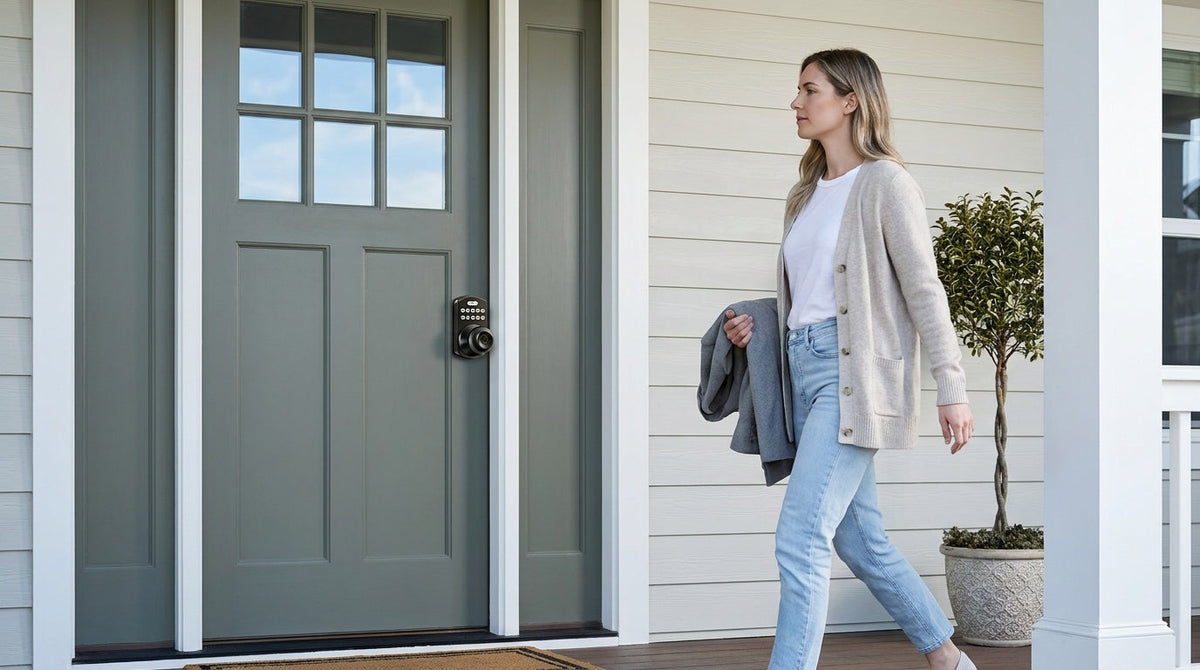
If you've started shopping for a smart lock, you've probably noticed the prices jump around quite a bit — from budget-friendly keypads under $50 to high-end biometric models pushing $300 or more. It can feel confusing, especially when you're not sure what you're actually paying for or whether the premium features are worth it for a typical family home.
The straightforward answer is that most residential smart locks fall somewhere between $30 and $300 for the hardware alone, with professional installation adding another $100 to $200 if you choose to go that route. But the real story is more nuanced. The right price depends entirely on which type of lock you need, how you plan to install it, and what ongoing costs — like subscription fees or extra accessories — might come into play down the road.
This guide breaks down every cost you should expect: hardware prices organized by lock type, a clear look at DIY vs. professional installation, the hidden fees some brands don't advertise, and an honest answer to whether smart locks are worth it. By the end, you'll have everything you need to make a confident, informed purchase.
What Affects the Price of a Smart Lock?
Before diving into specific numbers, it helps to understand the variables that push prices up or down. Smart lock pricing isn't arbitrary — it reflects real differences in technology, materials, and the features that actually matter to daily life.
- Lock type and connectivity: A basic keypad deadbolt that works offline will always cost less than a Wi-Fi-enabled model that lets you unlock your door from across the country. More connectivity means more internal hardware, which means a higher price tag.
- Unlock methods: Locks that support only a keypad code cost less than those that add fingerprint scanning, app control, voice assistants, or key fobs. Each additional method adds engineering complexity.
- Build quality and certifications: Residential smart locks are typically rated to ANSI/BHMA Grade 3, which is the standard for single-family home use. Locks built with higher-grade metal components and more rigorous testing tend to cost more but hold up better over time.
- Brand manufacturing model: Some brands design their own locks and own their factories (vertically integrated), while others source products from third-party OEM manufacturers. Brands with in-house manufacturing and strong patent portfolios — like Veise, backed by Kaadas Group's 38 years of lock industry expertise and 711 patents, the world's largest smart lock patent portfolio — often deliver more consistent quality at a given price point because there's no middleman markup on engineering.
- Door type compatibility: Most residential smart locks are designed for standard wood doors with a thickness of 1‑3/8" to 2". Specialty doors or non-standard prep can add to installation costs.
With those factors in mind, here's how pricing breaks down across the main categories you'll encounter when shopping.
Smart Lock Prices by Type
The single biggest driver of smart lock cost is the lock category itself. Veise's full lineup runs $30 to $180, and where a given lock lands inside that range depends almost entirely on its category — so here's where each one sits, organized the way most buyers actually shop.
Keypad Deadbolt Locks: The Entry Point
A keypad deadbolt lock is the most straightforward entry point into smart home security. You enter a code on a numeric keypad to unlock the door, and a physical key backup is always included. There's no app, no Wi-Fi, no hub required — just reliable, keyless entry that works every time, even when the power is out or your phone is dead.
Keypad deadbolts sit at the accessible end of Veise's $30–$180 lineup, with price mainly tracking whether a fingerprint reader is included. The non-fingerprint models (the RZ and KS01 series) are on the lower end and come in both standalone deadbolt and handle-set bundle configurations. The fingerprint-enabled models (KS02 series) sit in the mid-range and offer a sub-0.3-second fingerprint scan — processed and stored on the lock itself, with no cloud account required. These are a practical pick for exterior doors that see heavy daily use from the whole family.
Who it's for: homeowners who want simple, dependable keyless entry without the need for app control or remote access. Think of it as the Effortless Home Entry™ experience — technology that just works, every single day, without fuss.
Keypad Latch Locks: All-in-One and Affordable
Keypad latch locks are an integrated, all-in-one unit where the handle and lock body are combined into a single piece. Veise currently offers two SKUs — the KS03 with an integrated top knob and the KS04 with an integrated top lever — both supporting keypad code entry and a physical key backup.
These sit alongside keypad deadbolts at the affordable end of the lineup and are commonly used on interior doors, side entrances, garage access doors, office doors, or any door that sees regular code-based traffic without requiring the full deadbolt security of an exterior front door. If you're managing a small rental property or a warehouse with staff turnover, the ability to change codes instantly — without a locksmith — makes this category exceptionally cost-efficient over time. Because Veise locks are full replacements (not overlays), the installation requires standard door prep, and these units fit standard door thickness of 1‑3/8" to 2".
Smart Lock w/ Gateway 1/2: Mid-Range Connectivity
This is where smart lock pricing starts to reflect genuine connectivity features. A Smart Lock w/ G1 or Smart Lock w/ G2 connects to a small gateway device — a separate purchase on nearly all SKUs — that bridges the lock to your home network, enabling remote app control, activity history, and voice assistant integration.
Veise's Smart Lock w/ Gateway 1/2 sits in the mid-range of the $30–$180 lineup, with the gateway accessory adding a modest one-time cost. Both Smart Lock w/ G1 and Smart Lock w/ G2 support keypad code, key fob, physical key backup, and remote app control via the paired gateway as standard. Smart Lock w/ G1 is built on a single product series — the VE017 — and the entire line also includes fingerprint recognition, voice prompts in English, Spanish, and French, and a USB-C emergency power port, making it a particularly strong all-in-one value for multilingual households or anyone concerned about lockouts when batteries run low.
Smart Lock w/ G2 offers more SKU variety — including non-fingerprint options and different handle configurations — and adds Apple Watch unlock and web portal control. It's the right pick when hardware choice flexibility or those features matter more than multilingual voice support. For families with kids who come home from school independently, a Smart Lock w/ Gateway 1/2 is a strong recommendation: parents can check entry history and monitor lock activity remotely via the app, even from work.
Note: Remote access via app requires the paired gateway to be active. The Keypad Deadbolt and Keypad Latch categories cannot be paired with a gateway — remote access requires a smart lock, either Smart Lock w/ Gateway 1/2 or Wi-Fi.
Wi-Fi Smart Locks: Top of the Range
At the top of Veise's lineup, Wi-Fi smart locks connect directly to your home network — no separate gateway needed. That built-in Wi-Fi chip is what enables true long-distance remote access: lock and unlock from anywhere, receive activity alerts, and control the lock via voice commands through Alexa or Google Assistant, all without an extra hub on your shelf.
Veise's Wi-Fi smart locks sit at the top of the $30–$180 lineup and come in two series. The Touchscreen Wi-Fi Smart Lock (VE027 Series) features a touchscreen interface, making it a confident pick for tech-forward homeowners. The Push-Button Wi-Fi Smart Lock (VE012W Series) uses a traditional press-button keypad, which many buyers find more familiar. Both series share fingerprint recognition, keypad code, app control via built-in Wi-Fi, and an 8 AA/LR6 alkaline battery design that delivers stronger signal and a more stable connection than the standard 4 AA setup found on most competing models. They differ in four concrete ways: interface (touchscreen vs. press-button), USB-C emergency power (VE027 series only), key fob support (VE027 series only), and on-device voice prompts in English, Spanish, and French (VE027 series only).
Even when Wi-Fi is temporarily down, app control continues to work locally as long as you're within short-range wireless distance of the lock — a practical reliability detail that matters when your router restarts or your Internet goes out briefly. For short-term rental hosts or landlords managing a vacation property, the Wi-Fi smart lock eliminates the need to be on-site for key handoffs entirely.
Installation Costs: DIY vs. Professional
Once you've settled on the hardware, installation is the next cost to consider. The good news is that most residential smart locks — including the entire Veise lineup — are designed for straightforward DIY installation. The Effortless Home Improvement™ Experience is a core part of how Veise approaches product design: every lock is engineered to be installed in about 15 minutes with a screwdriver — no wiring, no locksmith, no special tools — and every product ships with a step-by-step user manual and an installation video so you can follow along.
Because Veise locks are full replacements rather than overlays (unlike some competitors that clip onto your existing deadbolt), the installation process is clean and complete: remove the old hardware, drop in the new lock, fasten with screws, and you're done. Your door needs standard prep — existing bore holes on a wood door within the 1‑3/8" to 2" thickness range — and most standard residential doors already qualify.
DIY Installation: $0 in Labor
If you're comfortable with basic home improvement tasks, DIY installation costs you nothing beyond the lock itself and a screwdriver you likely already own. Most installations take 15 to 30 minutes. The main scenario where DIY gets complicated is when the existing door bore holes don't align with the new lock's dimensions, or if the door frame needs adjustment — these are edge cases, but worth knowing about before you start.
Professional Installation: $100–$200 in Labor
If you'd rather have a locksmith or handyman handle the installation, expect to pay between $100 and $200 in labor for a standard smart lock replacement on a straightforward door. That figure typically includes a service call fee (often $50 to $150 depending on your region and time of day), plus the actual installation time. Most standard installations take under an hour. Urban areas tend to run toward the higher end of that range; smaller towns and rural areas generally cost less.
A few things to factor in if you go the professional route:
- Door adjustment costs: If the door needs minor alignment work before the new hardware fits cleanly, add $50 to $150.
- Surcharge for customer-supplied hardware: Some locksmiths add 10–20% above standard labor when you bring your own lock rather than sourcing it through them.
- Emergency or after-hours service: After-hours calls can add $25 to $50 to the base fee.
For most homeowners installing a single Veise lock on a standard wood door, DIY is the straightforward choice. Professional installation makes more sense if your door has unusual prep, if you're doing multiple doors at once, or if you simply prefer the peace of mind of having a pro verify the installation.
Hidden and Ongoing Costs to Know About
The purchase price and installation are the big line items, but smart lock ownership can carry ongoing costs that vary significantly by brand. Before you buy, it's worth understanding what you're committing to beyond the sticker price.
Subscription fees: Some smart lock brands require a monthly subscription — typically $5 to $20 per month — to access features like activity history, remote access, or app control. Over two years, that adds up to $120 to $480 in additional spending on top of the hardware cost. Veise smart locks carry no subscription fees. Every feature — remote access, entry history, app control, voice assistant integration — is included with the hardware, with no recurring charges.
Batteries: All Veise locks are battery-powered, which means no wiring costs and no electrician required. They run on AA/LR6 alkaline cells, which are widely available and inexpensive — note that Veise locks don't ship with batteries in the box, so budget for the first set. Veise's Wi-Fi smart locks use an 8 AA design (rather than the standard 4 AA) for stronger signal stability and a larger power reserve. When batteries do run low, the lock gives you a voice or beep prompt well in advance, and connected models add a push notification through the app. On the VE017 series (Smart Lock w/ G1) and the VE027 series (Touchscreen Wi-Fi Smart Lock), where it is standard on every model, a USB-C emergency power port lets you power the lock temporarily from a portable power bank if the batteries are fully drained before you can replace them.
Gateway or hub accessories: Smart Lock w/ Gateway 1/2 requires the gateway device — sold separately on nearly all SKUs — to enable remote app features. This is a one-time hardware purchase, not a recurring fee. If you already own a compatible gateway or upgrade your gateway later, the lock itself doesn't need to be replaced.
Replacement keys: Veise smart locks include a physical key backup on all models. Duplicating a physical key is a standard $2 to $10 expense at any hardware store — a minor cost worth mentioning for households with multiple family members.
What's the Total Cost of Owning a Smart Lock?
Putting it all together, here's a realistic picture of total smart lock cost across different scenarios:
- Basic keypad deadbolt, DIY install: the accessible end of the $30–$180 lineup (hardware only, no ongoing fees)
- Keypad latch lock, DIY install: also at the affordable end of the lineup (hardware only, no ongoing fees)
- Smart Lock w/ Gateway 1/2, DIY install: mid-range for the lock, plus a one-time gateway cost, no subscription
- Wi-Fi Smart Lock, DIY install: top of the $30–$180 range (hardware only, no ongoing fees)
- Any Veise lock: DIY-friendly installation with no required professional labor costs
For context, professional smart lock installation across the industry commonly costs $150–$425 when combining hardware and labor. Veise's $30–$180 hardware range keeps the total cost competitive — and DIY installation helps avoid the extra $100–$200 typically charged for professional labor.
The real long-term cost difference comes down to subscriptions. A $250 smart lock from a brand charging $10 per month in subscription fees costs $370 in the first year and $610 over three years. A $150 Veise Wi-Fi smart lock with no subscription fees only requires the upfront hardware purchase, helping keep long-term ownership costs predictable.
Is a Smart Lock Worth the Investment?
For most homeowners, the answer is yes — and the value is more practical than you might expect. The daily convenience of never fumbling for keys, the ability to let in a contractor or family member remotely, and the peace of mind of knowing your door is locked from anywhere are genuine, everyday benefits. These aren't features that only matter to tech enthusiasts; they matter to any household where multiple people come and go, where kids arrive home from school independently, or where a landlord needs to manage access across properties without being on-site.
There's also a measurable financial angle. Home security upgrades, including smart locks, can contribute to home value — particularly as buyer expectations shift toward homes that already have smart technology in place. The decision ultimately comes down to which lock category matches your actual needs, and whether the price you're paying reflects genuine engineering quality or just marketing packaging.
Veise's positioning is straightforward here: recognized by Frost & Sullivan as the global No. 1 high-end smart lock brand by sales, with 10 million+ smart locks sold across 41+ countries and 400+ global R&D professionals behind the product lineup. That track record isn't mentioned to impress — it's mentioned because it translates directly to reliability in the hardware you put on your front door. Easy from Day One.
How to Get the Best Value Without Overspending
Smart locks don't need to be expensive to be excellent. Here are the most effective ways to keep costs in check without compromising on quality or security.
- Match the lock type to the door's actual role. Not every door in your home needs Wi-Fi connectivity. Exterior front doors and entry points that benefit from remote monitoring are ideal for a Wi-Fi smart lock or a Smart Lock w/ Gateway 1/2. Interior or secondary doors are often well-served by a simpler keypad latch lock or a keypad deadbolt — no need to pay for features you won't use.
- Install it yourself. Veise locks are designed for a 15-minute DIY install with a screwdriver. If your door is a standard wood door in good condition, there's no meaningful reason to pay a professional unless you prefer the peace of mind.
- Avoid subscription-dependent locks. Choose hardware that includes all core features out of the box. A no-subscription smart lock at $150 beats a "cheaper" lock at $100 with $15/month in fees within six months.
- Buy only the connectivity you'll actually use. A Smart Lock w/ Gateway 1/2 gives you full app control and remote access at a lower price than a built-in Wi-Fi model. If you're happy installing and leaving a gateway plugged in, that's a real saving versus a Wi-Fi lock, with the same remote access experience.
- Look for bundled handle sets. Veise offers several models as handle-set bundles (deadbolt plus lever or knob) that replace your entire front door hardware in one purchase — often more cost-effective than buying components separately.
You can browse Veise's full lineup — from entry-level keypad deadbolts to connected Wi-Fi smart locks — across the complete product collection to find the right fit for your door and your budget.
Frequently Asked Questions
How much does a smart lock cost on average?
Most residential smart locks range from $30 to $300, depending on the type and features. Basic keypad deadbolts start around $30. Wi-Fi-enabled models with fingerprint and remote access typically run $100 to $200. Professional installation adds another $100 to $200 in labor if you don't install it yourself.
Do smart locks require a monthly subscription?
Not always, and this is an important question to ask before buying. Some brands gate essential features like remote access or activity logs behind a monthly fee of $5 to $20. Veise smart locks include all features — including remote app control, entry history, and voice assistant integration — with no subscription fees.
Can I install a smart lock myself?
Yes. Most modern smart locks, including all Veise models, are designed for DIY installation. You typically need only a screwdriver and about 15 minutes, and every Veise product ships with a step-by-step user manual and an installation video. The main requirement is a compatible standard wood door with existing bore holes and a door thickness between 1‑3/8" and 2". If your door is in good condition and the bore holes align, DIY installation is straightforward.
What is the difference between a keypad-only lock and a Wi-Fi smart lock?
A keypad-only lock (Keypad Deadbolts or Keypad Latch Locks) operates offline — you enter a code to unlock it, and it works independently of any Internet connection or app. A Wi-Fi smart lock connects to your home network, enabling remote access, activity monitoring, and voice assistant control from anywhere. Wi-Fi locks cost more upfront but offer significantly more convenience for families or property managers who need remote visibility.
What types of doors are smart locks compatible with?
Most residential smart locks, including Veise's full lineup, are designed for standard wood doors with a thickness of 1‑3/8" to 2". They are not compatible with fiberglass, metal, storm, or sliding doors. Always verify your door material and thickness before purchasing.
How do I choose between a Smart Lock w/ Gateway 1/2 and a Wi-Fi smart lock?
Both give you remote app control, entry history, and the ability to monitor who's coming and going. The main practical difference is setup: a Smart Lock w/ Gateway 1/2 uses a small gateway device, plugged in within range of the lock, to bridge it to your network, while a Wi-Fi smart lock has the connection built directly into the lock itself (2.4 GHz Wi-Fi only, not 5 GHz). Wi-Fi models are slightly simpler to set up but cost a bit more. If you want voice control via Alexa or Google Assistant, both options support it — Wi-Fi locks connect directly, while Smart Lock w/ Gateway 1/2 routes through the paired gateway, which has to be active. Remote access requires a smart lock in either category; the Keypad Deadbolt and Keypad Latch categories cannot be paired with a gateway to gain remote features.
Is a smart lock a good investment for home value?
Smart security upgrades, including smart locks, are increasingly valued by homebuyers. Buyer surveys consistently show that a significant portion of homebuyers are willing to pay more for homes already equipped with smart technology. Even setting aside resale value, the day-to-day convenience and the fact that far fewer keys end up in circulation make the investment worth it for most households.
Smart lock pricing covers a wide spectrum, but it doesn't have to be complicated. For most families, the sweet spot is a keypad deadbolt at the accessible end of the lineup for offline simplicity, or a Wi-Fi smart lock at the top of it for full remote connectivity — the whole range runs $30 to $180, with no subscription fees, no wiring, and a 15-minute DIY install. Whether you're upgrading a single front door or outfitting multiple entry points across a home or rental property, choosing the right lock type for each door's role is the single best way to control costs without sacrificing the security and convenience you're actually after.
Veise's approach to smart home entry is built on one straightforward belief: technology should make your home simpler, not harder to manage. With 38 years of lock industry expertise, 711 patents — the world's largest smart lock patent portfolio — and a full lineup of ANSI/BHMA Grade 3 certified residential locks from $30 to $180 — all designed for easy DIY install — there's a right-fit option for every door, every household, and every budget.
Not Sure Which Smart Lock Is Right for Your Home?
Our team is happy to help you match the right lock to the right door — no pressure, just practical advice from people who know locks inside and out.
Contact Us

Leave a comment
This site is protected by hCaptcha and the hCaptcha Privacy Policy and Terms of Service apply.