
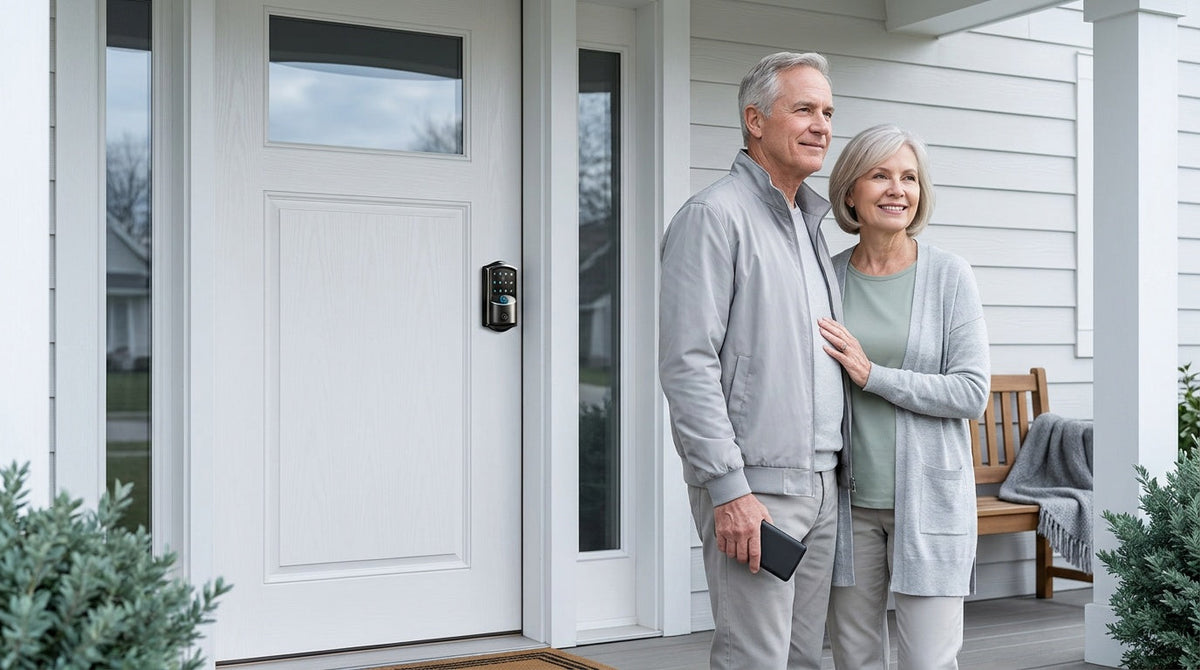
It’s late. The storm has knocked out the power on your street, or maybe you just walked up to your front door and the keypad isn’t lighting up. Your first instinct is reasonable: am I locked out of my own home?
The short answer is almost certainly no — and understanding why gives you genuine peace of mind instead of the vague reassurance most people settle for. Smart locks are built with backup options precisely because the engineers who design them know that batteries die and power grids go down. This guide breaks down what actually happens when your smart lock loses power, separates the two very different scenarios people commonly confuse, and walks through every backup option available — so you know exactly what to do before you ever need it.
Do Smart Locks Need Power to Work?
Yes — smart locks require power to run their electronic components: the keypad, the motor that drives the lock mechanism, the wireless radio for app connectivity, and any biometric reader like a fingerprint sensor. Without power, none of those electronic features can operate. But here is the critical detail most people miss: the vast majority of residential smart locks run on their own internal batteries, completely independent of your home’s electrical wiring. That means a utility power outage — the kind that darkens your whole street — has almost no effect on a battery-powered smart lock. The lock keeps working exactly as it did before the lights went out.
The more pressing concern for most homeowners is not a grid outage but a dead battery: the lock’s own cells running down until the keypad goes dark. These are two separate scenarios with different causes and different solutions, and it’s worth understanding both clearly.
Two Very Different “No Power” Scenarios
When someone asks whether a smart lock works without power, they’re usually picturing one of two situations, and the answer is different for each.
Scenario 1 — The utility grid goes down. A storm, a blown transformer, or a neighborhood blackout cuts electricity to your home. Your lights are off, your Wi-Fi router is dark, and your refrigerator has gone quiet. If your smart lock is battery-powered (which most residential locks are), it simply keeps running on its own internal cells. The keypad still lights up. The motor still works. Keypad codes still unlock the door. The only thing you lose is remote access via the app, because the Wi-Fi router is offline.
Scenario 2 — The lock’s batteries drain to zero. This is the scenario that can actually leave you standing outside with a blank keypad. But even here, modern smart locks are designed with multiple failsafes. The goal of this guide is to make sure you know every one of them — and have a plan before you ever need it.
Scenario 1: The Utility Power Goes Out
Because most residential smart locks are battery-operated, a home power outage is genuinely a non-event for the lock itself. The internal batteries continue to power the keypad, motor, and sensors without interruption. You can enter your code, use a fingerprint (on models that support it), or use a physical key exactly as you would on any normal day. The lock does not reset, does not forget your codes, and does not default to unlocked.
What you do lose during a power outage is anything that depends on a live Internet connection. For Wi-Fi smart locks, remote app control from across town stops working because the router is offline. For Smart Lock w/ Gateway 1/2, remote features similarly go dark. However, there is an important nuance here: if Wi-Fi is down but you are physically near the door, app control continues to work locally as long as you are within short-range wireless distance of the lock. Only off-site remote access — checking status or locking from across town — requires live Internet.
Worth noting: every lock in the Veise lineup runs on its own AA/LR6 alkaline batteries, so no Veise lock draws power from your household wiring. A utility outage never cuts power to the lock itself.
Scenario 2: The Lock’s Own Batteries Die
This is the scenario that deserves the most attention, because it is the one that can genuinely prevent entry if you are unprepared. When a smart lock’s batteries reach zero, the keypad goes dark, the motor has no power to move the bolt electronically, and all smart features stop responding. The good news is that well-designed locks give you multiple layers of warning before this happens, and multiple backup options even if it does.
The Warning System
Veise locks are designed to alert you well before the batteries reach a critical level, and the signals differ slightly depending on whether your lock is connected:
- Non-connected Veise locks (Keypad Deadbolt and Keypad Latch): the lock gives you a voice or beep prompt at the keypad — which one depends on the model — paired with an indicator light. There is no app on these categories, so the lock itself is where the warning appears.
- Connected Veise locks (Smart Lock w/ Gateway 1/2 and Wi-Fi smart locks): you get the same voice or beep prompt and indicator light at the lock, plus a push notification through the app. The app alert is the one that reaches you when you are away from the door, which is why it is usually the most useful of the three.
These signals are designed to give you days, sometimes weeks, to act before the battery fully dies. The practical rule: when you get any low-battery signal, replace the batteries that same day. Do not wait for “one more week.”
The 4 Backup Options Explained
Even if your lock loses power or connectivity, you are not necessarily locked out. Here are the four main backup options found across quality smart locks, including Veise, and how each one works in practice.
1. Physical Key Override
The most universal backup is a traditional mechanical key. Every Veise lock — across every lock category, from keypad deadbolts to Wi-Fi smart locks — includes a physical key cylinder as standard. This key cylinder operates entirely mechanically, requiring zero battery power to function. Even with a completely dead battery and a blank keypad, inserting the physical key and turning it operates the lock mechanically. It is the most reliable failsafe available, and keeping one in a secure off-site location (a trusted neighbor, a lockbox, your car glove compartment) is the single most important preparation you can make.
2. USB-C Emergency Power Port
Two Veise product lines include a USB Type-C emergency power port on the exterior of the lock body. When the internal batteries are dead, you simply hold a portable power bank against this port to provide just enough temporary power to activate the keypad, enter your code, and unlock the door. No key needed, no locksmith needed — just a small power bank you can keep in a bag or car. This is a genuinely useful failsafe, especially for households where managing a physical key is its own challenge.
It is important to note where this port lives: it is standard on the VE017 series (Smart Lock w/ G1) and the VE027 series (Touchscreen Wi-Fi Smart Lock) — every SKU in both series has it — and it is not offered on the other Veise lock categories. If this backup matters to you — for example, if an elderly family member worries about losing a key — steer toward one of these two series specifically.
3. Stored Keypad Codes (No Internet Required)
For Keypad Deadbolt and Keypad Latch locks specifically, the access codes you program are stored directly on the lock itself. As long as the lock has enough residual battery power to operate the keypad and motor momentarily, your stored code will work. This is also why a utility power outage (which does not affect the lock’s batteries) leaves keypad access fully intact: the lock does not need the Internet, your Wi-Fi router, or the app to verify a keypad code. The code-matching logic lives on the device.
4. Local App Control When Wi-Fi Is Down
For Smart Locks w/ G1, Smart Locks w/ G2, and Wi-Fi Smart Locks, there is an additional layer of app-based backup that many people are not aware of. Even when your home Wi-Fi goes down during a power outage, app control continues to work locally as long as you are within short-range wireless distance of the lock. Remote features — checking the lock status from your office, locking the door from a different city — require live Internet. But standing at your door with your phone? The app still communicates with the lock directly.
How Veise Locks Handle Each Scenario
Veise offers four lock categories, and each handles power-loss scenarios in a way that matches how that lock type is typically used. Here is a practical breakdown.
Keypad Deadbolt
The Keypad Deadbolt is entirely self-contained. All codes are stored on the lock. A utility outage has zero effect — the lock runs on its own AA/LR6 alkaline batteries and keeps functioning normally. If the batteries die, the physical key backup works mechanically. The KS02 series adds a fingerprint reader for a quicker entry option. There is no app, no gateway, and no Internet dependency, which makes this category exceptionally resilient during any kind of outage.
Keypad Latch Lock
The Keypad Latch Lock works similarly: keypad code and physical key are your two entry methods. Codes are stored locally on the device. A grid outage has no effect on the lock’s basic operation. This category currently offers two SKUs — the KS03 with an integrated knob handle and the KS04 with an integrated lever handle — both with the same backup logic: dead batteries means physical key is your failsafe.
Smart Lock w/ Gateway 1/2
Smart Lock w/ Gateway 1/2 adds remote app control to the equation, which does depend on a live Internet connection for off-site features. During a utility outage, remote access is unavailable, but keypad code, key fob, and physical key still all work without any Internet connection. Smart Lock w/ G1 is built on a single product series — the VE017 — and the entire line also ships with the USB-C emergency power port, fingerprint as standard, and voice prompts in English, Spanish, and French, a practical fit for multilingual households. When Wi-Fi is down but you are close to the door, app control also continues to work locally within short-range wireless distance.
Wi-Fi Smart Lock
The Wi-Fi Smart Lock has the most connectivity dependencies of the four categories, but it is also the most notification-rich. Its built-in Wi-Fi means it can push low-battery alerts to your phone proactively — giving you the longest advance warning before batteries become a problem. Veise Wi-Fi smart locks use 8 AA/LR6 alkaline batteries (rather than the more common 4 AA setup) to deliver a stronger, more stable power reserve and more consistent wireless signal. Both the Touchscreen Wi-Fi Smart Lock (VE027 Series) and the Push-Button Wi-Fi Smart Lock (VE012W Series) support fingerprint, keypad code, and physical key as entry methods regardless of Internet status. The VE027 Series additionally includes the USB-C emergency port. During a utility outage, keypad and fingerprint entry continue normally on battery power; only off-site app features require live Internet.
For families with children, Smart Lock w/ Gateway 1/2 and Wi-Fi smart locks offer an important extra layer: parents can remotely review entry history and monitor lock activity through the app when Internet is available, giving them visibility that a keypad-only lock cannot provide.
How to Prevent a Low-Battery Emergency
The best backup is the one you never have to use. A few simple habits eliminate the vast majority of dead-battery lockout risk.
- Act on the first warning, not the last. When the app or the keypad signals low battery, replace the batteries that same day. Do not wait until the lock starts behaving erratically at very low voltage.
- Choose quality alkaline batteries. Veise locks run on AA/LR6 alkaline cells — stick with name-brand alkaline, which delivers more consistent voltage and longer run times than off-brand alternatives. Follow the manual's two mixing rules: do not mix old and new batteries, and do not mix batteries from different brands, as uneven discharge can cause unreliable behavior.
- Keep a spare set in the house. Veise locks do not ship with batteries in the box, so pick up AA/LR6 alkaline cells when you buy the lock and store a fresh spare set near the door or in a kitchen drawer. When you swap a depleted set, restock the spare immediately so you are always ready.
- Stash a physical key off-site. Give a trusted neighbor a copy, keep one in your car, or use a secure lockbox. This is your final failsafe and it costs almost nothing to arrange.
- Adjust auto lock timing thoughtfully. Veise auto lock is configurable between 10 and 99 seconds on Keypad Deadbolt and Keypad Latch locks, and between 10 and 180 seconds on connected models. Shorter intervals mean more motor cycles per day, which adds up to faster battery drain over time. Setting auto lock to 60–90 seconds instead of the shortest interval meaningfully reduces daily power consumption without sacrificing security. Keep in mind that Veise auto lock fires on the configured interval regardless of door state, so make sure the door is closed before the interval expires.
Built on Kaadas Group’s 38 years of lock industry expertise and 711 patents — the world’s largest smart lock patent portfolio — Veise designs each lock with these real-world failure modes in mind. The result is a lineup where every category includes a mechanical key backup, connected locks send early app alerts, and the VE017 and VE027 series add a USB-C emergency port as standard for households that want a keyless fallback. Easy from Day One.
The Bottom Line
Smart locks do not leave you stranded. A utility power outage barely affects a battery-powered lock — your keypad, fingerprint reader, and key fob all keep working on internal batteries, and you only lose off-site remote features when the router goes dark. A dead battery is a more real concern, but one that Veise locks telegraph well in advance through a voice or beep prompt and indicator light at the lock, plus an app notification on connected models. And if the battery does reach zero, the physical key backup works without any power at all — with USB-C emergency access, standard across the VE017 and VE027 series, adding a keyless alternative.
The key takeaway is simple: understand which backup options your specific lock includes, keep a physical key in a secure off-site location, and act on low-battery warnings the moment you get them. Do those three things, and a dead battery becomes a minor inconvenience rather than an emergency.
Frequently Asked Questions
Will my smart lock still work if the power goes out?
Yes, in most cases. The vast majority of residential smart locks run on internal batteries and operate completely independently of your home’s electrical wiring. A utility outage does not affect the lock’s ability to lock or unlock using a keypad, fingerprint, key fob, or physical key. You will lose off-site remote app features if your Wi-Fi router goes offline, but local functions continue without interruption.
What happens if my smart lock’s battery dies completely?
If the batteries reach zero, the electronic features stop working. However, the physical key backup on your lock operates mechanically and requires no battery power at all. On the Veise VE017 series and VE027 series, where it is standard on every model, a USB-C emergency port lets you hold a portable power bank to the lock to temporarily power the keypad so you can enter your code and get inside.
Can I use the app to unlock my door during a power outage?
It depends on the outage. If the power outage has taken your Wi-Fi router offline, off-site remote access via the app will not work. However, if you are physically present near the door, app control continues to work locally within short-range wireless distance even when Wi-Fi is down — both for Smart Lock w/ Gateway 1/2 and Wi-Fi smart locks.
How do I know when my smart lock battery is running low?
Veise locks warn you through a voice or beep prompt at the lock — which one depends on the model — paired with an indicator light that often flashes red as the batteries run down. Connected models (Smart Lock w/ Gateway 1/2 and Wi-Fi smart locks) add a push notification through the app, which is the signal that reaches you when you are away from the door. When you get any of these signals, replace the batteries right away.
Do all smart locks have a physical key backup?
Not every lock on the market does, but all Veise smart locks across every category include a physical key backup as standard. This is a deliberate design decision: no matter what else fails, the mechanical key always works.
What is the USB-C emergency power port and which locks have it?
The USB-C emergency power port allows you to temporarily power a completely dead lock by holding a portable power bank to the port. This activates the keypad so you can enter your code without needing a physical key. It is standard on every model in the VE017 series (Smart Lock w/ G1) and the VE027 series (Touchscreen Wi-Fi Smart Lock). It is not available on the Keypad Deadbolt or Keypad Latch Lock categories.
Does a Veise smart lock require professional installation?
No. Veise smart locks are designed for straightforward DIY installation in about 15 minutes using a screwdriver — no wiring, no locksmith, no special tools required. Every Veise product ships with a step-by-step user manual and an installation video, so you have visual guidance for each step. Veise locks are full lock replacements and require a standard wood door with a thickness of 1‑3/8” to 2”.
Find the Right Veise Smart Lock for Your Home
Every Veise lock includes a physical key backup as standard, and the VE017 and VE027 series add USB-C emergency access on every model for extra peace of mind. Browse the full lineup to find the right fit for your door — or reach out and we’ll help you choose.
Shop All Smart LocksContact Us

Leave a comment
This site is protected by hCaptcha and the hCaptcha Privacy Policy and Terms of Service apply.