
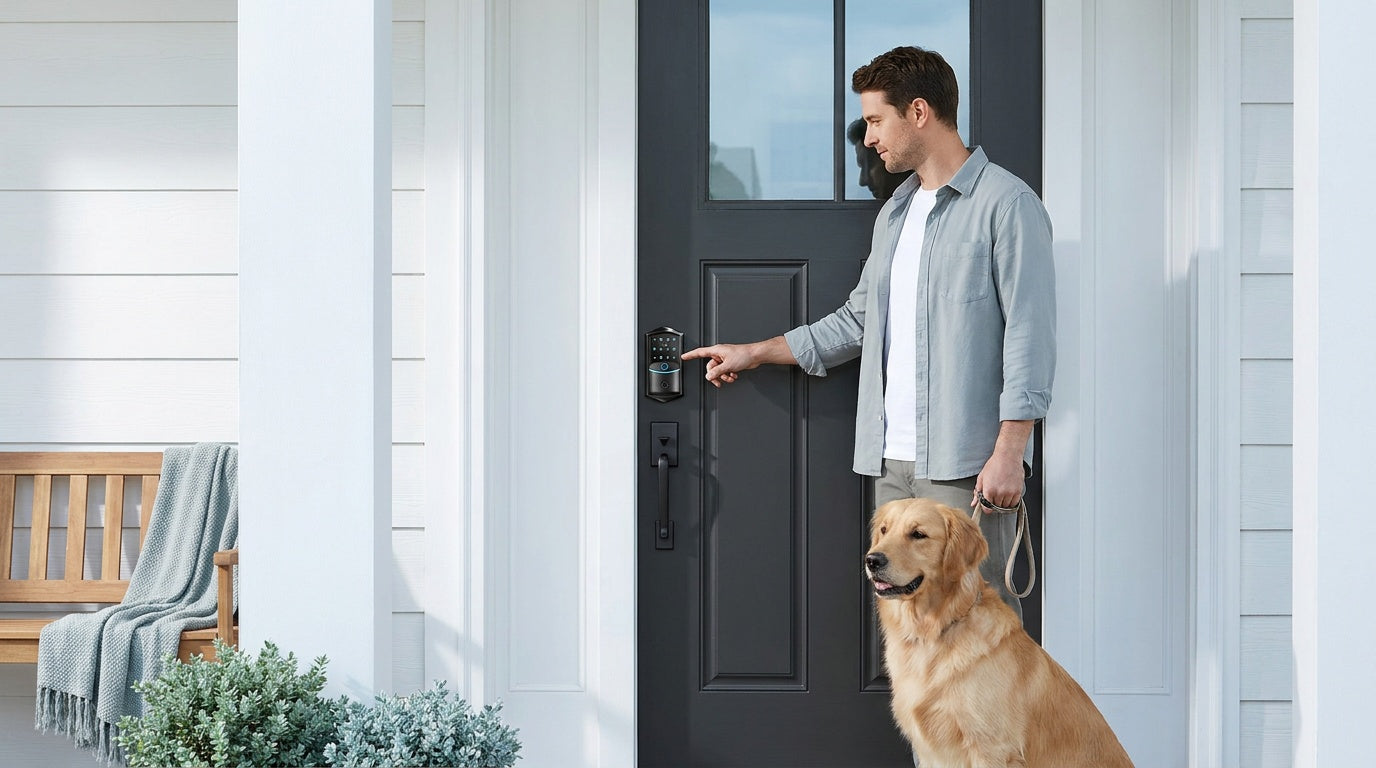
Your front door is the first line of defense for your home — and also the thing you interact with dozens of times every week. So when it comes time to upgrade that old keyed deadbolt, the decision matters more than most people expect. The market for smart home door locks has grown enormously, and so has the number of options: keypad deadbolts, keypad latches, gateway-paired smart locks, and full Wi-Fi smart locks. Each solves a different problem.
This guide cuts through the noise. Whether you're a new homeowner replacing a builder-grade lockset, a parent who wants to know when the kids get home, or someone managing a short-term rental property, you'll find a clear framework for choosing the right lock type — and a straightforward walkthrough for connecting it once it's on your door. We'll also cover Veise's full lineup — backed by over three decades of lock manufacturing experience and a #1 ranking on Amazon North America in both 2024 and 2025.
What Is a Smart Home Door Lock?
A smart home door lock replaces your existing keyed lock with an electronic system that lets you enter your home in one or more keyless ways — a PIN code on a keypad, a fingerprint scan, a key fob tap, or a command from a mobile app. Some models go further, connecting to your home's Wi-Fi network or pairing with a gateway device so you can control and monitor your door from anywhere in the world. Others keep things simple and offline, giving you reliable keyless entry without any app or Internet dependency.
What separates a smart lock from a basic electronic lock is the combination of multiple entry methods, programmable access codes, and (on connected models) real-time activity logs. Instead of making a copy of a key for a house cleaner or a family member, you create a unique PIN. Instead of wondering whether you remembered to lock up, you check the app. These aren't luxury features anymore — they're practical tools that fit the way modern households actually operate.
It's worth knowing that smart locks are full hardware replacements, not clip-on accessories. You remove your old lock and install the new one in its place, which means you need to be the property owner or have authority to modify the door hardware. The good news is that a standard wood door with pre-drilled holes makes this one of the easiest home upgrades you can do yourself — more on that in the installation section below.
The Four Types of Smart Home Door Locks
Not every door needs the same lock. Veise organizes its lineup into four distinct categories, each designed for a different combination of door type, connectivity need, and user preference. Understanding these categories is the most important step in making a confident purchase.
1. Keypad Deadbolt Locks
A keypad deadbolt lock is the most versatile starting point for most homeowners. Every model in this category supports keypad code entry and includes a physical key backup — so you're never locked out even if the batteries run low. Select models in the KS02 series also include a fingerprint scanner that reads in under 0.3 seconds, making entry as fast as it gets without pulling out your phone. The non-fingerprint line (RZ and KS01 series) comes in both standalone deadbolt and handle-set bundle configurations (lever or knob), giving you flexibility to replace just the deadbolt or swap the whole entry hardware in one shot.
Keypad deadbolts are genuinely the right fit for exterior doors where you want reliable keyless entry without managing an app or a Wi-Fi connection. They work completely offline, store access codes on the lock itself, and keep local data on-device with no cloud account required. Auto lock is built in across the entire Veise lineup and is configurable between 10 and 99 seconds on the Keypad Deadbolt and Keypad Latch categories — so the door secures itself after entry even if someone forgets to push it closed. Priced in Veise's $30–$180 range, these locks deliver practical security without overcomplicating the experience.
Unlock methods: keypad code (all models), physical key backup (all models), fingerprint on select KS02 series models. Key fob is not supported on this category.
2. Keypad Latch Locks
Keypad latch locks are a compact, integrated solution commonly used on interior doors, office doors, side garage doors, or any passage door where a code-based latch is more practical than a deadbolt. Veise currently offers two SKUs in this category: the KS03 (integrated top knob) and the KS04 (integrated top lever). The handle is built directly into the lock body — there's no separate handle and lock to coordinate. You choose between knob and lever based on your door style and personal preference.
These locks support keypad code and physical key entry only — no fingerprint, no app, no key fob. That simplicity is exactly the point. When you need a quick, affordable way to put a code on an interior or secondary door without any connectivity setup, the keypad latch does the job cleanly. Latch locks can also appear on entry doors when paired with a separate deadbolt — the latch handles day-to-day code-based access while the deadbolt handles primary overnight security.
Unlock methods: keypad code and physical key backup only.
3. Smart Locks with Gateway (G1 or G2)
This category is where Veise's lineup steps into full smart home territory. A Smart Lock w/ Gateway pairs with a separate gateway device (plugged into a wall outlet and connected to your router) that bridges the lock to the Internet. This architecture means the lock hardware itself stays lean and battery-efficient, while the gateway handles all the cloud communication. The result: remote app control from anywhere, voice assistant compatibility, and real-time entry alerts — without the battery drain of a built-in Wi-Fi radio.
Veise offers two gateway generations, and choosing between them comes down to a few concrete differences:
Smart Locks w/ G1 — The entire G1 line is built on a single product series, the VE017. Every G1 SKU includes fingerprint entry, multilingual voice prompts (English, Spanish, and French), a USB-C emergency power port on the lock body, and app control through a first-party Veise-developed app. The multilingual support is a meaningful differentiator for households where Spanish or French is the primary language. Because all three features (multilingual, USB-C, fingerprint) are standard across every G1 unit, this is the most complete all-in-one pick in the gateway category. Browse Smart Locks w/ G1 →
Smart Locks w/ G2 — The Smart Lock w/ G2 line (VE0/RZ0 series) offers more SKU variety: both fingerprint and non-fingerprint options, in standalone deadbolt and handle-set bundle configurations (lever, vertical handle, or knob). Smart Lock w/ G2 is also the only Veise line that supports Apple Watch unlock and web portal control — useful for households that prefer managing access from a desktop browser or an Apple Watch. Voice prompts on Smart Lock w/ G2 are English only. If you want a gateway-paired lock without fingerprint (to keep the price down), or you need Apple Watch access, Smart Lock w/ G2 is the right pick. Browse Smart Locks w/ G2 →
Both Smart Lock w/ G1 and Smart Lock w/ G2 share the same core unlock method set: keypad code, remote app via the paired gateway, key fob, and physical key backup. Many models also include fingerprint. Voice control (Alexa or Google Assistant) works when the paired gateway is in place — the gateway is what bridges the lock to the voice assistant. Even when Wi-Fi is down, app control continues to work locally as long as you're within short-range wireless distance of the lock.
Important: Remote access requires a smart lock — gateway-paired or Wi-Fi. A keypad-only lock cannot be paired with a gateway and does not support remote control.
4. Wi-Fi Smart Locks
A Wi-Fi smart lock has internet connectivity built directly into the lock — no gateway required. You connect it to your home's router during setup, and from that point on you have full remote access, live entry notifications, and voice control (Alexa and Google Assistant) straight out of the box. This is the pick for anyone who wants the most seamless smart home experience with the fewest components.
Veise offers two Wi-Fi series, and the choice between them is straightforward:
- Touchscreen Wi-Fi Smart Lock (VE027 Series) — Features a touchscreen interface and includes a USB-C emergency power port on the lock body. The touchscreen display is intuitive for all household members, including older adults who may find a touch-based interface more natural than a button keypad. This series also supports three-language voice prompts (English, Spanish, French).
- Push-Button Wi-Fi Smart Lock (VE012W Series) — Uses a traditional press-button keypad. Compared with the VE027 series, it differs in four concrete ways: a press-button keypad instead of a touchscreen, no USB-C emergency power port, no key fob support, and no on-device voice prompts. It still shares the core Wi-Fi feature set: Wi-Fi connectivity, fingerprint, keypad code, remote app control, and Alexa/Google voice control through built-in Wi-Fi.
Both Wi-Fi series use an 8 AA battery design instead of the more common 4 AA setup, which delivers stronger signal performance and a larger power reserve — all without any wiring. Physical key backup is included on all models; key fob is supported on the VE027 series (all models) but not on the VE012W series. Fingerprint enrollment captures your finger eight times to build a reliable template across angles, and recognition happens in under 0.3 seconds. All fingerprint data is processed and stored on the lock itself — no cloud account, no Internet needed for the biometric function, no data leaving the device.
For parents who want to know the moment a child arrives home from school, the Wi-Fi smart lock is the most direct solution: real-time push notifications land on your phone the instant the door unlocks, with a timestamped entry log you can review at any time from anywhere.
Unlock methods: remote app, keypad code, fingerprint (typically included), voice control (Alexa/Google via built-in Wi-Fi), physical key backup (all models), key fob on the VE027 series (all models; not supported on VE012W). Apple Watch unlock is not supported on Wi-Fi smart locks — that feature is unique to Smart Lock w/ G2.
How to Choose the Right Lock for Your Home
The single most useful question to ask yourself is: do I need to control this lock from somewhere other than my front porch? If the answer is no — you just want keyless entry and a physical key backup — a keypad deadbolt covers everything you need at the most affordable price point. If the answer is yes, you need a smart lock: either a gateway-paired model or a Wi-Fi model.
Beyond remote access, here are the four key decision points to work through:
- Door type and location. Veise locks are designed for wood doors with standard thickness of 1-3/8" to 2". They are not compatible with fiberglass, metal, storm, or sliding doors. Exterior front doors typically call for a deadbolt (keypad deadbolt or a smart lock with deadbolt form factor). Interior, side, office, or garage doors are commonly a fit for a keypad latch lock or a mechanical lock.
- Connectivity preference. If you want remote access with maximum battery efficiency, a gateway-paired smart lock is a strong pick. If you want the simplest setup with everything built into one device, a Wi-Fi smart lock is the most streamlined option.
- Voice assistant and smart home ecosystem. Wi-Fi smart locks work with Alexa and Google Assistant directly through their built-in Wi-Fi. Gateway-paired smart locks (G1 or G2) also work with Alexa and Google Assistant, but require the paired gateway to be connected. Veise smart locks do not support Zigbee or Z-Wave.
- Language needs. If your household primarily speaks Spanish or French, the G1 line and both Wi-Fi series all support English, Spanish, and French voice prompts. The G2 line currently supports English only — worth considering if you're buying for a multilingual household.
One more practical note: Veise is a vertically integrated manufacturer — the company designs, engineers, and builds its own locks in its own factory, rather than reselling OEM products. That means quality control runs from raw material to finished product, and the US-based support team actually knows the product inside and out. All residential Veise locks are ANSI/BHMA Grade 3 certified, which is the standard for residential door hardware — Grades 1 and 2 are engineered for high-traffic commercial environments, not a higher quality tier for home use.
Real-Life Scenarios: Which Lock Fits Your Situation?
Abstract specs are harder to use than concrete examples. Here's how different households typically map to different lock types:
New homeowner replacing builder-grade hardware. You want something clean, reliable, and keyless without overcomplicating your entry. A keypad deadbolt (with or without fingerprint) is the practical first upgrade — simple to install, no app needed, no subscription, and the physical key stays as backup.
Parents with school-age kids. You want to know the moment your child arrives home. The app-based entry log on a Wi-Fi smart lock or a Smart Lock w/ G1 sends a real-time notification to your phone with every entry. A keypad code the child memorizes means no key to lose, and you see exactly when the door opened.
Households with elderly family members. The touchscreen interface on the VE027 series (Touchscreen Wi-Fi Smart Lock) is a natural fit — large display, clear feedback, and the USB-C emergency power port means a lockout from a dead battery is easy to handle even without a spare key nearby. The fingerprint option is also extremely low-friction for users who find keypads fiddly.
Short-term rental or vacation property owners. Managing a rental property remotely calls for a gateway-paired smart lock or a Wi-Fi smart lock. You can issue unique access codes for each guest, set expiration times, and review the entry log after every stay — all from your phone without being on-site. No more lockboxes, no more lost keys, no more awkward key handoffs.
Interior or secondary doors. Side doors, laundry room doors, home office doors, or garage entry doors that just need a simple code-based latch are a natural fit for a keypad latch lock. No connectivity needed — just a code and a key backup.
How to Connect Your Smart Home Door Lock
Connecting your Veise smart lock varies by category. Here's a plain-language walkthrough for each type:
Keypad Deadbolt and Keypad Latch — No Connection Required
These locks operate entirely offline. Every Veise lock ships with a preset default master code, so once the hardware is mounted you can lock and unlock right away to confirm the install. The included manual then walks you through changing the default master code and adding personal user codes at your own pace. There is no app pairing, no Wi-Fi network to configure, and no account to create. Setup typically takes five to ten minutes after the lock is physically installed.
Smart Lock w/ G1 or G2 — Gateway Pairing
- Place the gateway. Plug the gateway into a wall outlet within your home's Wi-Fi range and reasonably close to the front door. The gateway communicates wirelessly with the lock and wired to your router.
- Connect the gateway to your Wi-Fi. Open the mobile app on your phone and follow the in-app steps to connect the gateway to your home network. The app will walk you through naming your device and confirming the connection.
- Pair the lock to the gateway. With the gateway online, use the app to add the lock. The app will guide you through a short pairing sequence — typically involving pressing a button on the lock and confirming on screen.
- Add users and codes. Once paired, use the app to program additional keypad codes, register fingerprints (if your model includes it), and configure auto lock timing (between 10 and 180 seconds).
- Test remote access. Lock the door through the app from another room to confirm the gateway-to-lock connection is stable before relying on it remotely.
Wi-Fi Smart Lock — Direct Network Connection
- Power up the lock. Insert the 8 AA batteries and confirm the lock powers on (you'll hear a voice prompt and see the keypad light up).
- Open the app and add the device. Download the app and create an account. Select "Add Device" and choose your Wi-Fi smart lock model from the list.
- Connect to your Wi-Fi network. The app will ask for your home Wi-Fi credentials (2.4GHz network). Keep your phone close to the lock during this step. The lock will confirm a successful connection with a voice prompt.
- Register fingerprints and codes. Add fingerprints through the app or directly on the keypad, following the on-screen prompts. Each finger is enrolled eight times to build a reliable recognition template. Add keypad codes for other household members.
- Connect to Alexa or Google Home. Open your Alexa or Google Home app, search for the lock, and follow the skill/integration steps to enable voice commands like "Alexa, lock the front door."
Before You Install: Door Compatibility Checklist
Every Veise lock is designed for DIY installation — 15 minutes with a screwdriver, no wiring, no professional help required. Before you open the box, run through this quick compatibility check:
- Door material: Wood only. Fiberglass, metal, storm, and sliding doors are not compatible.
- Door thickness: Standard range is 1-3/8" to 2". Measure your door slab if you're unsure.
- Backset: The distance from the door edge to the center of the existing lock hole — most residential doors are 2-3/8" or 2-3/4". Check your lock's specs to confirm the match.
- Existing bore hole: Most Veise locks fit the standard 2-1/8" bore hole used by nearly all residential doors. No drilling is typically required.
- You are the property owner (or have authority to modify door hardware). Veise locks are full replacements, not overlays — you are replacing the existing lock hardware entirely.
- Wi-Fi (for smart locks): Have your 2.4GHz Wi-Fi network name and password ready. Most home routers broadcast both 2.4GHz and 5GHz bands — the lock connects to 2.4GHz.
If all of the above check out, you're ready to install. The process is the same across all Veise lock types: remove the old lock hardware, insert the new latch, mount the exterior keypad, connect the interior unit, insert batteries, and follow the included setup guide. No wiring. No special tools. Just a screwdriver and about 15 minutes.
Once installed, explore the full Veise lineup — from keypad deadbolts and Smart Locks w/ G1 and Smart Locks w/ G2 to mechanical locks for interior doors — at iveise.com/collections/all-products.
Conclusion
Choosing the right smart home door lock doesn't have to be overwhelming. Start with the door: wood, standard thickness, exterior or interior? Then decide how much connectivity you actually want — offline keypad, gateway-paired remote access, or built-in Wi-Fi. Layer in the details from there: fingerprint, voice control, multilingual prompts, Apple Watch, USB-C emergency backup. Each of those features lives in a specific Veise product category, and once you know your category, the right pick becomes obvious.
What sets Veise apart in a crowded market isn't one headline feature — it's the whole package. Vertically integrated manufacturing (no OEM middlemen), a $30–$180 price range that doesn't ask you to choose between affordable and capable, no subscription fees, local data storage, and 15-minute DIY installation.
Frequently Asked Questions
What is the difference between a keypad deadbolt and a Wi-Fi smart lock?
A keypad deadbolt operates entirely offline — you enter a PIN code or use a physical key, and that's it. There's no app, no remote access, and no Internet dependency. A Wi-Fi smart lock adds built-in internet connectivity: you can lock and unlock from anywhere via a mobile app, receive real-time entry notifications, and use voice commands through Alexa or Google Assistant. Both categories include auto lock and a physical key backup.
Do I need a gateway for remote access, or is Wi-Fi built in?
It depends on the lock category. Smart Locks w/ G1 and G2 require a paired gateway device (sold separately) that connects to your router and bridges the lock to the Internet. Wi-Fi Smart Locks have Wi-Fi built directly into the lock — no gateway needed, just your home network password. Both options support full remote access; the difference is in how the connection is established.
What happens if my Wi-Fi goes down — will I be locked out?
No. Keypad code entry and physical key backup work completely offline on all Veise locks. On gateway-paired and Wi-Fi smart locks, even when Wi-Fi is down, app control continues to work locally as long as you're within short-range wireless distance of the lock. Only long-distance remote features (off-site locking, remote alerts) require an active Internet connection.
Are Veise smart locks compatible with Alexa and Google Assistant?
Yes, with qualification. Wi-Fi smart locks work with Alexa and Google Assistant directly through their built-in Wi-Fi. Smart Locks w/ G1 and G2 also work with Alexa and Google Assistant, but the paired gateway must be connected and online for voice commands to reach the lock. Veise smart locks do not support Zigbee or Z-Wave.
How long does installation take?
Most homeowners complete a Veise lock installation in about 15 minutes using just a screwdriver. No wiring is required. The lock fits standard wood doors with a 2-1/8" bore hole and thickness between 1-3/8" and 2". Full app pairing and user code setup adds another five to ten minutes depending on how many users you add.
Do Veise locks require a subscription or cloud account?
No subscription fees, ever. Keypad-only locks (keypad deadbolt and keypad latch) store all data on the lock itself with no account required. Smart locks (gateway-paired and Wi-Fi) use a mobile app for setup and remote control, but there are no monthly or annual charges for any features. Fingerprint data is processed and stored on the lock's own chip — it never leaves the device.
What doors are Veise locks compatible with?
Veise locks are designed for wood doors with standard thickness between 1-3/8" and 2". They are not compatible with fiberglass, metal, storm, or sliding doors. If you're unsure about your door material or thickness, measure before purchasing.
Still Not Sure Which Lock Is Right for You?
The Veise team is based in the US and ready to help you match the right lock to your door, your household, and your budget — no bots, no runaround.
Contact Us →

Leave a comment
This site is protected by hCaptcha and the hCaptcha Privacy Policy and Terms of Service apply.