
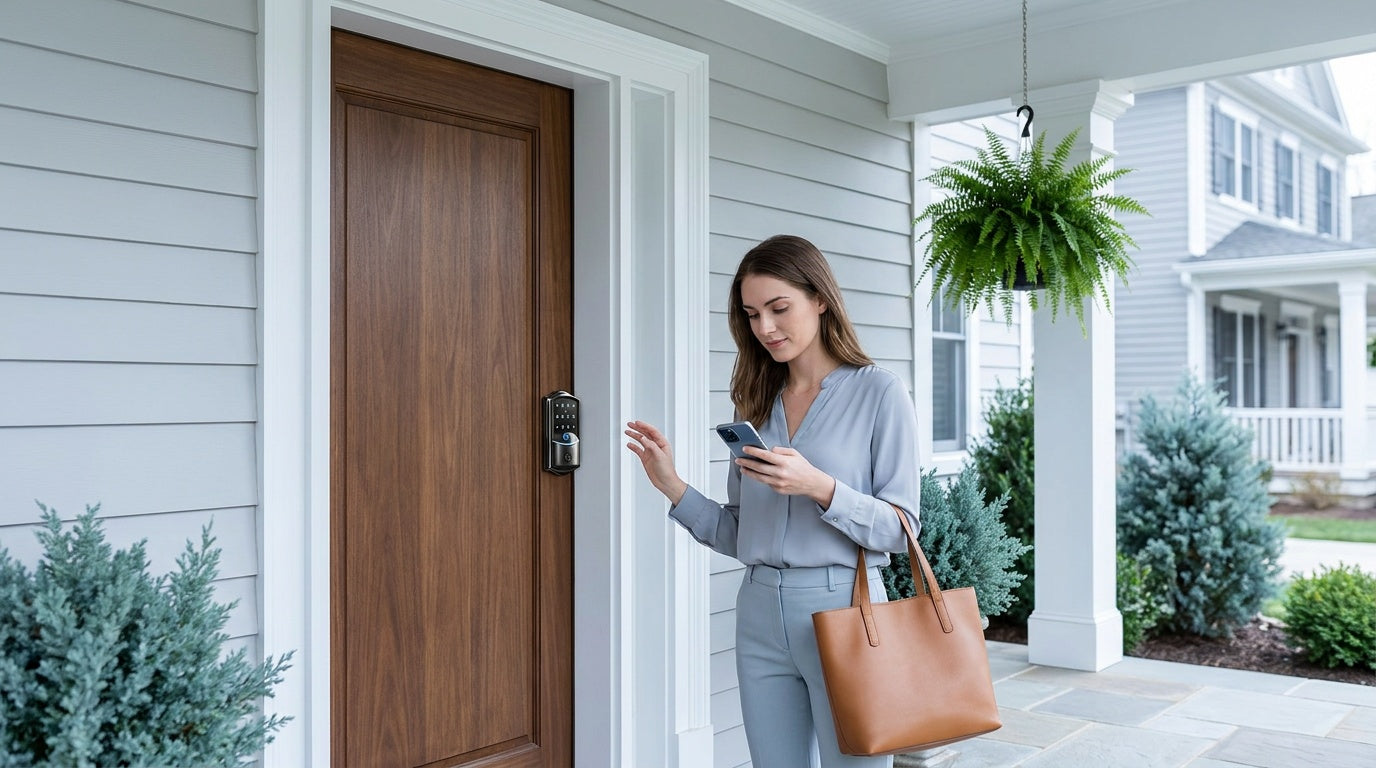
You locked the front door before leaving for work — or did you? Without an app-controlled smart lock, that question follows you all day. With one, you open your phone, check the lock status in seconds, and move on with your morning. That simple shift from anxious guessing to quiet confidence is what remote-access smart locks actually deliver.
App-controlled smart locks have moved well past novelty. Parents use entry history to confirm when kids get home from school. Short-term rental hosts issue and revoke access codes between guest stays without ever leaving the couch. Families with elderly parents give them a simple keypad entry backed by app-based monitoring that lets everyone breathe easier. If any of those scenarios sounds familiar, this guide is for you.
Below, we break down how remote app access works, the difference between the two main connectivity approaches, the features that matter most, and how Veise's line of affordable, no-subscription smart locks maps to each of those real-life situations. Whether you're replacing a single front door lock or outfitting a rental property, you'll find a clear path forward here.
What App Control Actually Does for Your Home
The phrase "app-controlled smart lock" gets used broadly, but it covers a specific set of capabilities that go well beyond just unlocking a door from your phone. At its core, remote app control means you can lock or unlock your door from anywhere with an Internet connection, check whether the door is currently locked or unlocked, receive a push notification the moment someone enters, review a timestamped log of every entry, and create or revoke access codes without ever touching the lock. That last point matters more than most people realize — it means a family member, a house cleaner, or a repair crew can be given access for a specific window of time, and that access disappears the moment you remove it from the app.
Real-time entry alerts are one of the most-cited reasons homeowners upgrade to app-controlled locks. The moment a code is entered, a fingerprint is recognized, or the door is unlocked, a notification lands on your phone. For parents of school-age children, that means no more mid-afternoon texts asking "are you home yet?" — the app logs every entry with a timestamp, showing exactly which method was used and when. For a landlord managing a short-term rental or vacation cabin, those same logs confirm checkout times and flag any unexpected access attempts without requiring an in-person visit.
Auto lock is another feature that goes from "nice to have" to genuinely useful once you experience it. Configurable between 10 and 180 seconds on Veise locks, auto lock re-secures the door a set interval after it's unlocked — so an unlocked door left slightly ajar doesn't remain that way for hours. Combined with the ability to manually lock from the app, it means your home is never accidentally left unsecured because someone forgot to turn the deadbolt on the way out.
Two Paths to Remote Access: Wi-Fi vs. Smart Lock w/ Gateway 1/2
Remote access requires a smart lock — either a gateway-paired model or a built-in Wi-Fi model. A standard keypad lock, no matter how feature-rich, cannot be upgraded to remote access by adding a separate gateway — the lock itself must be designed for it. Once you've confirmed you need remote capability, the next decision is which connectivity path fits your situation.
Built-in Wi-Fi is the simpler setup. The lock connects directly to your home's 2.4GHz Wi-Fi router, no extra hardware required. Open the app, and you have full remote control from any location with an Internet connection. Because the Wi-Fi radio lives inside the lock, these models typically draw more battery power than gateway-paired locks — a trade-off Veise addresses with an 8 AA battery design (versus the standard 4 AA found in most competing models), which delivers a stronger, more stable signal and a more generous power reserve. The result is a setup with fewer moving parts: one device, one app, immediate remote access out of the box.
The Smart Lock w/ Gateway 1/2 works differently. The lock itself communicates with a small plug-in gateway device (sold separately), which is connected to your home Wi-Fi. The gateway acts as the bridge between the lock and the Internet, relaying commands and notifications through the mobile app — app remote control requires the paired gateway to be active. Because the lock doesn't maintain a direct, always-on Wi-Fi connection, battery usage at the lock level tends to be more efficient. Veise offers this category in two generations: Smart Locks w/ G1 and Smart Locks w/ G2 — each with a distinct feature set, detailed in the product section below.
Both approaches deliver full remote access when your Internet connection is live. On both Smart Lock w/ Gateway 1/2 and Wi-Fi smart locks, even when Wi-Fi is down, app control continues to work locally as long as you are within short-range wireless distance of the lock — only long-distance remote features (off-site locking, off-site alerts) require an active Internet connection. Either way, local entry methods — keypad code and physical key on every model, plus fingerprint and key fob on the models that include them — always work regardless of connectivity status.
Key Features to Look for in an App-Controlled Smart Lock
Not every app-controlled lock delivers the same experience. These are the features worth evaluating before you buy:
- Real-time push alerts: Instant notifications when the door is locked, unlocked, or when someone inputs an incorrect code. This is a basic feature on most smart locks, but confirm it's included — some budget options only offer polling-based updates, which means delays.
- Entry history log: A timestamped record of every access event, viewable in the app. Look for logs that show the unlock method used (fingerprint, code, key fob, remote app), not just the time.
- Remote code management: The ability to create, edit, and delete access codes from anywhere. Useful for issuing a temporary code to a housecleaner or repair crew without being home.
- Auto lock: Automatic re-locking after a configurable interval. Veise smart locks allow auto lock to be set anywhere from 10 to 180 seconds.
- Voice assistant compatibility: Alexa and Google Assistant integration for hands-free control. On Veise Wi-Fi smart locks, this works via the lock's built-in Wi-Fi directly. On Veise Smart Locks w/ G1 or G2, the paired gateway must be connected for voice commands to reach the lock.
- No subscription fees: Some brands charge monthly fees for remote access or entry history. Veise includes all remote features — alerts, history, code management — at no recurring cost.
- Local fingerprint storage: Fingerprint data is processed and stored on the lock's own AI chip, not sent to a cloud server. This matters for privacy — your biometric data never leaves the device.
- Emergency backup options: Physical key backup is standard across all Veise locks. Select Veise models (VE017 and VE027 series) also include a Type-C emergency power port, so a depleted battery never locks you out — connect a portable power bank and enter your code.
ANSI/BHMA certification is also worth checking. Veise smart locks are ANSI/BHMA Grade 3 certified — the residential standard designed for single-family home use. Grades 1 and 2 target high-traffic commercial environments like office buildings and hotels, not a higher quality tier for home use. For a residential front door, Grade 3 is the appropriate benchmark.
Veise App-Controlled Smart Lock Options
Veise designs, engineers, and manufactures its own locks — not an OEM reseller sourcing hardware from third parties and rebranding it. With roots in the lock industry since 1988 and a #1 ranking on Amazon North America in both 2024 and 2025, the lineup is built for real-life household use: affordable, simple to install, and backed by US-based phone and email support. Priced between $30 and $180 with no subscription fees, the app-controlled range covers two connectivity approaches and four product lines.
Touchscreen Wi-Fi Smart Lock (VE027 Series)
The Touchscreen Wi-Fi Smart Lock (VE027 Series) is the top pick for homeowners who want the simplest possible path to full remote access. Built-in Wi-Fi connects directly to your home router — no gateway, no extra hardware, no additional setup steps. From the moment the lock is installed and paired, you can lock or unlock from any location, check lock status, receive real-time push alerts, review the entry history, and manage access codes for family members, guests, or service providers, all from the app.
The VE027 series uses a touchscreen interface and supports multiple ways to enter: remote app, fingerprint (recognized in under 0.3 seconds), keypad code, key fob, voice control via Alexa or Google Assistant, and a physical key backup. Fingerprints are enrolled by scanning the finger eight times to build a reliable template, and all biometric data is processed and stored locally on the lock's AI chip — it never leaves the device. All data transmissions between the phone and the lock use AES-128 encryption. The VE027 series also includes a Type-C emergency power port, so if the 8 AA batteries run down unexpectedly, connecting a portable power bank lets you gain entry without a locksmith call.
Voice control works directly through the lock's built-in Wi-Fi — no gateway required. Ask Alexa or Google Assistant to lock the front door, check its status, or let someone in, and the command reaches the lock over your existing home network. Three-language voice prompts (English, Spanish, and French) are supported across the VE027 series, making it a practical choice for multilingual households.
Push-Button Wi-Fi Smart Lock (VE012W Series)
The Push-Button Wi-Fi Smart Lock (VE012W Series) delivers the same core remote access features as the VE027 — built-in Wi-Fi, fingerprint unlock, keypad code, app control, real-time alerts, and direct Alexa and Google Assistant integration — in a traditional press-button keypad form factor. If you prefer the familiar feel of physical keypad buttons over a touchscreen, the VE012W is the direct alternative.
The practical trade-offs between the two series are straightforward. The VE012W does not include the Type-C emergency power port or three-language voice prompts that come standard on the VE027. It also does not support key fob unlock. For buyers who actively monitor battery levels through the app (which shows current battery status), none of those omissions are likely to affect day-to-day use. Both series share the 8 AA battery design for a stronger, more stable connection than the standard 4 AA setup, and both carry the same no-subscription remote access model.
Smart Lock w/ G1 — The All-In-One Connected Pick
The Smart Lock w/ G1 is built on a single product series — the VE017 — and every lock in the line ships with the same all-in-one feature set: fingerprint unlock, multilingual voice prompts (English, Spanish, and French), a Type-C emergency power port, keypad code, key fob, physical key backup, and full remote app control via the paired G1 gateway. The gateway (sold separately) plugs into a standard wall outlet near the door, connects to your 2.4GHz home Wi-Fi, and bridges the lock to the app for real-time remote access from anywhere — app remote control requires the gateway to be active. Voice control via Alexa and Google Assistant is also enabled through the gateway once it's connected.
Smart Lock w/ G1 uses a Veise-developed app, which means tighter integration between the lock hardware and the mobile experience. For families where a Spanish- or French-speaking household member needs to use the lock independently, the three-language voice guidance is a concrete, practical advantage over other connected lock options that offer English only. For households worried about battery failure, the USB-C emergency power port provides a reliable backup that doesn't require an emergency trip to a hardware store.
When comparing Smart Lock w/ G1 to the Wi-Fi approach: both deliver equivalent remote capabilities. The gateway-paired path does require the gateway to be plugged in and functioning for remote and voice features to work, which adds one more hardware component. In exchange, the lock body itself manages its power more efficiently. For most households, either approach works well — Smart Lock w/ G1 is the stronger pick when multilingual voice support, USB-C emergency power, and a first-party app experience all matter at the same time.
Smart Lock w/ G2 — Apple Watch and Web Portal Access
The Smart Lock w/ G2 adds two features unique to this line: Apple Watch unlock and web portal control. If you regularly use an Apple Watch and want to tap your wrist to unlock the door rather than pulling out your phone, Smart Lock w/ G2 is the only Veise gateway line that supports it. The web portal lets you manage the lock from a desktop or laptop browser — useful for property managers or anyone who prefers not to use a mobile app as their primary interface.
Smart Lock w/ G2 offers a wider variety of SKUs than Smart Lock w/ G1, including both fingerprint and non-fingerprint models, as well as standalone deadbolts and full handleset bundles with lever, vertical, or knob handles. Voice support is one area where the two lines differ, however: Smart Lock w/ G1 provides prompts in English, Spanish, and French, while Smart Lock w/ G2 currently supports English only.
The G2 gateway (sold separately) must be within range of the lock (within approximately 32 feet, with minimal obstructions) and connected to your home Wi-Fi for remote and voice features to function. All standard unlock methods — keypad code, key fob, physical key, and remote app via the paired gateway — are shared across both gateway lines.
Who Needs What: Matching Remote Access to Your Lifestyle
The right app-controlled lock depends less on specs and more on how you actually use your front door. Here are the most common scenarios and which Veise option fits each:
- Parents who want to know when kids get home: A Wi-Fi smart lock or a gateway-paired smart lock is the right choice here — both deliver real-time push alerts and a searchable entry history so you can see exactly when your child walked through the door, which access method they used, and how long the door was left unlocked. A keypad-only lock cannot provide this; remote monitoring requires a connected smart lock.
- Short-term rental hosts and property managers: The Wi-Fi Smart Lock category (VE027 or VE012W) is ideal for vacation rental and short-term rental scenarios — no extra gateway hardware to manage, and full remote code issuance means you can assign a guest code before check-in and delete it the moment they check out, all from wherever you are. App logs confirm check-in and checkout times without an in-person visit.
- Multilingual households: Smart Lock w/ G1 (VE017 series) supports English, Spanish, and French voice prompts across the entire line. If a household member is most comfortable in Spanish or French and will be using the lock independently, Smart Lock w/ G1 is the practical pick. The VE027 Wi-Fi touchscreen series also supports the same three languages. By contrast, Smart Lock w/ G2 offers English voice prompts only, and the VE012W push-button series has no on-device voice prompts.
- Apple Watch users: Smart Lock w/ G2 is the only Veise gateway line that supports Apple Watch unlock. If tapping a wrist to open the door matters to you, Smart Lock w/ G2 is the pick.
- Families with elderly members: A simple keypad code paired with a physical key backup handles entry without any app requirement on the user's end. Meanwhile, other family members can monitor remotely and receive alerts. For households specifically concerned about battery failure and lockouts, the VE017 (Smart Lock w/ G1) or the VE027 (Touchscreen Wi-Fi Smart Lock) include a Type-C emergency power port that lets anyone gain entry with a portable power bank if batteries run low.
- New homeowners replacing old locks: Veise locks are full lock replacements, not retrofit overlays — which means you get a completely fresh deadbolt mechanism along with the smart access features. Installation takes about 15 minutes with a screwdriver and requires no wiring or professional help. Compatible with wood doors between 1-3/8" and 2" thick; not compatible with fiberglass, metal, storm, or sliding doors.
Installation and Door Compatibility
One of the most consistent complaints about smart locks is that installation feels intimidating. Veise smart locks are designed to replace that anxiety with a straightforward 15-minute process that requires only a screwdriver — no wiring, no drilling into walls, and no professional locksmith. The lock replaces your existing deadbolt hardware entirely, which means you're getting a new, complete locking mechanism rather than attaching electronics to aging hardware. The tradeoff versus retrofit-style locks (which overlay on top of your existing deadbolt) is that you need to own the property or have authorization to modify door hardware — but you also get the added security of a brand-new bolt with every installation.
Compatibility is straightforward but worth confirming before you buy. Veise locks are designed for wood doors with a thickness between 1-3/8" and 2". They are not compatible with fiberglass, metal, storm, or sliding doors. Veise does not support Zigbee or Z-Wave protocols — the smart connectivity is handled through Wi-Fi (directly or via gateway), which means no smart home hub is required beyond what you already have. Explore the full Veise product lineup to find the right model for your door.
The Bottom Line
App-controlled smart locks close the gap between leaving the house and knowing it's secure. Real-time alerts, entry history, remote locking, and flexible code management turn your front door into something you can monitor and manage from anywhere — not just when you're standing in front of it. The right lock depends on your connectivity preference (built-in Wi-Fi for simplicity, gateway-paired for a slightly different power profile), the specific features your household needs (multilingual prompts, Apple Watch unlock, emergency USB-C power), and whether remote monitoring is the primary goal or a secondary bonus.
Veise's app-controlled lineup covers all of those scenarios at an affordable price point — $30 to $180 with no subscription fees, no cloud dependency for core features, and a DIY installation that takes about 15 minutes. Whether you choose the Wi-Fi Smart Lock for standalone simplicity, the Smart Lock w/ G1 for the all-in-one connected experience, or the Smart Lock w/ G2 for Apple Watch access and web portal control, the foundation is the same: reliable hardware built and supported by a company that has been in the lock industry for over three decades.
Frequently Asked Questions
Do I need Wi-Fi for an app-controlled smart lock to work?
Active Internet is required for long-distance remote features — locking the door from across town, receiving off-site push alerts, or managing codes when you're away from home. If Wi-Fi goes down but you are within short-range wireless distance of the lock, app control continues to work locally. Local entry methods (keypad code, fingerprint, key fob, physical key) always work regardless of Internet status.
What is the difference between a Wi-Fi smart lock and a Smart Lock w/ Gateway 1/2?
A Wi-Fi smart lock has Internet connectivity built directly into the lock body and connects to your home router without any extra hardware. A Smart Lock w/ Gateway 1/2 communicates with a small plug-in gateway device (sold separately), which then connects to your home Wi-Fi and bridges the lock to the app — app remote control requires the gateway to be active. Both provide full remote access; the main differences are setup complexity, power management at the lock, and specific bonus features (such as multilingual prompts or Apple Watch unlock) that are tied to specific gateway generations.
Can I give temporary access to a guest without being home?
Yes. App-controlled Veise smart locks (Wi-Fi and gateway-paired models) let you create one-time codes, scheduled PIN codes valid for a specific time window, or temporary codes that expire after a set period — all from the app, from any location. Guests can use the code as soon as it's generated, and you can revoke it just as quickly.
Are there any subscription fees for remote access?
No. Veise includes all remote access features — real-time alerts, entry history, remote locking, and code management — with the lock purchase. There are no monthly or annual subscription fees.
Does fingerprint data get stored in the cloud?
No. On Veise smart locks, fingerprint data is processed and stored locally on the lock's AI chip — it never leaves the device and is never sent to a cloud server. All transmissions between the phone and the lock use AES-128 encryption.
What doors are compatible with Veise smart locks?
Veise smart locks are compatible with wood doors between 1-3/8" and 2" thick. They are not compatible with fiberglass, metal, storm, or sliding doors. No Zigbee or Z-Wave hub is required — connectivity is handled through Wi-Fi directly or via the included gateway.
Which Veise lock supports Apple Watch unlock?
Apple Watch unlock is exclusive to the Smart Lock w/ G2 line. It is not available on Wi-Fi smart locks or the Smart Lock w/ G1.
What happens if my batteries die? Can I still get in?
All Veise smart locks include a physical key backup. Select Veise models — the VE017 series (Smart Lock w/ G1) and the VE027 series (Touchscreen Wi-Fi Smart Lock) — also include a Type-C emergency power port. Connecting a portable power bank to the port provides enough power to enter your keypad code and unlock the door without replacing batteries first.
Ready to Take Control of Your Front Door?
Explore Veise's full lineup of app-controlled smart locks — Wi-Fi and gateway-paired options starting at $30, with no subscription fees and a 15-minute DIY install.
Shop Wi-Fi Smart LocksShop Smart Locks w/ G1Shop Smart Locks w/ G2Contact Us — We're Happy to Help


Leave a comment
This site is protected by hCaptcha and the hCaptcha Privacy Policy and Terms of Service apply.