
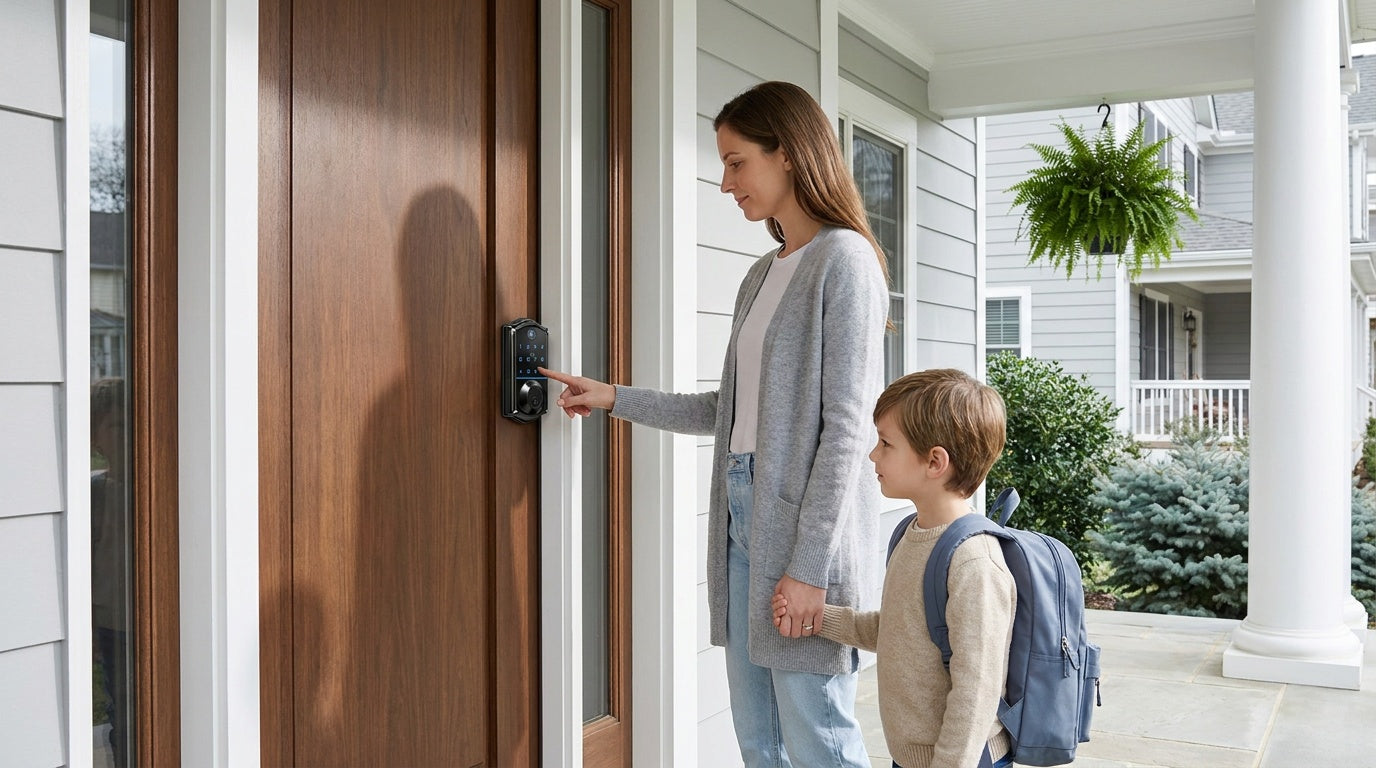
Smart locks have become one of the fastest-growing categories in home security — and with good reason. Keyless entry, remote access, entry logs, and guest codes all sound like serious upgrades over a standard deadbolt and a spare key under the mat. But a reasonable question follows naturally: if your lock is connected to the Internet, does that make it easier to break into?
The honest answer is nuanced. Smart locks introduce new security considerations that traditional locks don't have — but they also eliminate some of the oldest and most common vulnerabilities those locks carry. Whether a smart lock makes your home more or less secure depends heavily on which lock you choose, how it's configured, and how you use it day to day.
This guide walks through both sides of the equation — physical security and digital security — so you can make an informed decision rather than one driven by either fear or hype.
How Smart Locks Actually Work
A smart lock replaces your existing deadbolt or latch with a motorized unit that can be triggered through multiple methods: a keypad code, a fingerprint scan, a physical key, a wireless key fob, or a mobile app. The core hardware is still a bolt mechanism — the "smart" layer sits on top, controlling when that bolt moves.
Connectivity varies by lock type. A keypad deadbolt has no Internet connection at all — it operates entirely offline, responding only to codes entered at the door. A Smart Lock w/ G1 or Smart Lock w/ G2 communicates through a paired gateway device that connects the lock to your home network, enabling remote app control. A Wi-Fi Smart Lock has built-in Wi-Fi, so it connects directly to your router without a separate gateway. Understanding which type you're looking at matters a great deal when evaluating security risks, because each category has a different threat profile.
Physical Security: The Foundation That Still Matters
Most discussions about smart lock security jump straight to hacking and encryption — but the physical strength of the lock body itself is where home security actually begins. A lock with outstanding digital protection that can be kicked open or pried apart in seconds offers false confidence.
The relevant standard in the U.S. is ANSI/BHMA grading. Grade 1 and Grade 2 target high-traffic commercial environments — think office buildings and apartment complexes — where hardware is subjected to thousands of cycles per day. Grade 3 is the residential standard, and it's what any reputable smart lock sold for home use should carry. Veise locks are ANSI/BHMA Grade 3 certified, meeting the physical durability and strength requirements that apply to residential entry doors.
Beyond grading, physical security comes down to the quality of the bolt, the reinforcement of the strike plate, and the overall construction of the lock housing. A deadbolt with a hardened steel bolt and proper door frame reinforcement is substantially more resistant to forced entry than one with a short, lightweight bolt — regardless of how sophisticated the electronics inside it are. This is worth keeping in mind when comparing smart locks: the hardware matters just as much as the app.
Digital Security: What the Risks Actually Look Like
There are real digital vulnerabilities associated with smart locks, and it's worth understanding them clearly rather than either dismissing them or exaggerating them.
Wireless Signal Interception
Locks that communicate wirelessly — whether through a short-range wireless protocol or Wi-Fi — transmit signals that could theoretically be captured by someone in close range with the right equipment. Reputable locks counter this with AES (Advanced Encryption Standard) encryption, which scrambles the signal so that even if it's captured, the data it contains is unreadable without the decryption key. The practical risk for most homeowners is low, but it's a real reason to buy from manufacturers who publish their encryption standards rather than those who don't mention security protocols at all.
Companion App Vulnerabilities
If a smart lock uses a companion app and that app has security weaknesses, an attacker who compromises the app could potentially gain access to the lock remotely. Keeping the app and your phone's operating system updated is the most effective mitigation — patches routinely close security gaps as they're discovered. For connected locks, firmware updates on the lock itself serve the same purpose.
Code Guessing and Brute Force
Keypad locks are subject to code-guessing attempts. Quality smart locks address this with automatic lockout after a set number of failed entries, effectively preventing brute-force attacks. Veise locks, for example, automatically pause for 3 minutes after 10 wrong attempts. Using a non-obvious code — not a birthday, not "1234," and not a repeating number — significantly reduces this risk. Some locks also offer the ability to create temporary codes with expiration dates, so a guest code doesn't linger indefinitely after it's no longer needed.
What Doesn't Exist: The Hollywood Hack
It's worth noting what the actual threat landscape looks like. The overwhelming majority of home break-ins involve forced entry through doors or windows — not digital hacking. A determined criminal is far more likely to kick in a door than to set up wireless sniffing equipment outside your house and attempt a real-time decryption attack. Digital vulnerabilities are worth guarding against, but they shouldn't be the primary anxiety when evaluating smart lock security.
Local Storage vs. Cloud Dependency: A Privacy Difference Worth Knowing
One security consideration that often goes unmentioned in smart lock reviews is where your data actually lives. Some smart lock systems store access logs, user credentials, and fingerprint data on remote cloud servers. This creates an additional attack surface: a breach of the manufacturer's cloud servers could expose your data even if your home network and lock hardware are completely secure.
Veise takes a different approach. Fingerprint data is processed and stored directly on the lock itself using an on-device AI chip. No biometric data leaves the device, and no Internet account is required to store your fingerprints. This matters both for privacy and for reliability — your fingerprint works even if the manufacturer's servers go offline, get breached, or the company changes its data policies. It's a practical benefit that tends to get buried under feature comparisons, but it's meaningful.
What Happens When the Internet Goes Down?
A common concern about smart locks is what happens during a power outage or Internet disruption. It's a fair question, and the answer depends on the type of lock.
A keypad deadbolt or keypad latch lock has no Internet connection to lose in the first place. Codes work, and the physical key backup works — full stop. For gateway-paired smart locks and Wi-Fi smart locks, remote features like off-site locking and push notifications do require an active Internet connection. However, even when Wi-Fi is down, app control continues to work locally as long as you're within short-range wireless distance of the lock. And every Veise smart lock includes a physical key backup, so you're never locked out regardless of connectivity status. Select Veise models — the VE017 series (Smart Lock w/ G1) and the VE027 series (Wi-Fi Smart Lock) — also include a USB-C emergency power port for situations where the batteries have drained completely.
Are Smart Locks Safer Than Traditional Locks?
Smart locks eliminate some of the most common vulnerabilities of traditional locks while introducing a narrower set of new ones. Here's an honest comparison:
Advantages over traditional locks:
- No physical keys to lose, copy, or have stolen
- Temporary and time-limited access codes instead of copied keys for guests or service workers
- Auto lock eliminates the risk of forgetting to lock up — Veise locks can be configured to lock automatically after a set interval (10 to 99 seconds on keypad deadbolt & keypad latch locks, 10 to 180 seconds on connected models)
- Entry logs so you know exactly who came and went and when
- Lockout protection after repeated incorrect code attempts
- Remote locking on gateway-paired smart locks and Wi-Fi smart locks, so you can secure the door from anywhere if you realize you left it unlocked
New considerations smart locks introduce:
- Battery dependency (though a physical key backup covers this)
- Wireless signal security (addressed by encryption standards)
- App and firmware that require occasional updates
- A slightly higher purchase cost than a basic mechanical deadbolt
For most households, the elimination of key-related risks alone tilts the balance toward smart locks. Lost keys, copied keys, and forgotten locks are far more common real-world security failures than successful digital attacks on residential smart locks.
How to Choose a Smart Lock That's Actually Secure
Not all smart locks are built to the same standard. Here's what to look for when evaluating options:
ANSI/BHMA Grade 3 certification confirms the lock meets the physical durability standard for residential use. If a product listing doesn't mention a grade rating, that's worth questioning.
AES encryption should be explicitly mentioned for any connected lock. Vague language like "secure communication" without naming the standard is a red flag.
Local data storage for fingerprints means your biometric data doesn't leave the device — an important privacy and reliability consideration.
Multiple backup entry methods ensure you're never locked out due to a dead battery, lost phone, or connectivity issue. Physical key backup should be standard on any smart lock you consider.
Vertically integrated manufacturing matters more than it might seem. Brands that design, engineer, and manufacture their own locks — rather than rebranding OEM products from unrelated factories — have direct control over security standards, firmware updates, and quality consistency. Veise has manufactured its own locks since 1988 and launched its smart lock line with full in-house engineering. That's a different level of accountability than an OEM reseller who passes along whatever firmware the factory ships.
If you're replacing locks on a wood door that's between 1-3/8" and 2" thick, Veise's lineup covers the full range of scenarios. The keypad deadbolt is a straightforward offline-capable choice for exterior doors. The Smart Lock w/ G1 adds remote app control, fingerprint access, and multilingual voice prompts (English, Spanish, and French) as standard across the entire line. The Wi-Fi Smart Lock builds Wi-Fi directly into the lock body for app control, Alexa and Google Assistant voice commands, and real-time entry monitoring — a strong choice for parents who want to know when kids arrive home from school, or property owners managing access to a short-term rental remotely.
For families with kids or anyone who wants remote monitoring, a Wi-Fi smart lock or a gateway-paired smart lock is the right direction — a keypad deadbolt or keypad latch lock doesn't support remote entry history review through an app, since remote access requires a smart lock (gateway-paired or Wi-Fi), not a keypad lock paired with a separate gateway.
Best Practices to Keep Your Smart Lock Secure
Even a well-built lock can be undermined by poor habits. These practices apply regardless of which smart lock you choose:
- Use a non-obvious access code. Avoid birthdays, sequential numbers, and repeating digits. Change codes when you give them to temporary guests and no longer need that access active.
- Keep firmware and apps updated. Security patches are released precisely because vulnerabilities get discovered over time. Staying current is one of the highest-impact things you can do.
- Secure your home Wi-Fi network. A strong, unique router password and current router firmware protect the broader network that any connected lock depends on.
- Use temporary codes for guests. Rather than giving out your primary code, create a separate guest code with an expiration date or limited access window.
- Enable auto lock. This removes the risk of simply forgetting to lock the door — one of the most common real-world security failures.
- Review your entry log periodically. Connected locks keep a record of entries. Spot-checking this occasionally can surface unexpected access.
Installation is one area where Veise keeps things genuinely simple. Every Veise lock installs in about 15 minutes with a screwdriver — no wiring, no professional help required. All priced between $30 and $180 with no subscription fees and US-based phone and email support if you need it.
The Bottom Line
Smart locks are, for most households, at least as secure as traditional locks — and in several practical respects, more so. The vulnerabilities are real but narrow; the advantages over key-based systems are broad and everyday. The key is choosing a lock built to recognized physical and digital security standards, from a manufacturer who controls its own engineering, and using it with reasonable care.
The fear that a smart lock turns your front door into a hacking target misunderstands how break-ins actually happen. The reality is that a smart lock with Grade 3 certification, AES encryption, local data storage, and a physical key backup gives most families a genuinely more secure and more convenient front door than the one they have now.
Frequently Asked Questions
Can smart locks be hacked?
Smart locks that connect wirelessly can theoretically be targeted, but the practical risk for most homeowners is low. Reputable locks use AES encryption to protect wireless signals. Keeping firmware and apps updated is the most effective ongoing protection. The far more common real-world security failure is a lost or copied physical key — a risk smart locks eliminate entirely.
What happens to a smart lock when the power goes out?
Smart locks run on batteries, so a standard power outage doesn't affect them. If the batteries drain completely, a physical key backup provides entry. Select Veise models (VE017 series and VE027 series) also include a USB-C emergency power port so you can temporarily power the lock from an external battery to enter a code. A power outage that affects your router will suspend remote features on Wi-Fi and gateway-paired locks, but local entry methods — keypad, fingerprint, physical key — continue working normally.
Are smart locks safer than traditional deadbolts?
In most practical scenarios, yes. Smart locks eliminate key-related risks (lost, stolen, or copied keys), add auto lock to prevent forgotten lock-ups, provide entry logs, and allow temporary codes instead of copied keys for guests. They introduce a narrower set of digital considerations, which are well-managed by encryption, firmware updates, and strong passwords.
Is my fingerprint data safe on a smart lock?
It depends on the lock. Some systems store biometric data in the cloud, which creates additional exposure. Veise locks process and store fingerprint data on the lock's own AI chip — no data leaves the device, and no cloud account is involved. The fingerprint scan itself takes less than 0.3 seconds and enrollment captures your finger eight times to build a reliable template, but the data never travels beyond the lock hardware.
Do I need a subscription to use a smart lock?
Not with Veise. All features — including app control, entry logs, fingerprint access, and auto lock configuration — are included with the lock purchase. There are no monthly fees. This applies across the full Veise lineup, from the keypad deadbolt through the Wi-Fi Smart Lock.
What certifications should I look for in a smart lock?
For residential use, ANSI/BHMA Grade 3 certification is the relevant physical security standard. For digital security, look for explicit mention of AES encryption. Veise locks carry ANSI/BHMA Grade 3 certification and use AES encryption on connected models.
Have questions about which Veise lock is right for your door? Our US-based support team is available by phone and email to help you find the right fit — no pressure, no upsell. Contact us here and we'll help you figure it out. You can also browse the full Veise product lineup to compare options across every lock category.

Leave a comment
This site is protected by hCaptcha and the hCaptcha Privacy Policy and Terms of Service apply.