
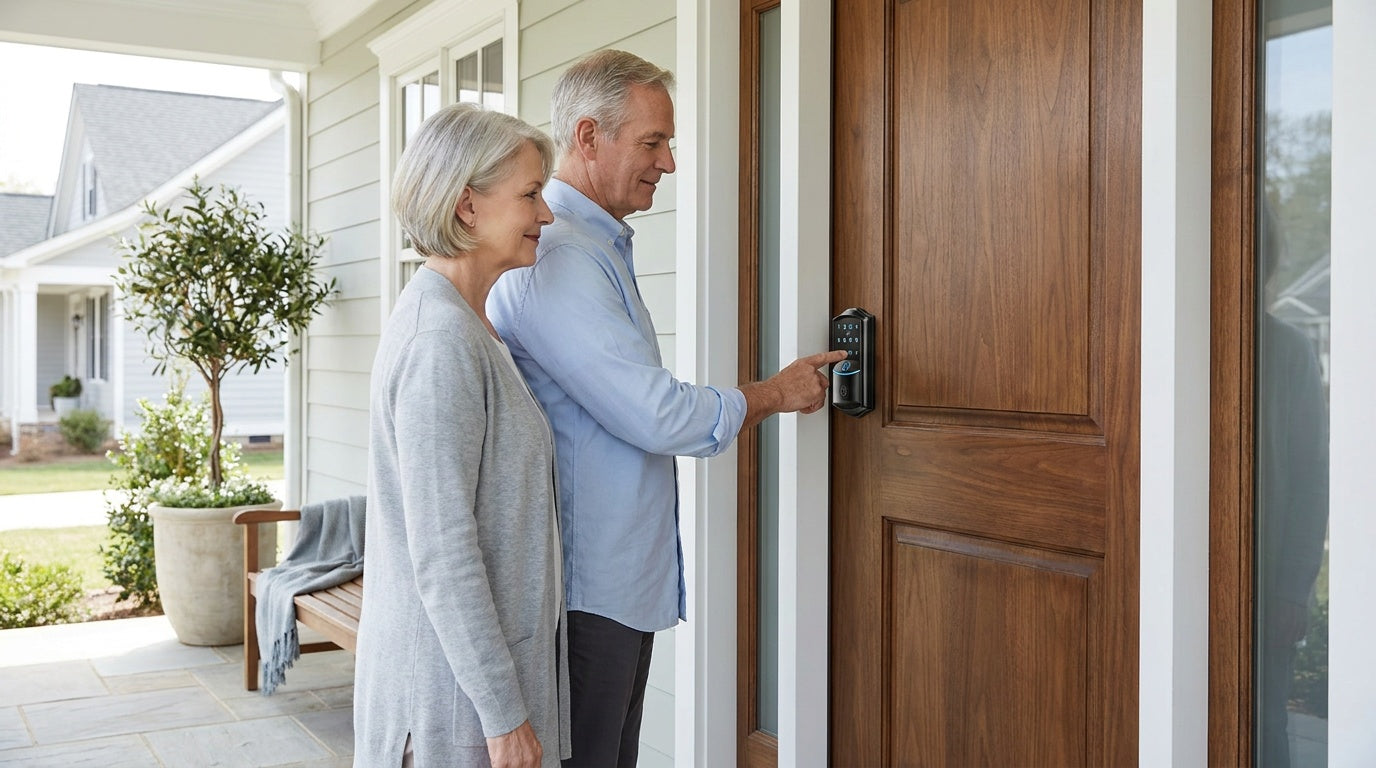
Somewhere between forgetting your keys on the counter and wondering whether your door is actually locked after you left for work, the case for electronic door locks starts to write itself. These locks replace the guesswork — and the keyring — with a code, a fingerprint, or a tap on your phone. But the category has expanded considerably over the last few years, and "electronic door lock" now covers everything from a simple battery-powered keypad to a fully connected Wi-Fi smart lock that sends you an alert the moment your front door opens.
That range is actually good news, because different households have genuinely different needs. A parent who wants to know the moment their child gets home after school needs something different from a homeowner who just wants to stop carrying a physical key. A property owner managing a short-term rental needs different features than someone replacing an aging deadbolt on a side entrance. This guide breaks down every major type of electronic door lock for residential use, explains the features that matter most, and helps you match the right lock to the way your household actually works.
What Is an Electronic Door Lock?
An electronic door lock is a locking system that uses an electronic mechanism — rather than a purely mechanical one — to control access. Instead of relying on a cut key turning a cylinder, these locks authenticate entry through something you know (a PIN code), something you are (a fingerprint), or something you carry (a smartphone, app, or key fob). Most residential models are battery-operated, meaning they work independently of your home's electrical wiring and continue functioning even during a power outage. A physical key slot is typically included as a backup on most models, but the goal is to make that backup something you almost never reach for.
For wood exterior doors, electronic locks typically come as full-replacement units. You remove your existing deadbolt or handle set and install the new lock in the same door prep using the same hole. Because you are modifying the door hardware itself, you need to be the property owner or have clear authority to make that change — this is not a renter-friendly overlay product. The installation process is straightforward, and most quality residential locks go in within 15 minutes using just a screwdriver, with no wiring and no need to call a professional.
The Four Main Types of Electronic Door Locks
Residential electronic door locks can be grouped into four practical categories. Each one solves a slightly different problem, and understanding the differences will save you from either overpaying for features you will never use or buying something that falls short when it counts.
1. Keypad Deadbolt Locks
A keypad deadbolt is the most common starting point for households upgrading from a traditional lock. You program one or more PIN codes, type the code on the keypad, and the deadbolt retracts. Every model also includes a physical key backup, so you are never fully locked out if the battery runs low. Some keypad deadbolts add a fingerprint sensor, which lets you unlock the door in under a third of a second — useful any time your hands are full of groceries or a sleeping child.
This category handles daily access for most households without needing any app, Wi-Fi connection, or ongoing subscription. It works completely offline, which also means there is no cloud account to manage and no dependency on your Internet service. The tradeoff is that it does not offer remote access or entry history — if you want to check whether the door was locked or see when someone arrived, you will need to step up to a smart lock category. Keypad deadbolts are commonly found on front and back exterior doors, and they also make a practical choice for garage entry doors and side entrances.
Unlock methods supported:
- Keypad PIN code (all models)
- Physical key backup (all models)
- Fingerprint (select models only)
Browse Veise's full lineup of keypad deadbolt locks, available with or without fingerprint, and in both standalone deadbolt and handle-set bundle configurations.
2. Keypad Latch Locks
A keypad latch lock is an integrated unit where the handle and lock body are built into one piece — there is no separate handle and separate deadbolt. You enter a code, the latch retracts, and you push or pull the door open. This makes them a lean, uncomplicated option for interior doors, office doors, side entries, or any door where a full deadbolt setup would be more than you need. The integrated form factor also tends to be easier to install and leaves a cleaner look on the door face.
Unlike keypad deadbolts, current keypad latch locks support only two entry methods: keypad code and physical key backup. There is no fingerprint option and no app connectivity. They are a practical, no-fuss choice for warehouse entry points, storage room doors, side garage doors, or apartment building utility rooms. Within the keypad latch lock category, the two available models differ only by handle type — a knob-style top handle (KS03) or a lever-style top handle (KS04) — so pick the one that better matches your door's existing hardware or your household's ergonomic preference.
Unlock methods supported:
- Keypad PIN code
- Physical key backup
3. Smart Locks w/ Gateway 1/2 (G1 / G2)
A Smart Lock w/ Gateway 1/2 is a full-replacement deadbolt or handle-set lock that pairs with a small gateway device plugged into your home's power outlet. The gateway bridges your lock to your home network and a mobile app, giving you remote access, real-time entry notifications, and the ability to issue or revoke codes without being physically at the door. This is meaningful for a short-term rental host who needs to hand a guest access without handing over a key, or a parent who wants to confirm their child arrived home safely from work or school. Remote access requires a smart lock — gateway-paired or Wi-Fi — and cannot be added to a keypad-only lock after purchase.
The gateway line comes in two generations, and they differ in meaningful ways. Smart Locks w/ G1 is built on a single product series — the VE017. Every G1 lock includes fingerprint access, multilingual voice prompts (English, Spanish, and French), and a USB-C emergency power port on the lock body itself, so you can power the lock with a USB-C cable if the batteries run completely flat. For households where multiple languages are spoken, or where elderly family members find voice-guided prompts helpful, G1 is a strong all-around choice. G1 also pairs with a Veise-developed app, keeping the experience tightly integrated. Browse Smart Locks w/ G1 to see the full lineup.
Smart Locks w/ G2 offers more SKU variety — both fingerprint and non-fingerprint options, in standalone deadbolt and handle-set configurations — and adds Apple Watch unlock and a web portal for those who prefer browser-based access management. Voice prompts on G2 are English only. This makes G2 a particularly good fit for Apple ecosystem households, buyers who want a non-fingerprint connected option, or property managers who prefer a web portal for overseeing multiple doors. Browse Smart Locks w/ G2 for the full selection.
Unlock methods supported (both G1 and G2):
- Keypad PIN code
- Remote app control via paired gateway
- Key fob
- Physical key backup
- Fingerprint (all G1 models; select G2 models)
- Voice assistant — Alexa and Google Assistant (requires gateway to be in place and connected)
- Apple Watch unlock (G2 only)
One practical note about connectivity: when Wi-Fi is down but you are within short-range wireless distance of the lock, app control continues to work locally. Only long-distance remote features — locking the door from a different city, receiving off-site entry alerts — require an active Internet connection.
4. Wi-Fi Smart Locks
A Wi-Fi smart lock connects directly to your home router using built-in Wi-Fi, so there is no separate gateway device to buy, plug in, or manage. You get remote access, live entry alerts, and app-based code management out of the box — everything the gateway locks offer, just without the extra hardware step. This is the most plug-and-play connected option for homeowners who want full remote visibility without setting up a secondary device.
Wi-Fi smart locks also support voice control directly through their built-in connection — Alexa and Google Assistant work without needing any additional bridge. For families where parents want to remotely monitor who is coming and going, or for a property owner keeping tabs on a vacation rental, this combination of direct Wi-Fi, app control, and voice integration offers the most seamless experience. The Wi-Fi smart lock lineup includes two distinct series: the Touchscreen Wi-Fi Smart Lock (VE027 Series), which features a glass touchscreen interface, a USB-C emergency power port, key fob support, and three-language on-device voice prompts (English, Spanish, French), and the Push-Button Wi-Fi Smart Lock (VE012W Series), which uses a traditional press-button keypad and does not include those four extras. Both series share the same fingerprint access, the same Wi-Fi connectivity, keypad code, app control, Alexa/Google voice control, and the same 8 AA/LR6 alkaline battery design for stronger signal and a more generous power reserve than the standard 4 AA setup found in most competing locks.
Unlock methods supported:
- Remote app control via built-in Wi-Fi
- Keypad PIN code
- Fingerprint
- Voice assistant — Alexa and Google Assistant (direct, no gateway needed)
- Physical key backup (all models)
- Key fob (VE027 series only; not VE012W)
Like the gateway line, Wi-Fi smart locks can still be controlled via the app locally even when Wi-Fi is down, as long as you are within short-range wireless distance of the lock. Remote features require active Internet.
Key Features to Look For in an Electronic Door Lock
Not every feature listed on a spec sheet will matter to your household, but a handful of them will meaningfully affect your daily experience. Here is what deserves your attention when comparing models.
Multiple Unlock Methods
The more ways you can get through your door, the less likely you are to be caught in a frustrating situation. Fingerprint is the fastest — on Veise models, the AI chip reads and processes a fingerprint in under 0.3 seconds. Keypad code works reliably for guests, kids, or anyone who does not want to use biometrics. A physical key backup provides peace of mind for the rare case the battery runs flat. Key fob access (available on Smart Lock w/ Gateway 1/2 and the VE027 Wi-Fi series) is useful for quick entry when hands are occupied. The goal is to match the right method to the right person in your household, not to pick a single method and force everyone to use it.
Auto Lock
Auto lock automatically relocks the deadbolt after a set interval — the door secures itself once the timer expires, regardless of whether it was manually closed or left open. On Veise locks, the auto lock interval is configurable between 10 and 99 seconds on standard keypad deadbolt and keypad latch locks, and up to 180 seconds on connected models, giving you control over how quickly the lock engages. This feature is built into every model in the Veise lineup, not something you pay extra for. It is one of the most underrated daily-use features because it removes an entire category of "did I lock the door?" anxiety.
Remote Access and Entry Alerts
Remote access lets you lock or unlock your door from anywhere with an active Internet connection and receive notifications each time the door is used. This is only available on gateway-paired smart locks and Wi-Fi smart locks — standard keypad deadbolt and keypad latch models, however solid, do not support remote monitoring regardless of what hub or router you own. For parents managing school-age kids, property owners overseeing a rental, or frequent travelers, remote access turns the lock from a convenience upgrade into an active security tool.
Privacy-First Fingerprint Storage
Where your fingerprint data lives matters more than most buyers realize. On locks that upload biometric data to the cloud, your fingerprint template is stored on a server you do not control. On Veise models, fingerprint data is processed and stored directly on the lock itself — it never leaves the device, never touches a cloud server, and does not require an active Internet connection to function. The AI chip handles the entire recognition process locally, which means privacy is protected and recognition stays fast even when your Wi-Fi is down. To build a reliable template across different angles and pressure levels, Veise's enrollment process captures each finger eight times.
Battery Design and Emergency Backup
All Veise residential locks run on standard AA/LR6 alkaline batteries, which are easy to find and inexpensive to replace. The Wi-Fi smart lock lineup uses 8 AA batteries rather than the more common 4 AA design, delivering stronger wireless signal stability and a larger power reserve to support the always-on Wi-Fi radio. For the VE017 series (Smart Lock w/ G1) and VE027 series (Touchscreen Wi-Fi Smart Lock), a USB-C emergency power port on the lock body allows you to connect a USB-C power bank and unlock the door if the batteries fully drain — a meaningful safeguard for elderly users or anyone particularly concerned about lockout scenarios. This USB-C emergency port is specific to those two series and is not a universal feature across all Veise models.
No Subscription Required
Some electronic lock brands charge monthly fees for app access, entry history, or remote monitoring. Veise locks carry no subscription fees. The full feature set — including app control, entry alerts, fingerprint management, and access code management — is included in the purchase price and stays functional without any ongoing payment. This makes the total cost of ownership straightforward: you pay once for the lock and the gateway (if applicable), and that is it.
How to Choose the Right Electronic Door Lock
The right lock depends on what problem you are actually trying to solve. Here is a practical framework for matching lock type to real household scenarios.
- Replacing an old deadbolt, no app needed: A keypad deadbolt is the most direct upgrade — no Wi-Fi required, simple setup, works for everyone in the household regardless of tech comfort level. If speed at the door matters, choose a model with fingerprint access.
- Interior, side, or utility doors: A keypad latch lock handles code-controlled access in a compact, integrated package without requiring a separate deadbolt. Also a common pairing with an exterior deadbolt — the latch handles daily code-based entry, the deadbolt handles primary overnight security.
- Parents monitoring kids' arrivals: A Wi-Fi smart lock or a Smart Lock w/ Gateway (G1 or G2) gives parents real-time entry notifications and remote access through the app. Standard keypad deadbolt and keypad latch models do not support this — you need the connected option.
- Managing a short-term rental or vacation property: A Smart Lock w/ G2 or a Wi-Fi smart lock lets a property owner issue and revoke guest codes remotely without a site visit. G2 line adds a web portal for households who prefer browser-based management. G1 line adds multilingual voice prompts if guests speak Spanish or French.
- Elderly household members who need simple, reliable entry: A fingerprint keypad deadbolt removes the need to remember a code, and fingerprint recognition at under 0.3 seconds means no fumbling. For added lockout protection, the VE017 (Smart Lock w/ G1) and VE027 (Touchscreen Wi-Fi Smart Lock) series include a USB-C emergency port that accepts a standard power bank.
- Apple ecosystem household: Smart Lock w/ G2 is the only Veise line that supports Apple Watch unlock — a differentiator worth noting if iPhone and Apple Watch are already part of the daily routine.
One important compatibility note: Veise locks are designed for standard wood doors with a thickness between 1-3/8" and 2". They are not compatible with fiberglass, metal, storm, or sliding doors. Veise also does not support Zigbee or Z-Wave protocols. If your door is anything other than a standard wood interior or exterior door, verify compatibility before purchasing.
Installation: What to Expect
One of the most common hesitations around electronic door locks is installation. The assumption is that adding technology to a door must require a technician, special tools, or at least an afternoon of frustration. For most residential electronic locks — including the full Veise lineup — that assumption is wrong. A standard installation takes about 15 minutes and requires only a screwdriver. There is no wiring, no drilling new holes (the lock uses your existing door prep), and no professional help needed.
The process involves removing your current deadbolt or handle set, placing the new lock assembly into the same opening, and securing it with the included hardware. Once the lock is physically in place, it comes preset with a default master code, so you can lock and unlock right away to confirm the install; the included guide then walks you through changing the master code and adding your own codes (or you can manage codes through the app on connected models). Gateway-paired models require a brief additional step to connect the gateway to your network and pair it with the lock, which is handled through the app setup flow. Wi-Fi smart locks connect directly to your router during the app setup process — no gateway hardware to configure separately.
Because Veise locks are full replacements — not overlays on top of existing hardware — the buyer needs to be the property owner or have explicit authority to modify the door. This is standard for any lock that replaces the deadbolt entirely, and it is worth confirming before purchase if the property situation is anything other than straightforward homeownership.
Understanding ANSI/BHMA Certification
When you see an ANSI/BHMA grade on a residential door lock, it tells you the lock has been independently tested for strength, durability, and security performance. The grading system runs from Grade 1 through Grade 3. Grades 1 and 2 target high-traffic commercial and institutional settings — schools, hospitals, office buildings — where locks are cycled hundreds of thousands of times and subjected to significant force. Grade 3 is the standard for residential applications: it reflects the durability and security benchmarks appropriate for a home environment, where the priority is reliable everyday performance without the overkill engineering designed for commercial foot traffic.
Veise locks are ANSI/BHMA Grade 3 certified, which is the residential standard the hardware industry uses for home door locks. An ANSI/BHMA certification is also a meaningful trust signal in its own right — it means the lock was tested by an independent laboratory, not just described as "heavy duty" in marketing copy. When comparing electronic locks, the presence or absence of this certification tells you whether the manufacturer was willing to put the product through objective, standardized testing.
Veise also brings a level of manufacturing accountability that many brands in this price range cannot match. With roots in the lock industry dating back to 1988 and its own factory and engineering team, Veise designs, builds, and supports every product it sells — it is not an OEM reseller putting its name on hardware made elsewhere. That vertical integration is a meaningful quality signal for a category where build consistency matters as much as any single spec.
Explore the full Veise product lineup — priced between $30 and $180, with no subscription fees, 15-minute DIY installation, and US-based phone and email support.
Frequently Asked Questions
What is the difference between standard keypad locks and connected locks?
Standard keypad locks (deadbolt and latch models) let you enter your home using a PIN code and include a physical key backup, but they do not connect to the Internet or a mobile app. Connected locks add remote access, entry notifications, and app-based code management — either through a paired gateway device or built-in Wi-Fi. If you want to check or control your lock from anywhere, you need a connected lock (gateway-paired or Wi-Fi). Standard keypad locks cannot be upgraded to remote access after purchase.
Do electronic door locks work when the power goes out?
Yes. Residential electronic door locks are battery-operated, so a power outage does not affect them. If the batteries themselves run out, most models include a physical key as a backup entry method. On select Veise models — the VE017 series (Smart Lock w/ G1) and VE027 series (Touchscreen Wi-Fi Smart Lock) — a USB-C emergency power port lets you connect a USB-C power bank to temporarily power the lock and enter your code if the batteries are fully drained.
Are electronic door locks secure?
Yes, when properly installed on a solid door and strike plate. On the hardware side, ANSI/BHMA Grade 3 certification confirms a residential lock has passed standardized strength and durability tests. On the software side, fingerprint data on Veise models is stored on the lock itself — never uploaded to a cloud server — which removes the data-breach risk associated with cloud-stored biometrics. Most electronic locks also include protections like automatic lockout after repeated wrong code entries.
Can I install an electronic door lock myself?
Most residential electronic door locks, including the full Veise lineup, are designed for DIY installation. The process typically takes about 15 minutes with just a screwdriver and requires no wiring or new drilling. The new lock installs in your existing door prep — the same hole your current deadbolt or handle set occupies. Because it is a full replacement of the existing hardware, you need to be the property owner or have clear authority to modify the door.
Do Wi-Fi smart locks work when the Wi-Fi is down?
Partially. When Wi-Fi is down but you are within short-range wireless distance of the lock, app control continues to work locally. Features that require a live Internet connection — locking the door remotely from another location, receiving off-site entry alerts — will be unavailable until the connection is restored. Keypad and fingerprint entry are not affected by Wi-Fi status at all.
What door types are compatible with residential electronic locks?
Most residential electronic locks, including Veise models, are designed for standard wood doors with a thickness typically between 1-3/8" and 2". They are not compatible with fiberglass, metal, storm, or sliding doors. Always check the manufacturer's compatibility specifications before purchasing, particularly if your door material is anything other than wood.
What is the difference between Smart Lock w/ G1 and Smart Lock w/ G2?
Both lines use a paired gateway for remote app access, support keypad code, key fob, physical key, and fingerprint entry on most models, and are compatible with Alexa and Google Assistant when the gateway is connected. The key differences are: G1 (VE017 series) includes multilingual voice prompts (English, Spanish, French), a USB-C emergency power port, and fingerprint on every model, and pairs with a Veise-developed app. G2 offers more SKU variety (fingerprint and non-fingerprint, standalone and handle-set), adds Apple Watch unlock and web portal access, but voice prompts are English only.
Is there a subscription fee for smart lock app features?
Not with Veise. The full feature set — remote access, entry history, app-based code management, and entry alerts — is included with the lock purchase. There are no monthly or annual subscription fees required to access any feature, and no features are locked behind a paid tier.
Electronic door locks have moved well past the novelty stage. For most households, the question is no longer whether to upgrade — it is which type of electronic lock fits your life. A keypad deadbolt covers the basics for most homes without any connectivity requirements. A keypad latch lock handles interior and utility doors cleanly and affordably. A Smart Lock w/ Gateway (G1 or G2) adds remote access and real-time alerts for connected households who still want a compact setup. And a Wi-Fi smart lock gives you the full connected experience in a single device, no gateway needed.
The right choice depends on how your household actually uses its doors — not on which product has the longest spec sheet. Start with the scenario that best describes your situation, match it to the lock category that solves that problem, and then choose the model that fits your door and budget. Veise's lineup covers all four categories at accessible prices between $30 and $180, with no subscription fees, 15-minute DIY installation, and US-based support if you need it.
Have Questions? We're Here to Help.
Whether you are choosing between a keypad deadbolt and a Wi-Fi smart lock, or need help confirming compatibility with your door, the Veise support team is available by phone and email — no bots, no ticket queues.
Contact Us

Leave a comment
This site is protected by hCaptcha and the hCaptcha Privacy Policy and Terms of Service apply.