
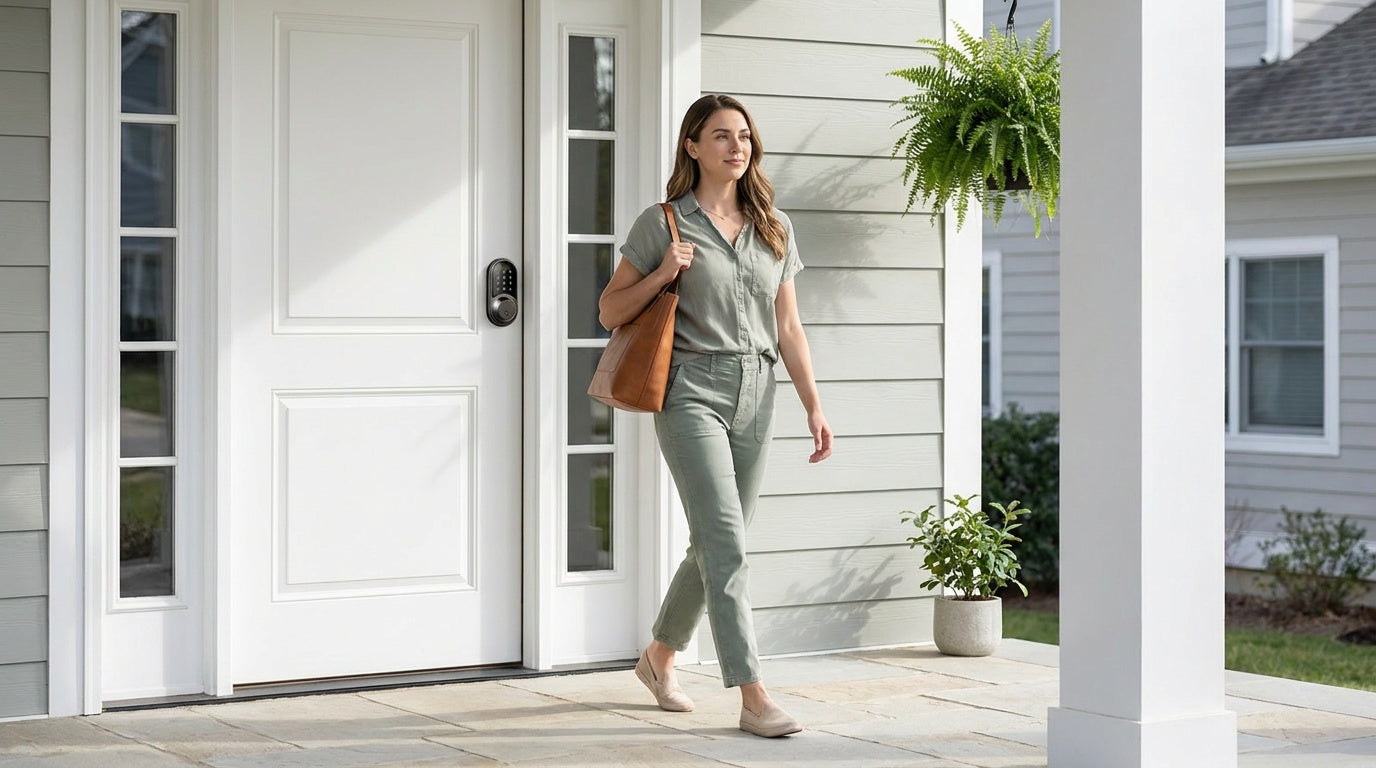
You rush out the door in the morning — coffee in one hand, bag in the other — and somewhere around the corner you get that familiar sinking feeling: Did I lock the door? For most people, that question is a daily tax on their peace of mind. Auto lock eliminates it entirely.
An auto lock door lock is exactly what it sounds like: a lock that secures itself automatically, on a timer, without you doing a thing. No turning back. No second-guessing. Whether you're managing a household with kids, overseeing a short-term rental, or simply tired of the mental load of wondering, auto lock is one of those features that quietly improves your daily life from the first day you have it.
This guide explains how auto lock works under the hood, why it matters more than most people realize, and how to choose the right lock type for your door — with a close look at where auto lock fits across the full Veise lineup.
What Is Auto Lock on a Door Lock?
Auto lock is a built-in feature that starts a countdown timer once the door is unlocked — without any manual action from you. Once you or a family member enters a code, scans a fingerprint, or uses an app to open the door, the lock starts a countdown. When the set time is reached, the lock automatically locks the door again.
This is different from an always-locked door. Auto lock doesn't prevent you from opening the door — it simply makes sure the door doesn't stay unlocked after you've walked through. Think of it as the door version of your phone screen timeout: a sensible default that protects you when your attention is elsewhere.
It's worth noting that auto lock is a feature, not a product category. You'll find it on keypad deadbolts, keypad latch locks, Smart Lock w/ Gateway 1/2, and Wi-Fi smart locks alike. The result is always the same: a door that takes care of itself.
How Auto Lock Actually Works: The Mechanics
Inside every electronic lock is a small battery-powered control board and a motorized actuator — a compact motor that drives the locking mechanism. Exactly what that mechanism looks like depends on the lock: a deadbolt throws a solid bolt into the strike plate, while a keypad latch lock uses a spring-loaded beveled latch that the lock secures in place rather than a bolt it drives in and out. When you authenticate (via keypad, fingerprint, key fob, or app), the control board receives a valid signal, releases the lock, and the door opens. So far, that's standard keyless entry. Auto lock is the next step in that same sequence.
After the door opens, the control board doesn't go back to sleep immediately. It starts a countdown timer — Veise locks are timer-based (more on the timer-versus-sensor difference in the next section). When the timer expires, the board sends another signal to the motor — instructing it to lock the door again so it cannot be opened without authentication. The entire process is driven by the same electronics that handled the unlock. No separate mechanism, no additional hardware required on most models; it's a software-level instruction running on the lock's existing hardware.
Because it's software-driven, the auto lock interval is user-configurable. On Veise locks, that window runs from 10 to 99 seconds on keypad deadbolts and keypad latch locks, and from 10 to 180 seconds on connected models (Smart Lock w/ Gateway 1/2 and Wi-Fi smart locks), giving you real flexibility. Set it tight if you want the door secured almost immediately after entry. Set it longer if you're frequently stepping in and out — loading groceries, letting the dog out, or moving things between the house and the car.
Timer-Based vs. Sensor-Based Auto Lock
There are two main ways an auto lock lock knows when to engage: a fixed countdown timer, or a door-position sensor that detects when the door is physically closed. Understanding the difference helps you set up the feature correctly and avoid the one frustrating scenario where auto lock works against you.
Timer-Based Auto Lock
This is the most common approach. The moment the lock is unlocked, a countdown begins — say, 30 seconds. Whether or not the door has been opened and closed, the lock will automatically lock when the timer hits zero. Timer-based auto lock is simple and reliable. The only edge case to manage is that it can trigger while the door is still open, which means the lock may lock before the door is fully seated against the frame. Because it fires strictly when the timer reaches zero, the practical step is to set your timer long enough to account for your typical doorway habits and to make sure the door is closed before the interval expires.
Sensor-Based Auto Lock
Some locks include a door-position sensor that detects the magnetic field shift when the door fully closes against the frame. Instead of counting down blindly, the lock waits for confirmation that the door is fully closed before locking. This approach helps avoid locking while the door is still open. It can be useful in situations where the door may be left ajar for a short period of time, as the lock will only lock once proper closure is detected.
Many locks may use a combination of a timer and sensor-based confirmation, but for most residential use cases, timer-based auto lock with a sensible interval is entirely sufficient. Veise locks use timer-based auto lock and do not rely on a door-position sensor. The practical approach is to set an interval that fits your routine and ensure the door is closed before it elapses — especially in busy households with young children who may not always pull the door fully shut.
Why You Actually Want Auto Lock on Your Door
The obvious answer is security — but auto lock earns its place in your home for reasons that go beyond preventing break-ins. Here's where it genuinely changes daily life:
You Stop Worrying About Forgetfulness
Whether it's you, your kids, or a houseguest who forgot to turn the thumb-turn on the way out, auto lock closes that gap permanently. You don't need to rely on habit, reminders, or the goodwill of whoever was last to leave. The lock handles it. For households where multiple people come and go throughout the day — school pickups, after-school activities, early work departures — this kind of consistent, automatic behavior is genuinely valuable.
Service Providers and Guests Can't Leave the Door Unlocked
If a house cleaner, contractor, or dog walker uses a temporary code to access your home, auto lock ensures the door is secured the moment they leave — even if locking up isn't on their checklist. The same applies when you grant temporary access to guests at a short-term rental. You're not dependent on someone else remembering a step that affects your home's security.
Remote Lock Is a Backup, Not a Routine
If you have a smart lock with app control, you can always lock the door remotely. But relying on that as your primary security behavior means you need your phone, a live Internet connection, and the mental bandwidth to remember to check. Auto lock flips the default: the door is always locked unless deliberately opened. Remote locking becomes a true safety net for edge cases, not a daily chore.
Elderly Family Members Get Reliable Security Without Extra Steps
For households with an elderly parent or grandparent, auto lock removes a potential gap in their security routine without requiring them to change their behavior. They enter their code, walk inside, and the door takes care of itself. No additional steps, no reminder needed. For family members managing multiple households or checking in remotely, knowing the door will always lock itself is meaningful peace of mind.
Which Lock Type Supports Auto Lock?
Auto lock is a standard feature across electronic locks — but the lock type you choose determines what else comes with it. Exterior doors of wood construction typically call for a deadbolt-style lock, while interior doors, side doors, and utility entries are commonly fitted with latch-style locks. Here's how auto lock behaves across the main lock categories:
- Keypad Deadbolt: Auto lock is standard. After you enter your code (or fingerprint, on select models), the lock re-engages automatically on the configured timer. Physical key backup is included on all models. No app, no gateway, no Internet required — auto lock works entirely on the lock's internal electronics.
- Keypad Latch Lock: Auto lock is supported. Entry is via keypad code, with a physical key backup. A good fit for interior doors, side entries, or office doors where a full deadbolt isn't needed but you still want the door to secure itself after use.
- Smart Lock w/ Gateway (G1 or G2): Auto lock is built into the lock itself and can also be configured or adjusted through the mobile app. Entry methods include keypad code, key fob, physical key, and remote app control via the paired gateway. Many models also include fingerprint. Because the gateway bridges the lock to your home network, you also get access history and remote locking — auto lock works alongside these features, not instead of them.
- Wi-Fi Smart Lock: Auto lock is built in and app-configurable. Entry includes keypad code, fingerprint, remote app control, and voice commands via Alexa or Google Assistant (directly through built-in Wi-Fi — no extra hub required). Physical key backup is standard on all models.
One important note: auto lock is a feature of the lock itself, not of a gateway or network connection. A keypad deadbolt or keypad latch lock auto locks just as reliably as a connected smart lock. The difference is that smart locks let you remotely turn auto lock on or off and adjust the delay time through the app, and view lock status in the app when the door has locked. If remote visibility and control matter to you, that points toward a gateway-paired or Wi-Fi lock. If you simply want automatic locking with no app dependency, a keypad deadbolt or keypad latch lock is a clean, straightforward choice.
Auto Lock Across the Veise Lineup
Auto lock is a universal feature across every electronic lock in the Veise lineup — not an upgrade tier or an add-on. Whether you choose a straightforward keypad deadbolt or a fully connected Wi-Fi smart lock, the door will lock itself automatically after your configured interval. That interval runs from 10 to 99 seconds on keypad deadbolts and keypad latch locks, and from 10 to 180 seconds on connected models, giving you a real range of options depending on how your household uses the entry.
Veise builds and engineers its own locks from the ground up — not an OEM reseller buying and rebranding someone else's hardware. That means the auto lock behavior is consistent, the firmware is maintained by the same team that designed the lock, and support questions go to people who actually know the product. All Veise locks are designed for wood doors (1″ 3/8" to 2" thickness) and install in about 15 minutes with a screwdriver — no wiring, no professional help required.
Here's a closer look at how auto lock fits into each category of the Veise lineup:
Keypad Deadbolt — The Straightforward Pick
The Veise Keypad Deadbolt line comes in two primary flavors: with fingerprint (KS02 series) and without (RZ and KS01 series). Both include auto lock as standard. The fingerprint models use an AI chip with on-device biometric processing — fingerprints are stored locally on the lock itself, never uploaded to a cloud account, and the scan-to-unlock speed is under 0.3 seconds. Enrollment captures your finger eight times to build a reliable template across different angles and grip pressures. If your household needs are straightforward — reliable auto lock, keypad code entry, and physical key backup — the keypad deadbolt hits that mark without any app or subscription requirement.
Keypad Latch Lock — The Versatile Handle Set
The Veise Keypad Latch Lock includes two integrated handle designs: the KS03 series with a round knob and the KS04 series with a lever handle. Both combine the latch mechanism and exterior handle into a single, unified unit for a clean, all-in-one installation. Auto lock is supported as a standard feature across the series. Entry is via keypad code, with a physical key backup for emergencies. Designed for interior doors, side entries, and office doors, the latch lock series is ideal for spaces where a full deadbolt is not required, but automatic securing after use adds everyday convenience. Both KS03 and KS04 install easily with a screwdriver and are suitable for standard residential door preparations.
Smart Lock w/ G1 — The Connected All-Rounder
The Smart Lock w/ G1 line is built on one product series — the VE017 — and every model in that line ships with the same full feature set: fingerprint, key fob, keypad code, physical key, and remote app control via the paired G1 gateway. Voice prompts are available in English, Spanish, and French, making this a practical choice for multilingual households. Every model in the line also includes a USB-C emergency power port, so a dead battery doesn't mean a lockout. Auto lock is configurable through the app, meaning you can adjust the interval without touching the lock itself. Browse the Smart Locks w/ G1 collection to see the full range.
Smart Lock w/ G2 — Apple Watch and Web Portal Access
The Smart Lock w/ G2 line covers a broader range of SKUs — fingerprint and non-fingerprint options, standalone deadbolts, and handle-set bundles (lever, vertical, or knob). The standout features unique to G2 series are Apple Watch unlock and web portal control, which suit households already invested in Apple's ecosystem or property managers who want browser-based access management. Auto lock behavior is the same as on Veise's other connected models: configurable between 10 and 180 seconds, paired with keypad, key fob, and physical key as backup entry methods.
Wi-Fi Smart Lock — Remote Control Without a Gateway
The Veise Wi-Fi Smart Lock line comes in two series: the Touchscreen Wi-Fi Smart Lock (VE027 Series) and the Push-Button Wi-Fi Smart Lock (VE012W Series). Both connect directly to your home Wi-Fi network — no separate gateway required — and support remote app control, fingerprint, keypad code, and voice commands via Alexa or Google Assistant. On-device voice prompts in English, Spanish, and French are available on the VE027 series; the VE012W series doesn't include on-device voice prompts. The VE027 series includes a USB-C emergency power port; the VE012W series does not. Both series use an 8 AA battery design, which delivers a stronger signal and longer-lasting power reserve compared to the more common 4 AA setup. If you want auto lock with real-time remote visibility — seeing exactly when the door locked — the Wi-Fi Smart Lock gives you that picture through the app. Even when Wi-Fi is down, app control continues to work locally as long as you're within short-range wireless distance; only long-distance remote features require live Internet.
If you're not sure where to start, the full Veise product lineup covers every category, priced from $30 to $180 with no subscription fees, and fingerprints stored on the lock itself rather than in the cloud.
How to Set Up and Configure Auto Lock
Setup varies slightly by lock type, but the general process is consistent across electronic locks. On keypad deadbolts and keypad latch locks, auto lock is typically configured through a programming sequence on the keypad itself — your lock's included instructions will walk you through the exact button combination. The process usually takes two to three minutes.
On smart locks (gateway-paired or Wi-Fi), auto lock can also be managed through the app. You'll find it generally in the settings interface. From there, you select the interval — anywhere in the 10 to 180 second range on Veise locks — and save the change. Because the setting is pushed wirelessly to the lock, you don't need to reprogram anything at the door itself. If your household routine changes — a new pet, a baby, a seasonal shift in how often you're stepping outside — adjusting the interval takes about thirty seconds from your phone.
One practical tip: start with a longer interval (90 to 120 seconds) if you're new to auto lock. It gives you time to get comfortable with the behavior before shortening it. Most people find they naturally tighten the setting after a week or two once they're used to the door locking on its own.
Tips for Getting the Most Out of Auto Lock
- Match the interval to your routine. If you frequently step outside briefly — to grab mail, take out the trash, let the dog out — set a longer interval so you're not locked out by default. A tighter interval (10 to 30 seconds) works best when the door is only used for definitive entries and exits.
- Make sure everyone knows their entry method. Auto lock only works smoothly if every household member has a reliable way back in. Confirm that kids know their code, backup keys are distributed, or app access is set up before you tighten the auto lock interval.
- Don't rely on auto lock as your only security measure. Auto lock is a reliable safeguard, but a well-installed deadbolt with the correct strike plate depth is still the foundation. Auto lock keeps the door from being left unlocked; solid hardware keeps the door from being forced.
- For short-term rentals, combine auto lock with temporary access codes. Set a guest code that expires at checkout, and let auto lock handle re-securing the door between entries. You don't need to physically be there — and you don't need to depend on guests to lock up on departure.
- Use activity logs on smart locks to verify auto lock behavior. If you want confirmation that the door locked at a specific time, the app access history on gateway-paired and Wi-Fi smart locks will show exactly when the lock locked.
The Bottom Line
Auto lock is one of those features that, once you have it, you wonder how you lived without it. The door locking itself is a small thing in isolation — but multiplied across every entry and exit in a busy household, it's a meaningful reduction in mental load, a reliable safety net for forgetful moments, and a layer of consistency that a manual lock simply can't match.
The right lock for auto lock functionality depends on your door, your household's entry habits, and how much visibility you want over who's coming and going. A keypad deadbolt is the clean, no-fuss option. A Wi-Fi smart lock or gateway-paired smart lock adds remote monitoring on top. All of them lock the door automatically. All of them install in about 15 minutes with a screwdriver. And none of them require a monthly subscription.
Frequently Asked Questions
What does auto lock mean on a door lock?
Auto lock is a feature that automatically re-engages the lock after the door has been unlocked, on a user-set countdown timer. You don't need to manually lock the door — the lock's internal motor handles it on the configured schedule.
Does auto lock work if the Wi-Fi goes out?
Yes. Auto lock is an on-device feature driven by the lock's internal control board and motor — it does not require a Wi-Fi or Internet connection to function. Even on smart locks, auto lock will continue to operate normally during a Wi-Fi outage.
Can auto lock lock the door while it's still open?
Veise auto lock fires when the configured interval elapses, regardless of whether the door is open or closed — Veise locks are timer-based and don't use a door-position sensor. To keep the lock from re-engaging while the door is still open, set a generous interval and make sure the door is closed before the timer expires.
How long should I set the auto lock timer?
On Veise locks, the auto lock interval runs from 10 to 99 seconds on keypad deadbolts and keypad latch locks, and from 10 to 180 seconds on connected models. A 30 second interval works well for most households as a default. If you frequently step in and out briefly — grabbing mail, letting the dog out — a longer interval of 90 to 120 seconds is more practical. You can adjust the setting at any time.
Do all Veise locks have auto lock?
Yes. Auto lock is a standard feature across every electronic lock in the Veise lineup, including keypad deadbolts, keypad latch locks, Smart Locks w/ Gateway (G1 and G2), and Wi-Fi smart locks. It is not an add-on or a premium tier — it comes configured on the lock out of the box.
Will auto lock work on a door with a keypad but no app?
Absolutely. Auto lock on a keypad deadbolt or keypad latch lock is fully self-contained — it runs on the lock's internal electronics and requires no app, gateway, or network connection. On smart locks, the app allows you to remotely turn auto lock on or off and adjust the delay time, but auto lock will function even without the app open or the network connected.
What's the difference between auto lock and auto unlock?
Auto lock re-engages the lock on a timer after the door has been unlocked — it's a security default that keeps the door from staying unlocked. Auto unlock is a separate feature found on some smart locks that uses geofencing or proximity detection to unlock the door as you approach. Veise locks do not include proximity-based auto unlock; entry is always an active action (code, fingerprint, key fob, or app tap).
Can I use a Veise lock on a metal or fiberglass door?
No. Veise locks are designed for wood doors with a standard thickness of 1-3/8" to 2". They are not compatible with fiberglass, metal, storm, or sliding doors. If you have a non-wood door, check compatibility carefully before purchasing any full-replacement lock.
Have Questions About Auto Lock or Choosing the Right Veise Lock?
The Veise support team is based in the US and available by phone and email. Whether you need help picking the right lock for your door or configuring auto lock on a lock you already own, they're there to help — no bots, no ticket queues.
Contact Veise Support


Leave a comment
This site is protected by hCaptcha and the hCaptcha Privacy Policy and Terms of Service apply.