
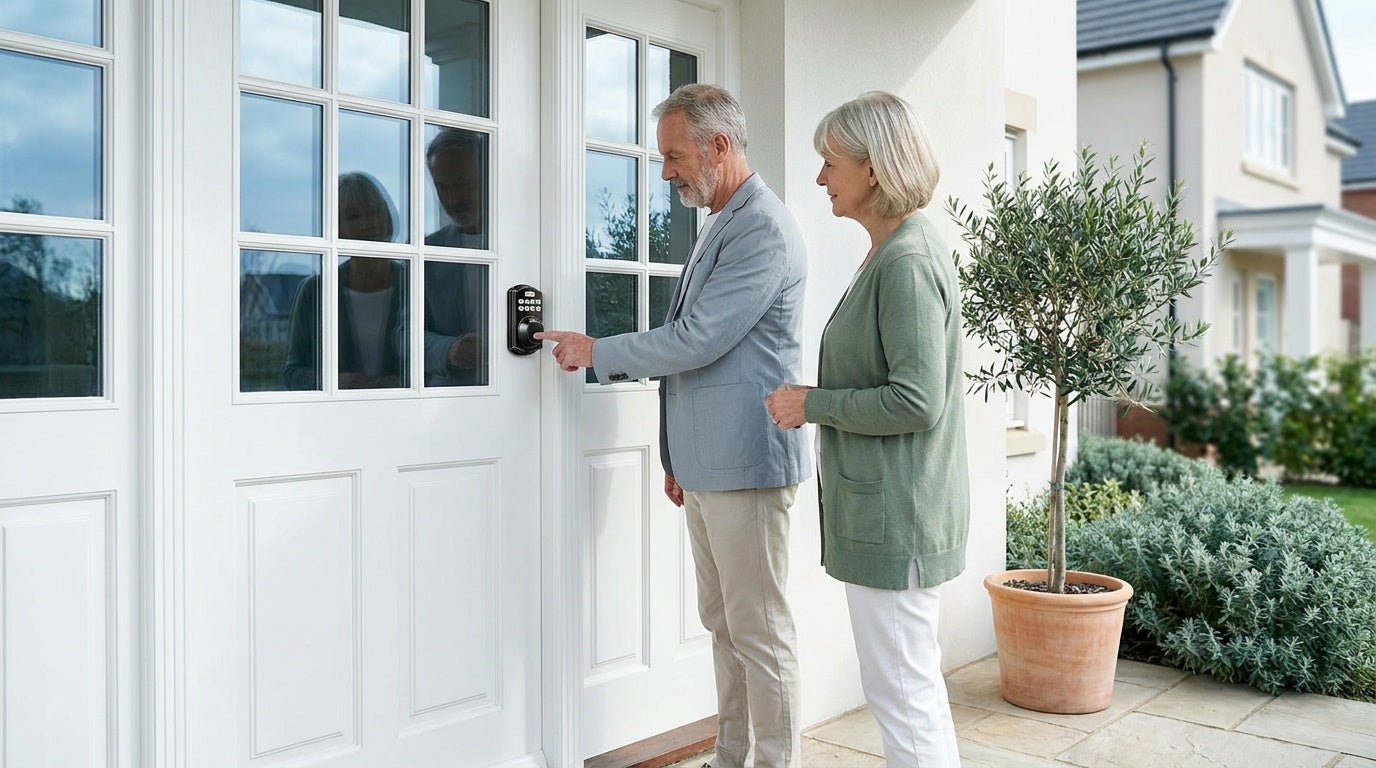
Walk into any hardware store — or scroll through Amazon — and smart lock product pages will dazzle you with feature counts. Seventeen unlock methods. Triple battery protection. Bank-level encryption. It all sounds impressive until you realize that half of those bullet points describe features you will use once, or never, while the things that will determine whether you love or regret your lock barely get a mention.
This guide cuts through the noise. Below, you will find 10 smart lock features that genuinely improve daily life at home, followed by 3 features that get a lot of marketing attention but deliver very little real-world value. Whether you are a new homeowner replacing an old deadbolt, a parent who needs to know when the kids get home, or a short-term rental host managing guest access remotely, this breakdown will help you shop smarter and spend better.
10 Smart Lock Features That Actually Matter
1. Multiple Unlock Methods
A single-method lock is a single point of failure. If the app goes down, your phone dies, or a fingerprint scan refuses to read a callused thumb, you need another way in. The best smart locks layer multiple entry options so that everyday life — wet hands, dead batteries, guests without the app — never leaves anyone standing outside. Look for a lock that covers at least a keypad code and a physical key as minimum fallbacks, with fingerprint and key fob as welcome extras depending on your use case.
What you choose should match how your household actually operates. Keypad deadbolt locks are a strong starting point: every model includes keypad code entry and a physical key backup, and select models add fingerprint recognition for hands-free entry. Families who need remote visibility into who is coming and going should step up to a Wi-Fi smart lock or a gateway-paired model, which adds app-based entry and real-time alerts on top of those local unlock methods.
2. A Physical Key Backup
Some buyers assume a smart lock means goodbye to keys forever, and a few manufacturers lean into that. It is a mistake. Batteries die, firmware updates occasionally create unexpected glitches, and power outages happen. A physical key override costs nothing extra and guarantees you always have a last-resort option. Make it non-negotiable on any exterior door. Every Veise lock — across every category — ships with a physical key for exactly this reason.
3. A Fast, Reliable Fingerprint Scanner
Not all fingerprint scanners are equal. A slow or error-prone sensor becomes an annoyance within the first week, especially for households where multiple people are unlocking the door throughout the day. What you want is a scanner fast enough that you do not break stride walking to the door. On select Veise models, fingerprint recognition processes in under 0.3 seconds. Enrollment captures your finger eight times to build a reliable template across different angles and pressure levels, which is why recognition stays consistent even when your hands are slightly damp or the lighting is different.
Fingerprints are processed and stored on the lock itself — no Internet account required, no biometric data leaving the device. That matters because cloud-stored biometric data creates a target; locally stored data simply does not. If fingerprint entry appeals to you, look at the fingerprint keypad deadbolt line (KS02 series) or the full smart lock categories, where fingerprint is included on many models.
4. Auto Lock
The single most-used smart feature for most households is the one that costs no extra thought: auto lock. Set a timer, and the bolt slides home automatically once the configured interval elapses — so make sure the door is shut before it does, since auto lock fires on the timer regardless of door state. No more "did I lock the door?" moments on the highway. No more sending a teenager back inside because they forgot. Auto lock is standard across the entire Veise lineup — configurable between 10 and 99 seconds on Keypad Deadbolt and Keypad Latch locks, and between 10 and 180 seconds on connected models — short enough to not feel like a security gap, long enough to handle a slow walk from car to door without getting locked out mid-trip.
5. Temporary and Scheduled Access Codes
This feature is the one that separates a smart lock from a fancy keypad. Temporary codes let you give a plumber access on Tuesday between 10 a.m. and noon, give your dog walker a code that works only on weekday afternoons, or grant a house guest a week-long code that expires automatically on checkout day. No key copying. No changing the lock afterward. No awkward "can I have the key back" conversation.
For short-term rental property owners, this feature is close to essential. Managing a rental property without temporary codes means exchanging physical keys or being present for every guest arrival, neither of which scales. Wi-Fi smart locks and gateway-paired models handle this from anywhere through the app — you set the code remotely before the guest arrives without ever being on-site.
6. Remote App Access and Entry Alerts
Remote access means you can lock your front door from the office, check whether it is locked while traveling, or get a notification the moment your teenager arrives home from school. For parents, that notification is quieter peace of mind than any alarm system. For rental property managers, it is operational. For anyone who has ever driven ten minutes back home just to check the lock, it is a meaningful quality-of-life upgrade.
One important clarification: remote access requires a smart lock — either a gateway-paired model or a Wi-Fi model. A standard keypad deadbolt or keypad latch lock, no matter how good, cannot be paired with a gateway to add remote access later. Veise's Smart Locks w/ G1 and Smart Locks w/ G2 both deliver remote access through a paired gateway, while Wi-Fi smart locks connect directly to your home network with no gateway required. Even when Wi-Fi is down, app control continues to work locally as long as you are within short-range wireless distance of the lock — only off-site remote features like push alerts require a live Internet connection.
7. Voice Control That Actually Works
Asking Alexa to lock the door before bed is a genuinely useful habit. Asking it to lock up while your arms are full of groceries is even better. Voice control for locking is well-supported and reliable across smart lock categories. Note that most systems restrict voice-based unlocking for security reasons — the locking command is where the value sits, and that is fine.
On Veise products, voice control works differently depending on the lock type. Wi-Fi smart locks (both the Touchscreen Wi-Fi Smart Lock VE027 Series and the Push-Button Wi-Fi Smart Lock VE012W Series) support Alexa and Google Assistant directly through built-in Wi-Fi. Smart Locks w/ G1 and G2 support voice control too, but require the paired gateway to be in place — the gateway bridges the lock to the voice assistant. Neither category works with Alexa out of the box without that connectivity piece, so confirm your setup before assuming voice control is ready on day one.
8. Low-Battery Warnings Before It's Too Late
Battery death is the most common smart lock complaint — and it is almost always avoidable. A good lock gives you a voice or beep prompt — and an app alert on connected models — well before the battery reaches critical levels, giving you days or weeks to swap cells before anything fails. What you want to avoid is a lock that goes quiet right until it stops working. Physical key backup covers the true emergency, but low-battery alerts mean you never get there in the first place.
Veise's Wi-Fi smart lock line uses 8 AA batteries instead of the more common 4 AA configuration, delivering stronger signal stability and a larger power reserve. On select models — specifically the VE017 series (Smart Lock w/ G1) and the VE027 series (Wi-Fi Smart Lock) — a USB-C emergency power port gives you a last-resort option to power the lock from a portable phone charger if batteries are fully depleted before you can replace them. If battery backup reliability matters to you, those two series are worth a close look.
9. On-Device Fingerprint Storage (No Subscription)
Many homeowners skip over this feature until something goes wrong. A lock that stores access codes and biometric data on the cloud is a lock that can be locked out — or locked in — by a server outage, a company shutting down a product line, or a subscription fee you decide not to pay. On-device storage of your biometric data means it never becomes a remote target, and your lock's everyday functions — keypad code, fingerprint, physical key — work regardless of what happens on the manufacturer's end. Your fingerprint data stays on the device itself.
Veise processes and stores fingerprint data on the lock's on-board AI chip — no cloud, no internet account, and no biometric data leaving the device. There are no subscription fees and no accounts required for the lock's day-to-day operation. That is a meaningful practical difference from cloud-dependent competitors, and it is a privacy benefit — your fingerprint data never leaves your front door.
10. ANSI/BHMA Certification
This one rarely appears on flashy feature comparison charts, but it is one of the most honest signals of build quality you can find. ANSI/BHMA certification means the lock's mechanical components — bolt, latch, and lock body — have been tested by an independent laboratory for durability, security, and resistance to forced entry. A smart lock with an impressive app and a weak physical body is still a weak lock.
The ANSI/BHMA grading system runs from Grade 1 (designed for high-traffic commercial settings like banks, schools, and hospitals) down to Grade 3, which is the standard for residential applications. Grades 1 and 2 target higher-cycle commercial environments; Grade 3 reflects the testing benchmark for residential doors. Veise locks are ANSI/BHMA Grade 3 certified, meeting the independent residential standard. When shopping any brand, look for actual certification on the packaging — not just marketing language that says "meets industry standards."
3 Smart Lock Features You Can Skip
These features get prominent placement in product listings and YouTube reviews. Most households use them rarely, or discover real-world friction that the demos did not show.
1. Geofencing Auto-Unlock
Geofencing auto-unlock sounds like the ultimate convenience: your lock senses your phone approaching the house and unlocks before you even reach the door. In practice, this feature is notoriously inconsistent. GPS accuracy on smartphones can vary by dozens of feet, which means the lock sometimes triggers in your driveway, sometimes in the middle of the street, and sometimes not at all. Carrying groceries, your lock has already popped open before you are anywhere near the porch. And if your phone battery is dead — precisely the scenario where hands-free entry is most appealing — geofencing does not work at all. A keypad code or fingerprint scan takes two seconds and works every time.
2. Monthly Subscription Plans
Several smart lock brands gate their most useful features — extended activity logs, remote access, guest code management — behind a monthly fee. A lock that costs $150 upfront and $5 a month costs more than $300 over three years before you have replaced a single battery. Worse, if you cancel the subscription, core features stop working on hardware you already own. Look carefully at what the lock does without a subscription before buying. Veise charges no subscription fees, ever — all features work through the app from day one with no ongoing cost.
3. "Fits 99% of Doors" Claims
This marketing language is technically accurate but practically misleading. Most full-replacement smart locks are designed for standard wood doors with a thickness of roughly 1-3/8 inches to 2 inches and a standard pre-drilled deadbolt cutout. If your door is a different material — fiberglass, metal, storm door, or sliding door — or outside the standard thickness range, you may not be compatible regardless of what the packaging says. Check your specific door before you buy, not after. Veise locks, for example, are compatible with wood doors in the standard thickness range and are not designed for fiberglass, metal, storm, or sliding doors. Verifying compatibility takes two minutes and saves a return trip.
Matching Features to Your Household
The best smart lock is not the one with the longest feature list — it is the one that fits how your family actually moves through the day. Here is a quick way to match your situation to the right category:
- New homeowners replacing an old deadbolt who want keyless entry without app dependency: a keypad deadbolt lock installs in about 15 minutes with a screwdriver and no wiring. Select models add fingerprint for hands-free entry.
- Parents who want to know when kids arrive home: a Wi-Fi smart lock or a gateway-paired smart lock sends real-time entry alerts to your phone, so you know the moment the door opens without waiting for a text.
- Households with elderly members who need simple, reliable entry: fingerprint or a large-button keypad removes the key fumbling entirely. The Smart Lock w/ G1 line (VE017 series) offers multilingual voice prompts in English, Spanish, and French across the entire line — a concrete benefit for non-English-speaking household members.
- Short-term rental or vacation property managers: remote access is close to essential. A Wi-Fi smart lock or a Smart Lock w/ G2 lets you generate and revoke guest codes from anywhere, with no key handoff required.
- Interior doors, side doors, or utility areas: a keypad latch lock or a mechanical lock is commonly a practical fit, keeping things simple where full smart lock connectivity is not needed.
Every Veise lock — from a $30 mechanical lock to a $180 Wi-Fi smart lock — installs in about 15 minutes with a screwdriver and no professional help. There are no subscriptions, no cloud accounts needed to run the lock, and no hidden ongoing costs.
Browse the full Veise product lineup to compare models side by side.
Frequently Asked Questions
What is the most important feature in a smart lock?
For most households, the combination of multiple unlock methods plus a physical key backup matters most. Multiple methods prevent lockouts when one option fails; the physical key is your guaranteed last resort. Beyond that, auto lock and low-battery warnings protect against the two most common user errors — forgetting to lock and ignoring dead batteries.
Do smart locks work without Wi-Fi?
It depends on the lock type. Keypad deadbolts and keypad latch locks work entirely offline — no Wi-Fi, no app, no Internet connection needed. Gateway-paired and Wi-Fi smart locks can still be operated via the app at short range even when Wi-Fi is down; only long-distance remote features like off-site alerts and remote locking require a live Internet connection.
Is geofencing auto-unlock worth it?
For most users, no. Geofencing relies on smartphone GPS, which can be imprecise enough to trigger an unlock before you are near the door — or fail entirely when your phone battery is low. A fingerprint scan or keypad code is faster, more reliable, and works without any connectivity dependency.
Do smart locks require a subscription to work?
Many brands gate advanced features behind a monthly fee, but not all. Veise smart locks have no subscription requirement — all features including remote access, temporary codes, and activity logs work through the app from day one at no ongoing cost.
What does ANSI/BHMA Grade 3 mean for a smart lock?
ANSI/BHMA grading certifies the mechanical strength of a lock's physical components through independent laboratory testing. Grade 3 is the certified standard for residential applications. Grades 1 and 2 are designed for high-traffic commercial environments like schools, hospitals, and office buildings — they are not a higher "quality tier" for home use. A Grade 3 certified residential lock has been tested and confirmed to meet the independent standard for home security.
What doors are compatible with Veise smart locks?
Veise smart locks are designed for standard wood doors with a thickness of 1-3/8 inches to 2 inches. They are not compatible with fiberglass, metal, storm, or sliding doors. Always verify your door material and thickness before purchasing any full-replacement smart lock.
Can a smart lock be installed without a professional?
Yes, for most standard residential doors. Veise locks are designed for DIY installation in approximately 15 minutes using only a screwdriver — no wiring and no professional help required. The lock replaces your existing deadbolt entirely, which means you need to own the property or have authority to modify the door hardware.
Buying a smart lock does not have to mean buying every feature on the shelf. The features that improve daily life — multiple unlock methods, auto lock, temporary codes, remote access, fingerprint recognition, and solid battery management — are available at a wide range of price points. The features that mostly exist to pad a spec sheet — geofencing and subscription-gated extras — are worth passing on unless your specific setup genuinely calls for them.
Start with how your household actually uses the front door. Match the lock category to that reality. And look for a brand that stands behind its products without an ongoing fee attached.
Not Sure Which Lock Is Right for Your Door?
The Veise team is based in the US and available by phone and email. If you have questions about compatibility, installation, or which model fits your household best, we are happy to help — no chatbots, no run-around.
Contact Us

Leave a comment
This site is protected by hCaptcha and the hCaptcha Privacy Policy and Terms of Service apply.