
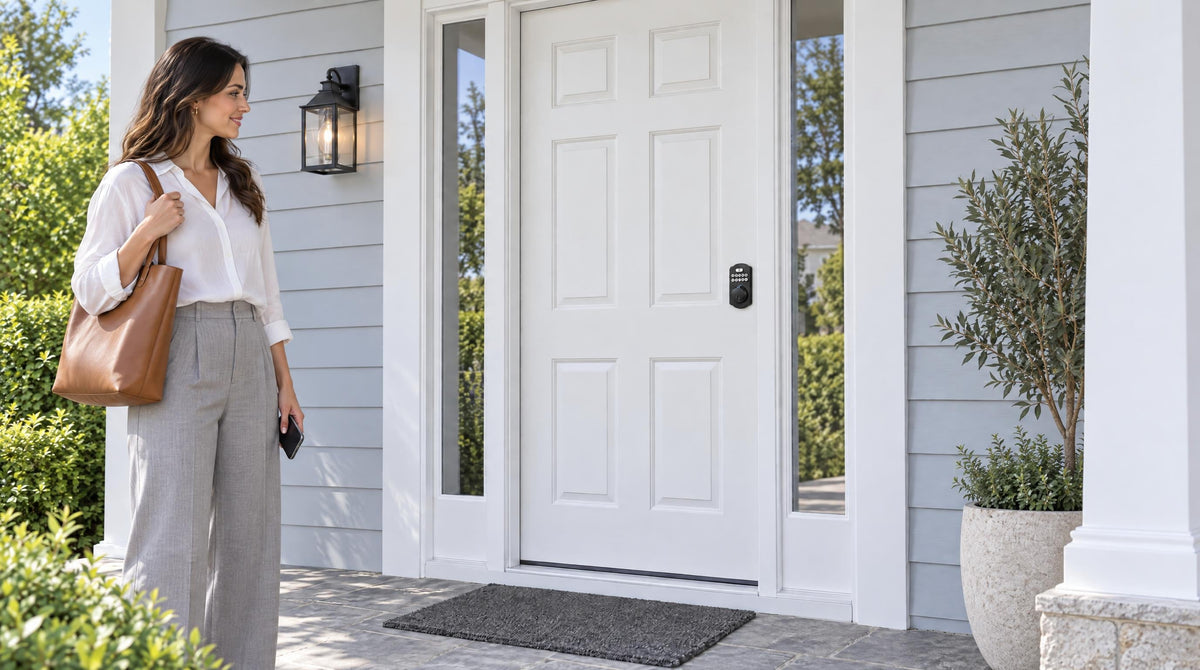
You punch in your code and nothing happens. Or the lock beeps, the light flashes, and the bolt just sits there. Whatever the symptom, a keypad lock not working is one of those problems that feels urgent the moment it happens — especially when you're standing at the front door with groceries in hand or trying to let someone in remotely.
The good news is that the vast majority of keypad lock problems have straightforward causes, and most of them can be resolved in under ten minutes without calling a locksmith. This guide walks you through every common symptom, explains what's actually happening, and gives you the specific steps to fix it — whether you have a standalone keypad deadbolt, a keypad latch lock, or a connected smart lock with app control. Start with the section that matches what you're seeing right now, and work through it from the top.
Read Your Lock's Signals First
Before diving into any fix, take five seconds to observe what the lock is actually doing. Most keypad locks communicate through LED indicator lights and beep patterns, and these signals narrow the problem down quickly. A keypad that lights up but won't accept a code is a different problem from one that's completely dark. A lock that beeps and flashes red after a correct code is a different problem from one that gives a green confirmation but the bolt still won't move. Throughout this guide, each section starts with the symptom to look for — match what you see to the right section, and you'll reach a fix faster.
Problem 1: Keypad Not Responding at All
What you see: No lights, no beeps, no reaction when you press any button.
A completely dead keypad almost always comes down to one of three things: dead batteries, corroded battery contacts, or — rarely — a loose internal connection. Start with the most common cause and work down the list.
- Replace the batteries with fresh alkaline cells — Even batteries that tested fine a month ago can lose enough charge to prevent the motor from completing a lock cycle. Install a full set of brand-new alkaline batteries, making sure each one is seated in the correct polarity direction.
- Inspect the battery contacts for corrosion — If you open the battery compartment and see a white or greenish powdery residue, that's the culprit. Battery corrosion interrupts the electrical connection even with new batteries installed. Use a dry cotton swab to brush away the loose residue, then apply a small amount of isopropyl alcohol and scrub gently until the metal contact is clean and bright. Let everything dry completely before installing fresh batteries.
- Check the keypad-to-lock connection — On most keypad locks, a short wire ribbon or cable connects the exterior keypad to the interior lock body. If this connection has worked loose, the keypad will be completely unresponsive. Remove the interior assembly and reseat the cable connection firmly, then reassemble and test.
- Clean the keypad surface — Dust, dirt, and moisture buildup can reduce keypad sensitivity over time. Wipe the keypad with a soft, dry cloth. Avoid water or chemical cleaners that could seep into the electronics.
If none of these steps restore the keypad, the circuit board inside the lock may be faulty. At that point, the most practical solution is to replace the lock rather than attempt internal repairs — which is often a good opportunity to upgrade to a more capable model.
Problem 2: Correct Code Not Working
What you see: The keypad lights up and registers button presses, but entering your code produces a red light or rejection beep.
When the keypad is responsive but rejecting a code you believe is correct, there are a few likely explanations. Codes can be accidentally overwritten, or a family member may have changed the master code without realizing it affects other stored codes. There's also a simple human factor: many people enter codes slightly too fast or pause too long between digits, causing the lock's input timer to reset mid-entry.
- Enter the code slowly and deliberately — Press each digit firmly and keep a steady pace between presses. If the lock has a timeout between key presses, entering too quickly or too slowly can cause a rejected entry.
- Try the master code — Your lock's master code is separate from user access codes and is usually set during initial installation. If the master code still works, a user code may have been accidentally changed. Use the master code to delete and re-add your access codes.
- Check whether the code was accidentally deleted — If someone reset or reprogrammed the lock, previously stored codes may have been erased. Re-enter your codes following your lock's programming procedure, and test them with the door held open before closing it.
- Use your physical key backup — Every Veise keypad deadbolt and keypad latch lock includes a physical key cylinder as a backup. If you need to get inside right now, use the key while you sort out the code issue.
Problem 3: Lock Beeps But the Bolt Won't Move
What you see: You enter the correct code, the lock gives a green confirmation or acknowledgment beep, but the deadbolt doesn't fully extend or retract — or the motor sounds like it's straining and then stops.
This is one of the most misdiagnosed keypad lock problems because the electronics are working correctly. The issue is almost always mechanical, not digital. The motor accepts the signal and tries to move the bolt, but something is physically blocking it.
- Test with the door open first — Open the door and try locking and unlocking manually using the interior thumbturn or keypad. If the bolt moves freely when the door is open but struggles when the door is closed, the problem is door alignment, not the lock itself. If the bolt is stiff even with the door open, the issue is inside the lock mechanism.
- Check for door and strike plate misalignment — Doors shift seasonally as wood expands and contracts with humidity and temperature changes. If the deadbolt's bolt is meeting resistance from a misaligned strike plate hole in the frame, the motor will stall. Look at the strike plate and compare the bolt position to the opening. Loosen the strike plate screws and shift the plate slightly up or down to align it with the bolt's path, then re-tighten.
- Tighten loose mounting screws — Over time, the screws holding the lock body to the door can work loose, causing the entire lock assembly to shift slightly and bind against the door. Tighten all mounting screws evenly — but do not overtighten, as this can pinch the bolt mechanism from the other direction.
- Replace batteries before anything else on a motorized lock — A motor nearing the end of its power supply will start and then stop partway through the throw. Even if the keypad seems to work fine, weak batteries may not have enough reserve power to complete the full bolt cycle under load.
If the bolt moves freely by hand with the door open but the motor still can't complete the cycle with fresh batteries and a properly aligned door, the motor or internal gear mechanism may be worn. This is typically the point where a lock replacement makes more sense than a repair.
Problem 4: Lock Is in Lockout Mode
What you see: The keypad displays a flashing light or a repeating error signal and refuses to accept any input, even codes you know are correct.
Most keypad locks include a security feature called lockout mode (sometimes called penalty lockout). After a set number of consecutive incorrect code attempts, the lock temporarily disables the keypad to prevent someone from cycling through code combinations. This is a feature working as intended, not a malfunction — but it can be alarming if it's triggered by a family member who entered the code a few times incorrectly.
- Wait out the lockout timer — Veise locks automatically pause for 3 minutes after 10 wrong attempts. Don't keep pressing buttons during this time. Wait for the pause to end, then try again carefully.
- Use your physical key to access the home — While the keypad is locked out, the physical key cylinder on your lock continues to work normally. Use it to enter, and then resolve the code issue from the inside.
- Reset or re-enter codes from the interior — From inside the home, follow your lock's programming procedure to confirm or reset your access codes. Always test each code with the door open before closing it.
- Avoid sharing codes carelessly — Lockout mode is often triggered by codes that have changed without all users being notified, or by someone entering a code they memorized incorrectly. After resolving a lockout, take a moment to confirm that everyone with access has the correct current code.
Problem 5: Auto Lock Not Behaving as Expected
What you see: The lock either fails to auto lock at all, locks immediately after you enter (before you're through the door), or takes far longer than expected to engage.
Auto lock is a standard feature across the full Veise lineup, and it's one of the most practical things about a keypad lock — but the default interval may not match your household's rhythm. On Veise keypad deadbolts and keypad latch locks, the auto lock interval is configurable between 10 and 99 seconds. On connected models (Wi-Fi smart locks and Smart Locks w/ Gateway 1/2), the range extends from 10 to 180 seconds, giving you more flexibility for households that need more time to get through the door.
- Check whether auto lock is enabled — In some configurations or after a reset, auto lock may be disabled by default. Consult your lock's user manual to confirm the auto lock setting is turned on.
- Adjust the interval to match your household — A 10-second interval works well for quick, single-person entry. For families with kids, people carrying groceries, or anyone who needs more time, a 60–180 second interval (on connected models) is far more practical. Set it once and you won't think about it again.
- Confirm the door closes fully before the lock engages — Auto lock will attempt to throw the bolt on its timer regardless of whether the door is fully shut. If the door is still ajar when the bolt tries to extend, it may meet resistance and stop. Make sure the door closes completely and latches before the auto lock timer runs.
Problem 6: App or Remote Access Not Working (Smart Locks)
What you see: Your Wi-Fi smart lock or Smart Lock w/ G1 / Smart Lock w/ G2 shows as offline in the app, or remote lock and unlock commands aren't going through.
It's important to understand what remote access actually requires: it needs a smart lock — gateway-paired or Wi-Fi — connected to active Internet. A Keypad Deadbolt or Keypad Latch lock cannot receive remote commands regardless of what gateway equipment is nearby. If your smart lock is showing offline or not responding remotely, the issue is almost always connectivity-related, not a lock hardware fault.
- Check your Internet connection — Confirm your home Wi-Fi router is online and functioning. If other devices in your home have lost Internet access too, the issue is with your network or ISP, not the lock.
- Reboot the lock and the gateway or router — Power cycling resolves a surprising number of temporary connection issues. For a Wi-Fi smart lock, restart your Wi-Fi router and confirm the lock is within range of a strong 2.4 GHz signal (Veise smart locks support 2.4 GHz Wi-Fi only, not 5 GHz). For Smart Lock w/ Gateway 1/2, unplug the gateway for about 10 seconds, plug it back in, and confirm the lock is within range. Give both devices a minute to reconnect before testing.
- Check gateway placement — For Smart Lock w/ G1 or G2, the paired gateway must be within reliable wireless range of the lock. Thick walls or large metal appliances between the gateway and the lock can weaken the connection. Moving the gateway closer to the lock — or even just to the same room — often resolves intermittent disconnections.
- Understand the offline fallback — If your Wi-Fi goes down, your smart lock doesn't become a paperweight. Keypad entry, fingerprint access, the physical key backup, and key fob (on Smart Lock w/ Gateway 1/2 and the VE027 series) all continue to work locally. Even when Wi-Fi is down, app control continues to work locally as long as you're within short-range wireless distance of the lock — only long-distance remote features require active Internet.
- Re-pair the lock in the app — If the lock has been offline for an extended period or batteries were fully depleted, it may need to be re-paired in the app. Remove the lock from the app, restart both the lock and your phone, then re-add the device following the in-app pairing steps.
When to Reset Your Keypad Lock
A factory reset should be treated as a last resort — not a first step — because it erases all stored user codes, custom settings, and, on connected models, removes the lock from your app account. That said, a reset is the right move in a few specific situations: if you've forgotten all stored codes and the physical key isn't accessible, if the lock is behaving erratically after a firmware issue or power interruption, or if you've purchased a used lock and need to clear previous owner codes.
The reset process varies by model, but the general approach is consistent. Follow the included guide for your model to reset the lock and reprogram it from scratch. For intermittent glitches, try a firmware or app update before resetting. If your lock is connected to a mobile app, unlink it from the app first before pressing the reset button — this keeps your account clean and avoids pairing errors when you re-add the lock. After any reset, always test each new code with the door held open before closing it.
How to Prevent Future Keypad Lock Problems
Most keypad lock problems are preventable with a small amount of routine attention. None of these steps require special tools or technical knowledge — just the kind of occasional check-in that keeps any piece of home hardware running well.
- Replace batteries proactively. Don't wait for a low-battery warning to replace your batteries — by the time the warning sounds, the motor may already be struggling to complete a full bolt cycle. Schedule a battery swap at the start and end of daylight saving time as a simple annual habit. Use name-brand AA/LR6 alkaline batteries (Veise locks don't ship with batteries) and avoid mixing old and new cells or different brands, which can accelerate drain and increase leak risk.
- Clean the keypad regularly. Wipe the keypad surface with a soft, dry cloth every few weeks — especially for locks exposed to outdoor conditions. Fingerprint oils, dust, and moisture build up over time and can reduce button sensitivity. Avoid chemical cleaners or excessive moisture near the keypad edges.
- Keep the door aligned. A door that requires an extra push to close fully puts mechanical stress on the lock motor every time auto lock engages. If the door starts to need an extra push, check the hinge screws and tighten any that have worked loose. If the door has shifted noticeably, readjust the strike plate before it causes a motor fault.
- Keep all users informed of code changes. Lockout mode is most often triggered by users entering an outdated or misremembered code. Any time a code is changed, notify everyone with access before the change takes effect.
- Always keep your physical key accessible. Even the most reliable electronic lock can encounter a low-battery moment or a temporary firmware glitch. A physical key stored in a secure location — not on the door itself — gives you a reliable fallback that doesn't depend on electronics, connectivity, or a charged phone.
Choosing the Right Keypad Lock for Your Home
Sometimes, troubleshooting reveals that the right solution is a fresh start with a better-suited lock. If your current lock is aging, repeatedly problematic, or simply doesn't match how your household actually uses the door, replacing it is often quicker and more cost-effective than ongoing repairs. Veise — built on Kaadas Group's 38 years of lock industry expertise and 711 patents, the world's largest smart lock patent portfolio — offers a range of keypad and smart lock options designed to make that upgrade straightforward.
Understanding which lock type fits your situation makes the decision simple:
- Keypad Deadbolt — Exterior doors typically call for a deadbolt. Veise keypad deadbolts support a keypad code and physical key on every model, with fingerprint access on the KS02 series. These locks are entirely offline by design — no Wi-Fi, no gateway, no subscription required. Just install with a screwdriver in about 15 minutes and you're done.
- Keypad Latch Lock — A common fit for interior doors, side entries, garage access doors, or any door where you need code-based convenience without the bulk of a full deadbolt. The KS03 features an integrated top knob; the KS04 has an integrated top lever — both support keypad code and physical key backup.
- Smart Lock w/ G1 — The entire G1 line is built on a single product series with a consistent, all-in-one feature set: keypad code, fingerprint, key fob, physical key, remote app control via the paired gateway, USB-C emergency power port, and multilingual voice prompts in English, Spanish, and French. It pairs with the Veise-developed first-party app and is the most reliable all-in-one connected pick in the lineup. For families who want to monitor entry history or let someone in remotely, this is the upgrade that makes everyday life noticeably simpler — the Effortless Home Entry™ experience in the most literal sense.
- Smart Lock w/ G2 — Offers a wider range of SKU configurations (with or without fingerprint, standalone or handle-set bundle), plus two features exclusive to this line: Apple Watch unlock and web portal control. If those specific capabilities matter to your household, this is the line to explore.
- Wi-Fi Smart Lock — The most connected option in the Veise lineup. No gateway needed — the lock connects directly to your home Wi-Fi and supports Alexa and Google Assistant voice control out of the box. Choose the Touchscreen Wi-Fi Smart Lock (VE027 Series) for a touchscreen interface with a USB-C emergency power port, key fob support, and on-device voice prompts in English, Spanish, and French, or the Push-Button Wi-Fi Smart Lock (VE012W Series) for a traditional press-button keypad without those four extras. Both support 8 AA batteries for stronger, more stable wireless performance. For families with kids, the Wi-Fi smart lock's remote access and entry history monitoring mean you always know who came home and when.
All Veise locks install with just a screwdriver — no wiring, no professional help, typically in about 15 minutes. They're compatible with wood doors with a standard thickness of 1-3/8" to 2", and every model requires a full lock replacement (not an overlay), so they're best suited for homeowners or property managers with the authority to modify door hardware. Pricing ranges from approximately $30 to $180 depending on the model, making them an affordable to mid-range option relative to the features offered.
Easy from Day One.
Conclusion
A keypad lock not working is almost always a solvable problem — and usually a quick one once you know where to look. Start by matching your symptom to the right section: a dead keypad points to batteries or contacts; a rejected code points to programming; a bolt that won't move points to alignment or power; lockout mode points to too many wrong attempts. Work through each fix methodically, use your physical key backup to maintain access in the meantime, and keep a note of your codes and master code in a secure location so you're never caught without a way in.
If your troubleshooting reveals that your lock is aging, undersized for your household's needs, or simply missing features that would make life easier, that's a natural moment to explore an upgrade. Veise's full lineup spans simple offline keypad locks to fully connected Wi-Fi smart locks — all designed to install in about 15 minutes with a screwdriver and work reliably from day one.
Frequently Asked Questions
Why is my keypad lock not responding to any button presses?
A completely unresponsive keypad is almost always a power issue. Replace the batteries with fresh alkaline cells first, then open the battery compartment and inspect the contacts for white or greenish corrosion. Clean any corrosion with a cotton swab and isopropyl alcohol, let the contacts dry fully, and install new batteries. If the keypad remains dark after that, check whether the connector cable between the exterior keypad and interior lock body has worked loose.
Why does my keypad lock beep but the bolt won't extend?
This typically means the electronics are working but something is physically blocking the bolt. Open the door and test the bolt manually — if it moves freely with the door open but struggles when closed, the issue is door or strike plate misalignment, not the lock itself. Check the strike plate position, tighten any loose mounting screws, and replace the batteries before assuming the motor has failed. A motor under load needs more power than a keypad does, so weak batteries can pass the keypad test but fail during the bolt throw.
Can a keypad lock work without Internet or Wi-Fi?
Yes — and for most Veise keypad locks, Wi-Fi is never involved at all. Keypad deadbolts and keypad latch locks are fully offline by design and require no network connection to function. For Wi-Fi smart locks and Smart Lock w/ Gateway 1/2, keypad entry, fingerprint access, the physical key, and key fob (where supported) continue to work locally without any Internet connection. Only long-distance remote features (locking from across town, receiving off-site alerts) require active Internet.
How often should I replace the batteries in my keypad lock?
You don't need to wait for a low-battery warning before replacing the batteries. Always use fresh, name-brand AA/LR6 alkaline batteries, and replace the full set at once rather than mixing old and new cells or different brands. Depending on the model, the lock may alert you to low battery with a beep, voice prompt, or indicator light. For connected smart locks, the app may also send a low-battery notification in advance. Veise Wi-Fi smart locks use 8 AA batteries for more consistent power and performance.
Do I need a locksmith to fix a keypad lock?
For the problems covered in this guide — dead batteries, corroded contacts, lockout mode, door misalignment, code issues — you do not need a locksmith. These are all DIY-friendly fixes. A locksmith is worth calling if the internal mechanism appears physically damaged, if the circuit board is faulty after all basic troubleshooting has been exhausted, or if you've lost all access codes and don't have a physical key. In many of those cases, replacing the lock outright is more cost-effective than a repair call.
What's the difference between a keypad lock and a smart lock?
A keypad lock lets you enter your home using a code (and a physical key as backup) without any Internet connection or app. A smart lock adds remote access via a mobile app, entry history logging, voice control compatibility, and additional unlock methods like key fob and app control. For homeowners who want simplicity with no ongoing tech requirements, a standalone keypad deadbolt is an excellent choice. For households that want to check who came home or let someone in from anywhere, a Wi-Fi smart lock or a Smart Lock w/ G1 offers that layer of connectivity.
Still Having Trouble? We're Here to Help.
If you've worked through this guide and your keypad lock is still not working as expected, our team is ready to help you diagnose the issue or find the right replacement. Reach out directly — no bots, no runaround.
Contact Veise SupportOr browse the full Veise lock lineup to find the right fit for your door: Keypad Deadbolts | Keypad Latch Locks | Wi-Fi Smart Locks | Smart Locks w/ G1 | Smart Locks w/ G2

Leave a comment
This site is protected by hCaptcha and the hCaptcha Privacy Policy and Terms of Service apply.