
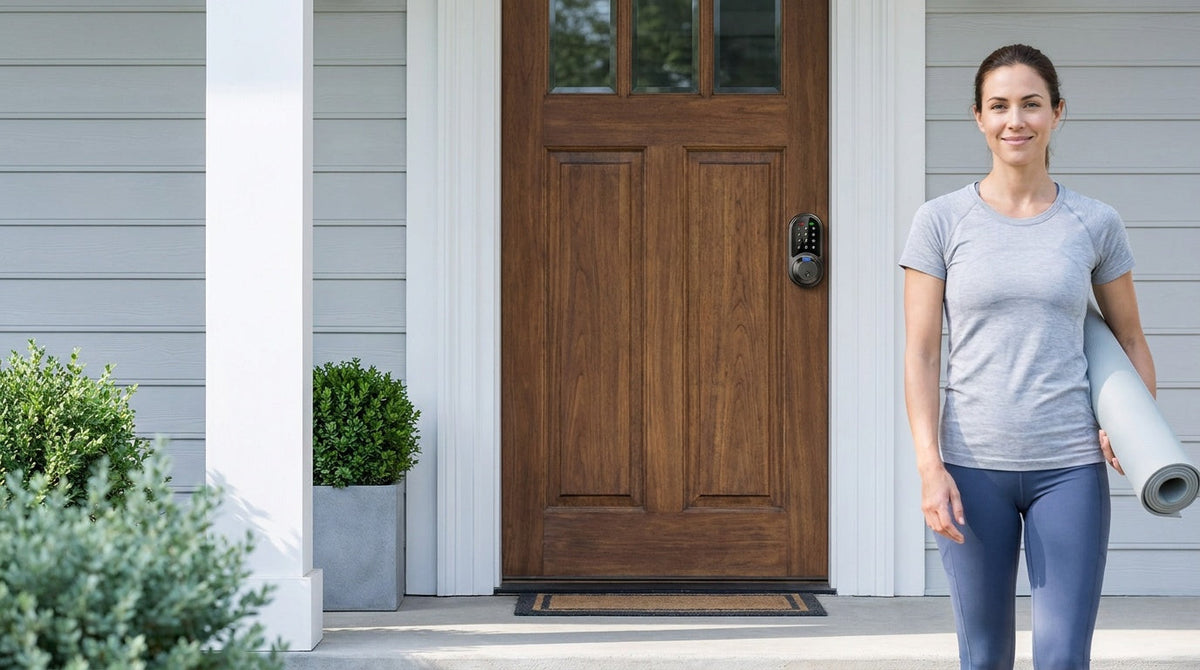
You've probably seen a smart lock on a neighbor's door or in a hotel hallway and wondered: what's actually going on inside that thing? It looks like a regular deadbolt with a keypad bolted on — but there's a lot more happening under the surface. A smart lock takes the physical key out of daily entry and puts something digital in its place: a code you type, a fingerprint you press, an app command, or even a voice command. The mechanical job of moving a bolt in or out of a doorframe stays the same. What changes is everything that controls it.
This guide breaks down exactly how smart locks work — from the small motor inside the lock body to the wireless signals that travel between your phone and your front door. We'll also explain the real differences between the four main types of smart locks so you can understand what level of technology you actually need for your home. No jargon, no sales pitch — just a plain-English explanation that helps you feel confident in whatever you decide.
What Is a Smart Lock, Really?
A smart lock is an electromechanical lock that performs the same fundamental job as a traditional deadbolt — it extends and retracts a steel bolt to secure a doorframe — but for daily entry it uses one or more digital credentials instead of the metal key. Those credentials could be a PIN code, a fingerprint, a signal from a mobile app, or a voice command routed through a smart home assistant. The physical security of the bolt itself doesn't change. What changes is the intelligence layer that decides when to move it.
That distinction matters because it means a smart lock is not simply "a lock with an app." At the entry level, a smart lock might be nothing more than a keypad deadbolt with no wireless connectivity at all — it just stores access codes instead of requiring a physical key. At the other end of the spectrum, a Wi-Fi smart lock can send you an instant notification when your kids get home from school, let you remotely lock up from a different city, and respond to a voice command when your hands are full of groceries. The technology exists on a spectrum, and the right level depends entirely on what problem you're trying to solve.
What's Actually Happening Inside the Lock
Pop the cover off any smart lock and you'll find a handful of components working together. The most important is a small motor — sometimes called an actuator — that physically moves the deadbolt or latch. In a traditional lock, your hand (through the key or thumb turn) does that work. In a smart lock, the motor does it instead, triggered by an electronic signal from the lock's internal control board.
The control board is the brain of the whole assembly. It houses a microcontroller, memory for storing access codes and fingerprint templates, and firmware that interprets whatever input it receives — whether that's a PIN entered on the keypad, a fingerprint scan, or a wireless command from a paired device. When the control board confirms a valid credential, it sends a signal to the motor, which unlocks the door.
Beyond the motor and control board, a smart lock also contains:
- A keypad or touchscreen — the interface where you enter your PIN
- A biometric sensor (on select Veise models) — reads and verifies a fingerprint in under 0.3 seconds
- A wireless radio module (on connected models) — handles communication with a gateway, Wi-Fi network, or paired device
- A battery compartment — powers all of the above without any wiring
- A physical key cylinder — a mechanical backup on every model so you're never locked out
All of this fits into a form factor that mounts to a standard door just like a conventional lock. No wiring, no wall modifications, no electrician required.
The Four Types of Smart Locks (and How Each One Works)
Not all smart locks work the same way. The technology inside — and what it can do — varies significantly by category. Here's how each type operates in practice.
1. Keypad Deadbolt Locks
A keypad deadbolt lock is the most straightforward type. You press a code on the keypad, the control board checks it against the stored codes in its memory, and if there's a match, the motor retracts the bolt. There's no app, no Internet connection, no gateway — it works entirely offline. That simplicity is a genuine strength: the lock functions perfectly during a power outage, a Wi-Fi disruption, or any other connectivity issue. You can store multiple unique codes for different family members, set codes to expire, and enable auto lock so the lock re-engages 10 to 99 seconds after it was unlocked (the timer runs regardless of whether the door is open, so close it before the interval elapses). Select Veise models in this category — every SKU in the KS02 series — also include a fingerprint sensor for households that prefer touch-based entry. All models include a physical key as a backup.
2. Keypad Latch Locks
A keypad latch lock uses the same code-based logic as a keypad deadbolt but operates a spring latch mechanism instead of a full deadbolt throw. These are commonly a fit for interior doors, side entries, office doors, and similar applications — or on an entry door that already has a separate deadbolt providing primary security. The latch handles the daily in-and-out without requiring a key, while the deadbolt handles the heavy security lift. Like keypad deadbolts, latch locks work completely offline. The current Veise latch lock lineup uses keypad code and physical key only — no fingerprint, no app, no key fob — keeping the design focused and the setup simple.
3. Smart Locks with a Gateway (G1 or G2)
This is where smart locks start becoming genuinely connected. A Smart Lock w/ G1 or Smart Lock w/ G2 pairs with a small gateway device you plug into your home router. The lock itself communicates wirelessly with the gateway; the gateway then connects to the Internet and relays commands and data to your mobile app. This bridge arrangement means the lock hardware doesn't need to manage a Wi-Fi connection directly, so the lock itself doesn't run a Wi-Fi radio.
In practical terms, a gateway-paired smart lock lets you lock and unlock your door remotely, check an entry history log from anywhere, and receive alerts when someone comes or goes. All of this runs through the app on your phone. Multiple unlock methods are available across this category: keypad code, remote app control via the paired gateway, voice assistant commands (routed through the gateway), a key fob, and a physical key — plus fingerprint on many models. Even when your home Wi-Fi goes down, app control continues to work locally as long as you're within short-range wireless distance of the lock. Long-distance remote features like off-site locking and push alerts do require active Internet, but local access is never interrupted by a router issue.
Veise offers two gateway generations. Smart Lock w/ G1 is built on a single product series — the VE017 — and every model includes fingerprint, multilingual voice prompts (English, Spanish, and French), and a USB-C emergency power port. Smart Lock w/ G1 also pairs with a first-party, Veise-developed app, which means tighter integration and direct support. Smart Lock w/ G2 offers a broader range of SKU options including non-fingerprint and handle-set bundle configurations, and is the only Veise line that supports Apple Watch unlock. Smart Lock w/ G2 ships with English voice prompts. If your household includes French or Spanish speakers, or if you want the most self-contained, all-in-one connected package, G1 line is the stronger pick.
4. Wi-Fi Smart Locks
A Wi-Fi smart lock skips the gateway entirely by building the Wi-Fi radio directly into the lock. It connects straight to your home network and communicates with the app without any bridge device in between. Setup is slightly simpler — one device to install instead of two — and remote access works the same way. Wi-Fi smart locks also support voice control directly through Alexa or Google Assistant, without needing a gateway in the chain.
Veise's Wi-Fi smart lock lineup comes in two series: the Touchscreen Wi-Fi Smart Lock (VE027 Series) with a touchscreen interface, USB-C emergency power, key fob support, and on-device voice prompts in English, Spanish, and French, and the Push-Button Wi-Fi Smart Lock (VE012W Series) with a traditional press-button keypad and none of those four extras. Both series share built-in Wi-Fi, fingerprint, app control, Alexa and Google Assistant support, and an 8 AA battery design that delivers stronger signal and a more stable connection than the standard 4 AA setups common in the category. If you're a parent who wants to check entry history remotely, receive door activity alerts, or let in a service provider while you're at work, a Wi-Fi smart lock or gateway-paired smart lock is the right category to shop.
Unlock Methods Explained
One of the things people find confusing about smart locks is that the number and type of unlock methods varies significantly by lock category — and even by individual model within a category. Rather than a single count that applies to every lock, it's more useful to think about which methods each category supports.
PIN Code / Keypad Entry
Every smart lock in every category supports a PIN code entered on the keypad. It's the universal baseline. You set codes for each household member individually, so you can delete one person's code without affecting anyone else's. Every Veise lock also supports one-time codes, which delete themselves after a single use — useful for housekeepers, contractors, or anyone managing a short-term rental. Codes scheduled to specific hours or date ranges are a connected-lock feature, available on gateway-paired and Wi-Fi models.
Fingerprint (Biometric) Entry
Fingerprint availability splits by category: select keypad deadbolts (every SKU in the KS02 series), every Smart Lock w/ G1, many Smart Lock w/ G2 models, and every Wi-Fi smart lock. Keypad latch locks do not offer it. During setup, the lock captures your finger multiple times — eight times, to be exact — to build a reliable template that accounts for different angles and pressure. Once enrolled, a valid fingerprint unlocks the door in under 0.3 seconds. Fingerprint data is processed and stored on the lock itself, not sent to the cloud — which is both a privacy benefit and a reliability one (it works even with no Internet). A single lock can store fingerprints for multiple household members, enough for a family of any size.
Mobile App Control
Remote app control is available on gateway-paired smart locks and Wi-Fi smart locks only. A keypad-only lock — whether a deadbolt or latch — operates offline and does not support app control. On connected locks, the app lets you lock and unlock from anywhere with an active Internet connection, review a timestamped entry history, assign and delete access codes, and set up notifications for door activity. No subscription is required — all app features are included at no ongoing cost.
Key Fob
Key fobs are included with all gateway-paired smart lock models (Smart Lock w/ G1 and w/ G2). On the Wi-Fi side it splits by series: the VE027 series supports key fob on all models, and the VE012W series does not support it at all. A fob provides tap-to-unlock convenience without needing to enter a code — handy for elderly family members, young children, or anyone who finds keypad entry cumbersome in the moment.
Physical Key Backup
Every Veise smart lock across every category includes a physical key cylinder as a backup. If your battery runs low, your phone dies, or you simply forget your code, the key gets you in. It's a straightforward safety net that costs nothing extra and prevents any scenario where technology becomes an obstacle rather than a help.
Remote Access: How the Lock Talks to Your Phone
Remote access requires a smart lock — either a gateway-paired model or a Wi-Fi model. A keypad lock alone, even a high-quality one, cannot be paired with a gateway after the fact — the lock hardware has to be designed for connectivity from the start. This is worth understanding before you buy, because it's the single biggest decision point in the smart lock category.
On a gateway-paired lock, the communication chain works like this: you send a command from the app on your phone, that command travels over the Internet to your home gateway, the gateway relays it wirelessly to the lock, the lock's control board verifies the command, and the motor acts. On a Wi-Fi smart lock, the chain is shorter because the lock connects to your home network directly — there's no intermediate device to route through.
Both types send timestamped entry alerts to your phone, letting you see who unlocked the door, when, and which method they used. For families with school-age kids, this is one of the most practical benefits: you know the moment your child gets home, without any phone call needed.
How Smart Locks Stay Secure
A common concern when people first look at smart locks is whether adding wireless technology to a door lock creates a new security vulnerability. The short answer is: not meaningfully, when the lock comes from a manufacturer that controls its own hardware and actively maintains its firmware. The practical risk of a home being compromised through a smart lock's wireless signal is far lower than the risk of a key being copied or lost.
On the digital side, reputable smart locks encrypt all wireless communication using AES encryption standards, which makes intercepted signals effectively unreadable. Fingerprint templates are processed and stored locally on the lock rather than on a remote server, so there's no cloud database of biometric data to be breached. On the physical side, ANSI/BHMA Grade 3 certification — the residential standard — confirms that a lock is built to withstand the forces and tampering attempts typical of home entry. Veise locks meet this standard. Auto lock ensures that even if someone forgets to lock up manually, the door secures itself automatically.
The most reliable security layer, though, is manufacturer accountability. Veise's parent company, Kaadas Group, brings 38 years of lock industry expertise and holds 711 patents — the world's largest smart lock patent portfolio. With 400+ global R&D professionals and four worldwide R&D centers, Veise designs and manufactures its own hardware rather than reselling another company's OEM product. That vertical integration means firmware updates, hardware improvements, and customer support all come from the same source that built the lock — not a middleman. Easy from Day One.
What About Batteries and Power?
Smart locks run on batteries — no wiring required, which is one of the reasons they're straightforward to install. Most locks alert you when battery levels drop low, giving you plenty of time to swap them out before any disruption. If the battery does fully drain, the lock stays in its last state and can be opened with a physical key. On the VE017 and VE027 series, a USB-C emergency power port is standard and lets you hold a standard power bank to the lock exterior to power it long enough to enter a code — even before replacing the batteries.
Veise's Wi-Fi smart locks use 8 AA batteries rather than the 4 AA setup common in the category. More cells mean a stronger, more stable wireless signal and a larger power reserve to draw from over time. The benefit is qualitative rather than a fixed number — real-world usage varies by door traffic, temperature, and connection frequency — but the engineering choice reflects a deliberate decision to prioritize reliability over compactness.
Installation: Easier Than You'd Think
A full Veise smart lock installation typically takes about 15 minutes with a screwdriver — no wiring, no locksmith, and no special tools. Veise locks are full replacements for your existing deadbolt or handle set, which means the old hardware comes out and the new lock goes in using the same door prep. The process is designed to fit standard wood doors with a thickness between 1-3/8" and 2". This is the Effortless Home Improvement™ Experience in practice: a meaningful upgrade to your home's entry that doesn't require a weekend project or a contractor visit.
Because a Veise lock is a full lock replacement rather than an overlay that sits on top of an existing deadbolt, the buyer needs to be the property owner or someone with authority to modify door hardware. For homeowners, that's a non-issue. For landlords and property managers, the approach makes sense for a short-term rental or vacation property where you want a clean, purpose-built setup rather than a layered-on solution. One important compatibility note: Veise locks are designed for wood doors only and are not compatible with fiberglass, metal, storm, or sliding doors.
Finding the Right Smart Lock for Your Home
With four distinct categories of smart lock available, the right choice comes down to what you actually need your lock to do. Here's a straightforward way to think about it:
- You want simple, reliable keyless entry with no app or connectivity: A Keypad Deadbolt Lock or Keypad Latch Lock does the job cleanly. Offline, durable, affordable within the $30–$180 lineup, and no subscription fees.
- You want remote access, entry history, and app control: You need a connected smart lock. A Smart Lock w/ G1 or Smart Lock w/ G2 gets you there with a gateway; a Wi-Fi Smart Lock gets you there without needing a separate bridge device.
- You want multilingual voice prompts or the most integrated all-in-one package: Smart Lock w/ G1 is the pick — it includes fingerprint, English/Spanish/French voice prompts, and pairs with a Veise-developed first-party app across every model in the lineup.
- You want Apple Watch unlock or maximum SKU variety: The Smart Lock w/ G2 covers both.
- You want the simplest remote setup with no gateway at all: The Wi-Fi Smart Lock — in either Touchscreen (VE027 Series) or Push-Button (VE012W Series) — connects directly to your home network out of the box.
Veise's full lineup spans $30–$180, positioning it as an affordable to mid-range option backed by serious engineering credentials: recognized by Frost & Sullivan as the global No.1 high-end smart lock brand by sales, with 10M+ smart locks sold across 41+ countries. Browse the full product lineup to compare models side by side.
A smart lock is, at its core, a very reliable piece of mechanical engineering with a control board, a motor, and a wireless radio layered on top. The bolt still moves in and out of the doorframe the same way it always has — what's changed is the intelligence behind what triggers that movement. Whether you want something as simple as a keypad code for your front door or a fully connected system that sends you a notification every time someone comes home, there's a category of smart lock that fits that need exactly.
The key to choosing well is understanding which type of lock matches what you actually want to do with it. Keypad locks are offline workhorses. Gateway-paired and Wi-Fi smart locks open up remote access, entry history, and smart home integration. And with Veise's backing from Kaadas Group's 38 years of lock industry expertise, 711 patents, and vertically integrated manufacturing, you're getting hardware that was designed and built by the same team — not assembled from third-party parts. Explore the full Veise lineup to find the lock that fits your door, your family, and your life.
Frequently Asked Questions
How does a smart lock work without a key?
A smart lock performs the key's mechanical function from a digital credential — a PIN code, fingerprint, app command, or voice instruction. When the lock's control board receives and verifies a valid credential, it triggers an internal motor that operates the lock to unlock the door, similar to turning a key. A physical key cylinder is included on every Veise model as a backup, but daily entry doesn't require one.
Do smart locks work if the Wi-Fi goes out?
Keypad Deadbolt and Keypad Latch Lock work entirely offline and are unaffected by Wi-Fi outages. For gateway-paired and Wi-Fi smart locks, keypad entry, fingerprint entry, key fob, and physical key all continue to work during an Internet outage. App control also continues to work locally even when Wi-Fi is down, as long as you're within short-range wireless distance of the lock. Only long-distance remote features — like locking from across town or receiving push alerts — require active Internet.
Can smart locks be hacked?
The risk is real but much lower than many people assume. Reputable smart locks encrypt all wireless communication using AES encryption, which renders intercepted signals unreadable. Physical security certifications like ANSI/BHMA Grade 3 confirm resistance to forced entry. Fingerprint data on Veise locks is stored on the device itself — not on a cloud server — so there's no remote database of biometric information to be compromised. Keeping firmware current is the most important ongoing maintenance step for digital security.
What happens when the battery dies?
The lock stays in its last position — locked or unlocked — when the battery dies. Most smart locks send a low-battery alert before that happens, giving you time to replace the cells. If you're caught off guard, a physical key opens the lock regardless of battery level. On the VE017 and VE027 series, a USB-C emergency power port lets you use a standard power bank to temporarily power the lock and enter a code, even before swapping the batteries.
Do smart locks work with Alexa or Google Assistant?
It depends on the lock type. Veise Wi-Fi smart locks support voice commands directly through their built-in Wi-Fi — just say "Alexa, lock the front door" and the lock responds without any additional hardware. Smart Locks w/ Gateway 1/2 also work with Alexa and Google Assistant, but voice control in that case routes through the paired gateway, so the gateway needs to be in place and connected for voice commands to reach the lock.
How long does it take to install a smart lock?
A typical Veise smart lock installation takes about 15 minutes with a screwdriver. No wiring, no locksmith, and no special tools needed. The lock replaces your existing deadbolt or handle set using the same standard door prep, and fits wood doors with a thickness of 1-3/8" to 2".
Is there a monthly fee to use a smart lock?
No. Veise smart locks require no subscription. All app features — including entry history, access code management, remote locking, and push notifications — are included at no ongoing cost from the day you install the lock.
What doors are Veise smart locks compatible with?
Veise smart locks are designed for wood doors only, with a standard door thickness of 1-3/8" to 2". They are not compatible with fiberglass, metal, storm, or sliding doors. Because Veise locks are full replacements for existing door hardware, the installer should be the property owner or someone with authority to modify the door hardware.
Still Have Questions? We're Here to Help.
Not sure which Veise smart lock is the right fit for your door and lifestyle? Our team is happy to point you in the right direction — no pressure, no jargon.
Contact Us


Leave a comment
This site is protected by hCaptcha and the hCaptcha Privacy Policy and Terms of Service apply.