
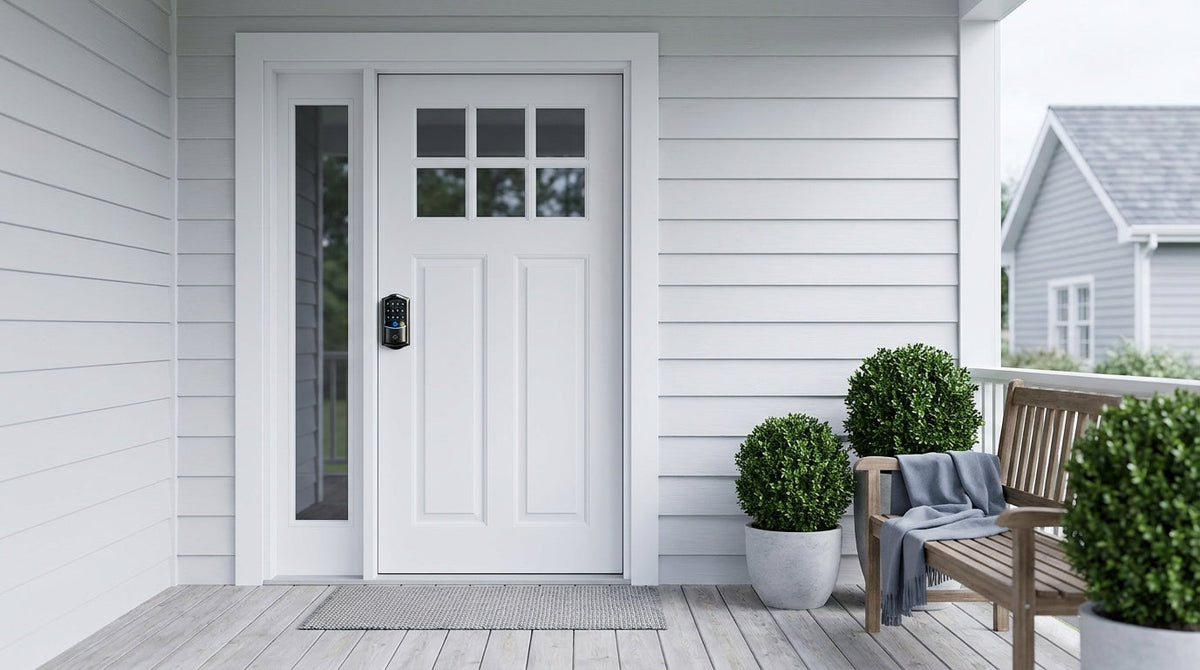
Most homeowners spend more time picking a paint color than understanding what's actually inside their door lock — and that's a problem. The lock standing between your family and the outside world is a precise assembly of mechanical and, increasingly, electronic parts. When even one component is undersized, misaligned, or simply the wrong type for your door, the whole system underperforms.
This guide breaks down every door lock part you need to know, starting with the classic deadbolt anatomy and then going deeper into the unique electronic components inside a modern keypad lock. Whether you're replacing a worn-out lock, upgrading to a keypad deadbolt, or just trying to speak the language before calling a contractor, you'll walk away from this article knowing exactly what's in your door and why it matters. Let's open it up.
Why Knowing Your Lock Parts Matters
Lock hardware looks deceptively simple from the outside. You see a keyhole, a knob, maybe a keypad — and that's about it. But inside the door, a carefully coordinated set of mechanical components (and, in smart locks, electronic ones) work together every single time you lock or unlock. Understanding each part helps you diagnose problems, compare products fairly, and avoid the frustrating experience of buying a lock that doesn't fit your door prep or match your household's needs.
There's also a practical financial angle. Locks range from basic mechanical deadbolts to full-featured Wi-Fi smart locks, and a big part of that price difference comes down to the components inside. Knowing what you're paying for — a motor, a PCB controller, a fingerprint sensor — turns a confusing spec sheet into a clear value comparison. Knowledge of lock anatomy is, in short, the foundation of every good lock-buying decision.
Anatomy of a Deadbolt Lock: Every Part Explained
A deadbolt is the gold standard for residential door security, and for good reason. Unlike a spring latch (the angled bolt in most door knobs), a deadbolt is a solid metal bar that must be manually driven in or out — it cannot be pushed back with a credit card or a tool slipped through the door gap. To understand why deadbolts are so effective, you need to understand what's actually inside one.
The Bolt
The bolt — also called the deadbolt itself — is the thick, solid metal rod that extends from the door into the door frame when the lock is engaged. It's the most fundamental part of the entire assembly. On a quality deadbolt, the bolt extends at least one inch into the frame, which is what makes it so resistant to forced entry. A spring latch retracts with pressure; a deadbolt does not. That mechanical stubbornness is the whole point.
The Cylinder
The cylinder is the heart of a traditional deadbolt. It's the barrel-shaped housing on the exterior face of the lock where you insert your key. Inside the cylinder sit a set of spring-loaded driver pins and key pins. When the wrong key (or no key) is inserted, the pins block the cylinder from rotating. When the correct key is inserted, its unique cut pattern lifts each pin stack to precisely the right height — a position called the shear line — which frees the cylinder to rotate. That rotation drives a cam, which in turn pushes the bolt in or out. The quality of a cylinder's pins, tolerances, and anti-pick features is one of the clearest indicators of a lock's overall security grade.
The Thumbturn
On the interior side of a single-cylinder deadbolt, you'll find the thumbturn — a small knob or lever that lets you lock and unlock the door from inside without a key. It connects directly to the bolt mechanism, rotating the same cam that the exterior cylinder drives. The thumbturn is especially important for quick exit in an emergency. On a double-cylinder deadbolt, the thumbturn is replaced by a second keyed cylinder on the interior side, which adds security (particularly on doors with glass panels nearby) but also means you need a key to exit — a consideration worth taking seriously for household safety. Veise's lineup is single cylinder throughout: keyed on the outside, thumbturn on the inside, on every mechanical, keypad, and smart lock in the range.
The Faceplate
The faceplate is the narrow metal plate that sits flush against the edge of the door, surrounding the opening where the bolt extends. Its job is both structural and functional: it holds the latch assembly in position, prevents the bolt housing from pulling through the door edge under force, and guides the bolt cleanly in and out. A faceplate that isn't properly mortised (recessed) into the door edge will create a slight gap at the door edge, which can prevent a clean close. When a deadbolt is described as fitting flush to the door, it's the faceplate that makes that flush look possible.
The Strike Plate and Strike Box
The strike plate is the reinforced metal plate mounted on the door frame (the jamb), directly opposite the bolt. It has a rectangular hole aligned to receive the bolt when the door is locked. Behind that hole, mortised into the framing, is the strike box — a recessed pocket that catches and holds the bolt securely. This pairing is critical to security. A door with a high-quality deadbolt but a flimsy strike plate secured with short screws is far easier to kick open than you'd think. Veise locks ship with a matched strike plate and screws, and the manual recommends installing that plate rather than swapping in an aftermarket one — a mismatched plate can cause the bolt to extend unevenly. What matters most is that the plate is properly aligned and its screws are secured into the door frame stud behind the jamb.
The Escutcheon (Exterior Assembly)
The escutcheon plate is the decorative and protective plate on the exterior face of the door, surrounding the keyhole or keypad. On a traditional deadbolt, it frames the keyway and protects the area around the cylinder from wear and from prying tools. On a keypad deadbolt, the escutcheon is typically larger and houses the entire electronic interface. It plays an aesthetic role — matching finishes like satin nickel, matte black, or aged bronze — but also a security role, because a well-designed escutcheon resists cylinder-pull attacks where an intruder attempts to grab and yank the cylinder out of the housing.
The Backset
The backset is not a component you can hold in your hand, but it's one of the most important specifications to understand before buying any lock. It refers to the distance from the edge of your door to the center of the borehole — the large drilled hole where the lock body sits. In the United States, two residential backset sizes dominate: 2-3/8 inches (common on interior and older exterior doors) and 2-3/4 inches (the more common standard for modern exterior doors). Buying a lock with the wrong backset means the bolt will not align with the strike plate, and the lock won't function correctly. Always measure your backset before ordering. Most modern locks, including Veise's keypad deadbolt locks and deadbolt locks, are designed to accommodate both standard backset sizes.
Anatomy of a Keypad Lock: The Electronic Layer
A keypad lock shares every mechanical component described above — bolt, cylinder, faceplate, strike plate — with a traditional deadbolt. What makes it different is the electronic layer that takes over from the exterior key cylinder as the primary input method — the key cylinder itself stays on the lock as a backup. Instead of a key lifting pins, an authenticated code (or fingerprint, or app command) sends an electronic signal that drives a motor to move the bolt. Understanding these electronic components helps you evaluate locks intelligently and avoid paying for features you don't need (or missing ones you do).
The Keypad Interface
The keypad is the most visible part of any keypad lock — it's the panel of buttons or touchscreen on the exterior face where you enter your access code. Keypad designs fall into two main types: push-button keypads, which have physical raised buttons that give tactile feedback with each press, and touchscreen keypads, which offer a flat, illuminated glass surface. Push-button designs tend to be highly durable and easier to use in gloves or cold weather. Touchscreen designs offer a cleaner aesthetic and often include features like a virtual number scramble (so that frequent-use wear patterns on physical buttons can't give away your code). Both types on quality locks are weather-sealed for outdoor use, and both let you enter in the dark without hunting for a keyhole. Veise offers both styles across its Keypad Locks lineup, so you can choose the interface that fits how your household actually lives.
The Fingerprint Sensor (Select Models)
On keypad locks equipped with biometric access, a fingerprint sensor is built into the exterior face of the lock — typically positioned above or below the keypad, depending on the model. The sensor reads the unique ridge pattern of your fingerprint using a capacitive or optical imaging array, then compares it against stored templates. On Veise locks with fingerprint capability, the sensor delivers a read speed of under 0.3 seconds, which feels nearly instantaneous. The enrollment process captures your finger eight times from slightly different angles and pressure levels, building a reliable template that reduces false rejections under real-world conditions (wet fingers, slight rotations, varying pressure). Critically, all fingerprint data is processed and stored on the lock itself — no cloud upload, no account login required. Your biometric data never leaves the device, which is a meaningful privacy advantage over systems that require server-side authentication.
The PCB Controller Board
The PCB (printed circuit board) is the brain of a keypad lock. It's a compact board inside the lock body that receives input from the keypad or fingerprint sensor, verifies it against stored credentials, and sends the appropriate signal to the motor. On smarter models, the PCB also manages Wi-Fi or wireless gateway communication, handles access log storage, enforces auto lock timers, and monitors battery levels. The sophistication of the PCB is a major differentiator between budget keypad locks and quality ones. A well-designed controller board handles all of these tasks reliably, responds quickly, and draws as little power as possible to preserve battery life. Veise’s investment in R&D — supported by 400+ global R&D professionals across four worldwide R&D centers — enables continuous optimization of key components, including PCB firmware and electronic systems, through extensive engineering and testing for stable, responsive performance in everyday use.
The Motor and Actuator
The motor is the component that physically moves the bolt, replacing the rotational force that a key or thumbturn provides in a traditional lock. When the PCB sends an unlock signal, a small DC motor engages a gear-reduction actuator that drives the bolt mechanism to retract. On a lock command, the motor reverses and extends the bolt back into the strike plate. The motor's torque, speed, and efficiency directly affect the feel of the lock — a well-engineered motor fires quickly, moves the bolt smoothly, and doesn't drain battery power unnecessarily. On auto lock models (which describes all Veise locks), the motor also fires automatically once the configured delay elapses — on Veise locks that interval runs from 10 to 99 seconds on Keypad Deadbolts, and from 10 to 180 seconds on connected models — so the door secures itself even if a family member forgets. The timer fires regardless of door state, so make sure the door is closed before it expires.
The Battery Compartment
Batteries are the power source for every component in a keypad lock: the keypad backlight, the fingerprint sensor, the PCB, and especially the motor. Battery life varies significantly by design. Most keypad locks on the market use 4 AA batteries. Veise's Wi-Fi Smart Lock lineup uses 8 AA/LR6 alkaline batteries, which provides a stronger signal, more stable connectivity, and a larger power reserve — without requiring any wiring or electrical work. Veise locks run on AA/LR6 alkaline cells only (don't mix old and new cells, or cells from different brands), and they don't ship with batteries in the box, so pick up a fresh set before you start. All Veise locks run entirely on batteries with no hardwiring needed, keeping installation simple for any homeowner. Before the cells run out, the lock warns you with a voice or beep prompt and an indicator light — plus a push notification through the app on connected models. USB-C emergency power is standard on the VE017 and VE027 series — every model in both series has it — letting you jump-start the lock with a portable battery pack if the internal batteries ever do run completely flat.
The Physical Key Cylinder Backup
Every quality keypad lock retains a physical key cylinder, typically housed in the bottom of the exterior panel or integrated into the lock body. This is the mechanical failsafe — if the battery dies and you don't have a backup power source nearby, a traditional key will still open the door. It's easy to overlook this component when evaluating a keypad lock (you're focused on the keypad, after all), but a well-manufactured key cylinder is an important indicator of overall build quality. All Veise keypad locks include a physical key backup as standard, so your family is never locked out regardless of the circumstances. Veise's Keypad Deadbolt Locks include this backup on every model.
The Connectivity Module (Smart Locks)
In a smart lock — as distinct from a basic keypad lock — a wireless connectivity module is embedded in the PCB to enable remote communication. This is what makes it possible to lock your door from your phone while you're at work, grant a guest a temporary code, or receive an alert when your teenager gets home from school. Veise's Smart Lock w/ Gateway 1/2 lines use a separate gateway hub (sold separately) that pairs with the lock, bridging it to your home network and enabling remote app control — plug it in within range of the lock, not next to your router. The Wi-Fi Smart Lock line skips the gateway entirely by building Wi-Fi connectivity directly into the lock — plug in your network credentials and it's live. Veise smart locks support 2.4 GHz Wi-Fi only, not 5 GHz. Remote access (long-range, from anywhere in the world) requires an active Internet connection. That said, on both Smart Lock w/ Gateway 1/2 and Wi-Fi smart locks, even when Wi-Fi is down, app control continues to work locally as long as you're within short-range wireless distance of the lock — and keypad code entry and the physical key work regardless of connectivity. Voice assistant control (Alexa and Google Assistant) works natively on Wi-Fi Smart Locks; on Smart Lock w/ Gateway 1/2, it works once the paired gateway is in place. Explore Veise's connected lock options: Wi-Fi Smart Locks, Smart Locks w/ G1, and Smart Locks w/ G2.
Deadbolt vs. Keypad Deadbolt: Same Shell, Different Engine
One of the most common points of confusion for shoppers is the relationship between a deadbolt and a keypad deadbolt. The bolt, the faceplate, the strike plate, the backset measurement — these are identical. A keypad deadbolt is not a different category of security hardware; it's the same proven deadbolt mechanism with an electronic authentication system added alongside the exterior cylinder. You get the mechanical stubbornness of a deadbolt (the bolt that can't be pushed back by force) plus the convenience of code-based entry — no key needed for everyday use, and far fewer keys in circulation, while the physical key cylinder stays on the lock as backup.
This distinction matters for two reasons. First, it means your door doesn't need any special preparation to accept a keypad deadbolt — if it already has a standard deadbolt, a keypad deadbolt fits in the same borehole. Second, it means the security floor of a keypad deadbolt is set by its mechanical construction, not just its electronics. Veise's keypad deadbolts are ANSI/BHMA Grade 3 certified, which is the residential standard for door hardware — the same certification standard applied to traditional deadbolts. The electronic access layer adds convenience; the solid bolt and tested construction provide the security. Easy from Day One.
For most exterior residential doors, a deadbolt or keypad deadbolt is the typical choice for primary security. Latch-style locks are commonly found on interior doors, side entrances, garage entry doors, or office doors, and a Keypad Latch is a complete code-based lock on its own. Browse Veise's full range of entry options including keyed entry door knobs, keyed entry door levers, privacy door knobs, privacy door levers, deadbolt locks, and the Keyed Entry Handleset bundle to find the combination that fits your door.
What to Check Before You Buy: A Parts-Based Buying Guide
Armed with a working knowledge of lock anatomy, here's how to translate that knowledge into a smarter purchase decision. These are the component-level checks that separate a good install from a frustrating one.
- Measure your backset first. Before you browse finishes or features, measure the distance from your door edge to the center of the existing borehole. Standard US residential backsets are 2-3/8" or 2-3/4". Getting this wrong means the bolt won't reach the strike plate.
- Confirm your door thickness. Veise locks are designed for wood doors with a standard thickness of 1-3/8" to 2". They are not compatible with fiberglass, metal, storm, or sliding doors. Check your door material and thickness before ordering.
- Decide on your primary unlock method. If keypad code plus a physical key backup is enough for your household, a Keypad Deadbolt is a clean, affordable choice. If you want remote access from your phone, activity alerts, or the ability to monitor entry history — especially useful for families with kids — you need a smart lock (gateway-paired or Wi-Fi), not a keypad-only model. Remote access requires a smart lock; a standalone keypad lock cannot be paired with a gateway after the fact.
- Check for a physical key backup. It should be standard on any quality keypad lock. Never buy a keypad lock that doesn't include a mechanical key fallback.
- Evaluate the strike plate, not just the lock body. The strike plate and its mounting hardware are often the weakest link in a door's security. Use the strike plate and screws included with the lock rather than an aftermarket substitute, and make sure they are secured into the door frame stud behind the jamb.
- Consider the battery system. More capable locks (fingerprint, Wi-Fi, auto lock) consume more power. Make sure the battery design matches the features you're turning on. If you're considering a Veise Wi-Fi Smart Lock for its remote monitoring features, know that the 8 AA battery design is built to support that additional load.
Veise products are designed around the Effortless Home Improvement™ Experience — meaning every component from bolt to PCB is engineered to install in about 15 minutes with just a screwdriver, no wiring and no professional help required. Built on Kaadas Group's 38 years of lock industry expertise and 711 patents — the world's largest smart lock patent portfolio — and with 10M+ smart locks sold across 41+ countries, Veise brings factory-direct engineering to every product in its lineup, from affordable mechanical locks to full-featured Wi-Fi smart locks in the $30–$180 range. Explore the full Veise product lineup to find the right lock for every door in your home.
Conclusion
Understanding door lock parts isn't just an exercise for locksmiths. When you know the difference between a bolt and a latch, understand why the strike plate matters as much as the lock body itself, and can identify what a PCB controller and motor actually do inside a keypad lock, you make smarter choices — for your family's security and your budget. The mechanical world of deadbolts and the electronic world of keypad locks aren't as different as they seem; they share the same core hardware, with the keypad lock simply adding a powerful, convenient electronic engine on top.
Whether you're upgrading a single exterior door or rethinking entry hardware throughout your home, start with the anatomy. Know your parts. Know your door. Then choose the lock that genuinely fits — not just the borehole, but your household's actual daily life.
Frequently Asked Questions
What are the main parts of a deadbolt lock?
The main parts of a deadbolt lock are: the bolt (the solid metal bar that extends into the door frame), the cylinder (the exterior key housing containing pins and springs), the thumbturn (the interior knob that operates the bolt without a key), the faceplate (the edge plate that holds the bolt assembly flush with the door), the strike plate and strike box (the frame-side hardware that receives and holds the bolt), and the escutcheon (the decorative and protective exterior plate). The backset — the measurement from the door edge to the center of the borehole — is also a critical specification, with standard US sizes being 2-3/8" or 2-3/4".
What extra parts does a keypad lock have compared to a regular deadbolt?
A keypad lock adds an electronic layer on top of the same mechanical deadbolt components. The additional parts include: a keypad interface (push-button or touchscreen) for code entry, a PCB controller board (the electronic brain that processes inputs and drives the lock), a motor and actuator (which physically moves the bolt in place of a key), a battery compartment (the power source for all electronic components), and optionally a fingerprint sensor and a wireless connectivity module for smart locks. All quality keypad locks also retain a physical key cylinder as a mechanical backup.
What is a backset on a door lock?
The backset is the distance from the edge of your door to the center of the borehole — the large hole where the lock body is mounted. In the US, standard residential backsets are 2-3/8" and 2-3/4". Choosing a lock with the wrong backset means the bolt won't align properly with the strike plate, causing the lock to either not engage or not fit in the existing door prep. Always measure your backset before purchasing a replacement lock.
Is a keypad deadbolt as secure as a regular deadbolt?
Yes — a keypad deadbolt uses the same solid bolt mechanism and door-frame anchoring as a traditional deadbolt. The security floor is set by the mechanical construction. The keypad simply takes over from the exterior key cylinder as the primary authentication method, with the key cylinder retained as a backup. On quality keypad deadbolts like those in Veise's lineup, the lock carries ANSI/BHMA Grade 3 certification — the same residential security standard applied to traditional deadbolts. The electronics add convenience; the mechanical design provides the security foundation.
What is the purpose of the strike plate on a door lock?
The strike plate is the reinforced metal plate mounted on the door frame where the bolt extends when the lock is engaged. It aligns and receives the bolt, distributing force across the frame rather than concentrating it at the bolt hole. Veise locks include a matched strike plate and screws; install that plate rather than substituting an aftermarket one, and make sure the screws are secured into the door frame stud behind the jamb — because even the strongest deadbolt is only as secure as the frame hardware it locks into.
Do keypad locks need Wi-Fi to work?
Keypad Deadbolts do not require Wi-Fi at all — they operate entirely on keypad code entry and a physical key backup. Smart locks (gateway-paired or Wi-Fi models) use an Internet connection for remote features like app control from anywhere, real-time alerts, and access history. However, even when Wi-Fi is down, app control on a smart lock continues to work locally as long as you're within short-range wireless distance of the lock. Only long-distance remote features require an active Internet connection.
How is a fingerprint stored on a keypad lock?
On locks with biometric access, the fingerprint sensor captures your print — on Veise locks, this involves eight capture passes to build a reliable template across different angles and pressure levels — and stores the resulting template directly on the lock's onboard chip. No fingerprint data is uploaded to a cloud server or tied to an online account. The authentication happens entirely on-device in under 0.3 seconds, which means it works even with no Internet connection and your biometric data never leaves the lock.
Not Sure Which Lock Is Right for Your Door?
Our team is ready to help you find the right fit — from a simple keypad deadbolt to a full Wi-Fi smart lock setup. Backed by 38 years of lock industry expertise and 711 patents — the world's largest smart lock patent portfolio — Veise makes it easy to upgrade your home entry with confidence.
Contact Us

Leave a comment
This site is protected by hCaptcha and the hCaptcha Privacy Policy and Terms of Service apply.