
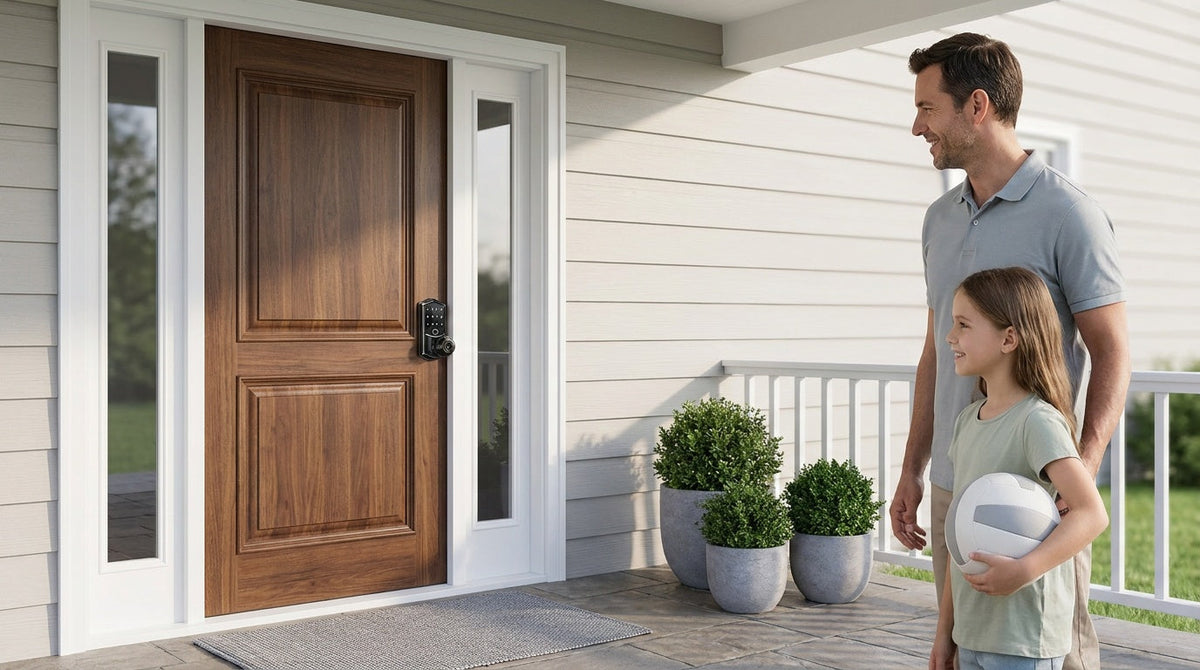
You are standing at the door hardware aisle — or scrolling through lock listings online — and you keep seeing the phrase combination door lock. Some models look like simple push-button panels with no wires. Others have touchscreens and fingerprint readers. A few even connect to your phone. They all skip the traditional key, but they work in very different ways, and choosing the wrong one is a frustration you will feel every single day.
This guide cuts through the confusion by focusing on the two main types you will actually encounter for residential doors: mechanical combination locks and electronic keypad locks. We will explain how each one works, walk through the honest tradeoffs, and help you match the right lock to the right door and the right household. If you have been wondering whether no-battery simplicity beats smart-home connectivity, or whether a basic keypad is enough for your front door, you are in the right place.
What Is a Combination Door Lock?
A combination door lock is any lock that grants access by entering a pre-set sequence of numbers or symbols rather than inserting a physical key. The sequence may be entered by pressing numbered push-buttons, turning a dial, or tapping a digital keypad. What all combination locks share is that the code itself becomes the key — and daily entry needs no key at all — which means far fewer keys circulating among family, guests, and service providers.
The broad combination-lock family splits into two very different technologies. Mechanical combination locks translate your button presses into physical movement using springs, cams, and levers — no circuit board required. Electronic keypad locks use a microprocessor to read your code and then trigger an electric motor or solenoid to release the bolt. Understanding that difference is the foundation for every other choice you will make.
How Mechanical Combination Locks Work
Inside a mechanical combination lock, a set of spring-loaded buttons or a rotating dial connects to a series of internal cams or levers. When you press the correct buttons in the right order (or simultaneously, depending on the design), those cams align and physically release the latch or deadbolt. There is no battery, no circuit board, and no wireless signal involved at any point. The whole process is purely mechanical — your pressing force is the only power source.
Because the mechanism is self-contained, a mechanical combination lock will operate in a power outage, through extreme cold or heat, and in environments where electronics tend to fail. The tradeoff is that the feature set is intentionally minimal. You typically get one fixed code, no remote access, no access logs, and no auto lock. Changing the code on many mechanical models requires disassembling part of the lock or consulting the manufacturer's instructions, which is more involved than the few-button process on most electronic keypads.
Mechanical combination locks are commonly found on commercial side doors, storage facilities, sheds, garages, and interior utility spaces where reliable, battery-free access matters more than convenience features. For a property manager or landlord who needs a simple, tough lock on a secondary entry point with no ongoing maintenance, a mechanical lock is hard to beat.
Mechanical Lock: Quick Snapshot
- Power source: None — fully mechanical operation
- Code change: Typically requires physical disassembly or specialized steps
- Access methods: Keypad code only (plus physical key on some models)
- Remote access: Not available
- Best for: Secondary doors, garages, sheds, commercial utility spaces, off-grid locations
One clarification worth making here: Veise does not make a mechanical combination lock. Veise's Mechanical Locks collection is keyed rather than code-based — keyed entry knobs and levers, privacy knobs and levers, deadbolts, and the Keyed Entry Handleset bundle — and it delivers the same battery-free, connectivity-free reliability for secondary and interior doors. If code-based entry is what you want on a Veise lock, that starts with the keypad category covered next.
How Electronic Keypad Locks Work
An electronic keypad lock uses a small microprocessor to do what a mechanical cam does, only faster and with far more flexibility. When you enter your code, the processor compares it against the stored codes in its memory. If there is a match, it sends a signal to an electric motor or solenoid that retracts the bolt. Codes and fingerprint work just as easily in the dark as in daylight, with no keyhole to find.
The real advantage of electronic keypads is programmability. You can typically store multiple unique access codes — one for each family member, one for a house cleaner, a temporary code for a contractor. Deleting or changing a code takes seconds and does not require touching the lock hardware. Most electronic keypad deadbolts also support auto lock, so the door re-secures itself automatically once the configured interval elapses — 10 to 99 seconds on Veise's Keypad Deadbolt and Keypad Latch lines, and up to 180 seconds on connected models — without anyone remembering to turn a thumb-turn. The timer fires regardless of door state, so close the door before it expires. A physical key backup slot is standard on quality models, giving you a failsafe if batteries ever run low.
Electronic keypad locks run on batteries, which is the one ongoing maintenance task they introduce. Most quality models include a low-battery alert that gives you plenty of warning before anything fails, and many offer an emergency external power option on select series to get you inside even if the batteries are fully depleted. The batteries typically last a meaningful stretch under normal use, though very high-traffic doors will shorten that window.
Electronic Keypad Lock: Quick Snapshot
- Power source: Batteries (physical key or emergency power backup on select models)
- Code change: Quick and easy via the keypad itself
- Access methods: Keypad code + physical key backup; fingerprint on select models
- Remote access: Not available on keypad-only models (requires a smart lock upgrade)
- Best for: Front doors, back doors, rental properties, households sharing access with family or guests
Veise's Keypad Deadbolt Locks cover both the straightforward code-plus-key setup and select models with fingerprint access — the same strong deadbolt security, with the right level of convenience for each household. If a latch-style handle is what your door needs, the Keypad Latch Lock line provides keypad code and physical key access in an integrated handle-and-lock unit.
Mechanical vs. Electronic Keypad Locks: Pros and Cons
Both lock types solve the same core problem — keyless access without fumbling for a key — but they solve it in ways that suit different priorities. Here is a side-by-side view of the practical tradeoffs most homeowners and property owners run into.
| Factor | Mechanical Combination Lock | Electronic Keypad Lock |
|---|---|---|
| Power requirement | None | Batteries (with backup options) |
| Code management | Single code, complex to change | Multiple codes, easy to add or delete |
| Auto lock | Not available | Configurable (10–99 seconds on keypad-only Veise lines; up to 180 seconds on connected models) |
| Fingerprint access | Not available | Available on select models |
| Remote access | Not available | Not available (requires smart lock) |
| Durability in harsh conditions | Very high — no electronics to fail | Good; weather-resistant on quality models |
| Installation complexity | Low — standard door prep | Low — typically 15 minutes with a screwdriver |
| Price range | Generally lower | Affordable to mid-range; Veise's lineup as a whole spans $30–$180 |
Neither type is universally better. A mechanical lock on a storage room or secondary building door is a smart, maintenance-free choice. An electronic keypad deadbolt on a front door gives a family far more flexibility — different codes for different people, auto lock so no one accidentally leaves the house unlocked, and a physical key backup for peace of mind. The decision comes down to what the door actually needs.
Beyond the Basic Keypad: Smart Lock Options
Electronic keypad locks are a significant upgrade over mechanical combination locks — but they still require you to be physically at the door to use them. If you want to let in a guest while you are across town, check whether someone locked the door before bed, or get an alert when your kids arrive home from school, you need a smart lock. It is worth understanding this distinction clearly, because a keypad lock alone cannot do any of that, no matter what gateway or hub you add to it. Remote access requires a smart lock specifically — either a gateway-paired model or a built-in Wi-Fi model.
Veise's Smart Locks w/ G1 and Smart Locks w/ G2 both pair with a separate gateway — sold separately, and plugged in within wireless range of the lock rather than beside your router — to deliver full remote app control in addition to the keypad code, key fob, and physical key backup that come on every model. Fingerprint coverage differs by line: every Smart Lock w/ G1 includes it, while Smart Lock w/ G2 offers both fingerprint and non-fingerprint SKUs. The G1 line stands out for families who want an all-in-one setup: every G1 model includes fingerprint access, USB-C emergency power, and multilingual voice prompts in English, Spanish, and French. For households where Apple Watch unlock or web portal management matters, the G2 line adds those capabilities. Voice control works across both lines when the paired gateway is in place, bridging the lock to Alexa or Google Assistant.
For the most direct connected experience with no gateway to manage, Veise's Wi-Fi Smart Locks have Wi-Fi built directly into the lock body. The Touchscreen Wi-Fi Smart Lock (VE027 Series) adds a sleek touchscreen interface and includes a USB-C emergency power port on the exterior; the Push-Button Wi-Fi Smart Lock (VE012W Series) keeps the familiar press-button keypad feel. Both series support fingerprint access, keypad code, physical key backup, and Alexa and Google Assistant voice commands directly via built-in Wi-Fi (no gateway needed). They differ in four ways: interface (touchscreen vs. press-button), USB-C emergency power (VE027 only), key fob support (VE027 only), and on-device multilingual voice prompts in English, Spanish, and French (VE027 only — the VE012W has none, though it still supports Alexa and Google voice control). Both use an 8 AA/LR6 alkaline battery design that delivers stronger signal stability and a longer-lasting power reserve than the more common 4-cell setup. Veise smart locks support 2.4 GHz Wi-Fi only, not 5 GHz.
Which Type Is Right for Your Home?
The right combination door lock is not about the most features — it is about the right features for the specific door and the people using it. A few practical scenarios can help you land on the right choice quickly.
Choose a mechanical combination lock if:
- The door is a secondary entry, storage room, detached garage, or shed
- Zero battery maintenance is a hard requirement
- The location has extreme weather or unreliable power where electronics could fail
- A single, rarely-changed code shared among a small group is all you need
- The space is commercial or industrial and connectivity features have no value there
Choose an electronic keypad lock if:
- The door is a front, side, or back entry door on a wood door (1-3/8" to 2" thick)
- Multiple household members or guests need their own individual codes
- Auto lock matters — you want the door to re-secure itself without manual action
- You want the option to add fingerprint access for faster, hands-free entry on select models
- You want simplicity without a subscription or app — just a code and a backup key
Upgrade to a smart lock if:
- You want to check or control the lock remotely from your phone
- You manage a short-term rental or need to issue and revoke access codes remotely
- You have kids arriving home alone and want entry notifications
- Voice control with Alexa or Google Assistant is important to your household routine
- You want a complete picture of who entered and when via an activity log
One practical note on compatibility: Veise locks are designed for wood doors in the standard 1-3/8" to 2" thickness range. They are full lock replacements — not overlays — so the buyer needs to be the property owner or someone with authority to modify the door hardware. The installation itself is straightforward: 15 minutes with a screwdriver, no wiring, no professional help required. All models are ANSI/BHMA Grade 3 certified, which is the recognized residential standard for home entry doors.
How Veise Fits In
Easy from Day One. That is not just a tagline — it is the product philosophy behind every lock in the lineup. Veise's parent company, Kaadas Group, brings 38 years of lock industry expertise and 711 patents (the world's largest smart lock patent portfolio) to products that have reached 10M+ smart locks sold across 41+ countries. Frost & Sullivan has recognized Kaadas Group as the global No.1 high-end smart lock brand by sales. That engineering depth, combined with Veise's own vertically integrated factory, means every lock is designed, tested, and built in-house — not assembled from off-the-shelf OEM components.
For families upgrading their homes, the Veise lineup covers every step of the journey. Starting with a keyed Mechanical Lock for a utility or interior door, moving to a Keypad Deadbolt for the front entry, and stepping up to a Wi-Fi Smart Lock for full remote control — everything fits the same Effortless Home Improvement™ Experience: no subscription fees, no professional installation, and no steep learning curve. The complete product range, from deadbolts to levers to accessories, lives at Veise All Products.
The Bottom Line
Mechanical combination locks and electronic keypad locks both solve the same original problem — getting through a door without carrying a physical key — but they live at very different points on the feature spectrum. Mechanical locks are the right answer when simplicity, zero maintenance, and total power independence matter more than flexibility. Electronic keypad locks are the better fit for most home entry doors, where multiple users, auto lock, and easy code management make daily life genuinely easier. And when you want to unlock the front door from anywhere in the world, a smart lock is the clear next step — not a keypad lock with an add-on accessory.
The best combination door lock is the one that matches your door, your household, and the way you actually live in your home. Veise makes it straightforward to find that match, with a full range of options across every category and a 15-minute install that requires nothing more than a screwdriver.
Frequently Asked Questions
What is the difference between a mechanical and an electronic combination door lock?
A mechanical combination lock uses only physical components — springs, cams, and levers — to release the bolt when the correct code is entered. No battery or circuit board is involved. An electronic keypad lock uses a microprocessor to read the entered code and triggers an electric motor or solenoid to retract the bolt. Electronic keypads offer programmable multiple codes, auto lock, and fingerprint access on select models; mechanical locks do not.
Do mechanical combination locks require batteries?
No. Mechanical combination locks operate entirely without batteries or any external power source. This is their primary advantage for secondary doors, off-grid buildings, or locations where battery maintenance is impractical.
Can I use a keypad lock to let someone in remotely?
No. A keypad-only lock — whether mechanical or electronic — has no wireless connectivity and cannot be controlled remotely. Remote access requires a smart lock specifically: either a gateway-paired smart lock or a Wi-Fi smart lock with built-in connectivity.
How do I change the code on an electronic keypad lock?
On most electronic keypad locks, changing a code is done directly on the keypad, usually by entering the current master code and following the short programming sequence in the included user manual (the exact sequence varies by model). The process typically takes under a minute. On mechanical combination locks, changing the code usually requires physical disassembly or a more involved reconfiguration process depending on the model.
What happens if my electronic keypad lock's batteries die?
Quality electronic keypad locks include a low-battery alert that warns you well before failure. If the batteries do fully deplete, a physical key backup (included on all Veise keypad models) lets you regain entry. A USB-C emergency power port is standard on the VE017 and VE027 series — every model in both series has one — letting you connect an external power bank momentarily to power the lock and enter your code.
Is a keypad lock more secure than a traditional keyed lock?
A quality keypad deadbolt offers comparable physical forced-entry resistance to a traditional keyed deadbolt at the same grade level. Keypad locks eliminate the risk of key duplication and lost keys. Electronic models add features traditional keyed locks cannot match: one-time and scheduled codes, auto lock, anti-peep code entry, and a built-in lockout that pauses the lock for 3 minutes after 10 wrong attempts. Veise keypad locks carry ANSI/BHMA Grade 3 certification, the recognized residential standard for home entry doors.
What doors are Veise combination locks compatible with?
Veise combination locks are compatible with wood doors in the standard 1-3/8" to 2" thickness range. They are full lock replacements and are not compatible with fiberglass, metal, storm, or sliding doors. Because Veise locks replace the full lock hardware, installation requires property ownership or authority to modify the door.
How long does it take to install a Veise keypad lock?
Most Veise keypad and smart locks install in about 15 minutes using only a screwdriver. No wiring, no drilling, and no professional help are required on a standard wood door that already has a deadbolt or latch preparation.
Not Sure Which Lock Is Right for Your Door?
The Veise team is happy to help you match the right combination lock, keypad, or smart lock to your specific door and household needs — no pressure, just practical guidance.
Contact Us

Leave a comment
This site is protected by hCaptcha and the hCaptcha Privacy Policy and Terms of Service apply.