
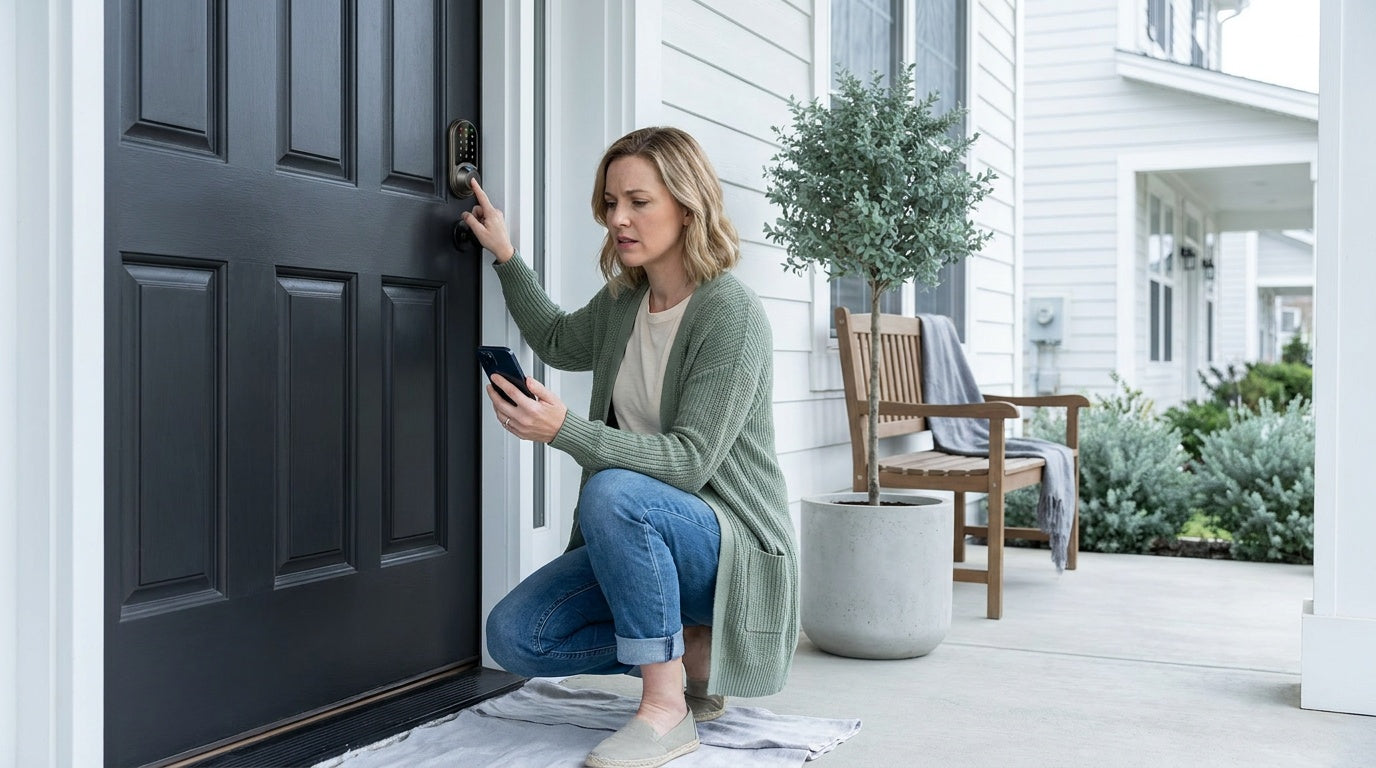
You walk up to your front door, press your finger to the scanner, and nothing happens. Or worse — the lock beeps, flashes red, and denies you entry to your own home. A fingerprint door lock not working is one of those frustrations that feels urgent the moment it happens, especially when you're carrying groceries, rushing out the door, or trying to let a family member in.
The good news: most fingerprint lock failures come down to a short list of fixable causes. Low batteries, a smudged sensor, an enrollment that didn't fully register, or a dry fingertip can each fool an otherwise perfectly functional lock. Before you assume the hardware is broken, walk through this troubleshooting checklist — in order — and you'll resolve the issue in the vast majority of cases without any tools or technical expertise.
This guide covers every common cause of fingerprint scan failure, from the simplest one-second fixes to deeper resets, so you can get back inside and back on with your day.
Why Fingerprint Door Locks Fail (And Why It's Usually Simple)
Fingerprint sensors used in residential door locks rely on capacitive or optical technology to map the ridges and valleys of your fingertip. They're accurate and fast — Veise's fingerprint locks, for example, read and match a print in under 0.3 seconds using an on-device AI chip. But that same precision means the sensor is sensitive to conditions that wouldn't affect a traditional key: skin moisture, sensor cleanliness, battery voltage, and even cold weather can all interfere with a successful scan.
Most failures fall into one of five categories: power issues, sensor contamination, enrollment problems, environmental factors, and mechanical/installation problems. The checklist below moves through those categories from most to least common, so you can resolve the issue as quickly as possible.
Start Here: Quick Checks Before Anything Else
Before diving into detailed diagnostics, run through these fast checks. Many fingerprint lock issues are resolved in under a minute with one of these steps.
- Try your backup entry method. Every Veise fingerprint lock supports a physical key as a backup. If your keypad code still works, the lock's electronics are functional — the problem is specific to the fingerprint sensor or enrollment. If neither the fingerprint nor the keypad responds, the issue is almost certainly power-related.
- Check the indicator signal. All Veise smart locks have an indicator light — a red light signals a failed scan or low battery, and a green light signals a successful read. In addition to the indicator light, models with voice prompts will announce the result; models without voice prompts will beep. Refer to your lock's manual for the specific cues for your model.
- Listen for motor sound. Press a known-good code. If the motor turns and the bolt moves, the lock is working — only the fingerprint sensor needs attention. If the motor doesn't respond to any input, address power first.
- Try a different enrolled finger. If you registered multiple fingers, test each one. A single finger failing while others succeed confirms the issue is with that specific enrollment, not the sensor hardware.
If the quick checks above don't point to an obvious answer, move through the sections below in order.
Finger Placement and Enrollment Issues
Inconsistent finger placement is one of the top causes of fingerprint scan failure — and it's completely invisible to the user. The sensor builds its recognition template from the angle and pressure used during enrollment. If you now approach the scanner from a slightly different angle, with more or less pressure, or with a different part of the fingertip, the system may not find a match even though your finger is perfectly fine.
How to Fix Placement and Enrollment Problems
- Re-enroll the problem finger with deliberate variation. Veise locks capture each fingerprint eight times during enrollment to build a robust template across different angles and pressure levels. During re-enrollment, intentionally shift your finger slightly between scans — tilt it left, right, and center — so the sensor captures a wide reference map. This dramatically improves match rates in daily use.
- Place the center of your fingerprint on the center of the sensor. Most failed scans happen when users place their fingertip too high, too low, or off to one side. The sensor's core recognition area is in the middle of the pad. During both enrollment and daily use, press the pad of your fingertip (not the tip or side) flat against the center of the sensor.
- Enroll the same finger more than once if your lock allows it. Some users enroll their index finger once with a natural approach angle, then enroll the same finger again from a slightly different angle, using one of the lock's additional fingerprint slots. This gives the system two reference templates for one finger, improving reliability.
- Add backup fingers. Enroll your thumb on the same hand, or use your other hand's index finger. Fingerprint-capable Veise locks store multiple unique fingerprints per device, so there's no reason to rely on a single print.
Battery and Power Problems
A fingerprint sensor draws power for every scan attempt. When battery voltage drops below the threshold needed for reliable sensor operation, the lock may accept keypad codes but reject fingerprint scans — the sensor is the first feature to become unstable as power fades. If your lock accepts codes but not fingerprints, low batteries are a strong suspect even if the lock hasn't indicated a low-battery warning yet.
Battery Troubleshooting Steps
- Replace the batteries with fresh alkaline cells. Veise locks are specified for AA/LR6 alkaline batteries — use name-brand alkaline AA cells, and do not substitute lithium or rechargeable NiMH cells. Off-brand alkalines and rechargeable cells often deliver lower voltage than standard name-brand alkalines, which can cause erratic behavior even when the cells are technically "charged."
- Replace all batteries at the same time. Do not mix old and new cells, and do not mix batteries from different brands — uneven discharge across mismatched cells can cause the lock to underperform. Always do a full swap with matching cells.
- Don't wait for the low-battery warning to act. A good habit is replacing batteries on a regular calendar schedule rather than waiting for the lock to alert you. Fingerprint sensors benefit from consistent voltage.
If the lock is completely unresponsive after a battery swap, every Smart Lock w/ G1 (the entire VE017 series) and every Touchscreen Wi-Fi Smart Lock (the entire VE027 series) includes a Type-C emergency power port on the exterior. You can use a power bank to temporarily power the lock and complete entry, then replace the internal batteries from inside. Note that this emergency port is available on those specific Veise series only — not on Keypad Deadbolts, Keypad Latch Locks, or the Push-Button Wi-Fi Smart Lock (VE012W series).
Dirty or Damaged Sensor
The fingerprint sensor is exposed to outdoor conditions — rain, dust, oils from fingertips, sunscreen, and grime. A thin film of contamination on the sensor glass is often invisible to the naked eye but significantly degrades scan accuracy. If scans were working fine and suddenly started failing without any other changes, a dirty sensor is the most likely culprit.
Cleaning the Sensor
- Power off or lock the device before cleaning if your model allows it. This prevents accidental inputs during cleaning.
- Wipe the sensor with a dry, lint-free microfiber cloth. Use light, circular motions. For stubborn residue, slightly dampen the cloth with water — do not use alcohol-based cleaners, solvents, or abrasive cloths, as these can degrade the sensor coating over time.
- Clean your fingertips before scanning. Oils, lotion, dirt, and moisture on your fingers can transfer to the sensor and also interfere with the sensor's read. Wipe your fingertip on a dry cloth before scanning during troubleshooting.
- Inspect for visible scratches or cracks. Physical damage to the sensor glass is not repairable at home. If you see a crack or deep scratch over the sensor area, contact support — the lock will likely need to be replaced.
Environmental and Seasonal Factors
Fingerprint sensors interact with the electrical properties of skin, which change with moisture, temperature, and dryness. This is why fingerprint lock failures often spike during winter months or in very dry climates — and why they can also cause trouble on hot, humid summer days when hands are sweaty.
- Cold and dry hands: In winter, dry skin loses the conductivity that fingerprint sensors rely on. The ridges that define your fingerprint become shallower and harder to read. Warming your hands before scanning, or applying a small amount of unscented moisturizer regularly, can restore reliable reads.
- Wet hands: Water on the fingertip diffuses the image the sensor captures, blurring the ridge pattern. Dry your hands thoroughly before scanning on rainy days or after washing up.
- Very hot weather: Sweat can have a similar effect to water. Wipe your fingertip dry before scanning.
- Extreme cold affecting the lock itself: In subfreezing temperatures, the lock's internal components — including the motor and sensor — can slow down or behave erratically. If your lock is installed on an exterior door in a harsh climate, consider a lock model with a weatherized housing and ensure the lock's battery compartment is properly sealed.
If environmental conditions are a consistent problem, re-enrolling your fingerprint during those conditions (for example, enrolling in winter with cool, slightly dry hands) can help the system build a better template for your real-world use.
Lock Mechanism and Installation Issues
Sometimes a fingerprint lock appears to be failing when the actual problem is a misaligned door or a bolt that's binding against the strike plate. If the fingerprint scan registers successfully (green indicator light) but the door still won't open, the problem is mechanical — not the sensor.
- Check door and frame alignment. Wood doors expand in humidity and contract in cold and dry conditions. A door that fit perfectly in fall may bind tightly in summer. If the bolt can't fully retract or extend into the strike plate opening, the lock will appear to malfunction even when the electronics are perfect.
- Verify the strike plate is correctly positioned. The bolt should slide cleanly into the strike plate hole without scraping the edges. If there's friction, the strike plate may need to be repositioned or the door adjusted.
- Confirm the lock is correctly installed. Veise locks are designed for DIY installation in about 15 minutes with a screwdriver, on wood doors with standard thickness of 1-3/8" to 2". If the lock was installed on a door outside this range, or if any component is misaligned, mechanical binding can occur. Review the installation steps in the included manual, checking that all screws are snug and the bolt aligns with the strike plate at rest.
- Check the backset measurement. An incorrect backset (the distance from the edge of the door to the center of the borehole) will prevent the bolt from traveling correctly. Veise locks support standard backset sizes — confirm yours matches during reinstallation.
When to Factory Reset Your Fingerprint Lock
A factory reset erases all stored fingerprints, access codes, and settings and returns the lock to its out-of-box state. This is a last-resort step — but it's the right move when the lock's behavior is erratic, unresponsive to all other troubleshooting, or when you've inherited a used lock and need to start fresh. After a reset, you'll re-enroll all fingerprints and re-enter all access codes from scratch.
Before resetting, confirm that the batteries are fresh (a reset requires consistent power to complete correctly), and have your physical key ready as a backup entry method during the re-setup process. Consult your lock's user manual for the specific reset procedure for your model — the steps vary by series.
How to Prevent Fingerprint Lock Problems Going Forward
A few simple habits go a long way toward keeping a fingerprint lock running reliably for years.
- Replace batteries on a schedule, not just when the low-battery warning appears. Consistent voltage keeps the sensor performing at its best.
- Wipe the sensor monthly with a dry microfiber cloth, even if it looks clean. Invisible oils and dust accumulate over time.
- Re-enroll fingerprints seasonally if you live somewhere with dramatic temperature or humidity swings. A winter enrollment and a summer enrollment give the sensor a better reference across changing skin conditions.
- Enroll multiple fingers for every household member, so no one is ever locked out because a single print fails.
- Keep your physical key accessible. Every Veise fingerprint lock ships with physical key backup. Store a spare key somewhere secure — a lockbox, a trusted neighbor — so you always have a fallback.
- For families with kids or elderly members, consider a Wi-Fi Smart Lock or a Smart Lock w/ G1 or Smart Lock w/ G2. These give you remote visibility into entry history via a mobile app, so you know when someone arrived home even if you're not there. The app also lets you troubleshoot lock status remotely without a trip to the door.
If you're looking to upgrade to a more reliable fingerprint lock or want a model with multiple unlock methods built in, Veise's Keypad Deadbolt line includes fingerprint-enabled models (KS02 series) with keypad code and physical key backup — so you're never dependent on a single entry method. All Veise locks are designed for straightforward DIY installation, carry no subscription fees, and store fingerprint data locally on the device with no cloud dependency.
Frequently Asked Questions
Why does my fingerprint lock work sometimes but not others?
Intermittent fingerprint failures are most commonly caused by inconsistent finger placement, low or uneven battery voltage, or changing skin conditions (dryness, moisture, or temperature). Re-enroll the finger using deliberate variation in angle and pressure, replace the batteries with fresh alkaline cells, and clean the sensor with a dry microfiber cloth. Seasonal re-enrollment can also help in climates with significant temperature swings.
How do I get into my house if my fingerprint lock isn't working?
Every Veise fingerprint lock includes a physical key as a backup. Use your backup key to enter. If you've also set up a keypad code, try that as well — if the code works but the fingerprint doesn't, the lock's electronics are functioning and the issue is specific to the sensor or enrollment. Once inside, troubleshoot the fingerprint issue with fresh batteries and a sensor cleaning before re-enrolling.
Can a dirty sensor really cause fingerprint lock failure?
Yes. Even a thin, nearly invisible film of skin oil, dust, or moisture on the sensor glass can scatter the light or electrical signal the sensor uses to map your fingerprint, causing the lock to fail to find a match. Regular sensor cleaning with a dry microfiber cloth is one of the simplest preventive maintenance steps you can take.
Does cold weather affect fingerprint door locks?
Cold weather affects fingerprint recognition in two ways: dry winter skin has lower conductivity, making it harder for the sensor to read ridge patterns clearly; and extremely cold temperatures can affect the lock's internal electronics and motor speed. Warming your hands before scanning and enrolling fingerprints during cold conditions (so the template matches your winter skin) both help. Re-enrolling seasonally is a good practice in cold climates.
How many times should I scan my finger during enrollment?
Veise fingerprint locks capture your finger eight times during enrollment to build a reliable recognition template across different angles and pressure levels. For best results, deliberately shift your finger slightly between each scan during enrollment — tilting left, right, and center — so the system has a complete map of your print from multiple approaches.
Should I factory reset my fingerprint lock if nothing else works?
A factory reset is a valid last resort when the lock behaves erratically and all other troubleshooting steps have failed. Be aware that a reset erases all stored fingerprints, access codes, and settings. Ensure you have your physical key available before resetting, and have fresh batteries installed to power the reset and re-setup process reliably. Consult your model's manual for the specific reset procedure.
What type of batteries should I use in a fingerprint door lock?
Veise locks are specified for AA/LR6 alkaline batteries — use name-brand alkaline AA cells and replace all cells at the same time (do not mix old and new, and do not mix batteries from different brands). Do not substitute lithium or rechargeable NiMH cells; they often deliver lower voltage than standard alkalines, which can cause inconsistent sensor performance. Replacing batteries on a regular schedule — rather than waiting for a low-battery warning — helps maintain consistent fingerprint lock performance.
A fingerprint door lock that isn't working is almost always fixable without replacing the hardware. Start with the quick checks: backup entry method, indicator light, and motor response. Then work through the checklist in order — enrollment quality, battery power, sensor cleanliness, environmental factors, and mechanical alignment. In the vast majority of cases, one of those steps resolves the issue completely.
If you've worked through the entire checklist and the lock still isn't performing reliably, it may be time to consider an upgrade to a model with a newer sensor or additional unlock methods so you're not dependent on fingerprint alone. Veise's fingerprint-capable locks offer keypad code and physical key backup on every model, with fingerprint scan times under 0.3 seconds and local on-device data storage — no cloud account required, no subscription, and no complicated setup. Browse the full lineup at iveise.com and find the right fit for your door and your household.
Still Having Trouble? We're Here to Help.
If you've worked through this checklist and your fingerprint lock still isn't responding, our US-based support team is ready to help. Reach out by phone or email — no chatbot, no runaround.


Leave a comment
This site is protected by hCaptcha and the hCaptcha Privacy Policy and Terms of Service apply.