
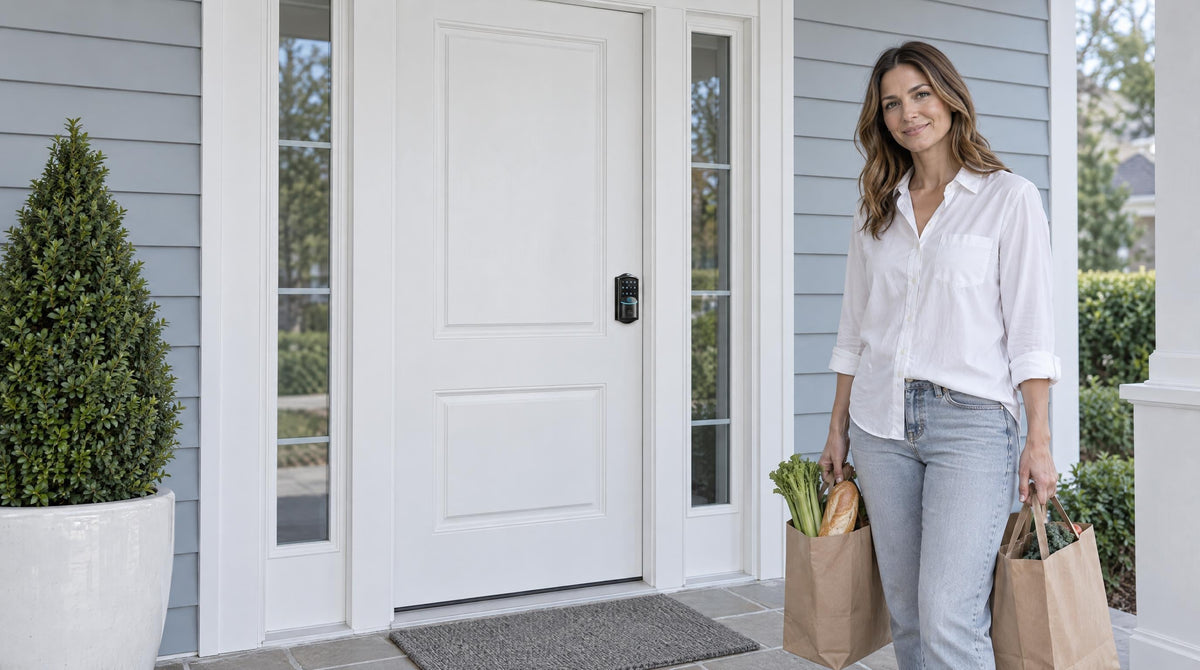
Standing outside your own front door, hands full, keypad blinking at you — it is one of those situations that goes from inconvenient to genuinely stressful within about sixty seconds. The good news is that a keypad door lock lockout almost always has a straightforward fix, and you likely have more options than you realize.
Unlike a traditional deadbolt where the only solution is finding the physical key, a keypad lock can be locked out for several different reasons — a forgotten code, a dead battery, too many wrong entries in a row, or a reset that wiped stored codes. Each cause has its own solution, and matching the right fix to the right situation is what gets you back inside quickly and without damage to your lock or door.
This guide starts with prevention — the habits and the lock features that make a lockout rare in the first place — then walks through the quick fixes for each realistic scenario, so you have a clear plan if one ever does happen.
Why Keypad Door Lock Lockouts Happen
Before doing anything else, it helps to understand what is actually happening. Keypad lock lockouts fall into a handful of distinct categories, and the approach that works for one will not work for another. The most common causes are:
- Forgotten access code — especially after a vacation, a code change, or a factory reset
- Dead or depleted batteries — the keypad goes dark and will not respond at all
- Lockout mode triggered by too many wrong entries — a built-in security feature that temporarily disables the keypad
- Physical key misplaced — the backup is gone when you need it most
- App or connectivity issue — relevant only to smart locks with remote access
Run through this list mentally before you do anything else. The right diagnosis saves a lot of time and prevents you from accidentally making things worse — such as triggering a longer lockout by continuing to enter wrong codes.
How to Prevent Keypad Lockouts
The best lockout is the one that never happens, and it starts with a few simple habits that go a long way toward making sure you are never standing outside your own door again.
Store Your Codes Securely — Not at the Door
Write your programming code and access code somewhere accessible but off-site: a password manager app on your phone, a note in a locked drawer, or shared with a trusted family member. Avoid storing the code on a label near the lock itself. The goal is recovery access when you need it, not a security risk when you do not.
Keep a Spare Physical Key Off-Site
Even if your day-to-day routine is entirely keypad-based, a physical spare key held by a neighbor, a family member, or in a secured key lockbox outside the home is your ultimate backup. This single habit eliminates the most stressful version of the lockout scenario entirely.
Replace Batteries Before They Die
Do not wait for the lock to go dark. Veise locks give you early warning signals — a voice or beep prompt at the lock plus an indicator light, and a push notification through the app on connected models. When you see those signals, replace the batteries with fresh AA/LR6 alkaline cells that same day. Many homeowners find it easiest to set a calendar reminder to swap batteries every several months, proactively, regardless of what the lock is showing.
Test New Codes Before Closing the Door
Any time you change a code or reset the lock, test it from the exterior keypad with the door propped open before closing. This one step prevents the embarrassing situation of a self-inflicted lockout immediately after a setup or code change. It takes thirty seconds and it is always worth doing.
Configure Auto Lock Carefully
Auto lock is a convenient security feature — the lock re-engages on a timer after a set interval (10 to 99 seconds on Keypad Deadbolt and Keypad Latch locks, 10 to 180 seconds on connected models) so you don't leave home unlocked by accident. But if the interval is set too short, it can catch you off guard while carrying in groceries or unloading a car. Set the auto lock interval to a delay that matches your household's actual routine, and make sure everyone in the family knows the active code before you enable it.
The Long-Term Fix: A Lock With More Ways In
If you have found yourself in this situation more than once, it may be worth rethinking the lock itself. The right keypad lock for your household depends on how you actually use your front door — and how many backup entry options you want available when things go sideways.
Veise — built on 38 years of lock industry expertise and 711 patents, the world's largest smart lock patent portfolio — designs every lock with multiple entry methods and backup options specifically because real families get locked out and real batteries die. With 10M+ smart locks sold across 41+ countries and recognized by Frost & Sullivan as the global No.1 high-end smart lock brand by sales, Veise's approach is built around the Effortless Home Improvement™ Experience: practical locks that genuinely simplify daily life rather than adding complexity to it. Every lock installs in about 15 minutes with a screwdriver, requires no wiring, and fits standard wood doors without professional help.
Here is how the main lock categories compare when it comes to lockout protection:
Keypad Deadbolt
The Veise Keypad Deadbolt is the most common choice for exterior doors. Every model includes keypad code entry plus a physical key backup. The KS02 series adds fingerprint recognition — with a scan time under 0.3 seconds using an on-device AI chip — so your finger can be a backup entry method as well. This multi-method approach means a dead battery or forgotten code does not leave you with zero options.
Keypad Latch Lock
The Veise Keypad Latch Lock offers keypad code plus physical key on a compact integrated handle-and-lock unit, available in a top-knob (KS03) or top-lever (KS04) handle style. It is commonly a fit for interior doors, side doors, and office or storage doors where a full deadbolt is not the typical choice.
Smart Lock w/ Gateway 1/2
The Smart Lock w/ G1 and Smart Lock w/ G2 add remote app control to everything a keypad deadbolt offers. Both lines include keypad code, key fob, physical key, and remote app via the paired gateway as standard unlock methods; fingerprint is included on every Smart Lock w/ G1 and many Smart Lock w/ G2 models. Smart Lock w/ G1 is a single series — the VE017 — with multilingual voice prompts (English, Spanish, and French), a USB-C emergency power port, and fingerprint included on every SKU — making it a strong all-in-one pick. Smart Lock w/ G2 models uniquely support Apple Watch unlock and web portal control for tech-forward households. For families with children, the app-connected entry history and activity monitoring that come with these connected locks add meaningful peace of mind beyond what the Keypad Deadbolt and Keypad Latch categories provide.
Wi-Fi Smart Lock
The Veise Wi-Fi Smart Lock is the fullest-featured option, with built-in Wi-Fi for true remote access without a separate gateway. Both available series — the Touchscreen Wi-Fi Smart Lock (VE027 Series) and the Push-Button Wi-Fi Smart Lock (VE012W Series) — support keypad code, fingerprint, app control, and Alexa/Google voice commands directly. The 8 AA/LR6 alkaline battery design delivers stronger signal and a longer-lasting power reserve than the standard 4 AA setup. The VE027 series also adds a touchscreen, key fob support, on-device English, Spanish, and French voice prompts, and a USB-C emergency power port for backup access when batteries are low — none of which are on the VE012W series — making it a particularly good fit for anyone who has experienced the dead-battery lockout scenario and wants a more robust safety net.
All Veise locks are priced in the $30–$180 range, positioning them as an affordable upgrade that genuinely changes how lockout-resistant your home entry is. Easy from Day One.
If You Are Locked Out Right Now: Quick Fixes by Scenario
With the habits and hardware above in place, a lockout should be rare. If one happens anyway, match the fix to the cause — and remember that on every Veise lock the physical key is the universal fallback.
Scenario 1: You Forgot Your Access Code
This is the most common keypad lockout scenario. If you can still get the keypad to light up and respond, you are in a better position than you might think. Here is how to work through it step by step.
Step 1: Try Any Codes You May Have Set
Before assuming the code is completely lost, try any variation you might have used — including any guest codes, older codes you set during setup, or the default master code printed in your lock's user manual. Many people program a code at installation and never change it, so the original setup code is worth trying first.
Step 2: Check the User Manual
Every Veise lock ships with a default master code printed in the included user manual — not on a sticker on the lock or inside the battery compartment. If you still have the manual, check it now: if no one ever changed the default master code, it may still work.
Step 3: Perform a Factory Reset
If no saved or default code works, a factory reset is the reliable path forward. On a Veise lock the reset button sits on the interior side: with the door open and unlocked, remove one battery, press and hold the reset button (using the included reset tool or by hand, depending on model), reinstall the battery while still holding, and release when the panel lights up and you hear a long beep or voice prompt. A reset returns the lock to factory defaults and clears all stored codes and fingerprints, so treat it as a last resort — then set a new master code and re-add codes following the included manual.
One important note: a factory reset requires access to the interior side of the lock, which is an intentional security feature. It means a reset cannot be triggered from outside the door by someone who does not belong there. If you are completely locked out with no interior access, see the physical key and emergency power options below first.
Scenario 2: The Battery Is Dead
A completely unresponsive keypad — no lights, no beeps, nothing — almost always points to a dead battery rather than a broken lock. This is one of the easier lockouts to resolve, as long as you know your options ahead of time.
Option A: Use the Physical Key Override
The simplest solution when batteries die is to use the physical key that came with your lock. Every Veise keypad lock includes a physical key cylinder precisely for this situation, and the key slot is visible on the exterior face of the lock — insert your key and turn to retract the bolt. If you have been keeping a spare key in your bag, wallet, or with a trusted neighbor, this takes about fifteen seconds.
Option B: Use an External Power Source
If the key is not available, every VE017 series (Smart Lock w/ G1) and VE027 series (Touchscreen Wi-Fi Smart Lock) model includes a USB Type-C emergency power port on the exterior. Connect a compatible power bank, wait for the keypad to activate, and enter your access code normally. This supplies power from outside just long enough to unlock the door — it does not recharge the lock, so the internal batteries still need replacing once you are in.
Once you are inside, replace the internal batteries immediately with fresh AA/LR6 alkaline cells (don't mix old and new, or different brands). Veise locks give you advance warning before a full dead-battery lockout — a voice or beep prompt at the lock plus an indicator light, and on connected locks a push notification through the app — so pay attention to those early signals.
Scenario 3: Too Many Wrong Entries Triggered Lockout Mode
Entering the wrong code repeatedly is not just frustrating — it triggers a security lockout that temporarily disables the keypad. This is a deliberate, automatic feature designed to deter repeated code attempts: on every Veise lock, 10 wrong attempts pause the keypad for 3 minutes. The lock signals the pause with a beep, a voice prompt, or an indicator light, depending on the model.
The most important rule: stop pressing buttons. The pause is short and expires on its own; entering more codes will not help while the keypad is locked out.
What to do instead:
- Wait it out. The 3-minute pause expires on its own. Step away and come back when the keypad becomes responsive again.
Once the lockout timer expires and the keypad becomes responsive again, enter your correct code carefully and deliberately. If you are not confident in the code, use the physical key to get inside and then look up or reset the code from the interior side before closing the door again.
Scenario 4: Use the Physical Key Override
Regardless of what caused your lockout, the physical key is the universal fallback that works in nearly every situation — dead battery or forgotten code. Every Veise lock includes a key cylinder, so this is always your fastest path back inside.
Here is how to locate and use it:
- Find the key cylinder. On Veise keypad deadbolt locks and keypad latch locks, the key slot is visible on the exterior face of the lock — nothing to remove or uncover.
- Insert the key and turn. Turn in the direction that retracts the bolt. The bolt should retract fully and allow the door to open.
- Get inside and address the root cause. Once inside, replace batteries, reset your code, or troubleshoot from the interior side where you have full access.
If the physical key is lost or was never retrieved from the original packaging, this is the time to address that gap. Make a spare, store it with a trusted neighbor, or upgrade to a lock with additional entry methods so you are never entirely dependent on a single backup.
Scenario 5: Remote Unlock via App (Smart Locks Only)
If your keypad lock is a smart lock with connectivity — either a Smart Lock w/ G1, Smart Lock w/ G2, or a Wi-Fi Smart Lock — you have an additional layer of protection that standard keypad locks do not offer: remote app control.
With a Wi-Fi smart lock, you or anyone in your household with app access can unlock the door remotely from anywhere with an active Internet connection. This is genuinely useful if you are locked out but can reach a family member who is not at home. Wi-Fi smart locks support voice commands through Alexa and Google Assistant as well, which can be handy if your hands are full and your phone is nearby.
Smart Lock w/ Gateway 1/2 works similarly through the paired gateway — even when Wi-Fi is down, app control continues to work locally as long as you are within short-range wireless distance of the lock. So if you are standing right outside your door, the app may still be able to reach the lock through the gateway even without live Internet. This kind of redundancy is precisely why connected locks are worth considering for families.
Note that remote access requires a smart lock — a Keypad Deadbolt or Keypad Latch lock cannot be paired with a gateway to enable remote control. If the ability to unlock from a phone is important to you, that is a key selection criterion before your next purchase.
When to Call a Locksmith
Most keypad lockouts are self-solvable, but there are situations where a professional is the right call. Consider contacting a licensed locksmith if:
- You have exhausted all the options above and are still locked out
- The lock mechanism appears physically damaged or jammed
- You inherited a property or moved in and have no documentation, no physical key, and no programming code
- The reset procedure requires interior access and there is genuinely no way to reach the interior side
A professional locksmith can open a keypad lock without damaging the door or the lock in the vast majority of cases. They can also re-key or replace the lock if needed, and give you documented access credentials before they leave. It costs more than a DIY fix, but it is the right tool for situations where DIY is not viable.
Conclusion
A keypad door lock lockout can be frustrating, but most situations have a straightforward solution. Start by identifying what is preventing you from getting in: a dead battery, an incorrect or forgotten code, or a temporary keypad lockout. From there, use the appropriate backup or recovery method for your lock and follow the steps for that specific situation.
More importantly, the habits you put in place today — storing your codes securely, keeping a spare key off-site, watching for low-battery signals, and testing codes before closing the door — are what turn a recurring frustration into a one-time lesson. And if your current lock leaves you with only one way in, that is worth changing. A lock with multiple entry methods and real backup options is not a luxury; it is just good planning.
Frequently Asked Questions
What do I do if my keypad door lock battery is completely dead and I have no key?
On every Veise VE017 series (Smart Lock w/ G1) and VE027 series (Touchscreen Wi-Fi Smart Lock) model, there is a USB Type-C emergency power port on the exterior: connect a power bank and it supplies power long enough to enter your code and get in, after which you replace the AA/LR6 alkaline batteries. Keypad Deadbolt, Keypad Latch, Smart Lock w/ G2, and the VE012W series rely on the physical key as the dead-battery backup. If neither is available, contact a locksmith.
How long does keypad lockout mode last after too many wrong codes?
On every Veise lock, 10 wrong attempts pause the keypad for 3 minutes. This is an automatic, built-in security feature rather than a setting you need to turn on. During the lockout period, stop entering codes and wait for the keypad to become responsive again. Once the 3-minute pause ends, enter the correct code carefully.
Can I reset my keypad lock if I forgot the programming code?
Yes. If you forgot the programming code, you can reset the lock from the interior side of the door using the reset button inside the battery compartment. A factory reset will erase the existing programming and return the lock to its default settings. Because the reset button is located inside the lock, it cannot normally be accessed from outside the door. The exact reset procedure varies by model, so check your lock's user manual for the correct steps before resetting.
Where is the keyhole on a keypad door lock?
On every Veise lock the physical key cylinder is on the exterior face and the key slot is visible — there is no cap or cover to remove. On keypad deadbolts it sits on the lock body; on keypad latch locks with integrated handles, it is on the front face of the handle assembly. Check your lock's user manual if you are unsure.
Do I need a smart lock to unlock my door remotely?
Yes. Remote app-based unlocking requires a smart lock — either a Wi-Fi Smart Lock or a Smart Lock w/ Gateway 1/2. A Keypad Deadbolt or Keypad Latch lock, regardless of how advanced its keypad is, cannot be controlled remotely. If remote access is a priority for your household, look at Wi-Fi Smart Lock or Smart Lock w/ Gateway 1/2 as your two connected categories.
Is it legal to unlock a keypad door lock without a code?
It is legal to use any of the backup methods described here — physical key override, emergency power, or factory reset — on a door you own or have authorized access to. Using any method to unlock a door you do not have permission to access is illegal and can constitute breaking and entering. These methods are intended for owners and authorized occupants only.
Not Sure Which Veise Lock Is Right for Your Home?
Our team is here to help you find the right fit — whether you need a straightforward keypad deadbolt or a fully connected Wi-Fi smart lock with remote access. Browse the full lineup or reach out directly.

Leave a comment
This site is protected by hCaptcha and the hCaptcha Privacy Policy and Terms of Service apply.