
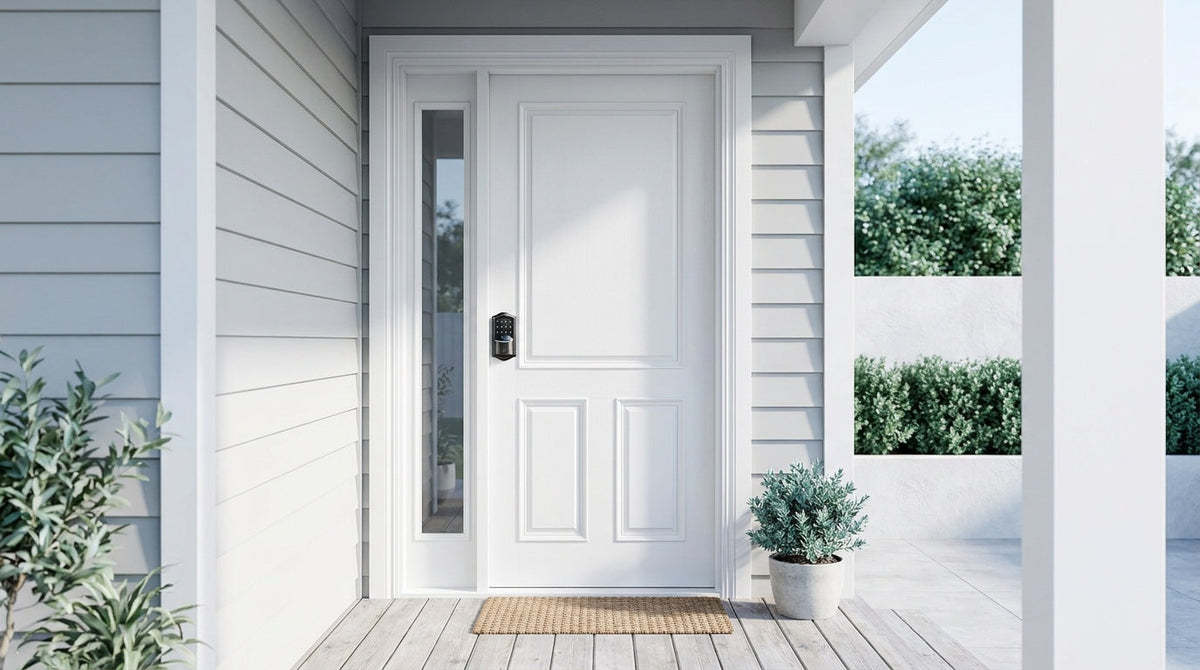
Here's a question homeowners search for constantly: should I get a smart lock or a deadbolt? It sounds like a straightforward either/or decision. But it's actually the wrong question — and the answer changes everything about how you think about home security.
A traditional deadbolt is one of the most trusted physical security tools ever made. A smart lock adds keyless entry, remote access, and modern convenience. Most guides will tell you to weigh the pros and cons and pick a side. What they rarely tell you is that smart deadbolts exist — locks that are physically a deadbolt and digitally a smart lock at the same time. So no, you don't have to choose.
In this guide, we'll break down what each lock type actually does, explain where the real differences lie, and help you figure out which configuration fits your home, your family, and your lifestyle. Whether you want simple keypad convenience, full remote access, or both, there's a practical path forward — and it doesn't require compromising on either security or ease of use.
What Is a Deadbolt Lock?
A deadbolt is a locking mechanism that extends a solid metal bolt directly into the door frame when locked — no spring, no give. Unlike a spring latch (the angled bolt on a standard door knob), a deadbolt can't be slipped open with a credit card or gentle force. That physical resistance is why deadbolts have been the standard for exterior door security for decades, and why they remain on virtually every front door in America.
Traditional deadbolts are entirely mechanical. They require a physical key to lock and unlock from the outside, and a thumb turn from the inside. They run on no batteries, need no Wi-Fi, and never require a software update. For sheer reliability and low maintenance, it's a hard standard to beat. The trade-off is inflexibility: one key, one way in, no way to let someone in remotely, and no record of who came and went.
For homeowners who want physical security without any digital dependency, a quality deadbolt lock remains a solid, proven choice. It's also worth noting that deadbolts are available in different ANSI/BHMA grades — Grade 3 is the established residential standard and is what most homeowners need for a front door.
What Is a Smart Lock?
A smart lock replaces your existing lock hardware and adds one or more electronic entry methods on top of the mechanical bolt. Depending on the model, you might unlock your door with a keypad code, a fingerprint scan, a mobile app, or a voice command through Alexa or Google Assistant. The physical key backup is still there — smart locks don't eliminate it — but you're rarely reaching for it.
The convenience factor is real and significant for busy families. Forgot your keys at the office? Keypad code still works. Need to let a family member in while you're across town? A Wi-Fi smart lock or a Smart Lock w/ Gateway 1/2 lets you unlock remotely from the app. Want to know whether your kids got home from school? The activity log in the app tells you exactly when the door was opened and by whom. These aren't novelty features; for parents and property owners, they solve genuine daily friction.
Smart locks come in several categories, each with a different feature set. A keypad deadbolt adds a code entry pad to a traditional deadbolt form factor. A Wi-Fi smart lock goes further, adding remote access, real-time notifications, and voice control through built-in Wi-Fi. A Smart Lock w/ Gateway 1/2 sits between the two: no built-in Wi-Fi, but full remote access through the paired gateway. Understanding these tiers matters, because the right level of connectivity depends on what you actually need day to day.
Do You Actually Have to Choose?
The short answer is no. The longer answer explains why the question is somewhat misleading in the first place.
When most people say "smart lock vs. deadbolt," they picture a keypad gadget mounted on one side and a solid-steel deadbolt on the other — two separate products competing for the same door. But most modern smart locks are deadbolts at their core. They use the same single-cylinder deadbolt bolt mechanism, fit the same standard door prep, and meet the same ANSI/BHMA residential certification standards. The "smart" part refers to the locking interface and connectivity — not a replacement of the underlying security hardware.
There are really only two scenarios where you might genuinely pair a separate smart lock and a separate deadbolt on the same door: when you want a keypad latch lock handling daily code-based entry alongside a separate deadbolt for added security (either position works — there is no required top or bottom), or when you're managing a high-security property that calls for layered hardware. For most residential front doors, a well-built smart deadbolt handles both jobs in a single unit. You get the bolt strength and the digital convenience without any trade-off.
The Smart Deadbolt: Where Both Worlds Meet
A smart deadbolt is exactly what it sounds like: a deadbolt lock with an electronic keypad (and often a fingerprint reader) built into the same housing. It installs in the same door prep as a standard deadbolt. It throws the same solid bolt. And it still has a physical key cylinder as a backup. The difference is that you're no longer limited to one way in.
Veise's keypad deadbolt locks are built exactly on this model. Every model supports a keypad code and a physical key backup. The KS02 series adds fingerprint recognition, reading your finger in under 0.3 seconds and storing multiple unique fingerprints locally on the device — no cloud account, no Internet required. This means even when your Wi-Fi is down or your phone battery is dead, you still have multiple reliable ways to get inside.
For families who want to step up further, Veise's Smart Locks w/ G1 and Smart Locks w/ G2 add gateway-enabled remote access to the same deadbolt foundation. Parents can check the app to confirm kids are home, grant temporary access for a houseguest, or lock the door remotely if someone forgot. The Wi-Fi smart lock line goes even further — built-in Wi-Fi, Alexa and Google Assistant voice commands, and real-time push notifications, all without a separate gateway device.
Side-by-Side Comparison: Traditional Deadbolt vs. Keypad Deadbolt vs. Smart Deadbolt
It helps to see the differences laid out clearly. Here's how a traditional deadbolt, a standalone keypad deadbolt, and a smart deadbolt compare across the features that matter most to homeowners:
| Feature | Traditional Deadbolt | Keypad Deadbolt | Smart Deadbolt (Connected) |
|---|---|---|---|
| Physical bolt security | ✅ | ✅ | ✅ |
| Keypad / PIN entry | ❌ | ✅ | ✅ |
| Physical key backup | ✅ | ✅ | ✅ |
| Fingerprint unlock | ❌ | KS02 series | All Wi-Fi Smart Locks & Smart Locks w/ G1; many Smart Locks w/ G2 |
| Remote access via app | ❌ | ❌ | ✅ (via gateway or built-in Wi-Fi) |
| Activity log / notifications | ❌ | ❌ | ✅ (via gateway or built-in Wi-Fi) |
| Works without Wi-Fi | ✅ | ✅ | ✅ |
| Auto lock | ❌ | ✅ | ✅ |
| Voice control (Alexa/Google) | ❌ | ❌ | ✅ (via gateway or built-in Wi-Fi) |
| Where it sits in Veise's $30–$180 lineup | Most affordable | Entry level | Mid-range |
The table tells a clear story: a smart deadbolt doesn't give up anything a traditional deadbolt has. It adds layers of access and convenience on top of the same physical security foundation. The only real addition is cost — and for most families, the convenience gain is well worth it.
How to Choose the Right Lock for Your Home
The right lock isn't about picking the most advanced option — it's about matching the lock to how your household actually lives. Here's a practical breakdown by situation:
You want simple keyless convenience without any app or connectivity
A keypad deadbolt is the right call. You get a PIN code and a physical key backup, full deadbolt security, and zero subscription fees or connectivity setup. It's a significant upgrade over a traditional deadbolt in day-to-day use — no more fumbling for keys — without any added complexity. The KS02 series adds a fingerprint reader for even faster entry.
You have kids, travel often, or manage a rental property
Remote access is a genuine need here, not a nice-to-have. A Wi-Fi smart lock or a Smart Lock w/ Gateway 1/2 lets you monitor entry history, lock up remotely if someone forgot, and issue scheduled codes for guests or service providers — all from your phone. For parents especially, being able to confirm kids arrived home safely is worth the step up in price. Veise's Wi-Fi smart locks built on the VE027 or VE012W series support Alexa and Google Assistant voice commands directly through built-in Wi-Fi, no gateway required. On the gateway side, Smart Lock w/ G1 ships with voice prompts in English, Spanish, and French across the whole line, a practical fit for multilingual households (Smart Lock w/ G2 supports English prompts). Note that remote access requires a smart lock — Smart Lock w/ Gateway 1/2 or Wi-Fi — since the Keypad Deadbolt and Keypad Latch categories cannot be paired with a gateway, regardless of what gateway device you own.
You want an interior door, side entry, or secondary door covered
Interior doors, garage entry doors, and office doors typically call for a latch lock rather than a full deadbolt. Veise's keypad latch locks handle this use case well — an all-in-one unit with a built-in handle and keypad, available in knob (KS03) or lever (KS04) form. Entry is keypad code or physical key, and installation is just as straightforward as any other Veise product. For bedrooms, bathrooms, and other interior rooms where simple privacy matters more than exterior security, the mechanical lineup is often the better fit — privacy door knobs and privacy door levers lock from inside with a turn knob and open from outside with a coin or screwdriver in an emergency. Veise also offers keyed entry door knobs and keyed entry door levers in matching finishes.
You're not sure where to start
Start with the front door. Replacing a traditional deadbolt with a Veise keypad deadbolt is the single highest-impact upgrade most homeowners can make — it costs $30 to $180, takes about 15 minutes with a screwdriver, requires no wiring, and no professional installation. From there, you can evaluate whether you want to add remote connectivity. Veise's full product range makes it easy to scale up when you're ready.
Why Veise Makes the Decision Simple
Veise was built on a simple belief: technology should make life easier, not more complicated. That philosophy — what the brand calls the Effortless Home Improvement™ Experience — runs through every product in the lineup. Every Veise smart lock is designed to install in about 15 minutes with a screwdriver — no wiring, no locksmith, no special tools — with a user manual and installation video in every box. Every model includes a physical key backup. And there are no subscription fees for any core features.
Behind those simple products is serious engineering. Veise is backed by Kaadas Group's 38 years of lock industry expertise and 711 patents — the world's largest smart lock patent portfolio. The company has sold 10M+ smart locks across 41+ countries and has been recognized by Frost & Sullivan as the global No.1 high-end smart lock brand by sales. When you buy a Veise lock, you're not buying from an OEM reseller — Veise designs and manufactures its own products in its own facilities, which means tighter quality control and real engineering accountability.
Veise's current lineup covers every tier of the door-lock spectrum: mechanical deadbolt locks, keypad deadbolts with and without fingerprint, keypad latch locks, gateway-connected Smart Locks w/ G1 and Smart Locks w/ G2, and fully connected Wi-Fi smart locks in both touchscreen (VE027 series) and push-button (VE012W series) form factors. All models are ANSI/BHMA Grade 3 certified — the residential standard — and are compatible with standard wood doors 1-3/8" to 2" thick. You can browse the full Veise product range to find the right fit for your door and your lifestyle. Easy from Day One.
The Bottom Line
The smart lock vs. deadbolt debate is really a false dilemma. The two aren't competing categories — smart deadbolts are both at once, and they've been available at affordable prices for years. A traditional deadbolt offers unbeatable simplicity and physical reliability. A smart lock adds convenience, flexibility, and connectivity. A smart deadbolt gives you all of it in one unit.
The right choice comes down to your household's actual needs: how you move in and out every day, whether remote access matters, how many people need entry, and how much you want to manage. Start with your front door, match the lock to your lifestyle, and know that whatever you choose — you're not giving anything up.
Frequently Asked Questions
Can a smart lock replace a deadbolt, or do I need both?
Most smart locks are deadbolts by design — they use the same single-cylinder deadbolt bolt mechanism and fit the standard door prep. A smart deadbolt replaces your existing deadbolt and adds keypad, fingerprint, or app-based entry on top of the same physical security. For most residential front doors, one smart deadbolt handles both jobs.
Are smart locks as secure as traditional deadbolts?
Yes — provided you choose a quality, certified product. A smart deadbolt certified to ANSI/BHMA Grade 3 (the residential standard) offers the same physical bolt resistance as a comparable traditional deadbolt. Veise smart locks are ANSI/BHMA Grade 3 certified and add security advantages a traditional deadbolt can't match: auto lock, lockout protection that pauses the lock for 3 minutes after 10 wrong attempts, anti-peep code entry, and far fewer keys in circulation because no key is needed for daily entry.
Do smart locks work if the Wi-Fi goes down?
Yes. Keypad codes and physical key backup work entirely offline on every Veise lock. On Smart Lock w/ Gateway 1/2 and Wi-Fi smart locks, even when Wi-Fi is down, app control continues to work locally as long as you're within short-range wireless distance of the lock. Only long-distance remote features — like unlocking from across town or receiving off-site push notifications — require an active Internet connection.
What's the difference between a keypad lock and a smart lock?
A Keypad Deadbolt or Keypad Latch adds a PIN code entry pad to a deadbolt or latch, giving you keyless entry without any connectivity or app. A smart lock adds remote access, activity logs, and voice control — features that require the paired gateway or built-in Wi-Fi. Both are significant upgrades over a traditional key-only deadbolt, but smart locks go further for households that need remote monitoring or management.
How difficult is it to install a smart deadbolt?
For most standard wood doors (1-3/8" to 2" thick), a Veise smart deadbolt installs in about 15 minutes with a screwdriver. No wiring, no locksmith, no special tools required — and every product ships with a step-by-step user manual and an installation video. The lock fits the same door prep as a standard single-cylinder deadbolt, so if you already have a deadbolt, the swap is straightforward.
Do smart locks require a subscription?
Veise smart locks do not require any subscription for core features — keypad entry, fingerprint unlock, auto lock, and physical key backup all work without any ongoing fee. Remote access features on Smart Lock w/ Gateway 1/2 and Wi-Fi smart locks work through the app with no subscription required.
Not Sure Which Lock Is Right for Your Door?
The Veise team is happy to help you find the right fit — from a simple keypad deadbolt to a fully connected Wi-Fi smart lock. No pressure, just practical advice from people who know locks.
Contact Us

Leave a comment
This site is protected by hCaptcha and the hCaptcha Privacy Policy and Terms of Service apply.