
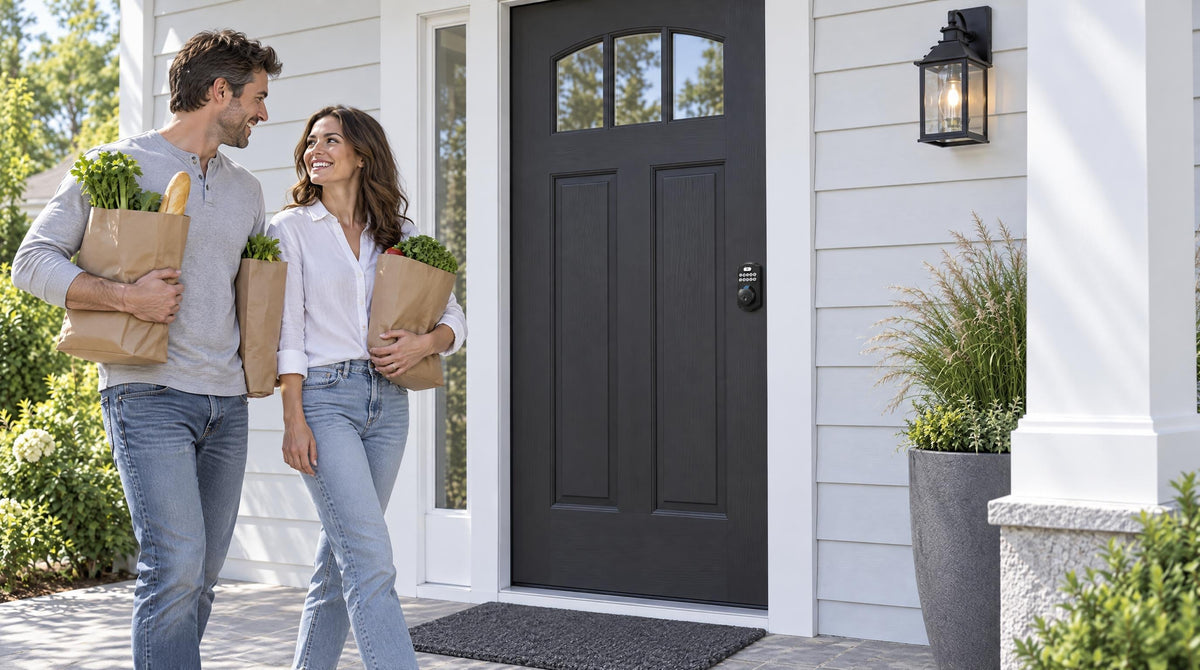
You come home with your hands full of grocery bags, your keys buried somewhere at the bottom of your bag, and the thought of digging them out is already exhausting. Sound familiar? A password door lock solves that specific, daily frustration: punch in your code, hear the bolt retract, and you're inside. No digging for keys, no fumbling, no problem.
But convenience is only half the story. The bigger question homeowners ask — rightly — is whether a code-based lock is actually secure. The answer is yes, with one important caveat: the lock's security is only as good as the code you set and the habits you maintain around it. This guide covers everything you need to make that work: how password locks function mechanically, which type belongs on which door, the real vulnerabilities you need to know about (and how to neutralize them), and how to choose between an electronic keypad lock and a connected smart lock for your household's specific needs.
How Password Door Locks Actually Work
At its core, a password door lock is an electromechanical device: you provide an input (your code), the lock's internal controller verifies it against stored credentials, and if it matches, a small motor or solenoid drives the bolt or latch into the open position. If the code doesn't match, the bolt stays put — and after 10 wrong attempts, every Veise lock automatically pauses for 3 minutes.
The keypad itself is the interface layer. It can be a traditional press-button pad, where each digit has a dedicated physical key, or a touchscreen, where buttons are rendered digitally on glass. Both approaches work well, but they have different physical security trade-offs that are worth understanding before you buy — more on that in the security risks section below. What matters most from a functional standpoint is that the controller behind the keypad stores your codes locally on the device itself, which means the lock continues to work reliably even when there's no Internet connection. Remote features — app control, entry alerts, remote locking — require a connected smart lock, but the basic keypad entry function needs nothing more than fresh batteries.
Speaking of batteries: virtually all residential password door locks are battery-powered, which is intentional. Battery power means no wiring, no electrician needed, and no failure during a power outage. The lock at your front door stays functional whether the grid is up or not. Veise locks warn you ahead of time with a voice or beep prompt and an indicator light, and every VE017 series and VE027 series model includes a USB-C port to supply emergency power from outside if the batteries do run out unexpectedly.
Types of Password Door Locks: Choosing the Right Fit
Not every password lock is built for the same door or the same household. The right choice depends on what level of security you need, which door you're locking, and how much connectivity you want. Veise organizes its lineup into four distinct categories, each designed for a different use case.
Keypad Deadbolt Locks
A keypad deadbolt lock combines the solid, security-first design of a traditional deadbolt with a code-based entry system. All models include a keypad code entry plus a physical key as a reliable backup. The KS02 series adds a fingerprint scanner, which scans and recognizes your finger in under 0.3 seconds — faster than pulling a key from your pocket. Exterior doors on residential homes typically call for this category; the solid bolt into the door frame adds extra resistance to forced entry.
Within this category, the primary split is between models with fingerprint capability and those without. The fingerprint line (KS02 series) is available as a deadbolt-only lock (KS02A) or as a handle-set bundle that pairs the deadbolt with a lever, knob, or vertical handle. The non-fingerprint line (RZ and KS01 series) covers both standalone deadbolts and handle-set bundles with a lever or knob — a good fit for buyers who want reliable keypad entry at a straightforward price point. All models are ANSI/BHMA Grade 3 certified, which is the residential standard for door hardware. Grades 1 and 2 target high-traffic commercial environments, not a higher "quality tier" — Grade 3 is exactly what a residential front door needs.
Keypad Latch Locks
A keypad latch lock integrates the handle and the lock body into a single unit, making it a compact, clean-looking choice for interior doors, side entries, offices, or utility rooms — and on a front door, many homeowners pair it with a separate deadbolt for added security. The current Veise lineup includes two SKUs that differ only by handle type: the KS03 with an integrated top knob and the KS04 with an integrated top lever. Both offer keypad code entry and a physical key backup. This category is intentionally straightforward — no app, no fingerprint, no key fob — because many doors simply don't require that level of connectivity.
Smart Lock w/ Gateway 1/2
A Smart Lock w/ Gateway 1/2 adds remote app control on top of everything a keypad deadbolt offers. The lock pairs with a small gateway device (sold separately on nearly all SKUs; the VE017G and VE017G-H bundles include Gateway 1), which bridges the lock to your home network. Every model in both lines includes keypad code, key fob, and physical key as backup methods — and fingerprint is included on every Smart Lock w/ G1 and many Smart Lock w/ G2 models. Once connected, you can lock or unlock remotely, check entry history, receive real-time alerts, and manage access codes for family members or guests, all from a mobile app.
The Smart Locks w/ G1 line is built on a single product series — the VE017. Every Smart Lock w/ G1 model ships with fingerprint as standard, multilingual voice prompts in English, Spanish, and French, and a USB-C emergency power port. These are not optional add-ons; they're universal across the line. Smart Lock w/ G1 also pairs with a Veise-developed app for tighter first-party integration. If your household includes non-English-speaking members, the multilingual voice prompts are a concrete, practical reason to choose Smart Lock w/ G1.
The Smart Locks w/ G2 line offers more SKU variety — both fingerprint and non-fingerprint options, in standalone deadbolt or handle-set bundle configurations. Smart Lock w/ G2's two unique features are Apple Watch unlock and web portal control, making it the stronger pick for households already embedded in the Apple ecosystem, or property managers who prefer browser-based access management over a phone app.
Wi-Fi Smart Locks
A Wi-Fi smart lock skips the gateway entirely. Built-in Wi-Fi connects the lock directly to your home network, so you get remote app control, real-time notifications, and Alexa/Google Assistant voice control without any additional hardware. Veise offers two Wi-Fi series. The Touchscreen Wi-Fi Smart Lock (VE027 Series) features a touchscreen interface, a USB-C emergency power port, key fob support, and on-device voice prompts in English, Spanish, and French. The Push-Button Wi-Fi Smart Lock (VE012W Series) uses a traditional press-button keypad — the familiar feel of physical keys, without the VE027 series' USB-C port, key fob, or on-device voice prompts. Both series support fingerprint unlock, keypad code, remote app control, voice control, and a physical key backup; both use an 8 AA battery design that delivers stronger signal stability and a longer power reserve than the standard 4 AA setup found on most competing locks.
Remote access requires a smart lock — either a gateway-paired model or a Wi-Fi model. A Keypad Deadbolt or Keypad Latch lock, even a high-quality one, cannot be paired with a gateway to add remote features after the fact. That distinction matters when you're deciding between categories at the point of purchase.
Real Security Risks — and How to Beat Them
Code-based entry is genuinely secure when it's set up and maintained well. But there are specific physical and behavioral vulnerabilities worth knowing — not to alarm you, but because each one has a straightforward countermeasure.
Smudge attacks. Over time, the keys you press most often on a physical button keypad accumulate oils from your fingertips. Someone who examines the keypad under certain lighting can potentially narrow down which numbers are in your code. The defense is simple: wipe your keypad after entering your code, or choose a longer code that spreads your fingerprint across more buttons, making the pattern harder to read. Anti-peep code entry (below) helps here too, because the extra digits blur the pattern.
Shoulder surfing. This is exactly what it sounds like: someone nearby watches you tap in your code. It's a low-tech attack but a real one, especially in shared lobbies, busy neighborhoods, or any location where others can stand close. The best hardware defense is anti-peep code entry, which lets you enter random digits before and after your actual code — as long as your real sequence appears somewhere in the string, the lock opens. A potential observer can't tell where your code starts or ends. Every Veise lock includes anti-peep code entry — use it consistently.
Worn buttons. On press-button keypads used for years without code changes, the most frequently pressed keys can show physical wear — faded labels, slightly different tactile feedback. This gives a knowledgeable observer a shortcut when guessing your code. Changing your code periodically (more on that below) and choosing a code that uses keys spread across the keypad both help here.
Brute-force attempts. Systematically trying combinations is slow and obvious — which is why every Veise lock automatically pauses for 3 minutes after 10 wrong attempts. This feature buys time and draws attention to someone lingering at your door. For trips away, Away Mode on Smart Lock w/ G1 (the VE017 series) disables PIN code and fingerprint entry, allows only the app, master code, or physical key, and flags abnormal unlock attempts.
How to Create and Manage Strong Entry Codes
The single most effective thing you can do for your password lock's security costs nothing and takes thirty seconds: choose a longer, less predictable code. Here's what that means in practice.
- Use a longer code. Veise keypads accept codes of 4 to 10 digits, so lean toward the longer end. Longer codes grow the number of possible combinations exponentially, not just linearly.
- Avoid the obvious. Sequences (1234, 9876), repeated digits (0000, 1111), and personal information (birthdays, house numbers, ZIP codes) are always the first guesses. If the number has meaning to you, it probably has guessable meaning to someone else too.
- Change the default master code right after install. Every Veise lock ships with a default master code printed in the included user manual. Leaving it unchanged is one of the fastest ways to give up the security you just paid for.
- Give each household member their own code. Most quality keypad and smart locks support multiple user codes. Individual codes mean you can remove access for one person without changing the code for everyone else.
- Use One-Time or scheduled codes for guests and service providers. One-Time codes work on every Veise lock and automatically expire after a single use; on Smart Lock w/ G1 and Wi-Fi smart locks, Recurring and Duration codes expire on their own schedule. Only Permanent codes need removing by hand, so make that part of your routine when someone no longer needs access.
- Change your code when circumstances change. Someone moves out, a phone is lost, a code may have been seen — these are the moments that justify a change, not a calendar reminder every 90 days. Forced periodic changes often push people toward predictable small edits (changing the last digit), which is worse than keeping a strong code longer.
One more practical tip: resist the urge to write your code on a sticky note near the door or save it as a photo on your phone. If you genuinely need a written backup, store it somewhere physically separate from the door and your home address.
When a Keypad Deadbolt or Latch Is Enough — and When to Go Smart
A keypad deadbolt or latch lock is an excellent upgrade from a traditional key-only lock for the majority of households. It takes the key off daily duty, lets you issue temporary codes without making physical copies, and delivers reliable keyless entry with a physical key backup always available. For many interior doors, side doors, and even primary entry doors where remote monitoring isn't a priority, it's the most sensible choice.
There are specific life situations, though, where the remote access and monitoring capabilities of a smart lock make a meaningful difference. Parents who want to confirm when kids arrive home from school — without waiting for a text — benefit from the entry history and real-time alerts that only a Wi-Fi Smart Lock or a Smart Lock w/ Gateway 1/2 provides. Keypad Deadbolt and Keypad Latch locks won't send those notifications. Property owners managing a short-term rental can issue and revoke guest codes remotely without driving to the property for each changeover. Multilingual households get a concrete usability benefit from the English, Spanish, and French voice prompts on Smart Lock w/ G1 and the Touchscreen Wi-Fi Smart Lock (VE027 Series). And households with elderly members who may struggle with remembering codes get meaningful help from fingerprint access — recognized in under 0.3 seconds — as an always-available alternative.
The decision framework is straightforward: if you want keyless entry without needing to monitor or control your lock from a distance, a keypad deadbolt or keypad latch lock is the right fit. If remote access, entry alerts, or voice assistant integration matter to your household, step up to a Wi-Fi smart lock or a Smart Lock w/ G1 or Smart Lock w/ G2.
The Veise Password Lock Lineup: A Category-by-Category Guide
Veise — built on Kaadas Group's 38 years of lock industry expertise and backed by 711 patents, the world's largest smart lock patent portfolio — designs every lock in-house, from the mechanism to the firmware. That vertical integration matters: Veise isn't an OEM reseller relabeling someone else's hardware. The engineering, the AI fingerprint chip, the app integration, and the quality control all happen under one roof. The result is a range that spans $30 to $180, fits standard wood doors throughout the home, and installs in about 15 minutes with a screwdriver — no wiring, no professional help required. All Veise locks are compatible with standard wood doors with a thickness of 1-3/8" to 2".
Here's a quick-reference summary of which category to start with based on your situation:
- Front door, keyless entry only, no app needed:Keypad Deadbolt Lock — with or without fingerprint depending on your preference for hands-free entry.
- Interior door, side entry, or companion lock on a front door:Keypad Latch Lock (KS03 knob or KS04 lever) — simple, integrated, no-fuss.
- Remote monitoring, multilingual household, or USB-C emergency backup needed:Smart Lock w/ G1 — the all-in-one connected pick with fingerprint, multilingual voice, and first-party app standard across the line.
- Apple Watch unlock or web portal control matters:Smart Lock w/ G2 — unique Apple ecosystem integration and more SKU variety.
- Remote access without a gateway, with Alexa/Google built in:Wi-Fi Smart Lock — choose the Touchscreen (VE027 series), which adds USB-C emergency power, key fob, and on-device voice prompts, or the Push-Button (VE012W series) with a traditional press-button keypad; both include fingerprint, remote app, and Alexa/Google voice control.
Recognized by Frost & Sullivan as the global No. 1 high-end smart lock brand by sales, and with 10M+ smart locks sold across 41+ countries, Veise brings a track record that goes well beyond marketing claims. Easy from Day One — and if you're not sure which category fits your door, the team is ready to help you find the right match.
A password door lock is one of the most practical upgrades you can make to your home's entry — no key needed for daily entry, far fewer key copies to track, and a code you can change in seconds if circumstances ever call for it. The security holds up when you choose the right category for your door, set a strong code from day one, and maintain a few simple habits around code management and keypad hygiene. Whether you start with a straightforward keypad deadbolt for reliable keyless entry or step up to a Wi-Fi Smart Lock or a Smart Lock w/ Gateway 1/2 for full remote visibility, the foundation is the same: solid hardware, thoughtful setup, and a code that's genuinely yours and genuinely hard to guess.
Veise's full range — from Keypad Deadbolt locks to Wi-Fi smart locks — is built to fit real households, real doors, and real budgets, backed by 38 years of lock industry expertise and 711 patents — the world's largest smart lock patent portfolio. Explore the complete lineup to find the right match for every door in your home.
Frequently Asked Questions
Are password door locks safe?
Yes — password door locks are a genuinely secure alternative to traditional key locks when you choose a quality model and set it up carefully. Select an ANSI/BHMA Grade 3 certified deadbolt (the residential standard), install it on a solid wood door using the strike plate included in the box, use a long and non-obvious code, remove guest codes when they're no longer needed, and enable the auto lock feature so the door re-engages on its own. Every Veise lock also includes anti-peep code entry and an automatic 3-minute pause after 10 wrong attempts, and Smart Lock w/ Gateway 1/2 and Wi-Fi smart locks add entry history and real-time alerts in the app.
What are the main disadvantages of keypad door locks?
Battery dependency is the most common practical concern — though Veise locks warn you with a voice or beep prompt and an indicator light before the batteries run out, and a physical key backup handles the rare worst case. Keypad Deadbolt and Keypad Latch locks don't offer app connectivity or app-based activity alerts, so you won't get a notification if someone repeatedly attempts to guess your code. However, every Veise lock pauses for 3 minutes after 10 wrong attempts. Worn buttons on a press-button pad can also reveal frequently used keys over time, while regular code changes and occasional keypad wipe-downs can help reduce this concern. Smart lock models add app connectivity and activity monitoring for users who want those features. The other notable trade-off is cost: code-based and smart locks typically carry a higher upfront price than a traditional deadbolt, though Veise's lineup spans a range of options.
How many codes can a Veise keypad lock store?
It varies by model. Veise locks are designed to store enough unique codes for a full household — multiple family members, plus temporary guest codes. One-Time codes work on every Veise lock. On Smart Lock w/ Gateway 1/2 and Wi-Fi smart locks you can also manage codes remotely through the app, and Smart Lock w/ G1 and Wi-Fi smart locks add Recurring and Duration codes that expire on their own. Check the specific SKU's product page for the exact count on any given model.
Do password door locks work during a power outage?
Yes. Veise password locks are battery-powered, so a home power outage has no effect on your ability to enter. Remote features — app alerts, remote locking — do require an active Internet connection, so those will be unavailable if your home router is down. But keypad entry, fingerprint (where applicable), key fob (where applicable), and physical key all continue to work locally regardless of network status. Every VE017 series and VE027 series model also includes a USB-C port to supply emergency power from outside if the batteries run fully depleted before they're replaced.
How often should I change my door lock code?
There's no magic calendar interval. The most effective approach is to change your code when something specific happens: a household member moves out, a service provider no longer needs access, a code may have been seen by someone else, or you notice unexpected lock activity. Arbitrary forced changes often lead to predictable edits — like incrementing the last digit — which are easier to guess than simply keeping a strong, well-chosen code for longer. Set individual codes for each person so that revoking one person's access doesn't require changing the code for everyone else.
Can I install a Veise password lock myself?
Yes. Veise locks are designed for DIY installation on standard wood doors with a thickness of 1-3/8" to 2". Most installations take about 15 minutes with a screwdriver — no wiring, no locksmith, and no special tools (Veise replaces your existing lock hardware using your door's existing prep), with an included installation guide and video to follow step by step. The Effortless Home Improvement™ Experience behind every Veise lock means setup is meant to be intuitive, not intimidating, even for first-time installers.
Not sure which password lock is right for your door?
The Veise team is happy to help you match the right lock to your door, your household, and your budget — no pressure, just practical guidance.
Contact UsOr browse the full lineup: Keypad Deadbolts | Keypad Latch Locks | Wi-Fi Smart Locks | Smart Locks w/ G1 | Smart Locks w/ G2

Leave a comment
This site is protected by hCaptcha and the hCaptcha Privacy Policy and Terms of Service apply.