
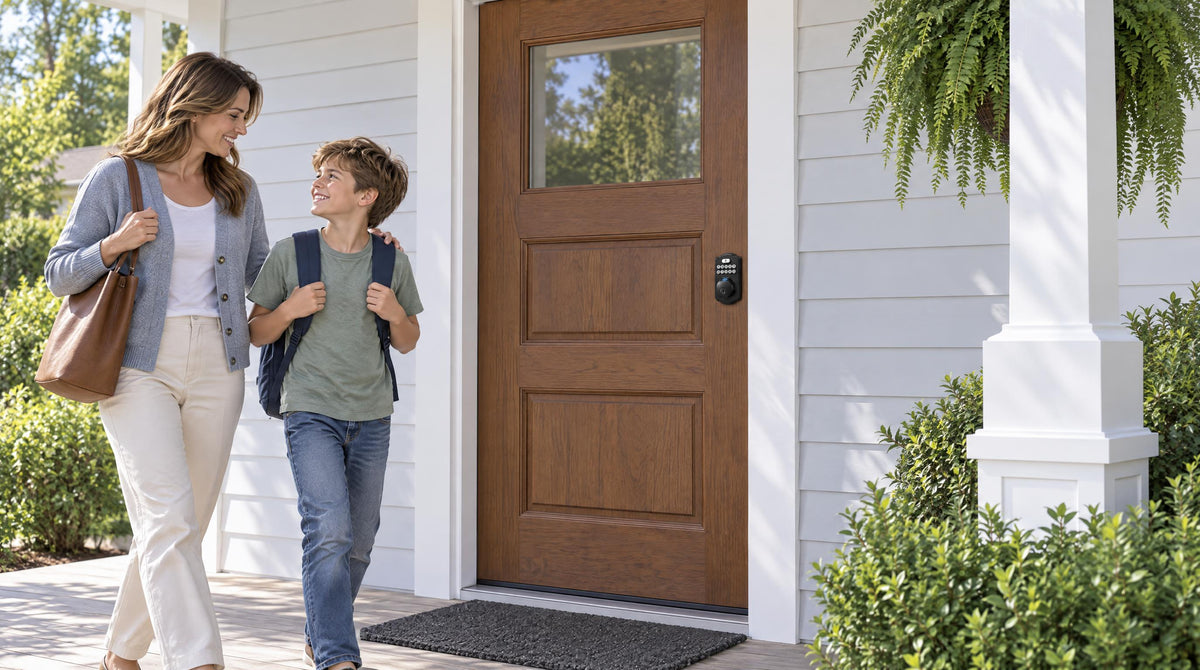
There's a satisfying simplicity to touching your fingertip to a sensor and hearing your front door unlock — Veise locks recognize a registered fingerprint in under 0.3 seconds. No keys to dig out. No code to remember. Just you, your finger, and immediate access. Fingerprint door locks have become a genuinely practical upgrade for modern homes — and for good reason.
But here's the part most buyers don't think about until it's too late: what happens when your hands are wet from washing dishes, when your finger has a cut from weekend yard work, or when the batteries run low on a cold January morning? A fingerprint-only setup without a physical key backup can turn a minor inconvenience into a full lockout. That's why the smartest fingerprint locks on the market today don't ask you to choose between biometric convenience and traditional reliability — they give you both.
This guide explains how fingerprint recognition actually works, why key backup is a non-negotiable safety net rather than an afterthought, and how to choose a lock that delivers the best of both worlds for your family.
Fingerprint Door Locks
With Key Backup
Biometric speed for every entry. Physical key reliability for every edge case. The smartest home security gives you both.
⚡ Why Both Methods Matter
Fingerprint Access
Handles most daily entries — no keys, no codes, just touch-and-go speed in under 0.3 seconds.
Physical Key Backup
Covers the edge cases — bad weather, injured fingers, dead batteries. A reliable fallback.
🔬 How Fingerprint Recognition Works
Capture
Sensor captures a fingerprint and converts it into a math template — no photo stored
Local Storage
Fingerprint data stored on the lock only — no cloud, no remote server, no Internet needed
Recognition
Identifies registered fingerprint in under 0.3 seconds — enrolled 8× for accuracy
⚠️ When Fingerprint Alone Struggles
These situations are exactly why a key backup is essential — not a compromise.
Wet or Damp Fingers
Rain, dishes, sweat — moisture disrupts ridge-pattern reading
Dry or Cracked Skin
Cold winter air reduces skin conductivity — failures spike in winter
Minor Injuries
Cuts, bandages, or blisters change the surface geometry the sensor reads
Lotion or Grease
Oils, sunscreen, and residue obscure the fine ridge details needed
Angle Mismatch
Different finger angle from enrollment = no confident match found
🏠 Veise Lock Categories at a Glance
Fingerprint on KS02 Series
Keypad + fingerprint + key backup. No app needed. Auto lock 10–99 sec.
Full Suite — Standard on Every Unit
Fingerprint + key fob + key backup + app via paired gateway. USB-C emergency port. EN/ES/FR voice.
Multiple Form Factors + Apple Watch
Deadbolt or handle-set bundles. Fingerprint on many models. Key fob + key backup + app via paired gateway. Apple Watch unlock exclusive.
No Gateway Needed — Direct Wi-Fi
Fingerprint + key backup + Alexa/Google. Touchscreen (VE027 series) or push-button (VE012W series). 8 AA batteries.
✅ Tips to Keep Your Lock Reliable
Enroll Multiple Fingers
Register 2+ fingers per user — both hands if possible
Clean Sensor Regularly
Dry microfiber cloth removes smudges and oil buildup
Re-Enroll Seasonally
Dry winter skin differs from summer — re-enroll if failures spike
Monitor Battery Level
Watch for the voice or beep prompt — plus app alerts on connected locks
Smart Key Storage
Lockbox, trusted neighbor, or vehicle — never under the mat
Consistent Finger Placement
Use flat center of fingertip with same pressure as enrollment
The Takeaway
A fingerprint lock without key backup is a convenience upgrade. A fingerprint lock with key backup is a genuine security improvement. The biometric handles the fast daily entries. The key handles every edge case. Together, they cover the most common situations.
Veise Smart Locks
Effortless Home Improvement™ · ANSI/BHMA Grade 3 Certified · Installs in ~15 Minutes
Why Fingerprint AND a Key Backup Both Matter
The core appeal of fingerprint access is straightforward: your fingerprint is always with you, it can't be lost like a key, and it can't be guessed like a PIN code. At the same time, the physical key backup addresses a different problem entirely — not security, but resilience. Think of the two methods less as competitors and more as partners. Fingerprint handles most of your daily entries with speed and ease. The physical key handles the rest — the edge cases, the bad weather days, the injured fingers, the unexpectedly dead batteries — so that none of them becomes a crisis.
This layered approach is especially important for families. A household with multiple people coming and going at different times, in different conditions, under different circumstances, needs an entry system that doesn't break down when life gets messy. A lock that offers both fingerprint recognition and a physical key backup isn't a compromise — it's the most practical design choice available.
How Fingerprint Recognition Works on a Door Lock
When you first set up a fingerprint lock, the sensor captures an image of your fingerprint and converts it into a mathematical template — not an actual photo of your print. That template is stored directly on the lock's internal memory, not in the cloud and not on any remote server. This is an important privacy and reliability detail: your biometric data never leaves the device, so there's no cloud account to hack and no Internet connection required for the lock to recognize you.
During the enrollment process, Veise locks capture each fingerprint eight times to build a robust template across different angles and pressure levels. This matters because the way you place your finger at 7am, rushing out the door, may be slightly different from how you placed it during setup. Capturing multiple scan angles during enrollment is what makes everyday recognition feel seamless rather than finicky.
Once enrolled, identification happens fast — Veise locks recognize a registered fingerprint in under 0.3 seconds. For everyday use, this speed is one of the most compelling quality-of-life upgrades a smart lock delivers.
When Fingerprint Alone Isn't Enough
Even the most advanced fingerprint sensor has limits that have nothing to do with the quality of the lock — they have to do with the limits of human skin and outdoor conditions. Understanding these scenarios is what makes the key backup so valuable, not as a gimmick, but as a genuine contingency plan.
Here are the most common situations where fingerprint recognition can struggle:
- Wet or damp fingers: Coming in from rain, washing your hands just before heading out, or sweaty palms on a hot summer day can all interfere with the sensor's ability to read ridge patterns clearly.
- Dry or cracked skin: Cold winter air dries out fingertips significantly. The conductivity that fingerprint sensors rely on decreases with very dry skin, which is why recognition failures tend to spike in winter months.
- Minor injuries: A small cut, a bandage, or even a blister on your fingertip changes the surface geometry the sensor is looking for. This doesn't happen often, but when it does, you want an alternative waiting for you.
- Dirt, lotion, or grease: Oils, sunscreen, cooking residue, or hand lotion on the fingertip can obscure the fine ridge details the sensor needs for an accurate read.
- Enrollment angle mismatch: If the finger was enrolled at a slightly different angle than how it's being presented, the lock may not find a confident match.
None of these are reasons to avoid fingerprint locks. They are reasons to choose a fingerprint lock that also includes a physical key backup, so that any of the above scenarios becomes a minor inconvenience rather than a lockout.
The Real Role of the Physical Key Backup
In a well-designed fingerprint lock, the physical key backup serves a very specific purpose: it is the last-resort option that doesn't depend on battery level, sensor condition, or weather. This is why the best practice isn't to hide your backup key under a flowerpot or inside a spare rock by the door. The key is most useful when stored in a secure secondary location — a trusted neighbor's home, a lockbox in your garage, your vehicle's glove compartment, or a combination lockbox mounted out of sight on an exterior wall.
The key backup also plays an important role for households with elderly family members or young children. A grandparent visiting for a week may not feel comfortable with a keypad code or a biometric sensor, but a traditional key is universally familiar. A child coming home from school might have wet hands, a scraped finger, or simply not press the sensor consistently enough for a reliable read — the key in their backpack covers that situation cleanly.
It's also worth noting that the physical key backup is not a security weakness. On a Veise lock, the key cylinder is part of the same ANSI/BHMA Grade 3 certified hardware as the rest of the lock. The key doesn't undermine the biometric security — it runs in parallel with it, activated only when needed.
Which Veise Lock Category Has Fingerprint + Key Backup?
Veise builds its locks across four distinct categories, each designed for different access needs and door types. Every Veise lock is compatible with standard wood doors (1-3/8" to 2" thick) and installs in about 15 minutes with a screwdriver — no wiring, no professional help required. Here's how fingerprint and key backup availability breaks down across the lineup:
Keypad Deadbolt — Fingerprint on the KS02 Series
The Keypad Deadbolt line is the most popular starting point for homeowners who want to eliminate the fumbling-for-keys experience on their front door. All models include keypad code access and a physical key backup as standard. Fingerprint is available on the KS02 series — a meaningful upgrade for households where someone is consistently coming home with full hands or simply prefers the touch-and-go speed of biometric entry. The non-fingerprint RZ and KS01 series offer the same keypad-plus-key combination without the biometric sensor, at a lower price point. All models include auto lock, configurable between 10 and 99 seconds.
Smart Lock w/ G1 — Fingerprint + Key Fob + Physical Key, Standard on Every Unit
The Smart Lock w/ G1 is Veise's most complete connected lock offering. Smart Lock w/ G1 is built on a single product series — the VE017 — and the entire line ships with fingerprint recognition, a key fob, a physical key backup, keypad code access, and remote app control through a paired gateway — all as standard. The gateway bridges the lock to your home network, enabling remote locking and entry history monitoring. G1 line also features multilingual voice prompts in English, Spanish, and French, making it a strong fit for multilingual households. A USB-C emergency power port is included on every SKU in the VE017 series, covering the scenario where batteries run low and the key isn't immediately at hand. For families who want the most complete feature set, Smart Lock w/ G1 is the pick.
Smart Lock w/ G2 — Multiple Form Factors, With or Without Fingerprint
The Smart Lock w/ G2 covers a broader range of form factors — standalone deadbolts and handle-set bundles (lever, vertical handle, or knob) — with fingerprint on many models. Like Smart Lock w/ G1, all G2 models include a key fob and physical key backup alongside keypad code and gateway-paired app control. G2 line's standout exclusive feature is Apple Watch unlock, which is not available on any other Veise lock line. Voice prompts on Smart Lock w/ G2 are in English. If you specifically want Apple Watch integration or prefer a non-fingerprint connected option, Smart Lock w/ G2 is the right choice.
Wi-Fi Smart Lock — Fingerprint + Physical Key, Built-In Wi-Fi
The Wi-Fi Smart Lock category removes the gateway entirely, connecting directly to your home's Wi-Fi network for remote access without any additional hardware. Veise offers two Wi-Fi series:
- Touchscreen Wi-Fi Smart Lock (VE027 Series): Touchscreen interface, fingerprint recognition, physical key backup, app control, voice commands via Alexa and Google Assistant, plus a USB-C emergency power port, key fob, and on-device voice prompts in English, Spanish, and French on every unit. Ideal for tech-forward households who want a clean, modern interface.
- Push-Button Wi-Fi Smart Lock (VE012W Series): Traditional press-button keypad, fingerprint recognition, physical key backup, app control, and Alexa/Google voice — the same Wi-Fi connectivity as the VE027 series with the familiar tactile keypad feel, but none of the VE027 series' four extras (touchscreen, USB-C emergency power, key fob, and on-device voice prompts).
Both Wi-Fi series run on 8 AA batteries instead of the more common 4 AA setup, delivering a stronger signal and more stable connection over time. As with Smart Lock w/ Gateway 1/2, even when Wi-Fi is down, app control continues to work locally as long as you're within short-range wireless distance of the lock — only long-distance remote features require an active Internet connection. Explore the full Wi-Fi Smart Lock collection to compare both series.
Choosing the Right Fingerprint Lock for Your Home
The best fingerprint lock with key backup is the one that fits how your household actually lives — not just the one with the most features. Here's a practical framework for narrowing it down:
- Primary door, no remote access needed: A Keypad Deadbolt with fingerprint (KS02 series) gives you fast biometric entry, a code backup, and a physical key — all without any app or gateway requirement, and with no monthly fees.
- Families with school-age kids: A Wi-Fi Smart Lock or a Smart Lock w/ Gateway 1/2 lets parents check real-time entry history from the app — so you know your child arrived home safely, even when you're still at the office. Remote access requires a smart lock (gateway-paired or Wi-Fi), not a Keypad Deadbolt or Keypad Latch lock.
- Managing a short-term rental or vacation property: Remote app access via a Smart Lock w/ G1, Smart Lock w/ G2, or either Wi-Fi model allows you to issue and revoke access codes between guests without visiting the property. The physical key backup ensures there's always a recovery option if a guest has trouble with the keypad.
- Multilingual households: Smart Lock w/ G1 and the Touchscreen Wi-Fi Smart Lock (VE027 series) both support voice prompts in English, Spanish, and French — a practical fit for households where not everyone speaks English as a first language. Smart Lock w/ G2 offers English voice prompts, and the Push-Button Wi-Fi Smart Lock (VE012W series) has no on-device voice prompts, though it still supports Alexa and Google voice control.
- Households with elderly members concerned about battery lockouts: The VE017 series (Smart Lock w/ G1) and VE027 series (Touchscreen Wi-Fi Smart Lock) both include a USB-C emergency power port on every unit. Connect a power bank with a USB-C cable to supply emergency power from outside long enough to get in.
Browse the full Veise product lineup to compare models side by side. All Veise locks are ANSI/BHMA Grade 3 certified — the residential security standard — and are designed as full door hardware replacements (not overlays), meaning installation does require being the property owner or having authorization to modify door hardware.
Tips for Keeping Your Fingerprint Lock Reliable
The good news is that most fingerprint lock issues are preventable with a few simple habits. These don't require any technical skill — just a bit of routine awareness:
- Enroll multiple fingers: Register at least two fingers per primary user — ideally from both hands. If one finger is injured, wet, or just not reading well that day, the alternate finger covers the gap immediately.
- Clean the sensor periodically: A soft, dry microfiber cloth is all it takes. Remove any fingerprint smudges, dust, or oil buildup from the sensor surface. Don't use abrasive materials or harsh chemicals.
- Re-enroll seasonally if needed: Dry winter skin behaves differently from summer skin at the sensor level. If you notice more frequent scan failures as the season changes, re-enrolling your fingerprints takes only a few minutes and usually resolves it.
- Store the backup key in a smart location: A lockbox mounted out of direct sight on an exterior wall, a trusted neighbor, or your vehicle gives you reliable access to the key without leaving it under the obvious flowerpot.
- Monitor battery level: Veise locks warn you before the batteries run out with a voice or beep prompt and an indicator light, plus an app push notification on Smart Lock w/ Gateway 1/2 and Wi-Fi smart locks. Swap in fresh AA/LR6 alkaline batteries promptly — don't wait until the lock stops working.
- Place your finger consistently: Press the broad, flat center of your fingertip against the sensor using the same natural pressure you used during enrollment. Angled or light contact is the most common cause of scan rejections that have nothing to do with the sensor quality.
With these habits in place, a fingerprint lock with key backup becomes one of the most friction-free entry experiences available — fast when everything is normal, resilient when anything isn't.
The Takeaway
A fingerprint door lock without a physical key backup is a convenience upgrade. A fingerprint door lock with a physical key backup is a genuine home security improvement. The biometric sensor handles the fast, effortless daily entries that make smart locks worth installing. The physical key handles the edge cases — the wet hands, the winter skin, the injured fingers, the dead batteries — so that none of them ever become a crisis.
Veise designs every fingerprint-equipped lock with this layered approach in mind, backed by 38 years of lock industry expertise, 711 patents (the world's largest smart lock patent portfolio), and 10M+ smart locks sold across 41+ countries. The result is a lock that feels effortless when life is going smoothly and stays reliable when it isn't. Easy from Day One.
Frequently Asked Questions
Do all fingerprint door locks come with a physical key backup?
Most quality residential fingerprint locks include a physical key cylinder as a backup access method. Every Veise lock includes one — including the Keypad Deadbolt with Fingerprint (KS02 series), every Smart Lock w/ G1, the many Smart Lock w/ G2 models with fingerprint, and both Wi-Fi Smart Lock series. When shopping, always confirm the key backup is included rather than assuming it is.
Is the physical key backup a security risk?
No. On a Veise lock, the key cylinder is part of the same ANSI/BHMA Grade 3 certified hardware as the rest of the lock. The key backup doesn't weaken the overall security — it runs alongside biometric access as an independent failsafe. The risk comes from poor key storage habits (like hiding a key under a doormat), not from the key cylinder itself.
What happens if the fingerprint sensor fails entirely?
If the fingerprint sensor fails, a well-equipped lock gives you multiple fallback options. On a Keypad Deadbolt with fingerprint, the keypad code and physical key both work independently of the sensor. On a Smart Lock w/ G1 or Smart Lock w/ G2, you also have the key fob and app control as additional options. On Wi-Fi Smart Locks, the keypad, app, voice commands, and physical key are all available. The fingerprint sensor failing doesn't strand you — it just means you use a different method that day.
Does a fingerprint lock need Wi-Fi to work?
No. The fingerprint recognition and keypad access on a Keypad Deadbolt with fingerprint work entirely offline — no Wi-Fi, no app, no Internet connection required. Smart Lock w/ G1 and Smart Lock w/ G2 use a paired gateway for remote features but can still be accessed by fingerprint, keypad, and key fob locally without Wi-Fi. Wi-Fi Smart Locks do connect to your home network for remote features, but local fingerprint and keypad access continue to work even when Wi-Fi is down.
How do I improve fingerprint recognition accuracy over time?
Enroll each finger eight times during setup to capture multiple angles and pressure levels — Veise locks do this automatically during the enrollment process to build a reliable template. Keep the sensor clean with a dry microfiber cloth, re-enroll seasonally if you notice more failures in winter or summer, and always register at least two fingers per user so you have an immediate alternative if one scan fails.
Are Veise fingerprint locks compatible with any door?
Veise fingerprint locks are designed for standard wood doors with a thickness of 1-3/8" to 2". They are not compatible with fiberglass, metal, storm, or sliding doors. Because Veise locks are full replacements for your existing door hardware (not overlays), installation does require that you are the property owner or have authorization to modify the door hardware.
Not Sure Which Fingerprint Lock Is Right for Your Door?
Veise's team is happy to help you match the right lock to your door type, household, and access needs — no pressure, just practical guidance.
Contact Us

Leave a comment
This site is protected by hCaptcha and the hCaptcha Privacy Policy and Terms of Service apply.